Article Contents:
- What is architectural decor DWG
- Which architectural elements a designer needs in DWG
- Why you can't design architectural decor from a photo alone
- How to use a molding DWG on a wall elevation
- How to design a cornice using DWG
- Skirting board DWG: why it's needed in an architectural project
- Capital DWG: How to Check the Joint
- Column in Plan and Section
- DWG of a Fireplace Portal
- Architectural ceiling decor
- How to Name DWG Blocks
- How to Work with Right and Left Elements
- You Must Not Stretch a Real DWG to Fit the Project
- How to use DWG with BIM/Revit
- How to organize a studio CAD library
- How to use DWG for wooden architectural decor
- How to use DWG for one-off wooden decor
- CAD Element Design Matrix
- How to control DWG revisions
- When Detailed Architectural Decor DWG Is Not Needed
- How to Use the STAVROS Professional Infrastructure
- Can DWG Be Used Without AutoCAD?
- What to Do If There Are Several Similar Blocks in the Archive
- How to Tell That a DWG Was Imported at the Correct Scale
- Can Part of the Geometry Be Deleted from a Block
- Should the full molding profile be shown on every frame?
- What is better to dimension — the molding axis or the outer edge?
- Can one block be used for both the right and left trim?
- When is a single column face sufficient?
- How do you design a ceiling medallion if the chandelier is offset from the center of the room?
- How do you determine whether a DWG of the baseboard is needed?
- Can a DWG be used as the basis for a Revit family?
- What should you do if the 3D and DWG of the same SKU do not match visually?
- How do you count multiple identical portals?
- Can one molding be replaced with another without a new revision?
- Is a physical sample needed if there is an accurate DWG?
- What should be stored after the project is completed?
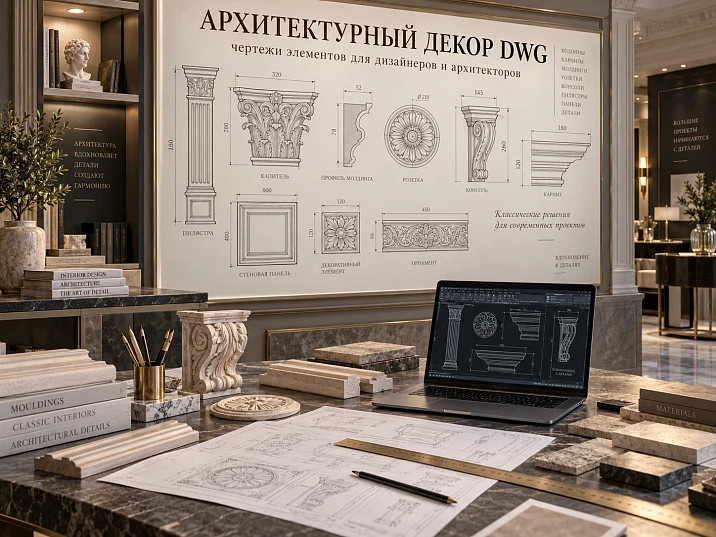
In a working project, a DWG is not needed for the line on the screen itself. Its value appears when the drawing conveys the real geometry of a specific product and remains linked to the same SKU in the visualization, specification, and purchasing.
Therefore architectural decor DWG must be used along the chain:
select the real decor → determine the SKU → obtain the DWG → check units and the control dimension → place the product on the elevation or section → resolve junctions → link to 3D → add to the specification → calculate the quantity → purchase.
The main principle of the project:
SKU = DWG = 3D = specification = product in the order.
If this link is broken, a typical error occurs: the visualizer shows one molding, the designer draws a second, the procurement specialist orders a third, and on site the contractor has to adapt an already finished wall to the actual product.
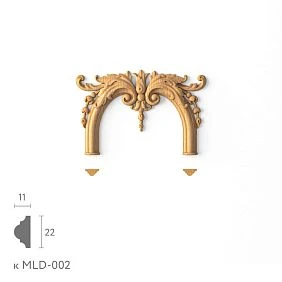
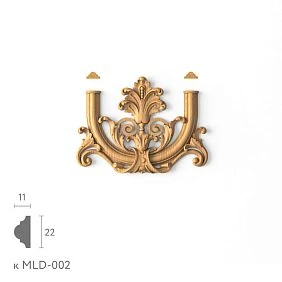
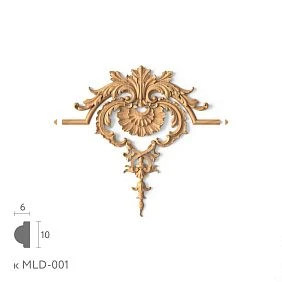
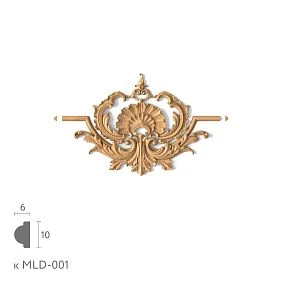
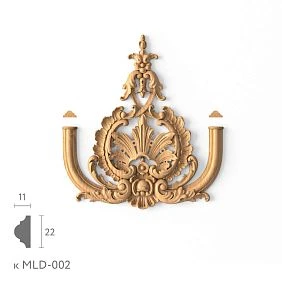
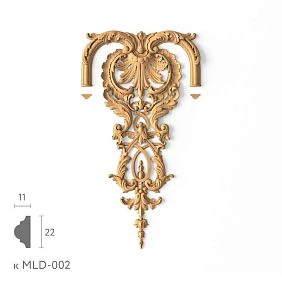
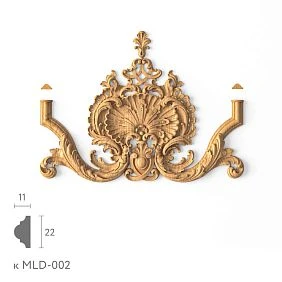
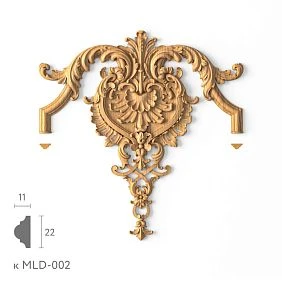
What is DWG architectural decor
A professional DWG is not a "pretty picture" or a placeholder block for filling a drawing. It is geometry that can be used to verify dimensions, profile, position, and junctions.
architectural elements DWG especially useful where a decorative detail affects the architecture of the space.
3D answers:
how the product looks in three dimensions.
DWG answers:
what its profile and size are, and how it joins with adjacent elements.
What data a working DWG provides
Depending on the product type, this may include the profile, contour, height, width, depth, mounting plane, axis, outer dimensions, and section.
decorative elements DWG become useful only after verifying that the file matches the actual product code.
DWG does not replace the product card
The drawing shows the geometry, but it does not always contain all commercial information: the current material, product length, availability, price, and finish options. Therefore, the technical file and the product card must be used together.




Which architectural elements does a designer need in DWG
Different groups of decor need different representations.
Moldings
The main value is the actual cross-section. Width, depth, relief, mounting surface, and position relative to the wall are checked.
Crown Molding
Two dimension directions are needed at the same time:
height along the wall + projection along the ceiling.
Without this, it is impossible to correctly resolve the section.
Baseboards
Height, thickness, profile, junction with the architrave, joint with the wall panel, and connection to the pilaster base are important.
Rosettes
For a socket, the outer contour, diameter or overall dimensions, center point, and position of the light fixture are important.
Pilasters
You need to see the width, depth, base, shaft, capital, and overall height.
Capitals
The outer dimension and position relative to the pilaster or column shaft are checked.
Columns
At least two views are needed: a plan and a vertical section or elevation.
Decorative overlays
For the overlay, the width, height, center, orientation, and position on the panel or wall are recorded.
Our factory also produces:
Why architectural decor cannot be designed from a photograph alone
A photo shows the shape, but almost never gives an exact understanding of the cross-section.
From an image, it is impossible to reliably determine the actual depth, projection, mounting plane, thickness, real size, and junction geometry.
This is especially critical next to door casings, built-in furniture, ceilings, wall panels, outlets and switches, and concealed lighting.
Example: molding near a door
In the photo, the profile may appear thin. In reality, it protrudes more noticeably and ends up almost in the same plane as the casing. If this only becomes clear on site, you have to change the offset or crop the composition.
Example: cornice next to a cabinet
In the front visualization, everything looks fine. In the section, it turns out that the cornice overhang intersects with the top of the built-in cabinet.
The photo is suitable for choosing a direction. A working detail requires real geometry.
Get Consultation
SKU must be linked to DWG
One of the main risks of a CAD library is losing product identity.
Bad:
pilaster_final.dwg
molding_new.dwg
rosette_last.dwg
Six months later, it is impossible to tell which real product is behind the file.
Good logic:
manufacturer + SKU + category.
Why SKU matters more than the name
The name may be long, similar to others, or change in the description. The SKU remains the primary identifier.
What to link to a single SKU
- DWG;
- 3D;
- a specification row;
- URL;
- sample;
- code on the worksheet.
Internal project code
You can use on the sheet AD-01, and in the legend:
AD-01 — STAVROS / SKU / molding / size.
This keeps the drawing readable while preserving the link to the product.
How to check the DWG after downloading
Before using any CAD file, it must be checked.
1. Units of measurement
The most dangerous mistake is an incorrect scale due to millimeters, centimeters, or meters. A 120 mm product may be imported as 1200 mm or 12 mm.
2. Reference dimension
Take one known dimension from the product page and measure it in CAD. If the profile width is specified as 35 mm, it should be 35 mm in the project after import.
3. Orientation
For asymmetric parts, you need to check top/bottom, left/right, and the front side.
4. Scale
After correcting the units, the object should remain in real geometry.
5. Product code
The file must be linked to a specific SKU.
6. Matching the product page
The dimensions and product type must match.
For polyurethane decor, you can use drawings of polyurethane products from the official downloads section and then verify the specific product against its product page.
Profile and cross-section: the main value of DWG for moldings
For moldings, DWG is valuable primarily for its cross-section. It shows what cannot be reliably understood from a front-facing photo.
This is especially important for:
- moldings;
- cornices;
- skirting boards.
The cross-section shows:
- actual width;
- actual offset;
- relief;
- an installation surface;
- position of the front part relative to the base.
Molding
On an elevation drawing, molding is often depicted as a single line. But the actual product has width and depth.
If the designer places the frame 30 mm from the casing, and the selected profile itself has a greater width, the actual gap may turn out to be completely different.
Crown molding
For a cornice, two directions are equally important:
height along the wall + projection along the ceiling.
The front facade shows only part of the task.
Baseboard
The baseboard affects the lower junctions of pilasters, built-in furniture, and doors.
If its thickness is unknown, the base of the pilaster may end up in the wrong plane.
How to use a molding DWG on a wall elevation
Correct sequence:
SKU → profile → installation line → frame → dimensions → specification.
Outer and inner frame size
If the profile has a noticeable width, you need to determine in advance what exactly is being measured:
- outer contour;
- inner field;
- center line.
Different methods produce different final dimensions.
Offset from the door
There must be a deliberate gap between the casing and the molding.
It cannot be left "approximately."
Offset from furniture
The frame may intersect with:
- sofa;
- with a console;
- cabinet;
- headboard;
- TV area.
On the working drawing, furniture dimensions must be shown at least schematically.
Mark from the floor
The bottom line of the frame depends on the skirting board and furniture.
Actual product
For frame systems Moldings made of polyurethane must be placed in the project using the actual profile, not a conventional strip.
How to design a cornice based on DWG
The cornice must be checked in the room section.
Height along the wall
It affects:
- top offset of the frames;
- height of the cabinets;
- position of the doorway;
- visual height of the room.
Ceiling projection
It may conflict with:
- curtain niche;
- a built-in wardrobe;
- ventilation;
- hidden lighting;
- a ceiling frame.
Curtain niche
If the decorative cornice runs next to the niche, it is important to check whether it obstructs the curtain's movement and access to the mounting.
Hidden lighting
Not every curtain rail is automatically suitable for lighting. You need to check separately:
- the place for the strip;
- the reflective surface;
- access for installation;
- the distance to the ceiling.
Joint in the corner
The actual profile helps you understand how the inner or outer corner will look.
Skirting board DWG: why it is needed in an architectural project
Skirting is often considered a secondary detail, but in an architectural system it affects several junctions at once.
Checked:
- thickness;
- height;
- platband;
- built-in furniture;
- the base of the pilaster;
- wall panel.
Plinth + pilaster base junction
If the base protrudes beyond the plinth, you need to decide where the plinth ends.
Options are possible:
- the plinth meets the base;
- the plinth passes in front of it;
- the base is integrated into the common bottom profile.
All three scenarios require different geometry.
Built-in furniture
If the cabinet goes all the way to the floor, the plinth can:
- go around the furniture;
- go under it;
- transition into the furniture plinth.
DWG helps you see the thicknesses and make the transition deliberate.
DWG pilaster: how to assemble a vertical system
A single pilaster body is not enough.
The working drawing must show:
base → pilaster → capital → top finial.
Axis
The pilaster must have a clear reference relative to:
- Doors;
- the wall pier;
- furniture;
- the adjacent pilaster.
Overall height
The sum of the actual parts must fit between the floor and the top finial.
Width
Checked relative to the wall pier and door opening.
Top and bottom elevations
They are needed so the system does not "drift" from one portal to another.
For projects with solid wood wooden pilasters and columns it is better to link to a specific SKU already at the working drawing stage.
Capital DWG: how to check the junction
The capital is often wider than the vertical body.
This is normal architectural logic, but it creates several risks.
Overall outer dimension
The capital may extend beyond the edge of the wall pier or come close to the adjacent cabinet.
Protrusion
Its depth may conflict with the cornice or door.
Adjacent cornice
You need to decide how the horizontal line passes relative to the capital:
- above it;
- flush;
- through a shared profile.
Ceiling
The height of the capital affects the available clearance to the ceiling.
Actual position
wooden capitals must be checked together with the body of the pilaster or column, not just by the ornament.
Column in plan and section
A single facade is not enough for a column.
Plan
The plan shows:
- occupied area;
- distance to walls;
- passage;
- Furniture;
- position relative to the room axis.
Section or facade
Shows:
- height;
- base;
- shaft;
- capital;
- the upper termination.
Why a plan is essential
A column is a three-dimensional object. A visually attractive column can make a passage inconvenient.
Pilaster
If a strong vertical is needed but full volume gets in the way, it's worth checking a half-column or a pilaster.
Architectural decor of a door portal in DWG
The portal should be drawn as a single node:
baseboard → base → pilaster → capital → upper cornice.
Why five separate parts is a bad approach
If each element is selected independently, the following often occur:
- different widths;
- mismatched projections;
- random styles;
- problems with the baseboard;
- conflict with the door.
Elevation
It shows:
- door width;
- axis;
- verticals;
- upper part;
- indents;
- total height.
Section
Shows depths and adjacencies.
Specification
Each fireplace portal component gets a separate SKU.
DWG of the fireplace portal
A fireplace portal is similar to a door portal but has its own constraints.
Need to check:
- the central axis;
- fireplace width;
- side verticals;
- upper part;
- decorative overlays;
- adjacent moldings;
- cladding material.
Center
If the fireplace is the main compositional object, the entire architecture must be tied to its axis.
Adjacent moldings
The wall's framing system must not accidentally run into the portal.
Decorative elements
molded decoration made of polyurethane can be included as individual accents, but their position is fixed separately.
DWG ceiling rose and ceiling plan
For a ceiling rose, you cannot use a generic circle of "approximately this diameter."
It is necessary to record:
- center of the room or composition;
- center of the light fixture;
- actual dimensions;
- a specific SKU.
Polyurethane ceiling rosettes it is better to place it on the plan at its actual size.
Geometric and compositional center
They do not always coincide.
If the chandelier is tied to the table, bed, or living area, the outlet must support that exact lighting center.
Fixture mounting cup
You need to check whether it conflicts with the outlet's relief.
Architectural ceiling decor
The RCP or ceiling plan shows:
- cornice;
- molding frames;
- socket;
- the axes;
- the light fixtures.
On the section, the cornice profile and the position of the ceiling profiles.
For systems that use paintable decor, Polyurethane moldings must be broken down into specific SKUs, not left as one generic line item.
How to organize AutoCAD layers for architectural decor
If architectural decor is placed on the same layers as furniture, engineering, and general construction geometry, the project quickly becomes inconvenient.
A practical structure might look like this:
A-DECOR-MOLDING
A-DECOR-CORNICE
A-DECOR-PILASTER
A-DECOR-ROSETTE
A-DECOR-DIMS
The names may be different. The principle of separation itself is what matters.
Why separate layers are useful
You can quickly:
- turn off the decor;
- check only the architectural elements;
- send a separate package to the contractor;
- control printing;
- find old blocks after replacing the SKU.
Dimensions separately
It is better not to mix dimension chains with block geometry. Then, when updating a product, it is easier to see which constraints need to be recalculated.
Do not copy unnecessary layers from the source file
After importing someone else's DWG, a project may end up with dozens of technical layers.
It is useful to clean up the working copy, but it is better to keep the manufacturer's original file separately.
How to name DWG blocks
Working formula:
manufacturer + SKU + category.
For example:
STAVROS_MLD_SKU
STAVROS_CAPITAL_SKU
STAVROS_PILASTER_SKU
What not to do
Do not use names:
final
new
last
copy
They do not carry any design information.
Project code
If the full SKU is too long for the sheet, you can use:
AD-04
and store the decoding in the legend.
Block attributes
With a mature CAD system, attributes can store:
- SKU;
- manufacturer;
- room;
- the material;
- the status.
But complex automation is only justified when the studio actually maintains it across all projects.
How to handle left and right elements
If a product has a left, right, or mirrored version, this must be recorded separately.
Why a regular Mirror is dangerous
CAD allows you to mirror a block instantly.
But mirrored geometry in a drawing does not mean that such a product actually exists.
What to do correctly
For each orientation SKU:
- separate name;
- separate specification line;
- separate quantity;
- its own link, if it exists.
Where this is especially important
- Plates;
- corner decor;
- portal elements;
- furniture decor;
- paired brackets.
Do not stretch the real DWG to fit the project
This is one of the most critical principles.
If the actual profile has a width of 120 mm, you cannot SCALE X turn it into 145 mm just because it is more convenient in the unfolded view.
You will end up with the geometry of a product that does not exist.
What can be scaled
Only the entire file as a whole, to correct incorrect import units if, after checking, it becomes clear that the original geometry was read in a different unit system.
What cannot be scaled
- a separate axis;
- only X;
- only Y;
- profile to fit into the frame;
- capital to match the shaft.
The right solution
If the size does not fit:
- choose another SKU;
- change the frame;
- change the portal;
- reassemble the assembly.
The project must adapt to the real product, not create a fictitious product inside CAD.
How to use DWG together with 3D
A professional system separates the tasks of formats.
3D → visualization.
DWG → working documentation.
SKU → specification and procurement.
For visual verification, you can use 3D models of architectural decor and verify the same item code that appears in the working drawing.
What 3D checks
- the overall silhouette;
- relief;
- chiaroscuro;
- scale;
- interaction with furniture.
What DWG verifies
- profile;
- exact size;
- axis;
- adjacency;
- section;
- working assembly.
Where discrepancies most often occur
The visualizer uses a conditional model, while the designer uses the actual DWG.
If the SKUs differ, the client is effectively approving a different object.
Final verification rule
Before releasing the documentation, you need to make sure that the same SKU is present:
- in 3D;
- in DWG;
- in the specification.
How to use DWG with BIM/Revit
DWG can be used as source geometry or a reference.
It is useful for:
- sections;
- outlines;
- overall dimensions;
- building your own family;
- checking dimensions.
But DWG itself is not a full-fledged BIM object.
What is usually missing in a regular DWG
- parameters;
- family;
- types;
- display rules;
- specification properties;
- built-in material logic.
When DWG is enough
If the project is done in AutoCAD or Revit is used only for coordination, and the decorative detail can be represented with 2D geometry.
When a BIM object is needed
If the decor should participate in automatic specifications and the parametric model.
In any case, the original SKU must remain the same.
How to create an architectural decor map
On a large project, it is useful to assign a short code to each type.
For example:
AD-01 — molding
AD-02 — cornice
AD-03 — rosette
AD-04 — pilaster
AD-05 — capital
The same codes are used:
- on the drawing;
- in DWG;
- in the legend;
- in the specification;
- in the procurement list.
Why the code is useful
The full name can be long. A short code makes the drawing readable.
But the code does not replace the SKU
AD-01 — an internal project designation.
The actual product must still have an exact item number.
How to organize a studio's CAD library
If a studio regularly works with architectural decor, it's better to store files systematically.
Example structure:
01_MOLDINGS
02_CORNICES
03_ROSETTES
04_PILASTERS
05_CAPITALS
06_WOOD_DECOR
07_3D
08_PDF
Original and working copy
It's best not to edit the manufacturer's original file.
A working copy may contain:
- corporate layers;
- its own insertion point;
- project code;
- attributes.
LAST VERIFIED
It's useful to store the date of the last SKU check.
An old CAD library without verification may contain items that have already changed or are no longer available.
Status
Internal values:
ACTIVE
CHECK
OBSOLETE
PROJECT ONLY
help avoid using the old block by accident.
How to format an architectural decor specification
The DWG should lead to the specification, not remain a separate technical file.
Working table:
| Code | SKU | Element | Size | Material | Quantity |
|---|---|---|---|---|---|
| AD-01 | ___ | Molding | ___ | PU | ___ m |
| AD-02 | ___ | Cornice | ___ | PU | ___ m |
| AD-03 | ___ | Rosette | ___ | PU | 1 |
| AD-04 | ___ | Pilaster | ___ | Wood | 2 |
| AD-05 | ___ | Capital | ___ | Wood | 2 |
Additionally, it is useful to store:
- room;
- zone;
- URL;
- DWG name;
- 3D name;
- status;
- finish;
- orientation;
- revision number.
Code
Needed for convenience on the sheet.
SKU
Needed for actual purchasing.
Size
Helps catch a scale error.
Material
Polyurethane, wood, and other materials require different finishing and installation logic.
Quantity
For linear trim — length and purchased quantity of elements.
For piece decor — units.
File name
Useful to store next to the item:
DWG_FILE
и
3D_FILE.
This way, the kit assembler or another designer can quickly find the source geometry.
How to count quantity from DWG
DWG turns the composition into a measurable system.
Trim
Moldings, cornices, and baseboards are counted along actual lines.
For a rectangular frame:
2 × width + 2 × height.
If the frame is 1.2 × 1.8 m:
2 × 1.2 + 2 × 1.8 = 6 m.
Four frames:
6 × 4 = 24 m.
But 24 m is only pure geometry.
Next, the following are checked:
- product length;
- cutting map;
- corners;
- ornament;
- reserve.
Why the net footage may not be enough
If long verticals are needed, an arithmetically sufficient remainder may be too short for a real cut.
That is why a parts map is useful:
| Code | Length | Quantity | Zone |
|---|---|---|---|
| V-01 | 1.80 m | 8 | Living room |
| H-01 | 1.20 m | 8 | Living room |
| V-02 | 1.45 m | 4 | Hall |
| H-02 | 0.75 m | 4 | Hall |
Rosettes
are counted individually.
Overlays
Also individually, taking orientation into account.
Pilasters and capitals
First as an architectural set, but in the order as separate SKUs.
For example:
PORTAL-A = 2 PIL + 2 CAP + 2 BASE + CORNICE.
If there are four portals:
- pilasters — 8;
- capitals — 8;
- bases — 8;
- cornice — according to the calculated length.
Technological allowance
There is no universal percentage.
It depends on:
- number of angles;
- the complexity of the profile;
- lengths of sections;
- ornament repeat;
- possibility of reordering;
- risk of cutting error.
Check before handing over to the assembler
The final check must confirm the equality:
DWG = SKU = 3D = specification = URL.
Checked:
- dimensions;
- quantity;
- units;
- the material;
- direction;
- left/right variant;
- approval status;
- revision.
Sizes
The control dimension from the product card must match the DWG.
Quantity
Taken from the latest revision, not from an old calculation.
Orientation
For mirrored elements, the specific SKU must be checked.
Status
Items must not be included in the purchase CANDIDATE.
Only APPROVED or an equivalent final status.
URL
The link must lead to the category or product that corresponds to the SKU.
How to use DWG for wooden architectural decor
Wood requires the same geometric checks, but adds material and finish.
Wooden architectural decor especially sensitive to:
- species;
- transparent finish;
- grain direction;
- joints;
- reorder.
Geometry
DWG shows size and position.
Material
The specification must separately record:
- Oak;
- Beech;
- a different material, if provided for by a specific product.
Finish
If oil, stain, or lacquer is used, it cannot be left as a verbal note.
Reorder
For a long project, it is useful to keep a sample and the exact SKU.
How to use DWG for custom wooden decor
wooden decorative elements must be placed in the working drawing at the actual dimensions.
This is especially important for:
- the overlays;
- sockets;
- brackets;
- central decor;
- portal elements.
Center
The exact axis is indicated on the elevation.
Installation height
The element cannot be left "approximately in the center."
Repeating elements
If one overlay repeats across multiple frames, the coordinates must be systematic.
Left/right
Mirrored positions are handled separately.
How to work with DWG in interiors as a system, not a set of blocks
DWG decor for interiors is useful when elements are connected by a common logic.
For example, one wall may include:
- plinth;
- pilasters;
- frame moldings;
- central overlays;
- cornice.
The designer should see not five files, but one architectural node.
What to check in the system
- common axes;
- scale;
- joints;
- repeatability;
- the material;
- finish;
- elevation marks.
What not to do
You cannot select each block independently and hope that they will automatically "come together" on site.
Design matrix of CAD elements
For a large project, it is convenient to keep a table:
| Code | Room | SKU | DWG | 3D | Quantity | Status |
|---|---|---|---|---|---|---|
| AD-01 | Living room | ___ | yes | yes | ___ | approved |
| AD-02 | Hall | ___ | yes | yes | ___ | approved |
| AD-03 | Bedroom | ___ | yes | yes | ___ | sample |
| AD-04 | Office | ___ | yes | no | ___ | candidate |
Why it is useful
It's immediately clear:
- which items are not yet approved;
- where 3D is missing;
- which DWG has already been checked;
- how many elements are needed;
- where to use the SKU.
Final cleanup
Before ordering lines candidate и sample must not accidentally end up in the procurement list.
How to control DWG revisions
Architectural decor changes along with the project. If old blocks remain in use, the risk of error grows quickly.
Practical scheme:
REV01
REV02
REV03
What requires a new revision
- SKU replacement;
- profile change;
- capital change;
- axis shift;
- frame change;
- new cornice;
- ceiling change;
- quantity change.
File name
For example:
ROOM01_WALL_A_REV04.dwg
Changelog
Short history:
REV03 — AD-04 replaced
REV04 — portal width changed
helps understand why the specification changed.
Old versions
It is useful to keep them in an archive, but not in the working folder without explicit labeling.
Common mistakes when working with DWG architectural decor
Mistake 1. Downloading the block before selecting the product
Why it happens: the CAD library seems faster than the catalog.
Consequence: geometry appears in the project for which there is subsequently no exact product.
How to prevent: SKU first, then DWG.
Mistake 2. Not checking units
Why it happens: the object looks plausible.
Consequence: the profile ends up enlarged or reduced by ten, a hundred, or a thousand times.
How to prevent: check the dimension after import.
Mistake 3. Scaling the actual profile
Why it happens: it needs to be "a little wider" or "a little taller."
Consequence: the project describes a non-existent product.
How to prevent: a new SKU or a new composition.
Mistake 4. Using a conditional 3D model
Why it happens: the visualizer already has a similar object.
Consequence: the render and the working project diverge.
How to prevent: a shared SKU for 3D and DWG.
Mistake 5. Not accounting for depth
Why it happens: only the facade is designed.
Consequence: the decor intersects with furniture, a door, or a ceiling system.
How to prevent: a plan + a section.
Error 6. Mirroring the left part
Why it happens: AutoCAD does this in a second.
Consequence: a product that doesn't exist appears in the specification.
How to prevent: verify the actual L/R pair.
Error 7. Treating the portal as a single item
Why it happens: architecturally it is perceived as a whole.
Consequence: bases, capitals, or cornices are lost during procurement.
How to prevent: one assembly — multiple SKUs.
Error 8. Not updating the specification
Why it happens: the new profile looks like the old one.
Consequence: the kit assembler purchases the previous version.
How to prevent: replacing the SKU always changes the revision.
Mistake 9. Counting only the net square footage
Why it happens: the sum of the lines seems sufficient.
Consequence: a real cutting plan cannot be obtained.
How to prevent: a cut map and product lengths.
Mistake 10. Handing over only the DWG to the contractor
Why it happens: it is assumed that the CAD file is sufficient.
Consequence: there is no reference version or clear bill of materials.
How to prevent: DWG + PDF + specification + legend.
When a detailed DWG of architectural decor is not needed
The technical workflow should be proportionate to the task.
One known piece element
If the SKU has already been selected and simply needs to be installed in the center of a finished panel, a separate complex CAD package may be excessive.
Repeat purchase without changes
If the same element has already been used and the assembly is fully repeated, you can use the proven documentation from the previous project after updating the product.
Concept stage
At the earliest concept stage, a placeholder block is acceptable if it is clearly marked as a placeholder and does not appear in the final specification.
When DWG is almost always mandatory
- complex portal;
- pilaster next to furniture;
- capital and cornice;
- ceiling system;
- large repeat;
- several contractors;
- project with author supervision.
How to hand over a CAD package to a contractor and specifier
The minimum package should allow another specialist to work without verbal clarifications.
DWG
Current working version.
Checklist that records the issued documentation.
Specification
SKU, material, size, quantity, zone, and URL.
Legend
Code decoding AD-01, AD-02 and so on.
Details
Critical junctions:
- skirting board + base;
- capital + cornice;
- portal + door;
- molding + panel;
- socket + light fixture.
Revision number
Identical on linked documents.
Manufacturer's source files
It is better to store separately from working copies.
How to use the STAVROS professional infrastructure
STAVROS for designers and architects useful as a link between the assortment, digital files, and project work.
For a technical article, the following are especially important:
- catalogs;
- DWG;
- 3D;
- professional contact;
- the ability to verify the actual product.
To navigate the entire assortment, the following is used the STAVROS catalog, and in a working project, each selected element must transition from a general category to a specific SKU.
How to buy architectural decor after preparing DWG
Commercial intent should appear after the technical selection, not instead of it.
The right way:
drawing → SKU → quantity → specification → order.
Buy architectural decor
First, the project must define what is included in the system:
- molding;
- cornice;
- rosette;
- pilaster;
- column;
- capital;
- overlay.
Only then does the request to buy architectural decor turn into a real bill of materials.
Buy polyurethane architectural decor
Before purchasing, you need to separate linear trim and piece elements and check their geometry at working junctions.
Buy polyurethane stucco decor
The request to buy polyurethane stucco belongs to the final stage, when the SKUs are already in the drawing.
Buy stucco
The phrase buy stucco is too broad for project procurement. The specifier needs a specific category and quantity.
Polyurethane moldings
The commercial cluster polyurethane moldings becomes workable only after calculating the actual lines.
Buy polyurethane moldings
Before buying polyurethane moldings, you need to know the product length, cutting layout, and allowance.
Buy polyurethane molding
A request to buy polyurethane molding should lead to a specific SKU, not to a random substitution with a similar profile.
Buy decorative elements
Piece items are counted separately and receive their own codes.
Buy pilasters
Before buying pilasters, the base, capital, overall height, and joints are checked.
Buy capitals
Before buying capitals, the width of the vertical body and the top cornice are checked.
Buy wooden architectural decor
For solid wood, the species and finish are additionally recorded.
Buy carved wooden decor
Carved elements are added to an already built system rather than defining it randomly.
Order architectural decor for a project
It is better to send a commercial inquiry as a table:
| SKU | Element | Material | Quantity | Room | Note |
|---|---|---|---|---|---|
| ___ | Molding | PU | ___ m | Living room | Frames |
| ___ | Pilaster | Wood | 2 | Hall | portal A |
| ___ | Capital | Wood | 2 | Hall | portal A |
| ___ | Rosette | PU | 1 | Living room | Ceiling |
This way the order continues an existing project rather than starting a new product search.
FAQ
Can DWG be used without AutoCAD?
Yes, if the program correctly opens the DWG format and preserves the scale. What matters is not the software brand, but the accuracy of the geometry and units.
What should I do if there are several similar blocks in the archive?
First, return to the actual SKU and product page. The final block must be linked to a specific item number, not selected based only on visual similarity.
How can I tell that the DWG was imported at the correct scale?
Measure one known dimension from the product page. The reference overall dimension should match without arbitrary stretching.
Can part of the geometry be deleted from the block?
In the working copy, auxiliary elements can be removed if this does not change the actual product profile. It is better to keep the original file separately.
Should the full molding profile be shown on every frame?
No. On the layout, a simplified designation can be used, while the actual section should be placed in the legend or a typical detail.
What is better to dimension — the molding axis or the outer edge?
Any method is acceptable if it is clearly indicated and used consistently. The contractor must understand exactly what the dimension means.
Can one block be used for both the right and left overlay?
Only if the actual product is symmetrical. Separate L/R SKUs require different items.
When is one column facade sufficient?
For a general visual presentation, it is sometimes sufficient. For a working project, a plan is needed to check the occupied space and clearances.
How should the ceiling outlet be laid out if the chandelier is offset from the center of the room?
Anchor the socket to the actual lighting or compositional center, if that is what the project specifies. The geometric center of the room is not always the main one.
How do you determine whether a DWG of the skirting board is needed?
If the skirting board meets a door, furniture, panel, or pilaster base, it is useful to show its profile in the detail. For a simple straight section, a complex file may be excessive.
Can DWG be used as the basis for a Revit family?
Yes, as a reference for the contour or section. But the parameters of the BIM family, type sizes, and specification properties will have to be organized separately.
What should be done if the 3D and DWG of the same SKU do not visually match?
Do not choose the “prettier” version. You need to recheck the article number, dimensions, and source files. Until this is clarified, the item cannot be considered ready for specification.
How should multiple identical portals be counted?
First describe one typical portal as a set of SKUs, then multiply each component by the number of repetitions. The cornice and other linear trim are still checked by length and cutting layout.
Can one molding be replaced with another without a new revision?
No, if the SKU changes. Even a similar profile may have a different width, depth, and product length, so related documents need to be updated.
Is a physical sample needed if there is an accurate DWG?
For geometry, not necessarily. For evaluating the actual relief, surface, color, and finish, a sample is useful, especially on a large project.
What should be stored after the project is completed?
Final SKUs, DWG, 3D, PDF sheets, specification, installation photos, actual consumption, and installation comments. Then the next project starts from a verified base.
Bottom line: a DWG is valuable only when it leads to a real product
A professional CAD process is built not around a collection of files, but around a reliable connection between the project and the product range.
Workflow:
real product → SKU → DWG → scale check → elevation / plan / section → detail → 3D → specification → quantity → order.
If a designer starts with a random block, the final product has to be found after design is complete. If they start with the SKU, the DWG becomes an accurate technical continuation of a real item.
For linear trim, the main value is the profile and cross-section. For an outlet, it is the real contour and center. For a pilaster, it is the vertical base–shaft–capital system. For a column, it is the plan and section. For a portal, it is a single detail made from several SKUs.
Strong working documentation allows another project participant to answer five questions without additional explanation:
- what this item is;
- what is its item code;
- where it is located;
- how much of it is needed;
- which file and revision describe its geometry.
Once these answers are available, architectural decor ceases to be conditional AutoCAD graphics and becomes a manageable part of a real project.