Article Contents:
- What counts as components for a woodworking workshop
- Why a workshop component set differs from a factory purchase
- The basic component matrix: what is worth keeping on hand
- Furniture legs and supports: a core library component
- Wooden handles: a few standard SKUs instead of a new search in every project
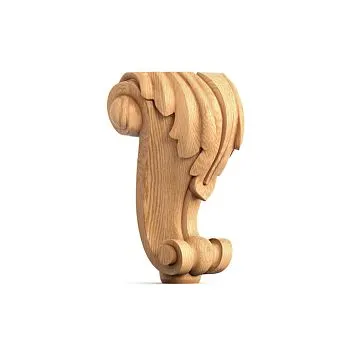
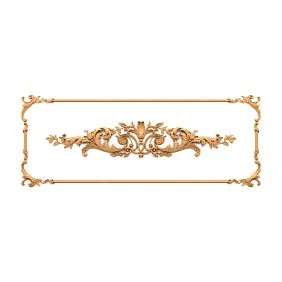
- Carved overlays, rosettes, and brackets: a library of complex geometry
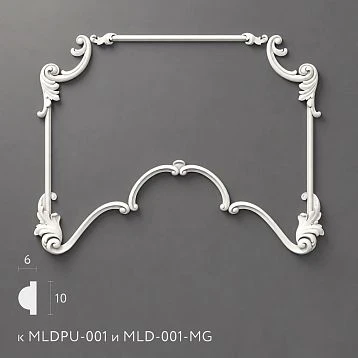
- Wooden trim and moldings: the library is built around the profile
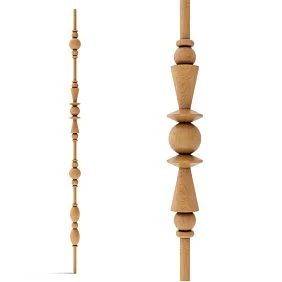
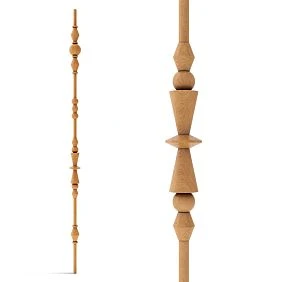
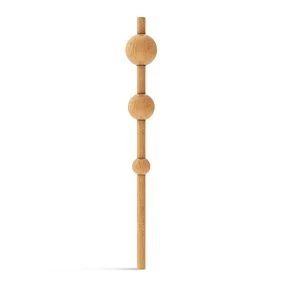
- Turned elements: ready-made modules for posts, legs, and vertical compositions
- Component families: the library should store more than individual SKUs
- Why the workshop needs this
- Approved Alternative
- When an alternative cannot be assigned
- A family simplifies design but does not hide differences
- Who is responsible for the library: without an owner it quickly stops being usable
- Why this is important
- Source of Truth
- You cannot store everything in notes
- Who has the right to promote to MASTER
- In-house finishing: ready-made geometry and a unified workshop language
- Restoration and repair: the library helps you find a replacement faster
- Three levels of component library maturity
- Level 1 — a list of verified links
- Level 2 — a working MASTER library
- Level 3 — library + BOM templates + revision history
- Don't skip stages
- Minimal audit
- Commercial shortlist: how to choose from the catalog without re-researching
- Four levels of physical availability
- Why you can't stock all categories the same way
- Minimal stock for a repeatable furniture model
- Stock must be linked
- Checking a single new SKU before adding it to the working system
- How to link the library to real product templates
- Error matrix before ordering
- Zero-Ambiguity Test for BOM
- Top-down and bottom-up checking
- An internal code must not replace the SKU
- Reuse matrix by product types
- Which metrics are useful to review every six months
- What to do with a category where MASTER consistently doesn't fit
- Minimum criterion for a line item to be ready for ordering
- 1. Divide the workshop's products into types
- 2. For each type, define groups of components
- 3. Assemble the first candidates
- 4. Lock in the SKU and dimensions
- 5. Order a test part if the element is new
- 6. Use it in a real project
- 7. After a successful project, assign MASTER status
- 8. Build a new order via BOM
- 9. Buy the exact quantity
- 10. Save the finish and project history
- 11. For a new order, start with MASTER
- 12. If MASTER doesn't fit — look for a new candidate
- 13. When removing a SKU, create a replacement
- 14. Periodically clean up the library
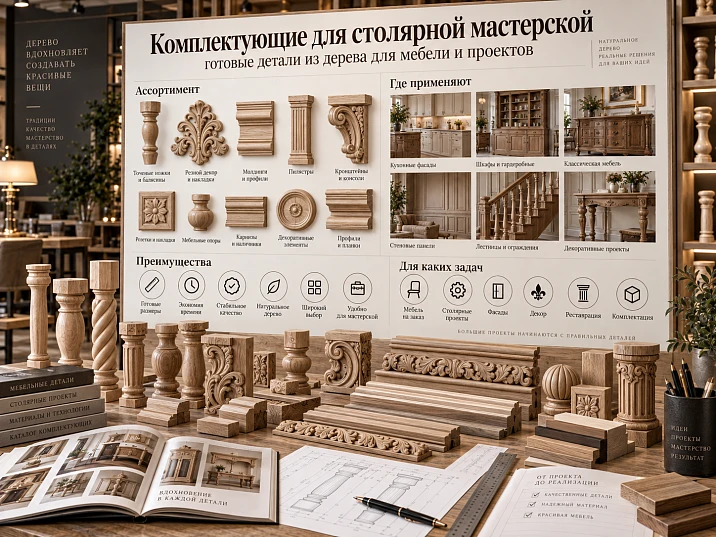
A small woodworking shop's assortment changes faster than a factory's. Today it's a dresser with turned legs, tomorrow it's a cabinet with carved overlays, a week later it's a door with wooden molding, and then a client asks to replicate a nightstand that was made three months ago. If every product starts with a new search for legs, handles, overlays, and profiles, the shop spends time not on woodworking but on repeating selection work already done.
That's why it's useful to view components for a woodworking shop not as a random product catalog, but as a working system of ready-made wooden components.
Main workflow:
workshop product type → component group → catalog → actual SKU → size → material → sample part → working shortlist → MASTER library → BOM of a specific order → exact quantity → purchase → SKU reuse.
This system does not mix hinges, slides, gas lifts, and metal furniture hardware. This is about a different group: ready-made wooden and decorative elements that a craftsman integrates into their own furniture or joinery piece and, if needed, modifies, paints, tints, or cuts to size.
What counts as components for a joinery workshop
For this task, "components" are ready-made wooden parts that do not define the entire product but remove a separate production operation from the workshop.
These include:
- furniture legs and supports;
- wooden furniture handles;
- carved overlays;
- wooden rosettes;
- Brackets;
- moulding;
- furniture mouldings;
- decorative profiles;
- turned elements;
- carved decor;
- capitals and parts of vertical compositions;
- individual elements for doors, frames, mirrors and panels.
To find such items, you can use STAVROS wood and MDF products и Carved Decor.
What does not belong here.
There is no need to broaden the topic to the general query “furniture components”.
It includes:
- hinges;
- guides;
- drawer slides;
- lift mechanisms;
- fasteners;
- metal supports;
- technical hardware.
This is a separate assortment and a different user intent.
For a joinery workshop, what matters here is specifically the group of ready-made wooden elements that the craftsman can incorporate into their product as a serial component.
A ready-made component does not turn furniture into a serial product.
A chest of drawers can be fully bespoke:
- its own carcass;
- its own fronts;
- its own proportions;
- its own finish.
At the same time, the legs and handles are ready-made SKUs.
This is how the workshop saves time where there is no point in reproducing standard complex geometry from scratch, and keeps its own production for what truly sets the piece apart.




Why a workshop's component set differs from a factory purchase
A factory usually aims for the minimum number of variants.
One handle.
One leg.
One profile.
Thousands of repetitions.
A small workshop has the opposite situation: few copies, but many different projects.
So what matters more to it is:
- quickly changing the combination of parts;
- buy small quantities;
- have proven options for different tasks;
- save the SKU after a successful project;
- not start a new search every time;
- reorder the same component when needed.
Factory model.
Conventionally:
SKU A × 5000 pcs.
After debugging, the line repeats one solution.
Workshop.
Today:
LEG-01 × 4
HND-03 × 6
Tomorrow:
LEG-05 × 2
DEC-02 × 1
MLD-01 × 8 m.
The workshop's task is not to reduce the assortment to a single SKU, but to create a small library of proven SKUs from which different products can be quickly assembled.
Why this reduces the number of decisions in a new order.
If the MASTER library already contains:
- three proven legs;
- four handles;
- two moldings;
- several overlays;
- one or two brackets,
a new project does not start with a full catalog.
It starts with a shortlist.
This reduces not the assortment, but the amount of rework.
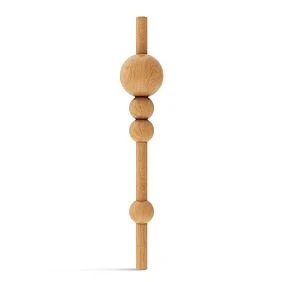
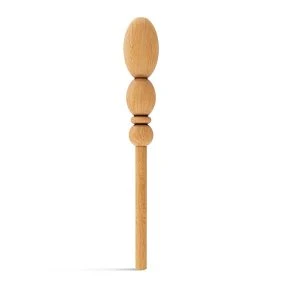
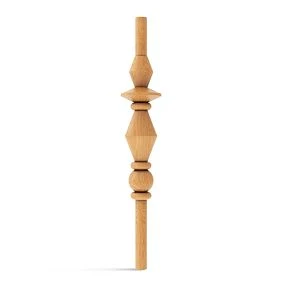
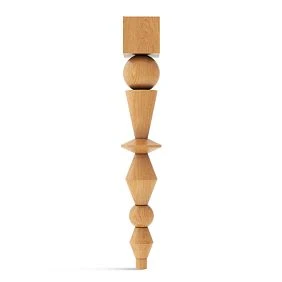
Our factory also produces:
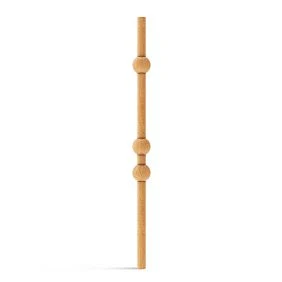
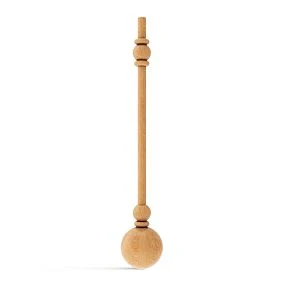
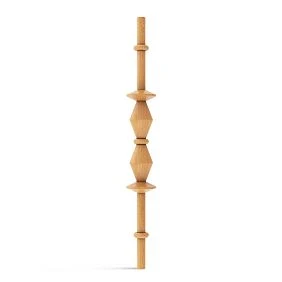
Base component matrix: what is worth keeping at hand
It is convenient to divide the library not by styles, but by function.
| Group | What it is for the workshop |
|---|---|
| Legs and supports | furniture base, height, silhouette |
| Handles | Facades and drawers |
| Overlays | decorative relief and accent |
| Rosettes | focal points and repeating decor |
| Brackets | shelves, consoles, decorative units |
| Molding | frames, cornices, profiles, trims |
| turned elements | posts, legs, dividers |
| Carved decoration | Complex ornament |
| capitals / verticals | Cabinets, libraries, display cases |
| project-only elements | unique items for a specific product |
Such a matrix immediately shows which categories repeat across different projects.
Base group.
What is used regularly.
For example:
- universal furniture leg;
- simple wooden handle;
- neutral molding;
- a pair of basic overlays.
Accent group.
Used less frequently:
- large carved rosette;
- complex bracket;
- capital;
- large facade decor.
Project-only.
Selected only for a specific order and not necessarily transferred to MASTER.
For example:
- unique large overlay;
- a specific element for historical furniture;
- a decorative component tied to only one project.
This separation prevents one typical mistake: the workshop does not turn the digital library into a copy of the entire supplier catalog.
Get Consultation
Furniture legs and supports: a core library component
Furniture Legs and Supports suitable for many types of furniture:
- dressers;
- nightstands;
- consoles;
- tables;
- armchairs;
- cabinets;
- benches;
- sofas;
- beds.
That is why it makes sense to keep legs in the MASTER library.
What to record about a leg.
Minimum:
SKU + height + top mounting part + material + quantity + finish status.
If the library is maintained in a structured way:
| Field | Value |
|---|---|
| Code | LEG-01 |
| SKU | real |
| Material | Beech / Oak |
| Height | actual |
| Mounting Top | actual |
| Finish | unfinished / coated |
| Test Status | approved |
| Used In | projects |
| URL | clean URL |
Why a name alone is not enough.
"Carved leg 150 mm" is a bad entry.
Real identification is needed.
A month later, there may be several similar legs in the catalog.
MASTER leg.
An item is worth moving into the library if it:
- has already been used;
- has passed a trial assembly;
- is clear in size;
- is processed normally;
- has a predictable finish;
- is suitable for several types of furniture.
PROJECT leg.
If it was chosen for only one new product, it remains a project item for now.
After successful implementation, you can decide whether it is needed in MASTER.
When the leg should not become a workshop standard.
If it is:
- too specific;
- rarely fits in height;
- requires complex adaptation;
- visually tied to only one furniture collection.
MASTER is not meant for storing everything.
It is meant for reusable solutions.
Wooden handles: a few standard SKUs instead of a new search in every project
Wooden furniture handles — another category that a workshop can partially standardize.
In the STAVROS range, handles are divided into unfinished and coated options; within the category, different product types are available. For a workshop, this is convenient because several repeatable scenarios can be established.
Unfinished handle.
handles without coating especially interesting if the workshop does the finishing itself.
Working scheme:
finished geometry → custom enamel / stain / oil / lacquer → installation.
Such a handle can match the color of:
- the facade;
- the legs;
- the overlays;
- the wooden profile.
Handle with a ready-made finish.
Suitable if:
- the finish already matches the project;
- the workshop doesn't want to spend a painting cycle;
- the product needs to be assembled quickly.
What to store in the handle library.
- SKU;
- type;
- length;
- height;
- thickness;
- type of mounting;
- material variant;
- finish status;
- tested / not tested.
Why it's useful to keep several different types.
For example:
- small button handle;
- long overlay;
- recessed option;
- profile.
Then a new facade starts not with searching for "wooden handle," but with choosing from already known types.
Carved overlays, rosettes, and brackets: a library of complex geometry
For the workshop, these elements are especially convenient as purchased operations.
It does not re-carve the thread but uses the ready-made form in its own construction.
Carved overlays.
Carved decorative inserts for furniture can be divided within the library into:
CENTER
CORNER
LEFT
RIGHT
REPEAT.
Such a functional tag is more useful than a general style.
Central overlay.
Use: cabinet, dresser, kitchen, sideboard, headboard, door.
Corner.
Works in a facade frame, door composition, panel, decorative field.
If L/R exist, they must be stored separately.
Wooden rosettes.
Carved Wooden Rosettes convenient to use:
- as a single central accent;
- as a repeating element;
- in a framed composition;
- in the furniture portal.
For MASTER, it makes sense to keep only those rosettes that actually repeat in projects.
Wooden brackets.
Wooden Brackets can be used in:
- shelves;
- libraries;
- consoles;
- furniture cornices;
- decorative add-ons.
The library must store real dimensions.
And do not treat a decorative form as proof of specific load-bearing capacity without technical data for the product.
Why complex decor is better tagged by function.
Filter:
classic
can yield dozens of elements.
Filter:
CORNER / oak / A<150 mm
gets the designer to the right part faster.
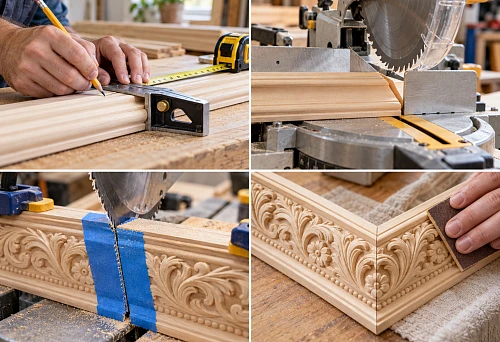
Wooden trim and moldings: the library is built around the profile
Wooden trim — a separate type of components.
It cannot be stored only as a profile picture.
Critical:
- SKU;
- cross-section;
- width;
- depth;
- product length;
- Material.
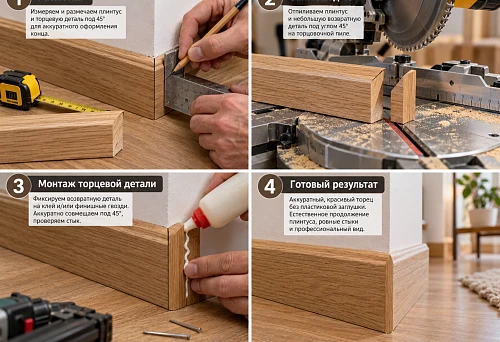
For more decorative solutions, you can use wooden moldings, cornices, and baseboards.
Why the cross-section matters more than the name.
Entry:
"classic molding"
does not help in the next project.
Entry:
MLD-01 → SKU → section → oak → stock length
allows you to check right away:
- whether the profile fits;
- how it fits the facade;
- what the inner frame size will be;
- how to calculate the cutting layout.
Where the workshop uses moulding.
- facade frames;
- furniture cornices;
- panel framing;
- plinth;
- door trim;
- mirror frames;
- interior joinery.
Moulding should be stored together with a record of its past use.
For example:
Used in COMMODE-03 / door frame 01.
This way, the joiner can quickly open an old project and look at the actual assembly.
For moulding, quantity is not standardized.
MASTER stores the item.
A specific project stores the footage and cut plan.
No need to record:
MLD-01 = 12 m
as a permanent property.
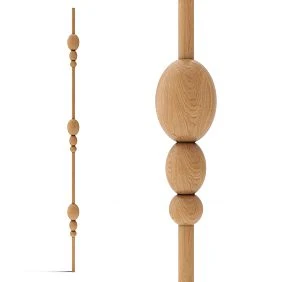
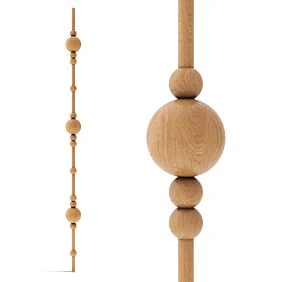
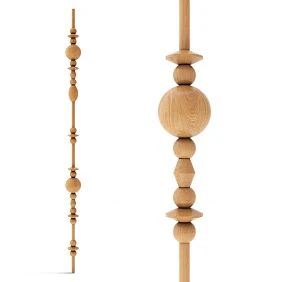
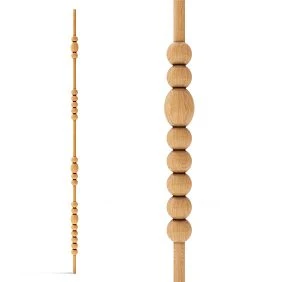
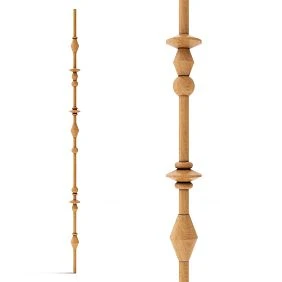
Turned elements: ready-made modules for posts, legs, and vertical compositions
A separate library group is useful for turned parts.
It may include:
- legs;
- uprights;
- spheres;
- dividers;
- balusters;
- modular elements.
For search, you can use turned and structural elements made of solid wood.
What to store.
- SKU;
- axial dimension;
- maximum diameter or width;
- mounting ends;
- the material;
- finish status;
- compatible assembly.
Why this is a separate group.
A turned element is often used not as standalone decor, but as part of an assembly.
For example:
base + turned shaft + capital.
Therefore, next to the SKU it is useful to store:
Compatible Assembly.
When a turned element becomes a MASTER.
If it:
- has been used several times;
- connects well with standard workshop furniture;
- predictable in finish;
- does not require new complex fitting each time.
So one proven element can move from a wardrobe to a bookcase, from a bookcase to a display cabinet, from a display cabinet to a console.
MASTER SKU and PROJECT SKU: what to standardize and what to keep one-off
The most useful part of the system is the separation of library and project items.
MASTER SKU.
Already:
- has been used;
- verified;
- clear in dimensions;
- clear by material;
- has a working finish;
- suitable for different products.
PROJECT SKU.
Selected for the current order.
It has not yet been proven that it is needed again.
After the project.
PROJECT can move to MASTER.
But not automatically.
Ask the question:
is this element genuinely useful for other products in the workshop, or was it needed only here?
What usually makes sense to keep in MASTER.
- 3–5 legs;
- several handles;
- 2–4 moldings;
- basic overlays;
- several neutral brackets;
- one or two turned elements.
What more often remains PROJECT.
- large complex overlay;
- rare rosette;
- specific bracket;
- element for a single historical project;
- part tied to a non-standard size.
MASTER does not mean a physical warehouse.
It is primarily a digital library of proven solutions.
The product itself can be purchased to order.
Component families: the library should store not only individual SKUs
If the MASTER library contains only individual SKUs, it answers the question “what have we already purchased.” A more mature system also answers the question “which interchangeable options have we verified.”
For this, it is useful to introduce a Component Family.
For example:
LEG-FAMILY-01
may contain:
- LEG-01 — beech, base variant;
- LEG-02 — oak, same application scenario;
- LEG-03 — a taller option for a console.
Important: family does not mean that parts are automatically interchangeable. It only means that they serve a similar function.
Why this matters for the workshop
When starting a new project, a carpenter looks not for “all legs,” but for:
LEG-FAMILY / console / height range / tested.
This is faster than opening the full catalog.
Approved Alternative
For some items, you can store separately:
Approved Alternative = LEG-02.
But only if it has been verified:
- size;
- fit;
- the material;
- finish;
- impact on the structure.
When an alternative cannot be assigned
If the new component changes:
- furniture height;
- installation drawing;
- frame size;
- the position of the facade;
- L/R;
- visible relief.
Then this is not a replacement within a family, but a new design variant.
Family simplifies design, but does not hide differences
Correct structure:
Function → Family → SKU.
Not:
all wooden legs → one group without dimensions.
This allows the workshop to stay flexible while not losing precision.
How to set up your own workshop SKU library
You don't need a complex PIM to stop searching for the same handle ten times.
You can start with a table.
| Code | Category | SKU | Material | Size | Finish | Test | Used In | URL |
|---|---|---|---|---|---|---|---|---|
| LEG-01 | leg | … | beech | actual | F-01 | approved | COM-02 | URL |
| HND-01 | handle | … | oak | actual | clear | approved | CAB-04 | URL |
| MLD-01 | moulding | … | oak | section | own | approved | DR-01 | URL |
| DEC-01 | overlay | … | beech | actual | own | selected | project | URL |
What is essential.
Minimum:
- Category;
- Manufacturer;
- SKU;
- Material;
- Size;
- URL;
- Status.
This greatly increases usefulness.
- photo;
- sample status;
- finish code;
- previous project;
- notes;
- reorder status.
Notes must be specific.
Bad:
good leg.
Useful:
the top platform fits a standard workshop apron; with a clear finish, the shade must be matched as a set.
Or:
the molding is convenient for frames on facades, but a deep profile requires checking near the handle.
There is no need to invent universal ranges in advance. Record real observations after use.
The library should save you from choosing.
If it contains 500 random SKUs without statuses, it is almost useless.
The MASTER library should be small and verified.
Who is responsible for the library: without an owner, it quickly stops being usable
Even in a workshop of two or three people, it helps to understand who updates which data.
One person can perform all roles, but the functions themselves should be separated.
| Task | Who is responsible |
|---|---|
| find a new SKU | master / designer |
| Check size | constructor / master |
| do a trial installation | Master |
| approve finish | master / designer |
| record SKU in MASTER | library owner |
| assemble BOM | constructor / master |
| place the current order | procurement / owner |
Why this is important
If everyone assumes someone else will update the card, outdated data remains in MASTER after the project.
Source of Truth
For each type of information, it is useful to define the primary source.
SKU — manufacturer card.
Size — card / technical documentation and verification check.
Finish Code — internal workshop library.
Qty — BOM of a specific item.
Last Order — procurement history.
You can't keep everything in notes
Phrase:
"like beech, we used it for the previous dresser"
is not data.
Critical fields must be separate columns.
Who has the right to promote to MASTER
For a small workshop, a simple rule is enough:
MASTER is assigned only after real use and verification.
A new beautiful product from the catalog remains CANDIDATE.
That's how status starts to mean something.
Trial part: filter before promoting SKU to MASTER
A new component does not need to be immediately declared a workshop standard.
First:
1 pc. → check → project → output.
What to check.
- the actual size;
- geometry;
- the landing;
- the material;
- surface;
- compatibility with the tool;
- own finish;
- Installation.
For the leg.
Especially:
- height;
- top plate;
- mounting;
- position relative to the cabinet.
For the handle.
- ergonomics;
- holes;
- scale on the front.
For the molding.
- actual cross-section;
- angle behavior;
- sanding after trimming.
For the overlay.
- relief;
- free field;
- finish.
Test card.
| Check | Result |
|---|---|
| SKU confirmed | yes/no |
| Size fit | approved/reject |
| Material | confirmed |
| Mounting | approved/rework |
| Finish test | approved/reject |
| Reorder | yes/no |
Result.
REJECTED
Or:
PROJECT APPROVED
Or:
MASTER CANDIDATE.
After several successful applications, the position can be considered a stable component of the library.
In-house finishing: ready-made geometry and a unified workshop language
One of the strongest B2B scenarios is to buy an unfinished element and do the finish yourself.
This allows you to connect:
- building;
- legs;
- handles;
- Plates;
- Molding
with a single finishing system.
Finish Code.
It is useful to have your own codes within the workshop.
For example:
F-01 — white enamel
F-02 — oak tone
F-03 — clear matte.
In the BOM:
LEG-01 / F-01
HND-01 / F-01.
What this scheme provides.
The supplier is responsible for the geometry.
The workshop is responsible for the visual identity.
When the ready-made finish option is better.
if:
- the ready-made color is suitable;
- there is no in-house painting facility;
- the cycle needs to be shortened;
- the manufacturer's finish is part of the design intent.
A finish cannot be transferred blindly between materials.
The same recipe on beech and oak may yield different results.
Therefore Finish Code must be tied to a material or undergo a separate test.
BOM of a carpentry project: how to assemble the components of a specific product
The library answers:
which components we have verified.
The BOM answers:
which of them are needed for this product and how many.
Example of a chest of drawers.
Conventionally:
- 4 legs;
- handles according to the actual number of drawers or fronts;
- 1 central overlay;
- molding according to the cutting plan.
Table:
| Code | SKU | Detail | Material | Qty | Unit |
|---|---|---|---|---|---|
| LEG-01 | … | Leg | beech | 4 | pcs |
| HND-02 | … | Handle | beech | Along the facades | pcs |
| DEC-01 | … | Overlay | oak | 1 | pcs |
| MLD-01 | … | Profile | oak | by cut plan | lengths |
Example of a cabinet.
The scale is different:
- 2 or 4 compact legs;
- 1–2 handles;
- small façade decor.
There is no need to artificially apply the entire MASTER catalog.
Example of a cabinet.
you may need:
- handles;
- moulding;
- furniture cornice;
- central overlays;
- corner decor;
- Brackets;
- Rosettes.
Kitchen furniture.
Repeatability is especially important.
If a kitchen has 20 façades, first determine:
- how many handles;
- which types of façades;
- where the decor repeats;
- which items are single.
The BOM is assembled by facade types, not "by eye" across the whole kitchen.
Assembly BOM.
For a single piece of furniture, it is useful to store not just a procurement list, but a complete set:
COMMODE-03 REV02.
Inside:
LEG-01 × 4
HND-02 × 6
DEC-01 × 1
MLD-01 × cut plan.
Six months later, it is precisely the Assembly BOM that allows the model to be quickly reproduced.
Code → SKU → size → quantity: why components must appear on the working drawing
Phrase:
"wooden handle"
is not a production task.
A link is needed:
Project Code → Manufacturer SKU → Size → Qty.
For example:
HND-01 → SKU → actual size → 6 pcs.
For the facade.
On the drawing, the code:
HND-01.
In the BOM — the full product.
For the leg.
LEG-01
is linked to a specific SKU.
If the leg changes, you need to check:
- overall height;
- building;
- the landing;
- quantity.
For the molding.
MLD-01
is linked to the actual cross-section.
If it is replaced with a similar profile, the frame changes.
Why a code is more convenient than a long item number on a drawing.
The drawing remains readable.
But purchasing still has a direct link to the actual SKU.
Revision.
If a component is replaced:
LEG-01 REV01 = SKU-A
LEG-01 REV02 = SKU-B.
You cannot change the item number only in the purchasing table and leave the old drawing.
How to bundle not only furniture: doors, mirrors, panels, and joinery products
A small workshop often handles a wider range of joinery work.
The same components can be used in:
- wooden doors;
- mirrored frames;
- wall panels;
- staircase elements;
- portals;
- library systems.
Door.
You can use:
- molding;
- overlay;
- central rosette;
- carved element.
But before including in MASTER, you need to check the actual thickness and joints.
Mirror frame.
Purchased components may include:
- profile;
- carved corner;
- overlay;
- rosette.
The frame itself remains custom-made.
Panel.
A craftsman can use:
- moulding;
- repeating decor;
- central elements.
Why this matters for the library.
MASTER is better built not around a single type of furniture, but around the functions of the parts.
MOLDING
can be used on a cabinet, a door, and a mirror frame.
Restoration and repair: the library helps you find a replacement faster
Restoration tasks often come up unexpectedly:
- a leg is broken;
- an overlay is missing;
- handle missing;
- socket lost.
If the workshop has already used similar elements, the search begins with its own library.
The main rule.
A new part is selected by:
- size;
- geometry;
- material;
- fit.
Not just by photo.
Exact SKU.
Best-case scenario.
One part can be replaced.
Similar SKU.
If the match is not confirmed, it is safer to evaluate replacing the entire related group.
For example, four legs.
After repair.
If the technician used a new serial SKU, add it to the project history.
It may be useful the next time the same client contacts you.
Piece-by-piece ordering and small batch: purchasing must follow the BOM
For a small workshop, it is important to buy not “wholesale in general,” but according to the actual quantity.
Scenario:
one trial part → check → full set.
After that:
approved SKU → several identical items → small batch → reorder.
What to count piece by piece.
- legs;
- handles;
- Plates;
- Outlets;
- Brackets;
- turned elements.
What to count by cutting plan.
- moulding;
- Moldings;
- profiles.
L/R.
Left and right elements must have separate quantities.
Spare Qty.
It is useful to store the spare part separately:
Calculated Qty
Spare Qty
Order Qty.
Do not hide the spare in the main count.
A small order does not cancel incoming inspection.
For a batch of 1–20 pcs., the workshop can check all elements:
- SKU;
- the material;
- size;
- L/R;
- surface;
- damage.
This is easier than later disassembling already painted furniture because of one incorrect part.
How to organize a repeat order without a new search
After a successful project, save:
Manufacturer → SKU → Material → Size → URL → Finish Code → Used In.
This is enough for the next order to start with a check rather than research.
Reorder Card.
| Field | Value |
|---|---|
| Code | LEG-01 |
| Manufacturer | STAVROS |
| SKU | real |
| Material | beech |
| Size | actual |
| Finish | F-01 |
| Test | approved |
| Used In | COMMODE-03 |
| Last Qty | 4 |
| URL | clean |
In a month.
The new dresser uses the same LEG-01.
The craftsman doesn't open dozens of product pages.
He checks:
- SKU exists;
- material is available;
- the size hasn't changed;
- the required quantity can be ordered;
- the finish remains current.
Replacement.
If the SKU is discontinued:
LEG-01 REV01 = old SKU
LEG-01 REV02 = new SKU.
The new option must pass:
- test piece;
- fit;
- finish;
- new BOM.
You cannot silently replace a part number in procurement.
Why a product photo is not a Reorder Card.
A photo helps you recall the appearance.
But it does not capture:
- exact article number;
- material variant;
- size;
- finish;
- usage history.
That is why a folder of images does not replace a SKU library.
Three levels of component library maturity
You do not need to build a complex system right away.
Level 1 — a list of verified links
Suitable at the start.
Stored:
- category;
- SKU;
- URL;
- a short note.
Already better than browser history.
Level 2 — working MASTER library
Added:
- actual dimensions;
- the material;
- finish;
- test status;
- used in;
- preview;
- replacement.
This is the optimal level for most small workshops.
Level 3 — library + BOM templates + revision history
Suitable if the workshop regularly repeats its own models.
Added:
- Component Family;
- Assembly BOM;
- finish codes;
- replacement chain;
- reorder cards;
- issue history.
Don't skip stages
If a workshop has 15 active SKUs, there's no point in building a PIM with hundreds of fields.
The system should be simpler than the problem it solves.
Minimal audit
Once a quarter, it's useful to check:
- which MASTER-SKUs were used;
- which candidates never passed the test;
- which URLs no longer work;
- which items have been replaced;
- which elements should be archived.
This takes less time than searching for lost information during an urgent order.
How not to turn the MASTER library into a warehouse of random links
This is a separate management task.
Bad library:
- 300 links;
- no statuses;
- no dimensions;
- unknown what was used;
- half of the products are no longer needed.
Good:
- 20–50 verified items;
- clear categories;
- SKU;
- actual dimensions;
- finish;
- usage history.
Statuses.
Simple enough:
CANDIDATE
TESTED
MASTER
REPLACED
ARCHIVED.
When to promote to MASTER.
After successful application.
Ideally not a single random test, but a real project.
When to archive.
if:
- SKU discontinued;
- the part is no longer used;
- there is a better replacement;
- the item was needed for only one project.
Do not delete the old SKU.
It is needed for the history of furniture already handed over to the client.
Quarterly Cleanup.
Every few months you can check:
- broken URL;
- old candidates;
- items without Used In;
- replaced SKU;
- positions that no one uses.
The library should become more accurate, not just longer.
Commercial shortlist: how to choose from the catalog without repeated research
A new project can be started like this:
product type → required group → MASTER shortlist → catalog only if MASTER does not fit.
For example:
COMMODE
→ LEG
→ three MASTER legs.
If none of them fit:
→ open wooden product catalog.
Shortlist of legs.
We compare:
- height;
- top platform;
- the material;
- visual mass;
- finish.
Shortlist of handles.
- type;
- length;
- mounting;
- the material;
- finish.
Shortlist of overlays.
- dimensions;
- relief;
- center / corner;
- L/R;
- Material.
Shortlist of moldings.
- cross-section;
- length;
- width;
- the depth;
- Material.
This way, the catalog becomes a source of new candidates rather than a place where every project starts from scratch.
Digital nomenclature without excess inventory: what to keep in the database and what to keep physically in the workshop
A working library of components does not mean that all MASTER-SKUs must be kept on the shelf.
This is an important distinction.
A workshop can standardize component information while purchasing the item itself only on order.
Four levels of physical availability
0 — digital card only.
Suitable for:
- rare cover plates;
- large sockets;
- unusual brackets;
- parts that are used once every few projects.
1 — Golden Sample.
One physical part is stored.
Needed for:
- scale checks;
- finish test;
- comparison of the new batch;
- demonstration to the customer.
2 — Service Spare.
One spare unit is kept in addition to the reference sample.
Useful for:
- handles;
- the legs;
- items whose damage would halt furniture delivery.
3 — Min Stock.
The workshop keeps a small working stock.
For example:
HND-01 min stock = 8 pcs.
This level is justified only for a regularly used SKU.
Why you cannot stock all categories the same way
The handle is small and frequently repeated.
A large bracket takes up space and may never be needed again.
Moulding is stored according to a different logic: the length of the remainder and the possibility of future cutting matter.
Therefore, it is useful for each master card to have a field:
Stock Policy.
For example:
ON DEMAND
GOLDEN SAMPLE
1 SPARE
MIN STOCK.
Minimum stock for a repeatable furniture model
Let's imagine that the workshop regularly makes the same cabinet.
BOM:
- 4 legs;
- 2 handles.
If orders come in frequently, you can keep:
LEG-01 = 1 complete set
HND-01 = 1 complete set + 1 spare.
Then the launch of the next item does not depend on the first delivery.
But if the cabinet is made once a year, such a stock freezes money and space without benefit.
The stock should be tied
BRK-01 — a verified decorative one.
What happens in a new order.
An order comes in for a dresser.
The craftsman opens:
COMMODE BOM TEMPLATE.
Selects:
- LEG-01;
- HND-02;
- DEC-01.
Checks the dimensions.
Gathers the quantity.
And only if the required element is missing — goes to the catalog.
This is already a supply system, not random selection.
The next order — a wardrobe.
A master does not start with a blank sheet.
He opens:
- HND library;
- MLD library;
- DEC library.
Some items have already been verified.
New candidates appear only where MASTER does not close the task.
The third order is a door.
The same MLD-01 may prove useful again.
This is how a single SKU starts working across several types of joinery products.
When a finished component does not need to be standardized
Not every good product has to become a MASTER.
Rare large decor.
If it is used once every few years, it is enough to keep it in the project.
Unique order.
Historical replica.
Non-standard element.
Tied to a specific size.
Fast-changing trend decor.
It may not have a long life in the workshop's assortment.
An element that is difficult to adapt.
If every project requires serious rework, it is not a good standard component.
MASTER should reduce decisions.
If it creates new constraints, the standard was chosen poorly.
When in-house manufacturing is still stronger.
if:
- the shape is a signature part of the product;
- the part is repeated constantly;
- the batch is large;
- the technology is already proven;
- the workshop controls the entire cycle.
Then a purchased SKU may be less advantageous than an in-house standard.
This article does not replace a make-or-buy calculation. It describes the next level: how to organize a procurement library if the workshop has already decided to use ready-made components.
Checking a single new SKU before adding it to the working system
It is useful to apply a short acceptance test.
Identity.
- manufacturer;
- SKU;
- Material.
Geometry.
- size;
- fit;
- mounting part;
- cross-section, if it is linear stock.
Workshop Fit.
- is it convenient to process;
- can a custom finish be applied;
- does the part require excessive rework.
Reuse Potential.
- suitable for one product;
- suitable for several;
- is it worth storing in MASTER.
Procurement.
- whether the required quantity can be ordered;
- is it realistic to repeat the order;
- is there a clear URL.
Decision.
PROJECT ONLY
Or:
MASTER.
If the answer is not obvious, there is no need to raise the status.
How to link the library with real product templates
The SKU database is useful on its own.
But it works even better together with BOM templates.
For example:
COMMODE-TYPE-A
contains slots:
LEG;HND;DEC;MLD.
A new project does not automatically receive the old parts. It receives the selection structure.
Why this is better than rigid standardization.
The workshop retains its authorial flexibility.
It can:
- keep LEG-01;
- replace HND-02 with HND-05;
- remove DEC;
- select a new molding.
But it doesn't forget a single category.
Nightstand template.
- support;
- handle;
- facade decor;
- optional moulding.
Wardrobe template.
- handle;
- lower base;
- cornice / profile;
- central decor;
- optional brackets.
Door template.
- profile;
- overlay;
- rosette;
- optional corner decor.
Such BOM templates reduce not the design, but the likelihood of forgetting a component.
Error matrix before ordering
Before sending the BOM, it is useful to run a short check not by product categories, but by error types.
| Mistake | What's happening | How to prevent |
|---|---|---|
| only the name was saved | cannot be unambiguously reordered | store SKU |
| no material | a different species arrives | pin material variant |
| no size | element not included in furniture | record actual dimensions |
| L/R merged | set is incomplete | count sides separately |
| old SKU replaced silently | drawing and purchasing diverge | issue a revision |
| finish stored only in memory | repeat batch differs | use Finish Code |
| qty taken "as last time" | new project gets extra/missing | recalculate BOM from scratch |
| project spare mixed with stock | customer stock goes to another order | separate reserve types |
Such a table is especially useful for a small workshop. Large production often catches errors through ERP and several approval stages. In a small team, one person can simultaneously design, purchase, and assemble furniture — so there is no formal second check.
Zero-Ambiguity Test for BOM
Before payment, hand the list to someone who was not involved in the selection.
They should understand without additional questions:
- which SKU to purchase;
- which material;
- how many pieces;
- which positions are L/R;
- which FINISH is needed;
- which parts are already MASTER;
- which are new and need verification.
If a colleague has to ask:
"is this leg definitely beech or oak?"
Or:
"are these four corners identical?"
then part of the data still exists only in the author's head.
Top-down and bottom-up verification
For repeatable furniture, two cross-checks are useful.
Top-down:
product drawing → all codes are present in the BOM.
Bottom to top:
each BOM line → has a place of use in the drawing.
This is how it is found:
- a forgotten handle;
- an extra leg;
- old SKU;
- decor that has already been removed from the facade but was left in the purchase order.
An internal code must not replace the SKU
LEG-01 it is convenient within the workshop.
But the supplier does not know what LEG-01.
Therefore, a commercial request should include:
LEG-01 → Manufacturer → SKU → Material → Qty.
The internal code maintains the link to the furniture.
The SKU maintains the link to the product.
Both are needed simultaneously.
Where to buy components for a joinery workshop
For ready-made STAVROS wooden components, you can use:
- Wood and MDF Products;
- Carved furniture decor;
- Furniture Legs and Supports;
- from STAVROS open boundless possibilities for designers, furniture makers, and anyone striving to create unique high-quality furniture.;
- Wooden furniture handles;
- unpainted handles;
- carved appliqués;
- Wooden sockets;
- Wooden Brackets;
- Wooden trim.
Commercial queries such as "buy furniture parts", "buy furniture decor", "buy wooden decor for furniture", "buy wooden elements for furniture", "buy furniture legs", "wooden handles for furniture", "carved wooden overlays for furniture", "wooden bracket", and "decorative wooden moulding" are all united here by one professional task: to assemble a proven set of ready-made wooden components for your own joinery production.
Reuse matrix by product types
After a few months, the library begins to show the workshop's own statistics.
For example:
| Code | Chest of drawers | Cabinet | Wardrobe | Door | Frame |
|---|---|---|---|---|---|
| LEG-01 | ✓ | ✓ | — | — | — |
| HND-01 | ✓ | ✓ | ✓ | — | — |
| DEC-01 | ✓ | — | ✓ | ✓ | ✓ |
| MLD-01 | ✓ | ✓ | ✓ | ✓ | ✓ |
Such a matrix quickly shows which SKUs are truly universal.
If MLD-01 it is used almost everywhere, it is worth documenting well and, possibly, keeping a sample.
If DEC-07 it was used once, there is no need to move it to the main shortlist.
Which metrics are useful to review every six months
- how many MASTER-SKUs are actually used;
- which candidates never made it to a project;
- which categories most often have to be searched for again;
- which SKUs are regularly replaced;
- which parts are frequently reordered.
This already gives the workshop its own procurement analytics.
What to do with a category where the MASTER constantly does not fit
If for every new console the master still looks for a new leg, it may be pointless to standardize specific SKUs.
Then MASTER should store not SKUs, but selection criteria:
- required height range;
- type of top platform;
- the material;
- finish strategy.
What needs to be standardized is what actually repeats.
Not necessarily the product itself.
Minimum criterion for a line's readiness to order
A component line is ready for purchase if all of the following are known at the same time:
- internal code;
- manufacturer;
- SKU;
- the material;
- size;
- quantity;
- verification status.
If at least one of these items is missing, it is better to leave the entry in HOLD, rather than turning a guess into an order. For a small workshop, this simple rule replaces a lengthy approval process: either the data is sufficient for repeatable purchasing, or it is not.
Final workshop workflow: from catalog to a repeatable system
The working scheme looks like this:
1. Divide the workshop's products into types
Dresser.
cabinet.
Wardrobe.
Door.
Frame.
2. For each type, define component groups
Legs.
Handles.
overlays.
moulding.
Other decor.
3. Assemble the first candidates
Not dozens.
3–5 per category.
4. Lock in the SKU and dimensions
No placeholder names.
5. Order a sample part if the element is new
Check fit and finish.
6. Use it in a real project
Do not promote to MASTER based on a photo alone.
7. After a successful project, assign MASTER status
If the element is truly reusable.
8. Build a new order via the BOM
Code → SKU → Material → Qty.
9. Buy the exact quantity
Piece items — by the piece.
Linear stock — by cutting layout.
10. Keep the finish and project history
So that in three months you can reproduce the result.
11. When starting a new order, begin with MASTER
Not with the full catalog.
12. If MASTER doesn't fit — look for a new candidate
After the project, it can be added to the library.
13. When removing an SKU, create a replacement
Don't rewrite history.
14. Periodically clean the library
Archive items that don't provide real value to the workshop.
Final formula:
WORKSHOP PRODUCT → COMPONENT MATRIX → CHECK READY SKU → SAMPLE → MASTER SKU LIBRARY → PROJECT BOM → EXACT QTY → ORDER → REORDER.
Such a system is more useful than a long list of "what is sold for furniture." A workshop gets not a catalog for the sake of a catalog, but a working nomenclature: proven legs, handles, overlays, profiles, and other wooden components that can be quickly included in a new project, accurately calculated, purchased, and reordered without a new search from scratch.