Article Contents:
- A material in an architectural project is not a picture, but a technical position
- What the next specialist needs to understand
- Why an SKU is needed already at the architectural stage
- Polyurethane decor
- Wooden Molding
- Wall Panels
- Wooden decor
- Architectural verticals
- Why style is secondary at the first step
- Why the profile must be checked before drawings are issued
- Repeatability
- Commercial transition
- On the elevation drawing
- On the detail
- In the specification
- Why replacing a profile requires a revision
- A section is mandatory
- Product item
- Skirting board ↔ architrave junction
- Skirting board ↔ panel junction
- Example with a module
- Why area doesn't solve the problem
- Fiber direction
- Batch
- Adjacent furniture
- Project code
- In the elevation drawing
- L/R
- Base
- Pilaster / column
- Capital
- Top termination
- What can remain provisional at an early stage
- When provisional elements must be resolved
- What not to do
- Object name
- Why one SKU must have one geometry
- What to check on the sample
- Why two identifiers are better than one
- Molding
- Panel
- Decorative Element
- Why a front elevation is not enough
- Panel + baseboard
- Cornice + ceiling
- Baseboard ↔ door casing
- Molding ↔ door casing
- Panel ↔ door casing
- Architectural portal
- Skirting
- Cornice
- Panel
- Molding
- Why they cannot be selected separately
- Connection with the architectural grid
- For a large wall
- For a furniture front
- Why this is important
- For linear trim
- For Panels
- For piece decor
- Why this is important
- SPECIFIED and ORDERED
- If the profile changes
- If the panel changes
- If the wood changes
- Moldings
- Cornices
- Baseboards
- Panels
- Piece decor
- Architectural elements
- Mistake 1. Visualization first, then product search
- Error 2. Conditional geometry remains in the working documentation
- Error 3. No SKU
- Error 4. Thickness not checked
- Error 5. Panels are calculated by area only
- Error 6. Wood is selected from the screen
- Error 7. DWG and 3D belong to different products
- Error 8. Article replacement does not pass revision
- Small space
- Active furniture
- Complex engineering
- No ability to release components
- Material not confirmed by sample
- Panels
- Moldings
- Trim
- Wooden decor
- Before payment
- What doesn't fit
- Handoff check
- Why such a library is useful
- When should the material be chosen definitively?
- Can a provisional molding be left until specification?
- Why does an architect need 3D if there is DWG?
- When is a physical sample needed?
- Why can't panels be calculated by area alone?
- How should a material substitution be documented?
- What should reach the specifier?
- Where can I find STAVROS professional files?
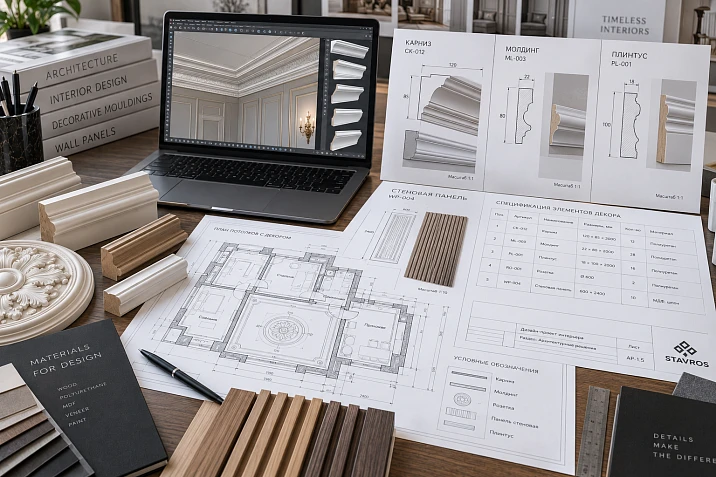
Material in an architectural project is not a picture in a collage or a label "classic molding" on an elevation. For a solution to be built and then procured without substitution, the architect needs a technical position: material, real geometry, thickness, size, specific product, SKU, detail, project code, quantity, and approval status.
That is why materials for an architectural project it is useful to build into the project along the chain:
architectural task → material → product system → SKU → 3D/DWG → detail → project code → specification → procurement.
This approach is needed even before procurement. If the product is searched for only after the final elevations are issued, the profile width, panel thickness, cornice depth, layout module, or the position of adjacent elements may change. Then the working documentation no longer describes the actual system.
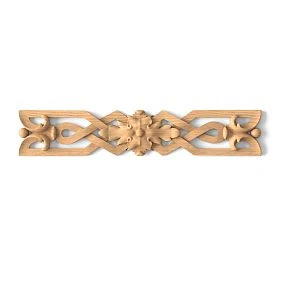
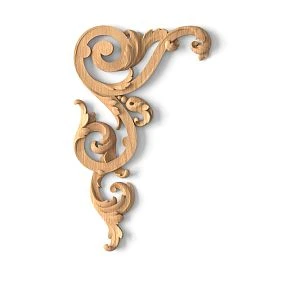
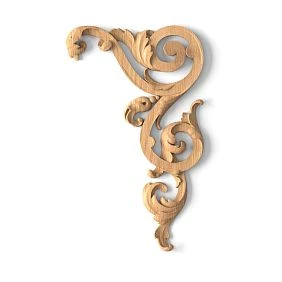
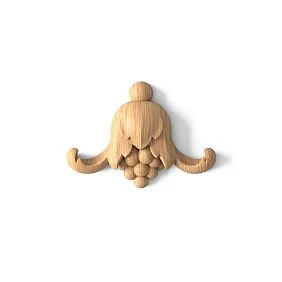
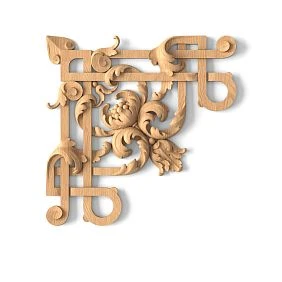
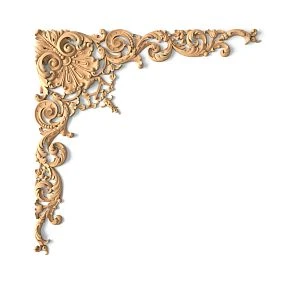
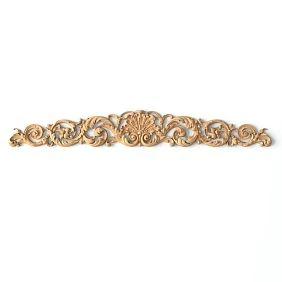
Material in an architectural project is not a picture, but a technical item
The phrase “make a wall with moldings” is not a complete design task.
For the working documentation, it is necessary to define:
material → geometry → thickness → size → specific product → SKU → detail → quantity.
The same applies to wall panels, skirting boards, cornices, pilasters, and piece decor.




What the next specialist should understand
The architect passes the project on: to the visualizer, procurement specialist, furniture maker, or builder.
Each of them must clearly understand:
- what this product is;
- what it is made of;
- what the actual size is;
- where it is located;
- how it adjoins;
- how much of it is needed;
- which file confirms the geometry;
- which SKU to purchase.
If this data is missing, the project relies on interpretation.
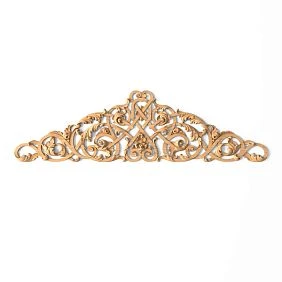
Our factory also produces:
Why SKU is needed already at the architectural stage
The article number identifies a specific product and links together:
- 3D;
- DWG;
- section;
- the layout drawing;
- the specification;
- order.
An internal project code helps read drawings, but does not replace the manufacturer's article number.
Get Consultation
Which material groups can be included in an architectural project
Material catalog for the project it is convenient to use not as a list of beautiful products, but as a set of product systems that solve different architectural tasks.
Polyurethane decor
Polyurethane moldings suitable for moldings, cornices, rosettes, overlays and other elements where profile, repeatability and painting are important.
Wooden moldings
Wooden trim used in systems of moldings, cornices, skirting boards and other extended profiles, when natural wood or a connection with furniture and portals is important.
Wall panels
MDF wall panels they require not just wall area, but a real module, thickness, direction, start and end of the field.
Wooden decor
wooden decorative elements и Carved wooden decoration they are used as individual items: overlays, rosettes, brackets and other elements for which coordinate, orientation and quantity are critical.
Architectural verticals
pilasters and columns и Capitals should be designed as coordinated systems, not as individual decorative elements.
How to choose material by function, not just by style
It is useful for the architect to first name the function.
Form a frame → molding.
Close the wall–ceiling joint → cornice.
Close the lower wall junction → baseboard.
Create an accent plane → panel.
Design a portal → base + pilaster + capital + upper termination.
Create a local accent → applique / rosette.
After that, materials and specific SKUs are compared.
Why style is secondary at the first step
Two visually suitable elements may serve different technical purposes.
For example, a wide molding and a narrow cornice may be similar in ornament, but one works on the wall, the other in the ceiling assembly.
First the geometric role is determined, then the decorative language.
Polyurethane in an architectural project
For the working documentation, what matters is not the general properties of the material, but the parameters of the specific product.
Checked:
- width;
- depth;
- cross-section;
- overhang;
- relief;
- mounting plane;
- painting;
- SKU repeatability.
Why the profile must be checked before drawings are released
A conditional line does not show the depth.
If the molding is next to a door, panel, or furniture, even a small difference in projection changes the assembly.
Repeatability
On a large project, the same profile may be used in several rooms. Then it is advantageous to have one master SKU with unified 3D and DWG.
Commercial transition
Moldings made of polyurethane should be added to the order only after their cross-section and quantity have already been fixed in the working design.
How to include molding in working documentation
Molding is not just a line.
You need to determine:
- SKU;
- width;
- the depth;
- installation height;
- frame geometry;
- joints;
- linear footage;
- project code.
On the unfolded view
Show the outer frame boundaries and project code, for example M-01.
On the node
Show the actual profile.
In the specification
Link:
M-01 → STAVROS → SKU → URL.
Why replacing the profile requires a revision
If the molding width changes from 30 to 50 mm, the inner field of each frame decreases by 40 mm along the corresponding axis.
This may affect wall lights, paintings, overlays, and furniture.
How to install a ceiling cornice
A cornice has two critical dimensions:
along the wall + along the ceiling.
Checked:
- curtain niche;
- a built-in wardrobe;
- door;
- backlighting;
- ceiling assembly;
- upper molding frame.
A section view is essential
The elevation shows the lower line of the cornice.
The section view shows the actual projection.
If there is a floor-to-ceiling cabinet or a curtain niche nearby, a front view alone is not enough.
Product position
A cornice in the RD must be linked to a specific SKU, not simply called “PU cornice.”
Skirting as part of the architectural system
Skirting affects all lower wall junctions.
It is necessary to determine in advance:
- height;
- thickness;
- the material;
- the joint with the architrave;
- junction with built-in furniture;
- junction with wall panels;
- transition into the pilaster base.
Skirting ↔ architrave junction
If the skirting is thicker than the architrave, a protrusion appears.
If the architrave is wider and deeper, a different abutment scenario is possible.
This issue needs to be resolved at the detail level before construction.
Baseboard ↔ panel junction
The panel can:
- extend down to the baseboard;
- start higher;
- sit behind it;
- have its own bottom termination.
Without a cut, builders will resolve this on site.
MDF wall panels in the project
A panel cannot be considered just as wall area.
For a working layout, you need:
- module;
- width;
- thickness;
- direction;
- start of field;
- end of field;
- trimming;
- Doors;
- switches;
- plinth;
- built-in furniture.
Example with a module
The wall has a finished width of 3650 mm.
The nominal panel module is 300 mm.
3650 / 300 = 12,17.
This means that twelve whole modules do not cover the wall without a remainder.
The architect must decide in advance where the cut will be and whether it will be symmetrical.
Why area does not solve the problem
Area answers the question “how many square meters.”
The architectural layout answers:
- where the modules begin;
- what the extreme dimensions are;
- how the sockets are bypassed;
- how the panel reaches the door.
This is exactly what the builder needs.
Wooden wall panels
With natural wood, parameters are added that painted MDF does not have:
- texture;
- grain direction;
- shade;
- adjacent wooden elements;
- batch;
- sample;
- finish.
Grain direction
It can be part of a composition.
If several panels are placed side by side, the direction must be agreed upon in advance.
Batch
Natural material has variability, so a large surface cannot be approved based on a single render alone.
Adjacent furniture
If there is a wooden cabinet nearby, the two materials must be compared physically, not on a screen.
Decorative wooden elements
For one-off decor, what matters is not linear meters, but:
coordinate + orientation + quantity.
These items include:
- Plates;
- Outlets;
- Brackets;
- corner elements;
- capital.
Project code
For example:
D-01
In the unfold
Show:
- center;
- axis;
- orientation;
- quantity;
- repetition.
L/R
If an element has left and right versions, they are counted separately.
How to design architectural elements
Pilasters, columns, and capitals cannot be selected independently.
System:
base → vertical → capital → top termination.
Base
Connects to the baseboard.
Pilaster / column
Defines the vertical scale.
Capital
Completes the vertical and leads it to the cornice or architrave.
Top finial
Connects the assembly to the door, wall, or ceiling.
If at least one element changes, the entire silhouette must be rechecked.
Why the material must be chosen before releasing the final elevations
If you first release beautiful drawings and then look for the product, the following may change:
- profile width;
- height;
- panel module;
- thickness;
- rhythm;
- the position of electrical outlets;
- Furniture;
- joints.
Therefore, the final construction documentation must come after selecting the actual product system.
What can remain provisional at an early stage
At the concept stage, proxy and provisional lines are acceptable.
When provisionality must disappear
Before the working documentation status and before the commercial estimate.
How to use 3D models
3D answers the question:
how the actual SKU looks in volume.
Checked:
- scale;
- proportions;
- relief;
- light;
- connection with furniture;
- repetition;
- overall composition.
What not to do
Do not use a similar model after a specific SKU has been approved.
Object name
Useful to keep the article number:
STAVROS_SKU_3D.
This is how the visualizer and architect work with the same item.
How to use DWG
DWG is needed for:
- real profile;
- dimensions;
- nodes;
- sections;
- elevations;
- junctions.
Combination:
SKU → 3D → DWG → specification.
3D models and DWG it is useful to keep them together within the project library, rather than in separate unrelated folders.
Why one SKU should have one geometry
If the 3D and DWG refer to different models, the project automatically contains a conflict.
How to use a physical sample
3D and DWG do not fully show:
- surface;
- texture;
- shade;
- finish quality;
- natural variability of wood.
After the digital shortlist, a useful chain is:
SKU → sample → APPROVED.
Product samples are needed precisely to verify the physical solution before the main order.
What to check on the sample
- the texture;
- color;
- profile depth;
- painting;
- joint with adjacent material;
- light under real lighting.
How to assign project codes to materials
An internal code is needed to keep the drawing readable.
For example:
M-01 — molding
K-01 — cornice
P-01 — baseboard
SP-01 — wall panel
D-01 — decorative element
AR-01 — architectural element
But the internal code does not replace the manufacturer's SKU.
The correct combination:
M-01 → STAVROS → SKU → URL → DWG → 3D.
Why two identifiers are better than one
The project code is convenient to apply to the drawing.
The SKU is needed for assembly and reordering.
If only the article number is used, the layout becomes overloaded with long designations.
If only M-01, the assembler does not understand which product to purchase.
What should be on the architectural layout
The decorative wall elevation should show not only beautiful geometry.
Required:
- material code;
- axis;
- size;
- elevation mark;
- field boundaries;
- start and end;
- Doors;
- Furniture;
- sockets and switches;
- junctions;
- laying direction;
- individual decor.
Molding
for M-01 Show:
- outer dimensions of the frame;
- installation height;
- axis;
- distance to the door;
- distance to the adjacent frame.
Panel
for SP-01 Show:
- field width;
- vertical or horizontal orientation;
- end module;
- trimming;
- joint with the skirting board.
Decorative element
for D-01 Show:
- center;
- orientation;
- quantity;
- L/R, if applicable.
What should be in the section view
A section view is needed where thickness and projection matter.
This especially applies to:
- cornice;
- Baseboards;
- Panels;
- pilasters;
- built-in furniture;
- molding next to the door casing.
Why a front elevation is not enough
On the facade, two materials may look compatible.
The cross-section reveals that one protrudes 20 mm more than the other.
This is already a real installation conflict.
Panel + skirting board
Need to show:
- panel thickness;
- skirting board thickness;
- the mounting plane;
- final protrusion.
Cornice + ceiling
Required:
- vertical dimension;
- overhang;
- ceiling plane;
- a niche;
- lighting, if any.
How to work with materials around a doorway
A doorway is one of the most complex junctions.
Here, the following meet simultaneously:
- plinth;
- platband;
- molding;
- panel;
- portal;
- sometimes a pilaster and a capital.
This must be one system.
Baseboard ↔ casing
You need to decide which one fits which and where it ends.
Molding ↔ casing
On the elevation, the offset is set.
On the section, the depth is compared.
Panel ↔ casing
You need to determine:
- the panel meets the architrave;
- goes behind it;
- ends earlier;
- has its own end edge.
Architectural portal
If the opening is framed with pilasters, a standard architrave can become part of a larger system.
The decision must be final before ordering wood, panels, and moulding.
How to work with built-in furniture
Decorative materials often conflict with the wardrobe not visually, but geometrically.
Checked:
- plinth;
- cornice;
- panel;
- molding;
- top of the cabinet;
- side panel;
- facade;
- opening.
Baseboard
It needs to be decided: does it continue in front of the wardrobe or stop.
Cornice
If the wardrobe goes to the ceiling, the decorative cornice can:
- interrupt;
- run in front of the furniture;
- wrap around the wardrobe;
- have a furniture equivalent.
Panel
A wall panel can be continued onto a furniture facade, but that is already a separate design system.
Molding
The frame should not "run off" behind the wardrobe without reason.
All intersections must be resolved before handing over to the furniture maker.
How to use decorative polyurethane elements
decorative polyurethane elements they are useful as individual items within molding frames, portals, furniture and wall compositions.
For the working documentation, the following are fixed:
- dimensions;
- center;
- orientation;
- article number;
- quantity;
- adjacent profile.
Why they cannot be selected separately
If the molding changes, the inner field of the frame also changes.
An overlay that fit before may no longer fit.
Connection to the architectural grid
A decorative element must have a clear axis and must not look randomly attached to the surface.
How to use decor for polyurethane walls
Polyurethane wall decor they can be included in wall compositions, but in the working documentation they must be described as strictly as a molding or panel.
You need to determine:
- the specific SKU;
- size;
- axis;
- installation height;
- quantity;
- adjacent frames;
- a way to complete the composition.
For a large wall
A small decorative detail may get lost.
For furniture facades
A large item may take up too much of the field.
Therefore, choosing from a photo without a real scale is insufficient.
Wooden moldings, cornices, and skirting boards in the RD
wooden moldings, cornices, and baseboards require additional attention to finishing.
In addition to the cross-section and length, the following are specified:
- wood species;
- grain direction;
- finish;
- painting or tinting;
- connection with doors;
- connection with furniture.
Why this is important
The same geometric profile in natural oak and under dense paint is perceived differently.
In architectural documentation, material and finish must be recorded separately.
How to create an item in the material schedule
Example:
| Code | SKU | Material / element | Size | Room | Unit |
|---|---|---|---|---|---|
| M-01 | … | PU molding | … | Living room | linear m |
| K-01 | … | cornice PU | … | Living room | linear m |
| SP-01 | … | MDF panel | … | Office | pcs. |
| D-01 | … | decor wood | … | Hall | pcs. |
Additional Items:
- URL;
- DWG;
- 3D;
- sample;
- finish;
- status;
- verification date;
- revision.
For linear trim
You need to store:
- calculated linear meters;
- commercial length;
- number of planks;
- cutting map.
For panels
You need to store:
- module;
- quantity;
- edge cuts;
- orientation.
For piece decor
You need to store:
- quantity;
- L/R;
- coordinate;
- room.
CANDIDATE and APPROVED are materials at different stages
At an early stage, a position can only be a candidate.
CANDIDATE
after checking:
- size;
- 3D;
- DWG;
- node;
- a sample;
- visual approval;
It receives the status:
APPROVED.
Only APPROVED should go into the procurement specification.
Why this is important
Without shortlist status, final items get mixed up.
A procurement specialist may order an item that the designer was still comparing with an alternative.
SPECIFIED and ORDERED
If necessary, you can add:
SPECIFIED — added to the final specification.
ORDERED — ordered.
How to document material replacement
The old SKU cannot simply be erased.
It is necessary to record:
OLD SKU → NEW SKU → reason → REVISION.
If the profile changes
Checked:
- 3D;
- DWG;
- unfolded view;
- nodes;
- internal dimensions of the frames;
- quantity.
If the panel changes
Checked:
- module;
- thickness;
- edge cuts;
- Outlets;
- joint with furniture.
If the wood changes
Checked:
- sample;
- finish;
- adjacent furniture;
- Color palette.
Replacement becomes a project event, not just a commercial one.
How to calculate materials by different types
Different categories cannot be calculated with a single formula.
Moldings
By segment length and cutting map.
Crown Mouldings
Along the working perimeter, taking into account niches, cabinets, and gaps.
Baseboards
By actual wall sections, minus doors and other exclusions.
Panels
By modules and layout, not just area.
Piece decor
By the number of compositions.
Architectural elements
By assembly completeness:
- base;
- pilasters;
- capitals;
- the upper termination.
Example: why panel area is not enough
Wall:
3600 × 2700 mm.
Area:
3.6 × 2.7 = 9.72 m².
This figure is useful, but it does not answer the question of how many modules will actually be needed.
If the architectural module is conventionally 300 mm, by width:
3600 / 300 = 12 modules.
But if there is a 900 mm wide door nearby, the panel field is already divided into separate sections.
Next, you need to decide:
- where the layout starts;
- where the symmetry is;
- which is the outermost module;
- how the architrave is handled.
Only after that does the purchase quantity emerge.
Example: molding frame and profile change
Outer frame:
1200 × 900 mm.
Profile A — 30 mm.
Inner field:
1140 × 840 mm.
Profile B — 50 mm.
Inner field:
1100 × 800 mm.
The difference:
- 40 mm in width;
- 40 mm in height.
If there is an insert, sconce, or picture inside the frame, changing the profile already affects the composition.
What mistakes are most often made when choosing materials
Mistake 1. Visualization first, then product search
Consequence: the actual SKU changes the geometry.
How to avoid: final visualization only on the selected items.
Mistake 2. Conditional geometry remains in the construction documents
Consequence: the builder interprets the detail themselves.
How to avoid: replace the proxy with the actual profile.
Mistake 3. No SKU
Consequence: the kit assembler looks for an alternative.
How to avoid: an item code in every line.
Mistake 4. Thickness not checked
Consequence: materials do not align at the junction.
How to avoid: a section view.
Error 5. Panels are calculated by area only
Consequence: no proper layout or edge modules.
How to avoid: modular scheme.
Error 6. Wood is chosen based on a screen
Consequence: the actual texture and shade differ.
How to avoid: a physical sample.
Error 7. DWG and 3D refer to different products
Consequence: the visualization and working documentation diverge.
How to avoid: SKU in file names.
Error 8. Replacing an SKU does not go through revision
Consequence: procurement and drawings of different versions.
How to avoid: OLD → NEW → REVISION.
When the material should not be complicated
A complex decorative system does not always improve the project.
Small room
Large decor can overload the interior.
Active furniture
If built-in furniture already forms the wall architecture, additional pilasters or panels may duplicate it.
Complex engineering
Access hatches, ventilation, and electrical equipment can make the decorative grid impractical.
No possibility to issue detail drawings
A simple system with clear junctions is better than a complex one without working documentation.
Material not confirmed by a sample
For a large natural surface, it is better not to move the item to APPROVED based on the render alone.
How to move from an architectural project to purchasing
The commercial part begins not with searching for “where to buy,” but after the design item is confirmed.
Correct sequence:
design solution → real SKU → working detail → APPROVED → quantity → commercial calculation → order.
Panels
Layout and module first, purchasing later.
Moulding
Profile and details first, linear footage later.
Linear trim
Real segments and cutting first, number of strips later.
Wooden decor
SKU, orientation, and sample first, quantity later.
Before payment
Check:
- SKU;
- quantity;
- the material;
- current price;
- availability;
- the deadline;
- the latest revision of the project.
How to hand off materials from the architectural department to the procurement specialist
The procurement specialist should receive a structured package:
- schedule;
- current PDF;
- DWG;
- the SKU list;
- quantity;
- URL;
- status;
- revision number.
What is not acceptable
- Pinterest screenshots;
- the note “something like this molding”;
- “panel as in the render”;
- file
final-new-2.dwg.
Handoff check
drawing ↔ SKU ↔ DWG ↔ 3D ↔ quantity ↔ specification
must describe the same item.
How to store materials in an architectural firm's library
A useful structure:
STAVROS / PU / Moldings
STAVROS / PU / Cornices
STAVROS / Panels / MDF
STAVROS / Wood / Mouldings
STAVROS / Wood / Decor
STAVROS / Architecture / Pilasters
For each SKU:
- preview;
- dimensions;
- the material;
- DWG;
- 3D;
- URL;
- sample;
- verification date;
- completed project.
Why such a library is useful
The next project doesn't start from scratch.
But every old SKU must be checked against the current product card before reuse.
FAQ
When should a material be finalized?
Before the final construction documentation is issued, if its actual dimensions affect the assemblies, layout, and adjacent elements.
Can a provisional molding be left until procurement?
On concepts — yes. In working documentation, it's better to use a specific SKU and a real profile.
Why does an architect need 3D if there's DWG?
3D shows visual scale and relief, DWG — working geometry.
When is a physical sample needed?
For wood, panels, complex texture, finishes, and other solutions where a screen doesn't convey the material accurately enough.
Why can't panels be calculated by area alone?
Because actual consumption depends on the module, edge cuts, doors, outlets, and layout direction.
How should a material substitution be documented?
Keep the old SKU and record the new one, the reason, and the revision number.
What should the kit assembler receive?
SKU, quantity, URL, current drawing, status, and revision number.
Where can I find STAVROS professional files?
Catalogs, 3D, and DWG files are available in the designers and architects section and on the downloads page.
Final workflow
1. Define the architectural task.
2. Choose the material type.
3. Find the actual product system.
4. Record the SKU.
5. Check dimensions and thickness.
6. Use 3D for spatial verification.
7. Use DWG for details and sections.
8. Create unfolded views and layouts.
9. Check doors, furniture, and engineering systems.
10. Obtain a sample if needed.
11. Assign a project code.
12. Move CANDIDATE to APPROVED.
13. Calculate quantity and cutting layout.
14. Generate the bill of materials and specification.
15. Pass the item to procurement without changing the SKU.