Article Contents:
- Stucco in an Architectural Project Is a System, Not a Set of Ornaments
- Architectural Function First — Then the Product Code
- Hierarchy from Floor to Ceiling
- How to Determine the Scale of Stucco
- Why Profile Width and Depth Matter More Than the Image
- How to Choose Molding for an Architectural Grid
- Main molding
- Secondary Profile
- Horizontal belt
- Portal Molding

In a conceptual visualization, moulding can be drawn in a few minutes. In a working elevation, it must already have a real width. In a section, depth and profile. In the specification, a specific SKU. In procurement, commercial length and the number of whole strips. If even one of these levels exists separately, the project ceases to be reproducible.
Therefore, for architects, moulding is not a matter of choosing "beautiful decor." It is working with an architectural system that must follow the same path from idea to installation without substituting the geometry.
The working chain looks like this:
architectural idea → geometry → element system → real dimensions → SKU → DWG/3D → details → specification → calculation → purchase.
For an architect, it is important not just to imagine how the frame will look on the wall. You need to understand in advance what physical profile forms it, how it joins with the door and skirting board, how it passes through a corner, what happens near furniture, and whether the same element can then be ordered unambiguously.
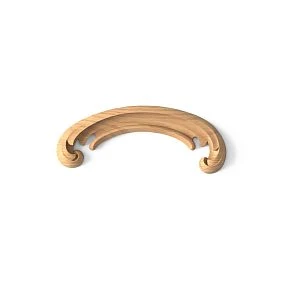
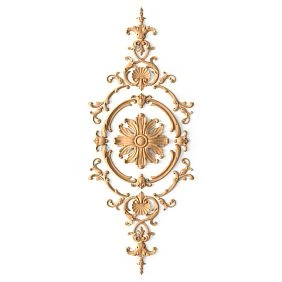
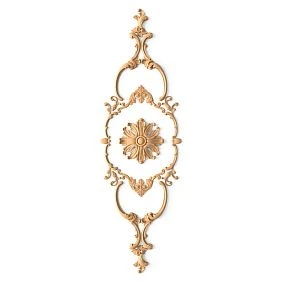
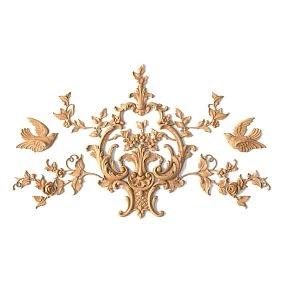
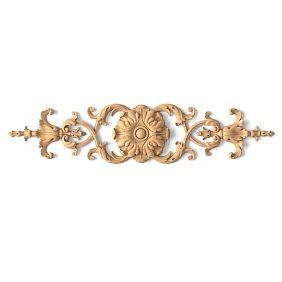
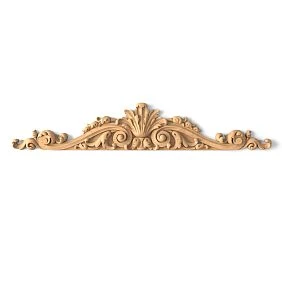
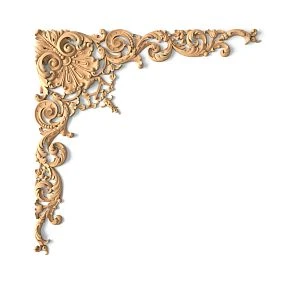
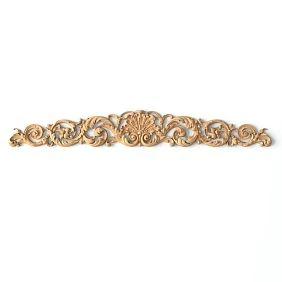
Moulding in an architectural project is a system, not a set of decorations
An architect does not work with "curls" as standalone objects.
He designs:
- wall articulation;
- ceiling border;
- vertical axes;
- frame grid;
- the door portal;
- architectural center;
- transition between surfaces;
- a hierarchy from floor to ceiling.
The moulded element appears already within this logic.
For example, a moulding is not needed for its own sake. It forms the boundary of the wall field. A cornice completes the wall and connects it to the ceiling. A pilaster sets the vertical. A ceiling rose organises the ceiling composition around the light fixture.
If you choose products before their function is clear, the interior easily turns into a catalogue of different profiles.




First the architectural function — then the product code
It is useful to start with a simple table.
| Architectural function | Element |
|---|---|
| wall articulation | Molding |
| wall completion | Cornice |
| Bottom line | Baseboard |
| Center of the ceiling | Rosette |
| Vertical division | Pilaster |
| pilaster completion | Capital |
| Frame center | Overlay |
| ornamental zone | Decor for Walls |
This sequence changes the very principle of selection.
Not:
"liked a molding — let's try to find a place for it."
But:
"we need to form a frame grid — we look for a profile of the required scale, depth, and cross-section."
After that, you can move on to polyurethane relief and select real product groups for a specific architectural function.
Our factory also produces:
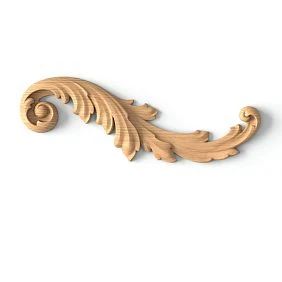
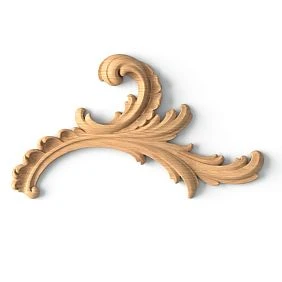
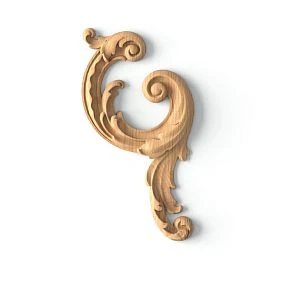
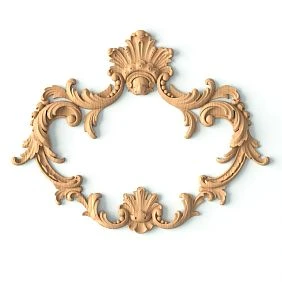




Hierarchy from floor to ceiling
A wall is best read as a single vertical system:
baseboard → wall field → molding → frieze → cornice → ceiling composition.
Elements cannot be selected independently.
If the baseboard is very massive while the molding almost disappears, the lower part of the wall begins to dominate.
If the cornice is too heavy relative to the rest of the system, it visually "lowers" the ceiling boundary.
If the pilaster has a pronounced architectural mass while the capital is too small, the vertical line breaks off.
Therefore, an architectural project must first define the hierarchy, and only then the specific SKUs.
Get Consultation
How to determine the scale of stucco molding
Scale cannot be assessed from a product card alone.
Check the element relative to:
- ceiling height;
- wall width;
- doorway;
- windows;
- furniture;
- perception distances;
- adjacent profiles.
Let's imagine a hypothetical example.
One molding is 40 mm wide, the second is 85 mm.
In a large preview in the catalog, both may look equally convincing.
On a 3.2 m wide wall, the effect will be different: the first works as a thin line, while the second already becomes an independent architectural band.
An architect needs real millimeters.
Why profile width and depth matter more than the image
For linear trim, it is convenient to record at least three parameters:
A— width;C— projection or depth;L— product length.
But even that is not enough without a cross-section.
Two mouldings of the same width can have completely different profiles.
One is almost flat.
The other creates a deep shadow.
Therefore Moldings made of polyurethane you need to compare not only frontally, but also by cross-section.
It is depth that determines what will happen near the architrave, panel, furniture, and other trim.
How to choose a moulding for an architectural grid
In a developed system, it is useful to distinguish several roles.
Main molding
Forms the main framework and primary boundaries.
Its geometry must remain stable across all typical zones.
Secondary profile
Creates an inner contour or an additional level of division.
It should not compete in scale with the primary one.
Horizontal belt
Connects several sections of the wall.
Can pass through different zones and form a common reference line.
Portal molding
It no longer functions as a frame on a flat surface, but as part of the assembly around an opening.
Depth and the joint with the casing are especially important here.
The same profile does not have to perform all functions.
How to design a frame system on the wall
Weak approach:
first draw beautiful rectangles, then select a similar molding.
This almost inevitably leads to a substitution of geometry.
Correct sequence:
wall dimensions → furniture and doors → base axes → margins → frames → actual profile → inner dimension.
The actual width of the molding must be part of the layout from the very beginning.
Suppose the drawing specifies a frame 1000 mm wide along the outer contour.
If the profile is 60 mm wide, the inner field will no longer be 1000 mm.
This must be taken into account when forming the composition, not after the visualization is approved.
The architectural axis is more important than the mathematical center of the wall
The geometric center of the wall and the compositional center often do not coincide.
The frame system can be anchored to:
- Doors;
- a window;
- a bed;
- a sofa;
- a fireplace;
- console;
- to the luminaire;
- a TV.
Let's imagine a wall 4.2 m long.
On the left is a built-in wardrobe 600 mm deep, on the right is a door.
The mathematical center of the entire wall is almost useless here.
It is wiser to build the composition based on the visible architectural part.
This logic should be fixed in the elevation drawing.
Ceiling cornice: the profile works in two planes at once
A cornice cannot be evaluated by frontal height alone.
Need to check:
- height along the wall;
- projection onto the ceiling;
- the curtain niche;
- ventilation grilles;
- built-in furniture;
- LED lighting;
- ceiling level difference.
The profile may look compact on the wall, but it can protrude significantly onto the ceiling.
And vice versa.
Therefore, polyurethane ceiling molding requires a mandatory cut.
It is the cut that reveals the actual geometry of the junction.
Molding and concealed lighting
A cornice next to an LED is no longer just a decorative element.
It is part of the lighting assembly.
Check:
- where the light source is located;
- whether the profile covers it;
- whether the LED strip is visible from the room;
- what the distance to the ceiling is;
- where the light is directed;
- whether the system can be maintained.
Not every curtain track is automatically suitable for lighting.
If the profile is chosen based only on appearance, on site it may turn out that the light source is visible from a normal viewpoint or the shadow is completely different from the render.
The ceiling socket should be part of the ceiling composition
You shouldn't choose a socket based only on diameter.
Check the connection:
room → furniture composition → chandelier → socket → curtain track → ceiling.
The center of the ceiling is not always the center of the furniture.
For example, a dining table may be offset relative to the geometric center of the room.
If the luminaire is tied to the table, the socket must support exactly this compositional axis.
For actual selection, you can use ceiling rosettes.
Pilaster and door portal as composite architectural systems
A pilaster is not necessarily a single product line.
It may consist of:
- base;
- shaft;
- capital.
Therefore, the architectural code must be broken down into actual physical positions.
For example:
PIL-01-BASE
PIL-01-SHAFT
PIL-01-CAP
If these are three separate SKUs, the specification must contain three lines.
The same applies to the door portal.
A working scheme may look like this:
skirting → base → vertical element → capital → casing / molding → top finial.
The entry “portal — 1 set” is acceptable only if the supplier actually sells a ready-made set as a single product entity.
Decorative overlays must be designed together with the wall architecture
An overlay should not appear at the end of the project as a decoration for empty space.
First, the following are determined:
- compositional center;
- scale;
- symmetry;
- repeatability;
- orientation;
- connection with the frame.
For paired elements, it is especially important to distinguish L and R.
The left and right overlay are different physical positions if the manufacturer assigns them separate item codes.
For wall compositions, you can use Polyurethane decorative appliques и Decor for Molding.
Architectural molding and adjacent materials
Even if the article's main product cluster is polyurethane, an architectural assembly rarely consists of only one material.
Molding can be adjacent to:
- MDF;
- solid wood;
- a painted wall;
- a wall panel;
- furniture;
- stone;
- metal.
Therefore, the choice of profile should take into account not only the appearance, but also its physical position relative to adjacent surfaces.
If the molding protrudes by 20 mm and the panel by 12 mm, a step is created.
If the baseboard is deeper than the molding, the lower junction reads differently.
These differences must be resolved in the design.
How to transfer stucco from concept to DWG and 3D
For each key element, record:
- actual cross-section;
- width;
- the depth;
- the mounting plane;
- commercial length;
- SKU;
- design code.
The link must be rigid:
one SKU → one geometry → DWG → 3D → specification.
Available for design work DWG and 3D models of stucco.
DWG is responsible for accuracy.
3D is responsible for the perception of scale, relief, and light and shadow.
They must describe the same product.
What to show on the unfolded view and on the section
The unfolded view should show more than just the frame.
It is useful to see at the same time:
- the axes;
- dimensions;
- indents;
- Moldings;
- Plates;
- Doors;
- Furniture;
- Outlets;
- wall lamp;
- plinth;
- cornice.
This way, conflicts are immediately noticeable.
A section is needed where the frontal projection hides depth:
- cornice;
- plinth;
- pilaster;
- protruding overlay;
- LED;
- panel;
- door casing.
The facade shows the composition.
The section shows the physical reality.
3D cannot be scaled separately from the product
A 3D model is needed to verify:
- real scale;
- depth;
- shadows;
- adjacent elements;
- composition.
But a real product SKU cannot be stretched with the Scale command just for a pretty picture.
If the molding has a specific width and depth, scaling produces a different physical profile that is not in the catalog.
In that case, you need to select a different SKU.
Otherwise, the classic error occurs:
3D = one profile
DWG = another
specification = a third
There is only one correct approach:
SKU = 3D = DWG = SPEC.
Sample as part of architectural approval
Even an accurate 3D model does not replace a physical sample.
On the sample you can check:
- the texture;
- the actual width;
- depth of the relief;
- chiaroscuro;
- surface;
- coloring.
It is especially useful to apply the sample to a real assembly:
- to the door casing;
- to the baseboard;
- Panels;
- to the furniture.
Then it becomes clear not only whether you "like the profile," but also how physically compatible it is with adjacent elements.
For this, you can use STAVROS product samples.
SKU statuses and project revisions
A convenient sequence:
CANDIDATE
→ SELECTED
→ SAMPLE APPROVED
→ APPROVED
→ ORDERED
to APPROVED the profile can still be compared and changed.
After APPROVED replacing an SKU should be considered a project revision.
A new profile can change:
- frame grid;
- the depth;
- nodes;
- Cutting;
- quantity;
- 3D;
- DWG.
Therefore, you cannot change the SKU only in Excel.
How to specify molding in the specification
Example fields:
| Field | Value |
|---|---|
| Code | M-01 |
| Manufacturer | STAVROS |
| SKU | exact |
| Type | Molding |
| Material | Polyurethane |
| Size | A × C × L |
| Room | Living room |
| Zone | wall 02 |
| Quantity | After calculation |
| DWG | file |
| 3D | file |
| Status | APPROVED |
| URL | product category |
Bad line:
classic molding — 45 m
does not answer the main questions: which profile exactly, what length the strip is, what was ordered, how to find the product again.
A good line should link the product and the project.
How to calculate moulding after the architecture is approved
A full calculation is a separate task.
But the general sequence is the same:
working lines → linear meters → product length → cutting → whole strips → reserve.
First, the geometric quantity is calculated.
Then it is converted into the physical quantity of product.
For example, 42.3 m of moulding is not yet an order.
You need to know the strip length and the cutting layout.
For an overall project, it is useful to use a separate methodology calculation of polyurethane stucco.
When an architectural project needs custom stucco
Custom makes sense if the standard catalog does not solve a specific task.
For example:
- a unique profile is needed;
- a historical replica is required;
- a special repeat is needed;
- there is a complex junction;
- the element is repeated serially and forms the language of the object.
But custom production should not be the first step.
First, it is worth checking STAVROS stucco catalog.
If a ready-made SKU solves the task, it is simpler for documentation and repeat purchasing.
Serial SKU or custom item
| Criterion | Serial SKU | Custom |
|---|---|---|
| DWG / 3D | easier to link to a product | needs to be prepared |
| Repeat order | Simpler | depends on documentation |
| Sample | usually easier to obtain | may require a prototype |
| launch into the project | Faster | requires development |
| Uniqueness | limited to the catalog | Higher |
| revision control | Simpler | critically important |
There is no universal answer as to what is "better."
The decision depends on whether the required architectural geometry can be achieved with a standard position.
How to buy stucco after the project is released
The commercial stage begins after the architectural system has already been approved.
For the main set, you can use:
- polyurethane molding;
- Moldings made of polyurethane;
- Decorative Inserts;
- Wall Decor;
- ceiling rosettes.
For professional work — the section STAVROS for designers and architects.
At this stage, queries like "buy stucco molding," "buy polyurethane stucco molding," "polyurethane moldings," and "buy polyurethane molding" already naturally match the task: the product is selected, the geometry is verified, and all that remains is to order specific items.
Architect's working algorithm
- Define the architectural function of the decor.
- Build the axes and divisions.
- Set the hierarchy from baseboard to cornice.
- Choose real product categories.
- Build a shortlist of SKUs.
- Check the actual dimensions.
- Insert the section into the DWG.
- Use the same SKU in 3D.
- Check the doors, furniture, skirting boards, and ceiling.
- Work out the internal and external corners.
- Check the sample.
- record the status
APPROVED. - Add the SKU to the specification.
- Calculate the linear meters and physical quantity.
- Determine the reserve.
- After that, proceed to purchasing.
Mouldings for architects become a professional tool when there is no gap between the concept and the product.
Final project logic:
architectural function → axis → real profile → detail → SKU → DWG → 3D → sample → specification → quantity → order.