Article Contents:
- What specification of a design project means in practice
- Visualization is not yet procurement documentation
- What the specifier should receive from the designer
- What the supplier should receive from the specifier
- Where selection ends and purchasing begins
- SKU
- Actual product size
- Material of the specific configuration
- Product length
- Availability or production time
- Price of the selected configuration
- Drawing and 3D model
- Possibility of receiving a physical sample
- How to match products by scale
- How to match products by style
- How to match them by material
- Why a beautiful product on its own may not work within a system
- Molding
- Skirting
- Cornice
- Baseboard
- Plank (or strip)
- Polyurethane moldings
- Cornices
- Ceiling Rosettes
- Moldings
- Pilasters and Columns
- Commercial transition
- Slatted panels
- Interior slats
- MDF panels
- Solid Wood Panels
- Curved surfaces
- Decorative appliqués
- Recessed Outlets
- Brackets
- Pilasters
- Capitals
- Columns
- Wooden frame
- Why carved decor especially needs a sample
- Why you should not change the model scale without checking
- How to check the actual size
- Why the 3D file name should be linked to the product code
- What to do when replacing a product
- Where to download catalogs, DWG and 3D models for a design project
- How to Use the PDF Catalog
- How to use DWG
- How to use 3D
- Why archives should be stored within the project
- What to sign on an approved sample
- Why a signature matters
- Do not change the sample after the specification without a revision
- Which samples are especially useful
- Why an internal item code is needed
- Why the room is a required field
- Why it is better to keep the square footage as a control indicator
- Why the price must have a date
- Split by SKUs
- Determine the actual product lengths
- Create a cutting plan
- Only then add the reserve
- Convert meters to whole products
- Example: same total length, different number of planks
- What affects the budget
- Material
- Number of SKUs
- Volume
- Size
- Finish
- Number of samples
- Reserve
- Logistics
- Why visually similar solutions can have different costs
- Why you need to calculate the entire set, not just one item
- How to calculate project cost by stages
- How to reduce the budget without compromising the design project
- Reduce the number of different SKUs
- Repeat standard units
- Choose a single profile for multiple rooms
- Use MDF under enamel where natural texture is not needed
- Keep the array for key areas
- Calculate cutting in advance
- Do not create excessive universal stock
- What to do with deleted SKUs
- What to do with ordered goods after a change
- 1. Choose by image without a product code
- 2. Scale the 3D model
- 3. Do not fix the product length
- 4. Write "wood" without specifying the species
- 5. Count the total perimeter as the order
- 6. Mix several SKUs into one line
- 7. Do not approve a sample of a large profile
- 8. Do not keep a revision
- 9. Change the SKU only in Excel
- 10. Calculate the cost based on one line item
- 11. Add a universal 10% to everything
- 12. Do not check junctions
- 13. Do not count samples in the schedule
- 14. Order a "similar alternative" without new approval
- 15. Do not send the final specification to the supplier
- Step 1. Gather all decorative solutions into one list
- Step 2. Link each item to a real product
- Step 3. Check whether the scale in the visualization has been changed
- Step 4. Check the system as a whole
- Step 5. Order key samples
- Step 6. Calculate molding by parts
- Step 7. Calculate skirting separately
- Step 8. Calculate cornice by rooms
- Step 9. Calculate panel by modules
- Step 10. Calculate carved decor per piece
- Step 11. Generate the specification
- Step 12. Separate the installation reserve
- Step 13. Calculate the cost
- Step 14. Send a single schedule to the supplier
- How to work with professional STAVROS tools within the project
- 3D — for visualization
- DWG — for working documentation
- PDF — for selection
- Product card — for final review
- Sample — for physical approval
- Personal manager — for order clarification
- When a project's specification is considered ready for purchase
- What to do if one item is not ready
- Why PENDING status is better than guessing
- Final checklist for the interior specifier
- Test 1. Remove images and read only the table
- Test 2. Hand the file to an employee who was not involved in the project
- Test 3. Check the reverse link “SKU → place in the project”
- Test 4. Check the reverse link “element in the render → SKU”
- Test 5. Check for length conflicts
- Test 6. Check that the reserve is not doubled
- Test 7. Check all links
- Test 8. Check that the price is up to date
- Test 9. Verify removed and replaced items
- Test 10. Verify the final order by the number of physical units
- What is design project procurement?
- What is included in interior procurement?
- Who is an interior procurement specialist?
- When should you start procuring a design project?
- How to create a materials specification?
- Where can a designer download 3D models of moldings and stucco?
- Can I order samples before the main purchase?
- How to calculate moldings based on a design project?
- How to calculate the cost of interior furnishing?
- Where to buy finishing materials according to a design project specification?
- Final check before sending the specification
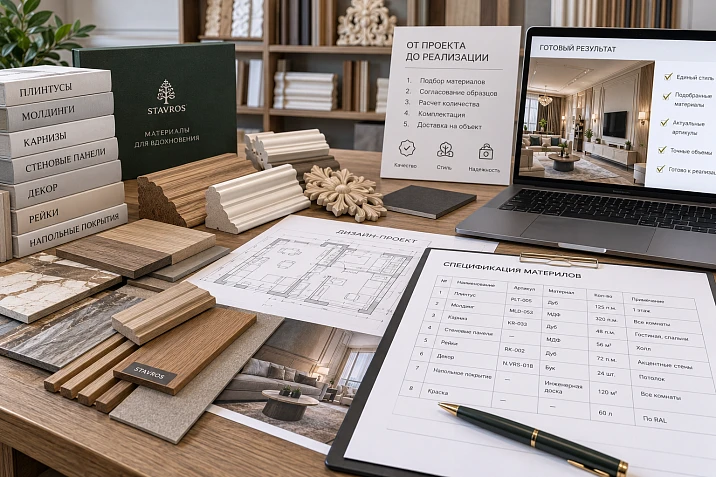
A beautiful render cannot be ordered yet. In the visualization, the molding, skirting board, decorative cornice, wall panel, slatted surface, or stucco element may be perfectly matched, but that is not enough for purchasing. The furnishing specialist needs real products: an exact item code, actual size, material, commercial length, finish, quantity, sample, lead time, and price. Until these fields are filled in, the design project remains an architectural idea, not purchasing documentation.
Design project furnishing begins at the moment when an image needs to be translated into real catalog items and it must be verified that the selected solution can be purchased, calculated, delivered, and repeated on site. In professional work, this transition looks like this:
idea → visualization → real catalog → item code → real dimensions → 3D/DWG → physical sample → specification → quantity → cost → order → delivery.
This is exactly where mistakes most often occur. The designer used a generic 3D model and changed its scale. In the visualization, the molding width looks suitable, but the real profile turns out to be half as narrow. The elevation drawing shows a wall panel, but the specification has no format or material. The cornice is listed only by group name. The schedule includes “oak decor,” but without a specific item code and commercial length. As a result, the furnishing specialist has to look for “something similar” after the project has already been approved.
Proper interior furnishing solves the reverse task: first it links the visual idea to a real product, then it checks the geometry and material, after that it approves the sample, and only then records the item in the purchasing schedule.
For STAVROS, this scenario is especially logical because the designer can work not only with product cards but also with professional materials: conditions for STAVROS designers and architects, catalogs, DWG and 3D models, samples, mouldings, polyurethane stucco, wall panels and carved decor.
This article does not promise a separate "full turnkey interior fit-out" service unless it is formalized as a standalone service. Here we are talking about actual product specification: how a designer, architect, specifier or client can translate a design project into precise STAVROS items and prepare a specification that can be passed on for calculation and purchasing.
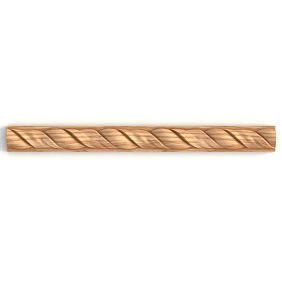
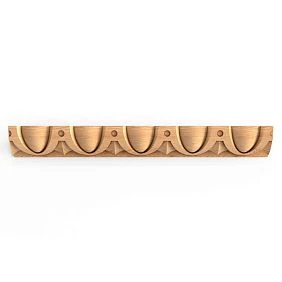
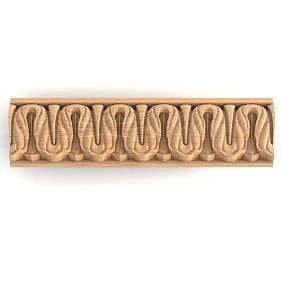
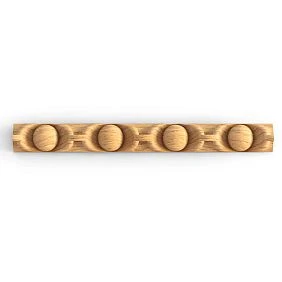
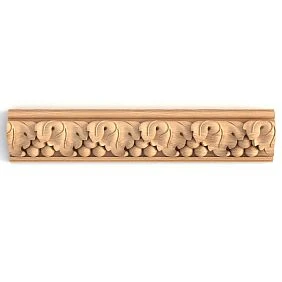
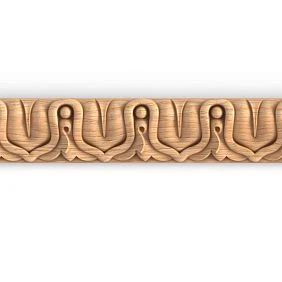
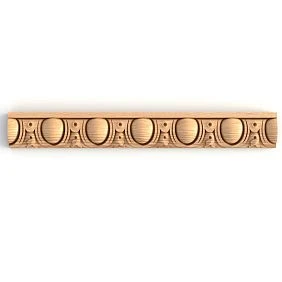
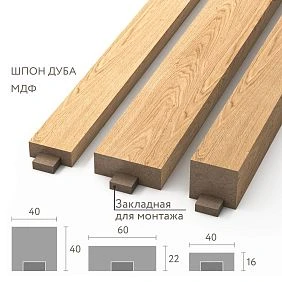
What design project specification means in practice
In the professional environment, design project specification is not about selecting beautiful products after visualization is complete. It is a process in which design decisions become a verifiable purchasing system.
The specifier must be able to answer for each item:
-
what this product is;
-
who the manufacturer is;
-
what is the exact item code;
-
what is the actual size;
-
what material is the selected configuration made of;
-
what is the product length or format;
-
how many units are required;
-
is a sample needed;
-
is there a drawing or 3D;
-
which finish is agreed;
-
what is the current price;
-
what is the lead time;
-
what will go into the reserve.
If at least half of the answers sound like "approximately," "similar," "like in the render," or "we'll confirm with the supplier after ordering," the specification is not ready yet.




A visualization is not yet procurement documentation
A visualization answers the question:
how should the space look?
A procurement specification answers a different one:
which real products need to be purchased to achieve this result?
There are several critical transitions between them.
For example, the designer points to a frame on the wall. Only the outline is visible in the render. To place an order, you need to decide:
-
which molding;
-
what is the width;
-
what is the profile height;
-
what is the length of the strip;
-
what material;
-
how many frames;
-
what are the finished lengths of the parts;
-
what is the allowance.
It is precisely at this transition that interior fit-out turns a picture into a physical product.
Our factory also produces:
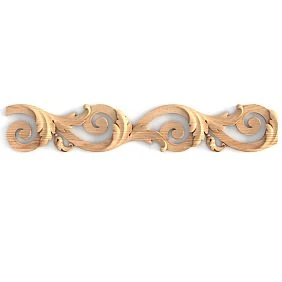
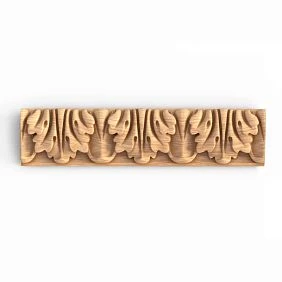
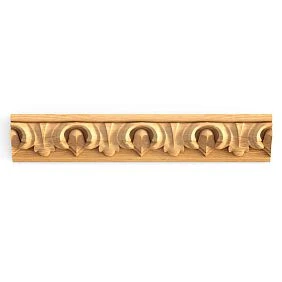
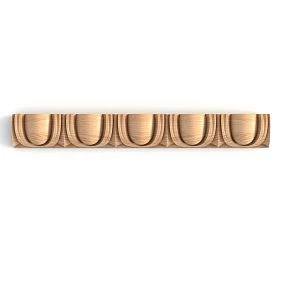
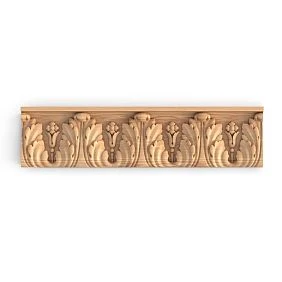
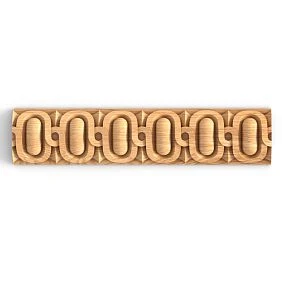
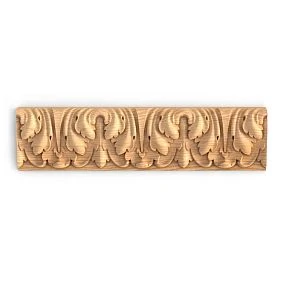
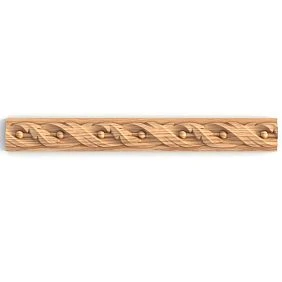
What the fit-out specialist should receive from the designer
Minimum set:
-
plans;
-
unfoldings;
-
room schedule;
-
finish schedule;
-
current visualization;
-
details;
-
sizes;
-
dimension references;
-
material codes;
-
list of approved items, if available;
-
current project revision.
If an elevation shows a decorative element but no dimension or reference, the specifier must not guess.
Get Consultation
What the supplier should receive from the specifier
The supplier does not need the entire interior concept retold. They need a precise brief:
SKU → configuration → material → length/format → quantity → finish → city → lead time → need for samples.
If there is no SKU yet, the task is formulated as a selection:
a molding about ___ mm wide is required for a wall frame; material ___; approximate length ___; project style ___; a sample and drawing are needed.
This is much stronger:
select a beautiful molding.
Where selection ends and purchasing begins
Selection ends when the item:
-
is identified by SKU;
-
is verified by size;
-
is approved by material;
-
verified at real scale;
-
confirmed with a sample if necessary;
-
entered into the specification.
After that, the procurement work begins:
quantity → price → lead time → batch → delivery → reserve.
Interior specifier: what data they need from STAVROS
A professional interior specifier should not gather product data from random fragments. Each selected item needs a single technical data sheet within the project.
SKU
SKU — the primary link between the visualization, product card, 3D model, specification, and order.
Bad line:
classic molding.
Strong:
MLD-___ / STAVROS.
If the project later changes the product, the SKU changes and a new revision is created.
Actual product size
Size cannot be taken "from the picture".
For linear mouldings, the following are important:
-
width;
-
height/depth;
-
sometimes additional structural dimensions;
-
commercial length.
For panels:
-
width;
-
height;
-
thickness;
-
module.
For carved decor:
-
dimensions;
-
relief;
-
the overhang.
Material of the specific configuration
A single profile can exist in different materials or finishes. Therefore, the line:
MLD-008
may be insufficient without:
MDF / beech / oak.
The same applies to panels, slats, and decor.
Product length
Commercial length is not a decorative parameter. It affects:
-
cutting;
-
number of joints;
-
number of slats;
-
logistics;
-
reserve.
If the project requires a part of 2450 mm, but the original strip is 2400 mm, the problem cannot be solved by total linear meters.
Availability or production lead time
Availability affects the procurement schedule, but it should not determine the design after approval. First, the project locks in the required solution; then the specifier checks the lead time.
If the timeframe does not work, the replacement goes through a new approval cycle.
Price of the selected configuration
The price must correspond specifically to the configuration specified in the project.
Cannot compare:
-
oak and MDF;
-
2400 and 2600 mm;
-
standard product and product with additional processing
as one item.
Drawing and 3D model
On the page STAVROS catalogs and drawings professional materials are available, including DWG, 3D models, and PDF catalogs of individual groups. For the designer, this makes it possible to build visualizations on real geometry rather than on a conventional profile.
Option to receive a physical sample
A render does not show the real depth of the profile, texture, tactile feel, or scale in the hand. Therefore, for key decisions it is useful to use STAVROS product samples.
A sample is especially needed if:
-
the profile is large;
-
the material is natural;
-
texture matters;
-
veneer is being selected;
-
color is critical;
-
the decor is located close to the eyes;
-
the batch is large.
First the architectural system, then individual products
A weak composition looks like this:
I like this molding + this cornice + this baseboard + this panel.
A strong one starts with an architectural system:
bottom line → baseboard
wall → molding
top of the wall → cornice
accent → panel or stucco element
doorway → casing / decorative assembly
local focal point of the composition → applique / rosette / carved element.
How to match products by scale
Scale is not an abstract “aesthetic quality.” It relates to:
-
ceiling height;
-
wall width;
-
doorway size;
-
furniture;
-
frame dimensions;
-
viewing distance.
A small profile on a large wall can get lost, while a very massive molding in a compact space can overwhelm the composition.
How to match products by style
Matching does not require identical ornamentation.
Often it is enough for the elements to have a consistent:
-
plastic;
-
thickness;
-
rhythm;
-
profile character;
-
material;
-
Color.
How to combine them by material
Sometimes a designer wants to keep wood everywhere. But a project can use rationally:
-
solid wood in key places;
-
MDF under enamel in repeated lines;
-
polyurethane in molded decor;
-
polystyrene profile for specific tasks;
-
MDF or solid wood panels on accent surfaces.
A unified interior language does not equal one material for the entire project.
Why a beautiful product on its own may not work in a system
Skirting, moulding and cornice can each be beautiful on their own, but clash in scale.
Therefore, before purchasing, it is useful to make one test collage or physical layout:
skirting + moulding + cornice + wall colour + panel.
Then the mistake is visible before ordering hundreds of metres.
Linear mouldings in the design project
STAVROS wooden mouldings, skirting boards and cornices form a large product group, but in a project each type of product performs its own function.
Molding
For moulding, the following are recorded:
-
article number;
-
width;
-
height;
-
length;
-
material;
-
the number of frames or lines;
-
finished parts;
-
finish.
The query “buy mouldings for interior” is useful at the selection stage. In the final specification, it must turn into a specific SKU.
Baseboard
A skirting board cannot be chosen by height alone.
Need to check:
-
thickness;
-
protrusion relative to the wall;
-
adjacent to the platband;
-
furniture;
-
door areas;
-
material;
-
standard length.
If the project involves purchasing skirting boards in bulk, the calculation is based on typical rooms and actual planks, not just the total perimeter.
Cornice
In a design project, it is better to use the wording:
decorative ceiling cornice.
This protects the intent from curtain cornices.
For purchasing, the following are recorded:
-
profile;
-
orientation;
-
size;
-
length;
-
angles;
-
material;
-
purpose.
Casing
A door casing is associated not only with the door, but also with:
-
wall thickness;
-
position of the frame;
-
baseboard;
-
built-in furniture;
-
finishing of one or two sides.
In the specification, it is better to count the finished sides rather than just the number of doors.
Slat
For the rail, the following are important:
-
cross-section;
-
length;
-
material;
-
step;
-
quantity;
-
axes;
-
mounting system.
A single line “rail — 100 pcs.” does not guarantee that the walls will be assembled identically.
Polyurethane stucco decor in the project specification
Polyurethane molding STAVROS — a separate product branch. In it, it is important not to mix different groups into one “decor” line.
The project may include:
-
polyurethane moldings;
-
cornices;
-
ceiling rosettes;
-
decorative overlays;
-
pilasters;
-
columns;
-
elements for door and wall compositions.
Polyurethane moldings
The specification must retain:
-
exact article number;
-
actual cross-section;
-
product length;
-
number of lines;
-
number of frames;
-
cutting map.
You cannot transfer only the image of the frame from the visualization into the order.
Crown Mouldings
If a decorative cornice is used, the specification must make it clear:
-
it is a ceiling profile;
-
what size it is;
-
which side faces the wall;
-
which faces the ceiling;
-
whether a hidden lighting scenario is needed;
-
which exact SKU has been approved.
The phrase decorative cornices wholesale may work in a commercial block, but in procurement it must turn into one or several specific models.
Ceiling medallions
The socket is especially sensitive to real scale. In a render, the model can be enlarged or reduced almost imperceptibly.
For the project, it is necessary to check:
-
external size;
-
depth;
-
the center;
-
diameter of the light fixture or chandelier;
-
the distance to adjacent elements.
Plates
The overlay must have a specific function:
-
center of the frame;
-
the headboard;
-
a furniture facade;
-
door portal;
-
wall composition.
If it is present only as a decorative spot in the render, and the assembly is not detailed, the specification is not ready yet.
Pilasters and columns
Large architectural elements cannot be added to the order based only on the room height. The following are needed:
-
base;
-
body;
-
capital;
-
width;
-
depth;
-
joint with the baseboard;
-
junction with the cornice;
-
actual installation area.
Commercial transition
A request to buy polyurethane stucco is appropriate at the selection stage. After the project is approved, the order assembler must receive a list of actual SKUs and their quantities.
Wall panels and slatted surfaces
Slatted panels made of MDF and solid wood and other wall solutions require a different specification logic than linear trim.
For a panel, not only the area and color matter, but also:
-
module format;
-
direction;
-
joints;
-
end filler panels;
-
radii;
-
alignment with sockets;
-
adjacency to furniture;
-
wall repetition.
Slatted panels
If the designer wants a slatted texture, you first need to understand:
is a ready-made panel or individual slats used?
These are two different systems.
The finished panel has its own module.
A separate slat builds the rhythm piece by piece.
Visually, the result may be similar, but the specification, cutting, and installation differ.
Interior slats
For an interior slat, the following are fixed:
-
cross-section;
-
length;
-
material;
-
quantity;
-
step;
-
edge margins;
-
finished height.
If a project contains 24 identical walls, each installer cannot recalculate the spacing.
MDF panels
For an MDF panel, the following are important:
-
format;
-
edge;
-
direction;
-
finish;
-
joint;
-
color code.
If the panel is intended for enamel, the project must clearly state:
is the product supplied as a blank for further finishing or in a finished, approved finish?
No assumptions should be made in the specification.
Solid wood panels
For natural material, the following must also be taken into account:
-
drawing;
-
direction of fibers;
-
the batch;
-
sample;
-
acceptable visual variability.
Curved surfaces
On curved sections, the actual technical type of the product is especially important.
You cannot take an ordinary rigid panel and assume that it can be bent simply because the visualization shows a radius.
If the project uses a flexible solution, it must be specifically indicated.
Carved decor: how to include decorative elements in the specification
STAVROS carved decor includes various groups: overlays, rosettes, brackets, pilasters, columns, baguette and other elements.
Each type has its own calculation logic.
Decorative inlays
An overlay is usually counted per piece.
It is necessary to specify:
-
article number;
-
size;
-
material;
-
quantity;
-
orientation;
-
place of application.
Outlets
Rosettes can be:
-
wall-mounted;
-
furniture;
-
ceiling.
The request "rosette" cannot be transferred to the specification without specifying the product group.
Brackets
For a bracket, the following are important:
-
size;
-
orientation;
-
side;
-
quantity;
-
function.
If the project has left and right elements, they must be separate lines.
Pilasters
A pilaster is often a system rather than a single part.
Need to check:
-
body;
-
base;
-
capital;
-
total height;
-
Joints.
Capitals
The capital is calculated based on the number of specific vertical elements. It cannot be ordered separately if the project has not yet determined the size of the pilaster or column.
Columns
A column may have a set of elements. In the specification, it is better to store the complete set rather than just the general family code.
Wooden baguette
Baguette may be calculated in linear meters, but the order still depends on the commercial length and the cutting map.
Why carved decor especially needs a sample
In a visualization, complex relief often looks softer or deeper than in reality. For key elements, it is useful to approve a physical sample or at least a real photograph and technical dimension.
The 3D model in the project must correspond to the real product code
One of the most common causes of configuration errors is the use of a conditional 3D model.
Scenario:
-
the designer downloaded a beautiful generic profile;
-
changed the scale;
-
inserted it into the visualization;
-
the client approved it;
-
the configurator looks for “something similar.”
This is how the project starts to diverge from the product even before purchase.
The reverse chain is stronger:
real product → SKU → real dimensions → 3D → visualization → specification.
Why you shouldn’t change the model scale without checking
If the actual molding is 60 mm wide, but in 3D it was stretched to 95 mm, the visualization no longer matches the product card.
Even if the geometry looks nice, you cannot automatically order an "enlarged version."
You need to either:
-
find another product;
-
or return the model to its real size;
-
or separately agree on a non-standard option.
How to check the real size
Before publishing the final render, it is useful to verify:
-
article number;
-
dimensions;
-
profile;
-
length;
-
Material.
This data must match the product card and the drawing.
Why the 3D file name should be linked to the SKU
Bad name:
molding_final_v3.obj
Stronger:
MLD-008_STAVROS_60x24.3ds
Then after six months the specifier understands which actual product was used.
What to do when replacing a product
If the item is discontinued, unavailable, or does not fit the timeline:
-
find an alternative;
-
check the actual dimensions;
-
replace the 3D;
-
update the drawings;
-
update the specification;
-
issue a new revision.
You cannot change only the Excel row and leave the old visualization.
Where to download catalogs, DWG and 3D models for a design project
For professional work, it is useful to use the official section STAVROS catalogs and drawings.
It offers various materials for design, including:
-
PDF catalog of polyurethane decor;
-
DWG drawings of polyurethane products;
-
3D models of polyurethane;
-
PDF on slatted panels;
-
general DWG archive;
-
3D models of geometric products;
-
catalog of wood and MDF moldings;
-
overlay catalogs;
-
molding decor;
-
brackets;
-
sockets;
-
columns and pilasters.
How to use the PDF catalog
The PDF is convenient for:
-
initial selection;
-
comparisons;
-
presentation work;
-
group approval.
But the final position must still be verified against the product card.
How to use DWG
DWG is useful for:
-
layouts;
-
working units;
-
sections;
-
dimension checks;
-
coordination with architectural documentation.
How to use 3D
A 3D model is needed for visualization, but it should not become the only source of dimensions.
Final check:
3D ↔ product card ↔ drawing ↔ specification.
Why archives should be stored within the project
If a designer downloaded a file and a month later can't remember the source, the specifier loses the connection to the SKU.
Useful to store:
-
original file name;
-
link to the page;
-
upload date;
-
article number;
-
revision.
Why a sample must be approved before the main purchase
A sample is a commercial bridge between visualization and the actual order.
A render poorly conveys:
-
the real depth;
-
profile;
-
texture;
-
scale;
-
material color;
-
interaction with light;
-
tactility.
Therefore, before a large batch it is useful to order Product samples.
What to sign on the approved sample
For example:
MLD-___ / oak / finish ___ / APPROVED / date / project ___.
Or:
PAN-___ / MDF / color ___ / APPROVED / date.
Why the signature matters
Without a signature, the sample can turn into:
"seems like the same one."
After several months of the project, this is dangerous.
Do not change the sample after specification without a revision
If the client chose a different shade or material:
-
the sample is updated;
-
specification is updated;
-
visualization is updated if the change is visible;
-
a new revision is released.
Which samples are especially useful
-
moldings;
-
baseboards;
-
cornices;
-
a baguette;
-
sockets;
-
slat panels;
-
natural wood;
-
veneer;
-
complex relief.
How to create a specification of finishing materials
The specification must be suitable not only for the designer, but also for the purchaser, supplier, warehouse, and installer.
Example structure:
| Field | What to record |
|---|---|
| Item code | internal project code |
| Room | number / name |
| Product group | molding, panel, baseboard, etc. |
| Manufacturer | STAVROS |
| Article number | Exact SKU |
| Material | oak / beech / MDF / polyurethane / etc. |
| Size | actual |
| Length | commercial length |
| Quantity | pcs. |
| Footage | Reference value |
| Finish | Approved |
| Sample | APPROVED / no |
| 3D | file name / link |
| DWG | file name / link |
| Price | current as of the calculation date |
| Lead time | confirmed |
| revision | R1/R2/R3 |
Why an internal item code is needed
It is convenient for the project to work with:
-
P-01;
-
M-01;
-
K-01;
-
SP-01.
But the internal code does not replace the manufacturer's SKU.
The table must contain both.
Why the room is a required field
Without the room, it is impossible to understand:
-
where the item is used;
-
how many repetitions;
-
can it be unified;
-
where the reserve is located;
-
which changes will affect the purchase.
Why it is better to keep the linear meterage as a control indicator
For linear stock, meterage is useful.
But purchasing is more often done in:
-
planks;
-
pieces;
-
panels.
Therefore, both levels need to be stored.
Why the price should have a date
The price changes.
Useful in the specification:
price as of 16.09.2026.
Do not turn it into a permanent product characteristic.
How to calculate the amount of linear footage from a design project
The most common mistake is transferring the total perimeter of the room directly into the order.
Suppose, according to the wall elevation in the room, you get:
28.4 m of molding.
If the product comes in 2400 mm strips, the naive formula is:
28.4 / 2.4 = 11.84 → 12 strips.
But the actual parts map may require:
-
long verticals;
-
short horizontals;
-
symmetric frames;
-
separate parts near the door.
In that case, 12 strips may not provide the required set of lengths.
Split by SKU
If two moldings are used in the same room, they cannot be counted by their combined linear meterage.
You need to:
MLD-A — 18.6 m.
MLD-B — 9.8 m.
Even if the materials are the same.
Determine actual product lengths
A single SKU can exist:
-
2400 mm;
-
2600 mm;
-
in several materials.
Each configuration gets its own cutting map.
Create cutting map
Example:
| Detail | Finished length | Quantity | From which strip |
|---|---|---|---|
| Vertical | 2150 мм | 8 | separate 2400 |
| Horizontal | 950 мм | 8 | two per plank |
| short insert | 420 мм | 4 | from leftovers |
Now you can see how many whole planks are actually needed.
Only then add reserve
Reserve should not hide cutting errors.
First:
working requirement.
Then:
installation reserve.
Then:
an operational reserve.
Convert meters to whole products
The supplier needs a physical product.
Not:
28.4 meters.
But:
14 MLD-A strips of 2400 mm each.
The meterage remains the control value.
Example: same linear footage, different number of strips
Option A:
-
12 parts of 1200 mm each.
Total length:
14.4 m.
From one 2400 mm strip, two 1200 mm parts can be obtained only without process waste. In practice, the cutting plan must account for the cut.
Option B:
-
8 pieces of 1800 mm each.
Total length:
14.4 m.
But each long piece requires a separate source plank.
The same total length does not mean the same order.
Cost of design project furnishing
The request for the cost of design project furnishing cannot be answered with an invented average price per square meter.
For STAVROS, it is more accurate to speak of the cost of product furnishing with selected items.
Working formula:
cost of selected goods + finishing/treatment + samples + reserve + packaging + delivery.
What affects the budget
Material
Oak, beech, MDF, polyurethane, polystyrene — different product groups.
They cannot be compared by price per meter alone.
Number of SKUs
The more unique items, the more:
-
samples;
-
individual calculations;
-
small batches;
-
warehouse slots;
-
reserves;
-
reorders.
Volume
Large volume can change commercial terms, but this is confirmed by a specific offer.
You don't need to promise a discount in advance.
Size
A large profile may cost more per unit and require different logistics.
Finish
An item for painting and a finished finish are different stages of readiness.
Number of samples
For a large project, samples are a manageable expense.
But there's no point in ordering a physical sample of every item if the catalog and drawing are enough for the project.
Reserve
The reserve is a real part of the budget.
It should not appear hidden.
Logistics
Long-length items, panels, and large decor require different packaging and delivery.
Why visually similar solutions can have different costs
Two moldings can look almost identical in a render.
But one:
-
oak 2400 mm;
-
the other MDF 2600 mm.
Differences include:
-
price;
-
length;
-
cutting;
-
finish;
-
reserve.
Therefore, the budget is calculated after the SKU is specified.
Why you need to calculate the entire set, not just one item
If a designer chooses an expensive molding, but it allows the same profile to be used in three rooms and reduces the number of SKUs, the final project can be simpler and cheaper.
And vice versa: a cheap profile used in only one small area can create separate samples, leftovers, and reserve stock.
How to calculate project cost by stages
Convenient:
-
preliminary selection;
-
samples;
-
approved SKUs;
-
working calculation;
-
commercial proposal;
-
adjustment after the pilot;
-
final purchase.
So the budget is refined together with the project.
How to reduce the budget without compromising the design project
Saving should not mean "choosing the cheapest product everywhere."
Focus more on finding systemic solutions.
Reduce the number of different SKUs
If two similar moldings perform the same function, before approval you can check the possibility of using one profile.
This reduces:
-
small batches;
-
remnants;
-
reserve;
-
risk of mismatched sorting.
Repeat standard units
If one successful wall frame can be repeated in several rooms, there is no need to draw a new profile for each room.
A standard unit is cheaper:
-
design;
-
calculate;
-
purchase;
-
install;
-
repair.
Choose one profile for multiple rooms
For example, one skirting board can work in:
-
in the bedroom;
-
the living room;
-
the hallway.
If the scale and material are suitable.
Use MDF under enamel where a natural texture is not needed
If the project fully paints the profile, natural solid wood may not provide a visual advantage.
But the decision depends on the specific concept.
Keep solid wood for key areas
Natural material can be used:
-
in the study;
-
in the formal area;
-
library;
-
in the representative living room.
And make repeated paintable elements differently.
Calculate the cutting plan in advance
Sometimes saving 10–15% of material is achieved not by substituting the product, but by a good parts map.
Especially on serial frame compositions.
Do not create an excessive universal stock
The reserve should be for specific SKUs.
Line:
+10% to all decor
can significantly inflate the budget.
Count more carefully:
-
long whole elements;
-
short usable remnants;
-
operational reserve;
-
risk of reordering.
How to prepare a design project for procurement
Before handing off to the procurement specialist, the project must be sufficiently mature.
Minimum checklist:
| What to Check | Status | |||||||||||||||||||||||||||||||||||||||||||||||||||||||||||||||||||||||||||||||||
|---|---|---|---|---|---|---|---|---|---|---|---|---|---|---|---|---|---|---|---|---|---|---|---|---|---|---|---|---|---|---|---|---|---|---|---|---|---|---|---|---|---|---|---|---|---|---|---|---|---|---|---|---|---|---|---|---|---|---|---|---|---|---|---|---|---|---|---|---|---|---|---|---|---|---|---|---|---|---|---|---|---|---|
| floor plans | done/no | |||||||||||||||||||||||||||||||||||||||||||||||||||||||||||||||||||||||||||||||||
| Elevations | done/no | |||||||||||||||||||||||||||||||||||||||||||||||||||||||||||||||||||||||||||||||||
What to do with deleted SKUsDo not delete without a trace. Status:
This way it will later be clear why the old render shows a different profile. What to do with ordered items after a changeCheck separately:
This is already a commercial decision on a specific order. Fifteen mistakes when specifying a design project1. Choosing from a picture without a product codeReason: the visualization looks convincing. Consequence: the specifier looks for an alternative after approval. How to prevent: link the real SKU before the final render. 2. Scale the 3D modelCause: wanting to fit the composition more precisely. Consequence: the real product does not match the visualization. How to prevent: keep the real size. 3. Not fixing the product lengthCause: length seems secondary. Consequence: incorrect cutting. How to prevent: length as a separate field. 4. Writing “wood” without the speciesCause: early selection. Consequence: you cannot calculate the price and finish. How to prevent: oak/beech/MDF. 5. Count the total perimeter as one orderReason: it's convenient. Consequence: not enough whole planks. How to prevent: parts map. 6. Mixing multiple SKUs into one lineReason: "all moldings are the same". Consequence: mixed-up sorting. How to prevent: a separate line for each SKU. 7. Not approving a sample of a large profileReason: trusting the render. Consequence: scale is disliked after delivery. How to prevent: sample before the batch. 8. Do not store revisionsCause: the project changes quickly. Consequence: purchasing is based on the old file. How to prevent: R1/R2/R3. 9. Change SKU only in ExcelCause: it's easier. Consequence: 3D and the layout remain old. How to prevent: update the linked document set. 10. Calculate the cost for a single itemReason: they compare the price of the molding. Consequence: the full set is not visible. How to prevent: calculate the system. 11. Add a universal 10% to everythingReason: the usual buffer. Consequence: overspending. How to prevent: buffer by SKU and risk. 12. Do not check adjacenciesReason: the profile looks good on its own. Consequence: conflict with the door, furniture, baseboard. How to prevent: working unit. 13. Not counting samples in the scheduleCause: the sample is perceived as a minor detail. Consequence: approval delay. How to prevent: sample stage before purchasing. 14. Ordering a “similar alternative” without new approvalCause: the required item is unavailable. Consequence: the project loses its geometry. How to prevent: repeat verification cycle. 15. Do not hand over the final specification to the supplierReason: orders are placed via correspondence. Consequence: items are scattered across messages. How to prevent: one up-to-date procurement schedule. Practical example: how to turn an apartment design project into a procurement specificationLet's look at a hypothetical interior to show the entire process not in theory, but in a working sequence. Suppose the project includes a living room, kitchen, bedroom, hallway, and study. The visualizations already include wall frames, a tall skirting board, a ceiling cornice, an accent slatted wall, and several carved decorative elements. At this stage, the client believes the project is almost ready for purchase. For the procurement specialist, the work is just beginning. Step 1. Gather all decorative solutions into one listFrom the elevations, we write out:
First, without quantity. Need a map:
Step 2. Link each item to a real productConventionally:
A card opens for each item and the actual data is recorded. Step 3. Check whether the scale in the visualization has been changedEspecially for:
If the 3D was stretched or compressed, the unwrap is adjusted. Step 4. Check the system as a wholeThe skirting board, molding, and cornice are viewed side by side. If the molding seems too small after returning to the real size, you need to choose another product now, not after ordering. Step 5. Order key samplesNot necessarily all five items. For a conditional project, for example, the following is sufficient:
After approval, samples receive APPROVED status. Step 6. Calculate molding by partsLet's imagine, in the living room:
Total parts:
If the source strip is 2400 mm: Verticals:
Horizontals:
Base requirement:
Not:
Calculating by meters would give less. Step 7. Calculate the skirting board separatelyThe skirting board has a different SKU and a different length. You cannot use leftover molding as a skirting board just because the material is the same. A separate map is created for the skirting board:
Step 8. Calculate the cornice by roomsThe cornice has:
If the same SKU is used in the bedroom and living room, it can be combined into a single cutting map, but the room should be kept in the statement. Step 9. Calculate the panel by modulesFor a slatted wall:
The wall area itself is not the final purchasing quantity. Step 10. Calculate carved decor by pieceOverlay D-01 is used:
Total:
Reserve:
There is no need to add 10% and get 6.6 items. Step 11. Forming the specificationExample:
Now the table is suitable for commercial calculation. Step 12. Separating the installation reserveFor example:
This is a conditional example. The reserve is justified by geometry and reorder availability. Step 13. Calculating the costFor each SKU:
Separately:
Step 14. Send the supplier a single statementNot ten messages in a messenger. One file:
This way, the likelihood of error is lower. How to work with professional STAVROS tools within a projectProfessional page for designers and architects provides access to a database of 3D models and DWG drawings, printed and electronic catalogs, as well as work with a personal manager. For project fit-out, these tools have different functions. 3D — for visualizationUse:
But the model must maintain real scale. DWG — for working documentationUse:
PDF — for selectionUse:
Product card — for final checkBefore the specification, still check:
Sample — for physical approvalEspecially:
Personal manager — for order clarificationIf the project is large, it is useful to provide:
But the project documentation itself must remain manageable and up to date for the client. When the object's specification is considered ready for purchaseFinal readiness is not the moment when the designer finished the render. The project is ready when:
What to do if one item is not readyYou don't have to halt the entire project. You can split the items:
Only READY items go into the order. Why PENDING status is better than a guessIf the panel hasn't been approved yet, an honest line:
Better than temporarily assigning a random SKU and forgetting to replace it. Final checklist for the interior specifierBefore sending the specification for calculation:
If the critical lines are empty, it is better not to finalize the purchase. Final specification audit before paymentBefore paying for a large batch, it is useful to conduct not a design check but a procurement check. Its purpose is to make sure that the specification is not merely filled in, but actually allows the required goods to be supplied without guesswork. Test 1. Remove the images and read only the tableIf it is impossible to understand what exactly to buy without the render, the table is too dependent on visualization. Each line should make it clear:
An image helps, but does not replace the data. Test 2. Hand the file to an employee who was not involved in the projectThey should be able to open the specification and answer without calling the designer:
If questions arise:
it means the project still needs cleanup. Test 3. Verify the reverse link "SKU → place in the project"Pick a random SKU and check:
If a SKU exists only in Excel and is not linked to the project, there is a risk of an extra item. Test 4. Verify the reverse link "element in the render → SKU"Pick any prominent element:
The kit assembler must quickly find:
If the answer:
the render is not yet linked to the actual product range. Test 5. Check for length conflictsEspecially for linear trim. If the finished part:
and the product bar:
this conflict must be resolved before payment. You can't count on the installer to "join something together." Test 6. Verify that the reserve is not double-countedThe reserve often appears in three places at once:
This can mean a triple increase of the same uncertainty. Stronger:
Test 7. Check all linksFor the working file, the link should lead to the correct product page or STAVROS section without extra parameters and tags. If the URL contains advertising parameters, timestamps, or third-party redirects, it is better to replace it with a clean page address. Test 8. Check price relevanceThe price from the old quotation should not be automatically carried over to the new order. It is useful to store in the table:
Before payment, the quotation is updated. Test 9. Check removed and replaced itemsThe final version must not contain simultaneously:
The replacement goes through the entire chain. Test 10. Verify the final order by the number of physical unitsMolding, baseboard, and cornice must be converted into actual strips. Overlays — into pieces. Panels — into modules. The total linear meters or area can remain as control values, but the order must match the supplier's product unit. If all ten checks pass without issues, the specification is ready not only for presentation to the customer, but also for a real commercial calculation. FAQ: questions about design project specificationWhat is design project specification?It is the translation of a design idea into real purchasing items. For each decorative solution, the manufacturer, product code, size, material, product length, quantity, finish, sample, price, and lead time are determined. After that, the visualization becomes linked to real products, and the specification can be used for ordering. The phrase design project specification is often used in search without a hyphen, but in professional text it is more convenient to write “design project specification.” What is included in interior specification?In a broad sense, interior specification may include furniture, lighting, plumbing, textiles, finishing materials, and decor. In the context of STAVROS, the article considers a specific product part:
There is no need to artificially expand this task to full supply of the entire project. Who is an interior specification specialist?An interior specification specialist connects the design and purchasing. They check real products, collect product codes, sizes, materials, prices, lead times, samples, and quantities. Their work begins where a beautiful render is no longer enough. A good procurement specialist does not replace the designer and does not make architectural decisions on their own. They translate approved decisions into the procurement system and return questions to the designer if the actual product does not match the visualization. When should you start procurement for a design project?Not after all visualizations are fully completed, but earlier — when the key decorative systems have already been determined. Optimal sequence:
If you start procurement too late, it may turn out that a key profile has a different size or lead time. How to create a material specification?At minimum, the following fields are needed:
For linear moldings, it is useful to additionally store the finished linear footage and the number of whole strips. Where can a designer download 3D models of moldings and stucco?STAVROS has an official section catalogs, DWG and 3D models. It contains professional files for various product groups. Before use, you need to save the link:
Can I order samples before the main purchase?Yes, the website has a dedicated section product samples. The range of available samples depends on the product group. For a project, a sample is especially useful where a render does not convey the real depth, texture, and scale. How to calculate moldings based on a design project?Do not use only the total linear footage of the frames. You need to:
If the project is standard, one module is calculated first, then scaled. How to calculate the cost of interior furnishing?The cost of product furnishing consists of:
The cost of furnishing a design project cannot be correctly determined from the area of a room alone without a real specification. The more accurate the SKUs and quantities, the more accurate the budget. Where to buy finishing materials according to the design project specification?For STAVROS products, the specification must first be divided by product groups: After that, the specific items and quantities are sent for calculation. Final chain of design project furnishingThe working model looks like this: Concept → real product groups → specific SKU → actual size → material → product length → 3D/DWG → visualization → working documentation → physical sample → approved finish → specification → CUTTING MAP → number of whole items → INSTALLATION RESERVE → operational reserve → current price → lead time → commercial proposal → procurement → delivery → acceptance → reorder by exact SKU. A design project specification is considered high-quality not when the table contains many rows, but when each row is unambiguously linked to a real product and a place in the project. If another specifier opens the file and, without verbal explanations, understands:
the specification is truly ready for procurement. If instead you are left with wording like "molding as in the picture," "a panel roughly this color," or "find a similar alternative," the project is still at the selection stage. For STAVROS, the practical end result is this: a designer or procurement specialist can use professional conditions for designers and architects, Catalogs and drawings, Product samples and product sections to compile an exact SKU list. After that, the SKU list, quantities, and lead time requirements can be passed to a STAVROS specialist to verify the order composition and calculate pricing for the selected items. This is how interior furnishing stops being a search for "similar decor" after the render is approved and becomes a manageable process: real products enter the project earlier, the specification stays linked to the visualization, and procurement receives exact SKUs instead of descriptions from memory. Final check before sending the specificationBefore sending to the supplier, it is useful to do one more short cross-check: select one item from each product group and trace the full path back. For moulding — from the order line to the wall elevation and 3D model; for a panel — to the specific accent surface; for a carved overlay — to the installation location and quantity; for a skirting board — to the cutting map and the room. If the link breaks at even one step, the specification is not yet fully manageable. For example, the SKU is in the table, but it is not on the elevation; the sample is approved, but a different material is specified in the line; the 3D corresponds to the old profile; the quantity is calculated by metres, while the product is sold in strips of a different length. The final purchasing file must allow three actions to be performed without verbal explanations:
Only then does the specification cease to be a set of links and become a working purchasing system. |