Article Contents:
- How a designer's professional library differs from a folder of references
- What data every designer product should have
- A key element of the project cannot be built on a random generic 3D model
- Why a model's scale may be incorrect
- Why a similar profile does not equal the real profile
- What happens if the render is approved but the product is unavailable
- Correct Sequence
- When 3D is needed
- When you need DWG
- When you need a PDF catalog
- When you must return to the product card
- Moldings
- Baseboards
- Baguette and carved decor
- Slatted panels
- Rosettes and small decorative elements
- Before visualization
- After the preliminary render
- Must be done before the main purchase
- What products does an interior designer need for work?
- Where can a designer download 3D models of decor?
- Where to download DWG moldings and skirting boards?
- Why does a designer need physical samples?
- What samples should be kept in the studio?
- How to label material samples?
- How to check the decor size before visualization?
- Where to buy designer decor?
- How to choose designer interior elements?
- Can I order a sample before the main order?
- How to link a 3D model to a real SKU?
- When should the selected decor be moved to the specification?
- Should prices be stored in the library?
- What should I do if the official 3D file is missing?
- Can collections be used as a ready-made set?

A designer may have a thousand saved images, but designing from references alone is risky. A beautiful molding in a photo does not yet have a confirmed SKU, actual profile, product length, material, or technical file. A slatted wall from a render may turn out to be built on a random 3D model that only looks like the product. A decorative overlay may look suitable on screen, but at full scale turn out to be too large for a facade or too small for a wall.
A professional library begins not with the number of images, but with the number of verifiable real products. For each item, the designer must understand: who the manufacturer is, which SKU is used, what the product is made of, what its real dimensions are, whether there is a drawing, 3D model, physical sample, and up-to-date product page. Only after that can the item be safely turned into part of a visualization, material board, and project documentation.
This article sits between inspiration and specification. It does not answer the question “how to beautifully decorate an interior” and does not calculate how many full planks to buy for a project. Its task is to show how to build a library of designer products for interiors that you can design with confidently: from catalog and sample to 3D/DWG, APPROVED status, and further transfer into the specification.

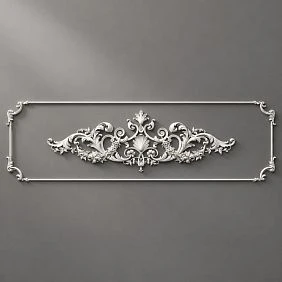
How a designer’s professional library differs from a folder of references
A reference and a real product are needed at different stages of work. A reference shows the idea: the character of the frames, the proportion of the baseboard, the rhythm of the slats, the mood of carved decor. It may have been photographed in another country, relate to a discontinued product, or have no commercial equivalent at all. Therefore, its role is to explain the visual principle, not to provide a ready-to-purchase item.
A real product answers the practical question: what exactly can be placed in the project. It has a manufacturer, SKU, material, dimensions, product page, sometimes drawings and models, price, and the ability to order. If a designer saves only a photograph, a month later they have to search for the source again, determine the material, and verify the dimensions. If the product page is saved, the decision remains reproducible.
| Source | What question it answers | Can it be transferred into the project right away |
|---|---|---|
| Reference | “What could the idea look like?” | No, a real equivalent is needed first |
| Product card | “Which SKU, material, and size exist?” | Yes, after verifying the current modification |
| 3D model | “How to show the product in a visualization?” | Yes, if the model is linked to a real product |
| DWG / technical drawing | “How to include the profile and dimensions in the working documentation?” | Yes, after checking against the product page |
| Physical sample | “How does the product look and feel at full scale?” | Yes, as a coordination tool |
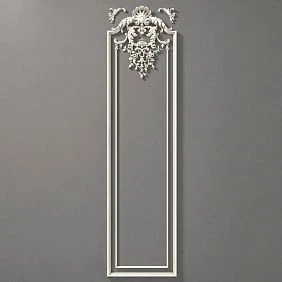
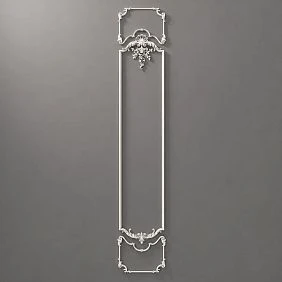
The difference is especially noticeable in architectural decor. In a photograph, two moldings may look identical. In reality, one has a calm flat profile, while the other has a deep profile with a strong shadow. In a render, this affects the character of the wall, and on site, it also affects the junctions. A professional library should preserve precisely these differences.




What data every design product should have
The minimum card in your own library should be shorter than a full e-commerce card, but accurate enough that the product does not have to be identified again. If an item does not meet this minimum, it remains an idea rather than a working element of the project.
| Field | What to save | Why |
|---|---|---|
| Manufacturer | STAVROS | So as not to lose the source |
| Article number | Exact SKU | Link files, sample, and order |
| Category | Molding, panel, overlay, cornice, etc. | Library filtering |
| Material | Oak, beech, MDF, polyurethane, etc. | Compatibility and finish |
| Size | Actual dimensions of the selected modification | Scale and nodes |
| 3D | File name or path | Visualization |
| DWG | File name or path | Working documentation |
| Sample | Available / ordered / missing | Physical approval |
| Product card | Clean URL | Product recheck |
| Status | LONG LIST / SHORT LIST / SAMPLE / APPROVED / SPECIFIED | Do not mix up an idea and an approved position |
Additionally, you can store the date of the last check. It is useful not for the "shelf life" of the design, but for discipline: commercial parameters change, and a position saved a year ago needs to be reopened before a new project. You should not carry over an old price or availability into a fresh presentation for the client without rechecking.
For finding real positions, it is convenient to start with the main STAVROS catalog, but in the library it is better not to leave a link to a category instead of a specific product. The category helps with searching, the product card helps with designing.
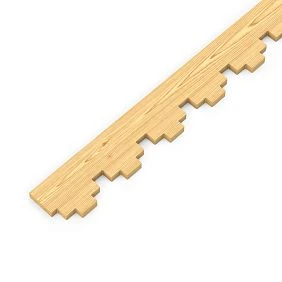
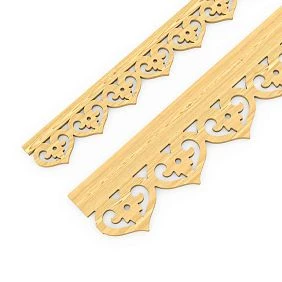
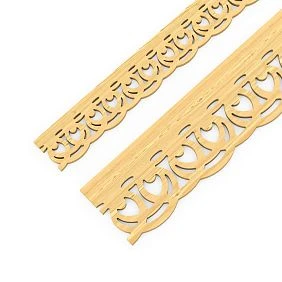
Our factory also produces:
A key element of the project cannot be built on a random generic 3D model
Random 3D models are convenient at the early sketch stage: they quickly fill the scene and help check the overall composition. The risk arises when a conventional molding, cornice, or panel becomes part of an approved design. The client approves a proportion that exists only in the visualizer's file, and at the procurement stage it turns out that the real product has a different cross-section or is not available at all.
Get Consultation
Why the model scale may be incorrect
Even a carefully modeled object does not guarantee the correct scale. The file may have been created in a different unit system, imported with a changed coefficient, or deliberately fitted to the scene. If the designer does not verify the dimensions against the product card or drawing, the visual error becomes part of the approved interior.
Why a similar profile is not equal to the real profile
For skirting and moulding, not only width and height matter, but also the actual cross-section. Two profiles of the same width can produce completely different light and shadow. For a carved element, the projection, depth of the ornament, and the actual margins around the pattern are critical. For a slatted panel — the pitch, slat width, and depth of the relief.
What happens if the render is approved but the product is unavailable
The team starts looking for "something similar," after which the proportions change. With small decor this may be tolerable, but for a repeating moulding, a long cornice, or a large accent wall, the substitution is noticeable throughout the entire room. The more strongly a product shapes the architecture, the earlier it must become real.
Correct sequence
Product → confirmed dimensions → 3D → visualization. For secondary decor, a preliminary sketch object is possible, but before client approval it is better to replace it with a model or geometry corresponding to the specific SKU.
Where a designer can get 3D, DWG, and STAVROS catalogs
STAVROS has a separate section of catalogs, DWG, and 3D. It contains published PDF catalogs and technical files across various directions: polyurethane decor, wooden and MDF trim, slatted panels, carved decor, and other categories. For a professional library, this is the base point, because it allows linking visual selection with the manufacturer's actual product range.
When 3D is needed
A 3D model is used where the client needs to see the product in space: the profile of a cornice, the relief of an overlay, the shape of a handle, the volume of a carved element. But the model remains a visual representation of the product, so alongside it the library must store the SKU and a link to the product card.
When DWG is needed
DWG is needed not for a pretty picture, but for working geometry. It helps verify the profile cross-section, actual dimensions, and integrate the product into a layout, assembly, or furniture drawing. If a moulding forms a grid of frames, the designer needs the exact profile width more than a high-poly visualization.
When a PDF catalog is needed
A PDF is convenient at the search and initial selection stage. It lets you quickly browse a product family and find several options for a SHORT LIST. But after making a choice, you still need to open the product page: the catalog may not reflect current commercial information, and before including an item in a project, the designer needs the up-to-date data for that specific modification.
When you must return to the product page
Before final inclusion in a project, before showing the price to the client, and before passing the item into the specification. Even if the file is named exactly like the required SKU, the product page remains the checkpoint for material, available sizes, and commercial status.
How to organize the project folder so you don't have to search for a product again
The simplest file discipline already sharply reduces the number of repeat searches. A working structure might look like this:
01_REFERENCES
02_REAL_PRODUCTS
03_3D
04_DWG
05_SAMPLES
06_APPROVED
В 01_REFERENCES contain ideas without purchasing power. In 02_REAL_PRODUCTS — product pages or a table with SKUs. In the 3D and DWG folders — only files that could be linked to a real product. In SAMPLES — photos of received samples, notes on finish and physical storage. APPROVED contains only decisions that have actually been agreed upon.
The file name should help identify the product without opening the scene. Minimum scheme: STAVROS_SKU_CATEGORY. If there are multiple materials for one SKU, the material is added to the name. If a specific size is used, it is also better to specify the size, especially for panels and mouldings with multiple options.
You should not create a separate chaotic folder for each project if the same products for interior designers are used constantly. It is better to have a central library and project links to it. Then updating a SKU or replacing an old file happens once, not in ten folders.
Which designer products are worth keeping as physical samples
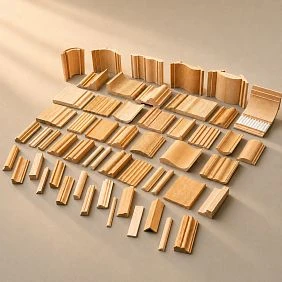
The physical library should not duplicate the entire catalog. It is expensive, takes up space, and quickly turns into a warehouse. A sample is worth keeping where the screen systematically hides an important property: the real depth of the profile, the texture of the wood, the scale of the relief, the spacing of the slats, or the character of the surface.
Moldings
A sample helps evaluate the cross-section and shadow. A profile that looks thin on the white background of a product card can create noticeable relief on the wall. For a studio, several typical profiles of different scales are more useful than dozens of similar models.
Baseboards
The height of the skirting board greatly changes the perception of a room. A physical fragment can be placed next to a door, wall panel, or floor sample and you can see whether it is too massive. This is faster than explaining the size to a client in numbers.
Baguette and carved decor
Texture, relief, and detailing are especially important here. A small photograph smooths out the depth of the carving, while a natural sample immediately shows how active the element will be.
Slatted panels
For them, spacing, geometry, material, and light and shadow are important. The current STAVROS sample catalog presents individual samples of slatted panels, so a designer can evaluate the rhythm before ordering a large surface.
Sockets and small decorative elements
They are easy to misjudge in a large catalog photo. A physical sample restores the correct scale relative to a hand, wall, furniture, and neighboring details.
Selection can begin in product samples section. There is a separate section for the polyurethane system samples, catalogs, and display stands.
How to label samples so the library stays usable
The label "beautiful wide molding" only works until the second similar sample. A working label should allow finding the product without relying on a specific employee's memory:
STAVROS / MLD-___ / OAK / size / inspection date
For a panel, you can add the direction or material variant; for polyurethane decor, the specific item code; for a painted sample, the code or description of the approved finish. A short URL or QR code to the product card is stored nearby.
It is useful to record the projects in which the sample was used. Then the library becomes not only a catalog but also a knowledge base: the designer can see where this profile has already gone through approval and which materials it was combined with.
If a sample is outdated or the item has been replaced, don't just silently leave it among the active ones. Move it to the archive and mark its status. Otherwise, the old element will end up in the SHORT LIST again simply because it sits conveniently on the shelf.
Material board: we combine real products before the final render
A material board is useful not as a decorative presentation, but as a physical check of adjacency. On a single board, it makes sense to build a real visual path: floor → baseboard → wall → molding → panel → cornice → furniture decor. For each element, the SKU, material, and intended finish are specified.
This immediately reveals conflicts that get lost in a digital render. The baseboard may be too tall next to the door casing. The wooden molding may be too dominant next to the relief panel. The white polyurethane cornice may differ in sheen from the painted MDF. These problems are better discovered on the board than after ordering.
A material board doesn't have to contain every item in the apartment. It is needed primarily for junctions where materials touch or should be perceived as one system. If a wooden panel is in the study and a stucco ceiling rose is in another room, their physical adjacency on a single board may not provide useful information.
Why the same color on screen doesn't guarantee matching materials
RGB in a visualization describes digital color, not the real interaction of a surface with light. Wood, MDF, polyurethane, and polystyrene can be painted in a similar tone but differ in texture, degree of sheen, and character of reflection. In a render, these differences are easily smoothed over by material settings.
Therefore, for prominent combinations, the sequence should be: render → sample → paint swatch → approval. If precise visual unity is required, the designer must show the client not only the image but also the physical adjacency of the samples. If the difference is intentional — for example, natural oak next to painted MDF — it is also recorded as a conscious decision.
This is exactly where a professional library becomes more valuable than a moodboard: it stores not abstract colors, but real products and finishes that can be replicated.
Wooden and MDF trim in the designer's library
Moulding is one of the most useful categories for your own library, because the same product types recur across many projects: mouldings, skirting boards, cornices, architraves and battens. It is convenient to browse the range in the section wooden and MDF moulding, while the broader material context is in the category of wood and MDF products.
For each item, at least six parameters are stored: SKU, cross-section, commercial length, material, technical file and availability of a physical sample. If a product exists in several materials, a single library card cannot be considered universal. Modifications must be distinguishable.
It is especially useful to store not only the 3D model but also the cross-section. The visualiser cares about shape, while the working-documentation designer cares about exact geometry. If the moulding grid is built along axes, the profile width directly affects the frame margins. If the skirting board adjoins an architrave, its actual thickness and projection are needed.
The commercial phrase "buy mouldings for a project" becomes meaningful only after this check. Before it, the designer chooses a shape; after it, the actual product.
Wall panels: what needs to be stored is not a picture, but a module
A panel cannot be stored in the library as a single beautiful photo of a wall. For design work, you need width, height or commercial length, thickness, pitch, material, direction and layout pattern. For flexible slatted solutions, the ability to work on a curved surface is additionally important.
The main category can be viewed in the section wall panels, while a separate system is in flexible slat panels. In the current catalog, slatted panels are available in MDF and solid oak, and some models also come in beech. For the library, this means that a single visual rhythm can exist in several material versions.
In the panel file, it is useful to save not only the 3D fragment but also a small module with the correct spacing that can be replicated in the scene. Then the visualizer does not stretch the texture arbitrarily. For working documentation, the real product size and a link to the product card are stored alongside.
If a panel is used on a column or a radius, this should be a separate library attribute. The bending capability of one model cannot be transferred to the entire category. Each item is verified against the actual construction.
Decorative molding: collect systems, not individual pieces
Polyurethane designer decor is especially useful to store in groups. Molding, cornice, rosette, overlay, and molding decor can work as a connected composition. If the library consists only of individual beautiful pieces, the designer has to solve the compatibility question anew each time.
Section stucco decoration it is convenient to use as a source of real product systems. For each element, the profile, dimensions, article number, and connection to neighboring items are saved. If a molding was used with a specific corner overlay, this pair is useful to save as a ready-made, verified assembly.
This reduces work on future projects. The library begins to store not only products but also working combinations: "calm molding + small corner decor," "expressive cornice + neutral wall frame," "central rosette + matching ceiling composition."
Carved decor: scale cannot be judged from a catalog photo
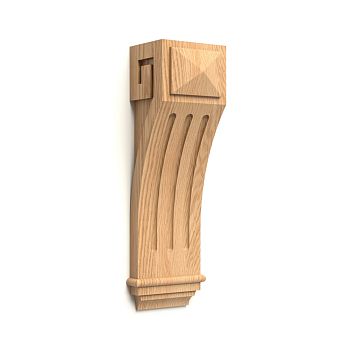
For overlays, rosettes, brackets, pilasters, capitals, and other carved elements, the catalog photo often deliberately shows the product up close. This is correct for studying details but dangerous for judging scale. An element may look like a large wall accent and in reality turn out to be a small furniture detail — or vice versa.
Therefore, when choosing from carved decor catalog the size should come first, right after the image. If the item is intended for a furniture facade, it is useful to immediately overlay its dimensions onto the actual facade. If it is for a wall, place a rectangle of that size onto the elevation. Only after that does it make sense to evaluate the ornament.
For complex carving, 3D is especially useful, but it does not replace physical scale. If an element plays a prominent role in the interior, a sample or at least a printed 1:1 outline gives the client a much more honest impression than a large render.
STAVROS collections are a first filter, not a ready-made specification
The STAVROS catalog has a separate section decor collections, which features, among others, Classic, Modern, Art Deco, Gothic, Art Nouveau, and Empire. For a designer, a collection is useful as a way to quickly narrow the search and see items with a similar stylistic language.
But a collection does not mean that the entire interior should be furnished only with its products. The right workflow: stylistic filter → several basic items → checking dimensions and materials → your own composition. Sometimes one cornice and a couple of decorative elements from a collection are enough, while the remaining items are better chosen as more neutral.
If you treat a collection as a ready-made set, you can end up with overload. A professional library should record not “this room is Art Deco,” but the specific items that have passed scale checks and are actually needed for the project.
How to put together a short list of products for a project
The most useful discipline is to separate liked and approved items with statuses. This prevents the situation where a random reference from an early presentation suddenly ends up in the specification.
| Status | What does it mean | What is allowed to do |
|---|---|---|
| LONG LIST | Fits the idea | Compare, look for analogues |
| SHORT LIST | Size and material verified | Show in the selection |
| SAMPLE | Sample ordered or received | Physically approve |
| APPROVED | Approved by client and project team | Use in final render and documentation |
| SPECIFIED | Position added to specification | Include in package |
Transitions between statuses must be deliberate. A form you like does not become SHORT LIST until the actual size is known. A received sample does not become APPROVED just because it was ordered. This simple system is especially useful in a studio where a designer, visualizer, and specifier work on a project simultaneously.
How to determine that an item can be safely used in a visualization
Before the final render, five points are checked: there is a specific SKU, the actual size is known, the material is clear, the item exists in the required finish, and technical data sufficient for accurate modeling is available. If at least one point is not confirmed, the position remains PENDING.
PENDING is not a ban on using the idea. It is a warning to the team that the item cannot yet be shown to the client as definitively selected. It may be present in a working render, but the label must be honest: “reference,” “analog,” “preliminary option.”
This rule applies especially strictly to repeating elements. One incorrect molding on ten walls creates more rework than one decorative overlay. The more a position affects the geometry, the higher the requirement for verification before visualization.
When a physical sample is needed before visualization, and when after
Before visualization
If the texture, profile depth, or actual color determines the concept. For example, a large wooden panel, a pronounced frame, or active stucco molding. Here, a digital model without physical verification can set the wrong character for the entire room.
After the preliminary render
If close variants from the same family are being selected. First, you can compare two similar profiles in the scene, then order a sample of the finalists. This saves space in the physical library and avoids keeping dozens of nearly identical elements.
Definitely before the main purchase
If the item is prominent, expensive, or repeated many times. The cost of a mistake grows with the number of repetitions. A single sample of a slatted panel or molding lets you verify the solution before it is scaled across the entire project.
How to present designer decor to a client without catalog overload
Showing a client forty options means shifting the designer's work onto the customer. It is far more effective to present three genuinely vetted solutions: option A, B, and C. For each one — a real photo of the product, a fragment of the visualization, dimensions, material, and, if needed, a physical sample.
If the options have different price levels, you can give a guideline, but do not promise an outdated price from an old table. Commercial data is verified before the presentation. The client should be choosing between architectural solutions, not sorting through a hundred SKUs.
Scale context is especially useful for designer interior elements. An overlay is shown on a facade, a molding — on a fragment of a wall, a cornice — in the upper zone of the room. An isolated product card almost always overstates the decorative effect.
How not to turn the material library into a warehouse of unnecessary samples
Physical samples are conveniently divided into three groups. A — working: used regularly and included in most presentations. B — project: ordered for a specific project and stored while the project is active. C — archival: rare, replaced, or no longer used solutions.
Every few months, the library is worth reviewing. The goal is not to throw away everything old, but to ensure the working area reflects the actual current tools. The archive can remain useful for comparison or project history, but it should not be mixed with the materials the team actively offers to clients.
The same principle applies to the digital part. Ten old versions of a 3D model of one part increase the risk of picking the wrong file. The working folder should contain the current model, while previous versions should go to the archive with clear labeling.
An interior design store: what a designer should check beyond the assortment
A large assortment alone does not yet make a supplier convenient for professional work. An interior design store is useful to a designer when the product can be identified, verified, and found again a month or a year later. A beautiful photo gallery is not enough for that.
First, real SKUs. If a product does not have a stable item number, it is difficult to link it to a model, sample, estimate, and correspondence. Second, dimensions and technical materials. For architectural decor, millimeters matter no less than style. Third, sample availability: a photograph does not replace real scale where profile, texture, and relief matter.
Fourth, a clear structure of categories and collections. A designer should be able to go from a broad stylistic choice to a specific product page without manually searching through hundreds of images. Fifth, the ability to reorder or at least check the status of an item. If the library is used across several projects, a one-time purchase of a “rare beautiful thing” is less valuable than a product that can be confidently identified and found again.
That is why a professional assessment of a supplier differs from evaluating an ordinary online store. A designer looks not only at “like / dislike,” but at the infrastructure around the product: product page, drawing, model, sample, catalogs, contact with the manager, and logistics.
How to store alternatives so they do not replace the approved product
Alternatives are needed in almost every project. They help compare price, find another scale, or prepare a backup option in case the timeline changes. The problem begins when an alternative is stored in the same folder and named almost the same as the APPROVED item. After a few weeks, the team no longer remembers which file was approved.
For each alternative, it is useful to keep a link to the original solution: ALTERNATIVE_FOR_SKU. The card specifies exactly what matches and what differs: function, material, width, height, relief, finish. You cannot write "full analogue" if only the photograph was compared.
Example. A molding 42 mm wide was approved. A profile 40 mm with similar overall shaping was found as a reserve. It may be a visual analogue, but not geometrically identical: the frames in the working documentation are already calculated for a different cross-section. If the product is replaced, the layout must be rechecked. The library must store this warning next to the alternative.
An analogue receives APPROVED status only after separate approval. Until then, it remains a reserve, even if it is cheaper or more quickly available.
3D and DWG versions: why the file name matters more than it seems
File molding_final.max quickly turns into molding_final2.max, then into molding_final_new.max. Such a system works until the first project with several similar profiles. A professional library requires names that link the file to the actual product.
Basic diagram: STAVROS_SKU_TYPE_VERSION. If the material or size defines a separate modification, it is also included in the name. The date is useful for internal control, but must not replace the article number.
If a new file came from the manufacturer or was rebuilt inside the studio, it is better not to delete the old version without a trace. It is moved to the archive. Then, when opening an old project, you can understand why the geometry looks different and avoid searching for a "broken" source.
For DWG, it is especially important to keep the source file separate from the project copy. The source reflects the product; the project copy may contain trims, axes, and comments for a specific site. Mixing these two levels means gradually corrupting the master library.
How to hand off a product to the visualizer so they don't "improve" the real dimensions
It is not enough to send the visualizer a link with the message "use something like this molding." The handoff must include the SKU, the real dimension, and the model status. If an official 3D model exists, it is used. If not, the model is built from a confirmed drawing or dimensions and marked as a studio reconstruction of the real product.
You cannot scale up a molding by 20% without a note just because "it looks better in frame." Visualization sells a specific proportion to the client. If the project needs a wider profile, it is better to choose a different real product than to turn an existing SKU into a fictional one.
A practical rule: any change in the scale of a product object in the scene must either be absent or be a deliberate design assumption marked PENDING. This is especially critical for baseboards, casings, cornices, rosettes, and panels — elements that define measurable architecture.
Before the final render, it is useful to open the list of used models and check whether each one has a real SKU. If generic objects remain in the scene, they must be listed separately. Then, at the procurement stage, the team will not suddenly discover five "products" that exist only inside 3ds Max or another package.
A simple scale check: from millimeters to a real composition
Even without a complex BIM system, a designer can quickly check the scale of decor with arithmetic. Suppose a wall frame has an outer dimension of 1200 × 2200 mm, and the selected molding has a visible width of 40 mm. The inner field after subtracting the profile on both sides will be approximately 1120 × 2120 mm. If the molding is replaced with a profile 70 mm wide, the inner field is already about 1060 × 2060 mm. The outer frame remains the same, but the composition becomes noticeably "heavier."
This is not a product quantity calculation — it is a check of visual geometry before rendering. The same principle works with baseboards and doors. With a door leaf height of about two meters, the difference between a 60 mm and 140 mm baseboard is perceived much more strongly than in an isolated catalog card.
For a round rosette, you can print a 1:1 outline of the real diameter and place it on the ceiling plan or display board. This is cheaper and more honest than judging scale from an image where the object fills almost the entire frame.
How to maintain a library by room without duplicating products
There is a temptation to create separate sets of files "for the bedroom," "for the living room," "for the hallway." As a result, the same molding is copied across five folders, and it is updated in only one. It is better to store a product once and use tags or purpose links in the project.
For example, a single baseboard gets tags BEDROOM, LIVING, CLASSIC_NEUTRAL. Slatted panel — TV_ZONE, RECEPTION, RADIUS, if the latter possibility is confirmed by a specific model. Tags help filter the library but do not change the SKU.
This is how a studio gradually builds its own expertise: which profiles are more often suitable for small rooms, which panels work well on large walls, which carved decor usually turns out to be too busy for small furniture fronts. This is no longer a manufacturer's catalog, but an internal base of solutions.
How to update the library without turning it into an archive of outdated links
There is no need to fully recheck every product every week. It is more rational to update data on an event basis: before a new inclusion in a project, before a commercial presentation, and before transferring to a specification. At these three points, outdated information is especially dangerous.
A technical file, if it is already linked to a specific SKU and the geometry has not changed, can live in the library for a long time. Price, availability, and lead time cannot: these are changeable commercial data. Therefore, they should not be embedded in the name of a 3D model or treated as a permanent characteristic.
An old card with a broken link should not be deleted immediately. First, check whether the URL has changed and whether the product exists in the catalog. If the item has indeed disappeared or been replaced, it is assigned an archived status. Then old projects retain their history, and new ones do not receive an outdated product.
When a product does not need to be added to the professional library
Not every item found deserves a permanent place. If a piece was used once as a random reference and has no confirmed SKU, it stays in REFERENCES. If the product does not match the studio's directions and is not repeated across projects, it is enough to save the link in the project folder.
The library should also not be turned into a copy of an online store. The manufacturer already keeps the full assortment. The studio's task is to retain selected, clear, and verified items that speed up its own work.
The third case is a product with insufficient data. If the actual dimensions, material, or source are unknown, and the photo circulates on Pinterest and aggregators, it is safer to leave it as inspiration rather than assign it a fictitious status of a real product.
Buying designer decor: when an idea turns into a commercial choice
The query "buy designer decor" does not begin with the cart button. By the time of purchase, the designer should already know which product has been approved, in which material and size it is required, how many such elements will be in the project, and which neighboring details interact with it.
If the client is looking to buy designer decor for the interior after viewing a visualization, the professional library shortens the path: the image is already linked to a SKU and does not require reverse searching for "what we placed in the render back then." The same applies to the query buy designer decor for the home: the commercial stage becomes a continuation of the design decision, not a new search for similar products.
Before ordering, the combination of SKU + material + size + quantity is fixed. For linear trim, the product length is added and later the cutting layout; for panels, the specific format and layout; for one-off decor, the quantity by composition. These calculations already belong to specification, but the library must pass an unambiguous object there.
Designer interior decor: how to separate the stylistic choice from the technical one
Designer interior decor goes through two independent filters. First, the stylistic one: does the shape suit the project, does it overload the space, does it support the architectural language. Then the technical one: does the required size, material, and working geometry exist.
If you change the order and start only with technically convenient products, the interior can become faceless. If you ignore the technical filter, a beautiful project will be difficult to implement. A professional library connects the two stages: it contains products that already have real "physics" in advance, but leaves the designer freedom of composition.
Therefore, it is useful to classify design elements of the interior not only by style, but also by function: lower line, wall frame, accent plane, ceiling
How a designer and architect work with STAVROS
STAVROS has a separate page for designers, architects, and decorators. It lists a database of 3D models and DWG drawings, printed and electronic catalogs, a personal manager, and showrooms in Moscow and St. Petersburg. For a professional workflow, it makes sense to use this after the initial selection of products.
The scheme can be as follows: the designer finds a category and specific SKUs, downloads the available technical materials, creates a SHORT LIST, orders the necessary samples, and then goes to client approval with an already verified set. What is passed to the manager is not "we need beautiful classic decor," but a list of specific questions and item numbers.
This is how the professional channel works more efficiently. The manager helps clarify product and commercial data, but should not have to reconstruct the design logic from scratch from a set of screenshots.
How to prepare three options for a client without unnecessary work
Three options are not a mandatory rule, but a convenient format where the client really needs a choice. To avoid modeling three interiors from scratch, you can change only one layer: for example, the molding profile while keeping the frame grid unchanged, the panel material with the same module, or the level of decorative detail in the ceiling area.
Each option shows the same set of data: a real product photo, SKU, size, material, a render fragment, and a sample if one is already available. If the commercial information has been verified recently, a price guideline. The client compares solutions under identical conditions.
A bad option is A as a real product, B as a Pinterest image, C as a generic model. They are at different levels of readiness and create a false choice. All SHORT LIST finalists must be equally verifiable.
Checklist before moving an item to APPROVED
| Check | Yes / no | What to do if there is none |
|---|---|---|
| There is an exact SKU | Return to PENDING | |
| Material confirmed | Open the current product page | |
| Actual dimensions are known | Check the drawing / product page | |
| 3D matches the size | Rescale or replace the model | |
| Adjacent elements checked | Assemble the node or material board | |
| Required sample received | Keep SAMPLE status | |
| Finish is clear | Make a swatch / select material | |
| Client saw this exact option | Do not move to APPROVED | |
| Link saved | Add clean URL |
This checklist isn't about bureaucracy. It protects against the most unpleasant situation: the client approved one thing, the visualizer used another, and the procurement specialist found a third.
Where the material library ends and procurement begins
The boundary must be clear. The designer's library answers the question: "what can be safely used in the project?" It stores real products, files, samples, and approval statuses.
Procurement answers a different question: "exactly how much of this needs to be purchased, how should the order be split, and when should it be delivered?" This is where cutting plans, the number of whole planks, modular layouts, reserves, batches, and acceptance come in.
Mixing these stages is unprofitable. If you try to store a "universal quantity" of molding in the library in advance, it's meaningless without a specific room. If the procurement specialist receives an item without material and size, they are forced to go back to the designer.
After the SPECIFIED status, it makes sense to continue the detailed calculation in a separate article about specifying a design project. There the task is no longer selecting a product, but translating the chosen design into a procurement specification.
How not to duplicate the article about the aesthetics of designer decor
There is another related topic: how decorative elements influence the image of a space, its composition, and style. It does not need to be retold from scratch in the professional library. If the reader specifically needs the aesthetic choice, a separate article is useful about designer interior decor.
Here the outcome is different: the designer should come away not with a general understanding of decorative beauty, but with a system for storing and verifying real products. After reading, they can distinguish a reference from a SKU, organize 3D/DWG, order the necessary samples, assemble a SHORT LIST, and pass APPROVED items into the project.
Which library makes sense to build first
You do not need to start with a hundred categories. The most effective first version contains what repeats most often in the studio's projects. For example: 10–20 verified moldings of different scales, several types of baseboards, 5–10 cornices, a set of wall panel samples, several stucco decor systems, and a small selection of carved accents.
The numbers here are not a standard. The point is that each item should be verified better than hundreds of random links. If the studio specializes in modern interiors, the library will be one thing; if it specializes in classical and historical ones, another.
The next layer is added from real projects. A new product went through LONG LIST → SAMPLE → APPROVED and turned out well — after the project is completed, it can become a permanent item. This is how the library grows through experience, not through mechanically copying a catalog.
How to evaluate the value of a physical sample for the studio
A sample takes up space, so it is useful to evaluate it not by its beauty, but by frequency and risk of error. The more often a category is used and the worse its properties are conveyed by a screen, the higher the value of a physical specimen.
You can use a simple matrix. High frequency + high visual risk — a permanent working sample. Low frequency + high risk — a project sample for a specific task. High frequency + low risk — a few standard representatives are enough. Low frequency + low risk — a digital card without physical storage.
For example, a studio constantly uses moldings and it is difficult for clients to assess their depth on a screen — a set of profiles is justified. A rare large capital may not be stored permanently: it makes sense to request its sample only for a project.
How to prepare the library for handover to a new employee
A good system should not live only in the head of one lead designer. A new visualizer or specifier should understand it from its structure. If it takes an hour to explain where "that very molding" is, the library is still a personal archive.
A minimal README inside the library can contain: a breakdown of statuses, file naming rules, where links are stored, the update procedure, and the condition for moving to APPROVED. This is enough for the team to work consistently.
It is especially useful to describe what must not be done: do not rename SKUs "for beauty", do not change the scale of models without a note, do not carry over the price from an old project, do not replace an APPROVED file with a similar-sounding analogue.
How to check the library before starting a new project
Before active design work, there is no need to recheck thousands of items. It is enough to select a relevant set and run through it in a short cycle:
- Open the current product card.
- Verify that the SKU and material match the library.
- Check the technical file if it is needed for the project.
- Make sure the sample belongs specifically to this item.
- Move relevant products to the LONG LIST of the new project.
- Remove items that are no longer suitable from the project list.
After that, the team works not with the "archive of everything," but with a compact project slice. This speeds up both rendering and discussion with the client.
Red flags: when a product cannot be considered ready for the project
There are signs that indicate it is better to keep an item on PENDING, even if it looks visually perfect. The first — the product exists only in someone else's render or in a selection without a primary source. The second — there is a name, but no stable SKU. The third — the size is specified differently in several places, and it is unclear which modification was chosen. The fourth — the 3D model looks convincing, but its dimensions do not match the product card. The fifth — the sample is labeled with the generic word "oak" or "polyurethane" and is not linked to a specific SKU.
Another red flag is the promise to "find something similar later." For a small accessory this is sometimes acceptable, but for a skirting board, cornice, wall panel, or repeating molding it means the risk of redoing the entire geometry. The more the product shapes the architecture, the less room there is for uncertainty.
If the source is questionable, there is no need to delete the idea. Move it to REFERENCES and continue searching for a real product. This way inspiration is preserved, but is not disguised as a ready solution.
Project item card: one screen instead of correspondence across ten files
For SHORT LIST and APPROVED, it is useful to create a short project item card. It can be a row in a table, a card in Notion, Airtable, CRM, or an internal database — the tool is not essential. What matters is that the whole team sees the same entity.
The card contains: category name, SKU, material, size, clean URL, link to 3D, link to DWG, sample status, approval status, room or zone, and a short comment. For example: “use only in the living room; keep the oak with visible texture; the adjacent cornice is a separate SKU.” Such a comment is more useful than a long correspondence because it stays next to the product.
If one characteristic changes, the card gets a new revision. The old one is not overwritten without a trace: otherwise it is impossible to understand which version the client saw. In a simple project, a REV-01, REV-02 number and date are enough. For a large studio, you can add the author of the change and the reason.
When handed over to procurement, the card becomes a bridge between design and purchasing. The procurement specialist no longer asks which panel was in the render, but receives a ready identified item. Then they add quantity, cutting, reserve, and delivery — data that the library intentionally does not try to store universally.
FAQ: a designer’s professional library
Which products does an interior designer need for work?
You do not need all the products in the catalog, but verified items that match the studio’s project profile: moldings, panels, stucco and carved decor, material samples, and technical files. Each working item must have a SKU, material, size, and source.
Where can a designer download 3D models of decor?
For STAVROS, technical materials are collected in the catalogs and drawings section. Before using a model, it must be linked to a specific SKU and its real dimensions verified.
Where can I download DWG files for moldings and skirting boards?
DWG and other technical materials should be looked for in the official STAVROS downloads section and on related product pages. In the library, the file is saved next to the SKU so that the connection to the actual product is not lost.
Why do designers need physical samples?
To check what a screen conveys poorly: true scale, profile depth, texture, relief, gloss, and how materials look next to each other. A sample is especially useful before a large batch and during client approval.
Which samples should be kept in the studio?
Frequently used profiles and materials with a high risk of error on screen: moldings, skirting boards, cornices, slatted panels, and some small decor. Rare items are more rationally ordered for a specific project.
How should material samples be labeled?
At minimum: manufacturer, SKU, material, and size. It is useful to add the inspection date, a link to the product page, the finish, and the projects where the sample has already been used.
How can decor dimensions be checked before visualization?
Compare the product page and the drawing, then check the overall dimensions on the unfolded view or print the outline at 1:1. For moldings and skirting boards, the actual cross-section matters, not just one overall dimension.
Where to buy designer decor?
It is better to start with the manufacturer's actual product categories rather than reference images. After selection, the SKU, material, and size are verified, then the item is transferred to a commercial request.
How to choose designer interior elements?
First determine the function and stylistic role, then verify the actual scale, material, technical data, and neighboring elements. A beautiful piece that fails the geometric check should not become APPROVED.
Can I order a sample before the main order?
Yes, the STAVROS catalog has a separate section for product samples, including moldings, baguettes, rosettes, and slatted panels. This is especially useful before a large order or for prominent elements.
How to link a 3D model to a real SKU?
Use the product code in the file name or in the library metadata and keep a clean link to the product page alongside it. If the model was created in-house, it must still reference the actual product on which the geometry is based.
When should the selected decor be transferred to the specification?
When the item has APPROVED status: the SKU, material, size, and agreed option are known. After that, quantity calculation and procurement work begin — this is already the fulfillment stage.
Should prices be stored in the library?
You can store the date and a reference point for history, but such a price cannot be considered current for a new project. Before a commercial presentation and ordering, the price is verified again.
What should you do if the official 3D file is missing?
If there are confirmed dimensions or a DWG, the studio can build its own model and clearly mark it as a reconstruction of a specific SKU. If the exact data is insufficient, it is better to leave the item as PENDING rather than drawing the geometry by eye.
Can collections be used as a ready-made set?
A collection is convenient as a stylistic filter, but it does not remove the need to check the scale of each item. You can take several elements from one collection into a project and combine them with more neutral products if the composition requires it.
Final workflow: from catalog to a real product in a project
A professional library is built on a simple chain: catalog → real product → technical data → 3D/DWG → sample → material board → approval → APPROVED → project → SPECIFIED. It does not replace the designer's talent or turn decor selection into a spreadsheet. It removes another type of work — searching again for what has already been found once.
Designer products become a professional tool only when they can be identified and repeated. Designer products for interiors in such a library are not a collection of beautiful pictures, but a set of real solutions with SKUs, dimensions, materials, files, and physical samples.
You can start small: choose a few frequently used categories, verify the official files, order the most useful samples, and implement the statuses LONG LIST, SHORT LIST, SAMPLE, APPROVED, and SPECIFIED. After a few projects, the library will begin to work as the studio's own infrastructure: the visualizer gets correct geometry, the client sees real options, and the specifier gets not a reference but a specific product that can be calculated and ordered.
Once the selected items move to purchase, payment and logistics terms must be verified in the current section payment and delivery. Until then, the designer's main task is to ensure that the project includes not "something similar," but a real, verified product.