Article Contents:
- Buying building materials: where mistakes most often occur between the project and the order
- The name "wooden skirting board" alone is not enough for purchasing
- Wooden skirting board: what the designer must pass on to the buyer
- Why the height of the skirting board cannot be changed without re-approval
- Wooden moulding: why an "equivalent profile" is especially risky
- What should be in the wall moulding specification
- Wooden cornice: why the buyer needs not only the item code but also the cross-section
- Buy building materials: first freeze the specification, then collect prices
- Which statuses to add to the statement
- Why the purchaser should not independently replace a missing SKU
- How to process a replacement of wooden trim
- Buying building materials: how not to lose the product's material
- One SKU in different materials means different purchasing positions
- How to prepare a master specification for trim
- Why you should not keep three independent lists for the designer, purchaser, and foreman
- Buying building materials: who is responsible for which data
- When a control measurement is needed before purchase
- How to separate "product approved" and "quantity approved"
- Where to buy building materials: why suppliers must be compared using the same specification
- Why a commercial proposal must be returned to the master specification
- What the site foreman must check upon receipt
- How to label wooden trim by room
- What happens when a change is discovered after installation
- Final checklist before handing the order to the purchaser
- A ready-made approval workflow for wooden trim from design to installation

In a design project, the exact profile may be selected, the required scale shown in the visualization, and the material specified in the schedule. But several stages pass between the project and installation: the specifier clarifies item codes, the purchaser collects proposals, the supplier confirms execution, the site foreman accepts the shipment, and the installer receives the trim on site. If at any of these transitions the full line turns into an abbreviation like “oak molding” or “skirting 120 mm,” the connection to the original solution is lost.
That is why purchase of building materials for finishing work should begin not with collecting prices, but with recording exactly what is permitted to be purchased. For wooden trim, the minimum purchasing record must answer the questions: what product it is, what item code, what material, what finish and size, what length, how many are needed, in which area it is used, and whether the item can be substituted without re-approval.
For a serious project, a line like "molding — 200 m" is not enough. Such an entry does not indicate which specific profile the designer specified, what material it should be made from, which layout it belongs to, or what to do if a supplier offers a similar item. A proper system builds a continuous chain of product identification:
design project → approved SKU → master specification → commercial proposal → order → marking → acceptance → installation.
This chain is especially important for baseboards, moldings, and cornices. Their geometry is tied to wall proportions, joints, door casings, frames, and ceiling junctions. A "similar" profile may be a perfectly quality product, yet still be wrong for a specific project.

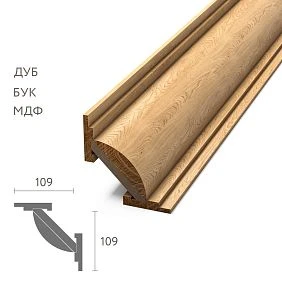
Purchasing building materials: where errors most often arise between the project and the order
An error rarely appears at a single point. Usually it accumulates as data is passed from one participant to another.
The designer is responsible for the appearance and composition. They see the baseboard, molding, and cornice at the scale of the room and understand why this particular profile was chosen.
The specifier translates the visual solution into specific items: finds product cards, checks SKUs, material options, and dimensions.
The buyer requests prices, lead times, availability, and order terms. Their task is commercial, but they must not independently change project parameters for purchasing convenience.
The site foreman knows the actual geometry of the site and checks whether the project matches the real walls, openings, ceilings, and adjacent elements.
The installer works with the physical product. If they are the first to discover that the molding is wider than specified, the baseboard does not align with the door casing, or the cornice conflicts with the ceiling junction, the error has been detected too late.
A typical data loss looks like this. The original specification sheet had a line:
MLD-XXX / oak / profile per approved spec card / layout W-01 / replacement only by agreement
The kit assembler passed to the purchaser: MLD-XXX / oak. The purchaser requested from the supplier: oak molding. An "equivalent" appeared in the commercial proposal. The foreman saw the boxes only after delivery and decided that since the molding looked similar, it could be installed. At that point, no one in the chain was comparing the actual profile with the original wall layout.
Protection against such a scenario is not additional correspondence, but a single master specification in which critical parameters cannot be lost during copying.




The name "wooden skirting board" alone is not enough for purchasing
The product type name answers only one question: what product group this is. For actual purchasing, that is not enough.
The skirting line must contain at least:
- exact article number;
- material and finish;
- profile size;
- the length of the product in the selected finish;
- quantity or quantity status;
- area of application;
- substitution rule.
Why so many fields? Because different errors look the same until installation. If the item code is mixed up, the geometry will change. If the item code is kept but a different finish is selected, the material, length, appearance, or subsequent finishing may change. If the product is correct but the quantity is wrong, a supplementary order will be needed. If the zone is not specified, batches that look identical at first glance may end up in the wrong rooms.
A useful principle: each line must be sufficient for ordering without relying on the memory of a project participant. If the purchaser has to ask, “which of these skirting boards was meant?”, the line is poorly composed.
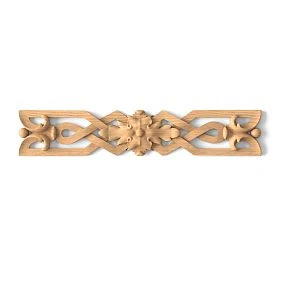
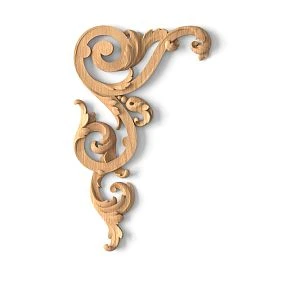
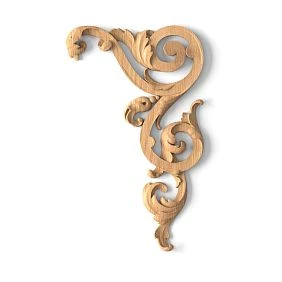
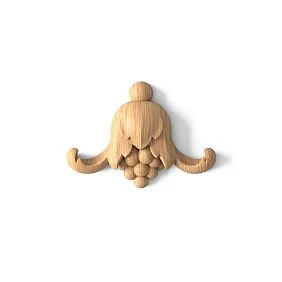
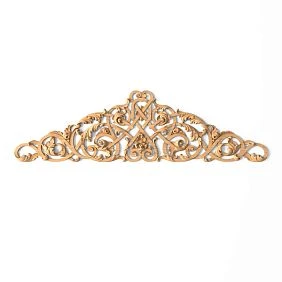
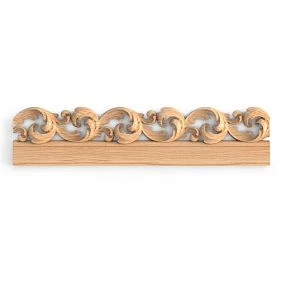
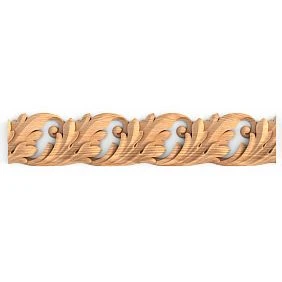
Our factory also produces:

Wooden skirting: what the designer must hand over to the purchaser
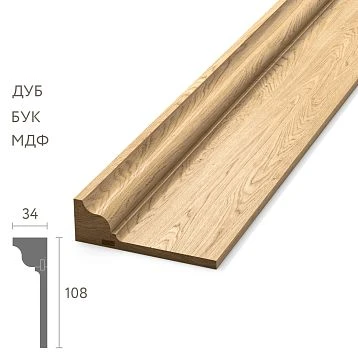
A visualization shows the idea, but it is not a procurement specification. In a render, the skirting may look like a thin line, and from the image it is impossible to reliably determine its actual height, thickness, or profile.
For handover to procurement, the designer or specification coordinator must record the item code, material, actual size of the selected finish, finish, rooms of application, and substitution rule. If the skirting is connected to a door casing, wall frame, or built-in furniture, this connection must also be reflected by a reference to the detail or elevation.
| Field | What is recorded | Why |
|---|---|---|
| Article number | PLT-… | Locks in a specific profile |
| Material | According to the approved execution | Prevents replacing the material without control |
| Size | Based on the selected card | Needed for joints and scale |
| Finish | As per project | Links the product to the finish |
| Zone | For example, living room and hallway | Allows verifying the distribution |
| Replacement | only after approval | Prohibits an uncontrolled "analog" |
If the final footage has not yet been calculated, that is no reason to leave the profile itself undefined. The product and the quantity should have different statuses. For example: PLT-XXX — APPROVED, and Quantity — WAITING FOR FINAL MEASURE.
Get Consultation
Why the plinth height cannot be changed without re-approval
One of the most dangerous procurement phrases is "the difference is small." Imagine the project specifies a 120 mm high skirting board, but the buyer sees an available profile 100 mm high. The difference is 20 mm. On the product page, it may seem insignificant. On the wall, it changes the entire lower horizontal line of the room.
The height of the skirting board affects the proportion of the wall, the junction with the door casing, the position of the lower wall frames, the distance from the floor to the moulding, the perception of the room's scale, and local adjacencies to built-in furniture.
If a wall frame starts at a fixed distance from the top edge of the skirting board, reducing the skirting board by 20 mm automatically increases the free field below. If there are ten such frames, the error will repeat ten times and become part of the entire architecture of the room.
There is also a technical risk. The project skirting board may have been selected to match the casing in thickness. The new profile may be lower but thicker. As a result, instead of a neat junction, a protrusion appears.
Therefore, changing the size is a change to the design decision. It can be done, but only after rechecking the elevations and details, not on the principle of "almost the same."
Wooden moulding: why "a similar profile" is especially dangerous
Moulding often works not as a separate strip, but as part of a geometric composition: frames, panels, vertical and horizontal divisions. In such a scheme, changing the profile affects several dimensions at once.
Suppose a frame has an outer dimension of 900 × 1400 mm. The project moulding occupies a certain width along the perimeter. If it is replaced with a wider profile and the outer dimension is kept, the inner field will shrink on all four sides. If the inner field is kept, the outer dimension will increase, and the frame may extend beyond the project axes or come closer to a socket, casing, or neighboring composition.
Not only the width may differ. Thickness, depth of relief, edge geometry, behavior of the corner mitre, and light and shadow are important. On screen, two mouldings may seem similar, but after a 45° mitre, the relief lines meet differently.
Therefore, the phrase "similar moulding" is acceptable only as the start of an approval procedure. It should not mean automatic permission to purchase.
What should be included in the wall molding specification
For frame decor, a single product line is not enough. The profile needs to be linked to a specific layout.
| Field | What we record |
|---|---|
| Article number | MLD-… |
| Material | According to the approved execution |
| Profile size | From the selected product card |
| Length | By specific finish |
| Layout code | For example, W-01 |
| Net length | By layouts |
| Purchase quantity | After cutting and allowance |
| Replacement | Only after re-approval |
The layout code is needed to link the table with the drawing. If the installer sees W-01, they must be able to open the corresponding elevation and check where the profile is used. This is especially useful when two similar moldings are used on the same project.
Wooden cornice: why the buyer needs not only the article number but also the cross-section
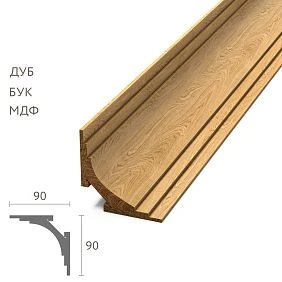
The cornice sits at the boundary between the wall and the ceiling, so it cannot be assessed as a flat decorative strip. Even with the correct article number, the project team needs to understand its actual cross-section: how much space the profile occupies along the wall, how far it extends onto the ceiling, what the total projection is, and where the extreme points are.
This affects concealed lighting niches, curtain pockets, built-in furniture up to the ceiling, ventilation grilles, ceiling level changes, and junctions with columns and protrusions. Therefore, in the cornice master specification it is useful to have a reference to the detail or drawing code. For example: KZ-XXX / detail C-03.
If the new cornice is a few millimeters deeper, it may go unnoticed in the product table but be critical next to a ceiling niche. The buyer is not obliged to assess the architectural detail independently — but they are obliged not to change the item until it has been checked by those responsible for the detail.
Buying construction materials: first freeze the specification, then collect prices
When the task sounds like buy construction materialsnaturally, you want to immediately request pricing from several suppliers. For project-based trim, this only works after the initial set is locked.
You cannot simultaneously change SKUs, clarify the material, recalculate the linear footage, edit the design, and compare quotes. Otherwise, each new price refers to a new version of the specification, and the final table is no longer comparable.
Before mass collection of quotes, the specification must have a status:
APPROVED FOR PROCUREMENT — APPROVED FOR PROCUREMENT.
This status does not mean the item has already been ordered. It means the design portion is frozen enough that quotes are considered on the same basis. If the designer changes the profile after this, a new revision is created. The old quote cannot be mechanically transferred to the new specification.
Which statuses to add to the schedule
A single "done" note is not enough. A project goes through several stages, and each needs a clear action command.
| Status | What does it mean | What is allowed |
|---|---|---|
| DRAFT | Designer is still working | Discuss, but do not purchase |
| FOR APPROVAL | Position submitted for approval | Review and comment |
| APPROVED | Profile approved | Record as design decision |
| FOR PROCUREMENT | Data ready for commercial stage | Request prices and place order after review |
| ORDERED | Item ordered | Monitor deadline and fulfillment |
| DELIVERED | Received on site | Verify against order and distribute |
| INSTALLED | Mounted | Record actual fulfillment |
Statuses should not apply only to the line as a whole. For complex projects, it is useful to track the item status and the quantity status separately. For example: Profile — APPROVED, and Quantity — WAITING FOR FINAL MEASURE.
Another rule: the status is changed by a specific responsible person. If any participant can set FOR PROCUREMENT, the system stops protecting against errors.
Why the purchaser should not independently replace a missing SKU
The purchaser is responsible for the commercial fulfillment of the order, but the absence of an item does not automatically make them the author of the design decision.
If the required item is unavailable, the correct procedure is as follows:
- The supplier proposes a possible replacement.
- The purchaser receives the exact specifications and the card for the new item.
- The designer compares the profile, scale, and appearance.
- The site foreman or designer checks the installation detail and actual geometry.
- If necessary, the client confirms the visual change.
- Only after that is the new item entered into the master specification.
The incorrect procedure is shorter: “MLD-A is unavailable, we’ll take MLD-B.” The problem is that availability is a commercial argument, while replacing a profile is a design decision. They fall under different areas of responsibility.
Sometimes a replacement is truly obvious and safe. For example, the supplier offers the same product in a fully matching approved finish under an updated code. But even such a case must be documented so that two parallel versions do not arise on site.
How to document the replacement of wooden trim
Any approved replacement must leave a trace. Three months later, no one should have to search through correspondence to remember why a different profile was used instead of the original one.
| Was | Proposed | Reason | What changed | Approved | Date |
|---|---|---|---|---|---|
| MLD-A | MLD-B | No available finish | Check size and profile | Designer / customer | … |
| PLT-A | PLT-B | Lead time | Check height and joint with casing | Designer / site manager | … |
The "reason" field alone is not enough. A "what changed" field is also needed. It forces the team to answer a practical question: how does the new item differ from the original one?
If the answer is "nothing significant," this still needs to be confirmed by comparing specifications. If the width, height, material, length, finish, or profile differs, the corresponding assembly is checked.
After approval, the old line cannot simply be deleted. Its status is changed to REPLACED or ARCHIVED, and the new one gets its own history. Otherwise, it will later be impossible to audit the purchase.
Buying building materials: how not to lose the product material
Request buy building materials seems simple until the same profile turns out to be available in several materials or versions. Then the geometry SKU is no longer always a complete purchasing identifier.
The order must record the SKU + material + specific version + required finish. If the team writes only MLD-XXX, and the selected card provides several options, the purchaser has to guess which one is the project option.
Material cannot be left "for later" for another reason as well: it affects more than just appearance. Texture, subsequent finishing, weight, processing specifics, and price all matter for purchasing and installation. Even when the profile geometry is identical, these are different project items.
One SKU in different materials means different purchasing items
The phrase "the geometry is the same, so it's the same product" is dangerous for specification. From a project standpoint, the material changes the pattern and the prominence of the texture, the perception of color after clear or tinted finishing, the surface preparation method, the batch weight, the cost, and the consistency with adjacent wooden elements.
If the entire interior is built around oak, independently replacing part of the trim with a different finish can create a difference that becomes noticeable after finishing. If the profile is fully opaque-coated, the aesthetic risk may be lower, but this does not eliminate the need to check the other parameters.
Therefore, in the master specification, two lines with identical geometry but different materials must be considered different purchasing items. Their image and purpose may match, but what is actually ordered differs.
How to prepare a master specification for trim
The master specification is the central document where project and purchasing information meet. It should not be exclusively "designer" or "procurement" oriented.
| ID | Zone | Product | Article | Material | Size / finish | Quantity | Product status | Quantity status | Replacement |
|---|---|---|---|---|---|---|---|---|---|
| P-001 | Living room | Baseboard | PLT-… | As per project | By card | … | APPROVED | FINAL / WAITING | By agreement |
| M-001 | Living room | Molding | MLD-… | As per project | By card | … | APPROVED | FINAL / WAITING | By agreement |
| K-001 | Living room | Cornice | KZ-… | As per project | By card | … | APPROVED | FINAL / WAITING | By agreement |
For a large project, add the floor, building, layout code, a link to the drawing, the date of the last revision, the order number, and the actually delivered quantity.
The main rule is that all participants read the same identifiers. If the designer has designated a position as P-001, the purchaser must not create their own name for it, such as "Skirting board living room final". A good ID survives all stages of the project: it can be used to find the original drawing, the quotation, the order, the packaging label, and the acceptance.
Why you should not keep three independent lists for the designer, the purchaser, and the foreman
The problem with three tables is not the tables themselves. The problem is that each one becomes its own version of the truth.
A typical project folder quickly fills up with files:
design-final.xlsx
design-final-new.xlsx
purchasing_new2.xlsx
foreman_final_definitely.xlsx
Each document may be logical within its own team. But a change to one SKU must be transferred manually to the others. Sooner or later, one file does not get updated.
It is much more reliable to have one master document plus views or exports for different roles. The designer needs SKUs, materials, zones, and links to elevations. The purchaser needs the same IDs plus commercial fields. The foreman needs the same IDs plus the actual quantity and installation zone. But the basic identification of the item remains shared.
Even if different programs are technically used, there must be a single master data owner and a clear revision rule. Otherwise, the dispute over "which version is the latest" will inevitably arise at the most inconvenient moment — before payment or after delivery.
Buying building materials: who is responsible for which data
Before buy building materials for the project, it is useful to distribute not only tasks but also responsibility for specific fields.
| Parameter | Primary responsible person | Who checks |
|---|---|---|
| Appearance and scale | Designer | Customer |
| Article number | Designer / specifier | Buyer |
| Material and workmanship | Designer / specifier | Buyer |
| Project area | Designer / specifier | Site foreman |
| Actual geometry | Site foreman | Designer |
| Purchase quantity | Specifier / site foreman | Buyer |
| Commercial terms | Buyer | Client / project manager |
| Item acceptance | Procurement / site foreman | By master specification |
The point of this distribution is not bureaucracy. It eliminates the situation where everyone assumed someone else would check a given parameter. If the buyer is responsible for the price, that does not mean they approve the profile. If the designer approves the profile, that does not mean they know the final length of each wall after the rough work is completed. Each parameter has its own source of truth.
When a verification measurement is needed before purchase
The design can be approved before the object is ready for final measurement. This is a normal sequence. A control measurement is especially needed for the skirting along the actual perimeter, the cornice after the ceiling junctions are formed, the moulding frames after the axes are confirmed, doors and built-in furniture, and the architraves after checking the finished openings and areas with complex protrusions.
The main mistake is confusing uncertainty of quantity with uncertainty of product. If the designer has already approved MLD-XXX, there is no need to reopen the moulding selection just because the final wall area is still being clarified.
Correct entry:
SKU — APPROVED
Quantity — WAITING FOR FINAL MEASURE
After measurement, only the quantitative part changes. This keeps the project stable and at the same time does not force the purchaser to work with a fictitious footage.
How to separate “product approved” and “quantity approved”
For each line, it is useful to have two independent flags.
| Product | Quantity | Can it be ordered |
|---|---|---|
| DRAFT | WAITING | No |
| APPROVED | WAITING | Product is defined, final order is premature |
| APPROVED | FINAL | Yes, after commercial verification |
| REPLACED | FINAL | No, until a new item is approved |
This structure is especially useful for long-term projects. The designer completes their work on the profile, and the construction team later confirms the actual dimensions. It also shows real progress. In a regular table, there may be 100 rows marked "not ready," even though 90 items have already been approved and are only awaiting measurement. Separating the statuses makes procurement risk visible.
Where to buy building materials: why suppliers must be compared using the same specification
Question where to buy building materials makes sense only when different suppliers are quoting the same set.
If supplier A was sent PLT-XXX / oak / 120 m, and supplier B was sent similar skirting board / beech / about 120 m, the two prices cannot be fairly compared. They refer to different items.
It is better to create an immutable RFQ version — a specification for requesting a price. It has a revision number and a date. Each supplier receives the same file.
The price of the exact specified variant, availability of the required quantity, lead time, manufacturing or configuration terms, packaging, delivery, and proposed substitutions are compared. Analogues must be listed as separate lines rather than replacing the original item.
If the supplier offers a more advantageous option, the commercial table must show two positions: "requested" and "offered." Then the designer and site manager can see that they are comparing a change, not the original product.
Why the commercial proposal must be returned to the master specification
After the supplier is selected, the project table must not remain in the "pre-purchase" state.
Actual commercial data is returned to it: confirmed variant, agreed price, ordered quantity, order number, date, planned lead time, and ORDERED status.
This connects the project and procurement. Without write-back, a strange situation arises: the design list continues to show the original PLT-A, the buyer has actually ordered the agreed PLT-B, and the site manager receives the goods without knowing that the substitution was official.
After ordering, the master specification must reflect the actually approved procurement reality while preserving the history of changes. If the price changes after additional approval, the new amount is linked to the same revision or a new version is created — depending on whether the product itself is affected.
What the site manager must check upon receipt
At the acceptance stage, price is no longer the main parameter. The site manager or the person responsible for procurement needs to make sure that exactly what was approved has arrived at the site.
The article number, material and variant, profile, quantity, marking, zone or phase, and compliance with the master specification are checked.
If a different item code arrives, it cannot be automatically passed to the installers just because the truck has already been unloaded. First, it is determined whether this is a delivery error, a documented replacement, or updated labeling for the same item. Until an answer is received, the material remains in HOLD status.
It is useful to use simple acceptance marks:
RECEIVED— physically received, number of packages checked;ACCEPTED— item code and finish match;HOLD— there is a discrepancy, installation is prohibited.
This separates the fact of delivery from permission to use the product in the project.
How to label wooden trim by room
The item code tells you what is inside the package. But on a large project this is not enough: the same profile may be needed on several floors.
A composite labeling system is convenient:
F01-R105-PLT
F01-R105-MLD
F01-R105-KZ
Here F01 — floor, R105 — the room, and PLT / MLD / KZ — the type of trim. For a hotel, a large house, or a commercial property, a building and a queue can be added.
The labeling must match the master specification codes. You should not invent a new labeling language in the warehouse that is not used in the project. Correct labeling reduces the number of manual decisions after delivery: the worker does not need to ask where to carry the bundle, and the foreman can more easily check completeness by room.
What happens when a change is discovered after installation
A late mistake is almost always more expensive than an early one. If the wrong molding is discovered in a commercial proposal, the cost of correction is a few minutes to replace the line. If the mistake is discovered after delivery, transportation, return, and a new lead time appear. If the profile has already been installed, disassembly, a new order, damage to the painted wall, repair of the base, repainting, repeat work by installers, and a shift in adjacent stages are possible.
Let's imagine 100 m of wall molding. An error in one line of the master specification can be repeated along the entire length. This is the cost of losing identification: a small informational inaccuracy is scaled by the physical quantity of goods.
It is cheaper to approve one specification line before purchase than to correct 100 meters of already installed profile.
Final checklist before handing the order to the purchaser
A line of wooden trim is ready for purchase if the following questions can be answered unambiguously for it.
- What is the exact SKU? Not the product type and not a verbal description, but a specific item.
- What material and finish? This choice cannot be left until order placement.
- What size or cross-section? The parameter is verified against the current card of the selected finish.
- What length? If it depends on the material or variant, this is recorded separately.
- Where is it used? Room, floor, building, or layout code.
- Is the quantity approved? If not, a status of awaiting final measurement is set.
- Who confirmed the profile? The person responsible for the design decision must be clear.
- Can substitutions be made? If yes, by which procedure.
- Which specification version is in effect? Old revisions must not appear as current.
- Do suppliers receive the same brief? Otherwise prices are not comparable.
After this, the purchaser can collect quotes, compare suppliers, and place an order without reconstructing the design intent from images and correspondence.
A ready-made approval workflow for wooden mouldings from design to installation
- The designer selects the profile. The appearance, scale, and application area are locked in.
- The specifier links the solution to the SKU. Material, finish, dimensions, and the product card are checked.
- The site foreman checks the critical junctions. Skirting — at door casings and furniture, moulding — in layouts, cornice — at ceiling junctions.
- The item receives APPROVED status. The product itself no longer changes without a replacement procedure.
- After the final measurement, the quantity is approved. The design linear meters are converted into the procurement quantity.
- The specification receives FOR PROCUREMENT status. On its basis, a single version of the brief is sent to all suppliers.
- Quotations are compared by identical items. Alternatives are listed separately.
- The selected terms are returned to the master document. Price, order number, date, and confirmed finish are added.
- On delivery, the site foreman verifies the actual SKUs. Non-conforming items receive HOLD status.
- Moulding is distributed according to its marking. The room and product type are linked to project codes.
- Installation is carried out only according to the approved version. Any change again goes through the master specification.
Such a process does not complicate the purchase for the sake of control. It eliminates the most expensive uncertainty — the situation where each participant is sure they are talking about the same product, although in fact different versions already exist in the project.
STAVROS offers moulding products of various types — skirting boards, mouldings, cornices and other profiles. When specifying a project, the customer's task is not limited to choosing a beautiful item in the catalogue. The selected item must remain unchanged all the way to the wall.
If the specification is structured correctly, the answer to the question "what exactly has been ordered?" is the same for the designer, the purchaser, the site foreman and the installer. This is what turns the selection of wooden moulding from a chain of verbal agreements into a manageable purchase.