Article Contents:
- Why a note like "35 mm molding" is not enough
- What a molding mark is
- The mark and the product code exist simultaneously
- A mark applies within a specific project
- Master mark schedule: a single source of product data
- One product code can include several sizes
- When a new mark is needed
- Straight and flexible profiles cannot be combined based on appearance
- Corners and directional decor receive their own designations
- How to account for ornamental trim
- How to mark molding on a wall elevation
- What to include in the sheet legend
- Finishes are linked to the mark separately
- How to link a mark to a 3D model
- The same mark must be readable in DWG
- A node code does not replace a product mark
- How to perform a replacement and preserve the mark
- The change history must show the selected variant
- Approval and delivery are tracked separately
- How to record the sample check result
- Readiness worksheet by codes
- First the quantity by codes, then order consolidation
- Link and price: different data for different tasks
- Checking the code before handing over to purchasing
- How to order moldings based on a design project
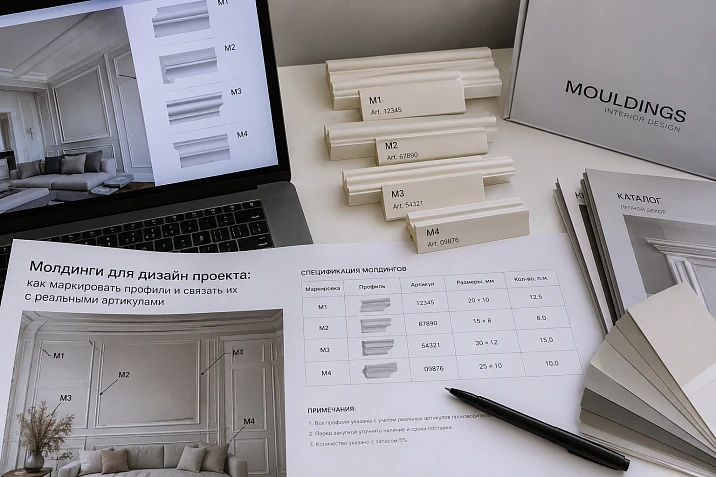
On the wall elevation there is code M-01. The visualizer assumes it is a narrow semicircular profile, the specifier opens the card of a wide molding, and the detail drawing shows a third cross-section. Everyone is working from the same label, but with different products. The error is discovered during order approval or already on site, when the delivered strip does not match the drawing.
To ensure that moldings for a design project keep an unambiguous designation, each code is tied to a specific product and its finish. This link must apply in the model, on elevations, in detail drawings, and in the purchasing list. When a product is replaced, it is updated consistently, preserving the history of the decision.
You can start with a simple table. Its job is to answer the question: which actual product does M-01 mean in the current project release? If the answer depends on which file a specialist opened, the labeling system is not working yet.
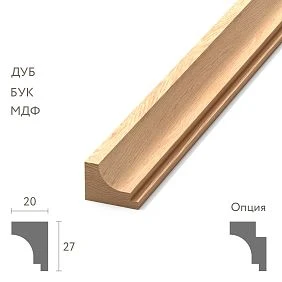
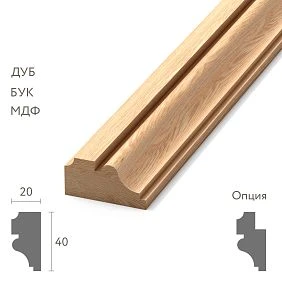
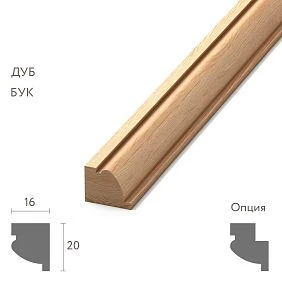
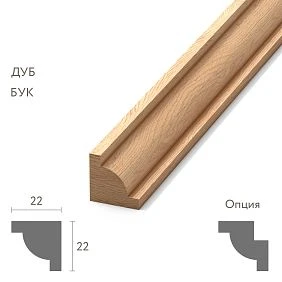
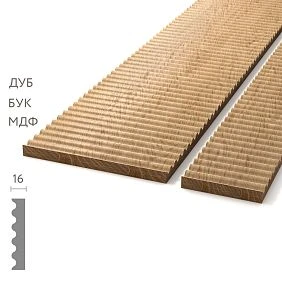
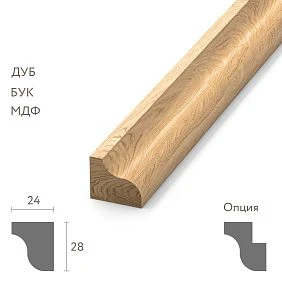
Why the entry "35 mm moulding" is not enough
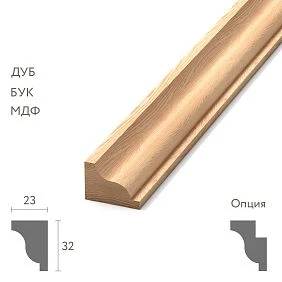
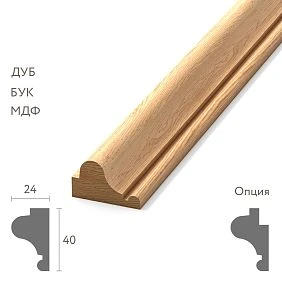
Width does not fully define a product. Profiles may differ in depth, cross-section pattern, material and retail length. The same outer dimension also does not confirm compatibility with a decorative corner.
Therefore, the entry "polyurethane moulding" is suitable only as a preliminary description of the task. A working project requires the manufacturer, item code, selected size and finish. This information is taken from the product page, and the geometry is verified against the drawing.
В STAVROS stucco catalog different decor groups have their own designations and characteristics. The group name helps to find the product, but the data of the specific item is transferred to the documentation. The mark links this item to its application in the project.




What is a moulding mark
A mark is a short designation of a project type, for example M-01, M-02 or M-03. It allows repeated reference to a single solution without a long product name next to each line.
For example, M-01 designates the main wall contour, M-02 the inner profile of a double frame, M-03 an accent band. A single mark can designate many sections if they share the same product finish.
The room number, frame number and profile mark serve different purposes. Frame R-05 may consist of four M-01 segments. This does not require four new moulding marks.
The studio establishes the designation system for its own project. In the examples below, the project letters are set in Cyrillic. Do not mix similar Latin and Cyrillic characters: visually identical codes may be processed differently when searching and cross-checking tables.
Our factory also produces:
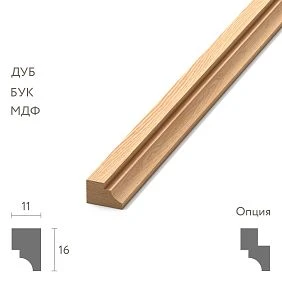
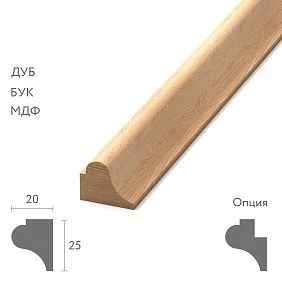
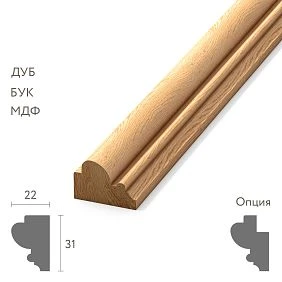
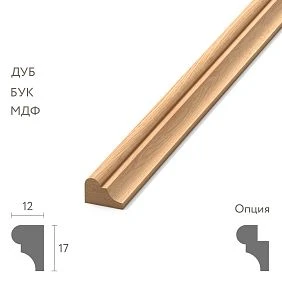
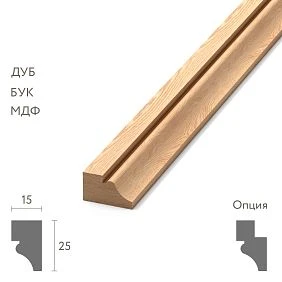
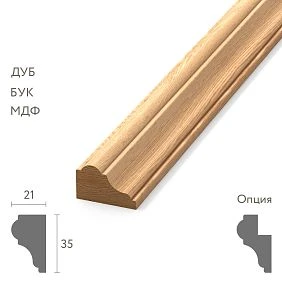
The mark and the item code exist simultaneously
The mark M-01 is convenient on a drawing. The manufacturer's item code is needed to select and order the product. An explicit link is established between them: "M-01 — STAVROS — MLDPU-003 — 35 × 12 × 2600 mm".
A short mark keeps documentation readable, especially near a busy node. The item code does not disappear: it is placed in the general schedule and, if necessary, in the sheet's legend.
Using the item code directly on the drawing is acceptable if it is convenient for the team. But with a large number of repetitions, the project mark simplifies the work. It is important that its decoding be available to every participant and correspond to the same issue of documentation.
Get Consultation
The mark is valid within a specific project
M-01 in two different apartments may mean different products. Therefore, when transferring files outside the working folder, the project number and revision must be kept alongside the mark. A supplier who assembles several objects for one studio must not identify the product by the short code alone.
In the studio's shared library, profiles are better stored by manufacturer, item code and finish. The project mark is assigned when a product is included in a specific object. This way, updating M-01 in one project does not change the meaning of the identically named item in another.
Numbers removed from a project should not be immediately assigned to completely new products. In correspondence and archived sheets, the former mark continues to exist. Keep a record with the status "excluded" and give the new item the next free number. A small gap in numbering is clearer than two different histories of one designation.
General mark schedule: a single source of product data
Create a general schedule from which characteristics are taken for the model, drawings and specification. Assign a person responsible for maintaining it. Several independently edited tables quickly diverge, even if they were identical initially.
Below is a conditional example of distributing real STAVROS products by project marks. Dimensions are given in millimetres; the material of all three finishes is polyurethane. The assignment of marks is invented to explain the method.
| Code | Article | A, width | C, thickness | L, strip length | Purpose in the example |
|---|---|---|---|---|---|
| M-01 | MLDPU-003 | 35 | 12 | 2600 | Main contour |
| M-02 | MLDPU-027 | 14 | 9 | 2600 | Inner contour |
| M-03 | MLDPU-027 | 20 | 12 | 2600 | Accent profile |
The working list additionally includes the manufacturer, material, supply option, a clean link to the product page, status, and record revision. Finish and application data can be stored in related tables by the same SKU.
A single SKU may include multiple sizes
The MLDPU-027 example shows why you cannot stop at the product name: the product page lists cross-sections of 14 × 9 and 20 × 12 mm, both 2600 mm long. For the breakdown, these are different lines by width and depth, even though the main SKU is the same.
If two versions are used in the project at the same time, they are assigned different SKUs. The order also keeps the separation by size. The line "MLDPU-027 — 20 pcs" without specifying the version leaves the supplier with an unresolved question.
A complete product link includes the manufacturer, article number, size and selected options. The same rule applies to material, factory finish and other variants if the product card provides them. The link leads to the product, but by itself it does not always capture the selected option.
When a new code is needed
Separate codes are needed for profiles used simultaneously that differ in cross-section, material, ornament or substantial design. Within a single active release, M-01 must not designate two different strips.
Do not create new numbers just because the moulding appears on another sheet. One profile in the living room and the study can keep a common code, while the rooms are indicated in the application schedule.
Different codes for one product are justified if the team deliberately separates design functions and their subsequent approval. For example, the main contour and the band above the doors are currently made from one article number but may change independently. The reason for such a separation should be recorded so that it is not mistaken for accidental duplication.
There is no fixed number of types for an apartment or house. Check whether each new code provides a useful distinction that needs to be controlled.
Straight and flexible profiles must not be combined based on appearance
If the project includes a curved section, the flexible version is designated separately: for example, M-01-G. This is a project code, not a statement that a specific article number has a flexible version.
First confirm that a suitable product exists, then check the cross-section, bending direction, permissible curvature and installation conditions according to its documentation. Only after that is the code linked to a real product.
Straight and flexible sections are counted separately. A matching face profile does not make them one purchasing item. If the flexible variant has not yet been selected, the schedule leaves it as “to be confirmed”, and the model does not present the provisional curve as an approved product.
Corners and directional decor receive their own designations
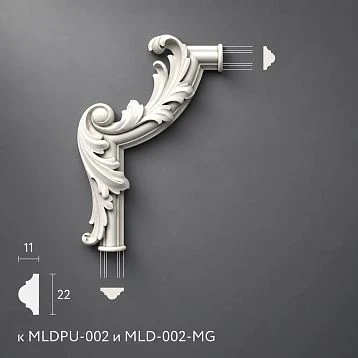
In the project with decor for moldings the straight profile and piece additions are marked separately. For corners, U-01L and U-01R can be used; for the central piece, D-01. The decoding of these designations is recorded in the specification.
A project side letter does not replace the full item code. For example, the L and R designations in product codes are retained when transferred to the order. The name must not be shortened in a way that makes the left and right versions indistinguishable.
Decorative Inserts are also not hidden in the note “decor for M-01”. They have their own dimensions and quantity. A separate field indicates which molding they are used with and where the fit has been verified.
How to account for ornamental linear trim
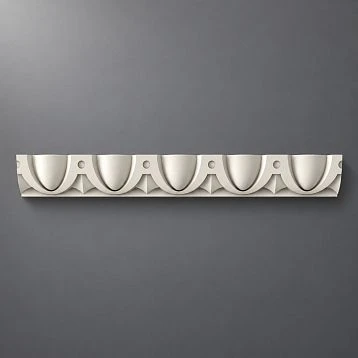
for polyurethane molding retain the same system: the code links the product, characteristics, and application locations. For ornamental trim information about the direction and repeat of the pattern is added.
The elevation drawing shows how the motif is oriented and from which point the layout begins. This is data for a specific application, so it may differ on different walls for the same product.
Do not automatically assign a new code to every direction. If the product is the same and may be rotated, an orientation designation is sufficient. If distinct left and right products are required, separate line items are needed. This separation helps avoid confusing a rotated piece with an order for a mirrored version.
How to mark a molding on a wall elevation
Place a leader with the tag on the required contour. If two profiles run side by side, the end of the leader must unambiguously point to the corresponding line. A single label between them is not enough.
In repeating frames, a general note with a clearly indicated scope is acceptable, for example "all internal contours — M-02". The main profile is shown separately. The marking method must remain understandable on a printed sheet as well, where color differences may disappear.
Frame dimensions, offsets, and levels are placed alongside as the geometry of the composition. The tag states what this composition is executed with. It does not replace dimensional referencing.
After completing the sheet, check it without the model open: can you determine the profile of each section, find its legend, and understand which project release the sheet belongs to?
What to include in the sheet legend
Next to elevations, a compact legend is sufficient: tag, article number, section size, material, and a reference to the general schedule. If the sheet is issued separately, add the information without which it cannot be read correctly, including the revision and finish or a reference to it.
Do not retype characteristics manually on every sheet without subsequent verification. It is more convenient to obtain repeating information from a general list or update it through a single procedure.
The legend explains the tags used on the sheet. The general schedule stores complete product data. The specification converts approved items into quantities for ordering. The documents are interconnected but are not required to repeat all columns of one another.
Finish is linked to the tag separately
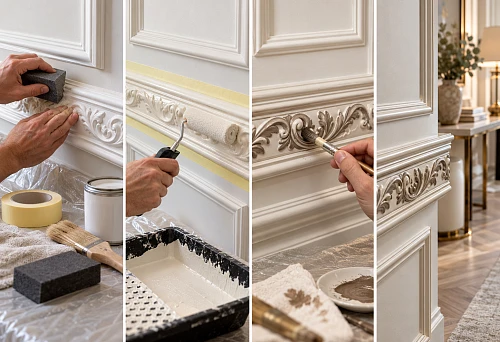
A single unpainted profile can be used in the wall color, in a contrasting color, or with another approved finish. If painting is done on site, the original product remains unchanged, while the project-specific finish specification changes.
For example, M-01 in the living room is linked to finish Отд-01, and in the study to Отд-02. The finish schedule stores the coating composition, color, and approved sample; the application schedule shows where each variant applies.
However, when ordering a factory finish, the selected finish becomes part of the supplied specification. Such items cannot be grouped by the main article number alone. The order assembler must distinguish between the original profile for painting and the product that the supplier must ship already with a specific coating.
How to link a mark to a 3D model
Save the mark in the object name or properties along with the article number and size. For example: "М-01, MLDPU-003, 35 × 12". The room and section number can be added separately to distinguish identical profiles in different locations.
Check that the model uses the actual cross-section. Changing the length of the straight section for the layout is permissible within the selected assembly and jointing method. Arbitrarily changing the profile width and depth is not allowed: otherwise the object no longer corresponds to the assigned product.
For ornamental products, changing the length must also not stretch the pattern itself. Repeated elements are placed while preserving the motif geometry, taking future joints into account.
When handing the scene over to another specialist, attach the current schedule. A single object name is not enough if the file contains old geometry while the table has already been updated.
The same mark must be readable in DWG
For working drawings, use the cross-section of the same product and specification. On the page STAVROS models and drawings product materials are available; the required file is checked against the data of the selected item.
In the library fragment, it is convenient to store the brand, article number, size, units of measurement, and mounting side. The manufacturer's source file is kept separately from the working copy of the project so that the origin of the geometry remains clear.
In AutoCAD, data can be stored in block attributes and then extract them into a table. This helps to verify designations. However, the table will receive the values entered in the blocks: an erroneous article number will not correct itself.
When performing such verification, separate designations from physical products. Three M-01 callouts on one sheet mean three references to a profile, but not three purchasing strips. One section may be shown both on an elevation and in an enlarged detail. Its repeated depiction must not increase the requirement. The quantity is obtained from the accounted sections and cutting, while maintaining the link to the brand.
Do not consider an identical file name as proof of correspondence. Compare the actual cross-section dimensions, brand, and product record.
The detail code does not replace the product brand
Detail UZ-04 may show the junction of a molding to a casing and a wall panel. It retains the brands of all participating products: for example, M-01 for the molding and N-01 for the casing.
UZ-04 denotes the structural solution, while M-01 denotes the profile used. The same moulding can be part of several assemblies without receiving a new product code for each junction.
The drawing must make the reference to the required assembly clear. From the assembly, there is a link to the product schedule. This lets the specialist verify both the installation location and the specific product without guessing the composition from the section drawing.
How to carry out a replacement and retain the mark
The mark can be retained if it continues to denote the same design function and the previous version is fully withdrawn from its current use. A replacement requires a new coordinated issue of documentation.
First, identify all places where the mark is used. Then check the new section, adjacent elements, finish and product length. A change in strip length affects cutting; a change in width affects the geometry of the frames; a change in relief affects the visual solution and the junctions.
After approval, update the product link, the model, the affected drawings and the calculation. Simply editing one row in the schedule does not update the other documents automatically.
If the previous profile remains in some rooms while the new one is introduced only in others, different marks are required. The same solution is convenient for a substantial change in function: for example, instead of an internal thin contour, a separate wide band appears. The old mark is closed or retained in its previous area of application.
The change history must show the selected version
The log records the revision, mark, previous and new solution, reason, approver and affected documents. To understand the replacement, the entire size type is important, even if the item code has remained the same.
Below is a conditional example of an entry. The admissibility of increasing the section is verified against the specific project.
| Revision | Code | Link to product | What to fix |
|---|---|---|---|
| 01 | M-02 | MLDPU-027, 14 × 9 × 2600 mm | Original version |
| 02 | M-02 | MLDPU-027, 20 × 12 × 2600 mm | Approval of the change, list of revised sheets and calculations |
Previous issues are kept in the archive with a clear status. The kit assembler and installer must receive the current version; an old sheet with the same designation must not be left in the working set without a replacement note.
Before issuing, check not only the source files but also the exported sheets. A revised drawing may sit in the folder next to the previous printed version. A list of current documents with dates helps the recipient understand which sheets have been replaced and which remain valid. If the order has already been placed, separately record which of its lines are affected by the change and how their adjustment has been approved.
Approval and delivery are tracked separately
The following statuses are suitable for selecting a product: "under review", "selected", "sample approved", "approved for purchase". It is useful for each record to have a date and a responsible person. Moving to the next stage means a check has been completed, not merely a word changed in the table.
Delivery is tracked separately: "not ordered", "partially ordered", "fully ordered", "partially received", "fully received". An approved profile may not yet be ordered, and a received batch may cover only part of the requirement.
Do not approve an order with the status "under review". Product availability or an attractive price does not replace a design decision. A separate approved requirement is created for a trial sample so that its purchase is not taken as permission to order the full quantity.
How to record the sample verification result
In the section samples and catalogs clarify the available way to get acquainted with the required product. The contents of the kit or stand must be checked: it may not include the selected profile.
In the sample record, specify the brand, article number, standard size, and exactly what was checked. The geometry of the unpainted strip and the color of the trial coating are approved as different results. The note "sample approved" without clarification leaves the question open: is it the profile itself, the shade, or the assembled unit that is approved?
If the cross-section or supplied version changes, assess whether re-verification is needed. Approval of the previous sample does not automatically carry over to the new product.
Readiness worksheet by brand
To avoid overloading the main schedule with dozens of columns, approval control can be moved to a linked table. All records are joined by brand; the release revision is indicated next to it. The example below is illustrative.
| Code | Model and drawings | Sample and finish | Quantity | Purchase approval |
|---|---|---|---|---|
| M-01 | Verified | Approved | Calculated | Approved |
| M-02 | Verified | Trial coating pending approval | Preliminary | Not issued |
| M-03 | Cross-section under review | Not reviewed | Not calculated | Not issued |
Instead of a single general checkbox, specify the particular incomplete check. For working use, an assignee and a due date are added to it. Such a table helps to see why an item is not yet ready for ordering without rereading the entire project correspondence.
First quantities by grade, then order consolidation
Volumes are initially collected by grade and application location. This makes it possible to trace which rooms and areas generated the demand. Then the approved items are consolidated by full procurement specification.
Suppose the calculation has already produced 12 whole planks for M-01 and 4 for M-04. If both grades belong to the same article, size, material and delivery option, 16 planks can be passed to the order while preserving the original distribution. These conditional numbers illustrate the consolidation of finished quantities; additional reserve is accounted for as a separate agreed line.
M-02 and M-03 from the first table cannot be consolidated: the common article MLDPU-027 conceals different cross-sections. Two procurement lines are retained for them.
Preparation of segments, cutting and quantities is covered in detail in the material on moulding specifications. In the marking system, it is important to maintain traceability: each ordered item must be traceable back to its marks and project sections.
Link and price: different data for different tasks
In the master schedule, keep a clean link to the product page without advertising tags or service parameters. It allows you to open the required product directly. Store the size and options alongside it, because the product page may offer several variants.
The price relates to a commercial offer on a specific date. It does not replace the SKU and does not explain which configuration was agreed. For budget control, also record the quantity and composition of the offer, while the product link continues to be determined by the product's characteristics.
When reordering, open the record of the original delivery and check its configuration. Searching for "the same moulding at the previous price" does not guarantee a matching product.
Checking the mark before transferring to purchasing
Open one mark and follow its links in both directions: from the layout to the product and from the purchasing line back to the drawing. Check:
- The full SKU, size and material match across all documents of the current release.
- The model and working section correspond to the selected version.
- Application locations, finish, and required components are specified.
- Paired parts and special versions have separate line items.
- Changes are approved, and previous documents have been removed from the working set.
- The quantity is calculated, the order unit is clear, and the purchase is approved.
Checking by mark reveals errors that are hard to notice when reviewing sheets sequentially. For example, a schedule may be corrected, but one section may still show the old profile under the previous callout.
How to order moldings based on a design project
Once the marks are approved, send the supplier a list of products with dimensions, versions, and purchase quantity. Use the catalog of polyurethane moldings to check specific product cards and current ordering terms.
To buy polyurethane wall moldings based on a project, include both the project mark and the full item code in your request. The supplier will understand what needs to be shipped, and the assembler will know which part of the documentation the line refers to. Proposed substitutions are returned for approval before being included in the order.
The terms of professional cooperation are presented in the section for designers and architectsFor the discussion, prepare the current schedule, the necessary drawing fragments, and a list of open questions. Then M-01 will retain its exact meaning both on the project sheet and in the confirmed order.