Article Contents:
- What is a moulding specification
- Why the line “moulding — 42 m” is not enough
- When the specification is drawn up
- First the specific SKU, then the final calculation
- Project Code and SKU must exist simultaneously
- Which columns are needed in a moulding specification
- Why the cross-section must be stored separately
- Material — a required field
- Product Length — one of the main fields
- Calculated Length and Order Qty are different values
- Why you can't just divide the total linear meters by the length of the strip
- Cutting List: a list of actual parts
- Cutting Map: how to distribute parts across strips
- Why the Cutting Map must be linked to the SKU
- Molding frame as a calculation module
- Typical frames in multiple rooms
- When to calculate rooms together and when separately
- It is better to separate verticals and horizontals
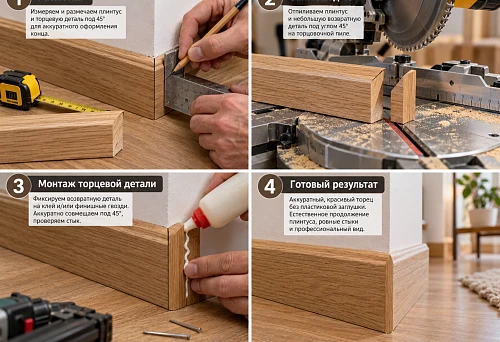
- 45° miter cut and specification
- Inside and outside corners
- Left and right corner elements
- Ornamental molding and pattern repeat
- Why the remainder cannot be automatically considered usable
- Wall and ceiling molding
- Moldings and cornices cannot be mixed on one line
- How to specify wooden molding
- How to specify polyurethane molding
- Finish is not part of the SKU name
- Sample Status
- Link between specification and DWG
- Linking specifications to 3D
- Room and Zone
- How to manage status
- How to manage REV
- Why replacing an SKU requires recalculation
- Specification and estimate are different documents
- Specification
- Estimate
- Total meterage only
- No Product Length
- No Cutting List
- No link to SKU
- Angles hidden in meterage
- L/R combined
- Finish recorded in product name
- Old Cutting Map after SKU replacement
- No REV

The layout can perfectly calculate 42 meters of molding. That figure alone is still not enough for purchasing.
The procurement specialist needs to know which profile was selected, its SKU, the length of a single piece, which actual cut segments make up the project, how those segments are distributed across whole products, which offcuts can be reused, whether separate corner elements are needed, and exactly what quantity should go into the order.
That is why a molding specification is not just a table with "name" and "meters" columns. It is the linking document between the working geometry and purchasing:
APPROVED PROFILE → PROJECT CODE → SKU → SECTION → PRODUCT LENGTH → CUT LIST → CUTTING MAP → CALCULATED LENGTH → ORDER QTY → CORNERS → FINISH → SAMPLE STATUS → REV → ORDER.
A good specification lets you open the project months later and understand without guesswork which profile was approved, where it is used, how many whole pieces need to be ordered, and why the final purchasing quantity differs from the clean meterage on the drawing.
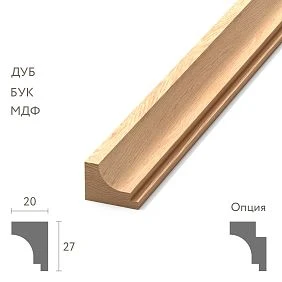
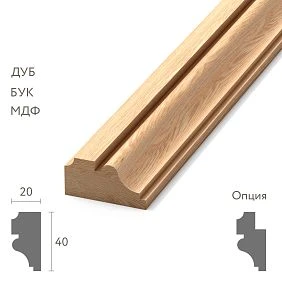
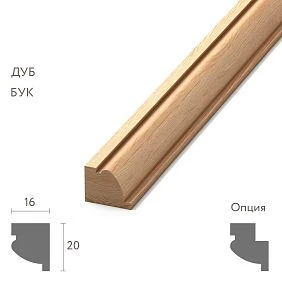
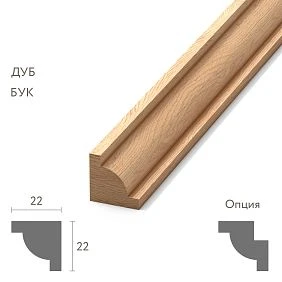
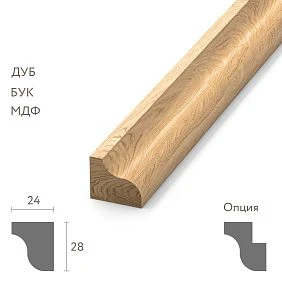
What a molding specification is
The layout answers the question:
where does the molding run?
Specification:
which specific molding and how many physical products need to be ordered?
On a working drawing, it is convenient to use a short code:
ML-01
That is not enough for purchasing.
Required:
- manufacturer;
- SKU;
- actual cross-section;
- the material;
- product length;
- calculated linear footage;
- number of whole planks;
- Cutting;
- corner elements;
- finish;
- status;
- current revision.
That is exactly why the specification appears after selecting a profile, rather than instead of making a selection.




Why the line “molding — 42 m” is insufficient
Such a line conveys only one thing: the total geometric length.
It does not answer the key questions:
- which SKU;
- what is the length of one strip;
- what cross-section;
- which material;
- how many whole items to buy;
- where the strips are used;
- which segment lengths are needed;
- Can leftovers be used?
- are there separate corners;
- is L/R needed;
- which version of the project is current.
As a result, the procurement specialist has to redesign the purchase.
This is a poor boundary of responsibility.
If the designer has already approved a specific profile and built frames based on it, the procurement document must preserve this link.
Our factory also produces:
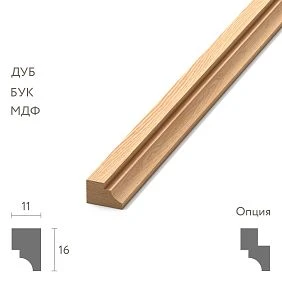
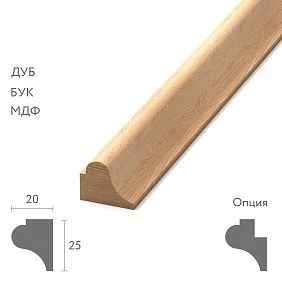
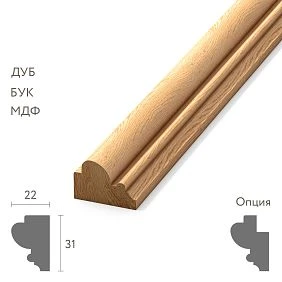
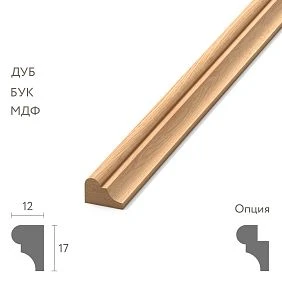
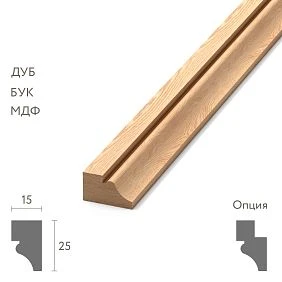
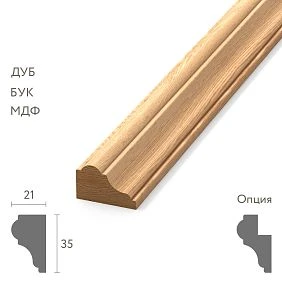
When the specification is being prepared
Not at the beginning of the concept.
At an early stage, moldings may still be candidates.
The normal sequence is:
shortlist → specific profile → 3D / DWG → approval → APPROVED → calculation → specification.
Before APPROVED, it is useful to keep a working table.
But the final Order Qty is best calculated after the geometry and SKU have stopped changing.
Otherwise, each new profile resets part of the previous calculation.
Get Consultation
First the specific SKU, then the final calculation
Two externally similar profiles may differ in:
- length;
- width;
- depth;
- mounting plane;
- repeat;
- joint method;
- corner elements.
Because of this, the same clean square footage can yield a different number of planks.
Therefore, for of polyurethane moldings first, the actual product item is selected.
Only then is the final cutting plan built.
Project Code and SKU must exist simultaneously
ML-01 — convenient for the project.
STAVROS / specific SKU — necessary for purchasing.
Project Code is needed to quickly link:
- the layout drawing;
- node;
- the specification;
- quantity schedule.
SKU is needed to buy exactly that product.
They do not replace each other.
Example:
| Project Code | Manufacturer | SKU | Status |
|---|---|---|---|
| ML-01 | STAVROS | specific | APPROVED |
The drawing retains a short ML-01.
The specification reveals the product essence.
Which columns are needed in the molding specification
A practical structure might look like this:
| Field | Content |
|---|---|
| Project Code | ML-01 |
| Manufacturer | STAVROS |
| SKU | specific |
| Category | wall molding |
| Material | PU / wood / MDF |
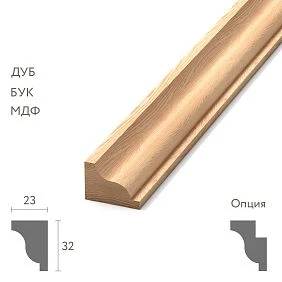
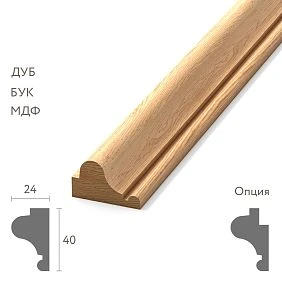
| Section | width × depth |
| Product Length | Plank length |
| Calculated Length | Net length |
| Order Qty | Number of planks |
| Room | Room |
| Zone | Wall-02 / Frame-A |
| Finish | Project |
| DWG | file |
| 3D | file |
| Sample Status | APPROVED |
| Status | FOR ORDER |
| Revision | REV03 |
| URL | Product |
For a small project, some fields can be removed.
But you cannot remove those without which the product cannot be unambiguously identified or ordered.
Why the cross-section needs to be stored separately
The profile name is not enough.
The cross-section allows you to quickly check:
- whether the DWG matches the product;
- whether the SKU can be replaced;
- how the molding fits the casing;
- what depth the frame provides;
- how it works with the wall panel;
- how much the inner field of the composition changes.
Let's imagine a frame with an outer width of 1200 mm.
A 40 mm profile leaves an inner width of:
1200 − 2 × 40 = 1120 mm.
65 mm profile:
1200 − 2 × 65 = 1070 mm.
The difference is 50 mm.
If there is a sconce or overlay inside the frame, replacing the molding already changes the composition.
Therefore, Section is not a decorative characteristic.
This is a working parameter.
Material — required field
Molding with the same function can be:
- polyurethane;
- wooden;
- made of MDF.
But in terms of procurement, these are different systems.
The material affects:
- SKU;
- finish;
- installation;
- length;
- processing;
- stock behavior;
- sample.
For a wooden profile, the species and finish are additionally important.
For polyurethane — the specific condition of the item and the project finish.
The following line must not be left blank:
Material: PU / wood — to be confirmed
if the document is already being passed to purchasing.
Product Length — one of the main fields
The clean meterage exists in the project.
Commercial length — in the actual delivery.
Let's say the project requires 24 m of molding.
This does not yet mean that 24 m need to be purchased.
If the profile is supplied in whole planks, Order Qty is not determined by division alone.
First, you need to know the actual lengths of the parts.
It is Product Length that turns an abstract linear measurement into a product.
Calculated Length and Order Qty are different quantities
For example:
Calculated Length: 24.0 m
Order Qty: 14 planks
The first figure tells you how much molding is physically present in the project.
The second tells you how many items need to be purchased.
They do not have to match in equivalent linear measurement.
The reason is cutting.
If you store only Order Qty, it is harder to verify the architectural requirement.
If only Calculated Length is stored, the purchase is not ready.
Both are needed.
Why you can't just divide the total linear meters by the plank length
Let's imagine identical 24 m.
Option A:
- eight parts of 3000 mm.
Option B:
- twenty parts of 1200 mm.
The sum is the same.
But cutting by planks can be different.
Long parts almost never combine with each other.
Short ones sometimes allow a single plank to be used more efficiently.
Therefore, the formula:
total linear meters / plank length
gives only a theoretical minimum.
A real order is built from segments.
Cutting List: a list of actual parts
Cutting List — an intermediate document between the exploded view and the cutting map.
For example:
| Code | Detail | Length | Quantity |
|---|---|---|---|
| ML-01-V | Vertical | 1950 мм | 8 |
| ML-01-H | Horizontal | 1350 мм | 8 |
| ML-02-V | Vertical | 2400 мм | 4 |
It does not yet specify which board each part is cut from.
But it is already clear:
- length types;
- repeatability;
- quantity;
- which segments can be grouped.
For repeating frames, the Cutting List is especially useful.
Cutting Map: how to distribute parts across boards
The next step is to lay out the parts across physical products.
Conventionally:
Plan 01 → 1950 + remainder
Plan 02 → 1350 + 600 + remainder
Plan 03 → 1350 + 1350
This is already a purchasing cutting map.
It answers the question:
how many whole strips are needed to produce all the project parts?
This is exactly where useful and useless remnants become visible.
Why the Cutting Map should be linked to SKU
A cutting map without SKU quickly becomes outdated.
After replacing the item, the following may change:
- Product Length;
- cross-section;
- repeat;
- corner geometry;
- profile orientation.
The old map no longer guarantees the correct Order Qty.
Therefore, it is useful to store the following in the calculation header:
ML-01 / STAVROS / SKU / REV03
Then the origin of the numbers is clear.
Molding frame as a calculation module
If a project has many identical frames, it is convenient to create a type:
FRAME-A
For example:
- outer width — 1200 mm;
- outer height — 1950 mm;
- SKU — ML-01;
- 2 verticals;
- 2 horizontals.
The Cutting List is generated once.
Next:
FRAME-A × 14
This reduces the number of manual recalculations.
But typification works only for truly identical geometry.
Typical frames in multiple rooms
If FRAME-A repeats in the living room, hallway, and bedrooms, the entire volume of one SKU can be counted together.
This makes it possible to redistribute leftovers between rooms.
For example, a short leftover from a long vertical in the living room can cover a horizontal in the corridor.
But the installation schedule must still store the distribution by Room and Zone.
Purchasing aggregates.
The project distributes.
When to count rooms together and when separately
If the order is placed as a single batch and the material arrives at one site, a shared Cutting Map is usually more efficient.
If the project is divided into stages:
- first phase;
- separate floors;
- different contractors;
- different deliveries,
it is wiser to cut by batches.
Otherwise, the remainder exists on paper, but in reality it is at another stage and cannot be used.
The calculation must take into account the real logic of construction.
It is better to separate verticals and horizontals
Even if the SKU is the same.
The reason is simple: the lengths are different.
For example:
ML-01-V = 1950 mm
ML-01-H = 1350 mm
If the table contains only ML-01 = 24 m, the structure of the parts is lost.
Separation helps:
- build a Cutting List;
- optimize the cutting map;
- check standard frames;
- quickly recalculate changes.
45° miter cut and specification
The miter cut itself does not add meters to the geometric perimeter.
But it affects the usable length of the product.
After the miter cut, the remainder may:
- become shorter;
- lose a convenient straight edge;
- become unsuitable for the next segment;
- require a different orientation.
Therefore, the four sides of the frame cannot be considered merely as the sum of lengths.
The joining method affects the Cutting Map.
Internal and external corners
If the corner is formed by cutting the profile itself, there is no separate SKU.
If a special decorative corner is used, the situation changes.
Then:
a corner ≠ linear molding.
It gets its own specification line:
- Project Code;
- SKU;
- orientation;
- qty;
- finish;
- status.
Suitable related products can be checked in the section Decor for Molding.
Left and right corner elements
If corners exist in mirrored versions:
COR-01-L
COR-01-R
they cannot be combined:
corners — 12 pcs.
More correctly:
COR-01-L — 6 pcs.
COR-01-R — 6 pcs.
This protects the purchase from a formally correct but physically useless quantity.
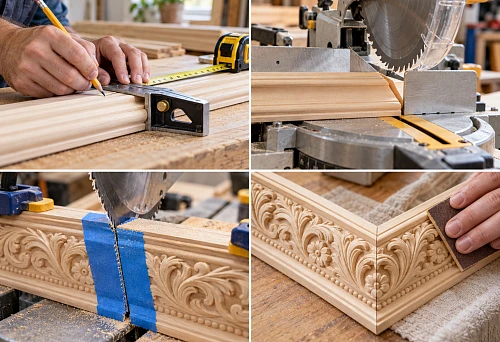
Ornamental molding and repeat
A smooth profile is easier to cut.
The ornamental one has a repeat.
The leftover of the required length is not always usable.
Causes:
- the pattern starts from the wrong phase;
- the joint breaks the motif;
- centering is required;
- the corner must fall on a specific part of the ornament.
Therefore, for ornamental profiles, the Cutting Map must account for more than just millimeters.
Sometimes a useful remnant exists geometrically, but not compositionally.
Why a remnant cannot be automatically considered usable
A cut-off piece may turn out to be:
- too short;
- already cut;
- with the wrong orientation;
- with an unsuitable repeat;
- damaged;
- inconvenient for the next part.
Therefore, the cutting plan must distinguish:
remaining length
and:
usable remainder.
This is especially useful in large projects.
Wall and ceiling molding
Even if the material is the same, the function should be recorded separately.
For example:
Category: wall molding
Category: ceiling molding
Why is this useful?
A ceiling profile may have a different usage geometry, anchoring, and nodes.
A wall profile may have another.
If both are simply recorded as molding, filtering and assembly become worse.
Moldings and cornices must not be mixed in one line
In search, the user may combine these words.
Not in the specification.
Molding and cornice have different:
- function;
- sections;
- installation locations;
- design schemes;
- design details.
Therefore:
ML-01
and:
CR-01
must be separate line items even with the same material and manufacturer.
How to specify wooden molding
for of wooden moldings the main fields should be supplemented with:
- breed;
- grain direction, if it is critical;
- finish;
- version/design variant;
- length;
- sample status.
If used Wooden trim, the material cannot be left at the level of wood.
Oak и beech — different procurement decisions.
How to specify polyurethane molding
For polyurethane, the following are important:
- SKU;
- section;
- Product Length;
- design color;
- condition for painting;
- matching corners;
- decorative overlays, if they are part of the system.
At the same time, the design color must not change the identity of the product.
Product first.
Then finish.
Finish is not part of the SKU name
Store separately:
Product SKU
and:
Project Finish
For example:
SKU: MLD...
Material: PU
Finish: RAL 9010 matte
This is especially important when a single item is used in multiple rooms with different finishes.
The SKU may be the same.
The Project Finish may differ.
Sample Status
Useful sequence:
- NOT REQUESTED
- REQUESTED
- RECEIVED
- APPROVED
If the sample is critical, the item should not automatically move to FOR ORDER until approved.
For physical verification, you can use Product samples and specialized Samples and catalogs of polyurethane decor.
In a large specification, a dedicated Sample Status field is far more useful than a comment in the notes.
Linking the specification to DWG
The working profile must match the product line.
Combination:
Project Code → SKU → DWG → specification.
For this, it is useful to use DWG moldings, but the file itself must be additionally checked for compliance with the selected SKU and scale.
If the molding in CAD was stretched or modified, the original SKU no longer describes this geometry.
Linking specifications to 3D
It is better to make the 3D object name product-readable.
Bad:
molding_final2
Better:
STAVROS_[SKU]
Or:
ML-01_[SKU]
Then the designer, visualizer, and specifier are talking about the same object.
This is especially useful if the project has five similar profiles.
Room and Zone
Room responsible:
in which room?
Zone:
in which part of the room?
For example:
Room: Living Room
Zone: Wall-03 / Frame-A
This is much more precise than the label "living room".
A single room can contain several frame types and several SKUs.
Zone makes the specification easy to read for installation.
How to manage status
A convenient sequence:
CANDIDATE → SELECTED → SAMPLE APPROVED → APPROVED → FOR ORDER → ORDERED.
The main rule:
must not end up in the procurement selection CANDIDATE и SELECTED.
Only:
APPROVED / FOR ORDER.
This way the shortlist doesn't turn into a random order.
How to manage REV
For example:
REV01 — first release.
REV02 — frame changed.
REV03 — SKU replaced.
For each revision, it is useful to keep a brief change log.
This allows you to quickly understand why the Order Qty changed.
If an SKU was replaced in REV03, the old Cutting Map should not continue to be used without verification.
Why replacing an SKU requires recalculation
A new profile can change:
- Product Length;
- section;
- repeat;
- corner system;
- Cutting;
- number of strips.
Therefore, you cannot simply replace the item code in the cell and leave the old Order Qty.
The correct sequence is:
new SKU → check section → check DWG → rebuild cut list → rebuild cutting map → recalculate Order Qty → new REV.
This protects the project from silent substitution.
Specification and estimate are different documents
Specification
responsible:
what to order and how much?
Estimate
responsible:
How much will this cost?
Price is attached only after the following are locked in:
- SKU;
- Order Qty.
Otherwise, the cost changes with every new profile and creates false precision.
When to add price
After:
SKU → Order Qty.
Useful to keep nearby:
Price Checked Date
especially if the project runs long.
But price should not become part of the product's identity.
SKU is responsible for the product.
Date and cost are for commercial verification.
How to aggregate a single SKU before ordering
A single molding profile can be used in different rooms.
For example:
Living / ML-01 = 8 strips
Hall / ML-01 = 6
Bedroom / ML-01 = 10
Before purchasing:
ML-01 = 24 strips
But the original distribution by zones must be preserved.
Otherwise, after delivery, the installers won't understand where the volume is supposed to go.
A good specification can be simultaneously:
- for design;
- for purchasing.
When a separate reserve is needed
The reserve should not be automatically added as the same percentage to all profiles.
It depends on:
- cutting complexity;
- the number of corners;
- pattern repeat;
- segment lengths;
- material;
- reorder capabilities;
- object requirements.
It is useful to distinguish:
Cutting Waste
and:
Reserve Qty.
The first comes from the actual cutting.
The second is a deliberate additional quantity.
Typical molding specification mistakes
Total linear meters only
No Order Qty.
Consequence: the order assembler recalculates the project from scratch.
No Product Length
Unable to verify the number of planks.
No Cutting List
Identical linear meters are interpreted as the same consumption.
No link to SKU
The profile in the drawing may differ from the one purchased.
Angles are hidden in the linear meters
Individual SKUs are not included in the order.
L/R are merged
The quantity is correct, but the order composition is not.
Finish is recorded in the product name
It is difficult to separate the product from the project finish.
Old Cutting Map after SKU replacement
Order Qty is no longer reliable.
No REV
It is unclear which version the order was based on.
Final audit before ordering
Before handing over to purchasing, check:
- each Project Code is decoded;
- Manufacturer is specified;
- SKU specified;
- Section matches the DWG;
- Material is selected;
- Product Length is up to date;
- Calculated Length verified;
- Cutting List assembled;
- Cutting Map verified;
- corner elements added;
- L/R are separated;
- Finish recorded separately;
- Sample Status = APPROVED if a sample is required;
- Status = APPROVED / FOR ORDER;
- Order Qty calculated;
- Room and Zone specified;
- Revision is up to date;
- The URL leads to the desired product page or category.
If after this a row remains in the table:
molding — about 40 m
the specification is not yet complete.
How to move from specification to order
Final workflow:
APPROVED SPEC → filter FOR ORDER → aggregate identical SKU → verify Order Qty → check availability → commercial offer → order.
For the polyurethane part of the project, you can proceed to polyurethane moldings, and for the wooden one — to wooden moldings и wooden trim.
If the project is assembled as a decor system, additionally useful are Decor collections и Decor for Molding.
The professional workflow for a project can be linked to the section STAVROS for designers and architects.
The main principle of the specification is simple:
you need to purchase not "meters of molding," but specific physical items calculated by actual SKU and actual cutting map.
That is why the final line of the specification must allow the entire chain to be traced in both directions:
drawing → Project Code → SKU → Cut List → Cutting Map → Order Qty
and:
ordered item → SKU → Project Code → specific frame or project zone.