Article Contents:
- What Is a DWG Drawing of Stucco Moldings and Why a Designer Needs It
- How DWG Differs from a 3D Decor Model
- Which Stucco Decor Drawings Are Needed in a Design Project
- DWG Moldings
- DWG Cornices
- DWG Ceiling Rosettes
- DWG Decorative Elements
- DWG Baseboards
- Architectural Decoration
- Floor and ceiling offsets
- Door alignment
- Alignment to furniture
- Framing Compositions
- External and Internal Corners
- How to use a cornice DWG in a room section
- Stucco moldings DWG and ceiling plan
- DWG scale: one of the most common mistakes
- How to calculate moldings from a DWG elevation
- How to calculate cornices from a working drawing
- DWG → specification: how not to lose product codes
- When to use DWG and when to use Revit/BIM
- How to use DWG for wall decor
- How to work with ceiling decor in DWG
- Samples and DWG: why a digital drawing does not replace physical verification
- How to check a product SKU before ordering
- How to hand over DWG to a contractor
- How to link working drawings to professional software
- Three scenarios: apartment, country house, commercial property
- How to control DWG revisions
- How to perform a final check before a commercial order
- What to do if the selected SKU is unavailable
- How to use DWG during author supervision
- How to use DWG for repeat projects
- Project README
- What should be clear without calling the author
- Do not mix the manufacturer's source file and the working copy
- Archive after project completion
- What is DWG molding?
- Where to download STAVROS DWG molding?
- How does DWG differ from a 3D model?
- Can a molding DWG be scaled?
- How to check the scale after import?
- Do I need to specify the article number directly in the DWG?
- How to count moldings from a DWG?
- How to count ceiling roses?
- Do I need to download all DWGs in advance?
- What should I do if the DWG exists but the product doesn't?
- Can I use a DWG from a third-party library?
- When is a sample needed if the DWG is already accurate?
- What should I give the contractor along with the DWG?
- How to avoid discrepancies between the render and the working drawing?
- Can one DWG be used in multiple rooms?
- When is Revit better than DWG?
- Can I buy moulding right after downloading the DWG?
- Why save the product URL in the specification?
- What should be done with outdated DWGs in the studio library?

For a designer or architect, a DWG is not needed for the sake of the file itself. Its value appears when the drawing is linked to a real product, a specific SKU, and working documentation. The correct scenario looks like this:
select a real element → download its DWG → insert it into the drawing at 1:1 scale → check the profile and dimensions → attach it to the wall or ceiling → specify the SKU → calculate the quantity → add it to the specification → buy exactly that product.
That is why DWG molding — a professional tool, not a separate library of “beautiful blocks.” If you first download a random decorative profile, build a project on it, and then look for a similar product, the risk of discrepancy between the visualization, the drawing, and the actual purchase increases sharply.
On the STAVROS “Catalogs and Drawings” page, separate archives of DWG drawings of polyurethane and 3D models are currently available. This allows the same item to be carried through different stages of the project: visual approval, working documentation, and specification.
The main principle of the article:
DWG → SKU → specification → order.
If this connection is preserved, the drawing ceases to be abstract geometry and becomes part of a real interior project.


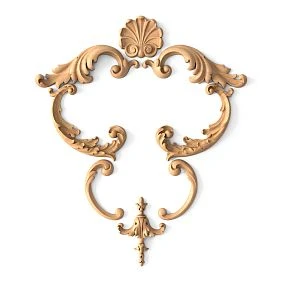
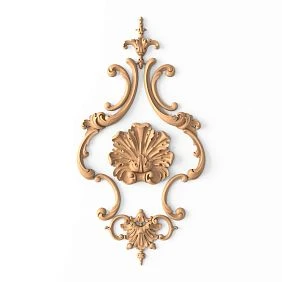
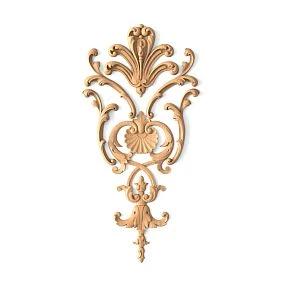
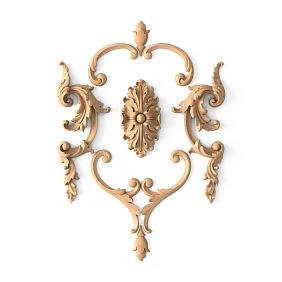
What is a DWG drawing of stucco molding and why does a designer need it
DWG, as applied to stucco decor, is needed to work with the real geometry of the product in a CAD environment. It helps not to “roughly draw a molding,” but to use the profile, size, and cross-section of a specific item.
Professional stucco drawings useful on several levels.
Product profile
The most important information is the actual cross-section.
From it, the designer can see:
-
width;
-
height;
-
a protrusion;
-
the shape of the relief;
-
mounting plane;
-
the relationship of the front part to the wall or ceiling.
This is especially critical at junctions where the molding meets the door casing, wall panel, ceiling cornice, or another profile.
Overall dimensions
The drawing helps verify the actual size of the element before ordering.
A 25 mm and 80 mm wide profile may look equally large in the product card because images are scaled to fit the screen. In AutoCAD or another CAD system, the difference becomes immediately obvious.
Section
The cross-section allows solving working junctions:
-
junction with the door;
-
joint with the wall panel;
-
transition to the ceiling;
-
joint with the baseboard;
-
space for lighting;
-
connection of two different profiles.
Scale 1:1
DWG must be used at real scale.
If the actual profile has a specific cross-section, it cannot be arbitrarily stretched in the drawing for the sake of composition. Otherwise, the project begins to describe a product that does not physically exist.
Data for the unfolded view
On the unfolded wall view, DWG helps to define more precisely:
-
axis;
-
position;
-
height;
-
distance from the baseboard;
-
distance from the doorway;
-
frame system;
-
decorative inserts.
Attachment to the wall or ceiling
Unlike a render, a working drawing must answer the question “where exactly is the element located”.
Therefore, it includes:
-
markings;
-
axes;
-
sizes;
-
dimension references;
-
wall numbers;
-
element codes.




How DWG differs from a 3D decor model
These formats serve different purposes. They cannot be considered interchangeable.
| 3D model | DWG |
|---|---|
| shows volume | shows working geometry |
| needed for visualization | needed for drawings |
| helps align the visual appearance | helps implement |
| works with materials and light | works with dimensions and constraints |
| answers “how it looks” | answers “how to build” |
Short formula:
3D — for alignment, DWG — for implementation.
What 3D provides
The 3D model shows:
-
relief;
-
shadow;
-
scale in the interior;
-
interaction with furniture;
-
the work of lighting;
-
composition.
For the visualizer, this is the main way to show the client the actual product.
What DWG provides
DWG shows:
-
exact profile;
-
overall dimension;
-
installation line;
-
position on the wall;
-
assembly unit;
-
scale;
-
connection to another element.
When both formats are needed
A strong project uses both.
Professional chain:
real SKU → 3D → visualization → approval → DWG → working documentation → specification.
For the digital library, you can use 3D Decor Models and working files from the same download system. This reduces the risk that the render shows one product while the working project shows another.
Our factory also produces:

What stucco decor drawings are needed in a design project
Not all elements are used in the same way. That is why the CAD tasks differ as well.
Get Consultation
DWG moldings
Molding is most often used in a wall elevation.
It is needed for:
-
frames;
-
panels;
-
horizontal lines;
-
vertical division;
-
decorative panels;
-
door compositions.
When choosing, it is important to first identify the specific product. Moldings made of polyurethane should appear in the working project as real article numbers, not as unnamed strips.
DWG cornices
It is better to check the cornice in a section of the room.
Assembly:
wall → cornice → ceiling
Shows:
-
height;
-
projection;
-
junction point;
-
relation to curtains;
-
relation to lighting;
-
ceiling level.
Ceiling roses DWG
The rose works in the ceiling plan.
Need to check:
-
the center;
-
diameter or overall dimensions;
-
chandelier position;
-
room axes;
-
other ceiling elements.
For the actual specification, use Polyurethane ceiling rosettes with a specific SKU and size.
Decorative elements DWG
Overlays, corner elements, and central decor must have precise installation coordinates.
If an element repeats across several frames, a small offset becomes noticeable precisely because of the repetition.
DWG Skirting Boards
The skirting board is part of the lower junction:
floor → wall → door → wall panel.
Its profile matters if:
-
the architrave reaches the floor;
-
the panel has its own thickness;
-
the moulding drops low;
-
a complex door portal is used.
Architectural decor
Pilasters, columns, capitals, and large applied elements require more complex anchoring.
Here, what matters is:
-
height;
-
base;
-
axis;
-
the top abutment;
-
the relationship to doors;
-
the connection to the cornice.
How to choose the actual product code before downloading a DWG
The main professional mistake is starting a project not with a product, but with a random CAD block.
The correct sequence is the reverse:
-
determine the decor type;
-
open the product catalog;
-
select the actual product;
-
check the dimensions;
-
record the product code;
-
find a DWG;
-
insert it into the project.
This seems slower only at the first stage. In reality, this order saves time throughout the entire subsequent cycle.
Why a random block is dangerous
If the designer first downloaded a generic molding from a third-party library, the block may not have a real equivalent.
After the visualization is approved, the search for a similar product begins. But the new profile may differ:
-
width;
-
depth;
-
relief;
-
by the length of the element;
-
by the joining method.
As a result, the already approved composition changes.
Start with the catalog
For a professional project, it's better to first open Polyurethane moldings and select the actual category.
Then the designer records:
BRAND
SKU
CATEGORY
SIZE
MATERIAL
URL
And only after that looks for the digital file.
Check dimensions before importing
If the molding is too wide, there's no point in downloading its DWG and building the entire wall on it.
First, it's useful to compare:
-
width;
-
height;
-
length;
-
relief pattern;
-
purpose.
The product code is a mandatory part of the digital object
It's better not to name the file inside the project:
molding_classic.dwg
But:
STAVROS_SKU_XXX.dwg
or use the code inside the block.
So after a few months it becomes clear what exactly was used.
Where to get working files
For specific products and archives, you can use download DWG stucco molding as a professional entry point into the download system.
The page currently offers archives of DWG drawings made of polyurethane and other technical materials.
How to use DWG molding on a wall elevation
A wall elevation is one of the main places to use a CAD profile.
Working logic:
profile → axis → installation height → frame → corners → furniture → doorway.
Offsets from the floor and ceiling
The lower edge of the frame must account for the actual baseboard.
If the baseboard is 100–120 mm high, you cannot start the frame "from the floor" in the drawing.
The same applies to the upper level: the cornice and ceiling molding form a separate zone.
Alignment with doors
A door casing is a strong vertical.
The frame can:
-
continue the axis;
-
stand symmetrically;
-
have a pronounced offset.
A random 20–30 mm gap between two profiles works poorly.
Alignment with furniture
The layout should show at least the overall dimensions of the furniture blocks.
This helps avoid situations where:
-
the sofa covers the lower half of the frame;
-
the chest of drawers overlaps the decorative center;
-
the wardrobe extends into the molding area;
-
the headboard breaks the symmetry.
Frame compositions
For each frame, specify:
-
width;
-
height;
-
position;
-
profile number;
-
decorative elements, if needed.
If the frames are identical, a single standard size and repetition count can be specified.
External and internal corners
A rectangular frame typically has four corners.
But in a complex composition, the following may appear:
-
T-shaped intersections;
-
junctions with the portal;
-
tears;
-
transitions.
This is exactly where the actual profile is especially important.
Working axis and front face
A molding has not only a nominal line but also a width.
On the unfolded view, it is useful to determine what the snapping is based on:
-
in the center;
-
along the outer edge;
-
along the inner edge.
If different contractors read the axis differently, the geometry of the frame changes.
How to use the cornice DWG in a room section
It is better to study a cornice not on the facade, but in a vertical section.
It immediately reveals conflicts that cannot be noticed in plan.
Height
The cornice occupies part of the upper zone of the wall.
If it is large, this affects:
-
the top offset of the frames;
-
height of cabinets;
-
position of sconces;
-
decorative panels.
Protrusion
The cornice protrudes into the room.
This parameter is important next to:
-
curtains;
-
ceiling niche;
-
built-in furniture;
-
column;
-
lighting.
Junction
The detail must show the actual position of the cornice relative to the wall and ceiling.
The phrase "cornice under the ceiling" is insufficient for construction.
Light
If the cornice is part of concealed lighting, check separately:
-
location of the strip;
-
reflective surface;
-
access for installation;
-
distance to the ceiling.
Not every decorative cornice is automatically suitable for a lighting system.
Curtains
A curtain rod and a decorative ceiling cornice can conflict.
The cross-section shows:
-
whether one overlaps the other;
-
whether there is enough space for the curtain to move;
-
whether an accidental gap appears.
Hidden utilities
The following may be located in the upper zone:
-
cables;
-
ventilation;
-
curtain rods;
-
access panels.
The decorative profile must not block access to the serviceable unit without a deliberate decision.
DWG moldings and ceiling plan
The ceiling plan is the second key zone after the wall elevations.
Here, DWG helps link the decor with:
-
the chandelier;
-
recessed lights;
-
cornices;
-
ceiling frames;
-
ventilation grilles;
-
axes of the room.
Center of the socket
The center is not always equal to the geometric center of the room.
If the furniture composition is offset, the chandelier can be tied to the table, bed, or living area.
Then the outlet must support exactly the compositional center.
Ceiling frame
If the molding runs along the ceiling, you need to check:
-
distance to the cornice;
-
placement of the light fixtures;
-
symmetry;
-
size of the central field.
Multiple outlets
In a long room, several lighting centers are possible.
In this case, each socket is considered a separate element and is linked to its own axis.
Wall junction
The ceiling composition should support the rhythm of the walls.
If the wall has three vertical fields, the ceiling can continue this architecture.
DWG scale: one of the most common mistakes
Even a correct file can be ruined during import.
After inserting the block, you should immediately check the units and the actual size.
Millimeters and centimeters
If the source file is in millimeters and the project is in centimeters or meters, the object may appear 10, 100, or 1000 times larger or smaller.
You can't judge this "by eye".
Reference dimension
After importing, select one known size from the product card and measure it in CAD.
For example:
profile width = X mm.
If it doesn't match in the project, the scale is incorrect.
Do not use Scale to change the product
The scale command is useful for correcting import units.
But it should not turn a 60 mm molding into "the same 85 mm molding".
This is already a different physical product that may not exist.
Blocks must preserve geometry
If a designer stretches one DWG along X and another along Y, the specification loses its meaning.
A real SKU has fixed geometry.
Check the linear length separately
The cross-section profile and the product item length are different parameters.
A DWG section may not show the full product length.
This information should be taken from the product card.
How to link a DWG to a specific STAVROS article number
A DWG should not exist separately from the specification. Each block in the project must have an unambiguous link to a real product.
Minimum data set:
-
manufacturer;
-
article number;
-
name;
-
size;
-
material;
-
URL;
-
room;
-
Quantity.
Manufacturer
If the project is based on specific products, this must be stated explicitly.
Otherwise, the order assembler may substitute the product with an "equivalent" one without checking the geometry.
Article number
SKU is the primary identifier.
A name like "classic molding" is too generic.
Working note:
STAVROS / SKU / NAME / SIZE.
Name
The name helps a person quickly understand the category.
But it is the SKU that links the block to the actual product.
Size
It is better to store the size in the specification next to the SKU.
This way you can quickly spot an error if a block of a different scale accidentally ends up in the project.
Material
Polyurethane, wood, MDF, and other materials have different installation and finishing techniques.
Therefore, material is a required field.
URL
The link is needed for quickly checking the product page.
It does not replace the SKU, but it helps open up-to-date data.
Room
If one profile is used in five rooms, it is still useful to break down the quantity by zones.
For example:
LIVING / WALL-A
BEDROOM / WALL-C
This simplifies layout and reordering.
Quantity
The quantity in the specification must be linked to the drawing.
For molding — through lengths and cutting.
For the socket — by piece.
For the overlay — by the number of installation locations.
How to calculate moldings from a DWG elevation
DWG turns a visual composition into a measurable system.
Algorithm:
-
measure all straight sections;
-
add up the lengths;
-
account for the number of frames;
-
determine the number of corners;
-
add a technological allowance;
-
convert the linear meters into the number of product items.
Rectangular frame
If the frame has dimensions of 1.2 × 1.8 m:
2 × 1.2 + 2 × 1.8 = 6.0 m.
If there are four such frames:
6.0 × 4 = 24 m.
But this is only the clean perimeter.
Why you can't buy exactly 24 m
Moulding is sold in specific lengths.
You need to check how the actual cut pieces fit into the product items.
If you need eight verticals of 1.8 m each, the short offcuts from the horizontals may not help.
Parts map
For a complex project, a table is useful:
| Code | Length | Quantity | Zone |
|---|---|---|---|
| V-A | 1.80 m | 8 | Living room |
| H-A | 1.20 m | 8 | Living room |
| V-B | 1.45 m | 4 | Hall |
| H-B | 0.75 m | 4 | Hall |
After that, the cutting layout can be evaluated.
Corners
The more corners there are, the greater the risk of waste and cutting errors.
One long line and ten small frames with the same linear meterage require different allowances.
Ornament
If the profile has a repeating pattern, the leftover may be unusable due to a mismatch in the ornament.
Therefore, the allowance cannot be set as a single universal figure.
Commercial transition
Once the linear meterage has been calculated, the designer can already buy polyurethane moldings by specific SKU and quantity, rather than by the general request “molding for the wall.”
How to calculate cornices from a working drawing
Basic calculation:
room perimeter − areas without cornice + technological allowance.
But a real project is rarely a perfect rectangle.
Niches
A niche can:
-
be part of the overall perimeter;
-
have its own cornice;
-
remain without decor.
This needs to be determined in the drawing.
Protrusions
Columns and protrusions add length and angles.
The clean area of the room shows nothing here.
Bay windows
A bay window creates several short sections and additional joints.
With an ornamental cornice, this especially affects the cutting.
Complex angles
The corner can be:
-
internal;
-
external;
-
obtuse;
-
acute.
Not all of them are assembled in the same way.
Ornament repeat
If the pattern must match, the cut location is determined not only by length.
This may increase consumption.
Breakdown by room
Even if the same curtain rod is used throughout the entire apartment, it is useful to calculate separately:
LIVING
BEDROOM
HALL
KITCHEN
This makes it easier to distribute material on site.
DWG → specification: how not to lose item codes
The worksheet might look like this:
| № | Article | Element | Size | Room | Quantity | URL |
|---|---|---|---|---|---|---|
| 1 | SKU | Molding | actual | Living room | linear m / pcs. | Product |
| 2 | SKU | Rosette | actual | Living room | pcs. | Product |
| 3 | SKU | Cornice | Profile | Bedroom | linear m / pcs. | Product |
Main principle:
the block name in DWG and the specification item must be unambiguously linked.
Block names
Bad option:
molding_01
Better:
STAVROS_SKU_ROOM
or an internal project code with a description.
Legend
A short code can be used on the sheet:
P01
and in the legend:
P01 — STAVROS / SKU / molding / size.
Revisions
If the SKU is replaced, you need to update:
-
block;
-
legend;
-
specification;
-
the visualization if the geometry has changed.
URL should not be the only identifier
The link may change.
The SKU should remain the primary key.
Finish
If the product is painted, it is useful to specify in the specification:
-
color;
-
system;
-
who performs the painting;
-
before or after installation.
When to use DWG and when to use Revit/BIM
DWG is well suited for:
-
working drawings;
-
sections;
-
elevations;
-
details;
-
components;
-
coordination in AutoCAD and compatible systems.
A BIM environment is needed when a project is managed as an information model.
DWG
Advantages:
-
easy integration into worksheets;
-
fast nodes;
-
convenient schedules;
-
a familiar format for contractors.
Revit/BIM
Useful if you need to:
-
link elements with parameters;
-
use model schedules;
-
coordinate large projects;
-
work with families.
But you cannot automatically assume that every product has a ready-made Revit family.
The available format must be checked for the specific item.
CAD models
For a professional library CAD models of stucco moldings it makes sense to store them alongside 3D and PDF catalogs so that a designer can quickly switch between the visual and working representations.
Where to download STAVROS stucco molding DWG files
Professional work requires a source where the digital file is linked to real products. At STAVROS, the downloads section serves as this hub.
If the task is formulated as DWG decor drawings, the correct order is as follows:
-
select a category;
-
find the actual SKU;
-
check the technical data;
-
download the corresponding archive or file;
-
check the scale;
-
link the block to the specification.
Polyurethane Archives
Individual DWG drawings of polyurethane products are available on the downloads page.
This is especially useful for:
-
moldings;
-
cornices;
-
overlays;
-
sockets;
-
architectural decor.
General drawing archive
In addition to polyurethane, the page also contains general archives of product drawings.
For the studio, it makes sense to keep a local copy, but before an important project, it is still worth checking the current version.
PDF catalogs
DWG is responsible for geometry.
The catalog helps you quickly find the right group and visually compare products.
Therefore STAVROS catalogs convenient to store next to the CAD library.
Why you shouldn't download everything without structure
A large archive without a system quickly becomes inconvenient.
It's better to create folders:
PU_MOLDINGS
PU_CORNICES
PU_ROSETTES
PU_DECOR
PDF_CATALOGS
3D
DWG
And inside, save the original names or product codes.
Check before use
Even if the file is downloaded from the official section, the designer must:
-
check the scale;
-
verify the SKU;
-
match the size;
-
make sure the item is current;
-
save the source.
This is how the digital library stays usable.
How to use DWG for wall decor
Wall moldings are especially sensitive to precise geometry.
For design, you can use Polyurethane wall decor as the product basis, and DWG as the working representation.
Composition center
Coordinates must be specified for the central overlay or architectural element.
For example:
X = center wall
Y = 1800 mm AFFL
This is how the installer understands the installation point.
Repeating elements
If the same overlay repeats four times, it should not be drawn "approximately."
A single block with identical geometry and specific coordinates is used.
Left and right elements
Mirrored parts must be separate line items.
In DWG this is especially important because simply mirroring a block can create a shape that does not exist as a real SKU.
If the manufacturer produces separate L/R versions, the specification must reflect them separately.
Connection with molding
If the overlay is integrated into a frame system, check:
-
height;
-
width;
-
the joint location;
-
relief;
-
axis.
The fact that two parts belong to the same style does not guarantee geometric compatibility.
How to work with ceiling decor in DWG
Ceiling elements must be coordinated simultaneously in plan and section.
For such tasks, use Polyurethane ceiling decoration with specific dimensions.
Ceiling plan
Shows:
-
axes;
-
location of sockets;
-
cornice;
-
frames;
-
lighting fixtures;
-
ventilation;
-
sensors;
-
chandeliers.
Section
Shows:
-
depth;
-
projection;
-
relation to the ceiling level;
-
joint with the wall;
-
interaction with the lighting.
Lighting scenarios
If the decorative ceiling rose is positioned around the chandelier, it is necessary to check more than just the geometric center.
The lighting scenario matters.
The chandelier may be aligned with the table or the bed.
Complex ceilings
With multiple ceiling levels, the decorative element must have a clear installation plane.
It must not be left “on the ceiling” without a mark.
Samples and DWG: why a digital drawing does not replace physical verification
CAD provides precise geometry, but does not show the actual surface.
Therefore, for critical projects it is useful STAVROS product samples.
What DWG confirms
-
size;
-
profile;
-
geometry;
-
position;
-
joint;
-
the reference.
What the sample confirms
-
texture;
-
surface quality;
-
depth of the relief;
-
the actual scale;
-
chiaroscuro;
-
finish.
When a sample is especially needed
-
large ornament;
-
complex profile;
-
unusual coloring;
-
large print run;
-
approval with the client;
-
repeating decorative element.
Shared logic
DWG → geometry.
sample → materiality.
A strong project uses both levels.
How to purchase products after preparing the working project
The commercial transition should occur after the CAD part is finished.
Professional sequence:
DWG → layout → quantity → specification → order.
Stucco molding
If a specific system is approved in the project, You can buy ready-made stucco matching the Baroque style. Calculate the quantity: linear meters of cornices and moldings, number of rosettes, pilasters, consoles, corner elements. Add a ten to fifteen percent allowance for trimming. it should be done according to the SKU list.
Not by the generic term "stucco molding".
Overlay decor
If the project uses piece elements, molded decoration made of polyurethane it is counted separately from linear molding.
Each applique must have its own quantity.
Commercial order of appliques
When the specification is ready, you can Buy Molded Decoration already without re-selection.
This is the correct transition from working drawing to purchasing.
Moldings
For frame systems, the following are listed as separate lines:
-
SKU;
-
product length;
-
calculated linear meters;
-
purchase quantity.
Rosettes
Sockets are counted individually and linked to the ceiling plan.
Why you shouldn't buy before the DWG is finalized
If the frames are still changing, the quantity will be unstable.
If the profile isn't approved, any order creates a risk of return or rework.
The CAD phase must be completed before the main purchase.
How to verify a product SKU before ordering
Before sending the specification to the kit assembler, it's useful to do a final check.
Article number
Is it in the current catalog?
Size
Does it match the one used in the DWG?
Material
Is polyurethane or another real material specified?
Execution
Are there multiple sizes under one name?
Quantity
Does it match the latest drawing revision?
URL
Does the link lead to the correct category or product page?
Status
Is the item in stock now or made to order?
Do not replace silently
If the item is unavailable, the new SKU must undergo geometry re-verification.
Even a similar profile can change the frame.
How to hand over the DWG to the contractor
The contractor needs not just a file, but a clear system.
Minimum package:
-
PDF;
-
DWG;
-
specification;
-
block legend;
-
list of article numbers;
-
key nodes;
-
revision.
PDF as the control version
DWG can be accidentally modified.
PDF captures what the designer actually issued.
DWG as a working tool
The contractor can measure and use snaps.
But design layers are best protected from accidental editing or clearly separated.
Legend
Each block must have a clear designation.
For example:
M01 — molding SKU ___
R01 — socket SKU ___
D01 — decor SKU ___
Revision
The version must be on the sheet and in the file name.
For example:
WALL_A_REV03
If REV04 is issued, the old version must not remain in use.
DWG Preflight: What to Check Before Adding a File to a Working Project
Even an official file should not be mechanically inserted into a project and immediately considered a ready working block. The designer needs a short preflight — a check that the file is correctly integrated into the specific CAD environment and does not create hidden problems.
Units of Measurement
The first question is which units the source file and the current project use.
After import, you need to measure a known dimension. If the profile has a width specified in the product card, this is the best reference dimension.
You cannot rely on visual perception: molding in an empty Model Space may look plausible even at the wrong scale.
Insertion point
For repeatable blocks, it is useful to define a clear base point.
For example:
-
center of the profile;
-
bottom-left corner;
-
element axis;
-
center of the socket.
If the insertion point is random and far from the geometry, the block is inconvenient to position and copy.
Layers
Before including it in the corporate template, it is useful to understand which layers the geometry is on.
It is not necessary to rewrite the source file to your own standard, but in the working copy it is better to bring it to a clear structure:
DECOR_PROFILE
DECOR_AXIS
DECOR_TEXT
DECOR_HATCH
Names are provisional: the studio may use its own standard.
The main thing is not to leave dozens of random layers if they interfere with project management.
Extra geometry
Check for:
-
duplicate lines;
-
deleted objects far from the main block;
-
random dimensions;
-
unnecessary frames;
-
auxiliary elements not related to the product.
Such objects increase chaos in the project and can affect the extents scale.
Block or set of lines
If the same element is repeated dozens of times, it is more convenient to use a block.
This allows:
-
update identical instances;
-
count repetitions;
-
maintain a single name;
-
check the specification faster.
Orientation
For an asymmetric applique, a mirrored copy cannot be considered automatically acceptable.
If the manufacturer has a separate left and right version, each must be linked to its own SKU.
Control after cleaning
Typical mistakes when working with DWG stucco
Mistake 1. Download the block first, then search for the product
Why it happens: the CAD library seems faster than the catalog.
Consequence: non-existent or unsuitable geometry appears in the project.
How to prevent: SKU first, then the file.
Mistake 2. Not checking units after import
Why it happens: the block looks visually plausible.
Consequence: the profile ends up enlarged or reduced by 10–1000 times.
How to prevent: measure one reference dimension.
Mistake 3. Scaling the profile for the sake of composition
Why it happens: it needs to be “a little wider.”
Consequence: the project specifies a product that does not exist.
How to prevent: find another real SKU.
Error 4. Using the same name for different SKUs
Why it occurs: the blocks look similar.
Consequence: the specification becomes ambiguous.
How to prevent: code + SKU.
Error 5. Not updating the DWG after replacing a product
Why it occurs: the new profile looks similar.
Consequence: the drawing and procurement diverge.
How to prevent: SKU replacement = new revision.
Error 6. Calculating footage without product length
Why it happens: the total of the line items seems sufficient.
Consequence: the segments cannot be assembled from real products.
How to prevent: cutting map.
Error 7. Not accounting for the left/right orientation of the decor
Why it happens: a mirrored pair is counted as a single element.
Consequence: the wrong number of sides arrives.
How to prevent it: separate SKUs.
Error 8. Handing over only the DWG to the contractor
Why it happens: it is assumed that the file is sufficient.
Consequence: there is no reference version or specification.
How to prevent: DWG + PDF + table.
Error 9. Not linking 3D and DWG
Why it happens: the visualizer and the designer work separately.
Consequence: one product in the render, another in the working sheets.
How to prevent: a shared SKU.
Error 10. Leaving relevance at the time of purchase without verification
Why it happens: the file was downloaded six months ago.
Consequence: the project references an outdated item.
How to prevent: a final check before ordering.
When DWG is not needed
Not every decorative element requires a separate CAD task.
Simple one-off repair
If someone is replacing one small overlay on finished furniture, working documentation may be excessive.
Simple purchase by a known SKU
If the SKU has already been selected and no assemblies are being designed, a product page and dimensions are sufficient.
Decor without alignment to construction lines
A small standalone element can sometimes be installed using a template without full CAD.
But for a series and a complex composition, DWG is almost always useful
The more repetitions, assemblies, and participants there are, the higher the value of formalized geometry.
How to build an in-house DWG library for a design studio
If the studio regularly works with architectural decor, there's no need to search for files from scratch every time.
A useful structure:
01_PU_MOLDINGS
02_PU_CORNICES
03_PU_ROSETTES
04_WALL_DECOR
05_CEILING_DECOR
06_3D
07_PDF
08_APPROVED_SKU
File name
A good scheme:
STAVROS_SKU_CATEGORY.dwg
Metadata
You can store a CSV or spreadsheet alongside:
| SKU | Category | Size | Material | DWG | 3D | URL |
|---|---|---|---|---|---|---|
| ___ | molding | ___ | PU | yes | yes | ___ |
Status
Useful values:
ACTIVE
CHECK
OBSOLETE
PROJECT ONLY
This way, the old block won't accidentally end up in the new object.
Verification date
Add a field:
LAST VERIFIED.
If the library hasn't been updated for a year, it's best to double-check key items before starting a new project.
Do not edit the master file
It is better to store the original DWG separately.
A working version is copied into the project.
This way the original geometry remains available for comparison.
How to link working drawings with professional software
For designers and architects, it is important not only to download the file, but also to have access to the catalog, samples, and current product range.
Page STAVROS for designers and architects combines professional tools and a contact route.
For a CAD task, this is useful when you need to:
-
check availability;
-
request a catalog;
-
view a sample;
-
check the linked product;
-
discuss the project.
DWG remains a technical file, while professional software helps integrate it into real design work.
Three scenarios: apartment, country house, commercial property
Apartment
DWG helps quickly build frames and ceiling assemblies.
Main risks:
-
conflict with furniture;
-
doors;
-
switches;
-
profile too small.
Country house
More rooms and repetitions appear.
Useful to unify:
-
codes;
-
profiles;
-
cornices;
-
legends;
-
specification.
Commercial facility
In a restaurant, hotel, or lobby, repeatability matters.
A single block can be used dozens of times.
That is why scale and SKU control become especially critical.
Project matrix: how to link a CAD block, room, and procurement
On a large project, a block name alone is not enough. It is useful to keep a simple matrix in which the drafting and procurement parts of the project are connected in one row.
| Code | Room | Element | SKU | DWG | Quantity | Status |
|---|---|---|---|---|---|---|
| M01 | Living room | Molding | ___ | yes | ___ | approved |
| C01 | Bedroom | Cornice | ___ | yes | ___ | approved |
| R01 | Living room | Rosette | ___ | yes | 1 | approved |
| D01 | Hall | Overlay | ___ | yes | 4 | candidate |
Code
A short project code is convenient on a sheet.
The full SKU is stored in the legend and specification.
Room
The room code links the block to the actual zone.
If one SKU is used in several rooms, it is still better to count the quantity for each separately.
Element
The category shows how to count the item.
Molding — by length and cutting.
Socket — by piece.
Cover plate — by number of places.
DWG
The field shows whether a working file exists and whether it has been checked.
Status
Before approval, the block may be candidate.
after checking:
approved.
Before ordering, it is useful to exclude all rows with a status other than the final one.
How to control DWG revisions
The CAD project is constantly changing. Danger arises when old geometry remains in one of the files.
Working scheme:
REV01
REV02
REV03
What requires a new revision
-
SKU replacement;
-
profile change;
-
frame change;
-
axis transfer;
-
new outlet;
-
ceiling change;
-
cornice replacement.
What does not require a new revision of the entire project
A minor text edit that does not affect the geometry can be recorded locally.
But if the product changes, the version must be transparent.
File name
Example:
ROOM01_WALL_A_REV03.dwg
Change history
It is useful to keep a short changelog:
REV03 — M01 replaced by M02
REV04 — wall frame width changed
This way the specifier understands why the quantity changed.
Do not delete the previous version without a trace
The archive is needed for comparison.
But the old version must not remain in the working folder without a label.
How to perform a final check before a commercial order
When the working project is ready, the designer or specifier performs a final check.
1. All blocks have an SKU
If unnamed decor remains in the DWG, it cannot be purchased.
2. All SKUs exist in the current catalog
The check is performed before ordering, not against an old PDF.
3. Dimensions match
The drawing, specification, and product card must all say the same thing.
4. Quantity recalculated based on the latest version
After the frames are changed, the old linear footage is no longer valid.
5. Piece decor is listed separately
Overlays and rosettes must not get "lost" inside a linear molding line item.
6. Technological allowance is specified
And it is clear why it is exactly this way.
7. Mating elements have been checked
If the composition uses several profiles, their joints must be checked.
8. Samples are approved where needed
Especially for large relief and complex color.
9. There is PDF control
The contractor receives a fixed sheet.
10. A commercial order is built according to the specification
At this stage, requests like “buy stucco” and “order decor for a project” turn into a specific list of SKUs and quantities.
What to do if the selected SKU is unavailable
An unavailable item does not mean you can take a "similar" one.
The new item may differ in:
-
width;
-
height;
-
relief;
-
length;
-
mounting surface.
Scenario 1. Wait
Suitable if the timeline allows and the element is critical to the composition.
Scenario 2. Choose an alternative
The new SKU passes the check:
size → DWG → unfolded view → visualization → specification.
Scenario 3. Redesign the composition
Sometimes a new profile requires a different frame grid.
This is more honest than stretching the block to the required size.
Scenario 4. Remove a secondary element
If the overlay is not critical, it is sometimes easier to exclude it than to introduce a random equivalent.
How to use DWG during author's supervision
DWG is also useful after documentation is issued.
On site, it helps to check:
-
axes;
-
sizes;
-
indents;
-
frame positions;
-
center of the socket outlet;
-
joints;
-
repeating modules.
Marking before installation
Before gluing the molding, the contractor applies lines.
The designer can compare them with the exploded view.
First node
If the system repeats, it is useful to first assemble one typical node.
After confirmation, the rest are repeated.
Actual wall deviations
If the actual size differs from the design, DWG helps quickly recalculate the intervals.
The main thing is not to "adjust" the profile on site without updating the documentation.
How to use DWG for repeat projects
One of the main values of a professional library is the reuse of proven solutions.
If the profile has already been used, the studio retains:
-
DWG;
-
SKU;
-
photos of the completed installation;
-
assembly unit;
-
actual consumption;
-
installation notes.
On the next project, the designer doesn't start from scratch.
But the old block still needs to be rechecked against the current product range.
How to assemble a CAD package that can be handed off to another specialist without explanations
A good working file should be understandable not only to its author. If a designer goes on vacation, the project is handed off to another employee, or a specifier joins months later, the system should retain its meaning without verbal explanations.
A minimal CAD package can consist of several parts.
01_DWG. Current working files with a single active revision.
02_PDF. Locked sheets that show exactly what was released for production.
03_SPEC. Specification with SKU, quantity, rooms, and URL.
04_SOURCE. Manufacturer's original DWG files without local modifications.
05_3D. Models used in the visualization.
06_SAMPLES. Photos or cards of approved samples.
This structure is especially useful when a project lasts for many months.
Project README
A short file can be stored in the root of the folder:
CURRENT REVISION: 05
ISSUED: 2026-09-23
RESPONSIBLE: ___
SPEC FILE: ___
DWG PACKAGE: ___
This is a simple thing, but it reduces the risk that a new participant will open an old file.
What should be clear without calling the author
Another specialist should be able to answer:
-
which SKU is on the wall;
-
where its DWG is located;
-
at what scale it is used;
-
how many need to be ordered;
-
where the specification is;
-
which version is current;
-
which sample is approved;
-
who approved the replacement.
If any of these questions can only be answered with "ask the designer," the design system is not finished yet.
Do not mix the manufacturer's source file and the working copy
It is useful to keep the original file unchanged.
A working copy may contain:
-
corporate layers;
-
project code;
-
local insertion point;
-
additional attributes.
If the working copy has been damaged or scaled, you can always return to the original and compare the geometry.
Archive after project completion
After implementation, do not delete the package.
It is useful to add to the archive:
-
final photos;
-
actual consumption;
-
installation notes;
-
information about reorders;
-
confirmed substitutions.
On the next project, this is no longer just a CAD library, but a database of proven solutions.
FAQ
What is DWG molding?
This is a CAD drawing of a specific decorative product or profile that can be used in working drawings, elevations, plans, and details. Its value lies in precise geometry and its link to a real SKU.
Where can I download STAVROS molding DWG files?
DWG archives and catalogs are published on the STAVROS downloads page. Before use, it is best to first select a specific product and note its item code.
How is DWG different from a 3D model?
3D shows volume and is needed for visualization. DWG shows working geometry and is used in drawings. A strong project links both formats with a single SKU.
Can a molding DWG be scaled?
For correcting incorrect import units only. You must not change the actual profile cross-section for design purposes: that would result in the geometry of a non-existent product.
How do I verify the scale after import?
Compare one known dimension from the product page with the measurement in CAD. For example, the actual profile width.
Should the SKU be specified directly in the DWG?
It is advisable. You can use a short project code on the sheet, but the legend must have an unambiguous link to the actual SKU.
How do I calculate mouldings from a DWG?
Sum the lengths of all actual sections, then check the product lengths, cutting plan, and technological allowance. For complex frames, a parts map is useful.
How do I count ceiling medallions?
Individually for each lighting or compositional center. The center is determined by the architecture and lighting scenario, not necessarily by the geometric center of the room.
Do I need to download all DWGs in advance?
No. It's better to maintain a structured library of the required categories and download up-to-date files for actual SKUs.
What should I do if the DWG exists but the product doesn't?
Don't use the block as the final item. You need to find the current SKU and verify the geometry of the new item.
Can I use a DWG from a third-party library?
For a sketch, yes. For the final project, it's better to switch to a drawing of the actual product that will be purchased.
When is a sample needed if the DWG is already accurate?
When surface, texture, color, light and shadow, and materiality matter. CAD doesn't replace physical verification.
What should be handed over to the contractor along with the DWG?
PDF markup, specification, block legend, SKU list, key details, and revision number.
How can discrepancies between the render and the working drawing be avoided?
Use the same SKU in 3D and DWG. When replacing, update both files and the specification.
Can one DWG be used in multiple rooms?
Yes, if it is the same SKU. It is better to calculate the quantity and position separately for each room.
When is Revit better than DWG?
When the project is managed as a full-fledged BIM model and parametric coordination is required. But the availability of a ready-made Revit family needs to be checked for the specific product.
Can I buy moulding right after downloading the DWG?
It is better to first complete the layout and check the quantity and specification. The DWG helps to select and calculate the actual product, but does not replace the final bill of materials.
Why save the product URL in the specification?
To quickly open the current page. But the SKU still remains the main identifier.
What should be done with outdated DWGs in the studio library?
Mark as OBSOLETE or move to archive. Do not use without re-verification.
Bottom line: a DWG must lead to a real product, not exist separately from the project
The professional workflow for architectural decor is simple in logic but requires discipline:
real product → DWG → working geometry → calculation → specification → order.
If a designer starts with a random block, the project has to be adjusted to fit the product range after approval.
If they start with the SKU, the drawing becomes an accurate extension of the product.
For the working library, you can use STAVROS as a starting point for the catalog, technical materials, and current products.
The main result of a properly organized CAD process is not a beautiful DWG file. It is a project in which the contractor, the specifier, and the designer all understand equally which element is installed, where it is located, how many are needed, and what exactly should arrive on site.