Article Contents:
- Start with the function and the boundaries of the area
- What filters are actually available in the catalog
- Width A defines the boundaries of the frame
- Depth C determines the projection and adjacency
- How to read the cross-section and mounting plane
- Check the commercial length L before detailed calculation
- How to narrow the choice down to a few SKUs
- Comparison of real profiles on a sample task
- One SKU may include several sizes
- Smooth and ornamental profiles are compared in different ways
- A separate walkthrough of the ornamental trim catalog
- Ceiling molding is selected based on the junction detail
- For a radius, first confirm the flexible version
- Decorative corners are checked together with the molding
- What to save from the product page
- Comparison in a 3D model and DWG verification
- A sample completes the comparison of catalog options
- How to lock in the approved option
- After selecting, calculate whole strips
- When to return to search and when to abandon the decor
- 12 mistakes when working with the moulding catalogue
- How to move from catalog to purchase
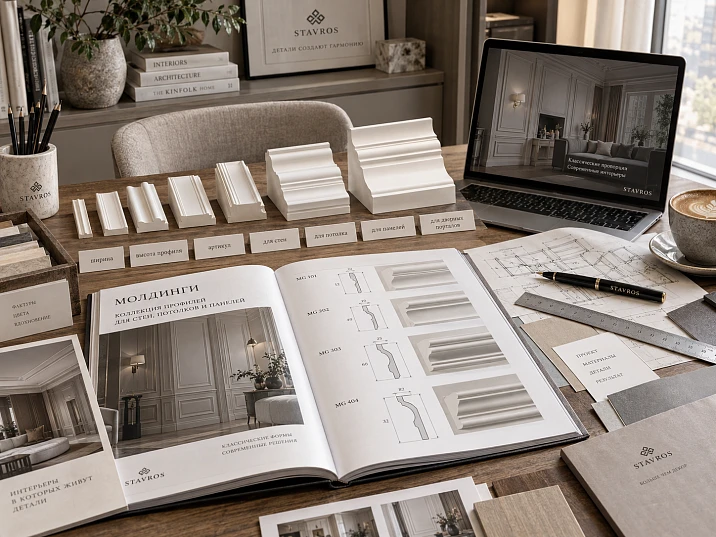
In the photo, two mouldings look almost identical. Both product cards list a width of 35 mm, but one projects 10 mm from the wall and the other 24 mm. For a narrow wall section next to the architrave, the difference is significant: the line on the elevation stays in the same place, while the volume and the junction change. This is a hypothetical example of why a liked image does not yet complete the selection.
It is more convenient for designers to browse the moulding catalogue with a brief for a specific wall. Determine the profile's function, the permissible width, depth and the length of continuous sections. Then shortlist 3–5 suitable product codes, compare the cross-sections and check the final options in the project and on a sample. This order links the wall design to a product that can be ordered.
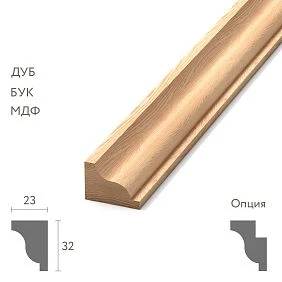
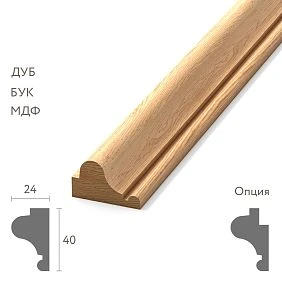
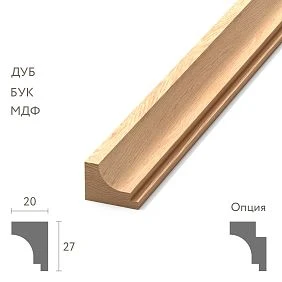
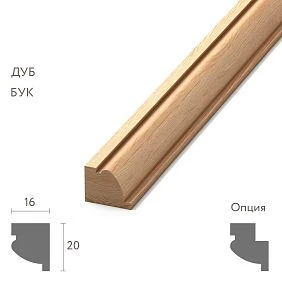
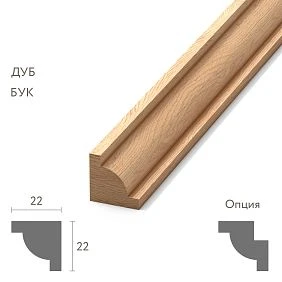
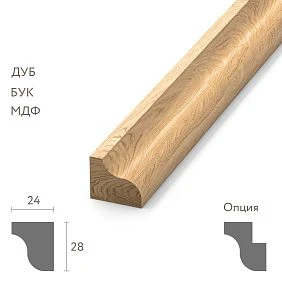
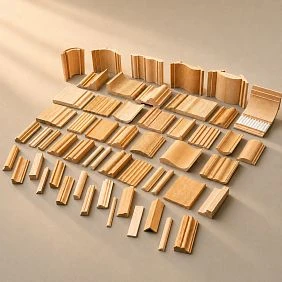
Start with the function and the boundaries of the section
For a wall frame, you need a profile that is installed on the wall plane and forms the chosen outline. For horizontal division, also assess the projection: a protruding band may end up next to the back of furniture or a walkway. In the ceiling area, check the junction construction; for an arch, the possibility of bending; for an ornamental band, the repeat of the pattern.
Before viewing products, mark the architraves, skirting, furniture, sockets, switches and finish boundaries on the elevation. Highlight the space that actually remains for the decor. Record where the moulding runs freely, where it ends and where it connects to another element.
The note “frame on a wall section, straight runs, calm relief, no decorative corners” is more useful for searching than “moulding in modern classic style”. Style refines the already permissible options. It does not increase the distance between the door and the built-in wardrobe.




Which filters are actually available in the catalogue
The STAVROS mouldings section offers filters by size A — width — and size C — thickness. You can select the product type and collection, and sort by size A. This lets you narrow down the geometry first, then browse matching items in sequence, from narrower to wider.
Before starting a new search, check the remaining settings: a narrow price range or a previously selected collection can hide suitable geometry. Change one condition at a time and note what changed in the selection. If you set all preferences at once, it is difficult to identify the cause when the result is empty.
Not all conditions required by the project are necessarily available as separate toggles. Product length, material, cross-section shape, finish and availability of technical files are checked on the product page. It is not worth looking for a missing filter instead of reading the specifications.
The section combines products made from different materials: alongside polyurethane, you will find MDF and polystyrene. Therefore, the page path and the general heading do not replace the "Material" field. If the project specifically requires polyurethane mouldings, unsuitable materials are excluded when selecting each item.
Our factory also produces:
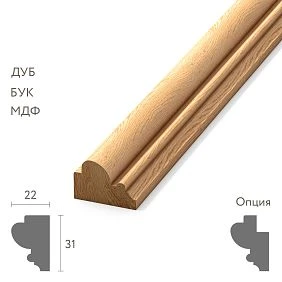
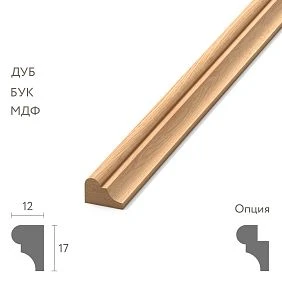
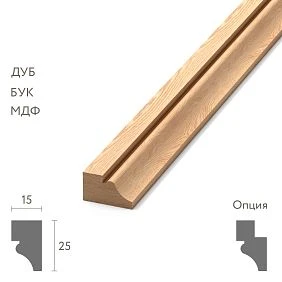
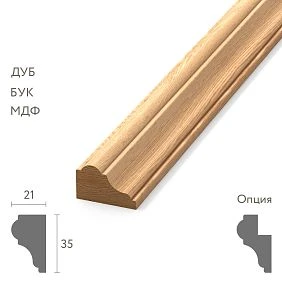
Width A defines the boundaries of the frame
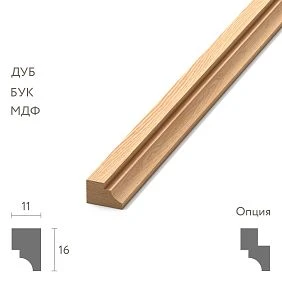
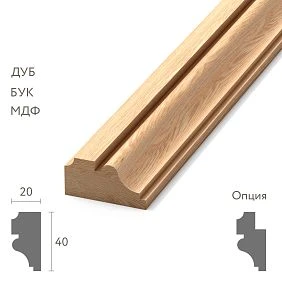
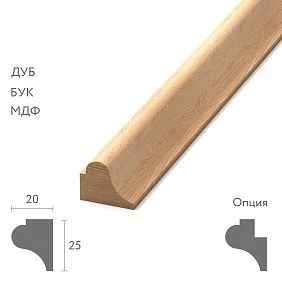
For wall moulding, the width determines the band that the profile occupies on the wall. It affects the inner field of the frame, the free intervals and the distances to neighbouring objects. Therefore, first decide which dimensions of the composition are fixed: outer, inner or centreline.
For example, the outer width of a rectangular frame is 900 mm. With a profile width of 20 mm, the inner field is:
900 − 2 × 20 = 860 mm.
If you use a 35 mm profile and keep the outer dimension, the field shrinks to 830 mm. To keep the previous 860 mm inside, the outer width would have to be increased to 930 mm. This is a geometric example for a standard frame without protruding overlays.
On a narrow wall section, the additional 30 mm may require changing the side margins. Therefore, a wide wall moulding is chosen together with the layout while its dimensions can still be agreed.
Get Consultation
Depth C determines the projection and adjacency
In the STAVROS moulding catalogue, dimension C is designated as thickness. For a profile installed with its back against the wall, this dimension characterises the depth of the product relative to the mounting plane. The actual position of the front face additionally depends on the substrate and the mounting layer.
Compare C with the architrave, panel, furniture front and other nearby elements. The mere fact that the depth of a neighbouring element is exceeded is not always an error: a step may be intended by the composition. A problem arises when the projection appears unexpectedly and the termination detail has not been resolved.
Depth also affects light and shadow, but does not describe them fully. Two profiles with identical overall dimensions may have different beads, grooves and steps. Under side lighting, the difference in sections is more noticeable than in small frontal photographs. For a final comparison, the shape of the entire profile is needed.
How to read the section and the mounting plane
Find the cross-section image. Determine which side of the product adjoins the substrate, where the most protruding point is located and how the edges are finished. Match these places with the future detail, especially if the moulding meets an architrave or frames a panel.
Check the orientation of the profile. With an asymmetrical section, rotating it changes the position of the wide bead and the thin edge relative to the inner field. On a layout this is easy to miss if the moulding is still shown as two parallel lines.
Dimension letters cannot be automatically carried over between all decor groups. A linear strip may have an A × C × L diagram in its product card, while an overlay has A × B × C. First read the designations for the specific product, then enter the numbers into the comparison table.
The product length L is checked before detailed calculation
The length of the strip immediately shows which sections can be completed without an intermediate joint. If, according to the project, the continuous side of the frame is longer than the selected product, the decision on joining must be made already when selecting the profile.
For example, for a conventional straight section of 2400 mm, a 2600 mm long strip leaves 200 mm in total for trimming and necessary process waste. The feasibility of such cutting is checked against the actual shape of the ends. For a 2700 mm section, one such strip is no longer sufficient.
Save L next to the width and depth. Profiles with a similar cross-section but different commercial lengths may require a different number of strips and joints. It makes sense to build a detailed cutting map after the product is approved; the feasibility of the principal sections is checked earlier.
How to narrow the choice down to a few SKUs
Divide the conditions into mandatory and desirable. Material, permissible overhang, mounting plane, and the need for a flexible version may be hard constraints. The character of the relief or closeness to the original image often allows discussion.
Then do a quick pass through the catalog:
- Select the required product group and set the width range.
- Limit the depth if it is critical for adjacent elements.
- Open the cards of the remaining models, check the material and length.
- Save several options with different cross-sections that meet the mandatory conditions.
- Record the reason for including each one: a calmer line, suitable depth, an expressive edge, or compatible decor.
Three nearly identical photos without dimensions do little to help comparison. A useful selection shows several acceptable solutions to a single task and, next to each item code, explains exactly what is to be evaluated.
Comparison of real profiles on a sample task
Let's imagine a straight wall frame for which, at the preliminary stage, a width range of 14–22 mm and a product depth of up to 12 mm have been agreed. Polyurethane is required; the longest continuous piece is 2100 mm. These values apply only to the example and are not a recommendation for any wall.
The table uses dimensions from the STAVROS product cards. The applicability assessment was made for the described task.
| Item code and version | A × C × L, mm | What to compare | Result of the initial selection |
|---|---|---|---|
| MLDPU-004 | 15 × 8 × 2600 | Narrow profile with a rounded section and steps | Leave |
| MLDPU-027, smaller size | 14 × 9 × 2600 | A calm convex line | Leave |
| MLDPU-027, larger size | 20 × 12 × 2600 | A more noticeable scale of the same profile type | Leave |
| MLDPU-002 | 22 × 11 × 2600 | Bead and stepped transitions | Leave |
| MLDPU-003 | 35 × 12 × 2600 | Wider multi-level contour | Exclude by width |
After the initial selection, three SKUs remain in four size variants. MLDPU-003 does not become suitable because of a fortunate photograph: including it will require revisiting the original width constraint and agreeing on a new layout.
Passing the table only means being admitted to further comparison. Mounting assemblies, finish and appearance on the wall still require verification.
The depth constraint in this example refers to the product itself. If 12 mm is the actual free clearance in front of a moving part, a profile exactly 12 mm thick cannot automatically be considered suitable: the mounting layer, the position of the base and the required clearance in the assembly must be taken into account. The catalogue dimension and the available space are compared in the same frame of reference.
One SKU may include several sizes
The MLDPU-027 card shows why a single link is not enough. The product has variants 14 × 9 × 2600 and 20 × 12 × 2600 mm. The entry “MLDPU-027, as in the selection” leaves the variant undetermined.
Keep the full bundle: manufacturer, SKU, size, material, link. Next to it, specify the room and purpose: for example, an inner frame on the living room wall. Then two applications of the same profile will not get mixed up during discussion.
If the table does not yet contain a size or confirmation of the required variant, mark the field “to be confirmed”. An empty cell is easily perceived as insignificant. An explicit mark shows the order assembler that the item is not yet ready for ordering.
Smooth and ornamental profiles are compared differently
With a smooth molding, the main attention goes to the cross-section contour, the width of the edges, and the depth of the transitions. The word "smooth" means the absence of ornament, but not necessarily a flat front surface: the relief may consist of several levels.
An ornamental product has additional geometry — a pattern along the strip. For such a search, open Polyurethane trim. You need to see the motif as a whole and understand how it repeats, where the axis runs, and what will end up at the ends of the section.
A photograph of a beautiful fragment does not show how the band will end near the door. Only part of a large motif may fit on a short wall section. If the composition requires a complete pattern, this is checked before approving the article number.
A separate pass through the catalog of ornamental trim
In the section ornamental trim you can refine your selection by collections and types of ornament. But the name of a motif does not yet describe its scale and repeat.
Request the repeat size if it is not specified, and lay out the pattern over the actual length of the wall. Check the centering relative to the door, the direction of the elements, and possible cut points. For a symmetrical section, start from the central axis: equal-length remainders at the edges do not guarantee the same appearance of the pattern.
The collection helps you find artistically similar products. Compatibility of dimensions and joints is still checked separately. You should not buy larger trim simply because it belongs to the right collection: first it must pass the geometric constraints of the project.
Ceiling molding is selected by the junction detail
For a line in the upper part of the wall, find out exactly where the product is installed: on the wall below the ceiling or in the transition between two planes. In the second case, a cornice with a different installation geometry may be required.
Check the ceiling zone section together with the curtain niche, ceiling, lighting and the upper boundaries of the furniture. The dimension that indicates width in the wall profile product card cannot be assumed without verification to be the vertical height of the installed cornice.
If a profile for lighting is required, confirm the corresponding purpose of the specific model and the mounting design for the lighting equipment. A single photo of a similar ceiling line does not confirm that the selected product is suitable for such an assembly.
For the radius, first confirm the flexible version
An arch in the wall plane and a moulding wrapping around a convex wall require bending in different directions. Therefore, the selection request should include the shape of the section, the radius and the orientation of the profile.
Flexible polyurethane moulding is selected based on information about the specific version: availability, permissible bending direction, radius and installation conditions. These parameters cannot be carried over from a neighbouring model or another manufacturer. The straight and flexible versions must also be checked at the transition point between them.
If no suitable version is available, consider a different profile geometry or change the contour of the composition. A curved model on screen does not confirm that a standard straight strip can be installed in the same way.
Decorative corners are checked together with the moulding
The query "polyurethane corner mouldings" may refer to different elements: a linear profile for a specific junction, a decorative corner of a frame, or parts for joining straight sections. A simple joint of two strips and a separate shaped overlay require different layouts.
In the section decoration for moldings look for products for the selected profile. Then check the overall dimensions of the assembly, the junction points and the orientation of the parts. When using paired overlays, the left and right positions are specified separately.
Example of a confirmed link: in the description of the central overlay MLDPU-4-2.1 measuring 198 × 208 × 18 mm, compatibility with MLDPU-004 is stated. However, its own overall dimensions must be placed on the wall separately: the 15 mm width of the linear profile does not describe the space occupied by the central decor.
What to keep from the product page
For each remaining size variant, create one comparison row. It should include the full name, SKU, selected dimensions, material, cross-section image, information about straight or flexible execution, technical files, and compatible elements if needed.
Separately record any unresolved question. For example: “check the termination near the architrave” or “confirm the bending radius.” Such a comment is more useful than a general “like it” rating: it shows which check separates the candidate from approval.
If a dimension is missing from the specifications, do not determine it from a photo without a scale. Request a drawing or clarification of the selected variant. The shortlist may include such an item with a note about missing data, but there is no basis yet to consider it as having passed the check.
Save the check date and a link to the product page. Keep the internal project designation, such as M-01, in a separate field. It links the product to the drawing but does not replace the factory SKU and size variant.
Comparison in the 3D model and DWG check
Place the candidates on one wall at real scale. Keep the camera, lighting, and finish identical. First assess the overall composition, then show a close-up fragment with the door or another adjacent element.
The width and depth of the selected product are not changed for a better-looking image. If the profile seems too narrow, go back to the catalog: after arbitrarily enlarging the cross-section, the model no longer matches the saved SKU.
For the two final options, check the DWG drawing or another provided dimensional drawing: the mounting plane, edge positions, dimensions, and junctions. In the section drawings and 3D models of STAVROS separate materials are provided for polyurethane decor. The required file is matched to a specific article number and size; the existence of a shared archive does not by itself confirm the composition of each model.
If there is a size conflict between the product card and the file, pause approval of that item and clarify the data. You must not choose the value that is convenient for the image.
The absence of a ready-made 3D model does not by itself make the profile unsuitable. If the cross-section is confirmed, a model can be built from it for comparison. But unconfirmed geometry must not be replaced with an arbitrary similar contour. In the table, the presence of a file and completion of the check are noted separately: a downloaded drawing does not yet mean a verified assembly.
The sample completes the comparison of catalog options
For one or two final profiles, check the actual relief, edges, and perception next to the wall finish. In the section samples and catalogs you can start searching for a suitable demonstration material; the composition of a specific set and the availability of the required profile are clarified separately.
Attach the sample in its intended orientation and under typical lighting. If a painted decor is being selected, carry out a trial finish with compatible materials. Color and gloss level can change the perception of fine relief transitions.
A short sample allows you to compare the cross-section and coating. To evaluate a corner joint, the corresponding fragments will be needed, and for the repeat, a sufficiently long section of the pattern. The form of the check is chosen based on the unresolved project question.
How to lock in the approved option
The favorites list is convenient during search. A record of the verification result is needed for handover to the project. Statuses can be tracked in the same table, without a separate complex system.
| Item status | What has already been installed | What else is required |
|---|---|---|
| Candidate | The item code and finish pass initial constraints | Comparison on the wall and checking of junctions |
| Verified in the project | Scale, orientation and abutments have been agreed | Sample check, if provided for |
| Sample approved | Specific shape and finish have been approved | Record the scope of application |
| Approved for the project | Product, finish, and installation locations have been determined | Calculate the purchase quantity |
Approving a sample does not mean the entire batch, quantity, or delivery date is approved. In the record, state exactly what was accepted and for which rooms. If the size or finish changes, re-check the affected terms.
After selection, calculate the whole planks
Compile a list of cut pieces according to the approved layout. Record which boundary was used to measure parts with angled cuts, then distribute them across commercial planks taking into account the cut, end trimming, and pattern.
Illustrative example: eight whole pieces of 1400 mm are needed. Their total length is 11.2 m. Dividing by 2.6 m gives five planks after rounding, but two 1400 mm parts do not fit into one plank even without accounting for the cut. Eight planks will be required if each piece must be whole.
The reserve is determined after checking the cutting plan and working conditions. A universal allowance added to linear meters does not fix poor distribution of parts. Trims and corners are counted as separate piece items.
When to return to the search and when to abandon the decor
If the filters have left no suitable products, check the original brief step by step. First, you can broaden the stylistic preferences or drop a specific collection. Changing the mandatory material, installation geometry, or available space without revising the design is not allowed.
For a narrow wall section, a narrower profile is sometimes suitable; in another situation, it is more reasonable to change the number of frames or leave the area without molding. Additional decor is not needed if it does not serve a compositional purpose and creates a random short offcut near the furniture.
Return to the catalog if the flexible version is unconfirmed, the junction is unresolved, or the approved item is unavailable. A visually similar product is treated as a new candidate with its own dimensions.
12 mistakes when working with the molding catalog
Before approving the selection, check whether one of these situations has occurred:
- Only the photo was saved. Add the link, product code, and selected finish while the image source is still known.
- Started with style. Check whether the collection has excluded options that are suitable in terms of construction.
- Compared only the width. Return to the depth and the full section contour.
- Equated thickness with free clearance. Check the installed product in the assembly section.
- Missed the product length. Find the areas where additional joints will occur.
- Recorded the product code without the size. Split the finishes into separate selection lines.
- Mistook a straight strip for a flexible one. Confirm the required bend for the specific product.
- You selected a pattern based on a fragment. Review the full repeat and the upcoming cut points.
- You selected a corner separately from the profile. Compare the junction and the overall dimensions of the composition.
- The cross-section was changed in the model. Restore the actual dimensions or find another item code.
- A mark was placed after downloading the DWG. Open the file and check the required junction.
- A similar replacement was ordered after approval. Run it through the affected checks and update the schedule.
This view is especially useful when handing the project over to another specialist: missing information becomes visible before the order is placed.
How to move from the catalog to purchase
Once an item code is selected and its finish and quantity are defined, you can buy polyurethane moldings for a specific layout. Before placing the order, compare it with the approved table: material, dimensions, product length and number of planks.
Check the current price and unit of sale. The price per plank and the price per linear meter cannot be compared directly. For the project budget, account for the entire approved composition, the required packaging, delivery and installation materials for the chosen technology. Availability and lead time are checked for the required finish and quantity.
Related elements are easy to find in the general section moldings from polyurethane, and the procedure for professional interaction is on the page for designers and architects.
Pass the approved product line, layout, and quantity calculation to the order assembler. Then the purchase will continue the approved design decision: the order will include the profile that passed comparison by geometry, joints, and sample.