










































Article Contents:
- Why a design studio needs a unified standard for working with decor
- What the standard provides
- Master library
- Project shortlist
- Final specification
- Why levels must not be mixed
- Moldings
- Moldings and Cornices
- Wall and slat panels
- Wooden decor
- Carved decoration
- Ceiling decoration
- Why SKU matters more than the name
- Why a URL is needed
- Why dimensions must be stored
- Why statuses matter more than folders
- Who has the right to change the status
- Designer
- Visualizer
- Architect
- Specifier
- Project manager
- The main rule
- Additional tags
- Why function matters more than “beautiful / not beautiful”
- Narrow
- Medium
- Wide
- Ornamental
- What must be stored for a molding
- Why direction matters
- Why a module is needed
- Why a layout is needed
- What to record from the sample
- When a sample is required
- When a sample can be skipped
- Why a board cannot be stored only as a beautiful photograph
- If there is no exact model
- What to check after import
- What is prohibited to do without fixation
- Why this is important
- For moldings
- For cornices
- For Panels
- For piece decor
- Why you can't use a different DWG
- What should be in the name
- What NOT to use
- Versions
- What the specifier should see
- What should not be there
- Handoff
- Add URL
- Add unit of measurement
- Add revision
- Do not delete the old revision
- Reasons for replacement
- What to update after replacement
- How to store the price
- What else to record
- Moldings and Cornices
- Wall Panels
- Rosettes and inlays
- Wooden elements
- Why you should not combine everything under the single line "decor"
- What reuse gives you
- Reusable
- Project items
- Why MASTER should be restricted
- Why a supplier is linked to an SKU
- Repeat order
- Internal collection tag
- Do not replace an SKU with a collection name
- What should not be transferred to MASTER
- What must be preserved
- Basic product categories
- Studio scenarios
- Why this is useful
- Implementation photo
- APPROVED
- SPECIFIED
- QUANTITY CHECK
- COMMERCIAL CHECK
- ORDERED
- Why you shouldn't skip stages
- A single source of truth
- What to do when replacing
- Mistake 1. Creating a giant database all at once
- Mistake 2. Not separating MASTER and SHORTLIST
- Mistake 3. Not using statuses
- Mistake 4. Storing samples without labeling
- Error 5. Allowing the visualizer to use random analogues
- Error 6. Deleting the old SKU when replacing
- Error 7. Not storing the price date
- Error 8. Counting quantity based on visualization only
- Error 9. Not archiving installation experience
- Unique decor for a single project
- Product without a stable SKU
- Rare experimental material
- Position with problematic installation
- Why does a design studio need a separate decor library?
- How is MASTER different from shortlist?
- Who should set the APPROVED status?
- Can a similar 3D model be used?
- How to store physical samples?
- How to store STAVROS project files?
- Where to find catalogs and files?
- How to know that a material is ready for purchase?
- Where to view wall polyurethane decor?
- Where to find wooden decorative items?
- How to start working with a brand?

When several specialists work on one project in a design studio, an error rarely occurs at the stage of choosing a beautiful element. Much more often it appears between stages: the designer chose one profile, the visualizer placed a similar model, the architect drew a different size, the procurement specialist found a third item, and the client approved a fourth. The more projects and participants there are, the higher the cost of such desynchronization.
Therefore decor for design studios should be viewed not as a set of liked products, but as a managed data system. Each material must have one stable identifier, one card, one approved status, and a clear path from concept to purchase.
The workflow can be reduced to a chain:
master library → project shortlist → sample → 3D/DWG → APPROVED SKU → specification → calculation → procurement → project archive.
The purpose of such a standard is simple: the same real SKU goes through concept, visualization, working drawings, specification, and order without being substituted with a "similar" product.







Why a design studio needs a unified standard for working with decor
In a small studio, many decisions can be kept in the memory of one lead designer. In a team of several people, this approach quickly stops working.
A typical failure looks like this:
- the designer selects a molding;
- the visualizer cannot find the 3D and places a similar one;
- the architect builds the frame according to the model's size;
- the specifier opens the catalog and finds a different profile;
- after the replacement, the internal dimensions of the frame change;
- the client has already approved the previous composition.
The problem is not a specific employee. The problem is the absence of a single object around which all stages are synchronized.
That object is the SKU.
Rule for the studio:
one SKU → one card → one set of files → one specification line → one order.



What the standard provides
A unified system allows you to:
- quickly hand over a project between employees;
- see the material status;
- avoid confusing a temporary and an approved version;
- keep product codes after visualization;
- avoid rebuilding the library from scratch for each project;
- speed up repeat purchases;
- record product substitutions;
- retain experience from completed projects.
For this materials for design studios should exist not only as a folder of images, but also as a structured database.
Our factory also produces:





What levels should a design studio's decor system consist of?
A single shared table for all cases quickly becomes inconvenient. It is better to split the data into three levels.
Get Consultation
Master library
This is the central database of verified materials for the studio.
It includes items that have passed at least a basic check:
- manufacturer is known;
- SKU is available;
- size is known;
- material is clear;
- URL is saved;
- 3D/DWG files are available, if needed;
- sample is labeled;
- it is known which project the item was used in.
The master library should not be a dumping ground for every product ever found.
Project shortlist
This is a working selection for a specific interior.
For example, for one living room you can select:
- three moldings;
- two panels;
- two rosette options;
- one wooden overlay.
They are all not yet approved.
This is exactly where it is convenient to compare scale, material, price, and combinations.
Final specification
Only approved items are included in the specification.
If an item is still under discussion, it should not appear as ready for purchase.
The status must be obvious.
Why levels should not be mixed
If MASTER, SHORTLIST, and APPROVED are in the same table without filters and statuses, the procurement specialist can easily perceive a candidate as an approved item.
Separating levels makes the handoff between designer and procurement safer.
Which decor categories make sense to standardize first
It is not necessary to describe the studio's entire assortment right away. It is better to start with the categories that recur most often and have the greatest impact on working documentation.
Moulding
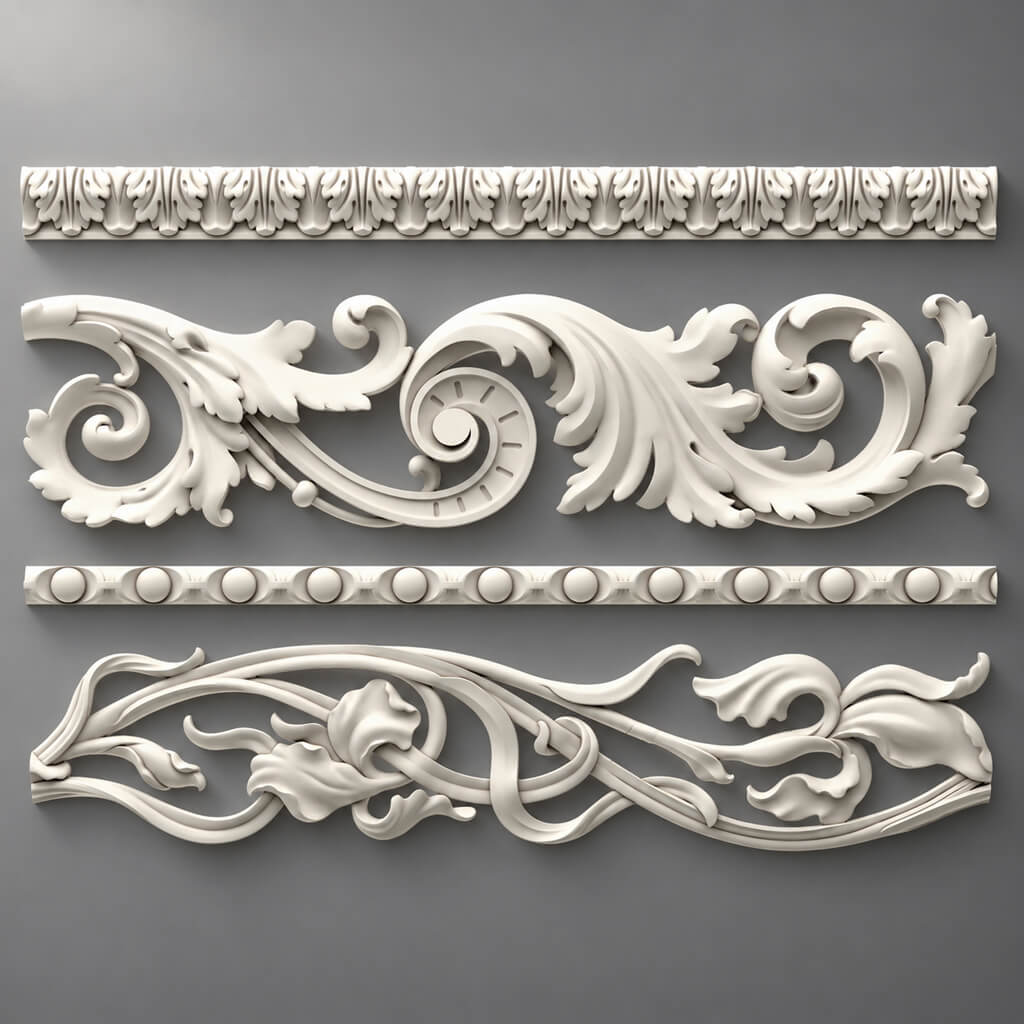
Polyurethane moldings includes several types of products, so within the studio it is useful to break it down by function:
- Moldings;
- cornices;
- Outlets;
- Plates;
- wall decor;
- ceiling decor.
Moldings and Cornices
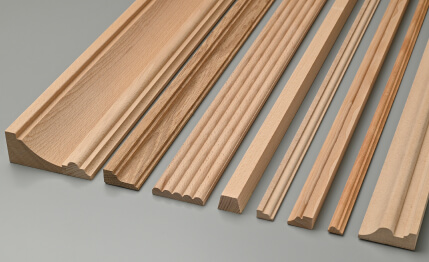
Moldings made of polyurethane should be standardized among the first.
They are often repeated in projects and affect the geometry of frames, portals, and ceilings.
Wall and slat panels
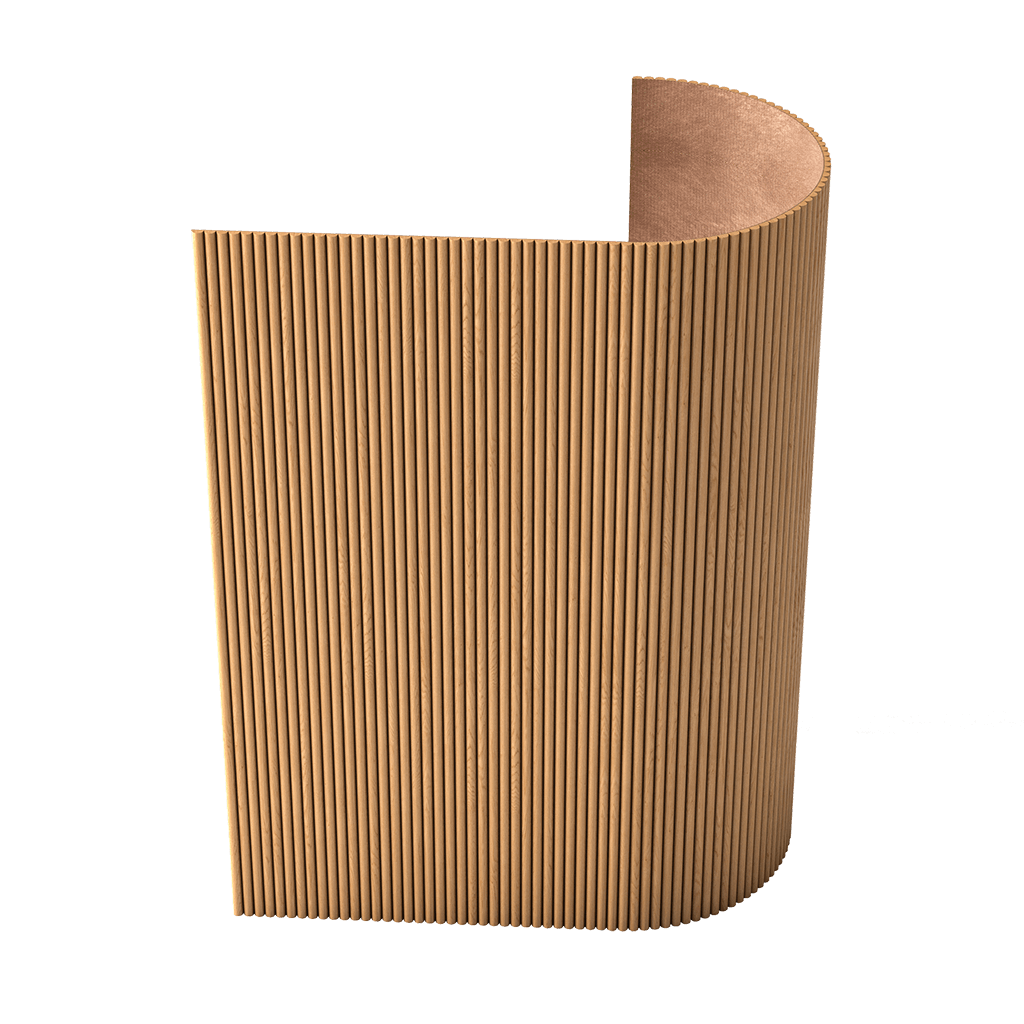
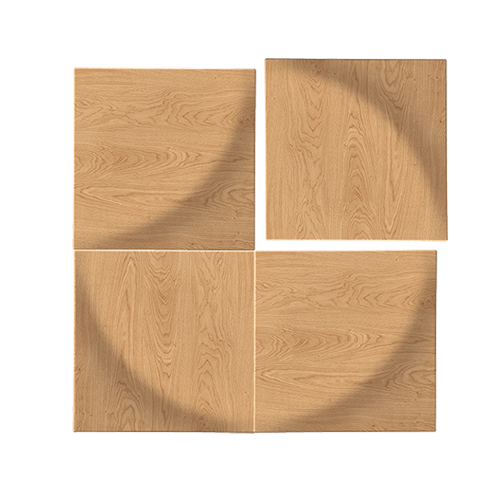
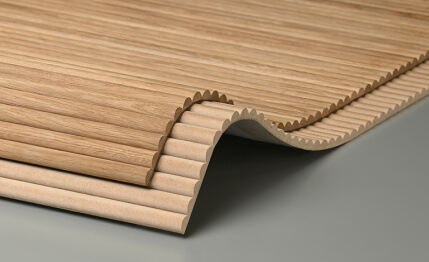
MDF wall panels require a separate structure.
They cannot be stored simply as "panels".
It is necessary to record:
- module;
- the depth;
- direction;
- layout;
- surface type;
- color;
- method of application.
Wooden decor
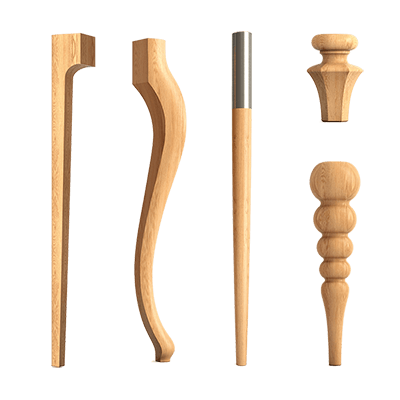
wooden decorative elements it is more convenient to group by application:
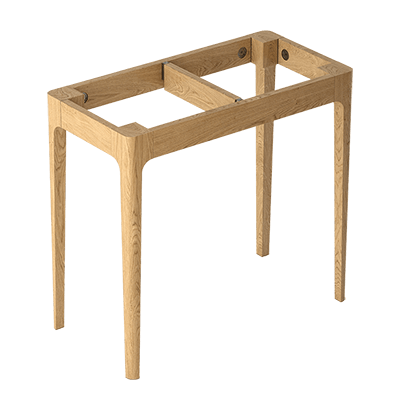
- Furniture;
- portal;
- wall composition;
- carved accent;
- molding.
Carved decor
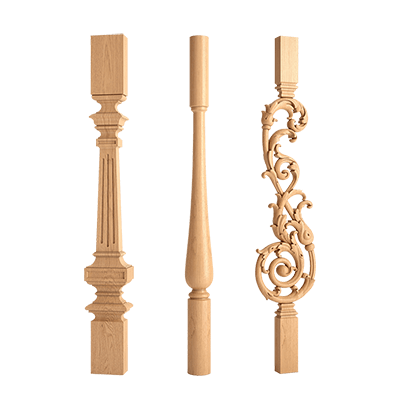
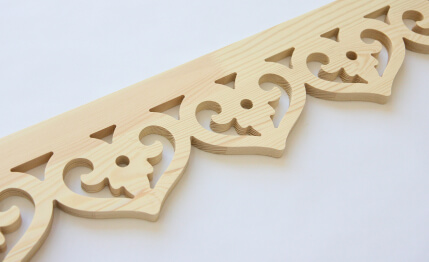
Carved wooden decoration should be stored separately, because it requires more careful work with scale, texture, and orientation.
Ceiling Decoration
It is useful to keep in a separate group:
- cornices;
- Moldings;
- Outlets;
- Ceiling compositions.
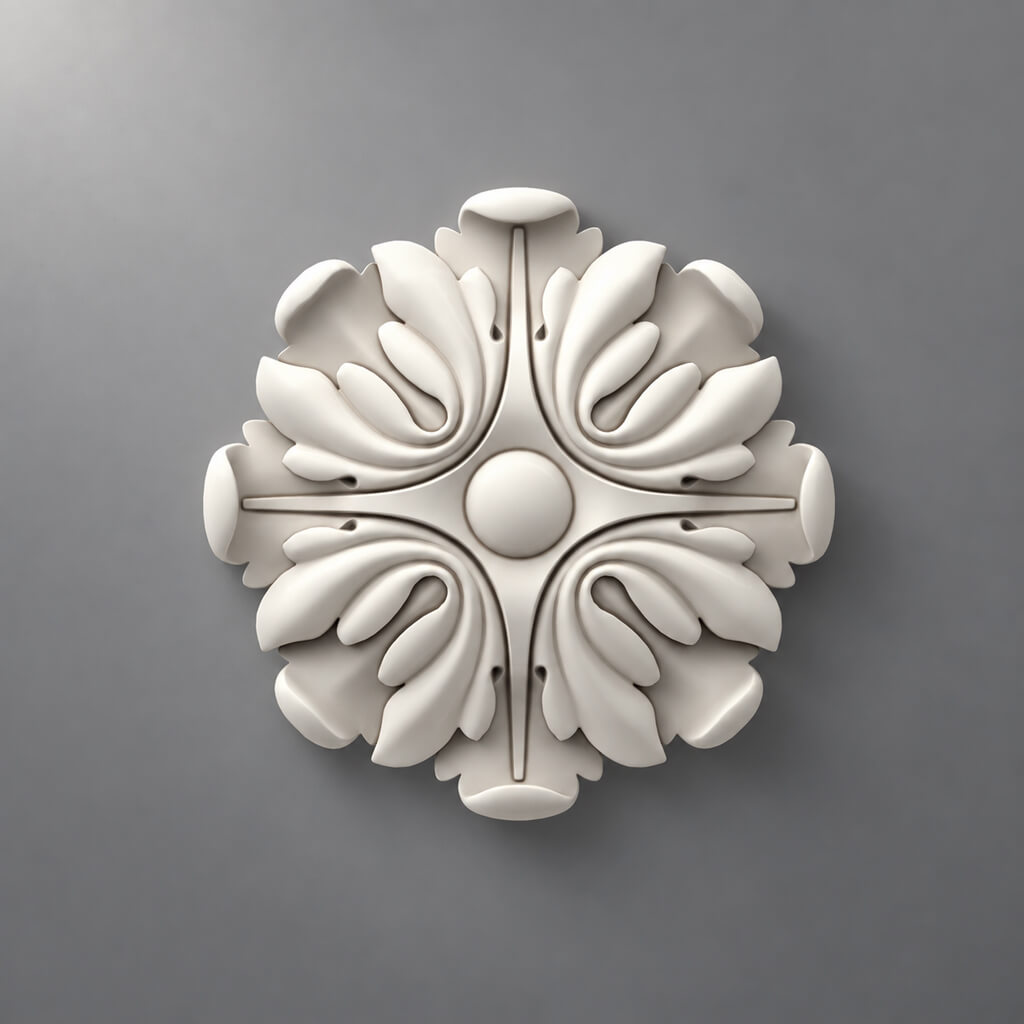
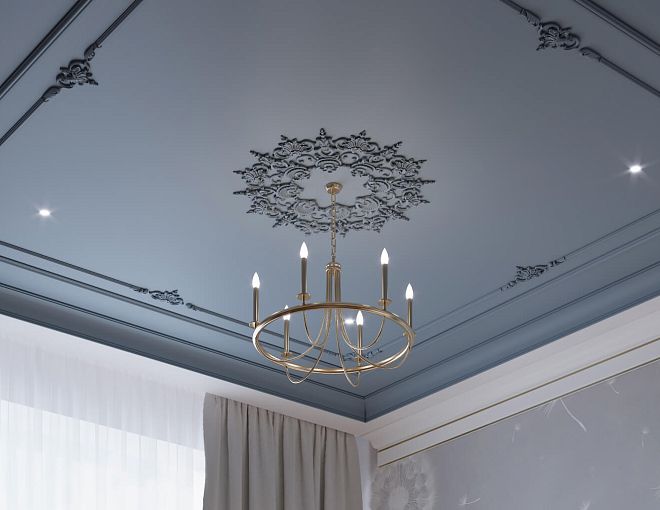
Polyurethane ceiling rosettes it is especially convenient to link with specific light fixtures and rooms.
What a material card should look like in a design studio database
The card should be short but sufficient to hand the material over to another employee.
| Field | What to store |
|---|---|
| Manufacturer | STAVROS |
| SKU | Exact SKU |
| Category | molding / panel / decor |
| Size | actual |
| Material | PU / MDF / solid wood |
| URL | Product or category |
| 3D | file / link |
| DWG | file / link |
| Sample | Yes / no |
| Status | MASTER / SHORTLIST / APPROVED |
| Project | where used |
| Note | features |
Why SKU matters more than the name
"Classic wide molding" is a description, not an identifier.
A month later, the catalog may contain ten similar profiles.
SKU allows you to:
- find the same product;
- check the price;
- reorder;
- link 3D;
- link DWG;
- use in the specification.
Why a URL is needed
The specifier should not have to search for the product again.
The link from the card should lead to the actual manufacturer or category page.
Why dimensions need to be stored
The visualizer and the architect should work with the same geometry.
If the dimension is known only “approximately,” the library is not a design library.
Status system: how not to lose a decision between stages
A simple set of statuses is useful for the studio.
DISCOVERED — found.
SHORTLIST — under consideration.
SAMPLE REQUESTED — sample ordered.
APPROVED — approved.
SPECIFIED — added to specification.
ORDERED — ordered.
INSTALLED — installed.
ARCHIVED — saved to master library.
Why statuses matter more than folders
A file may sit in a project folder, but that says nothing about its state.
The status answers the question: can this item already be used further along in the process?
Who has the right to change the status
It is better to define the rule in advance.
For example:
- the designer moves DISCOVERED → SHORTLIST;
- the project manager confirms APPROVED;
- the specifier moves SPECIFIED → ORDERED;
- after handover, the project becomes ARCHIVED.
This way, the decision does not change unnoticed.
Who is responsible for what within the design studio
Designer
Forms the concept, selects the shortlist, checks the composition and material.
Visualizer
Uses a specific 3D model of a real SKU or a temporary proxy with mandatory labeling.
Architect
Checks dimensions, DWG, nodes, profiles, and references.
Kit assembler
Checks the commercial part:
- availability;
- price;
- quantity;
- lead times;
- order.
Project manager
Records the approved decision and is responsible for changing the status to APPROVED.
Main rule
An employee must not arbitrarily change an approved SKU if the change is not reflected in the system.
This is especially critical when replacing a product with a "similar" one.
How to maintain a stucco catalog within the studio
Internal catalog of interior decor must not copy the manufacturer's website.
The studio's task is to create its own working classification.
For stucco, it is convenient to divide into:
- Moldings;
- cornices;
- Outlets;
- Plates;
- pilasters;
- wall decor.
Additional tags
You can use:
- modern;
- classic;
- neutral;
- ornamental;
- narrow;
- medium;
- wide.
But a tag does not replace an SKU.
Why function matters more than “beautiful / not beautiful”
A designer needs to answer quickly:
which profile is suitable for a 1200 mm wide frame?
And not:
which moldings did I like last spring?
It is function that makes a catalog workable.
How to standardize moldings
It is useful to divide moldings by scale.
Narrow
Thin profiles for small frames and light compositions.
Medium
Main universal profiles.
Wide
Architectural accents.
Ornamental
Profiles with pronounced ornamentation.
This filter speeds up the shortlist.
At the same time, each item stores a real SKU.
What must be stored for molding
- width;
- the depth;
- length;
- profile;
- the material;
- 3D;
- DWG;
- URL.
After approval, you can buy polyurethane moldings specifically by the selected SKU, not by visual similarity.
How to organize wall panels
Panels cannot be stored as a single "wall panels" group.
It is better to separate:
- MDF for painting;
- slatted;
- solid wood;
- wood-look;
- large-format;
- accent.
The product card needs:
- width;
- height;
- thickness;
- module;
- direction;
- surface type;
- 3D;
- layout plan;
- URL.
Why direction matters
The same material is perceived differently in vertical and horizontal layouts.
Why a module is needed
Without a real module, the visualizer may produce a beautiful rhythm that cannot be replicated on site.
Why a layout is needed
Edge elements, doors, and sockets require real geometry.
After the project is approved, you can buy MDF wall panels already according to the specific system and the calculated quantity.
How to work with samples
A physical sample must be linked to a digital card.
On the back side, it is useful to write:
STAVROS / SKU / MATERIAL / STATUS
For example:
STAVROS / MLD-XXX / PU / MASTER
If a sample sits without labeling, in a year the studio gets a box of beautiful but unidentifiable fragments.
For this task, it is convenient to use Product samples and immediately include them in the accounting system.
What to record for each sample
- SKU;
- project;
- receipt date;
- the material;
- color;
- status;
- photo;
- comment.
When a sample is a must
A sample is especially important for:
- wood;
- large panels;
- pronounced texture;
- complex finishes;
- materials that cover a large area;
- a project with a very sensitive color palette.
When a sample can be skipped
If the studio has already used the same SKU, the physical sample is preserved, and the item's specifications have not changed.
How to create a material board for a specific project
A material board should be formed from the master library, not create a parallel independent database.
A single board can include:
- molding;
- panel;
- wood;
- paint;
- metal;
- textiles;
- flooring material.
Each physical element must have an SKU or project code.
Why a board cannot be stored as just a beautiful photograph
A photograph shows the combination, but does not provide the ability to order the material.
After shooting, you need to save a table:
| Code | SKU | Material | Status |
|---|---|---|---|
| ML-01 | ... | PU | APPROVED |
| PN-01 | ... | MDF | APPROVED |
| WD-01 | ... | Wood | APPROVED |
This is how a material board is linked to the specification.
3D models: a unified standard for visualizers
A visualizer should not use a random similar molding just because it is faster to download.
The correct workflow:
SKU → manufacturer's model → visualization.
3D models of interior decor are useful because they allow a digital object to be linked to real products.
If there is no exact model
A temporary object can be used as a proxy.
But it must be explicitly marked:
PROXY_NOT_APPROVED
Before final approval, the proxy must be replaced.
What to check after import
- units of measurement;
- size;
- orientation;
- object name;
- link to SKU.
What is prohibited without approval
- change the profile width;
- change the depth;
- stretch the ornament;
- substitute the material;
- replace SKU with a "similar" one.
Why this is important
Visualization often becomes a visual agreement with the client.
If the client sees one profile, but a different one appears on site, the problem is no longer technical — it is a discrepancy between the agreed-upon image and the implementation.
DWG: a unified standard for working documentation
The architect must use the same position as the designer and visualizer.
Combination:
SKU → 3D → DWG → specification.
DWG decor drawings help transfer real profiles and dimensions into working drawings.
For moldings
Required:
- profile;
- width;
- depth;
- snapping;
- Installation height.
For cornices
- height along the wall;
- overhang;
- profile;
- connection to the ceiling.
For panels
- module;
- field boundaries;
- thickness;
- Doors;
- Outlets;
- baseboard.
For piece decor
- dimensions;
- axis;
- installation location.
Why you shouldn't use a different DWG
If the 3D and DWG belong to different products, the mismatch will only be discovered during installation.
Therefore, the file name must contain the SKU.
How to name files within the studio
A good naming system reduces the likelihood of errors.
Examples:
STAVROS_MLD-XXX_3D
STAVROS_MLD-XXX_DWG
STAVROS_MLD-XXX_SAMPLE
STAVROS_MLD-XXX_SPEC
What should be in the name
Minimum:
- manufacturer;
- SKU;
- file type.
What not to use
Bad:
final
final_new
final2
molding_this_exact_one
Such names explain nothing to another employee.
Versions
If the file has been changed:
v01
v02
APPROVED
But the SKU must remain in the name.
How to hand off a project from the designer to the specifier
The specifier should receive not a PDF with images, but a structured set.
Minimum:
- SKU;
- name;
- size;
- the material;
- quantity;
- room;
- URL;
- status;
- note.
What the specifier should see
For example:
| Code | SKU | Item Name | Quantity | Status |
|---|---|---|---|---|
| ML-01 | ... | Molding | 42 linear m | APPROVED |
| PN-01 | ... | Panel | 18 pcs. | APPROVED |
| ROS-01 | ... | Rosette | 1 pc. | APPROVED |
What should not be there
- "molding roughly like this";
- “panel as in the render”;
- "socket from the chat";
- screenshots instead of SKUs.
Handoff
Before handover, it is useful to perform a check:
3D = DWG = specification = SKU.
If all four levels match, the kit assembler gets a working system.
How to create a decor specification
The specification must be suitable for both design and purchasing.
| Code | SKU | Category | Room | Quantity | Status |
|---|---|---|---|---|---|
| DEC-01 | ... | Molding | Living room | ... m | APPROVED |
| DEC-02 | ... | Panel | Office | ... pcs. | APPROVED |
| DEC-03 | ... | Rosette | Living room | 1 pc. | APPROVED |
Add URL
The kit assembler should go straight to the actual product.
Add unit of measurement
You cannot leave just "18".
You need to:
- 18 pcs.;
- 32 lin. m;
- 14 panels.
Add revision
The specification must have:
- date;
- version number;
- responsible person;
- the status.
Do not delete the old revision
If the project changes, the previous version is needed for the history of decisions.
How to work with replacements
Replacing an SKU is one of the most dangerous processes.
You cannot simply delete the old line and enter a new one.
It is necessary to record:
OLD SKU → NEW SKU → reason → date → who approved.
Reasons for replacement
- client changed their decision;
- item is unavailable;
- budget changed;
- a more suitable size was found;
- architectural composition was changed.
What to update after replacement
- project master card;
- 3D;
- DWG;
- the specification;
- material board;
- commercial calculation.
If only Excel is updated, the project still contains the old geometry.
How to control the commercial part
Every APPROVED SKU must have:
- quantity;
- unit of measurement;
- commercial URL;
- price at the time of calculation;
- verification date;
- availability comment.
Price is volatile.
SKU is a permanent identifier of a specific item.
How to store the price
It is better not to overwrite the old value without a date.
For example:
15.09.2026 — 1 450 ₽
24.09.2026 — 1 520 ₽
This way you can see why the project budget changed.
What else to record
- delivery;
- packaging;
- the deadline;
- possible additional order;
- finishing;
- sample.
How to count quantity by category
Moldings and Cornices
Counted in linear meters.
For example, one frame 1200 × 800 mm:
2 × (1.2 + 0.8) = 4 m.
Five frames:
5 × 4 = 20 m.
This is only the geometric length. Purchasing requires checking the length of the actual profile and the cutting plan.
Wall panels
Counted by module and layout.
If the zone is 3600 mm wide and the module is 300 mm:
3600 / 300 = 12.
If the zone is 3700 mm:
3700 / 300 = 12,33.
You cannot simply round. You need to decide on the edge modules.
Outlets and covers
are counted individually.
Wooden elements
Counted by piece or in linear meters — depending on the type.
Why you shouldn't group everything under the "decor" string
Because different categories have different calculation logic.
How to use one library across multiple projects
After a project is completed, approved items should not disappear along with the project folder.
They return to the master library.
Preserved:
- SKU;
- comment;
- supplier;
- sample;
- installation photo;
- installation notes;
- actual consumption;
- reorder history.
What reuse provides
The next project doesn't start from scratch.
The studio already knows:
- scale;
- quality;
- real texture;
- ease of installation;
- how the element looks on site.
This turns the library into an accumulated asset.
Which items are worth reusing and which are not
Reusable
Most often:
- basic moldings;
- cornices;
- skirting boards;
- standard panels;
- neutral sockets.
Project-based
More often:
- large decor;
- specific overlays;
- complex compositions;
- accent carved elements.
Why MASTER should be limited
If you keep every rare element, the library turns into a catalog of thousands of items.
MASTER should contain what the studio is actually ready to reuse.
How to work with suppliers within the studio standard
The supplier should also be part of the card.
Useful to store:
- company name;
- contact;
- URL;
- date of last check;
- order history;
- comments;
- the ability to reorder.
Why the supplier is linked to the SKU
The same material cannot be separated from its source.
If the purchase was made through a specific product system, this link must be preserved.
Repeat order
A good MASTER-SKU allows, after a few months, to:
- open the product card;
- check current availability;
- verify the price;
- order again.
Without this, every reorder turns into a new research project.
Decor collections as a way to speed up selection
Decor collections can be stored in the master library not as mandatory ready-made sets, but as pre-compatible groups.
A designer can take from a single collection:
- molding;
- cornice;
- overlay;
- a socket.
It is not necessary to use the entire set.
Internal collection tag
A field can be added to the product card:
Collection
This will speed up the search for compatible elements.
Do not replace the SKU with the collection name
A collection is an additional grouping.
The item code remains the primary identifier.
How to use catalogs and project files without duplication
The studio's internal library should not copy the manufacturer's entire website. Its purpose is to store only verified working items.
STAVROS catalogs better to use as a source for selection and updates.
Process:
manufacturer catalog → shortlist → MASTER only after verification.
What should not be transferred to MASTER
- random liked items;
- products without a clear SKU;
- outdated files;
- items without dimensions;
- duplicates of the same SKU.
What must be preserved
- SKU;
- link;
- verification date;
- size;
- the material;
- 3D/DWG;
- the status.
This keeps the library compact and manageable.
How to standardize molded decor
For stucco decor, it is useful to separate two levels.
Basic product categories
For example:
- Moldings;
- cornices;
- Outlets;
- Plates;
- Wall decor.
Studio scenarios
For example:
- frames;
- portal;
- ceiling;
- accent wall;
- Furniture.
molded decoration made of polyurethane convenient to store simultaneously by product group and project scenario.
Why this is useful
The same product type can be used in different ways.
Searching only by category does not answer the question:
which element has already worked well within a frame about 900 mm wide?
A studio tag solves this problem.
How to standardize wall decor
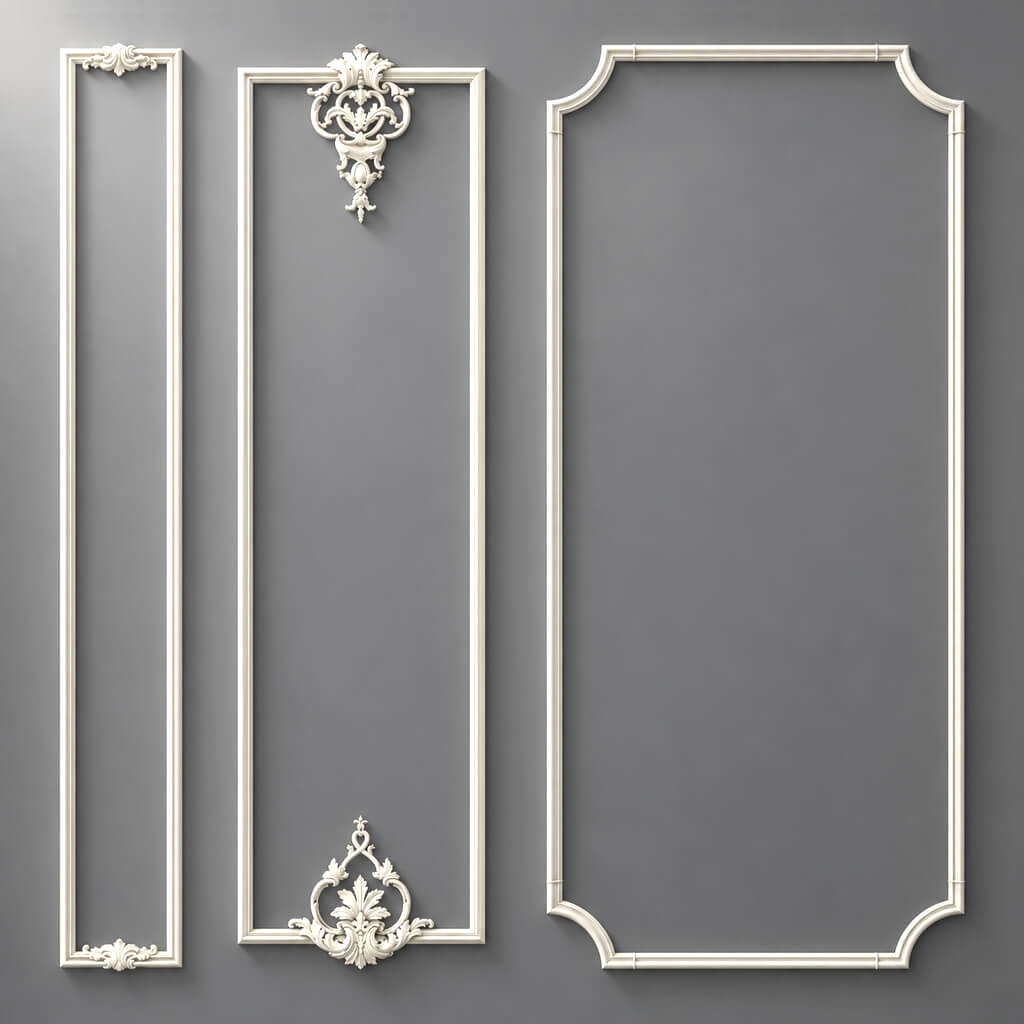
Polyurethane wall decor should be stored together with scale information.
Useful fields:
- wall width in the completed project;
- element size;
- viewing distance;
- adjacent molding;
- color;
- photo of the completed project.
This way, the next designer sees not only the product but also the context in which it has already been used.
How to store wood in the studio library
A single SKU card is not enough for wood.
You need to save:
- breed;
- finish;
- photo of the texture;
- sample;
- grain direction;
- color after finishing;
- a comment on the batch.
This is especially important if the same Carved wooden decoration is used in furniture or portals.
Photo of the completed project
After completing the project, it is useful to save:
- general view;
- close-up;
- natural light;
- artificial light.
Then the next project gains real experience, not just a catalog picture.
How to standardize a commercial order
A commercial order should be launched only after the SPECIFIED status.
Chain:
APPROVED → SPECIFIED → QUANTITY CHECK → COMMERCIAL CHECK → ORDERED.
APPROVED
The client and project team approved the material.
SPECIFIED
The SKU has been added to the final specification.
QUANTITY CHECK
The quantity has been verified against the working drawings.
COMMERCIAL CHECK
Price, availability, and delivery terms have been verified.
ORDERED
The order has been placed.
Why you can't skip stages
If the item is ordered before the final QUANTITY CHECK, the quantity may change after the last revision.
If the COMMERCIAL CHECK was performed on an old version, a replaced SKU may end up in the invoice.
How to move approved materials into procurement
Once the category and SKU are agreed upon, commercial references become part of the product card.
For example, if the studio plans You can buy ready-made stucco matching the Baroque style. Calculate the quantity: linear meters of cornices and moldings, number of rosettes, pilasters, consoles, corner elements. Add a ten to fifteen percent allowance for trimming., a specific item from the APPROVED specification must be included in the order.
The principle is the same for moldings: first the profile and calculation, then buy polyurethane moldings.
For panels, purchasing happens after the layout, not after choosing the image.
How to avoid losing data during handoff between departments
Studios often have separate workspaces:
- design;
- visualization;
- working documentation;
- packing;
- purchasing.
If each department keeps its own table, the data starts to diverge.
Single source of truth
It is better to have one master material card and several views.
For example:
- the designer sees a preview and material board;
- the visualizer — 3D;
- the architect — DWG;
- the specifier — SKU and quantity;
- procurement — price and status.
But everyone looks at the same item.
What to do when replacing
Do not create a new "almost identical" object under the old code.
New SKU = new item revision.
How to conduct a weekly project base audit
For active projects, a short regular audit is useful.
Check:
- Are there SHORTLIST items that should already be APPROVED?
- Are there APPROVED items without a specification?
- Are there SPECIFIED items without a quantity?
- Are there ORDERED items without confirmation?
- Are there proxy objects in the final 3D?
- Are there DWG files without SKU?
- Are there samples without labeling?
- Are there replacements not reflected in 3D.
- Are there old links.
- Are there items that are no longer used.
Such an audit takes less time than fixing an error after an order.
Mistakes when standardizing decor in a design studio
Mistake 1. Creating a giant database right away
Reason: you want to cover the entire assortment.
Consequence: employees stop using the library.
How to avoid: start with 50–100 actually repeatable SKUs.
Mistake 2. Not separating MASTER and SHORTLIST
Cause: everything is stored in a single table.
Consequence: a temporary option is perceived as approved.
How to avoid: separate levels or filters.
Mistake 3. Not using statuses
Cause: status seems like bureaucracy.
Consequence: it is impossible to tell whether the item can already be purchased.
How to avoid: a simple sequence DISCOVERED → APPROVED → ORDERED.
Mistake 4. Storing samples without labeling
Cause: the SKU is recorded only in correspondence.
Consequence: the physical sample loses its meaning.
How to avoid: code on the back side.
Mistake 5. Allowing the visualizer to use random analogues
Cause: deadline.
Consequence: the client approves a non-existent option.
How to avoid: proxy with a special status and mandatory replacement.
Mistake 6. Deleting the old SKU when replacing
Cause: the desire to "clean up" the table.
Consequence: the decision history is lost.
How to avoid: OLD → NEW with a reason.
Mistake 7. Not storing the price date
Cause: the price seems current.
Consequence: a month later, it is impossible to explain the budget change.
How to avoid: commercial review date.
Mistake 8. Counting quantities based only on the visualization
Cause: everything is already laid out in 3D.
Consequence: real lengths, cutting, and construction dimensions are not taken into account.
How to avoid: final calculation based on working documentation.
Mistake 9. Not archiving installation experience
Cause: the project is completed, and the team has switched to the next one.
Consequence: the next team repeats the same mistakes.
How to avoid: a short post-project review card.
When there is no need to standardize an item
Not every product should go into MASTER.
Unique decor for a single project
If an element was created for a specific interior and is unlikely to be repeated, the project archive is sufficient.
Product without a stable SKU
It is not suitable for a long-term database.
Rare experimental material
It can be stored in the project, but not in the main library.
Item with problematic installation
If, after implementation, the studio decides not to use it anymore, it is better to leave the material in the archive with a note rather than in the active MASTER.
How to evaluate the success of the standard
The system works if the number of repeated actions decreases.
You can track:
- how many APPROVED SKUs were already in MASTER;
- how many replacements occurred after the final visualization;
- how many times the kit assembler asked to clarify the SKU;
- how many proxies remain until release;
- how many orders required manual product search;
- how many reorders were made using the old SKU.
If these metrics improve, the library truly saves time.
How to organize work with multiple suppliers
The studio standard should not depend on a single brand.
The structure should be the same for any supplier:
Manufacturer → SKU → Category → Size → Files → Sample → Status → URL.
This allows comparing suppliers without restructuring processes.
For STAVROS, it is convenient to start the professional part with the section materials for design studios, and then move on to specific categories and files.
How to use the STAVROS website as an external source for the internal database
The internal library does not replace the manufacturer's current website.
Before ordering, you need to check again:
- card;
- SKU;
- dimensions;
- the material;
- availability;
- price.
The website is the current external source.
The studio library is the accumulated internal system.
They complement each other.
Studio checklist before handing the project over to procurement
Check:
- All items have SKU.
- No proxy in the final visualization.
- 3D matches the product.
- DWG matches SKU.
- Samples are labeled.
- All materials have APPROVED.
- APPROVED transferred to SPECIFIED.
- Quantity verified.
- Units of measurement specified.
- Replacements recorded.
- Price has a verification date.
- URLs are up to date.
- Previous revisions preserved.
- ORDERED is created only from SPECIFIED.
- Status updated after ordering.
FAQ
Why does a design studio need a separate decor library?
So that the same SKU passes through all project stages without substitution: concept, visualization, drawings, specification, and procurement.
How does MASTER differ from shortlist?
MASTER — verified repeatable studio items. Shortlist — candidates for a specific project.
Who should set the APPROVED status?
It is better to assign this to the lead designer or project manager.
Can a similar 3D model be used?
At an early stage — as a proxy with clear labeling. In the final project, it must be replaced with the actual SKU.
How should physical samples be stored?
Label with manufacturer, SKU, material, and status, and link the digital card to a photo of the sample.
How should STAVROS project files be stored?
Use a single filename template, for example STAVROS_SKU_3D и STAVROS_SKU_DWG.
Where can I find catalogs and files?
In the section STAVROS catalogs catalogs and project materials are available for various product groups.
How do I know that a material is ready for purchase?
It must have the statuses APPROVED and SPECIFIED, a verified quantity, SKU, URL, and up-to-date commercial information.
Where can I view wall polyurethane decor?
In the category Polyurethane wall decor.
Where should I look for wooden decorative items?
In the sections for wooden decorative elements and carved decor.
How do I start working with a brand?
Can be used STAVROS as an external source of product information, while maintaining an in-house standardized library within the studio.
Final operating standard of the design studio
1. DISCOVERED.
Material found.
2. SHORTLIST.
Suitable for the project task.
3. SAMPLE REQUESTED.
Physical sample requested, if needed.
4. APPROVED.
The client and project team approved the item.
5. SPECIFIED.
SKU added to the specification.
6. QUANTITY CHECK.
Quantity verified against working documentation.
7. COMMERCIAL CHECK.
Price, availability, and lead time checked.
8. ORDERED.
The order has been placed.
9. INSTALLED.
Item implemented on site.
10. ARCHIVED.
SKU, files, sample, and usage experience returned to the master library.
This way, the decor system no longer depends on the memory of individual employees and becomes part of the studio's operational infrastructure.