Article Contents:
- What “decor for a design project” means in professional work
- Decor should be designed as a system, not as a set of beautiful objects
- Hierarchy matters more than quantity
- A room is not yet a zone
- You should start not with a catalog, but with function
- Why the reverse logic is weaker
- Polyurethane relief
- Moldings
- Wall Panels
- Slatted panels
- Wooden decor
- Furniture decor
- Selection matrix: which system to check first
- The system must have a dominant language
- Polyurethane
- MDF
- Solid wood
- Material changes more than just appearance
- How to combine PU, MDF, and wood without it feeling like a random mix
- When material creates a technical conflict
- A real SKU cannot be scaled arbitrarily
- Three scale filters
- Edge case: the same molding in different rooms
- Why a shortlist is more useful than endlessly browsing the catalog
- Collections are useful as an accelerator, but they don't replace design work
- You don't have to use the entire collection
- Candidate matrix: compare more than just appearance
- When a candidate can be moved to SELECTED
- What is especially important to check physically
- Sample approval should be a separate status
- 3D
- DWG
- 3D — not a decorative placeholder
- Molding and casing
- Panel and door
- Slat and socket
- Cornice and built-in wardrobe
- Project code and SKU — different levels of identification
- The code must remain constant throughout the project
- Five nodes worth checking with separate mini-scenarios
- A node must have an owner
- Master-spec
- Master-spec as a "single assembly point"
- One SKU in multiple rooms
- Typical rooms
- Trim
- Piece decor
- Panels
- Slatted systems
- L/R
- Composite systems
- Calculated Qty and Order Qty are two different numbers
- Why a universal reserve is dangerous
- Mini-example of calculating three different systems
- Distribution by zones matters even after the total
- "Similar product" does not mean equivalent
- When a custom item is needed and when it's better to stay within the catalog
- Change log: a short entry beats long searches
- Replacing a material requires re-verification even with similar geometry
- Who is responsible for which data: decor shouldn't "live" only with the designer
- Checkpoints between project stages
- What to do if a product disappears between APPROVED and ORDERED
- What to check during author's supervision
- Step 1. Creating a zone map
- Step 2. Define functions
- Step 3. Create project codes
- Step 4. Build the shortlist
- Step 5. Check dimensions
- Step 6. Remove the unnecessary
- Step 7. Samples
- Step 8. Lock in APPROVED SKU
- Step 9. Issue DWG
- Step 10. Compile the specification
- Step 11. Calculate the quantity
- Step 12. Getting the Order Qty
- What changes as you move from concept to purchasing
- When a project is ready for commercial calculation
- Concept
- Zones
- Product
- Scale
- Nodes
- Digital
- Approval
- Spec
- Quantity
- Procurement

An interior begins to fall apart into random details not when the designer chooses the "wrong style." More often, the problem arises earlier: molding is chosen separately, wall panels separately, the baseboard appears only after the furniture layout, wooden decor is selected from a photo, and a similar model without a SKU is inserted into the 3D. Each element on its own can be good. Together they do not form a project system.
For a professional design project, decor must follow the same path from concept to purchasing:
concept → project zones → decor system → material → real SKUs → 3D/DWG → samples → specification → quantity → purchasing.
The main thing here is not the number of decorative elements. The main thing is data continuity. If the visualization shows one profile, the working drawing shows another, and a third ends up in the order, the project effectively exists in three versions.
Therefore, decor for a design project must be designed just like furniture, lighting, or finishing materials: with function, geometry, codes, statuses, and verifiable quantity.



What “decor for a design project” means in professional work
The everyday request “decor for the home” can mean almost anything: a vase, a poster, a candle, a pillow. In a working design project, the concept is narrower.
A project item must have at least:
- manufacturer;
- the actual SKU;
- actual dimensions;
- the material;
- area of application;
- project code;
- a digital representation, if one is used;
- quantity;
- approval status.
A beautiful image without an item code is not yet a project item.
If the visualization shows a molding frame, the project must be able to answer:
- which profile it is;
- what width it is;
- what depth;
- where it starts;
- how it meets the door casing;
- how many meters are required;
- how many planks to buy;
- which URL leads to the product.
The same applies to a panel, slat, ceiling rose, wooden overlay, or furniture decor.
It is convenient to think of each decorative item as passing through five states:
idea → candidate → selected product → approved SKU → purchasing item.
Problems begin when a project tries to jump straight from idea to order.




Décor should be designed as a system, not as a set of beautiful objects
A décor system is not a collection of identical ornament. It is the coordination of scale, material, rhythm, and function between different zones of the interior.
Not:
molding + random rosette + random baseboard + panel in a “similar color.”
But:
wall → ceiling → doors → panels → furniture → a unified system of scales and materials.
Let’s imagine a living room. On the wall — molding frames. Above — a cornice. Below — a baseboard. One zone is finished with wall panels, next to it a built-in wardrobe, and in the center of the ceiling — a rosette.
If each element was chosen separately, several risks arise:
- the baseboard turns out more massive than the entire wall composition;
- the cornice is too active relative to the molding;
- the wall panel protrudes deeper than the door casing;
- furniture décor uses a different decorative language;
- the socket is not connected to the light fixture at scale.
The system is not meant to make everything identical. It is meant to ensure that different elements follow a single architectural logic.
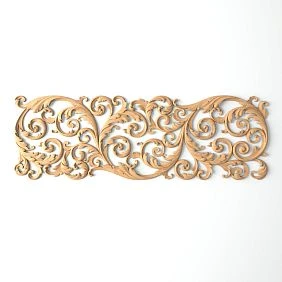
Our factory also produces:






Hierarchy matters more than quantity
It is useful to define three levels.
Base layer — skirting board, cornice, main mouldings, panels.
Secondary layer — overlays, friezes, battens, additional frames.
Accent layer — rosettes, medallions, carved elements, decorative centres.
If there are too many accents, the eye stops understanding what is the main thing.
Get Consultation
Decor map by project zones
One of the most practical ways to build a system is to divide the interior not by product categories, but by application zones.
| Zone | What to design |
|---|---|
| Walls | moldings, overlays, panels |
| Ceiling | cornices, rosettes |
| Floor | Baseboard |
| Doors | architraves, frames, portals |
| verticals | Pilasters, columns |
| Furniture | overlays, moldings, carved decor |
| Accent zones | panels, slats, compositions |
This approach immediately shows the intersections.
For example, a TV zone simultaneously belongs to the wall, furniture, and engineering. If you design it only as a "wall panel," it's easy to forget about:
- Outlets;
- cable outlets;
- nightstand;
- a TV;
- the edge of the panel;
- the adjacent molding.
A zone map helps you see where different systems meet.
A room is not yet a zone
The field "living room" is too general.
Within a single room there can be:
- wall 01;
- TV zone;
- sofa zone;
- ceiling;
- the door portal;
- built-in furniture.
Therefore, it is convenient to store two levels in the specification:
Room
и
Zone.
For example:
Living room / wall 02
or
Bedroom / headboard zone.
You should start not with the catalog, but with the function
The catalog answers the question "what exists."
The project must first answer the question "what needs to be done."
For example:
the wall needs to be architecturally divided
→ molding.
a textured surface needs to be created
→ wall panel.
the transition from wall to ceiling needs to be finished
→ cornice.
a vertical rhythm needs to be created
→ slats or architectural vertical elements.
the center of the furniture facade needs to be formed
→ overlay or carved decor.
Once the function is determined, you can move on to the general STAVROS catalog and look for a real product.
Why reverse logic is weaker
If a designer first saw a beautiful product and then looks for a place for it, there is a temptation to include an element in the project that is not architecturally necessary.
For example, a large overlay may look good on a product card, but in a real interior it will end up between the sconce, console, and TV. Then it becomes a fourth focal point instead of one.
Function helps filter out the unnecessary before visualization.
Main product systems: stucco, moldings, panels, slats, wood, and furniture decor
A pillar page should connect several directions but not replace narrow articles. Here the task is to show the place of each system in the overall workflow.
Polyurethane stucco
Polyurethane moldings covers several functions at once:
- wall compositions;
- ceiling decor;
- Plates;
- Outlets;
- cornices;
- architectural elements;
- furniture scenarios.
For a designer, it is important not just to choose “moulding,” but to determine the physical type of the product and the calculation method.
Moldings
Moldings made of polyurethane form the frame geometry and architectural lines.
The following are especially important for them:
- width;
- depth;
- cross-section;
- product length;
- nodes;
- cutting map.
Wall panels
Wall Panels work no longer as a line, but as a surface.
Here you need to check:
- module;
- thickness;
- format;
- orientation;
- edge panels;
- joints;
- Doors;
- Outlets;
- Furniture.
Slatted panels
Rafter panels require separate rhythm logic:
- spacing;
- direction;
- first element;
- last element;
- remaining stock;
- junctions.
Wooden decor
wooden decorative elements и Carved wooden decoration add another layer — material.
In addition to geometry, the following are fixed:
- wood species;
- grain direction;
- finish;
- Tinting;
- sample.
Furniture decor
On a furniture facade, the decorative element already interacts with:
- handles;
- hinges;
- a panel;
- technological zones;
- repetition of facades.
That is, the same principle of "selecting a real SKU" remains, but the nodes change.
Selection matrix: which system to check first
When a project has several types of decor at the same time, it is useful not to open all catalogs at once, but to identify the main limiting factor.
| Project constraint | What to check first | Why |
|---|---|---|
| Many doors | moldings, panels, architraves | it is the junctions that form the geometry of the walls |
| floor-to-ceiling cabinets | cornice, upper panels, ceiling nodes | the top line may physically not align |
| many electrical installation products | frames, rails, panels | engineering limits free space |
| small rooms | scale of profiles and relief | decor is viewed from a close distance |
| Long walls | rhythm and repetition | an error in one module multiplies across the entire surface |
| complex furniture | furniture decor and wall system together | two decorative languages can conflict |
| historical styling | profile, ornament, vertical hierarchy | choosing a single element does not solve the system |
| Minimalist interior | amount and depth of decor | even a small relief can become the main accent |
Such a matrix helps establish the design order. If a hallway has five doors, it is more logical to first decide on the casings and molding grid, and only then choose the overlays. If in the living room a cabinet occupies the full height, the cornice cannot be left to the final stage.
The system must have a dominant language
It is useful to formulate a few simple rules for the project:
- which line dominates — vertical or horizontal;
- what degree of relief is acceptable;
- how many decorative centers can be on one wall;
- which material is the base one;
- which materials are used as accents;
- where the decor ends.
This is not an artistic manifesto. It is a filter.
For example, if the base language is calm geometry, then a new floral medallion must either become a deliberate accent or be excluded. Otherwise, the system begins to assemble itself from different visual grammars.
Material cannot be chosen separately from the usage scenario
Polyurethane, MDF, and solid wood are not three versions of the same product.
They have different purposes.
Polyurethane
Convenient where a system of serial architectural decor is needed, along with work on relief, mouldings, and paintable elements.
MDF (740–760 kg/m³, emission class E1/E0) provides ideal geometry, uniformity, and better base for enamel: high adhesion, smooth surface, absence of knots and cracks.
Useful for panel and geometric systems, where the following matter:
- module;
- precise surface;
- repeatability;
- painting;
- stable geometry.
Solid wood
Needed where real wood texture, carved relief, furniture integration, or the joinery character of the product matters.
There is no universal answer to “which is better.”
The stronger question is different:
which material better solves a specific architectural and production task?
Material changes more than just appearance
It affects:
- thickness;
- relief;
- finish;
- method of alignment;
- need for a sample;
- work in furniture;
- specification logic.
Therefore Material — required field of the design item.
How to combine PU, MDF, and wood without it feeling like a random mix
Mixing materials is not a mistake in itself. The mistake is when materials change geometry, rhythm, and color all at once.
A working approach is to determine what remains common.
For example:
- PU molding forms a frame grid;
- the MDF panel occupies the central accent field;
- wooden furniture supports the same vertical axis;
- all three systems use a similar rhythm, but do not imitate each other.
In such a project, the materials differ, but the compositional logic remains shared.
Another scenario is wood as an accent. In that case, polyurethane molding can be painted to match the wall color, while the natural wood texture remains the only material that stands out visually.
This is much more sustainable than trying to make every type of decor equally noticeable.
When material creates a technical conflict
The combination of materials should be checked at the junction if:
- one surface is thicker than the other;
- one system has a finished edge, while the other has an open edge;
- different products require different painting logic;
- a wooden element adjoins a painted PU profile;
- the panel protrudes beyond the molding;
- the furniture piece must align with the wall decor line.
Frontal visualization often hides such conflicts.
If one material protrudes by 12 mm and the adjacent one by 28 mm, their meeting line is already an architectural decision. It needs to be shown in section.
How to choose the scale: real millimeters instead of a feeling from a photo
One of the most common defects of a decorative system is the right style at the wrong scale.
A product photo rarely gives a real sense of size.
Check the element relative to:
- ceiling height;
- wall width;
- doors;
- furniture;
- Baseboards;
- adjacent profiles;
- the viewing distance.
Let's imagine a hypothetical example.
On a 4.2 m wall there is a 45 mm wide molding. In a large render it may look prominent. In a real room, where a person looks at the wall from a distance of 4–5 m, the profile may be perceived much more calmly.
The opposite situation is a small bedroom. A large ornament is viewed from one and a half to two meters and becomes visually heavier.
A real SKU cannot be scaled arbitrarily
If a panel is 300 mm wide, it remains 300 mm in the project.
If the designer enlarged the model to 380 mm, that is already a different physical product.
Correct options:
- choose another SKU;
- change the composition;
- switch to custom.
Incorrect:
stretch a serial model and keep the original product code.
Three scale filters
It is useful to verify the size of the selected product in three ways.
Filter 1 — architectural.
Compare the decor with the door, ceiling, window, and wall width.
Filter 2 — compositional.
Look at how much free plane remains around the element.
Filter 3 — viewing distance.
Evaluate the product from the point where a person will actually see it.
These filters can give different answers.
A large overlay may match a tall door well but take up too large a share of a narrow wall section. A thin profile may be proportional to a small room but almost disappear on a long wall.
Boundary scenario: the same molding in different rooms
Suppose one SKU is chosen for the living room and the hallway.
In the living room:
- tall wall;
- large fields;
- furniture far from the frames.
In the hallway:
- narrow wall sections;
- many doors;
- the viewpoint is close.
Formally, using a single SKU simplifies purchasing. Visually, it can behave differently.
Therefore, unification should not be an end in itself. A single profile is repeated in a project only if it withstands different scales and junctions.
Manufacturer's catalog: how to move from an idea to a shortlist
Working scheme:
function → category → shortlist → actual dimensions → SKU.
Not:
image → like → added to project.
A shortlist is needed because the first item you like isn't necessarily the one that works best for a specific geometry.
For a single task, you can keep 3–5 candidates.
For example:
CANDIDATE 01
CANDIDATE 02
CANDIDATE 03
For each one, the following is recorded:
- SKU;
- dimensions;
- the material;
- 3D;
- DWG;
- URL;
- comment.
After review, one receives the status:
SELECTED.
After the sample:
SAMPLE APPROVED.
After the final decision:
APPROVED.
Why a shortlist is more useful than endlessly browsing the catalog
It shifts the choice from an emotional mode into a comparative one.
The designer no longer asks “what else is beautiful,” but compares specific candidates by:
- scale;
- nodes;
- relief;
- compatibility;
- digital data;
- availability of project documentation.
Collections are useful as an accelerator, but they do not replace design
Decor collections can help if the project needs several coordinated elements:
- molding;
- overlay;
- angle;
- medallion;
- other related details.
The advantage of a collection is reducing the risk of an accidental stylistic conflict.
But a collection does not automatically solve:
- scale;
- quantity;
- nodes;
- location;
- compatibility with furniture;
- interaction with engineering.
Even elements from the same collection need to be checked in the actual room.
It is not necessary to use the entire collection
If the system requires only a molding and one accent element, there is no need to add the remaining items just for the sake of a "complete set."
A collection is a source of coordinated candidates, not a finished design project.
Candidate matrix: compare more than just appearance
For the shortlist, it is convenient to use a small working matrix.
| Criterion | Candidate A | Candidate B | Candidate C |
|---|---|---|---|
| the actual size fits | Yes/No | Yes/No | Yes/No |
| door assembly | passes/fails | passes/fails | passes/fails |
| 3D available | Yes/No | Yes/No | Yes/No |
| DWG available | Yes/No | Yes/No | Yes/No |
| sample needed | Yes/No | Yes/No | Yes/No |
| material matches the system | Yes/No | Yes/No | Yes/No |
| repetition in the project | convenient/difficult | convenient/difficult | convenient/difficult |
| Status | CANDIDATE | CANDIDATE | CANDIDATE |
Such a table does not turn design into a mechanical rating. It simply prevents technical constraints from being forgotten.
A candidate may be visually the most expressive and at the same time fail the junction near the door. Then it remains a good product, but a poor choice for a specific project.
When a candidate can be moved to SELECTED
Minimum conditions:
- actual size confirmed;
- geometry fits the composition;
- critical nodes do not conflict;
- material is suitable;
- digital asset verified, if needed;
- there is no clear reason to look for another product.
Status SELECTED does not yet mean "you can buy".
to APPROVED usually remain:
- sample;
- final color;
- DWG;
- quantity.
Samples: what a digital model cannot fully confirm
3D shows the geometry.
DWG — dimensions and details.
But a physical sample verifies another layer:
- the texture;
- the actual surface;
- the quality of the texture;
- color;
- gloss;
- the finish;
- the sense of scale.
For key items, it is useful to use STAVROS product samples.
What is especially important to verify physically
For wood:
- breed;
- the texture;
- shade;
- tinting.
For the decor to be painted:
- surface quality;
- interaction with paint;
- realistic light and shadow.
For large relief:
- the depth;
- shadow;
- visual weight from close range.
Sample approval should be a separate status
A good chain:
CANDIDATE
→ SELECTED
→ SAMPLE APPROVED
→ APPROVED
This shows that the item is not just selected on screen, but physically confirmed.
3D and DWG: two different checks of the same SKU
STAVROS provides a professional section with 3D models and DWG, and these two file types serve different purposes.
3D
Shows:
- scale;
- composition;
- relief;
- shadow;
- relationships with furniture;
- repetition.
DWG
Captures:
- the axes;
- dimensions;
- sections;
- indents;
- nodes;
- constraints.
Professional workflow:
one SKU → 3D → DWG → specification.
Prohibited:
3D = product A
DWG = product B
SPEC = product C.
Even if they look similar.
3D — not a decorative placeholder
In an early concept, a provisional asset is acceptable.
Before final approval, it must be replaced with real geometry.
Otherwise, the client approves an object that is not in the procurement.
Junctions: this is exactly where the decor system is tested against reality
Most conflicts appear not in the center of the wall, but at the junctions.
Minimum set of junctions:
- molding + door casing;
- molding + baseboard;
- cornice + ceiling;
- cornice + cabinet;
- panel + door;
- rail + socket;
- pilaster + capital;
- furniture decor + handle;
- panel + external corner.
Molding and a casing
Checked:
- width;
- depth;
- distance;
- profile end.
Frontally, the joint may look fine, but in section the molding will protrude beyond the casing.
Panel and door
It is important to decide in advance:
- does the panel reach the casing;
- is a separate end face formed;
- how the edge looks;
- where the seam runs.
Rail and socket
If the electrical installation block partially falls on the rail, part of the solution is already lost.
Engineering must participate in the layout.
Cornice and built-in wardrobe
If the wardrobe goes up to the ceiling, the cornice cannot "somehow" pass through it.
The ending scenario is designed in advance.
Project code and SKU are different levels of identification
For example:
ML-01
— project code.
real SKU STAVROS
— product SKU.
Combination:
ML-01 → STAVROS SKU.
Why two codes?
The project code is convenient on drawings.
The SKU is needed for the catalog and purchasing.
If only the SKU is used, worksheets can become overloaded.
If only ML-01, the assembler will have to look up the item separately.
It is better to store both.
The code must remain constant throughout the project
ML-01 must mean one approved type.
If the SKU changes after APPROVED, a revision is created.
You cannot silently replace a product and leave the old 3D/DWG files.
Five junctions that are useful to check with separate mini-scenarios
1. Molding meets the door.
On the elevation everything fits, but in section the profile is deeper than the casing. Solution: increase the offset, choose a different profile, or develop a meaningful termination.
2. Wall panel meets an external corner.
The main question is what is visible from the side point: the end face, a separate profile, a cut, or the material continuing onto the adjacent wall.
3. Slatted panel meets an outlet.
If the outlet frame partially overlaps the slat, the engineering junction must be reworked before approval.
4. Cornice meets a floor-to-ceiling wardrobe.
You need to decide who finishes first and what the termination line looks like. This cannot be left to the installer.
5. The wooden overlay sits on the furniture facade next to the handle.
Not only the visual center is checked, but also the hand grip area.
Each of these scenarios seems local. But it is precisely such local decisions that determine whether the interior looks cohesive after installation.
The assembly must have an owner
In large projects, it is useful to understand which document is the primary one for each type of decision.
For example:
- frame location — wall elevation;
- molding depth — section;
- appearance — 3D;
- SKU — specification;
- quantity — quantity takeoff;
- status — master-spec.
If the same value is stored in five files without a clear priority, discrepancies are almost inevitable.
Specification: how to build a single decor registry
Minimum structure:
| Field | Value |
|---|---|
| Code | ML-01 |
| Manufacturer | STAVROS |
| SKU | specific |
| Category | Molding |
| Material | PU |
| Size | actual |
| Room | Living room |
| Zone | wall 02 |
| Finish | Project |
| Calculated Qty | project |
| Order Qty | purchasing |
| Status | APPROVED |
| Revision | REV02 |
| URL | Product |
For large projects, add:
- 3D;
- DWG;
- Sample Status;
- Approval Date;
- Price;
- Supplier;
- Lead Time, if confirmed;
- comment.
The main thing is that the table should link the project and the purchase.
Master-spec
For a large project, a single master-spec is useful, where you can filter:
room → code → SKU → quantity → status → URL.
It does not replace drawings.
It links them together.
Master-spec as a "single assembly point"
Master-spec is especially useful when narrow project documents already exist separately.
You do not need to duplicate all working documentation in it. It is enough to store links between entities.
For example:
Room = Living room
Zone = wall 02
Code = ML-01
SKU = ...
DWG = A-402
3D = scene asset ML-01
Status = APPROVED
Qty = 42,3 m calculated / 24 pcs order
This way, one row links visualization, drawing, and purchasing.
One SKU in multiple rooms
If one molding is used in the living room, bedroom, and hallway, you can store one project type ML-01, but multiple application rows.
This allows:
- see the distribution;
- count by rooms;
- consolidate the total Order Qty;
- it is easier to organize delivery by zones.
A bad idea is to create ML-01-LIVING, ML-01-BEDROOM, ML-01-HALL, if physically it is one item and one design solution. Such duplicates complicate the master-spec.
Typical rooms
For hotels, apartments, restaurants, and repeating rooms, the following scheme works:
TYPE-A → approved decor set → number of repetitions.
First, one type is fully counted.
Then it is multiplied.
Exceptions — a corner room, a different doorway, modified furniture — get their own type.
Quantity: different types of decor cannot be counted with a single formula
Linear trim
Moldings, cornices, baseboards:
meters → product length → cutting map → number of strips.
Piece decor
Overlays, rosettes, brackets:
pieces.
Panels
modules / physical panels / layout.
Area can be a reference value, but not always a purchasing one.
Slatted systems
One must distinguish:
- individual slats;
- ready-made panels.
They have different calculation logic.
L/R
Left and right positions are calculated separately.
Composite systems
A pilaster, portal, or furniture composition may consist of several SKUs.
Each product gets its own line.
Calculated Qty and Order Qty — two different numbers
Calculated Qty responsible:
how much the project requires.
Order Qty:
how much to actually purchase.
The difference arises from:
- Cutting;
- modularity;
- corners;
- leftovers;
- the reserve;
- packaging;
- L/R;
- component elements.
For example:
42.3 m of molding — this is not an order.
First, you need cutting.
For panels:
17.8 m² — is not always an order.
You need to know the dimensions of specific modules.
Why a universal reserve is dangerous
+10% for all decor — too crude a method.
For trim, the reserve depends on the cutting plan.
For six sockets, 10% gives 6.6 pieces — a meaningless number.
For L/R, the reserve must be calculated for each orientation.
The reserve must have a reason.
Mini example of calculating three different systems
A conditional project contains:
- four molding frames;
- one ceiling rose;
- a wall made of modular panels.
molding.
Each frame has a perimeter of 6 m.
6 × 4 = 24 m
This Calculated Qty.
Next, cutting is required based on the actual commercial length.
rosette.
There is one item on the ceiling plan.
Calculated Qty = 1 pc.
If there is no justified reason to buy a reserve, Order Qty = 1.
Panel.
The wall requires 11 full modules and one cut piece.
The geometric area can be anything, but purchasing is determined by physical panels.
If a twelfth module is needed for the cut:
Order Qty = 12 panels.
Three systems are in the same room but require three different calculation models.
Distribution by zones matters even after the overall total
Suppose the project requires 36 identical panels.
Of these:
- living room — 18;
- bedroom — 10;
- study — 8.
Total order — 36.
But the distribution must not be lost. It helps:
- accept delivery;
- equip rooms;
- supervise installation;
- quickly identify where the shortage occurred.
Product replacement: how not to break the project into different versions
Replacing a SKU after approval can change:
- size;
- profile;
- the depth;
- 3D;
- DWG;
- quantity;
- Cutting;
- price;
- composition.
Therefore, a replacement is a revision.
Working scheme:
REV01 → ML-01 = SKU A
REV02 → ML-01 = SKU B
After replacement, the following are updated:
- 3D;
- DWG;
- specification;
- Calculated Qty;
- Order Qty;
- URL;
- the status.
If only the procurement table has been updated, the project contains a conflict.
"Similar product" does not mean equivalent
Equivalence must be verified by:
- size;
- geometry;
- material;
- nodes;
- calculation method;
- visual effect.
Only after that can the item replace the original.
When custom is needed and when it's better to stay within the catalog
Custom makes sense when the serial catalog doesn't solve a specific task:
- a unique profile is needed;
- non-standard size;
- historical replica;
- special repeat;
- complex joint;
- repeatable series for a large project.
Then the item is transferred:
CATALOG
→ CUSTOM.
But custom shouldn't be an automatic answer to any mismatch.
First, it's better to check whether the task can be solved with a standard SKU.
A serial product is usually simpler:
- document;
- visualize;
- reorder;
- count;
- link to URL.
Uniqueness is justified when the architecture truly needs it.
Change log: a short entry is better than long searches
For each significant replacement, a simple history is enough:
REV01 — ML-01 = SKU A
REV02 — ML-01 = SKU B; reason: does not pass the architrave node
REV03 — no SKU change; only Finish changed
Such a history immediately shows what was changed: the product geometry or only the design finish.
Replacing the material requires re-verification even with similar geometry
If a PU profile is replaced with a wooden one, it is not enough to compare the width.
The following are re-checked:
- depth;
- surface;
- joint;
- finish;
- work in furniture;
- sample;
- the assembly technology.
Moving from one material family to another is almost always broader than a regular SKU replacement.
Who is responsible for which data: the decor should not "live" only with the designer
On a small project, one person may simultaneously select products, create 3D, produce drawings, and compile the schedule. On a large project, the functions are separated. That is exactly when it becomes especially important that product identification does not depend on one specialist's memory.
Conditional responsibility matrix:
| Role | What it controls |
|---|---|
| Designer / architect | function, composition, project code, selected SKU |
| 3D visualizer | correct model, 1:1 scale, material, revision |
| drafter / designer | DWG, axes, dimensions, details, elevations |
| Assembler | SKU availability, Order Qty, commercial request, delivery |
| author's supervision | compliance of the installed solution with the approved version |
This does not mean that every project must have five separate specialists. The matrix shows something else: each data type must have a clear owner.
If the visualizer replaced the decor for the sake of the shot, they must not silently leave the old SKU.
If the kit assembler proposes a product replacement, it must go back into project review.
If on site the installer changes a unit, it is no longer just an installation decision if the visible result changes.
Control gates between project stages
It is useful to introduce simple project "gates," after which the data becomes stricter.
Concept Gate
At this stage, the following is sufficient:
- function;
- directions;
- an approximate material family;
- several candidates.
Conditional objects can be used.
But their status must be clear:
CONCEPT / PLACEHOLDER.
Design Development Gate
By this point, the following are needed:
- shortlist;
- actual dimensions;
- preliminary SKUs;
- main components;
- 3D scale;
- understanding of materials.
Statuses:
CANDIDATE
or
SELECTED.
Working Documentation Gate
Before the release of working documentation, the following must already be in place:
- actual SKUs;
- DWG;
- dimensions;
- the axes;
- nodes;
- project codes;
- specification;
- revision.
Status:
APPROVED.
Procurement Gate
Before ordering:
- SKU has not changed since the last drawing;
- Calculated Qty recalculated;
- Order Qty determined;
- finish locked;
- commercial request matches master-spec.
After that:
ORDERED.
This approach prevents a typical situation: a conceptual placeholder accidentally passes through the entire project and is only discovered at the time of purchase.
What to do if an item disappears between APPROVED and ORDERED
This is one of the most unpleasant scenarios.
Correct sequence:
- do not replace automatically;
- find a candidate;
- compare actual dimensions;
- check the material;
- replace in 3D;
- check DWG and details;
- recalculate the quantity;
- assign a new revision;
- reconfirm the position;
- only then place the order.
For example, a deeper molding may conflict with the casing. A panel of a different thickness will change the outer corner. A slatted module of a different width will change the rhythm of the wall.
Therefore, an out-of-stock item is not just a procurement problem. Sometimes it sends the project back to a previous stage.
What to check during design supervision
When the decor has already arrived on site, it is useful to verify not whether it "looks like the render," but specific project data:
- article number on the packaging;
- project code;
- quantity;
- L/R orientation;
- match with the sample;
- color / finish;
- start and end of the layout;
- junctions at doors;
- heights;
- slat spacing;
- edge panels.
If the design system was assembled correctly, supervision turns from finding solutions into verifying compliance.
This is a fundamentally more manageable process.
Practical example: how to assemble a decor system for one apartment
Below is a conditional project example. The codes and dimensions are only for explaining the workflow and do not refer to specific STAVROS products.
There is an apartment:
- living room;
- bedroom;
- corridor;
- kitchen;
- built-in furniture.
Step 1. Create a zone map
Living room
- wall 01 — molding frames;
- wall 02 — TV area with panels;
- ceiling — cornice + ceiling rose.
Bedroom
- headboard wall — slats;
- ceiling — cornice;
- furniture — decorative facades.
Hallway
- walls — minimal molding band;
- doors — casings and junctions.
Step 2. Defining functions
For each zone, we ask not “what to buy,” but “what should the decor do.”
Living room:
- frames — wall division;
- panels — accent surface;
- cornice — upper boundary;
- ceiling rose — center of the light fixture.
Bedroom:
- slats — rhythm behind the headboard;
- furniture decor — the connection between a built-in wardrobe and the interior.
Step 3. Creating project codes
ML-01
PN-01
CR-01
ROS-01
RK-01
DEC-F-01
These codes can now be used on drawings even before the final SKU.
Step 4. Assembling a shortlist
for ML-01 — three real moldings.
for PN-01 — two panels.
for RK-01 — one or two slatted options.
for ROS-01 — two rosettes.
Step 5. Checking dimensions
All candidates are placed in 3D at a 1:1 scale.
Checking:
- frames near the door;
- panel near the TV;
- slats near the outlets;
- outlet with a chandelier;
- cornice by the wardrobe.
Step 6. Remove the excess
After 3D, it may turn out that the living room is already saturated with panels and frames.
Then an additional overlay is not needed.
This is a normal result.
A good system does not have to use the maximum of decor.
Step 7. Samples
The panel and wooden furniture decor are physically inspected.
Molding — if necessary, based on relief and painting.
After that, the items receive SAMPLE APPROVED.
Step 8. Lock in the APPROVED SKU
ML-01 → SKU A
PN-01 → SKU B
CR-01 → SKU C
and so on.
Step 9. Issue the DWG
On the elevations:
- frames with the actual profile;
- panels with the actual layout;
- slats with spacing;
- electrical points;
- Doors;
- Furniture.
Step 10. Building the specification
For each row:
- Room;
- Zone;
- Code;
- SKU;
- Material;
- Size;
- Finish;
- Status;
- URL.
Step 11. Calculating the quantity
Molding:
meters → cutting → strips.
Panel:
modules → physical panels.
Slat:
quantity / length.
Rose:
pieces.
Furniture decor:
elements per facade × facades.
Step 12. Getting Order Qty
Only now is the project ready for a commercial request.
The following is not sent to the supplier:
“need decor for the apartment”.
But:
- specific SKUs;
- quantity;
- finish;
- comments;
- the status.
Thus, the pillar workflow ends where procurement begins.
How to move from design to procurement
Final chain:
APPROVED SKU → quantity → stock check → commercial calculation → order.
The commercial stage should not reopen the question of “what to choose”.
If you have to search again for a similar product, the design part was not completed.
After approval, you can move on to specific systems:
- polyurethane relief;
- polyurethane moldings;
- wall panels;
- slat panels;
- wooden decorative elements;
- carved wood decor.
For professional work — the section STAVROS for designers and architects.
Queries like "buy stucco molding", "buy polyurethane stucco molding", "buy MDF wall panels", "buy decorative elements" make sense precisely at this stage: the product has already been chosen, its location and quantity have been determined.
What changes as you move from concept to purchase
At the conceptual stage, uncertainty is acceptable:
wall decor — concept.
At the design stage:
ML-01 — SELECTED.
After approval:
ML-01 → specific SKU → APPROVED.
At the purchasing stage:
specific SKU → Order Qty → ORDERED.
In other words, the documentation gradually becomes more precise.
It is a mistake to demand the SKU on the first day of the concept.
Another mistake is staying at the level of “something like this molding” before ordering.
Each stage must have its own degree of certainty.
When the project is ready for a commercial estimate
Minimum threshold:
- SKU approved;
- quantity is calculated;
- substitutions closed;
- finish is clear;
- application area is known.
Only then does the price begin to reflect the actual project rather than an approximate set of materials.
Final checklist: is the decor system assembled as a project
Concept
- the function of each group is clear;
- there are no random decorative objects;
- there is a hierarchy;
- accents do not compete with each other.
Zones
- Room is defined;
- Zone is defined;
- doors are taken into account;
- furniture accounted for;
- engineering accounted for.
Product
- manufacturer known;
- SKU is real;
- dimensions confirmed;
- material specified;
- URL saved.
Scale
- decor checked against the room;
- 3D at 1:1 scale;
- serial products are not stretched;
- repetition checked in full.
Nodes
- molding / casing;
- molding / baseboard;
- cornice / ceiling;
- cornice / furniture;
- panel / door;
- slats / sockets;
- furniture decor / handles.
Digital
- 3D matches the SKU;
- DWG matches the same SKU;
- project code matches;
- revision is up to date.
Approval
- shortlist is complete;
- samples are checked where needed;
- the finish is agreed upon;
- Status
APPROVED.
Spec
- Code;
- SKU;
- Category;
- Material;
- Size;
- Room;
- Zone;
- Finish;
- Calculated Qty;
- Order Qty;
- Status;
- URL.
Quantity
- linear footage converted to planks;
- panels — into physical modules;
- piece decor is counted;
- L/R are separated;
- reserve is justified.
Procurement
- identical SKUs are consolidated;
- Order Qty final;
- availability is checked only after approval;
- a commercial request is generated for specific items.
If all blocks are closed, the design project can be furnished without searching again for "similar" decor.
Decor for a design project: the final process architecture
Pillar logic is needed precisely so that stucco, panels, slats, wood, and furniture decor are not treated as independent worlds.
Each direction has its own dimensions, nodes, and calculation rules.
But the overall workflow is the same:
concept → project zones → decor system → material → real SKUs → 3D/DWG → samples → specification → quantity → purchasing.
First, the project answers:
what should the decor do?
Then:
which physical type solves this task?
After that:
which real product matches in size, material, and components?
And only then do the following appear:
- visualization;
- working drawings;
- specification;
- calculation;
- commercial order.
This is how decor stops being a set of beautiful details and becomes part of professional design — the same data system as furniture, lighting, finishes, and engineering solutions.