








































































Article Contents:
- The working unit of the library is the product card
- Structure is built by function, and style is used as an additional attribute
- Trim and individual mouldings have different data sets
- Example of a card based on a real moulding
- Three working statuses show the scope of the completed check
- What to check when a new item arrives
- The 3D model and DWG must lead to the same item
- Ornamental trim requires information about the pattern
- A physical sample is included in the same registry
- Wooden samples do not replace verification of the polyurethane product
- Compatible decor is linked to the profile, and left and right versions are distinguished
- The studio's core set is assembled based on recurring tasks
- How to distinguish a duplicate from a useful alternative
- Card changes must not silently alter existing projects
- The verification date must be accompanied by its content
- Discontinued products are archived; temporarily unavailable ones are marked separately
- An approved replacement always has a scope of application
- How to transfer an item from the library to the specification
- Who maintains the database and what to check when replenishing it
- How the library helps order stucco for a project

A designer found a suitable molding in an old scene, but only the words "final frame" remained in the file name. The manufacturer, product length, and section size are unclear. The visualizer can reuse the geometry, but the specifier has to search for the product again. If the profile in the scene was also stretched, a similar photo from the catalog will not solve the problem.
The architectural decor library must preserve the connection between the real product, its dimensions, digital files, and verification results. Then the studio's accumulated experience can be carried over to the next project: understand what is already known about the part, where it was used, and what conditions need to be checked before a new order.
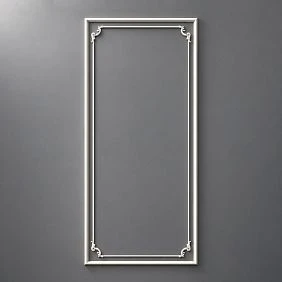
The working unit of the library is the product card
A photograph helps recall the shape but does not answer questions about purchasing and installation. Each item needs a card with the manufacturer, article number, and specific finish. Images, drawings, models, sample information, and verified combinations are attached to it.
The card's internal number remains permanent. For example, the conventional designation BD-0042 can link a registry entry, a folder with files, and the label of a physical sample. It does not replace the manufacturer's article number and does not automatically become the project mark M-01: these designations serve different purposes.
When opening a card, an employee should see what product is in front of them and how thoroughly it has been verified. If only a photograph and a link are known, the item can be stored as a candidate. Presenting it as a ready basis for a working project is premature.




Structure is built by function, and style is used as an additional attribute
At the top level, it is convenient to separate moldings, cornices, skirting boards, ornamental linear trim, rosettes, overlays, and corner decor. Within the groups, filters are added by size, material, relief character, and intended role.
Thus the decor library for designers addresses a practical need: to find a narrow profile for a frame or an applique that fits within a given field. The "classic" and "modern style" folders are also useful, but on their own they do not allow products to be filtered by geometry.
New items come from the manufacturer's corresponding sections. Moldings made of polyurethane, ceiling rosettes и Decorative Inserts end up in different groups of the internal database. At the same time, a single part can have several search attributes without creating several duplicate cards.
Our factory also produces:



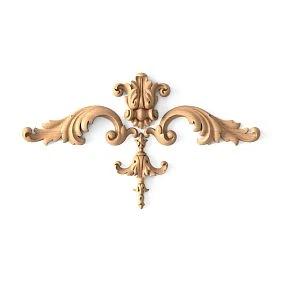

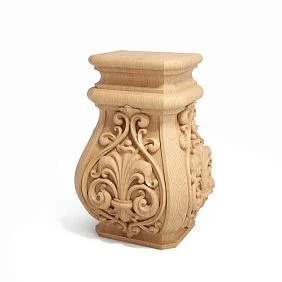
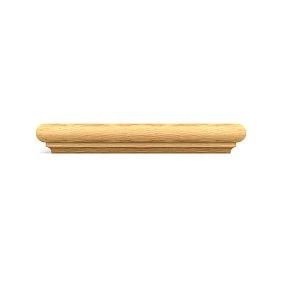
Moulding and piece mouldings have different data sets
For an extended profile, the cross-section, commercial length and methods of joining segments are important. For an applique — the dimensions on the surface, the depth of the relief and the orientation. Trying to describe everything with a single "size" line makes both searching and placing an order more difficult.
| Group | Geometry for the card | Additional information |
|---|---|---|
| Straight moulding or skirting board | Cross-section, dimensions per drawing, commercial length L | Back, edge character, order unit |
| Cornice | Cross-section and position after installation | Mounting surfaces, height and projection in the given orientation |
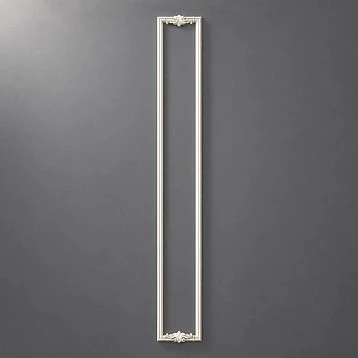
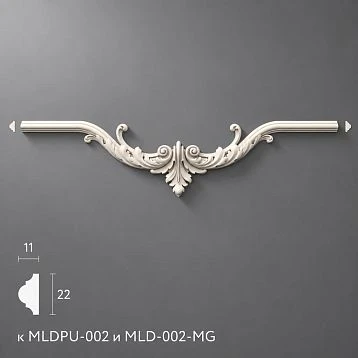
| Ornamental trim | Cross-section, length, pattern repeat | Direction, ornament start, jointing conditions |
| Overlay or corner element | Dimensions A × B × C per the manufacturer's diagram | Top, bottom, left or right version |
| Rosette | Dimensions, depth, contour shape | Diameter only for the corresponding shape, center information |
The meaning of the letters is verified against the drawing for the specific category. A should not automatically be assumed to be width in all catalog sections. An unknown value is marked as "not specified", and an inapplicable one as "not required". Zero does not replace either of these states.
For moulding, the projected-line metres and the purchase unit are stored separately. If the product is ordered in whole lengths, recording a single metreage does not determine their quantity.
Get Consultation
Example card based on a real moulding
At STAVROS MLDPU-027 there are two size variants: 14 × 9 × 2600 and 20 × 12 × 2600 mm. Material — polyurethane. For the library these are two separate selection items, although the SKU is shared.
Below is an example of filling out the card for the second variant. The internal number is provisional; the file and sample statuses show how to record a check the studio has not yet performed.
| Field | Example entry |
|---|---|
| Internal number | BD-0042 |
| Manufacturer | STAVROS |
| Article number | MLDPU-027 |
| selected configuration | 20 × 12 × 2600 mm |
| Category | Molding |
| Geometry | A = 20 mm; C = 12 mm; L = 2600 mm |
| Material | Polyurethane |
| Drawing | Smooth convex profile |
| Proposed role | Wall frame contour; verify applicability in the project |
| 3D and drawing | The page contains links; files require verification |
| Physical sample | Not received |
| Source | Clean link to the specified manufacturer card |
| Status | Candidate |
| Date and result of verification | Filled in based on the work actually performed |
A separate field with the size variant prevents errors on repeat orders. A saved link may open a card with a different default configuration, so the parameters in the registry must be readable regardless of the selected state of the website.
Three working statuses show the scope of the verification performed
The studio should agree on the meaning of the statuses before populating the database. Otherwise, one employee will call a downloaded file verified, and another will call a product verified after an in-person fitting. The same mark will hide different levels of readiness.
| Status | What has already been done | What remains a limitation |
|---|---|---|
| Candidate | A real product has been found; the source and selected variant have been recorded | Data and applicability are still being clarified |
| Data verified | Identification, dimensions, and required digital materials have been cross-checked | Physical verification may not have been performed |
| Verified by the studio | The prescribed fitting, assembly, and finish checks have been completed; the result has been saved | The conclusion applies to the specified conditions of use |
The studio chooses the name of the final status itself. What matters is that the scope of verification and supporting materials are provided alongside it. Approving a sample with one paint does not mean all finishes are approved, and checking a straight frame does not confirm suitability for a radius.
The supplier's product status is tracked separately. "Temporarily unavailable" describes purchasing availability but does not override the results of the geometric verification.
What to check when a new item arrives
First, the item code, size variant, material and purpose are verified. Then the card details are compared against the drawing and model. Any discrepancy is not resolved by guessing: the question is kept open and the current data is confirmed with the manufacturer.
For a profile, check the units, cross-section and mounting base. For a single part, check the orientation, dimensions and availability of separate variants. If the model is intended for visualization only and does not contain the required mounting geometry, this is noted. Such a file can be useful, but it does not replace a dimensional source.
The completeness of the check depends on the purpose of the record. For an early sketch, one set of details is acceptable; for issuing working documentation, another is required. The library must show this difference so that an employee does not mistake an available image for a confirmed mounting assembly.
If some data is missing, the card retains a specific action: request the cross-section, verify the dimension or obtain a sample. An open question is better than a generic “almost ready” mark.
The 3D model and DWG must lead to the same item
STAVROS provides 3D and DWG for design. The library stores information about the file source, the date received and the selected variant. A link to a shared archive helps find materials, but does not prove that every file inside matches the current record.
The model and drawing are linked to the card via a permanent internal number. A clear name might look like this: “BD-0042_STAVROS_MLDPU-027_20x12x2600_section_rev03.dwg”. The revision number here is for illustration only. For 3D, the same name base and content designation are used.
The manufacturer's source file is stored separately from the version prepared by the studio. If the geometry was simplified for the scene, fine relief was removed, or the structure of objects was changed, the changes are described. It is not permitted to save an enlarged cross-section under the name of the actual product without an explicit note: such a model no longer confirms the dimensions of the item.
When loading into the working program, the scale and reference overall dimensions are checked. A beautiful image by itself does not reveal a unit error.
Ornamental moulding requires information about the pattern
A card for a smooth profile can do without the "ornament repeat" field. For ornamental trim this information affects joining and layout. The pattern direction, the size of the repeating fragment, and the position of the start and end on the product strip are recorded if this information is confirmed.
Permissible cutting locations are not assigned based on a small preview. They are verified against documentation and a sample. If the studio has already executed a specific joint, a photograph, drawing, and the conditions of a successful solution are attached to the card.
At the same time, a verified joint relates to a specific layout. A change in the length of a section or the position of the central accent may require a new pattern approval. The library preserves useful experience but does not turn a single node into a universal rule for all rooms.
A physical sample is included in the same registry
Plaster moulding samples are meaningful for the database when their origin and purpose can be established. The label indicates the internal number, article number, size variant, and material. The digital card records the date received and storage location: stand, box, or cell.
For a painted sample, the finish system and paint color designation are added. Otherwise, after a few months the white fragment will no longer explain which primer and paint produced the result. An unpainted sample and a control paint swatch can be linked to a single product item while retaining separate numbers for the physical specimens.
Section Samples and catalogs helps clarify the available formats for getting acquainted with polyurethane decor. Before ordering molding samples, they confirm the required cross-section and the composition of the set. The presence of a series on the stand does not mean that all of its versions are available.
If desired, a QR code for the internal card is added to the label. The text number is kept alongside so that the part can be found without scanning the code.
If a sample was issued to a site, its location is changed in the register and the person responsible for its return is specified. When repainting, the previous finish record is retained and the new result is registered: a fragment with a different coating can no longer serve as the original control paint sample. If the surface is damaged, this is also noted. Information about a previously performed check is retained, but a fresh specimen may be required for a new color comparison. This way the sample remains a traceable material even when it is used by several employees.
Wooden samples do not replace testing of a polyurethane product
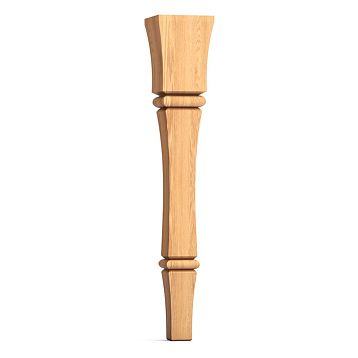
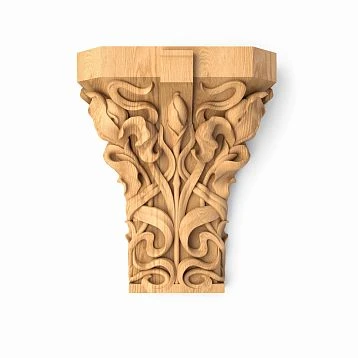
If the studio uses both Wooden trim, material becomes a mandatory attribute of each item. Beech, oak, MDF and polyurethane cannot be combined solely by a similar cross-section pattern. MDF should also not be recorded as solid wood.
In the section samples of wooden trim STAVROS lists 100 mm fragments made of the available materials — MDF, beech and oak. The material of a specific sample is confirmed when ordering.
A short fragment allows you to examine the cross-section and surface and to perform a test paint application. It does not show the behavior of a full-size strip on an extended wall and does not confirm all installation conditions. The card records exactly those properties that have actually been verified on the received sample.
Compatible decor is linked to the profile, and left and right versions are distinguished
Links between products are useful in the database: molding — matching corner, cornice — end piece, left overlay — right pair. This helps assemble a set without repeating the search for each part separately.
In the section Decor for Molding There is grouping by model. For working communication, the specific size and purpose of the element are still checked. A shared profile SKU with multiple cross-sections does not provide grounds to consider any corner compatible with all variants.
Left and right versions are stored separately if the manufacturer supplies them as different items. The L and R designations are kept in the SKU. A mirrored 3D model does not confirm the existence of the corresponding product and does not create a new purchasing item.
For each link, its basis is recorded: manufacturer information, a verified drawing, or the result of a fitting. The note “look good together” describes a combination but not technical compatibility.
The studio's core set is assembled based on recurring tasks
You can start with several profiles for understated frames, a more pronounced accent, cornices, rosettes, and frequently used overlays. The quantity is determined by the studio's work. A small, verified set is more useful than a large registry in which most parameters are unknown.
The card indicates the design role: main contour, additional line, ornamental band, local accent. This is a search hint, not a permanent purpose. The same molding can play different roles in spaces of different scales.
A new project begins with checking the applicability of the core set. If it does not solve the task, they turn to the catalog and put a new item through the usual verification. A material library for a design studio should help expand experience while preserving its results, not limit all projects to one familiar set.
How to distinguish a duplicate from a useful alternative
A technical duplicate is a repeated record of the same manufacturer, SKU, version, and material. Such cards are merged while preserving samples, files, and links to projects. To find duplicates, it is enough to start with these fields rather than comparing photographs manually.
Different products with similar geometry remain different product items. They can be linked as alternatives, but cannot be merged into one card. Even a slight difference in the back or edge can change the installation assembly.
Not every alternative needs to be included in the core set. It is useful if it covers a different width, pattern character, material, finishing method, or a confirmed replacement scenario. The reason for adding it is recorded so that the database does not grow with random images that simply appealed to someone.
When merging duplicates, one internal number is designated as the primary, and the second is retained as a reference to it. Old designations may already appear on boxes, in issued schedules, and in file names. Simply deleting the duplicate record would lose these links. New projects use the primary number, while previous ones remain readable through the preserved merge history. At the same time, differences in size or material are ruled out first: similar names do not yet prove that the studio is dealing with a true duplicate.
Changes to the card must not silently alter old projects
The record retains revisions and a brief history of significant changes. Refining dimensions, replacing the geometry file, and changing the material require a clear trail: what was corrected, by whom, when, and on what basis.
A project must reference the revision of the card under which the documents were issued. Updating the shared database does not mean automatically substituting data in an already approved specification. First, it is determined whether the change affects the components, appearance, and procurement of the specific project.
For example, if a model scale error was corrected in the library, projects that used the previous file are identified and the consequences are checked. Simply correcting the shared folder is not enough: an issued drawing may have retained the old geometry.
For this, it is useful to maintain a list of card usages. It shows where a change needs to be assessed and allows the original decision of an old project to be restored without guessing from the current catalog.
A verification date must be accompanied by its content
A single label of "recently verified" hides different actions. An employee may have opened the link, checked a dimension, or confirmed the availability of a batch. These are not interchangeable checks.
The card retains the date, source, and result. Geometry is checked upon receipt of the item and after significant data changes. Delivery availability is confirmed before inclusion in a specific project's procurement. Price and availability should not appear as permanent properties of the profile alongside its cross-section.
A clean link helps you return to the source without advertising or technical tags. But a working page does not yet confirm that the selected variant is available in the required quantity. That is why, before ordering, you check the specific product item and the terms for obtaining it, not just the page address.
Discontinued items are archived; temporarily unavailable ones are marked separately
The card of an old item is retained if it is linked to completed projects. The archive keeps the previous dimensions, files, samples and usage information. This is necessary for repairs, reordering and reviewing previously made decisions.
An item being out of stock does not mean it has been discontinued. A page that has disappeared also requires clarification first. The record distinguishes between confirmed discontinuation, temporary unavailability and a situation in which the current status is unknown.
If a new item code is found, it is linked to the old one with the date and nature of the link. The wording "offered as a replacement" is not the same as "verified as a replacement". The history of the old item is not rewritten with the parameters of the new one, otherwise data from past projects becomes unreliable.
An approved replacement always has a scope of application
For a frequently used profile, it is useful to keep a verified alternative. At the same time, specify the conditions under which it is acceptable: the same base, a certain frame type, a specific finish or the ability to change the offsets.
If the width, length or pattern differ, the consequences for the project are noted in advance. A new layout, different corner trim or a separate calculation of the strips may be required. A visually similar item does not necessarily replace the main one without changes.
The alternative's card stores the verification evidence and the actions required before use. The order assembler receives a clear decision: whether the replacement can be ordered based on the existing documents or whether designer approval is needed first. The mere existence of a spare item code does not confirm its availability at the time of ordering.
How to transfer an item from the library to the specification
The shared card provides the manufacturer, article number, finish, dimensions, material, and source. In a project, a custom mark, room, assembly, decoration, and quantity are added to them. It is the project that determines where and how the part is used.
Let's imagine that a conventional card BD-0042 has already passed studio review and is being used in a new living room project. The designer selects it using the filters "molding", "smooth", "frame contour", opens the section, and checks the fit next to the selected casing. Then they assign the project mark M-01 to the position and record the revision of the source data. The visualizer takes the model of the same finish, and the kit assembler receives the corresponding article number and dimensions.
Later, the customer chooses a narrower contour. This change is processed as selecting a different size position, not as stretching the previous model. The frame references are updated, the assemblies and calculation are checked, and the result is approved. The card of the original finish continues to exist in the shared database: a change in one project does not cancel its suitability for other tasks.
For molding, the line length on the development does not equal the number of strips purchased. For paired overlays, one composition does not equal one commercial unit. These units are distinguished already in the specification template, so that convenient data transfer does not transfer an ordering error along with them.
Automatic filling is possible only when field links are configured. The presence of a table and a folder with models does not by itself create such a link. Even with automation, the selected option, units, completeness, and approved revision are checked before issuing the bill of materials.
Who maintains the database and what to check when adding to it
For a small studio, one person responsible for structure and update order is enough. Different employees can fill the database: the visualizer checks the model, the designer checks the dimensional materials, the kit assembler checks the commercial identification, and the designer checks the result of fitting and decoration.
For a new record, check whether there is an exact finish, source, clear status, and file storage location. If a sample has already been received, it is labeled before being placed on the stand. An unlabeled fragment quickly loses its connection to the product, even if employees still recognize it by appearance.
The shared registry and files are stored in a place accessible to the team, with edit permissions and backup. The initial database can be a simple table with folders. Choosing a complex program makes sense when the card composition and its review process are clear.
How the library helps order stucco for a project
Once the items are approved for a project, the library lets you pass precise product details into the order. To buy polyurethane stucco, the specifier only needs to reconcile the project schedule with the current delivery terms and confirm the selected finishes.
Catalog moldings from polyurethane are used to find new items and navigate to product cards. If you need to buy polyurethane moldings or order Polyurethane trim, the request includes SKUs, dimensions and quantities of whole products. For piece decor, left, right and additional elements are listed separately.
You can order stucco samples and clarify available project materials before the main order. Information on working with professionals is collected in the section for designers and architects. The item request contains the selected items and the missing details: profile, finish, file or sample.
After the project is completed, the actual result is returned to the card: photos of junctions, the approved paint color, application notes and a link to the project. This way the next team receives not only product data but also verified experience of using it.
Notes are first linked to the conditions of a specific project. For example, a poor junction may have resulted from a modified substrate, and a color difference from a different paint system. The responsible person investigates the cause and decides whether the card's constraints need to be supplemented, the file checked or the installation solution clarified. An observation from a project becomes a useful library rule only after such a check.