Article Contents:
- Why a designer needs a 3D model of a real molding
- What 3D actually verifies
- Where 3D is stronger than DWG
- Where DWG is stronger than 3D
- Why SKU matters more than the file name
- Control test
- Units
- Why you can't "eyeball it"
- In 3ds Max
- Why this is better than a long mesh
- Outer and inner dimensions
- Does this mean the frame should get bigger
- Simple profiles
- Ornamental profiles
- Pre-cut corner elements
- Why this matters for procurement
- Side Lighting
- Frontal
- Dark wall
- What can't be optimized
- Why the name matters
- Why this is important
- When the proxy should disappear
- Example
- Why 3D is useful
- Advantage
- Risk of copies
- Why replacement is dangerous
- Replacement procedure
- Example
- Why 3D helps
- What is reasonable to automate
- What to check manually
- Why a 3D file is needed in the specification
- Why a URL is needed
- Why the status is needed
- What to check before ordering
- 3D + sample
- Error
- The right approach
- What to check between categories
- Why preview is useful
- Why the upload date is useful
- Why a separate master library is important
- What can be simplified
- What not to do
- The main rule
- Why too strong bump is dangerous
- Why glossiness is important
- Sketch stage
- Far background
- Invisible area
- But
- Mistake 1. Random object from the 3D library
- Mistake 2. Incorrect scale
- Mistake 3. Non-uniform scale
- Mistake 4. Proxy made it to the final
- Error 5. Ornament cropped accidentally
- Error 6. Each visualizer uses their own copy
- Error 7. Specification not updated after replacement
- Why do you need an accurate 3D model of the molding?
- How is 3D different from DWG?
- Can the molding be stretched in the scene?
- What to do if there is no exact model?
- How to calculate molding after visualization?
- Where to get STAVROS 3D and DWG?
- Where to view the full assortment?
- Depth check
- Ornament check
- Scale check
- Light check
- Why Last check
- Why keep the linked DWG
- Why this revision matters
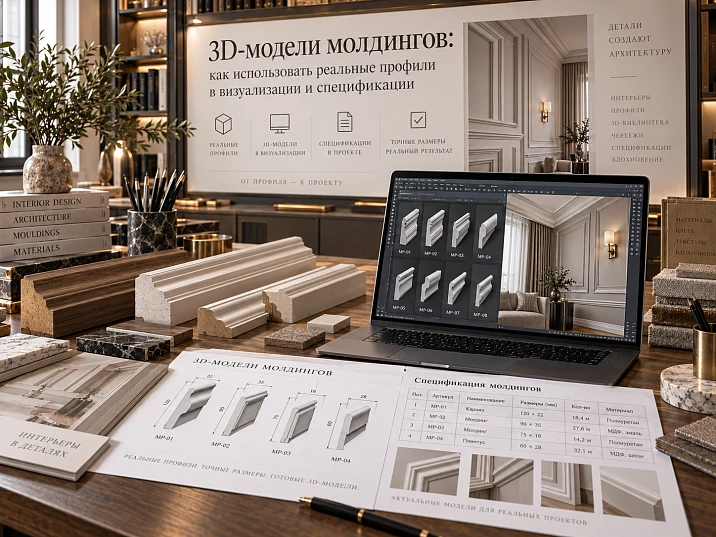
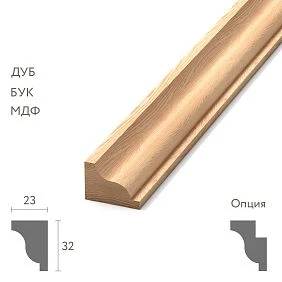
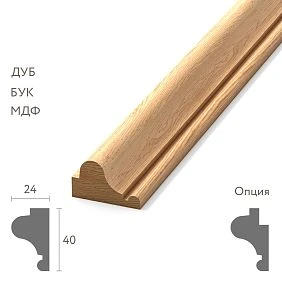
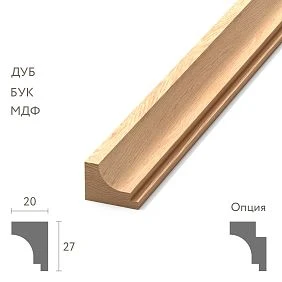
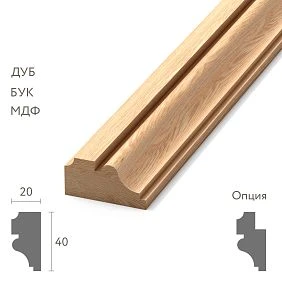
A molding 3D model in a professional design project is needed not only for a beautiful render. It should help the designer verify the real profile, scale, relief depth, light behavior, frame dimensions, and proximity to furniture, and after approval remain linked to a specific SKU, DWG, and specification.
Therefore 3D models of moldings it is better to use in sequence:
real SKU → 3D → visualization → approval → DWG → calculation → specification → order.
The main principle is simple: the final visualization must feature the molding that can actually be purchased and installed later. If the scene uses a random profile from a third-party library, while a "similar" one ends up in the procurement, the designer has approved with the client not the actual solution, but an approximate substitute.
Why a designer needs a 3D model of the actual molding
A molding is not perceived by width alone. Its character is defined by:
- depth;
- cross-section;
- radii;
- relief;
- ornament;
- the shadow line;
- position relative to the wall.
Two profiles of the same width can look completely different in an interior.
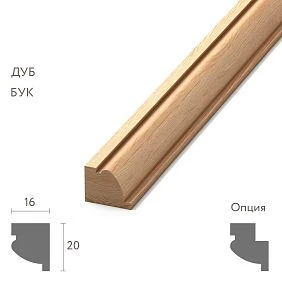
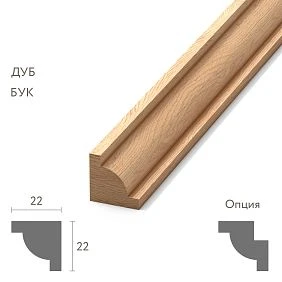
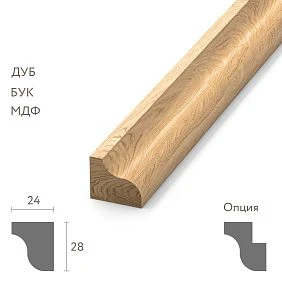
For example, in the current STAVROS catalog, one actual polyurethane profile has a cross-section of 10 × 6 mm, another — 35 × 12 mm. Both are moldings, but they create different visual weight, depth, and light-and-shadow.
A 3D model allows you to see this difference before purchasing.




What 3D actually verifies
- how noticeable the profile is on the wall;
- whether it is too deep;
- how many frames fit;
- how the corner looks;
- how the molding interacts with the casing;
- whether it conflicts with the furniture;
- where the shadow falls;
- whether the ornament is lost from a distance.
This is especially important for interiors where the molding is repeated dozens of times. A scale error in one profile is automatically multiplied across the entire project.
Our factory also produces:
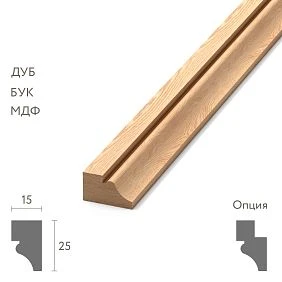
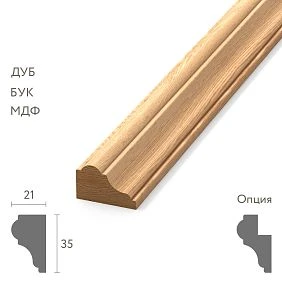
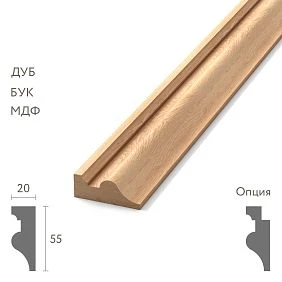
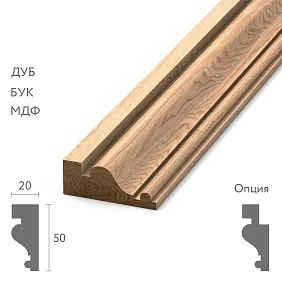
How a 3D model differs from a DWG molding
These two tools must not be mixed.
3D is responsible for volume, relief, and visual perception.
DWG is responsible for working geometry, sections, and details.
The SKU links both files to the physical product.
The correct sequence is:
SKU → 3D → visualization → DWG → specification → order.
DWG moldings are needed at the working documentation stage, while 3D is needed earlier, at the visual approval stage.
Get Consultation
Where 3D is stronger than DWG
3D shows better:
- the depth;
- shadow;
- relief;
- the relationship of the profile to the furniture;
- visual scale.
Where DWG is stronger than 3D
DWG shows better:
- exact cross-section;
- dimensions;
- junction detail;
- crosscut;
- position relative to the casing;
- working section.
Therefore, the final project must use both sources.
First the SKU — then the model
Bad process:
found a beautiful molding.obj → built the interior → got approval → started looking for a similar product.
In this scenario, the designer accepts the risk of substitution in advance.
The correct process:
- choose a real molding;
- record the SKU;
- get its 3D;
- check the scale;
- use in the scene;
- after approval, transfer the same SKU to the DWG and specification.
For a professional library 3D models of stucco should be stored not by the principle of "classic / beautiful / new", but by the actual article number.
Why SKU matters more than the file name
molding_classic_final.obj tells the kit assembler nothing.
STAVROS_MLDPU-XXX immediately links the model to the product.
How to check the scale after import
The first action after loading the model is measurement.
Check:
- scene units;
- width;
- the depth;
- reference dimension;
- orientation.
If a 30 mm wide profile became 300 mm in the scene, the error may not be visually obvious if the entire scene was imported in incorrect units.
Control test
Measure the actual profile size.
If the product card says A = 35 mm, then the scene must also be 35 mm.
Units
Check especially carefully:
- millimeters;
- centimeters;
- meters;
- system units in 3ds Max;
- units of the exported file.
Why you cannot “approximate”
Because the next stage is frame calculation and specification.
An approximate scale breaks the connection to the actual product.
Why you shouldn't scale a profile "for looks"
Let's say the actual molding has a cross-section of 30 × 15 mm.
The designer stretched it widthwise to 45 mm, leaving the depth unchanged.
As a result, a profile appears in the scene:
45 × 15 mm.
But such an SKU may not exist.
The render looks good, the client approves the composition, and the order assembler later has to find a replacement.
Correct options:
- choose another actual SKU;
- change the frame size;
- change the composition.
You cannot make a physical product a parametric object if the manufacturer does not produce such sizes.
How to build a long molding from a 3D profile
For linear trim, you don't need a heavy mesh spanning the entire wall.
Working system:
real cross-section → spline/path → required length.
This is convenient for:
- frames;
- boiserie;
- long walls;
- changing proportions;
- repeating sections.
In 3ds Max
In practice, this can be a sweep, loft, or another method of extruding a profile along a spline.
The key is not the modeling method, but preserving the actual cross-section.
Why this is better than a long mesh
If the frame changes from 1200 to 1400 mm, the designer changes the path rather than deforming the profile.
What matters more in a 3D molding model — the profile or the length
For linear trim, the cross-section is the most important thing.
The length of the section in the interior is determined by the project.
The cross-section is the product.
Therefore:
- the frame length may change;
- the room size may change;
- the position of the molding can change;
- the SKU profile cannot be changed.
This is one of the most important principles of all work with moldings 3ds Max.
How to assemble molding frames
The frame must be built according to the actual dimensions of the room.
The following are set:
- width;
- height;
- offset from the floor;
- offset to the adjacent frame;
- offset from the door;
- offset from the furniture;
- the width of the profile itself.
Outer and inner size
Let's say the outer width of the frame is 1200 mm.
Molding 35 mm wide.
Inner field:
1200 − 2 × 35 = 1130 mm.
If you replace the profile with a 55 mm one:
1200 − 2 × 55 = 1090 mm.
The difference is 40 mm.
This already affects the central overlay, the artwork, or the sconce.
Does this mean the frame should be enlarged
Not necessarily.
Sometimes the designer keeps the outer dimension and accepts a smaller inner field.
Sometimes they keep the inner field and enlarge the frame.
3D helps you see both scenarios.
How to work with corners
Simple profiles
For smooth moldings, a 45° geometric joint is usually easy to visualize.
Ornamental profiles
The pattern matters here.
If the ornament is cut at a random point, the corner may look wrong even with perfect geometry.
Ready-made corner elements
Decor for Molding can replace a regular miter cut with a decorative piece.
Then in 3D you need to check:
- corner element dimensions;
- compatibility with the profile;
- direction;
- inner field size.
Ornamental molding and repeat
The ornamental profile has a repeating pattern.
When modeling, it is important to consider:
- start of the repeat;
- end;
- center of the composition;
- angle;
- symmetry;
- repeat on adjacent frames.
You cannot simply crop the ornament at a random point if the render is a close-up.
Why this matters for purchasing
Later, the same repeat affects the cutting layout.
The same geometric square footage does not always mean the same actual consumption.
Light and shadow: why precise geometry matters
Molding is perceived primarily through light.
Need to check:
- side lighting;
- frontal light;
- depth of the relief;
- installation height;
- the wall color;
- gloss or matte finish.
Two profiles of the same width can look completely different if one protrudes 6 mm and the other 15–20 mm.
Side lighting
It best shows the actual relief.
Frontal
It can visually “eat up” depth.
Dark wall
Shadow and profile read differently than on white.
That is why real 3D geometry is more valuable than a conventional stripe on the wall.
Why flat texture does not replace 3D molding
Normal or bump can help in the background.
But up close it does not provide:
- a true silhouette;
- a protrusion;
- a correct angle;
- a real shadow;
- a junction with the door;
- a correct intersection with furniture.
For a rough visualization, texture is acceptable.
For approving a specific SKU, it is already a weak solution.
How to optimize a heavy model
In a large apartment or public interior, hundreds of detailed profiles can overload the scene.
Use:
- instances;
- proxy;
- optimized mesh;
- reuse of the master object;
- simplified geometry away from the camera.
What cannot be optimized
Cannot be changed:
- the actual width;
- the depth;
- outer silhouette;
- the characteristic relief, if it is visible in the frame.
Optimization should reduce technical weight, not change the product.
How to name 3D objects
Bad:
molding_final_07
Good:
STAVROS_MLDPU-XXX
Or:
STAVROS_MLDPU-XXX_W35_D12
Why the name matters
It allows you to:
- find the object;
- match it with DWG;
- added to the specification;
- update the SKU;
- replace the profile across the entire scene.
For a shared studio library 3D models of interior decor it is better to store by manufacturer, category, and item number.
What is a temporary proxy
At an early stage, an accurate model sometimes does not yet exist.
A temporary object can be used, but it must be clearly marked:
PROXY_NOT_APPROVED
Or:
TEMP_MOLDING
Why this is important
Otherwise, the proxy quietly makes it to the final render.
The client approves a shape that is not in the assortment.
When the proxy should disappear
Before final approval and before the specification is created.
How to check the molding relative to the door
In the 3D, you need to check:
- distance to the trim;
- the height of the frame;
- width of the wall section;
- the depth of the two profiles;
- visual conflict of ornaments.
Example
If only 20–30 mm remains between the casing and the frame, a wide embossed molding may visually merge with the door.
In 2D this looks acceptable.
In 3D — overloaded.
Molding and built-in furniture
A built-in wardrobe often becomes part of the wall.
Need to check:
- the frame does not go behind the wardrobe;
- the molding does not cross the facade;
- the profile does not conflict with opening;
- furniture and wall decor are built along the same axis;
- the baseboard and the lower part of the frame are coordinated.
Sometimes it is better to stop the molding before the cabinet.
Sometimes — to continue the architectural line on the facade.
3D allows you to compare both solutions.
Molding and sockets / switches
One of the most practical scenarios.
If an electrical installation product falls within the frame, there are three options:
- change the frame size;
- shift the frame;
- relocate the socket or switch.
The decision must be made before construction.
Why 3D is useful
It shows not only the coordinate but also the visual conflict.
Molding and curtains
Check:
- edge of the frame;
- niche;
- curtain rod;
- curtain;
- fabric reveal.
It does not always make sense to continue the decorative profile into an area that will be completely covered by textiles.
How to use one master model throughout the entire project
One SKU should have one master model.
Then instances are used:
- in the bedroom;
- Living room;
- hallway;
- office.
If the profile changes, it is enough to update the master.
Advantage
The system remains synchronized.
Risk of duplicates
If each visualizer creates its own copy, within a few weeks different versions of the same SKU may appear in the scene.
What to do when replacing an SKU
Replacing an SKU is not just a new row in Excel.
Need to update:
- 3D model;
- visualizations;
- DWG;
- calculation;
- the specification;
- commercial order.
Why replacement is risky
The new profile may differ:
- width;
- depth;
- ornament;
- length;
- repeat;
- with 3D/DWG availability.
Even if two moldings look similar frontally, within the project they may produce different internal frame dimensions.
Replacement procedure
- compare the old and new SKU;
- check the cross-section;
- replace the master model;
- recalculate the frames;
- check the light and shadow;
- update the DWG;
- update the specification;
- re-approve the changes.
How to move from a 3D scene to molding calculation
After approving the composition, you need to move from visual frames to real lengths.
First, measure:
- vertical segments;
- horizontal segments;
- additional sections;
- special angles.
Next:
total footage → product length → cutting map → number of planks.
Example
Frame 1200 × 800 mm.
Perimeter:
2 × (1.2 + 0.8) = 4 m.
Five identical frames:
4 × 5 = 20 m.
But this is not yet the purchase quantity.
You need to know the trade length of a specific SKU.
If a product is supplied, for example, at a length of 2600 mm, each actual part must be laid out along the bars.
Why 3D helps
Real segment dimensions can be obtained from the scene if it is assembled 1:1.
But the final purchase still requires a separate cutting check.
Can molding be calculated automatically from 3D
You can use the scene as a source of geometry, but the automatic total length does not equal the purchase.
Additional factors must be taken into account:
- commercial length;
- corners;
- trimming;
- repeat;
- remainders;
- damage;
- technological reserve.
What is reasonable to automate
- total spline length;
- number of identical frames;
- length by room;
- number of profile types.
What to check manually
- cutting map;
- complex angles;
- ornament;
- remainders;
- SKU replacement.
How to create a specification
Example:
| Field | Value |
|---|---|
| Manufacturer | STAVROS |
| SKU | specific SKU |
| Category | Molding |
| Profile | Size |
| Material | Polyurethane |
| Footage | Calculation |
| Number of planks | Calculation |
| 3D | file name |
| DWG | file name |
| URL | Product |
| Status | APPROVED / ORDERED |
Why a 3D file is needed in the specification
It is not necessary to attach the file itself, but it is useful to specify its name.
This simplifies verification:
SKU ↔ 3D ↔ DWG ↔ order.
Why a URL is needed
The assembler immediately opens the required product page.
Why status is needed
So that the temporary position does not end up in the order.
Checklist before the final render
Before final approval, check:
- SKU is real.
- Scale 1:1.
- The profile is not stretched.
- Frames are built according to real geometry.
- Angles have been checked.
- The ornament is not broken.
- Doors do not conflict.
- Furniture does not conflict.
- Sockets and switches are taken into account.
- Curtains do not cover important areas.
- Proxies replaced.
- Object is named correctly.
- 3D matches DWG.
- The specification contains the same SKU.
If any of these points is not met, the visualization is not yet a reliable basis for purchasing.
How to buy moldings after 3D approval
The commercial stage should begin after technical and visual approval of the profile.
For a specific item from the category Moldings made of polyurethane the SKU is fixed first.
After that, you can buy polyurethane moldings according to the approved specification.
If the profile is used on a wall, buy polyurethane wall molding only after checking frames, joints, and dimensions.
What to check before ordering
- SKU;
- length;
- quantity;
- Cutting;
- current price;
- availability;
- the latest revision of the project.
Why a sample is still needed
3D shows geometry well, but does not replace the real material.
Product samples useful if you need to check:
- the actual profile depth;
- the texture;
- surface quality;
- painting;
- how it looks in natural light;
- scale in your hands, not on a screen.
3D + sample
Best-case scenario:
3D → visual approval → sample → final confirmation.
This is how the client approves both the shape and the real physical perception of the profile.
How to use a 3D model together with decor for moldings
If the frame has corner or center elements, they need to be assembled in the same scene.
System:
molding + corner decor + center element + compositional axis.
Decor for Molding must be checked:
- by scale;
- by depth;
- by ornament;
- by orientation;
- by the inner field of the frame.
Error
First they approved a frame with a single molding, then they added a large corner element.
The inner field became too small.
The right approach
Assemble the entire assembly at once.
How to connect the molding with the overall stucco system
Molding is often part of a broader system.
The project may include:
- cornices;
- Outlets;
- Plates;
- skirting boards;
- ceiling decor.
Polyurethane moldings allows these elements to be viewed as a single product environment.
What to check between categories
- scale;
- relief;
- ornamental language;
- the depth;
- color;
- adjacency on the same plane.
How to store 3D models in the project folder
Example:
/DECOR/STAVROS/MOLDINGS/
For each SKU:
- 3D;
- DWG;
- preview;
- URL;
- profile size;
- upload date;
- comment.
Why preview is useful
The visualizer finds the desired object faster.
Why the upload date is useful
If the model is reused a year later, it must be verified against the current product.
Why a separate master library matters
The same object does not need to be downloaded and renamed for each project.
How to store different LODs of the same profile
For a single item, you can have:
- HIGH — for a close-up shot;
- MID — for a standard interior;
- LOW — for distant areas.
But all three must describe the same SKU.
What can be simplified
- polygon count;
- invisible small details;
- internal technical surfaces.
What not to do
- outer silhouette;
- width;
- the depth;
- characteristic relief;
- mounting plane.
How to hand off a scene to another visualizer
If a project is handed over between employees, product identification must be preserved.
The following are handed off along with the scene:
- the SKU list;
- master models;
- path mapping;
- scene units;
- replacement table;
- proxy status.
Main rule
Another visualizer must not replace a missing file with a "similar molding" without documenting it.
How to check Corona / V-Ray materials
The render engine affects visual perception but must not change the geometry.
Check:
- texture scale;
- roughness;
- color;
- bump/normal;
- reflections;
- uniformity of material across all instances.
Why too strong bump is dangerous
It can visually make the profile deeper than it physically is.
Why gloss matters
The same relief on a matte and glossy surface is perceived differently.
How to compare two real SKUs in one scene
To choose between two profiles, create two wall variants with identical:
- light;
- with the camera;
- color;
- frame dimensions;
- furniture.
Only the profile changes.
Compare:
- visual weight;
- the depth of the shadow;
- inner field;
- relation to the door;
- attitude toward furniture.
This way, decisions are made based on real geometry, not on various marketing photos.
When a 3D molding model is excessive
Not every stage requires a high-poly model.
Sketch stage
A simplified proxy can be used.
Distant background
Sometimes low-poly is enough.
Invisible area
There is no point in modeling complex relief where the camera does not see it.
But
Before final approval of a specific SKU, the geometry must be accurate enough to reflect the real profile.
Common mistakes when working with 3D models of moldings
Mistake 1. A random object from a 3D library
Consequence: it is impossible to buy the same product.
Solution: start with the SKU.
Mistake 2. Incorrect scale
Consequence: the frames and profile do not match reality.
Solution: check the dimensions after import.
Error 3. Non-uniform scale
Consequence: the profile is deformed.
Solution: choose a different SKU.
Error 4. Proxy reached the final
Consequence: the client approved a temporary object.
Solution: status PROXY_NOT_APPROVED.
Error 5. Ornament cropped accidentally
Consequence: corners and joints look incorrect.
Solution: take the repeat into account.
Error 6. Each visualizer uses their own copy
Consequence: one SKU has several different geometries.
Solution: master model.
Error 7. Specification not updated after replacement
Consequence: old profile ordered.
Solution: replacement only through a full revision.
FAQ
Why do you need an accurate 3D model of the molding?
To check the real scale, depth, shadow, frames, and proximity to furniture before purchasing.
How is 3D different from DWG?
3D is for visual perception, DWG is for working sections and details.
Can the molding be stretched in the scene?
The length of the section — yes. The cross-section of the actual SKU — no.
What to do if there is no exact model?
Use a proxy with explicit labeling and be sure to replace it before final approval.
How do you calculate molding after visualization?
Measure the actual segments, then convert the linear meters into a cutting map based on the commercial length.
Where can I get 3D and DWG for STAVROS?
On the downloads page, 3D model and DWG archives are available. For a professional workflow, you can use STAVROS for designers and architects as an entry point.
Where can I view the full assortment?
Through the STAVROS catalog you can go to moldings, stucco, and related categories.
Final workflow
1. Choose the actual molding.
2. Note the SKU.
3. Download 3D.
4. Check units and 1:1 scale.
5. Use the actual section.
6. Build the frames.
7. Check doors, furniture, outlets, and curtains.
8. Check light and shadow.
9. Replace all proxies.
10. Approve the visualization.
11. Link SKU to DWG.
12. Measure the segments.
13. Create a cutting map.
14. Fill in the specification.
15. Check the final revision and place the order.
How to check molding within the overall architectural composition
Molding rarely exists on its own. On the same wall, there may be pilasters, cornices, rosettes, panels, door portals, and furniture decor next to it. Therefore, it is useful to check not only the profile itself, but also its place in the overall system.
3D models of architectural decor help build a unified context and see whether neighboring elements diverge in scale.
Depth check
If a molding protrudes by 12 mm, while the adjacent decorative overlay protrudes much more, the composition may look too contrasting.
Ornament check
A geometric profile next to active floral decor can work, but only if it is a deliberate decision.
Scale check
A small molding next to a large pilaster sometimes visually disappears.
Light check
Different elements should be viewed under the same lighting, otherwise the depth comparison becomes inaccurate.
How to design a master card for a 3D model for a studio library
For frequently used SKUs, it is useful to store not only the file itself but also the asset card.
Minimum fields:
| Field | What to store |
|---|---|
| Manufacturer | STAVROS |
| SKU | Exact SKU |
| Category | molding |
| Width | actual width |
| Depth | actual depth |
| Length | commercial length |
| 3D file | master file name |
| DWG | Linked drawing |
| URL | product page |
| Status | APPROVED / ARCHIVED |
| Last check | last check date |
Why Last check
Product information changes. Before reusing an old asset, it is useful to check that the SKU is still current and matches the current card.
Why store the linked DWG
If the visualizer passes the project to the architect, they immediately receive a working profile of the same product.
How to conduct the final review after visualization approval
After the APPROVED status, it is useful to freeze the visual version and perform a technical check.
Four levels are checked:
1. 3D.
Real profile, scale, angles, light and shadow.
2. DWG.
The same section, the same dimensions, the same joints.
3. Specification.
The same SKU and actual linear footage.
4. Commercial order.
The same number of slats and the current product item.
If at least one level diverges, the project is not yet complete.
Why this revision matters
The most dangerous substitution is a small one, almost visually imperceptible. For example, the profile becomes a few millimeters wider. The render still looks similar, but the inner field of the frame, the joint with the casing, and the cutting layout are already changing.
Therefore, final approval must lock in not only the image but also the specific product set.