Article Contents:
- One registry row — one managed item
- A single shared "in progress" status is useless
- The full chain of a single purchasing item
- Why wooden skirting cannot simply be marked as "ordered"
- The overall order and individual batches must be visible at the same time
- For moulding, technical status matters more than price
- The "next action" field matters more than a red cell
- For cornice, site readiness can be the blocker
- Which fields are needed in the unified procurement register
- Procurement of construction materials: the register should show action, not the history of correspondence
- Each open step should have a single owner
- A status without a deadline quickly turns into an archive
- Overdue should be determined automatically
- Managing by exceptions saves time
- Procurement of construction materials should start from the "needed on site" date
- It is useful to store the latest allowable order date
- Technical approval and commercial approval proceed in parallel
- Two examples of when an item cannot be purchased
- Before ordering, the supplier needs a control approval
- A summary status is better calculated than written manually
- The registry stores the order number, but does not replace the order itself to the supplier
- After placing the order, simple production stages are sufficient
- After readiness, a logistics block appears
- Shipped does not yet mean accepted
- Procurement can be completed before installation
- When the line receives the status “closed”
- Changing the item code should not erase the old line
- Specification version control is mandatory
- Wholesale purchase of building materials: future batches should not look like already ordered ones
- The project manager does not need all forty columns
- How to conduct a short weekly procurement meeting
- After the meeting, the problem should turn into action
- The age of a status shows 'stuck' items
- Reasons for delays are best classified
- Post-project analytics helps plan the next one
- What should not be stored inside the register
- Dependencies between items should be shown separately
- A critical dependency should be added to the risk list
- The risk matrix helps separate what is urgent from what is simply unfinished
- A quantity change must have its own history
- The final quantity must have a source
- A single SKU with different finishes cannot be kept on one line
- A single SKU with different commercial lengths is also split
- Data quality must be checked before the weekly meeting
- It is useful to flag items with insufficient data
- Closing a batch and closing the entire item are different things
- Each batch needs its own opening balance
- The register must show the last update
- Silence must not be treated as confirmation
- A high-risk position must have a fallback scenario
- Final check: what a procurement specialist must be able to do in 30 seconds
- Final algorithm for maintaining the procurement register for wooden trim

On a large project, a problem rarely arises from a complete lack of information. On the contrary, there is too much data: the designer approved one profile, the estimator recalculated the quantity, the procurement specialist requested a price, the supplier sent a new quotation, part of the order is already in production, the first batch has arrived on site, and the third still depends on construction readiness.
If each stage is stored in a separate email, spreadsheet, or chat, after a few weeks it becomes difficult to answer a simple question: where is a specific skirting board, molding, or cornice now, and what is preventing the move to the next step?
Therefore, procuring construction materials on a large project requires not only a specification and orders to the supplier, but also a single procurement control register. In it, one row corresponds to one managed item, and each stage gets its own status, responsible person, next step, and deadline.
Main logic:
selection → technical approval → final quantity → price request → commercial approval → order to supplier → production → readiness → shipment → acceptance → handover to installation → installation → closure.
This way, the procurement specialist manages the state of each item, not the correspondence.
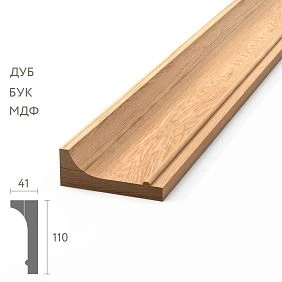
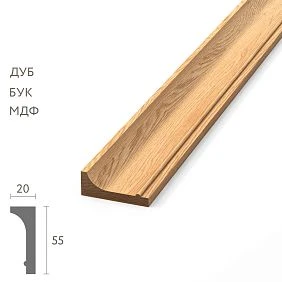
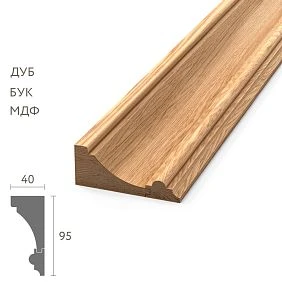
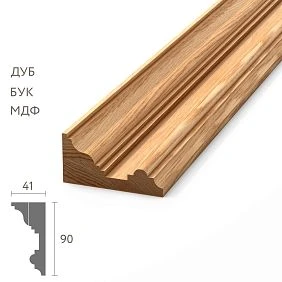
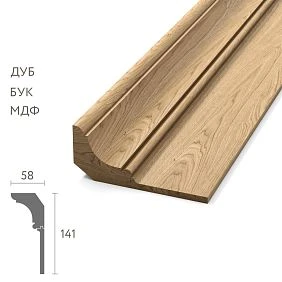
One registry row — one managed item
It is convenient to start with a simple table where each project code is linked to a specific SKU and zone.
| Code | Article | Zone | Approval | Quantity | Price | Order | Production | Delivery | Installation |
|---|---|---|---|---|---|---|---|---|---|
| P-01 | PLT-A | Numbers | Approved | Final | Approved | Released | done | ACCEPTED | 80% |
| M-03 | MLD-B | Lobby | Approved | Final | Approved | Released | In production | — | — |
| K-02 | KZ-C | Restaurant | Pending | Draft | — | — | — | — | — |
This table does not replace a contract, invoice, drawing, or warehouse ledger. It links them together and shows the current state of the process.




A single shared “in progress” status is useless
The phrase “item in progress” does not explain where it is.
It can be:
- with the architect for approval;
- with the estimator for recalculation;
- with the purchaser in the price request;
- with the supplier in production;
- in the vehicle;
- at the site warehouse;
- with the installers.
Therefore, the status should answer not the question "are we working on this", but the question of which specific stage has been completed and what should happen next.
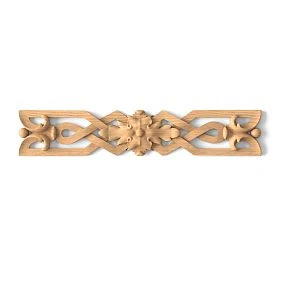
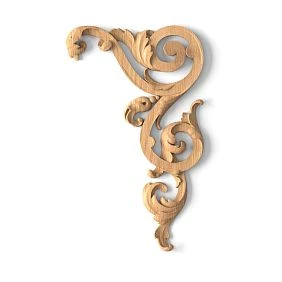
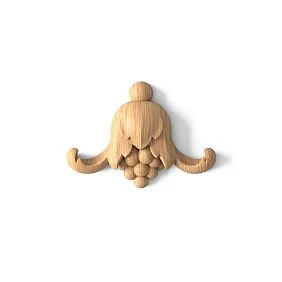
Our factory also produces:





Full chain of a single procurement item
For wooden trim, the following order can be used:
- Selected by the designer.
- Technically approved.
- Quantity confirmed.
- Price request sent.
- Price received.
- Commercial terms agreed.
- Purchase order issued to supplier.
- Supplier confirmed the order.
- In production.
- Ready for shipment.
- Shipped.
- Delivered.
- Accepted and inspected.
- Issued for installation.
- Installed.
- Closed.
Not all projects have to use absolutely every stage. But the more complex the object and the longer the timeline, the more useful it is to separate the states from one another.
Get Consultation
Why a wooden skirting board cannot simply be recorded as “ordered”
Suppose an order is placed for 260 PLT-A planks.
Of these:
- 180 pcs. belong to the first batch;
- 80 pcs. — to the second;
- the first batch has already been accepted at the site;
- the second one has not yet been put into production.
The overall status "ordered" is technically correct, but from a management perspective it is too coarse.
Better:
PLT-A / total 260
Batch 1 / 180 / accepted
Batch 2 / 80 / not released
This way the buyer immediately sees the remaining process.
The overall order and individual batches need to be visible at the same time
A single item should have two levels:
total project requirement
and:
status of each batch.
If you show only the grand total, the future batch gets lost inside the volume already received. If you show only the batches, it is hard to understand how much is still left to close.
| Article | Total | Batch 1 | Batch 2 | Batch 3 | Open balance |
|---|---|---|---|---|---|
| PLT-A | 260 | 180 received | 80 not released | — | 80 |
| MLD-B | 420 | 140 received | 140 in production | 140 planned | 280 |
For molding, technical status matters more than price
Molding MLD-A is still awaiting approval of the physical sample. In parallel, the supplier has already sent the price.
It turns out:
Price: received
But:
Technical approval: pending
Commercial readiness does not authorize purchase if the technical configuration has not yet been approved.
This is one of the main principles of the registry: different procurement streams must have independent statuses.
The "next action" field matters more than the red cell
Red color shows the problem, but does not explain what to do.
A stronger entry looks like this:
Status: sample under approval
Responsible: architect
Next action: approve the sample
Deadline: 17.09
Now any participant understands who should take the next step.
For the cornice, the blocker may be the readiness of the site
The cornice has already been technically approved, the order to the supplier has been issued, and the product has been manufactured.
But the ceiling area is not yet ready for material acceptance.
Correct entry:
Production: ready
Delivery: suspended until the area is ready
This is more precise than just “ready.”
Which fields are required in the unified procurement registry
| Field | What for |
|---|---|
| Project code | Link to drawings |
| Article number | Exact product identification |
| Material | Oak, beech, MDF, or other finish |
| Finish | Approved finish |
| Zone | Place of application |
| Required quantity | Final requirement |
| Specification version | Relevance control |
| Technical status | Product approval |
| Price request status | Commercial stage |
| Price / budget | Ready to order |
| Supplier order number | Link to placed order |
| Production status | Manufacturing |
| Required on site | Main project date |
| Delivery status | Batch movement |
| Acceptance status | What has actually been accepted |
| Installation status | If needed for the overall project |
| Responsible person | Who should take the next step |
| Next action | What is required now |
| Target date | When the action should be completed |
Procurement of construction materials: the register should show action, not correspondence history
For the process «purchase of construction materials» a weak entry looks like this:
On 12.09 we wrote to the manager, awaiting a response
Strong:
Status: price request sent
Responsible: supplier
Next action: commercial proposal
Deadline: 15.09
The correspondence history remains in email or the messaging system. The registry stores the state of the process.
Each open step must have one responsible person
The responsible person is not necessarily “who is to blame.” This is the participant from whom the next action is currently required.
For example:
- technical approval — architect;
- final quantity — estimator;
- price request and order — purchaser;
- production confirmation — supplier;
- acceptance — site.
In a specific company, roles may be named differently. The principle is the same:
one open task → one clear owner.
A status without a deadline quickly turns into an archive
The entry “sample expected” can sit for three weeks and look normal.
Therefore, an open status needs a control date.
Sample pending approval / deadline 17.09
If the date has passed and the status is not closed, the item becomes overdue.
Overdue status should be determined automatically
Simple rule:
if the control date is earlier than the current date and the status is still open → OVERDUE.
The buyer doesn't need to manually review 300 lines. They open the list of overdue items and work by exceptions.
Exception-based management saves time
A good register lets you see three groups in the morning:
- red — overdue or high risk;
- yellow — deadline is approaching;
- green — the process is on track.
The goal is not the colors as such. The goal is not to check every normal line daily.
Procurement of materials for construction should start from the "needed on site" date.
Procurement of materials for construction should not be driven solely by the order date to the supplier.
Main date:
when the material is actually needed on site.
From it, the following are calculated backwards:
- Acceptance;
- delivery;
- readiness;
- production;
- order to supplier;
- commercial approval;
- technical approval.
Thus, the registry is linked to the construction schedule and does not exist separately.
It is useful to store the latest permissible order date
If the project has already calculated when the order must be issued no later than, this field should be transferred to the registry.
Then the row shows:
Required on site: 20.11
Order no later than: 15.09
Actual order: 22.09
The difference is seven days.
This does not yet mean a failure, but it automatically creates a schedule risk status.
Technical approval and commercial approval proceed in parallel
It is useful to have two separate columns.
Technical status:
- not submitted;
- under review;
- approved;
- revision required;
- rejected.
Commercial status:
- price request not sent;
- request sent;
- price received;
- approval in progress;
- terms approved.
These processes must not replace each other.
Two examples where a position cannot be purchased
Situation 1:
Technically: approved
Commercially: over budget
Situation 2:
Commercially: approved
Technically: revision required
In both cases, issuing the order to the supplier is premature.
A control approval is required before ordering from the supplier
For example, an order is allowed only when four conditions are met:
- technically approved;
- the quantity is final;
- commercial terms are approved;
- the budget is confirmed.
After that, the line receives:
READY TO ORDER.
This protects the buyer from releasing an order for a line item where a critical condition is still open.
A summary status is better calculated than written manually
If technical approval is not completed:
PENDING APPROVAL
If the item is approved but the price has not yet been received:
PENDING PRICE
If the price is approved and the quantity is final, but the order has not yet been released:
READY TO ORDER
If the order is confirmed by the supplier:
ordered
A calculated status makes the registry consistent and reduces subjective wording.
The registry stores the order number, but does not replace the order itself to the supplier
A line is enough:
Order No. 147
Date: 18.09
Revision: 2
The order itself remains a separate commercial document.
The registry is a control tool. It shows that the document exists, where to find it, and what its status is.
After placing the order, simple production stages are enough
There is no need to turn the procurement registry into the supplier's production system.
Usually enough:
- order confirmed;
- in production;
- ready;
- suspended.
For the buyer, the management fact matters, not the internal detail of each operation at the factory.
Once ready, a logistics block appears
An item may have:
- planned shipment date;
- expected arrival date;
- delivery status.
The register should not duplicate all transport documentation. It only shows what stage the batch is at.
Shipped does not yet mean accepted
One must distinguish:
SHIPPED → DELIVERED → ACCEPTED AND INSPECTED.
If a discrepancy is found during acceptance, the line receives a separate status:
ACCEPTANCE SUSPENDED
and the next step is to resolve the discrepancy.
Procurement can be completed before installation
For the procurement team, it is enough that the required quantity has been received and accepted.
But for overall project control, it is useful to also see:
ACCEPTED
and:
INSTALLED
Then the site manager understands that the material is already physically present but has not yet been installed in the interior.
When a line receives the status "closed"
Not when the invoice has simply been paid.
To close, it is useful to check:
- the required quantity has been received;
- there are no open replacements;
- there are no open claims, or they have been moved to a separate process;
- the balance has been accounted for;
- the required area is covered;
- the latest version of the specification has been confirmed.
Only after this does the line stop requiring action.
Changing the item code must not erase the old line
For example:
M-03 / MLD-A / replaced
and the new line:
M-03 / MLD-B / active
This is how history is preserved: you can see which profile was planned before and which is now current.
Specification version control is mandatory
The registry must store the current revision, for example:
Specification, revision 6
If a specific line still references revision 4, the following occurs:
REVISION MISMATCH.
This is a signal to check whether the new version affected this item code, quantity, material, or zone.
Wholesale procurement of construction materials: future batches should not look like they have already been ordered
For the process «wholesale purchase of building materials» it is especially important to distinguish between future demand and a firm order.
Useful statuses:
- FORECAST — future potential demand;
- PLANNED — confirmed by the project schedule;
- APPROVED FOR PURCHASE — the order can be issued;
- ORDERED — the order to the supplier has actually been issued.
This way, the buyer does not treat the future queue as an already firmly placed volume.
The project manager does not need all forty columns
For day-to-day management, a short summary can be created:
| Indicator | Value |
|---|---|
| Total items | 84 |
| Technically approved | 72 |
| Supplier orders issued | 55 |
| In production | 14 |
| ACCEPTED | 31 |
| Overdue | 6 |
| High risk | 4 |
Details remain in the main registry. The summary is needed for quick decisions on where attention is required.
How to run a short weekly procurement meeting
There is no need to discuss all 84 items.
In twenty minutes, it is enough to go through:
- overdue items;
- high risks;
- awaiting technical approval;
- items to order this week;
- deliveries expected this week;
- open claims and replacements.
All green lines remain out of discussion.
After the meeting, the issue must turn into action
Bad:
discussed molding M-03
Good:
Item: M-03
Action: approve the sample
Responsible: architect
Deadline: 17.09
The next meeting starts with checking these actions, not with re-discussing the same topic.
Status age shows "stuck" items
Even if the formal deadline has not yet been missed, it is useful to see how many days an item has been at the same stage.
For example:
Under review — 19 days
This helps spot an anomaly: other similar approvals take five days, but this item has not moved for three weeks now.
It is better to categorize the reasons for delays
Convenient categories:
- design;
- commerce;
- supplier;
- logistics;
- object;
- payment.
After several projects, you can see where procurement is actually losing time.
Post-project analytics helps plan the next one
If a significant portion of delays is consistently linked to late sample approval, technical approval should start earlier on the next project.
If problems arise at the final quantity stage, measurement and calculation control is tightened.
If delays are concentrated at the supplier, the order placement timeline or reservation scheme is adjusted.
The register turns from a current table into a source of actual data for the next project.
What should not be stored inside the register
It should not be turned into a storage for the entire project.
Not needed:
- long email threads;
- all defect photos;
- full copies of every document;
- accounting documents;
- the entire supplier message history.
The registry only needs:
link or document number + status + owner + next step + date.
Dependencies between line items should be shown separately
On a project, one procurement line can block another. For example, the skirting board has already been ordered, but its installation assembly depends on the final architrave. Or the cornice has been selected, but its length is only finally confirmed after the ceiling assembly is released.
It is useful to add a field:
DEPENDS ON.
For example:
K-02 → depends on ceiling assembly U-17
P-04 → depends on final architrave N-03
Then the delay does not look like a random "expected", but as a clear dependency.
A critical dependency should be included in the risk list
If the skirting board order date is already approaching and the dependent door unit has not been approved, the item must be escalated above the normal waiting status.
You can use three levels:
- normal — sufficient time buffer;
- increased attention — the dependency may affect the deadline;
- critical — without a decision, it is no longer possible to maintain the original schedule.
This allows the manager to see not only what is overdue, but also what is not yet formally overdue but is already heading toward a problem.
The risk matrix helps separate the urgent from the merely incomplete
| Probability of delay | Impact on the project | Priority |
|---|---|---|
| Low | Low | Regular inspection |
| Medium | Average | Increased attention |
| High | High | Critical control |
For example, a rare cornice for a single restaurant may be more critical than a standard baseboard, even if both are formally at the same status of "price received".
A change in quantity should have its own history
The quantity often changes after the first calculation.
Was:
MLD-B — 420 pcs.
After the final measurement:
MLD-B — 398 pcs.
You shouldn't just overwrite the number.
Better to store:
Previous quantity: 420
New quantity: 398
Reason: final measurement
Revision: 7
This makes it clear why a commercial proposal and a new order may differ from older documents.
The final quantity must have a source
It is useful to store the field:
QUANTITY BASIS.
For example:
- working drawing;
- final measurement;
- room list;
- cutting map;
- clarification after the first batch.
An entry of “398 pcs.” without a source is harder to verify than “398 pcs. based on the final measurement dated 14.09.”
A single SKU with different finishes cannot be kept on one line
If MLD-B is used in the lobby with one finish and in the restaurant with another, these are two different procurement configurations.
Correct:
M-03 / MLD-B / oak / finish 02 / lobby
M-04 / MLD-B / oak / finish 03 / restaurant
If they are combined into one line, the register will not be able to correctly show the quantity, price, production, and supply for each variant.
A single SKU with different commercial lengths is also split
The same logic applies to length.
For example, the profile is the same, but one zone is purchased in 2400 mm strips, and another in a different variant.
In the register, these should be different lines because length affects:
- quantity;
- Cutting;
- price;
- production;
- marking;
- acceptance.
Data quality must be checked before the weekly meeting
If half of the rows are filled with free text, the summary quickly stops being reliable.
Simple mandatory checks are useful:
- the item code is not empty;
- the zone is specified;
- the current revision is filled in;
- an open task has an assignee;
- an open task has a due date;
- an item with an order has a document number specified;
- a batch has a status.
This way, the procurement register remains a management system, not a dump of notes.
It is useful to flag items with insufficient data
For example:
NO SKU
FINISH NOT SPECIFIED
NO FINAL QUANTITY
REVISION UNKNOWN
Such rows cannot be considered "almost ready." They should go into a separate data quality list.
Closing a batch and closing an entire item are different things
Suppose MLD-B is split into three queues.
The first batch has been fully accepted.
The second is in production.
The third one is only planned so far.
Then:
Batch 1 — closed
But:
Item MLD-B — open
This helps avoid confusing the successful completion of one queue with the completion of the entire project for this SKU.
Each batch needs its own open balance
| Batch | Required | Accepted | Open balance | Status |
|---|---|---|---|---|
| 1 | 140 | 140 | 0 | CLOSED |
| 2 | 140 | 0 | 140 | In production |
| 3 | 140 | 0 | 140 | Scheduled |
The total open balance for the item is 280 pcs. This kind of control is especially useful for long projects.
The registry should show the last update
The “last update” field helps distinguish a live row from a forgotten one.
For example:
Status: in production
Last update: 02.09
If today is already 20.09, the buyer understands that even without a formal supplier delay, it is time to request a new status.
Silence cannot be considered confirmation
If the supplier has not responded after the request, the status should be:
AWAITING CONFIRMATION
And not:
ORDER CONFIRMED
The same applies to designer approval, price, and production timeline. The registry stores only confirmed states.
A high-risk item must have a fallback scenario
For a critical SKU, you can add a field:
ACTION PLAN IN CASE OF RISK.
For example:
- speed up approval;
- move the installation of another zone forward;
- check the possibility of reservation;
- request an acceptable equivalent in advance;
- split the delivery.
This does not mean automatically changing the approved profile. A contingency scenario is needed so that the project does not start looking for a solution only after an actual failure.
Final check: what a purchaser should be able to do in 30 seconds
For any line, they should quickly answer:
- what this product is;
- where it is used;
- which version is current;
- whether it is technically approved;
- whether the quantity is final;
- has the price been received;
- has the order been released;
- where the item is now;
- what should happen next;
- who is responsible for this;
- by what deadline.
If answering requires opening five files and writing to three people, a unified control system has not yet been created.
Final algorithm for maintaining the register of wooden moulding purchases
- Create a separate row for each managed code and SKU.
- Record the material, finish, zone, and current revision.
- Specify the required quantity.
- Conduct technical approval separately.
- Conduct price request and commercial status separately.
- Assign a responsible person for the next open step.
- Record the next action.
- Set a control date.
- Automatically highlight overdue items.
- Link the line to the "needed on site" date.
- Store the last permissible order date if it has been calculated.
- Do not allow ordering until technical and commercial readiness.
- After placement, record the order number with the supplier.
- Track only clear production stages.
- Separate shipment, delivery, and acceptance.
- Keep batches separate from the total volume.
- Do not mix forecast and firm order.
- When the item code changes, preserve the history of the old line.
- Check for revision mismatches.
- Conduct a weekly review only by exceptions.
- After the project, analyze the causes of delays.
- Close the line only after the obligations are actually completed.
A unified procurement register does not replace the specification, purchase order to the supplier, transport documents, or acceptance report. Its purpose is different: to show the current state of the entire procurement chain in one place.
For wooden moulding, this is especially useful because a single item goes through design approval, precise configuration, quantity calculation, commercial terms, production, phased deliveries, acceptance, and installation all at once. If these stages are handled separately, an error between them can remain unnoticed until it reaches the site.
When each line has a current version, status, owner, next action, and deadline, the buyer no longer has to piece the picture together manually. They can see which item is ready to order, which is stuck in approval, which is already in production, where a deadline risk has appeared, and what needs to be done today so the material arrives by the required date.