Article Contents:
- Ordering building materials doesn't mean the order can no longer be changed
- First, find out the status of the specific line item, not the entire order
- Why an order should have versions
- What the order version history looks like
- What to do if the linear footage of wooden baseboard increased after ordering
- Why you check the already ordered reserve first
- When a quantity change needs to be processed as a CHANGE ORDER
- What to do if the designer changed the molding after ordering
- An old SKU cannot simply be deleted from the master order
- Why SKU CHANGE must have its own effective date
- What to do if the old profile has already been produced
- Change freeze: when it's useful for a project to temporarily stop changes
- Why changing the cornice is especially sensitive to the production stage
- TYPE 1 — quantity change
- TYPE 2 — item code replacement
- TYPE 3 — material or finish change
- TYPE 4 — date or queue change
- Ordering building materials: why you shouldn't mix all changes into one message
- What is a CHANGE ORDER in simple terms
- What must always be recorded in a CHANGE ORDER
- REQUESTED does not mean APPROVED
- Why a message in a messenger does not change the order
- Who has the right to initiate and who — to approve a change
- After a quantity change, the price cannot be recalculated automatically
- What to do with an order that has already been paid
- Any technical change requires a timeline check
- The later the change, the less freedom
- How to calculate the cost impact of a change
- How to calculate time impact
- Why zero PRICE IMPACT does not mean zero risk
- Material ordering: APPROVED CHANGE must go into the master order
- How to issue a new revision when several CHANGEs are still under review
- What SUPERSEDED means
- Why a change log is needed separately from revisions
- Who should receive the new version
- How to prove that the new version was actually distributed
- A change to the order must reach the batch marking
- What to do if part of the old version has already been shipped
- Why partial shipment requires split history
- How to account for already manufactured but not yet shipped items
- CANCEL REQUEST and CANCELLED are not the same
- Partial cancellation: how not to lose the already produced quantity
- Why you cannot reduce the quantity before cancellation confirmation
- ADDITIONAL ORDER or CHANGE ORDER
- How to distinguish a change from an additional order
- Seven things the buyer must receive before APPROVED CHANGE
- Change Order Register
- Which changes are considered closed
- Why multiple changes cannot be implemented as a "package" without statuses
- What the Change Gate looks like before a new revision is released
- How to link a CHANGE ORDER to the purchase of construction materials
- What to do if the change affects only the delivery schedule
- How not to confuse a new date with a technical revision
- What to do if the finish changes for only one batch
- Why receiving must know the revision history
- The final algorithm for changing an already placed order

The order has already been approved and placed: skirting PLT-A — 240 pcs., moulding MLD-A — 420 pcs., cornice KZ-A — 85 pcs. A week later, the designer changes the moulding, the actual measurement adds skirting, one floor is moved to the second phase, and the customer asks for a different finish. The most dangerous reaction is to write to the manager: “Please change it” and assume that the order has already been updated.
When construction materials need to be ordered for a large project, a change after the order has been placed must go through a managed CHANGE ORDER. Otherwise, two realities begin to exist at the same time: the official order and the new version, which lives only in correspondence.
Working scheme:
CHANGE REQUEST → production stage check → quantity / SKU / finish / deadline assessment → PRICE & TIME IMPACT → APPROVED CHANGE → new REVISION → old version SUPERSEDED → update of labeling and batches → receiving according to the new version.
The main rule: a sent message does not change the order yet. Until the change is confirmed and implemented in a new active version, the previous approved revision remains in effect.
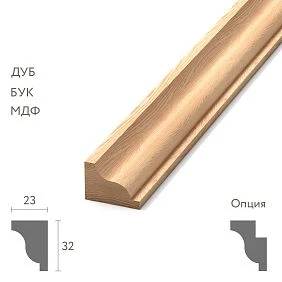
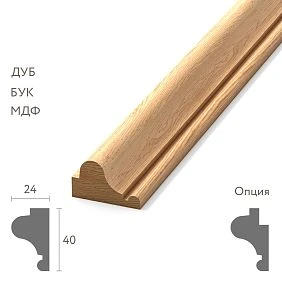
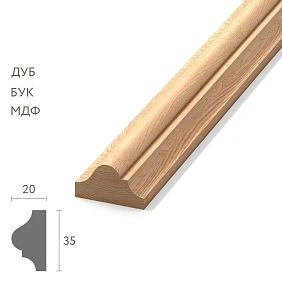
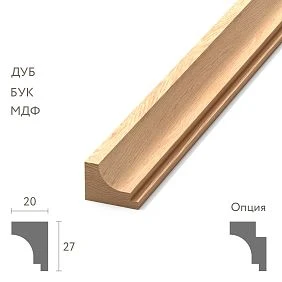
Placing an order for building materials does not mean the order can no longer be changed
Changes are possible, but the consequences depend on the stage of the specific item.
| Status | What does it mean | Freedom to change |
|---|---|---|
| DRAFT | Order not yet confirmed | High |
| CONFIRMED | Order confirmed | Approval required |
| IN PRODUCTION | Item has entered production | Limited |
| READY | Item manufactured and ready | Severely limited |
| SHIPPED | Item shipped | The change becomes a separate operation |
The same request to "reduce the cornice by 10 pcs." in DRAFT and PACKED statuses represents two completely different tasks.




First, they determine the status of the specific line item, not the entire order
A single order can be in several stages at once:
- the skirting board is already finished;
- the molding is in production;
- the cornice has not been started yet;
- part of the first batch has already been shipped.
Therefore, you cannot write "change the entire order." A CHANGE ORDER must specify the exact SKU and the actual state of that line.
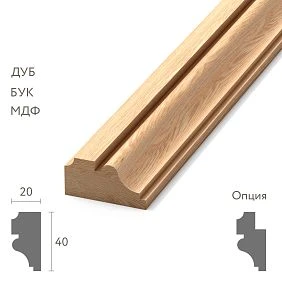
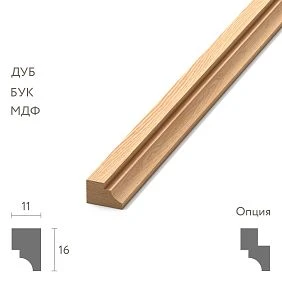
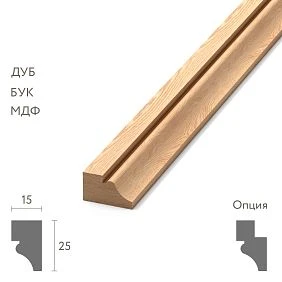
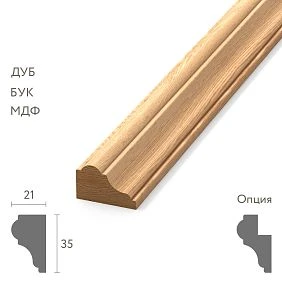
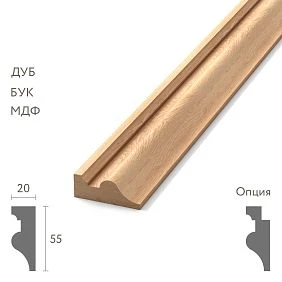
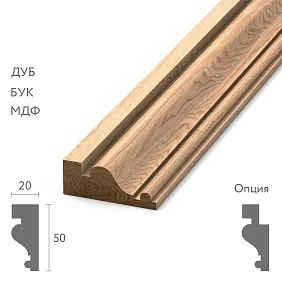
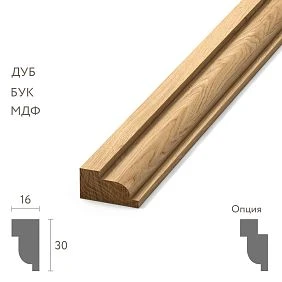
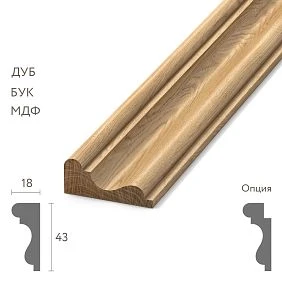
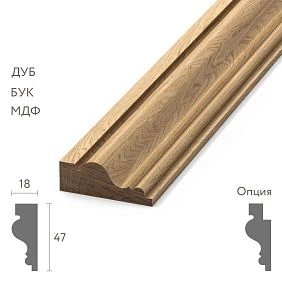
Our factory also produces:
Why an order should have versions
A clear scheme:
ORDER-125 / REV00
After changing the quantity:
ORDER-125 / REV01
After replacing one SKU:
ORDER-125 / REV02
And be sure to:
CURRENT APPROVED = REV02.
Files like order_new.xlsx, order_really_final.xlsx и final2.xlsx do not allow reliably determining the current version.
Get Consultation
What the order version history looks like
| Version | PLT-A | MLD-A | KZ-A | Reason |
|---|---|---|---|---|
| REV00 | 240 | 420 | 85 | Original order |
| REV01 | 252 | 420 | 85 | New measurement |
| REV02 | 252 | 390 | 85 | Wall change |
| REV03 | 252 | 390 | 92 | Zone added |
This history shows not only the current value, but also the origin of each change.
What to do if the linear meters of wooden skirting increased after the order
It was 54.2 m, now it is 59.8 m.
You should not write to the supplier: “add another 5.6 m.”
First, the number of whole items is recalculated. If the product length is 2.4 m, the additional 5.6 m mathematically gives:
5.6 / 2.4 = 2.33 → minimum 3 planks.
But the actual result depends on the cutting layout. If one 5.4 m section was added, three planks are needed. If several short walls changed, the usable remainder from the existing order may cover part of the requirement.
Why the already ordered reserve is checked first
A change to a section does not always mean a reorder.
Algorithm:
new geometry → new cutting layout → inventory of available reserve → assessment of suitable lengths → only then additional quantity.
It is important to look not only at total meters. Three short offcuts may formally provide sufficient length but not be suitable for a new continuous section.
When a quantity change must be processed as a CHANGE ORDER
If the current open line changes from 240 to 252 pcs., this is a change to an existing order.
The Change Order records:
Before that, it is useful to separate two numbers: NEW REQUIRED QTY and DELTA. If it was 240 and became 252, the new requirement is 252, and the change is +12. This seems obvious, but it is precisely the mixing of these values that often causes an error: the manager perceives "252" as an additional quantity and increases the order to 492.
Therefore, it is better to store both columns in the change card: OLD QTY, NEW QTY and separately DELTA.
PLT-A / 240 → 252 / +12 pcs / reason: final measurement
After supplier confirmation, a new revision is issued.
What to do if the designer changed the molding after ordering
Was:
MLD-021
Now:
MLD-050
This is not a quantity adjustment, but a SKU CHANGE.
Need to check again:
- size and cross-section;
- the material;
- commercial length;
- Cutting;
- quantity;
- cost;
- the deadline;
- sample;
- impact on the already manufactured MLD-021.
The old SKU cannot simply be deleted from the master-order
Correct:
MLD-021 — CANCEL REQUESTED
and the new line:
MLD-050 — ADD REQUESTED
After the supplier's response, the old SKU receives one of the final statuses:
CANCELLED
Or:
CANNOT CANCEL / ALREADY IN PRODUCTION
This preserves the real order history.
Why SKU CHANGE should have its own effective date
If MLD-021 was replaced with MLD-050, you must specify not only the fact of the replacement itself, but also from what point it takes effect.
For example:
REV02 valid for orders/batches released after 18.09
If part of the old version has already been produced, such a date separates the legitimate MLD-021 from the new MLD-050. Without it, receiving later cannot tell whether the old profile is an error or a correct delivery under the previous revision.
What to do if the old profile has already been produced
A new design does not erase the fact of production already completed.
Possible solutions are discussed separately:
- keep the original item for another zone;
- accept the quantity already produced;
- order the new SKU as an additional line;
- use part of the old item as a reserve;
- agree on another commercial option.
There is no universal answer. It depends on the stage, the terms of the order, and whether already manufactured goods can be used.
Change freeze: when it is useful for a project to temporarily stop changes
On a large delivery, a CHANGE FREEZE point before releasing the queue into production is useful. This does not mean that nothing can be changed anymore. It means that after the freeze date, every new change is treated as an exception with a separate impact on price and lead time.
For example:
BATCH-02 CHANGE FREEZE = 25.09
All changes approved before this date are included in the planned REVISION. Changes after the freeze receive a separate CO and must not quietly end up in production.
Why a cornice change is especially sensitive to the production stage
If the cornice has not yet been started, the change may be relatively simple.
If it has already been manufactured, finished, packed, or shipped, the consequences are different.
Therefore, you cannot promise the client: “Any order can always be changed.” The correct wording is: the possibility and consequences of a change are confirmed for a specific item and stage.
TYPE 1 — quantity change
For example:
+12 pcs.
Or:
−8 pcs.
Even a simple change in quantity can affect price, packaging, lead time, transport, and minimum production batch.
TYPE 2 — SKU replacement
The riskiest type.
Not only the SKU changes, but potentially:
- geometry;
- the material;
- length;
- Cutting;
- sample;
- price;
- the deadline;
- marking.
Such a change must undergo a full re-check of technical specifications.
TYPE 3 — material or finish change
For example:
oak → beech
unfinished → enamel
FIN-01 → FIN-02
The SKU may remain the same, but the product configuration is already new.
If the finish is design-critical, the change must also affect the sample. The old SAMPLE-S01, approved for FIN-01, does not confirm FIN-02. A new status is needed for the new finish: SAMPLE-S02 / APPROVED or an explicit decision that a repeat sample is not required.
If there is a master sample, it is necessary to check whether it relates to the new configuration. The old sample cannot be automatically transferred to a different species or finish.
TYPE 4 — change of date or queue
The product remains the same, but the schedule changes:
- batch 2 is postponed;
- the floor is moved to the second phase;
- part of the area is needed earlier;
- delivery is split into two vehicles.
This is a SCHEDULE CHANGE. It should not be mixed with a technical replacement of the product.
At the same time, postponing the date can affect the storage of already finished material. If the item is READY and the site postpones acceptance by a month, the change must specify where and under what conditions the material will be stored until the new date. Otherwise, formally only the calendar changes, but in practice a new warehousing issue arises.
Ordering building materials: why you shouldn't mix all changes into one message
Ordering building materials is easy to muddle if you write:
Add 15 skirting boards, change the molding, the cornice is now later, and make the oak a bit darker.
Better to split:
CO-01 — Quantity
CO-02 — SKU
CO-03 — Schedule
CO-04 — Finish
Each change then gets its own status and result.
What is a CHANGE ORDER in simple terms
This is a structured change card for an existing order.
For example:
CO-004
Project: Hotel A
Order: 125
Current revision: REV02
Requested change: MLD-A 120 → 136 pcs
Reason: final wall measurement
Requested by: ...
Date: ...
What must be recorded in a CHANGE ORDER
- original order number;
- current revision;
- the SKU being changed;
- the old value;
- new value;
- reason;
- zone or room;
- initiator;
- request date;
- current status;
- expected impact on price and timeline.
REQUESTED does not mean APPROVED
| Status | Meaning |
|---|---|
| REQUESTED | Customer requested a change |
| UNDER REVIEW | Supplier/production verifies feasibility |
| APPROVED | Change confirmed |
| REJECTED | Change not accepted or impossible |
| IMPLEMENTED | A new version of the order has been released and sent to production |
This is one of the main rules of the article: while a change is REQUESTED or UNDER REVIEW, the old version remains in effect.
Why a message in a messenger does not change the order
A message can be the initial CHANGE REQUEST, but not the final record.
The phrase "I already wrote to the manager" does not answer the questions:
- has production received the request;
- can the item be changed;
- has the price changed;
- has the date changed;
- Which version is now the active one.
The final point — a new revision of master-order.
Who has the right to initiate and who — to approve a change
On a project, these may be different people.
| Role | What they can do |
|---|---|
| Designer | Initiate a change of profile or finish |
| Site foreman | Initiate a change of actual quantity |
| Buyer | Formalize a Change Request and request an impact |
| Customer / authorized representative | Approve a commercially significant change |
| Supplier / production | Confirm feasibility, price, and lead time |
If any participant can independently modify the master order, version control quickly stops working.
After changing the quantity, the price cannot be recalculated automatically
The old unit price is not always retained.
The following may change:
- volume;
- discount;
- packaging;
- logistics;
- minimum order quantity;
- production terms.
Therefore, the PRICE IMPACT must be confirmed by the supplier.
What to do with an already paid order
If the order is paid in full or in part, the Change Order must also account for the financial basis.
For example, 240 units were paid for, but the new version requires 252. Then the change may create an additional payment for 12 units. If the quantity decreased, the adjustment procedure depends on the terms of the specific order and documents — a universal scheme cannot be promised here.
From a management perspective, one thing is needed: the new REVISION and the financial adjustment must reference the same CHANGE. Then the technical and commercial history do not diverge.
Any technical change requires a lead time check
Original order:
READY 15.10
After material replacement:
READY 22.10
The purchaser must see this before APPROVED CHANGE.
| Parameter | Was | Became |
|---|---|---|
| SKU | MLD-A | MLD-B |
| Qty | 120 | 120 |
| Price | … | … |
| Ready date | 15.10 | 22.10 |
The later the change, the less freedom
It is useful to see the production chain:
NOT STARTED → MATERIAL ALLOCATED → IN PRODUCTION → FINISHING → PACKED → SHIPPED.
At the NOT STARTED stage, changing the quantity is easier than after FINISHING. After SHIPPED, a technical change effectively turns into a new order, a return, a replacement, or a separate agreed solution.
How to calculate the cost impact of a change
Cost impact is not just the difference in product price.
It may include:
- quantity change;
- change in SKU price;
- already completed production operations;
- new packaging;
- re-delivery;
- new sample;
- additional batch.
Therefore, in the Change Register it is better to keep a separate COST IMPACT column.
How to calculate time impact
A change may not alter the price, but it can shift the timeline.
For example, FIN-02 costs the same as FIN-01 but requires a new production queue.
TIME IMPACT must be recorded separately:
0 days
Or:
+7 days
Or:
new date subject to confirmation
Why zero PRICE IMPACT does not mean zero risk
A supplier may confirm a replacement without changing the price, but the timeline will shift by a week. Or vice versa — the timeline stays the same, but a new cost is required.
Therefore, the Change Register must have two independent columns: COST IMPACT and TIME IMPACT. One value cannot be used as a substitute for the other.
Material order: APPROVED CHANGE must go into the master order
The material order must not exist in two versions — the official one and the “by correspondence” one.
After APPROVED CHANGE:
ORDER-125 REV03 — SUPERSEDED
ORDER-125 REV04 — CURRENT
Only REV04 is used going forward.
How to release a new revision if several CHANGEs are still under review
Suppose CO-01 is already APPROVED, CO-02 UNDER REVIEW, CO-03 REJECTED.
The new REVISION should include only CO-01. You cannot wait indefinitely for all changes if production needs to start, but you also cannot include the unconfirmed CO-02 "just in case."
In the Change Log, next to REV04, indicate which COs were included in it. Then the connection between requests and the current version remains transparent.
What SUPERSEDED means
The old version is not deleted. It remains in the archive as history.
But it can no longer be used for:
- production;
- configuration;
- markings;
- acceptance;
- installation;
- reorder.
Why a change log is needed separately from revisions
REV04 says the document has changed. The Change Log explains how.
| Change | Was | Became | Reason | Status |
|---|---|---|---|---|
| CO-01 | PLT-A 240 | PLT-A 252 | Final measurement | IMPLEMENTED |
| CO-02 | MLD-A | MLD-B | Wall change | IMPLEMENTED |
Who should receive the new version
At minimum, those who actually work with the changed data:
- purchaser;
- materials supplier;
- production;
- warehouse or kit assembler;
- object;
- receiver;
- installer, if the change affects installation.
Otherwise, procurement works from REV04, while the site continues to accept according to REV02.
How to prove that the new version was actually distributed
For a critical project, a short distribution log is useful:
| Revision | Recipient | Date | Status |
|---|---|---|---|
| REV04 | Procurement | … | RECEIVED |
| REV04 | Production | … | RECEIVED |
| REV04 | Warehouse | … | RECEIVED |
| REV04 | Object | … | RECEIVED |
This is how "we sent the new version" turns into a verifiable fact.
A change to the order must reach the batch marking
Old marking:
PROJECT A / MLD-A / FLOOR 2
After the change, part of the goods belongs to FLOOR 3.
If the master order was updated but the packaging still has the old marking, the error will move from the procurement stage to the site.
What to do if part of the old version has already been shipped
REV01:
200 MLD-A
100 have already been sent.
Before the second batch, a change was approved: the remaining 100 → MLD-B.
You cannot release REV02 as if the entire order is now MLD-B.
The correct approach:
DELIVERED UNDER REV01 = 100 MLD-A
REMAINING UNDER REV02 = 100 MLD-B
Why partial shipment requires split history
The site physically holds goods of the old version, and they were correct at the time of shipment.
If the new revision rewrites the entire order, in a month these 100 MLD-A will look like a mismatch.
Therefore, the master order must separate:
- the fulfilled part of the old version;
- the unfulfilled remainder of the new version.
How to account for already manufactured but not yet shipped goods
A separate case: goods have already been produced under REV01, but are still at the supplier's warehouse.
The Change Order must answer:
- can this volume be changed;
- whether it can be used in another area;
- will it be shipped as is;
- will a new separate line appear;
- what is the financial impact.
READY status is not the same as SHIPPED status, but the freedom to change is already significantly lower.
CANCEL REQUEST and CANCELLED are not the same
The buyer asked to cancel 40 curtain rods.
Until the supplier confirms:
CANCEL REQUESTED
Only after confirmation:
CANCELLED
If cancellation is not possible:
CANCEL REJECTED / CANNOT CANCEL
Until a response is received, the old line remains in effect.
Partial cancellation: how not to lose the quantity already produced
85 cornices were ordered. The customer requests to cancel 20. Production has already manufactured 12 of these 20.
The result might be, for example:
CANCEL REQUESTED = 20
CANCEL APPROVED = 8
CANNOT CANCEL = 12
Then the new requirement and commercial result must reflect the confirmed partial cancellation, not the original request for −20.
Why you cannot reduce the quantity before the cancellation is confirmed
If the master order already shows 45 instead of 85, but production is actually still making 85, a hidden discrepancy arises.
Therefore, a new revision is issued only after the confirmed result of the cancel request.
ADDITIONAL ORDER or CHANGE ORDER
If the current open line changes, a Change Order is appropriate.
If the original order has already been fulfilled and a new volume is needed later, it is better to create a separate additional order with a reference to the original.
This way, the history of a completed delivery is not rewritten retroactively.
How to distinguish a change from an additional order
| Situation | Tool |
|---|---|
| 240 → 252 before closing the line | CHANGE ORDER |
| MLD-A → MLD-B before production of the remainder | CHANGE ORDER |
| The original order is closed, a new room has appeared | ADDITIONAL ORDER |
| Replacement of damaged goods is needed | CLAIM / REPLACEMENT PROCESS |
Seven things the buyer must receive before APPROVED CHANGE
- Whether the change can be made.
- What exactly is being changed.
- What can no longer be changed.
- The new quantity or configuration.
- PRICE IMPACT.
- TIME IMPACT.
- Confirmation of the new order revision.
Only after this does the change become APPROVED.
Change Order Register
| CO | Order | SKU | Change | Status | Cost impact | Time impact |
|---|---|---|---|---|---|---|
| CO-01 | 125 | PLT-A | +12 pcs. | APPROVED | +… | 0 |
| CO-02 | 125 | MLD-A | → MLD-B | UNDER REVIEW | … | … |
| CO-03 | 125 | KZ-A | −6 pcs. | REJECTED | 0 | 0 |
Register gives the buyer a single point of control instead of a chain of messages across different chats.
Which changes are considered closed
APPROVED status does not always mean completion.
A CHANGE is considered IMPLEMENTED when:
- a new REVISION is released;
- the old version is SUPERSEDED;
- production has received the new version;
- marking has been updated;
- batch breakdown has been changed;
- incoming inspection knows the applicable revision.
That is, APPROVED means the decision has been made, IMPLEMENTED means the decision has actually been implemented.
Why several changes cannot be implemented as a "package" without statuses
CO-01 may be APPROVED, CO-02 is still UNDER REVIEW, and CO-03 is REJECTED.
A new revision must not be released as if all three requests were accepted.
Only IMPLEMENTED changes go into the master order.
What the Change Gate looks like before a new revision is released
| Check | Status |
|---|---|
| SKU defined | OK / HOLD |
| Production status verified | OK / HOLD |
| Quantity / configuration agreed | OK / HOLD |
| Cost impact confirmed | OK / HOLD |
| Time impact confirmed | OK / HOLD |
| Cancel status closed, if needed | OK / HOLD |
| New marking defined | OK / HOLD |
| All participants will receive the new revision | OK / HOLD |
If a critical item is on HOLD, the new version must not yet become CURRENT.
How to link a CHANGE ORDER to the purchase of construction materials
For a large project purchase of construction materials must store not only the current total but also the history of changes.
Otherwise, it is impossible to understand:
- why the budget changed;
- why the deadline shifted;
- why there are two versions of the same profile on the site;
- which part was produced according to the old revision;
- who approved the replacement.
What to do if the change concerns only the delivery schedule
If the item, quantity, and finish do not change, there is no need to rewrite the technical line.
It is enough to create a Schedule Change:
BATCH-02 NEED-BY 10.11 → 01.12
But the new schedule must still reach production, warehouse, logistics, and the site.
How not to confuse a new date with a technical revision
You can separate:
ORDER REV04 — technical version.
SCHEDULE S03 — calendar version.
This is especially convenient on a multi-stage project, where deadlines shift more often than SKUs.
What to do if the finish changes for only one batch
For example, BATCH-01 has already been manufactured in FIN-01, and BATCH-02 must go into FIN-02.
A master order cannot be changed as if the entire order had always been FIN-02.
Need to preserve:
BATCH-01 / MLD-A / FIN-01 / DELIVERED
BATCH-02 / MLD-A / FIN-02 / CURRENT
This way, receiving will not mark the first correct batch as erroneous.
Why receiving needs to know the revision history
Goods of an old version shipped before the change was approved may arrive at the site.
The receiver must see the revision date and applicability:
REV03 valid for BATCH-01
REV04 valid from BATCH-02
Without this, a correct historical delivery can easily look like a mismatch.
Final algorithm for changing an already placed order
- Receive a change request.
- Identify the specific SKU or batch.
- Raise the CURRENT APPROVED revision.
- Check production status.
- Determine the type of change: quantity / SKU / finish / schedule.
- Recalculate geometry and cutting layout if needed.
- Check existing reservation.
- Check the quantity already produced.
- Check what has already been shipped.
- Create CHANGE REQUEST.
- Get feasibility response.
- Get PRICE IMPACT.
- Get TIME IMPACT.
- Close CANCEL REQUEST if needed.
- Move change to APPROVED or REJECTED.
- Issue a new REVISION.
- Mark the old one as SUPERSEDED.
- Update batch breakdown and labeling.
- Distribute the new version to all responsible parties.
- During receiving, check the goods against the applicable revision.
Changing an already placed order is a normal part of project procurement. The problem begins not when the designer, client, or site changes something, but when the change exists only in correspondence and does not go through price, lead time, production, and a new order version.
A good CHANGE ORDER preserves the history: what was originally ordered, what changed, why, which part has already been produced or shipped, what consequences arose, and which version is now CURRENT APPROVED.
Then the baseboard, molding, and cornice continue to move through the project based on current data, while the old version remains an archive rather than a hidden competitor to the new one.