Article Contents:
- BIM shows geometry, but you'll have to buy real products
- First, check the BIM model version
- A fresh model doesn't guarantee fresh types and families
- A family name doesn't replace physical product identification
- Omission in the model
- Extra element in the model
- Type error
- Revision mismatch
- Quantity logic error
- But furniture can also increase the skirting board quantity
- Bulk building material: check the furniture package separately
- Typical rooms require an exception register
- An overly aggregated BIM bill of quantities loses verifiability
- The model source code helps trace every disputed meter
- Why 300 m in BIM does not mean buying exactly 300 m
- A segment map is stronger than total meterage
- Buy wholesale building materials: the procurement bill of quantities combines BIM and other approved sources
- Materials at scale: the BIM conflict log keeps disputed lines from getting lost
- After a decision, more than just the model gets updated
- BIM keeps evolving even after the procurement is locked
- Comparing BIM revisions is useful when you check more than just the final meters
- The change log shows more than just the added meters
- A type change is especially dangerous when the meter delta is zero
- Why price should not be the main BIM parameter
- After a type mapping change, all its instances are checked
- When complex BIM verification is not needed
- Practical example: BIM underestimated the baseboard due to a furniture portal
- Practical example: BIM perfectly calculated an outdated molding
- Practical example: the cornice is missing from the model but present in the approved elevation
- Practical example: the total footage did not change, but the SKU did
- Practical example: 300 m of clean length requires more commercial footage
- How to account for usable offcuts before ordering
- How to work with door portals in BIM
- How to work with standard doors and exceptions
- How to verify the completeness of a BIM schedule using a reverse pass
- How to check that a single line is not counted twice across two models
- How to work with models from different designers
- How to check a revision by actual content rather than by file name
- How to check the source units of measurement
- Every critical row must have a path back to its source
- How to handle quantity rounding
- How to account for different commercial lengths of a single SKU
- How to account for material and finish after matching the BIM type
- How to work when one BIM type is used for different materials
- How to check that a BIM type does not hide multiple finishes
- How to work with rooms where the geometry is the same but the finish is different
- How to check the model after coordination changes to walls
- How to check deleted elements after a model change
- How to work with an added element after order confirmation
- How to check that the reserve is not duplicated in BIM
- The reserve must have its own reason
- How to work with non-standard profiles in BIM
- How to work with details modeled by a conditional line
- Procurement lock-in does not mean a ban on project changes
- How to check export filters before the first calculation
- How to distinguish a model error from an export rule error
- How to work with rooms whose boundaries changed between revisions
- How to work with mirrored rooms
- When a model can be used almost directly
- How to check whether technological or service duplicates have entered the model
- 1. Sending the supplier a raw BIM export
- 2. Not checking the model revision
- 3. Assuming a recent model guarantees up-to-date families
- 4. Not linking the BIM type to a specific SKU
- 5. Counting baseboard behind built-in furniture
- 6. Losing baseboard added by the furniture project
- 7. Not checking molding elevations
- 8. Assuming all typical rooms are identical
- 9. Not tracking exceptions for specific rooms
- 10. Not cross-checking the cornice against the ceiling documentation
- 11. Aggregating the entire object into a single total length
- 12. Losing the source code
- 13. Converting clean BIM meters directly into an order
- 14. Simply adding 10% to the BIM quantity
- 15. Excluding items outside BIM
- 16. Resolving the conflict between BIM and the drawing on your own
- 17. Updating BIM but not updating the procurement list
- 18. Automatically changing an already placed order after every new export
- 19. Comparing revisions only by total length
- 20. Do not check type changes when the delta in meters is zero
- Can a BIM quantity takeoff be used for procurement at all?
- Which is more important — BIM or construction drawings?
- Do you need to wait for a BIM update if the approved molding is already on the elevation?
- How can you tell that BIM is overstating the baseboard because of furniture?
- Why can't you just add a margin to the model's meterage?
- How should standard numbers be taken into account?
- What should you do if the total meterage between revisions has not changed?
- What BIM data does the procurement specialist need?
- When can the procurement list be finalized?
- What to do when BIM changes after the order is placed?
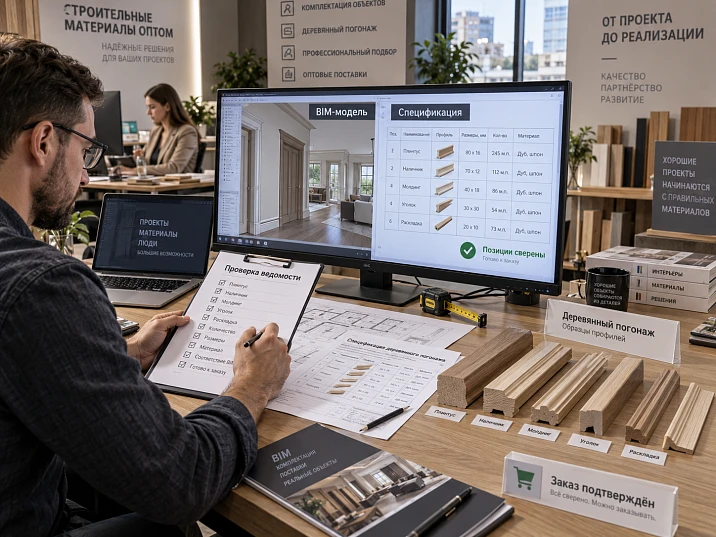
An architect or BIM coordinator exports 684 m of skirting, 412 m of molding, and 168 m of cornice from the model. The table looks convincing: each row has a type, floor, room, and quantity. The procurement specialist sees neat numbers and sends the list to the supplier as a ready specification.
This is exactly where the systemic error occurs. The BIM model answers primarily the question: what is modeled and in what quantity is it present in the model? The procurement list must answer a different question: what physically needs to be purchased, in which SKU, material, commercial length, and quantity of whole items?
There can be a big difference between these two answers. In the model, the skirting may continue behind a built-in wardrobe that, according to the working detail, completely covers the wall. The molding may remain standard, although three units have already received individual elevations. The cornice may not account for a new curtain recess. And vice versa: a decorative frame may be added only on the elevation and be completely absent from BIM.
Therefore construction materials wholesale for a modern project, you cannot purchase based on a raw BIM export. First, the model must be turned into a verified procurement basis.
Work sequence:
BIM MODEL → QUANTITY EXPORT → REVISION CHECK → BIM TYPE → ACTUAL SKU → ZONE CHECK → VERIFICATION AGAINST ELEVATIONS, DOORS, FURNITURE, AND CEILINGS → OMISSION / EXTRA ELEMENT / CONFLICT / REVISION MISMATCH → VERIFIED SEGMENTS → CUTTING MAP → WHOLE ITEMS → RESERVE → SINGLE PROCUREMENT LIST → ORDER VERSION.
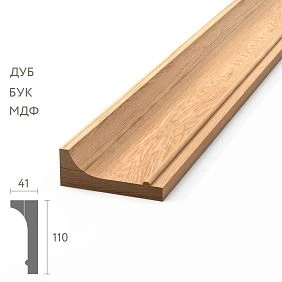
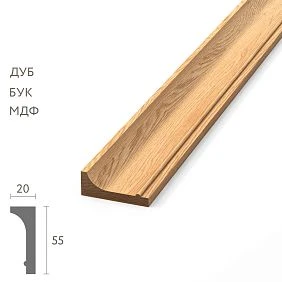
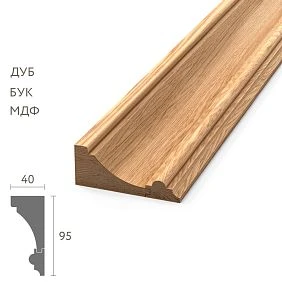
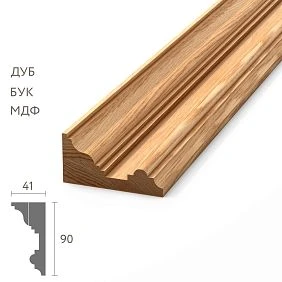
BIM shows geometry, but you will have to buy real products
The supplier does not ship “312 virtual meters of skirting.” They ship specific products: for example, PLT-006 in the selected material, in a specific commercial length and in a specific quantity of whole planks.
That is why the final procurement line must contain at least:
- exact SKU;
- the material;
- execution;
- commercial length;
- number of whole products;
- area of application;
- the finish, if it differs;
- the reserve separately from the main quantity.
The model can provide useful geometry and the initial square footage, but by itself it does not guarantee that the line is ready for ordering.




First, we check the BIM model version
The first checkpoint is not length or quantity. First, you need to understand which version of the project the model belongs to.
For example:
- BIM model — revision 12;
- door schedule — revision 14;
- furniture — revision 15;
- elevations — revision 14.
If the model lags two or three revisions behind, the automatic export may perfectly calculate an outdated solution.
Therefore, the source table needs the following fields:
- model revision;
- model date;
- export date;
- set of connected disciplines;
- relevance status.
Without this information, a dispute about quantity begins on an unreliable basis.
Our factory also produces:
A fresh model does not guarantee fresh types and families
The model may be issued today, but the molding family used could have been created several months ago under the provisional name “Molding large 02.” In the actual project, MLD-050 from a specific material has already been approved, while the family in BIM has not been updated.
Therefore, file freshness does not mean that:
- all types are up to date;
- all parameters are filled in;
- all conditional families are linked to real products;
- design changes have been incorporated into the model.
A separate check is needed to verify that the virtual type matches the actual product.
Get Consultation
Table mapping BIM type to real SKU
| BIM type | Actual SKU | Material | Length | Status |
|---|---|---|---|---|
| SKIRTING-120-A | PLT-006 | Oak | 2400 мм | Approved |
| MOLDING-WALL-A | MLD-050 | Beech | 2400 мм | Approved |
| CORNICE-A | KZ-___ | ___ | ___ | Under review |
Once approved, such a table becomes the linking document between the model and procurement. If a BIM type does not have a confirmed SKU, the row is not yet ready for ordering.
The family name does not replace physical product identification
The wording "large wooden molding" is convenient for design, but insufficient for procurement. Two profiles of the same width may differ in relief, height, material, and product length.
For procurement, a more useful entry is:
BIM type M-03 → STAVROS MLD-050 → material ___ → length ___ → zone ___.
Then the design logic is preserved, but the buyer already works with the physical product.
BIM and procurement reconciliation matrix
| SKU | BIM | Working drawings | After verification | Purchase | Status |
|---|---|---|---|---|---|
| PLT-A | 312 м | 304 м | 301 м | 132 pcs. | Approved |
| MLD-A | 186 м | 186 м | 174 м | 78 pcs. | Approved |
| KZ-A | 74 м | 81 м | — | — | conflict |
| MLD-B | 0 | 24 м | 24 м | 11 pcs. | MISSING IN MODEL |
Such a table shows not only the total but also the path from model to actual order.
Five main types of BIM schedule errors
Missing in model
The element exists on current drawings but is absent from the model. For example, a decorative molding was added to the lobby elevation after the last model update.
Extra element in model
In BIM the profile still exists, but in the current project it has already been deleted or replaced.
Type error
The geometry is modeled, but it has been assigned the wrong type or an outdated SKU.
Revision mismatch
The model and working documents belong to different project stages.
Quantity logic error
The geometry in the model is correct, but the calculation method does not match how the material is actually purchased and cut.
These errors require different solutions. You cannot fix all discrepancies with a simple "plus 10%" allowance.
Wooden skirting board: the model is especially prone to overestimating quantities behind furniture
Wooden baseboard is often modeled automatically along the room perimeter. This is convenient, but built-in furniture changes the actual route.
For example, along a 6.2 m wall, BIM draws a continuous PLT-006 line. In the working furniture assembly, a wardrobe stands wall-to-wall over a 2.4 m section, and the skirting board ends at its side panels.
If you buy the entire modeled perimeter, the order will be overestimated.
The check should answer:
- does the skirting board pass behind the furniture;
- does its furniture plinth replace it;
- are short end caps needed;
- has a separate profile not been added along the furniture facade.
But furniture can also increase the amount of skirting board
The reverse scenario is no less important. In the architectural BIM model, the skirting board ends at the cabinet. On the furniture elevation, the designer added a continuation along the plinth, a portal frame, and a short decorative side panel.
Then BIM shows less material than is actually required.
Therefore, furniture cannot be considered only as a subtraction from the perimeter. It can:
- remove the architectural skirting board;
- add a new profile;
- move the line;
- change the SKU;
- create short segments that are not in the overall model.
construction material wholesale: check the furniture package separately
In the final reconciliation, each line can be assigned a source:
- ARCHITECTURE;
- Furniture;
- Doors;
- ceiling;
- SEPARATE APPROVED ASSEMBLY.
If one physical part is present in both BIM and furniture, it must appear in the procurement list only once.
Wooden molding: BIM can perfectly calculate the wrong frame
wooden molding is especially sensitive to standard solutions. A model may contain ten identical type A frames. The latest design revision changed three rooms: two frames became wider, and in one room the frame was removed entirely.
Automatic export continues to count:
10 × type A.
Actually needed:
7 × type A + 2 × type B + 0 × removed frame.
If the purchaser trusts only the aggregated BIM quantity, the error looks “mathematically correct” and may pass through without questions.
Standard rooms require an exception register
Standardization is useful: it saves time on repeating numbers, offices, and sections. But after individual changes, the formula “type A × 20” becomes dangerous.
| Room | Base type | Exception | Impact on trim |
|---|---|---|---|
| 201 | А | Cabinet enlarged | Change route PLT-A |
| 205 | А | Portal added | Add MLD-B |
| 218 | А | Frame changed | Recalculate MLD-A |
Then the correct formula is:
type A × 17 + room 201 + room 205 + room 218.
The exception registry must be linked to drawing revisions so that the next change makes it clear which rooms to review.
We check the wooden cornice against the ceilings, curtains, and furniture
wooden cornice often depends on several disciplines at once.
Its quantity may change due to:
- a new curtain niche;
- a floor-to-ceiling built-in wardrobe;
- a ventilation grille;
- a linear light profile;
- a sensor or inspection hatch;
- a change in ceiling height;
- a decorative portal.
Therefore, for the cornice, verification should follow the chain:
BIM → ceiling plan → elevation → furniture → approved detail.
If at least one of these sources is newer than the model, the resulting outline requires verification.
wholesale building materials: the quantity must preserve its origin by zones
Poor export:
KZ-A — 84 m.
Useful export:
- KZ-A / Lobby — 22 m;
- KZ-A / Corridor — 31 m;
- KZ-A / Rooms — 31 m.
If a discrepancy of 7.8 m appears after reconciliation, it can be traced within a specific zone instead of reviewing the entire project.
An overly aggregated BIM quantity takeoff loses its verifiability
Line:
PLT-A — 487 m
It is convenient for a general estimate but weak for investigation. It does not show where those 487 m came from.
It is better to keep the structure:
floor → room → wall / zone → BIM type → length.
And only after verification, sum up the total.
This way, any disputed value can be broken back down to a specific segment.
A model source code helps locate every disputed meter
For each segment, a short code can be created, for example:
E02-N214-WT03.
It means: floor 2, number 214, wall 03.
In the table:
| Source code | BIM type | SKU | Length | Status |
|---|---|---|---|---|
| E02-N214-WT03 | SKIRTING-120-A | PLT-006 | 4200 мм | Verified |
| E02-N214-WT04 | MOLDING-WALL-A | MLD-050 | 1800 мм | Check |
If the question arises, "where did these 4.2 m come from?", the buyer can return to the specific wall in a minute.
building materials wholesale: BIM meters need to be converted into whole products
Once the geometry has been checked, another stage begins. Clean lengths are not yet equal to the purchasing quantity.
Sequence:
VERIFIED LENGTH → SEGMENT LIST → CUTTING MAP → COMMERCIAL LENGTH → QUANTITY OF WHOLE PRODUCTS → RESERVE → PURCHASING QUANTITY.
This is where BIM meters turn into a physical order.
Why 300 m in BIM does not mean buying exactly 300 m
The net requirement may be 300 m. But purchasing depends on actual long-length products.
Reasons for the discrepancy:
- commercial length of the profile;
- long visible sections that cannot be assembled from short pieces;
- frames with angled cuts;
- non-interchangeable remnants;
- change in the orientation of parts;
- reserve for specific critical zones.
Therefore, the purchasing footage may differ from the net model footage.
The segment map is more reliable than the total footage
For example, BIM shows 12 m of PLT-A. If this is a single straight section of 12 m, the cutting will be one piece. If the same 12 m is divided into 18 short wall sections, the number of whole planks may be different.
Therefore, after checking the geometry, it is useful to create a list of segments:
| Zone | SKU | Required segment length | Quantity |
|---|---|---|---|
| Corridor A | PLT-A | 2350 мм | 4 |
| Room 201 | PLT-A | 1800 мм | 2 |
| Room 201 | PLT-A | 920 мм | 3 |
Only after this can cutting be optimized by commercial lengths.
You cannot simply add 10% to the BIM footage
If the BIM line is erroneous, the allowance does not correct it. It makes the erroneous figure larger.
For example, the model unnecessarily counts 24 m of skirting behind furniture. Adding 10% turns 24 extra meters into 26.4 extra.
Correct order:
- check the geometry;
- resolve conflicts;
- form segments;
- build the cutting plan;
- only then determine the reserve.
The reserve compensates for normal procurement risks, not model errors.
How to handle items that are not in BIM at all
An approved MLD-050 may appear on the drawing, but there is no such family in the BIM library. Waiting for a full model rebuild is not always rational if procurement is already near.
You can create a separate procurement line:
POSITION OUTSIDE BIM.
It must have:
- exact SKU;
- zone;
- source — sheet / node / view;
- revision;
- quantity;
- reason for absence in the model.
The main thing is not to lose an item just because it hasn't yet appeared in the digital model.
buy construction materials wholesale: the procurement list combines BIM and other approved sources
Each line of the final list can have a source attribute:
- FROM BIM — obtained from the model and verified;
- OUTSIDE BIM — obtained from another approved document.
Both types can be equally reliable if there is a current revision, approval, and traceability to the source.
A verified working assembly is sometimes more accurate than an outdated model. The mere fact of originating from BIM does not automatically make the quantity correct.
If BIM and the working drawing diverge, the approved solution is chosen, not the "more logical" one
For example, BIM shows PLT-A, while the current layout drawing shows PLT-B. The purchaser must not choose the profile independently based on visual similarity, price, or availability.
Row status:
CONFLICT.
Until resolved:
DO NOT TRANSFER TO PURCHASING.
A question is created for the design team, where the following are recorded:
- what BIM shows;
- what the working document shows;
- which revisions are being compared;
- which zone is affected;
- who must approve the decision.
After the response, not only the comment changes, but also the procurement line.
materials in bulk: the BIM conflict log keeps disputed lines from getting lost
| Code | BIM | Working document | Zone | Status |
|---|---|---|---|---|
| B-01 | PLT-A | PLT-B | 214 | OPEN |
| B-02 | 5 frames | 4 frames | Lobby | CLOSED |
| B-03 | KZ-A 12 m | 15 м | Restaurant | OPEN |
A critical line with an open conflict must not quietly turn into a price request just because it already has a quantity in the summary table.
After a decision, more than just the model is updated
Let's imagine conflict B-01 is closed: PLT-B has been approved. If the BIM coordinator has fixed the family, but the procurement specialist continues to work with the old PLT-A table, the problem remains.
After a decision, the following must be updated in sync:
- the unified procurement list;
- quantity;
- the cost or price request if necessary;
- the BIM model — if the project requires it;
- already open commercial requests;
- a placed order, if the change occurred late.
The goal is for the current solution to be the same for all participants.
Fixing the procurement version separates design from the already placed order
After reconciliation, you can issue, for example:
PROCUREMENT SCHEDULE — revision 07 — FIXED FOR ORDER.
From this point on, new model changes must not automatically alter an already placed procurement.
If BIM recalculated PLT-A from 124 to 128 units in the evening, that is not yet a command to increase the order. First, you need to understand the reason for the change, check the affected geometry, and issue a new revision of the procurement schedule.
BIM continues to evolve even after procurement is fixed
This is normal. The model may receive new coordination edits, engineering refinements, and interior adjustments. But after procurement is fixed, every impact on purchased linear meters must go through change control.
Otherwise, the same order may change quantity several times during the day following the automatic model recalculation.
Working logic:
BIM CHANGE → IMPACT CHECK → AFFECTED SKUs → DECISION → NEW PROCUREMENT REVISION.
Comparing BIM revisions is useful if you check not only the final meters
For example, between revisions 15 and 16:
- PLT-A: −18.4 m;
- MLD-A: +12 frames;
- KZ-A: +7.8 m.
This is a good signal, but the buyer still needs to understand why each item changed.
The reasons can be different:
- furniture removed;
- portal added;
- room type changed;
- wall moved;
- old model error fixed;
- SKU changed without changing overall length.
The change log shows more than just added meters
| Change | What does it mean | What to Check |
|---|---|---|
| ADDED | New geometry has appeared | Is this a new real requirement |
| DELETED | Geometry has disappeared | Has the material already been ordered |
| TYPE CHANGED | SKU or profile changed | New product configuration |
| Geometry changed | Length or shape has changed | Cutting and quantity of items |
| ZONE CHANGED | Element moved | Queue and assignment |
This is how BIM becomes a change control tool, rather than just a source of a new final figure.
A type change is especially dangerous with a zero delta in meters
Was:
PLT-A — 42 m.
Now:
PLT-B — 42 m.
The total meterage has not changed. If you compare only the sum of lengths, the difference is zero.
But the procurement has changed completely: a different profile, possibly a different material, price, length, and finish.
Therefore, comparing revisions should take into account not only the quantity but also the type / SKU.
Which fields are actually useful to export from BIM for procurement
There is no need to transfer dozens of technical parameters of the model into the procurement table. For linear trim, a compact set is useful:
- project;
- floor;
- room or zone;
- BIM type;
- matched SKU;
- the material;
- net length;
- source code;
- model revision;
- procurement verification status.
The remaining fields stay in the model and are connected only when needed.
Why price should not be the main BIM parameter
Price changes faster than the technical identity of the product. BIM is better at storing stable data: type, SKU, material, geometry, and zone.
Commercial cost is pulled in at the quote and order stage. Then a price change does not require adjusting the technical model.
This way, design and the commercial loop are connected, but not mixed.
After changing the type mapping, all its instances are checked
Type M-03 was previously linked to MLD-A. After approval, it was replaced with MLD-B.
You cannot fix only the one cabinet where the problem was found. You need to find all instances of type M-03 in the model and check:
- whether all zones really should switch to MLD-B;
- whether there are any exceptions;
- whether the quantity has changed;
- which procurement lines are affected;
- whether an order has already been placed under the old SKU.
A type mapping table allows this to be done systematically.
Where BIM is especially useful for wooden trim
After all the constraints, it is important not to turn BIM into a source of problems. For trim, the model offers strong advantages if used in the right role.
BIM is especially useful for:
- mass repetitive rooms;
- automatic summing of identical types;
- finding application zones;
- visual completeness control;
- revision comparison;
- filtering a specific SKU by floors;
- searching for typical rooms and exceptions;
- linking quantity to specific geometry.
The main rule:
BIM is a strong source of data on geometry and quantity, but not an automatic order to the supplier.
When complex BIM verification is not needed
If the project is small, the linear footage of a single SKU is modeled across several rooms, furniture does not affect the route, door assemblies are simple, and the current model is synchronized with the working documentation, the process can be made more compact.
Minimal verification still remains:
- model revision;
- compliance of the BIM type with the actual SKU;
- absence of gaps along the layouts;
- conversion of net length into whole products;
- separate reserve.
The methodology must match the project's risk. Its goal is not to create the most complex table possible, but to prevent the virtual model from quietly becoming an erroneous physical order.
Practical example: BIM overestimated the skirting behind a built-in wardrobe
The model shows PLT-006 along four walls of the room — 18.6 m in total. On the furniture layout, the wall-to-wall wardrobe occupies 3.2 m. The working detail shows that no skirting is needed behind the wardrobe, leaving only two short end sections on the sides.
BIM:
18.6 m.
After checking the furniture:
15.8 m + two short end sections.
If there are 40 such rooms, the error of one typical section is repeated many times. That is why furniture checking is critical specifically for mass-produced spaces.
Practical example: BIM underestimated the skirting due to a furniture portal
In another room, the architectural model stops the skirting at the built-in wardrobe. But the furniture designer added a decorative portal with a continuation of PLT-006 along the plinth, 2.1 m long.
The model length is understated. If the buyer only subtracts furniture from the perimeter, they will never find such an addition.
After reconciliation, the procurement line receives an additional segment from the furniture package.
Practical example: BIM perfectly calculated an outdated molding
The model has 20 type A rooms, each containing three MLD-A frames. The automatic schedule shows:
60 type A frames.
But after revising the furniture and elevations:
- 17 rooms remained unchanged;
- in room 201, the frame was removed;
- in room 205, a fourth frame was added;
- in room 218, MLD-A was replaced with MLD-B.
The model mathematics is correct relative to the old typology, but procurement based on it is incorrect relative to the current project.
Practical example: the cornice is missing from the model but present in the approved elevation
KZ-A is completely absent from the BIM. On the latest approved lobby elevation, a cornice with a total length of 24 m has appeared.
Status:
MISSING FROM THE MODEL.
The item is added to the procurement list as a line outside BIM with a mandatory reference to the elevation and its revision.
There is no need to wait for the model to become perfect if the procurement need has already been confirmed by another official source.
Practical example: the total footage has not changed, but the SKU has changed
Revision 15:
PLT-A — 42 m.
Revision 16:
PLT-B — 42 m.
If the buyer compares only the total length, the difference is zero.
If you compare the type and SKU, you can see a complete replacement of the product.
This is one of the most dangerous BIM errors, because a standard quantitative report shows "no changes."
Practical example: 300 m of clean length requires more product meterage
After checking the model, the clean requirement for PLT-A is 300 m. The product length is 2400 mm. Simple division gives 125 planks.
But some rooms contain long sections of 2300 mm, and the usable leftovers after them are too short for the next long walls. In other rooms, there are many short sections that can be combined.
Therefore, the actual requirement is determined by the segment and cutting map, not just by the formula 300 / 2.4.
It is at this stage that the clean model length turns into the purchasing quantity of whole products.
How to account for usable leftovers before ordering
The cutting map allows you to understand in advance which leftovers can be transferred between rooms.
For example, after a 1800 mm segment, 600 mm remains from a 2400 mm plank. If there is a 580 mm section in the adjacent zone, this leftover can be used.
Without a cutting plan, the purchaser may automatically treat every remainder as waste and overstate the number of whole planks.
But the opposite mistake is also dangerous: you cannot treat any mathematical remainder as usable if it does not fit the actual segments.
How to work with door portals in BIM
A door opening is often distributed across several elements:
- door frame;
- extension;
- platband;
- molding;
- skirting board on both sides;
- short transition elements.
BIM may contain some of these elements, while the door schedule contains another part. Before purchasing, you need to check that a single door casing is not counted both in the door family and as a separate wooden profile.
How to work with standard doors and exceptions
A door of type D-01 may be repeated 30 times. But for several portals, the designer added a decorative molding on the lobby side or changed the interior door casing.
Therefore:
D-01 × 27 + three separate exceptions
more reliable than blindly multiplying the door family by 30.
Exceptions must be tied to specific opening codes.
How to verify the completeness of a BIM schedule with a reverse pass
Verification must work in both directions.
From BIM to design: does every exported row have a confirming up-to-date detail?
From design to BIM / procurement: are all skirting boards, moldings, cornices, and architraves from the current drawings present in the procurement schedule?
The first pass finds the extra and the incorrect. The second finds the omissions.
How to verify that a single line is not counted twice across two models
On a coordinated project, the architectural and furniture models may both contain the same profile. If you simply merge the exports, double counting occurs.
For each line, the quantity owner must be defined:
- architectural model;
- furniture model;
- door package;
- separate procurement line.
A physical element must have a single source of procurement quantity, even if it appears in multiple digital representations.
How to work with models from different designers
If architecture, furniture, and engineering systems are handled by different teams, versions are not updated simultaneously. That is why the overall coordination date is especially important.
For example, the architectural model was updated on September 10, the furniture model on September 12, and the combined model was assembled on September 11. It no longer contains the latest furniture revision.
The date of the combined model by itself does not prove that all linked disciplines are up to date.
How to verify a revision by actual content rather than by file name
A file may be named "final", "final2", or "current", but that is not revision control.
It is more reliable to use:
- revision number;
- date;
- release status;
- list of changes;
- responsible person.
The same rule applies to quantity exports: they must have their own date and a reference to a specific model.
How to verify source units of measurement
BIM may output length in meters, millimeters, or the program's internal units, while a commercial schedule may use pieces. Before further calculations, the units must be normalized.
It is especially dangerous if a single table contains:
- baseboard — in meters;
- molding — in frame units;
- cornice — in linear meters;
- door casing — in sets per door.
Before summing, each category is converted into clear procurement logic.
A unified procurement schedule must store both model and non-model lines
The final order must not depend on where exactly the item originated. If the molding is confirmed by a layout drawing and the skirting board came from BIM, both lines go into a single master schedule.
| Code | Source | SKU | Zone | Net length | Whole products | Status |
|---|---|---|---|---|---|---|
| P-001 | BIM | PLT-006 | Floor 2 | 301 м | 132 | READY FOR PROCUREMENT |
| M-014 | Unfold | MLD-050 | Lobby | 24 м | 11 | READY FOR PROCUREMENT |
The source attribute is needed for reverse verification and future changes, not for splitting lines into “reliable” and “unreliable.”
Every critical line must have a path back to its source
If the purchaser sees:
PLT-006 / 132 pcs.
they should be able to answer:
- which zones made up the quantity;
- which model was used;
- which segments were excluded;
- which elements were added outside BIM;
- how meters were converted into whole planks;
- what reserve was added.
This is how the procurement figure stops being a “magic total” of an automatic schedule.
How to handle quantity rounding
BIM can provide 301.2 m of net length. Division by the commercial length should not be automatically rounded up without cutting optimization.
For example, 301.2 / 2.4 = 125.5. Arithmetically, that gives 126 planks. But the actual segment list may require 132 due to long sections and incompatible offcuts.
Conversely, smart sharing of offcuts between rooms sometimes allows getting closer to the mathematical minimum.
Therefore, rounding is a consequence of cutting optimization, not a standalone calculation method.
How to account for different commercial lengths of the same SKU
If a profile is available in multiple lengths, BIM footage should be optimized not only by the number of planks but also by the combination of lengths.
For example, some zones are better covered with long items, others with short ones. A single combined order "by meters" may create an inconvenient offcut or unnecessary joints.
In the master bill of materials, different commercial lengths are listed as separate lines, even if the profile SKU is the same.
How to account for material and finish after matching the BIM type
A BIM type can describe only geometry, for example "Skirting 120". But procurement needs to know whether it is oak, beech, or another finish, as well as which finish is approved.
Therefore, the mapping table must link not only the shape to the SKU, but also the full procurement configuration:
BIM TYPE → SKU → MATERIAL → COMMERCIAL LENGTH → FINISH.
If at least one parameter is open, the procurement line is not yet frozen.
How to work when one BIM type is used for different materials
This is a dangerous practice for automated procurement. For example, one type "Molding 50" is used both for oak in the lobby and for beech for painting in the rooms.
Then a single "BIM type → SKU" link is not enough. An additional material parameter or separate types are needed.
Otherwise, the general export will merge physically different items.
How to check that a BIM type does not hide multiple finishes
A similar problem arises with the finish. One geometric type may be painted white in the corridor and tinted in the lobby.
For procurement, these are different configurations, even if the profile is the same.
Therefore, aggregation is permissible only after checking the full set of parameters, not just a single type name.
How to handle rooms with identical geometry but different finishes
Two identical room numbers may share the same skirting route but have different design packages. BIM based on geometry will show the same quantity, but procurement must separate them by finish.
In this case, the quantity can be calculated using a single geometric formula, but the commercial line items remain separate.
How to verify the model after coordination changes to walls
Even a slight shift of a partition changes the skirting length and the position of molding frames. If BIM has been updated after coordination, the procurement specialist must see the delta for the affected walls, not just the new total linear meters.
The wall source code allows you to quickly find:
- the old length;
- new length;
- the affected SKU;
- segment change;
- impact on complete products.
How to check deleted elements after a model change
If an element disappears from BIM, it does not always mean that the procurement line should be deleted.
Options are possible:
- the element is actually excluded;
- it was moved to a furniture package;
- the family is temporarily hidden;
- a coordination error occurred;
- it has already been ordered and requires a separate decision.
Therefore, deleting a model receives the status "CHECK REASON" rather than automatic deletion from the order.
How to work with an added element after order confirmation
If BIM added a new molding after the procurement version was frozen, it should not automatically be included in the active order.
A change is created:
New geometry → project approval → SKU → quantity → commercial impact → decision on an additional order.
This way, the procurement history remains clear.
How to verify that the reserve is not duplicated in BIM
Sometimes a designer models "spare" elements or technological duplicates for visualization. If they end up in the quantity schedule, the purchaser may add the usual reserve percentage on top of them.
You need to check whether BIM contains only real design geometry. It is better to add the reserve separately after cutting and verification.
The reserve must have its own reason
In the master schedule, it is useful to separate:
- main procurement quantity;
- installation reserve;
- operational reserve.
This shows which part of the order came from the model and cutting layout, and which was deliberately added after calculation.
How to work with non-standard profiles in BIM
If a project uses a non-standard profile, the model may contain a placeholder family long before the final approval of the product.
Before ordering, it must be linked to an approved drawing or technical specification for manufacturing.
An entry such as:
“Custom molding 01”
is not a sufficient procurement specification.
How to work with parts modeled as a placeholder line
Some designers do not create a separate 3D family for each molding, but instead use a line or a placeholder parameter. In that case
Procurement fixation does not mean a ban on project changes
A project can change even after an order is placed. Fixation is needed not to stop design work, but to preserve history.
If a new BIM release changes an already ordered PLT-A, the project sees:
- what was ordered;
- what changed;
- how much is affected;
- whether the already ordered material can be used;
- whether an additional order or a reduction is needed.
Without fixation, the old and new figures simply replace each other.
Who is responsible for different parts of the BIM check
Errors appear when all responsibility is silently shifted onto one person. A BIM coordinator knows the model structure well, but is not obliged to approve a commercial SKU on their own. A purchaser knows the product and the supplier, but should not resolve a design conflict themselves. A designer understands the assembly, but may not see how clean meters turn into commercial lengths and pieces.
| Participant | What confirms | What one person should not decide |
|---|---|---|
| BIM coordinator | Model review, types, zones, export correctness | Actual commercial SKU without a design solution |
| Architect / designer | Profile, appearance, node changes | Purchase quantity of whole planks without cutting |
| Assembler | Link between design solution and SKU and material | Unauthorized modification of the design |
| Buyer | Commercial line, availability, lengths, order | Resolving a BIM conflict at your own discretion |
| Site foreman | Actual geometry and installation constraints | Replacing the approved profile without approval |
This arrangement does not create unnecessary bureaucracy. It shows who to ask for an answer if the model and procurement diverge.
How to check export filters before the first calculation
Even an up-to-date and correctly modeled BIM can produce an incomplete schedule if the report filter is configured incorrectly. For example, the selection includes only elements of the "skirting board" category, while decorative architraves are modeled as a different category. Or the report takes only the current phase and does not see part of the rooms of a future stage, which is exactly what needs to be purchased now.
Before using the first schedule, it is useful to check the control zones manually:
- select one typical room;
- select one complex room with furniture and doors;
- count the visible elements from the model manually;
- compare them with the export;
- check which categories and phases were included in the report;
- after that, start mass processing of the entire project.
One control room can reveal a systematic filter error before it multiplies across hundreds of rooms.
How to distinguish a model error from an export rule error
If the table is missing a cornice, the cause may not be the model itself. There are two possible scenarios.
Scenario 1: the cornice is indeed absent from the BIM.
Scenario 2: the cornice is modeled, but the schedule filter does not include it.
These are different defects. In the first case, you need to decide whether to add the element to the model or maintain a row outside BIM. In the second, fix the report rule.
Therefore, before creating the "MISSING IN MODEL" status, it is useful to open the zone itself and check the physical presence of the element in the digital model.
How to handle rooms whose boundaries changed between revisions
If a room number, its boundaries, or its code have changed, BIM may redistribute the length between zones. The total floor area will remain the same, but the report will show a sharp increase for one room and a decrease for another.
For procurement, it is important to distinguish a real change in geometry from an administrative change in zones.
For example:
- Room 214 was split into 214A and 214B;
- the baseboard remained physically the same;
- the quantity under the original code disappeared and appeared in two new rows.
If this is counted as “deleted + added,” the system will create a false signal of a large procurement delta. Verification of the origin of the changes is needed.
How to handle mirrored rooms
Mirrored geometry often yields the same net area, but not always the same cutting layout. If the profile has constraints on visible joints, door positions, or furniture abutments, usable offcuts may be distributed differently.
Therefore, mirrored rooms can be combined into a single type only after verifying that orientation differences do not affect the procurement quantity of whole products.
How to check a BIM schedule before sending it to the supplier
Final checks can be reduced to a short list.
| Check | Before ordering |
|---|---|
| Model revision | Confirmed |
| BIM type → SKU | Link approved |
| Furniture | Verified |
| Doors | Verified |
| Ceilings and cornices | Verified |
| Typical rooms | Exceptions accounted for |
| Rows outside BIM | Added |
| Conflicts | Closed |
| Clean lengths | Checked |
| Layout | Completed |
| Whole products | Calculated |
| Reserve | Separated from the main quantity |
| Procurement schedule revision | Recorded |
If at least one critical item remains open, it is better not to send the line to the supplier as a final order. You can request an indicative price, but commercial confirmation must be based on a verified version.
When the model can be used almost directly
There is also the opposite scenario. A BIM model can be very well disciplined: current families are linked to real SKUs, furniture and doors are coordinated, exceptions for typical rooms are included, filters are checked, and product lengths and procurement parameters are already present in the data.
Then the gap between the model and the procurement schedule becomes small. But even in such a system, a final check of whole products and the reserve remains, because the physical procurement of long-length linear trim depends on cutting.
The goal of the process is not to always correct BIM manually, but to prove that a specific export is truly ready for procurement.
How to check whether technological or service duplicates have made it into the model
At the design stage in BIM, auxiliary elements sometimes appear: a temporary line for coordination, a duplicate profile in a separate option, a copy for visualizing a node, or an element that should be hidden after the solution is approved. If the quantity schedule is compiled without verification, such objects can end up in the total footage as a full-fledged procurement requirement.
Before finalizing the schedule, it is useful to check for unusual repetitions of the same type in one zone. If two identical lines lie almost in the same place, you need to understand whether the project really requires two physical profiles. Portals, corners, typical walls, and zones where designers temporarily compared several options deserve especially careful checking.
A service duplicate differs from a real requirement in that it has no physical node of its own, no installation purpose, and no approved source. After verification, it is excluded from the procurement quantity, but the reason for the adjustment is retained so that the next export does not bring the same error back unnoticed.
20 mistakes when purchasing wooden trim based on a BIM schedule
1. Sending the supplier a raw BIM export
Why it happens: the table looks professional and contains precise figures. Consequence: outdated, extra, or incomplete elements end up in the order. How to prevent it: separate the model quantity from the verified procurement quantity.
2. Not checking the model revision
Cause: the model is considered the “latest” based on the file name. Consequence: procurement is based on an outdated design. Prevention: record the revision number, date, and release status.
3. Assuming a fresh model guarantees fresh families
Cause: the file was updated recently. Consequence: the old conditional type continues to reference the wrong product. Prevention: a separate mapping table of BIM types to actual SKUs.
4. Not linking a BIM type to a specific SKU
Cause: names like "skirting 120" or "large molding" seem sufficient. Consequence: the supplier does not understand which physical profile is required. Prevention: BIM type → SKU → material → length → finish.
5. Counting skirting behind built-in furniture
Cause: the model automatically runs the line along the perimeter. Consequence: an inflated order. Prevention: cross-check with furniture assemblies.
6. Losing skirting added by the furniture project
Cause: the architectural model ends the line at the cabinet. Consequence: understated procurement. Prevention: check furniture as a separate source.
7. Not checking molding elevations
Cause: standard frames are already in the BIM. Consequence: late design changes do not make it into the order. Prevention: type + exception register.
8. Treating all standard rooms as identical
Cause: automatic typing is convenient. Consequence: individual numbers get the wrong quantity. Prevention: base type plus exceptions.
9. Do not keep exceptions for specific rooms
Cause: changes are stored only on elevations. Consequence: the next export applies the old standard formula again. Prevention: a separate exceptions registry.
10. Do not check the cornice against the ceiling documentation
Cause: the cornice is already present on the wall model. Consequence: conflict with niches, cabinets, curtains, or lighting. Prevention: BIM → ceiling → elevation → furniture.
11. Aggregate the entire project into a single area
Cause: the total figure is convenient for the budget. Consequence: it is impossible to find the source of the discrepancy. Prevention: keep the floor, room, and zone code.
12. Lose the source code
Cause: after summing, it seems unnecessary. Consequence: the disputed 4.2 m cannot be quickly traced back to a specific wall. Prevention: maintain traceability to the model.
13. Transfer clean BIM meters directly into the order
Cause: the quantity has already been calculated by the program. Consequence: product lengths, cutting, and type segments were not taken into account. Prevention: segments → cutting → whole products.
14. Simply add 10% to the BIM quantity
Cause: there is a desire to compensate for unknown errors with a reserve. Consequence: modeling errors only increase. Prevention: verification first, then reserve.
15. Exclude items outside BIM
Cause: the model is considered the only source. Consequence: approved moldings, architraves, and cornices from working drawings are lost. Prevention: “OUTSIDE BIM” lines with a mandatory reference to the source.
16. Independently resolve the conflict between BIM and the drawing
Cause: one option looks more logical. Consequence: the purchaser becomes the author of the design decision. Prevention: “CONFLICT” status and an official response.
17. Update BIM but do not update the procurement list
Cause: it is assumed that all participants automatically see the new model. Consequence: procurement continues to operate on the old figure. Prevention: update the master list synchronously.
18. Automatically change an already placed order after each new export
Reason: the desire to always work with the latest model. Consequence: the placed procurement loses a stable baseline. Prevention: procurement fixation and change control.
19. Comparing revisions only by total square footage
Reason: this is the simplest metric. Consequence: a SKU change at the same length goes unnoticed. Prevention: compare type, SKU, zone, and geometry.
20. Not checking for a type change when the meter delta is zero
Reason: the quantitative difference is zero. Consequence: the old item is procured. Prevention: separate control for "TYPE CHANGED".
Final order for checking the BIM schedule before procurement
BIM MODEL + WORKING DRAWINGS + DOOR SCHEDULE + FURNITURE + CEILINGS → QUANTITY EXPORT → REVISION CHECK → BIM TYPE TO ACTUAL SKU MAPPING TABLE → ZONE CHECK → ROWS FROM BIM / OUTSIDE BIM → MISSING / EXTRA ELEMENT / CONFLICT / REVISION MISMATCH → ISSUE RESOLUTION → VERIFIED SEGMENTS → CUTTING PLAN → WHOLE ITEMS → RESERVE → UNIFIED PROCUREMENT SCHEDULE → FIXED FOR ORDER → ORDER.
- Record the revision and date of the BIM model.
- Check the currency of the connected disciplines.
- Export quantities by zone, not just as a total.
- Match each BIM type with a real SKU.
- Check material, length, and finish.
- Check baseboard against furniture.
- Check moldings against current elevations.
- Check cornices against ceilings, curtains, and furniture.
- Check door portals.
- Create a registry of standard room exceptions.
- Find items that are not in the model.
- Find extra model elements.
- Find type errors.
- Find revision discrepancies.
- Create a conflict log.
- Close critical issues.
- Save the source code of each disputed line.
- Generate the verified clean length.
- Split the length into actual segments.
- Build a cutting plan.
- Convert the segments into the number of whole items.
- Separate different product lengths.
- Add reserve only after cutting.
- Merge lines from BIM and non-BIM.
- Issue a single procurement list.
- Lock its revision for the order.
- After locking, route any new changes through a separate control.
Bottom line: a BIM takeoff is the start of a procurement calculation, not a finished order.
BIM greatly speeds up work with wooden trim. The model can find repeating rooms, sum lengths, show zones, compare revisions, and help spot changes. But these advantages only work when the buyer understands the boundary between digital geometry and a physical product.
The main question is not “how many meters does the model show?”. The main questions are:
- is this geometry up to date;
- does the BIM type match the real SKU;
- does the furniture hide an additional or extra baseboard;
- have the frames on the elevations been changed;
- does the cornice conflict with the ceiling documentation;
- are there any approved positions outside the BIM;
- how clean lengths turn into segments, cutting, and whole products.
Only after these checks does the quantity become a purchasing quantity.
Working formula:
MODEL QUANTITY ≠ PURCHASING QUANTITY.
Between them lies the most important part of the process: reconciling the model with the actual project and converting virtual geometry into a physical SKU, commercial length, whole pieces, and reserve.
Frequently asked questions
Can a BIM schedule be used for purchasing at all?
Yes. It is very useful as a source of quantity, provided that revisions, types, zones, and correspondence to actual products have been verified. The problem is not with BIM, but with automatically using a raw export as an order.
Which is more important — BIM or working drawings?
No universal priority can be assigned. What matters is the current revision, approval, and the responsibility of a specific document for a specific element. In case of conflict, a design decision is required.
Should you wait for a BIM update if the approved molding is already on the elevation drawing?
Not necessarily. You can create a procurement line outside BIM with a mandatory reference to an approved source and synchronize the model later.
How can you tell that BIM is overestimating the baseboard because of furniture?
Cross-check perimeters against furniture plans and built-in wardrobe details. An automatic line along the wall often does not account for the actual way furniture adjoins it.
Why can't you just add a margin to the model's linear meterage?
A margin does not fix omissions, duplicates, old SKUs, or outdated geometry. You need to check the model and cutting plan first, and only then add a reserve.
How should standard numbers be handled?
Use the base type only for unchanged rooms, and track individual changes as separate exceptions.
What should you do if the total meterage has not changed between revisions?
Check for changes in types and SKUs. PLT-A 42 m → PLT-B 42 m gives zero length difference but completely changes procurement.
What data from BIM does the procurement specialist need?
Usually, a project, floor, room, BIM type, matched SKU, material, length, source code, revision, and verification status are sufficient.
When can the procurement list be finalized?
When critical conflicts are resolved, non-BIM items are verified, segments are confirmed, cutting is completed, and the number of whole products with reserve is determined.
What to do if the BIM changes after the order is placed?
Do not change the order automatically. First identify the affected SKUs, check the cause, and create a new revision of the procurement list or a separate change.