Article Contents:
- One line should describe one purchased item
- Start with the room, zone and design position
- The design code and the SKU serve different purposes
- For each category, define the unit of calculation and ordering
- The linear metres of moulding must be linked to the product length
- Keep the calculated quantity and the order quantity separate
- The reserve must have an explanation
- The cornice gets its own line and a reference to corner nodes
- Count sockets and cover plates by specific models
- Keep left and right versions until ordering
- Record compatibility as a link between specific items
- A design composition and a purchased set are accounted for differently
- Separate material, delivery condition, and design finish
- The sample must confirm the exact selected item
- A drawing and a 3D model relate to a specific line
- What a mixed quantity list looks like
- Example of filling in a specification line
- Convert a drawing into a list using consistent designations
- Finalize the quantity after the product is approved
- Register a SKU replacement as a new revision
- An approved equivalent must not duplicate the order
- Assemble the consolidated order without losing the purpose of the parts
- What to check before handing over to the assembler
- Where to buy moulding according to the approved specification
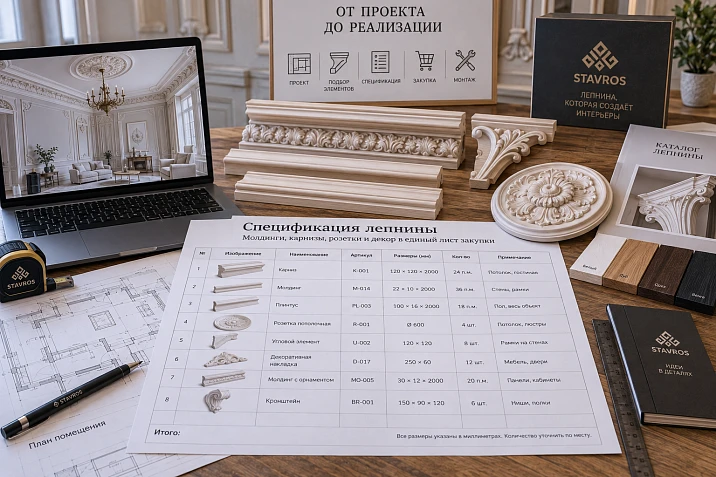
The living room elevation shows moulding frames, a ceiling cornice, three rosettes and symmetrical appliqués. The client approved the composition, and the designer selected the products. But the line “moulding — per project” still does not allow the order to be placed: some of the decor is bought in lengths, some by the piece, and the left element cannot be arbitrarily replaced with the right one.
The moulding specification links each item to its installation location, a specific product, quantity and the approved project version. Its task is to give the order assembler enough data to order the intended composition, preserve part compatibility and understand which items are already approved for purchase.
It is convenient to start with the room and zone. Then each element is assigned a project code, a SKU is selected, calculation and ordering units are defined, and linked products, finish and approval are recorded. This is how a mixed moulding system becomes a verifiable purchasing sheet.
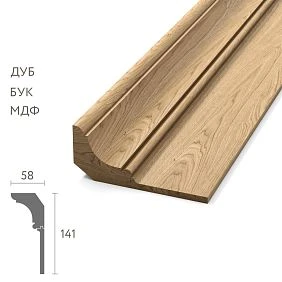
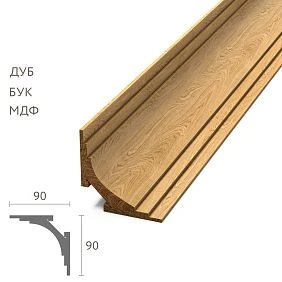
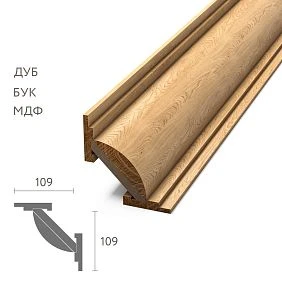
One line must describe one purchased object
One purchasing line specifies one SKU in a specific configuration: with the selected size, material and delivery condition. Combining “mouldings, corners and appliqués — 42 m” hides several products at once and different accounting methods.
Even a single SKU sometimes requires several project lines. For example, identical unpainted moldings are used in two rooms, but after installation they receive different paint finishes. For ordering the base products, their quantity can be combined; the purpose and finish of each group must be preserved.
It is therefore useful to keep the decorative element schedule in detail and generate the consolidated order from it. You don't have to choose between a short document for the supplier and precise distribution across the site: these are two views of the same agreed data.




Start with the room, zone, and project position
The entry "living room" does not explain where the applique belongs: to the door surround, the central wall frame, or the ceiling composition. Add the zone and a reference to the corresponding elevation.
For example: "Living room / wall A / ML-01" for the molding and "Living room / ceiling / RZ-01" for the ceiling rose. Zone designations must match the drawings. If one position repeats in different places, break down the quantity by zone while keeping the ability to get a total.
When selecting, . Clear lines, created using modern technologies, emphasize the strict aesthetics of the room. Each decorative element harmoniously fits into the overall concept, creating a sense of order and thoughtfulness. such an address helps keep track of each composition's contents. The installer sees not just a box of appliques, but the parts for a specific wall. The order assembler can check whether all zones are supplied with products.
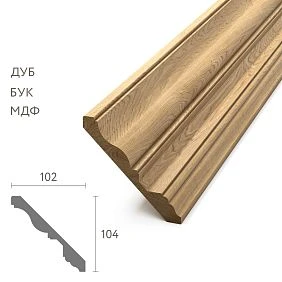
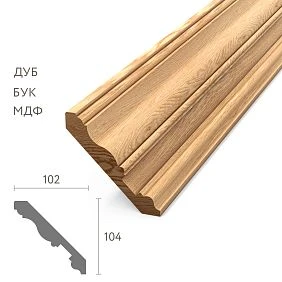
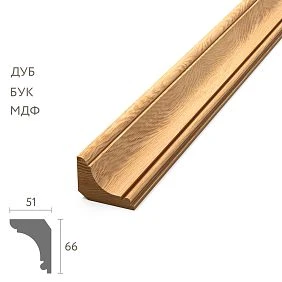
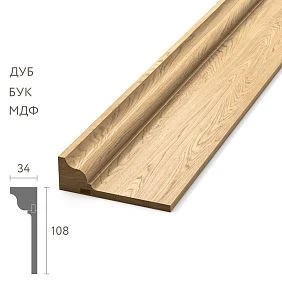
Our factory also produces:
Project code and SKU serve different purposes
The project code is devised by the documentation author. "ML-01" denotes the product's role in the project and links the table to the elevation. The manufacturer's SKU identifies the purchased item. One must not be substituted for the other.
If the selected molding is replaced, the project code may remain, but the SKU, dimensions, and related data will change in the new revision. Therefore, alongside the code, separate fields are needed: "Manufacturer", "SKU", and "Finish".
A link to the category is suitable for searching, but the approved line needs the specific product card. Otherwise, product selection for the specification effectively remains incomplete: the order assembler will still have to choose the model independently. The name "polyurethane stucco decor" describes a product group but does not define the contents of the order.
Get Consultation
For each category, set the unit of calculation and ordering
A single "Quantity" column is inconvenient for mixed mouldings. For moulding, the project requirement is expressed in meters, while purchasing is in whole lengths. For a rosette, both values are usually expressed in pieces.
| Product | What is calculated by the project | What is specified for ordering |
|---|---|---|
| Molding | Lengths of individual sections and total linear meters | Whole lengths of the selected product length |
| Cornice | Sections taking into account the chosen corner solution | Lengths and separately purchased corner elements |
| Ceiling rosette | Number of installation locations | Pieces of a specific model |
| Decorative overlay | Number of repetitions of the part | Pieces of a specific SKU |
| Left and right parts | Quantity of each variant | Two separate line items |
| Purchased set | Number of identical sets | Sets with a confirmed composition |
Store numbers separately from units: "31.6" and "m", "18" and "bar". This allows data to be validated and summed without manually parsing text. A combined total of "47 items" for meters, bars, and sets makes no sense.
The linear meters of molding need to be linked to the product length
Suppose the moulding calculation for a project yields 31.6 m of moulding. If a standard commercial strip is 2 m long, dividing gives 15.8 strips. Rounding up to 16 shows only a lower estimate by total length. It does not prove that all the required cut pieces can be placed on these strips.
A simple conditional example: ten solid sections of 1.8 m each require ten two-metre strips. The total length is 18 m, but the nine strips obtained by division do not yield ten solid cut pieces. The feasibility of obtaining each section with allowances is also checked separately.
Choosing Moldings made of polyurethane, transfer the length of the specific product into the document. For detailed work with cut pieces and offcuts, it will be useful moulding specification. In the general moulding sheet, it is sufficient to keep the total and a link to the current cutting map.
Keep the calculated quantity and the quantity to order separate
The calculated requirement shows what should end up in the composition. The purchasing quantity shows how many commercial units need to be obtained from the supplier. The difference arises from cutting, spare items, samples and packaging conditions.
For linear mouldings, four separate values are useful: the net length, the number of strips according to the cutting map, the additional reserve and the total to order. For piece decor, the scheme is simpler: the quantity in the project, the agreed additional items, the total.
If delivery is made in packs, record the number of items per pack and the number of packs separately. A pack must not imperceptibly turn into a piece. If some of the approved items have already been purchased for this project, show the remaining quantity to order as a separate field while keeping the full project requirement.
The reserve must have an explanation
A universal 10% allowance does not account for the differences between a long cornice, a small overlay, and a ceiling rose. For each product type, determine what additional reserve is needed and what purpose it serves.
For linear mouldings, first account for technological losses in cutting. They should not be added again under the name "reserve." An additional full length may be provided for a specific installation situation, but this is a separate decision. For paired overlays, the reserve is also checked by side: a spare left piece does not replace the right one.
Next to the additional quantity, write the reason: "for the approved installation trial," "replacement reserve," or another specific purpose. It is also useful to determine where the unused reserve is stored after installation and which item it belongs to.
The cornice gets its own line and a reference to the corner assemblies
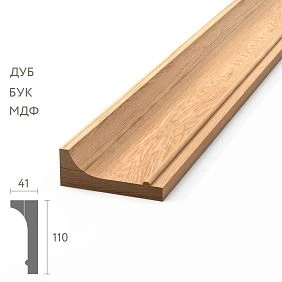
A cornice and a wall moulding cannot be combined just because both products are linear. They have different cross-sections, installation locations, and junctions. For the cornice, record the cross-section dimensions, commercial length, number of lengths, and installation drawing.
Dimension designations from the product card, such as A and C, are carried over together with the diagram for reading them. You cannot use the letters alone, without the drawing, to decide which dimension refers to the wall, ceiling, or profile projection.
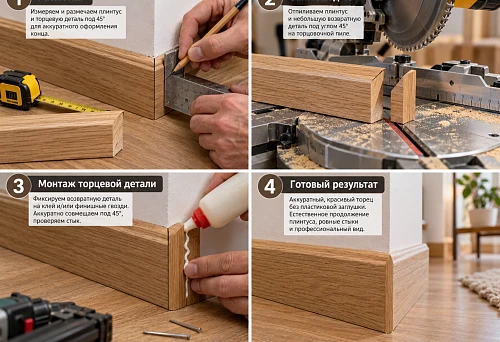
Internal and external corners get a reference to the design solution. If they are made by mitre cutting, this is reflected in the cutting. If separate purchased elements are provided, lines are created for them. It is not permissible to include both ready-made corners and the full consumption for the sections they replace without checking the geometry.
Count roses and overlays by specific models
Three installation locations for the same ceiling rose mean three pieces of the selected SKU before adding the agreed reserve. The diameter or other dimensions are recorded as a product characteristic; the area of the rose does not replace the quantity.
In the line ceiling rose made of polyurethane a useful link to the ceiling plan and the junction detail with the light fixture. The presence of the opening and the need to prepare it are checked for the specific model and project. A decorative rosette by itself does not determine the method of mounting the light fixture.
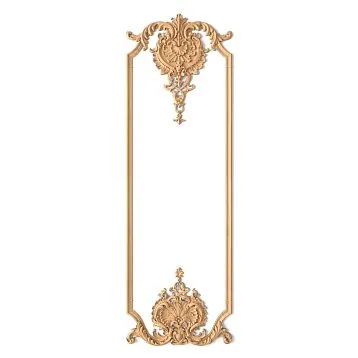
for polyurethane decorative overlays the same principle applies: the central element, side parts, and repeating accents get separate lines by item codes. One composition in the visualization may contain several independent purchasing positions.
Keep the left and right versions until ordering
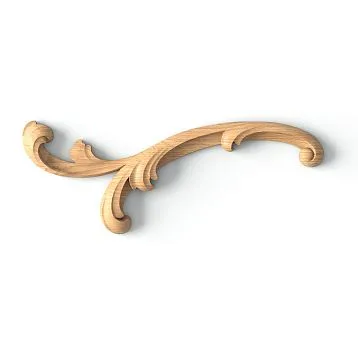
The STAVROS catalog includes separate models NPU.VRS-008.1L и NPU.VRS-008.1R. Both have the specified size of 50 × 20 × 9 mm, but belong to the left and right versions. Identical dimensions do not make them one purchasing position.
If a conditional composition requires four such elements, the order keeps four left and four right. The entry “overlays — 8 pcs.” loses an essential part of the task.
On the layout, show the location and orientation of each part. Do not assume that rotating the product automatically replaces the mirrored model: the direction of the relief and the junctions are checked against the specific detail. An item code with a side designation must pass through the specification, order, and acceptance without abbreviations.
Record compatibility as a link between specific positions
For a corner element, a note that it “matches in style” is not enough. You need the project code of the linked molding, its item code, and a confirmed junction solution.
For example, in the description corner element MLDPU-001U the profile MLDPU-001 is specified. The size of the corner element itself is 86 × 86 × 7 mm. This relationship can be entered in the "Compatible position" field, and the location and lengths of the adjoining segments can be checked on the drawing.
Section decoration for moldings helps to select system elements, but the final line should reveal a specific pair. When replacing a molding, this relationship immediately shows which corners and overlays need to be checked again.
The overall dimensions of the corner piece cannot be automatically subtracted from each side of the frame. The length of the straight section depends on the position of the joint, possible overlap, and the accepted dimension base. First, the assembly determines where the molding ends, then these lengths are transferred to the cutting list. This way, the separate line with corners remains linked to the amount of linear material.
The design composition and the purchased set are accounted for differently
For wall framing, it is convenient to enter a common code "KM-01". Within it, list the molding, corners, central decor, and side overlays. The code groups products by purpose, but does not itself become a product.
If the supplier actually sells a ready-made set under a single item number, the purchasing line may contain this set. Its composition is retained for verifying the delivery. There is no need to include the component parts in the order again unless they are purchased additionally.
This is especially useful when selecting ceiling decoration made of polyurethane. First, clarify what is being purchased: a set with a specific composition or individual elements for a custom composition. Otherwise, the same rosette may end up counted both within the set and as a separate line.
Separate material, delivery condition, and design finish
"White moulding" does not explain what the product is made of or in what condition it will arrive at the site. The material is recorded from the card of the specific item. The surface condition upon delivery and the future paint finish get their own fields.
A project finish code, for example "OT-01", must reference a specification: the preparation system, the selected coating, the colour, the gloss level and the approved sample. A single short code without such a specification does not allow the result to be reproduced.
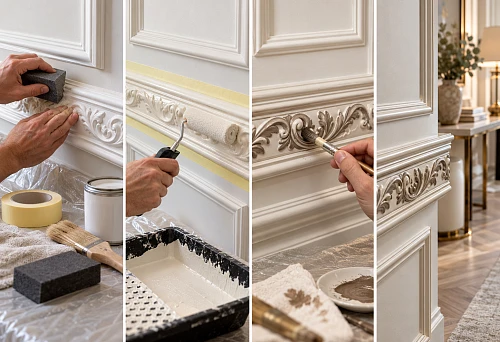
The same project paint finish for mouldings, cornices and rosettes does not automatically mean the same preparation for all substrates. The technology is agreed for specific products and materials. The specification also states who performs the finishing: the supplier in the agreed order option or the contractor after receiving the decor.
The sample must confirm the exact selected item
The table needs information about what has been checked: profile, size, material, relief, paint finish or the assembled joint. Approving the colour on a separate plate does not yet confirm that the corner is compatible with the moulding.
For working with product samples it is convenient to keep the sample number, the linked SKU, the version, the date and the approval result. If the sample is sold under a separate SKU, keep both numbers: the sample SKU and the SKU of the future product. Their link must be unambiguous.
Statuses can be recorded in Russian: "not requested", "received", "under review", "approved", "rejected". The permission to purchase is stored separately. The approved geometry of the sample does not mean that the quantity has already been calculated, the finish has been agreed and the entire line can be sent to order.
The drawing and the 3D model relate to a specific line
In the STAVROS section with drawings and three-dimensional models materials for working with products, including polyurethane decor, are provided. In the specification, it is useful to store a link to the file used, its designation, and the result of checking compliance with the selected product.
The note "files present" is too general. For a working detail, it is important to understand which drawing was used, in what units the scale is set, and whether the geometry matches the required version. For visualization, it is checked separately whether the product was arbitrarily stretched.
If the model is missing or not required for a specific item, this is recorded explicitly. An empty cell does not explain whether the check was performed or forgotten. A digital file helps link documents, but it does not replace approval of the physical interface where it is necessary.
What a mixed quantity list looks like
In the training fragment below, all lengths, quantities, and cutting conditions are conditional. For the molding, ten solid sections of 1.8 m each and a commercial length of 2 m are assumed; the allowance check is assumed to have been performed. There is no additional reserve in the example. Item codes are not provided here, so this is an illustration of accounting, not a document for sending to a supplier.
| Project item | Calculated requirement | Quantity to order | Base |
|---|---|---|---|
| ML-01, molding | 18 м | 10 strips of 2 m each | Cutting map for ten sections |
| RZ-01, socket | 3 pcs. | 3 pcs. | Three locations on the ceiling plan |
| DK-01L, left overlay | 4 pcs. | 4 pcs. | One in each of four compositions |
| DK-01R, right overlay | 4 pcs. | 4 pcs. | One in the same compositions |
When a cornice is added, it creates a separate line with its lengths and cutting layout. The total purchase meterage of the molding in this example is 20 m, but the design requirement remains 18 m. These values describe different things and must not replace each other.
If one of the four compositions is excluded, the requirement for each overlay decreases to three pieces. Both linked lines must be checked. At the same time, the moldings and other parts of the excluded composition are recalculated: the previous number of strips may remain the same or change after the cutting layout is modified.
Example of filling in a specification line
Below is a training entry for the left overlay in a hypothetical living room. The size and item code refer to a real product; the quantity, zone, and codes are provided as an example. The line intentionally shows an incomplete approval, so it is not a finalized order.
| Field | Example entry |
|---|---|
| Room | Living room |
| Zone and drawing | Wall A, elevation 05 |
| Project code | DK-01L |
| Composition group | KM-01 |
| Category | Left decorative overlay |
| Manufacturer and item code | STAVROS, NPU.VRS-008.1L |
| Size by card | A × B × C: 50 × 20 × 9 mm |
| Material | Polyurethane |
| Delivery condition | Needs to be clarified and confirmed |
| Estimated requirement | 4 pcs. |
| additional quantity | 0 pcs. in this example |
| Planned order | 4 pcs., after approval |
| Linked item | ML-01, interface unit under review |
| Design finish | OT-01, approval required |
| Sample | Under review |
| Drawing and model | Links and compliance need to be checked |
| Revision | 02 |
| Procurement status | Not available for order |
| Product link | NPU.VRS-008.1L card |
In the worksheet, numeric values and units are split into separate columns. Fields requiring verification are filled in with the result, the person responsible, and the date. The right overlay gets its own row, even if all other conditions match.
Transfer the drawing into the schedule using consistent designations
First, place the design codes on the plans and elevations. Then match each code to a product and finish. After that, transfer the calculated quantities, cutting, and composition contents into the schedule.
The visualization must show the same composition. If it shows four overlays, the elevation shows two, and the table shows six, the discrepancy is resolved before procurement. For repeating compositions, check both the contents of one module and the number of its repetitions.
The general finishing materials schedule may reference the stucco specification as a separate section. The main thing is to determine which document contains the effective quantity. Independently editable copies quickly diverge: a change on one wall must not be lost when transferred to procurement.
Record the final quantity after the product is approved
A preliminary calculation of the decor for the project is acceptable at the selection stage. It helps estimate the composition and scale of procurement. But the final quantity to order is verified after choosing the article, finish, and installation scheme.
Changing the product length alters the cutting plan. Changing the profile section may affect frame dimensions, junctions, and corner trim. A new purchased set can change the composition of individual lines even with a seemingly similar result.
Therefore, preliminary figures must have the appropriate status. After the item is approved, the designer verifies the geometry, and the procurement specialist verifies the supply units and order composition. The purchasing total is issued only based on the approved version of this data, not on the latest file with a similar name.
Register a SKU replacement as a new revision
Simply substituting a new number over the old one erases the history of the decision. In the change log, record the original SKU, the replacement, the reason, the date, and the list of affected items. In the active table, indicate the current revision.
After replacement, check dimensions, material, finish, quantity, cutting plan, compatible parts, and digital files. If the main molding changes, separately review all lines where it is listed as a linked item. A similar photograph does not confirm the suitability of the previous corners.
For items already ordered, the actual procurement status must also be verified. A new project revision does not automatically cancel the previous order. The procurement specialist must understand which changes can still be made, what has already been received, and which decisions require separate approval.
An approved alternative must not double the order
The "Permissible replacement" field is intended for a genuinely verified item. It should contain the SKU, conditions of use, and confirmation of approval. The same set of parameters is checked for it as for the main item.
The main product and the alternative must not both be included in the summed quantity if the project involves choosing one of them. Procurement must have one active option. The others are kept as reference information or history.
If the alternative requires different corners or additional finishing, this is already a replacement of a linked set of items. Until these lines are updated, the previous set cannot be considered ready for ordering. Permission to use the alternative must apply to the specific project conditions, not to all future cases.
Assemble the consolidated order without losing the purpose of the parts
Before sending to the supplier, identical purchased variants can be combined. Check the manufacturer, article number, dimensions, material, commercial length, delivery condition, and the selected finish, if it is included in the order. A matching name alone is not enough.
Keep a breakdown of the distribution by rooms and zones nearby. Then the overall order stays short, while acceptance and issuing to installers rely on the detailed schedule. For phased delivery, additionally note the sequence and delivery location.
During acceptance, compare the delivered article numbers and variants with the order, then with the project codes. Check left and right parts separately. Record shortages, damage, or an agreed replacement under the corresponding item, preserving the original requirement. Otherwise, the actually received quantity can easily be mistaken for a complete set, even though part of the composition is not yet provided.
Add the cost after the composition and order units are clear. The price per meter, strip, or set must be compared with the corresponding quantity. The specification of decorative elements defines the procurement item; the estimate uses this data to calculate expenses without changing their meaning.
What to check before handing over to the kit assembler
It is convenient to perform the check along the entire chain: from the symbol on the drawing to the line of the future order. For each item, the following conditions must be met:
- a specific article number and the selected variant are specified;
- the room, zone, and project code match the drawing;
- calculation and procurement units are separated;
- the number of strips is confirmed by the cutting plan;
- left and right models are counted separately;
- the contents of purchased kits are not duplicated as separate lines;
- compatible elements and corner joints have been checked;
- material, delivery condition, and finish are determined;
- sample approval relates to the correct product and parameters;
- drawings, models, and links correspond to the current revision;
- alternatives are excluded from the main total;
- the procurement status allows order placement.
Incomplete lines remain in the working schedule with a clear question and an assigned person. They are included in the order after the comments are resolved. If procurement is carried out in stages, the approved part is issued with an explicit indication of its boundaries.
Where to buy stucco according to the approved specification
After the document is approved, proceed to placing the order for the selected of polyurethane moldings STAVROS. The request specifies item codes, finishes, purchasing units and the final quantity. For related compositions, attach the required elevations and node designations.
The terms of professional cooperation are presented in the section STAVROS for designers and architects. Before purchasing, confirm the current terms for the selected items: availability, lead times, kit contents and delivery. Approved changes are returned to the specification.
When you need to buy a stucco set for a project, start with one fully completed zone: moldings, cornice, rosettes, overlays and their connections. Check it, then extend the same structure to the remaining rooms. The kit assembler will receive a document that can be used to order specific products and verify which part of the project each delivered piece is intended for.