






























Article Contents:
- What Is a DWG Ceiling Medallion and Why Is It Needed in a Working Project
- The Main Principle
- What Can Change with a Late Replacement
- Size A
- Size B
- Size C
- Shape
- Ornament
- SKU
- Why One Axis Is Not Enough
- Fixture with Multiple Suspensions
- Large chandelier
- Compact light fixture
- High ceiling
- Low ceiling
- Why a design code is needed separately from the SKU
- Dining room example
- Bedroom example
- Design rule
- Why this is needed
- Lamp
- Why the backing is important
- What the installer should receive
- A section is more useful than a single RCP
- What to check on the plan
- What to check on the section
- Error
- The right approach
- Same or different SKUs
- Wall frame
- Panel
- Furniture
- Why this is important
- Project code
- Reference dimension
- Thickness
- Center coordinates
- When SCALE is acceptable
- When it is not acceptable
- What to verify
- Typical mistake
- Why a light fixture is needed
- Why a URL is needed
- If at least one item is not closed
- Why this is important
- Common layout axis
- What to check before payment
- What should match
- What may differ
- Section
- Plan
- If A/B has changed
- If C has changed
- If the shape has changed
- If the ornament has changed
- File name
- Why a verification date is needed
- Mistake 1. A placeholder circle instead of a real SKU
- Mistake 2. The center of the room instead of the center of the composition
- Mistake 3. Arbitrary SCALE
- Mistake 4. Size C not checked
- Error 5. The socket conflicts with the moulding frame
- Error 6. DWG and 3D from different SKUs
- Error 7. The electrical outlet is placed on the wrong axis
- Error 8. Specification without URL and SKU
- Minimalist ceiling
- Very active light fixture
- Small room
- Complex ceiling grid
- No logical axis
- Why this is useful
- Version check
- What not to transfer automatically
- How does a ceiling socket DWG differ from a regular image?
- What to check first after inserting a DWG?
- Can you enlarge a real socket in AutoCAD?
- Where should the center of the socket be located?
- Should the socket be shown in the section view?
- How to choose a socket for multiple pendants?
- Where to get STAVROS technical files?
- Where to view all product categories?
- Why comparison in a single RCP is better than separate images
- Comparison on a section view
- Link to the electrical schedule
- If the socket remains the same
- If the socket changes
- Why you can't change only the PDF

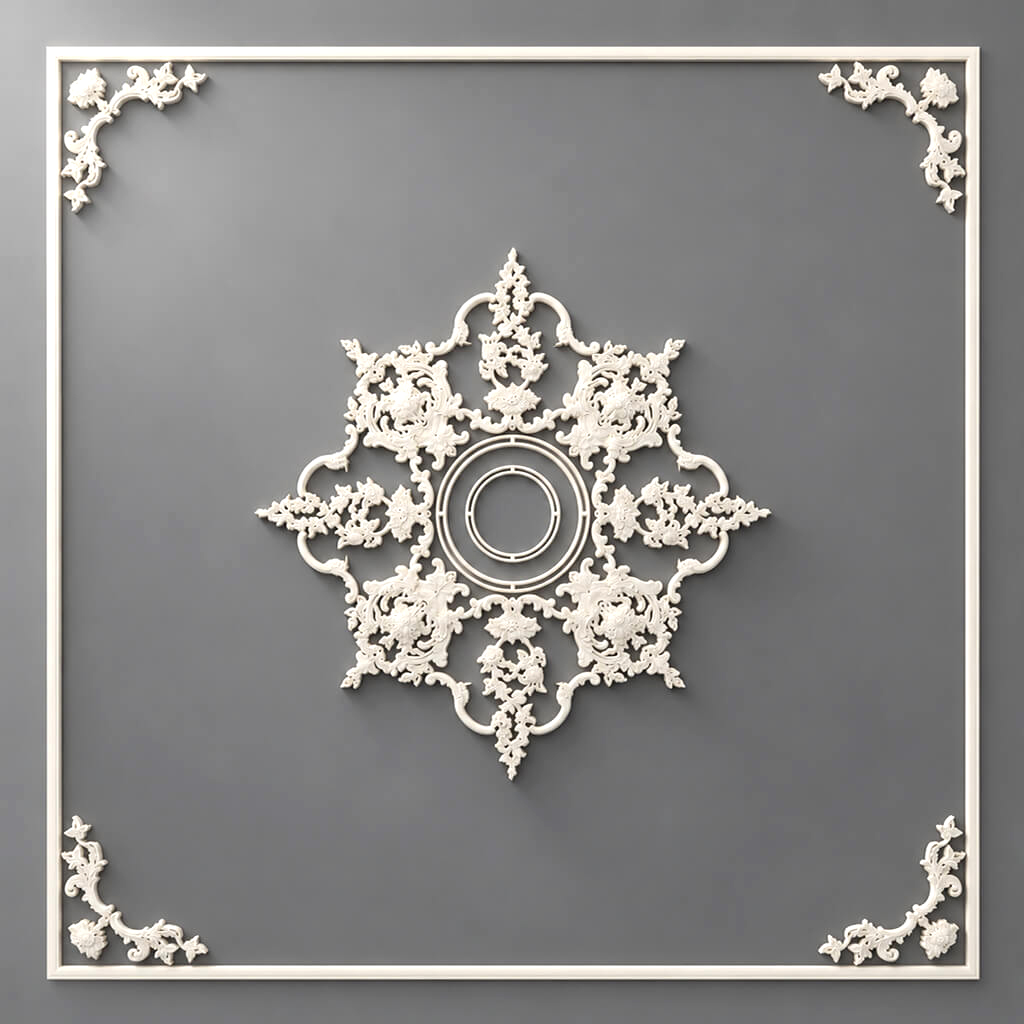
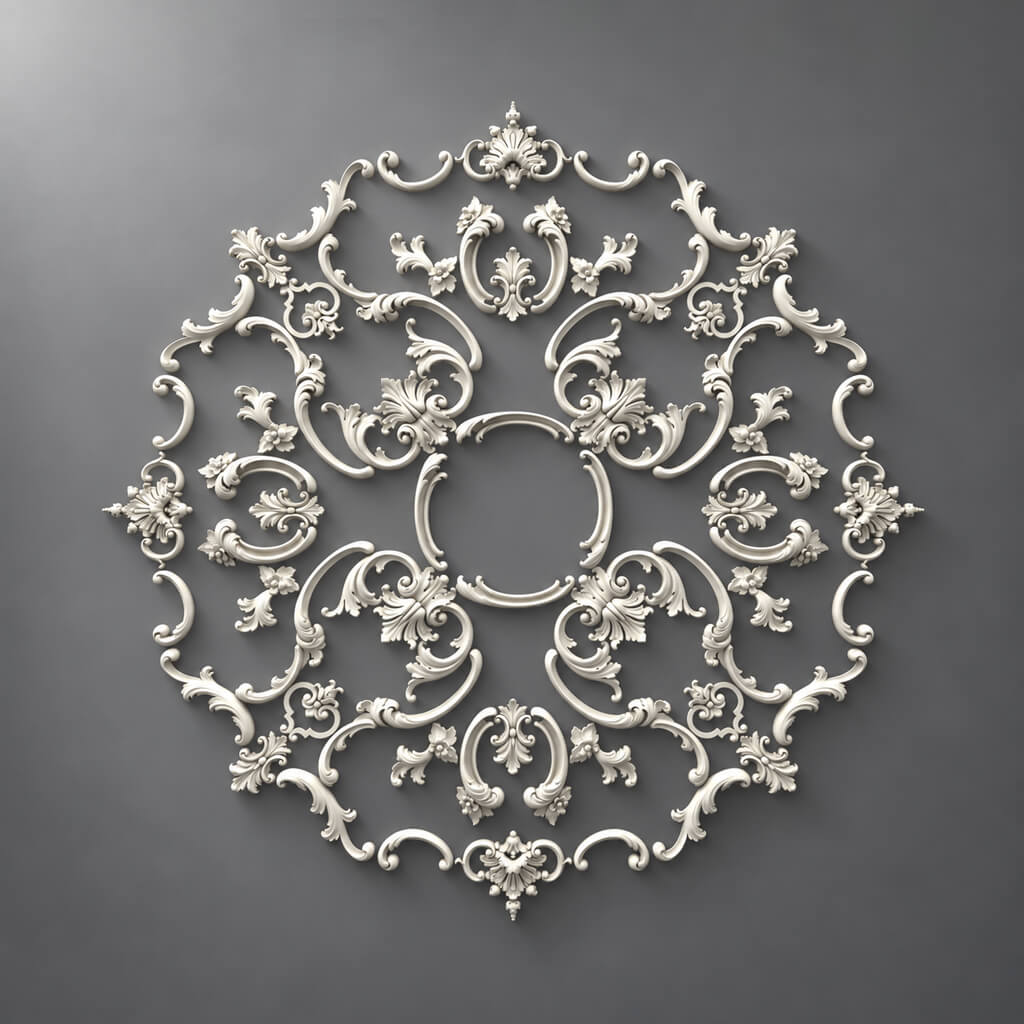
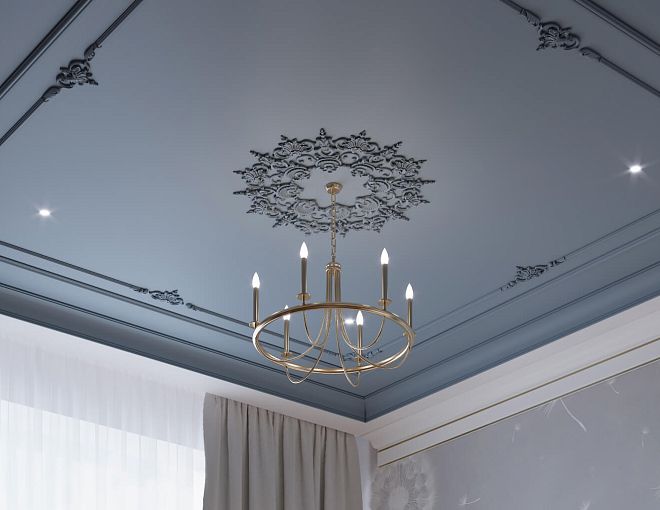
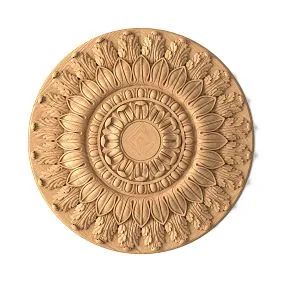
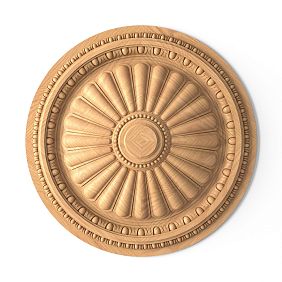
A ceiling medallion in a working project is not just a decorative circle around the chandelier. It has a real dimension, thickness, center, ornament, SKU, and a specific connection to the light fixture, the ceiling composition, and the mounting point. That is why DWG medallions are needed primarily when the interior moves from visualization to working documentation.
The correct project chain looks like this:
chandelier / composition → specific medallion → SKU → DWG → RCP / ceiling plan → section → specification → order.
If the designer first draws a conventional circle on the ceiling and selects the actual model later, the dimensions may diverge. As a result, the medallion ends up larger than the molding frame, smaller than expected relative to the chandelier, or shifted relative to the project axis. That is why the working drawing must describe not an “approximate medallion,” but the actual product.

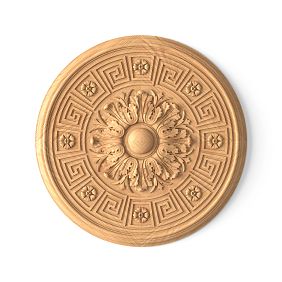


What a DWG medallion is and why it is needed in a working project
Photos, 3D, and DWG answer different questions.
A photo shows the appearance.
3D shows volume, relief, and light and shadow.
DWG captures the design geometry.
For a ceiling rose in a working drawing, you need at least:
- outer dimensions;
- center;
- actual dimensions;
- thickness;
- shape;
- article number;
- position relative to the light fixture;
- reference to the ceiling plan.
Therefore DWG drawings of mouldings useful to the architect not as a separate CAD archive, but as a source of real geometry for specific products.



Key principle
The RCP and section must show the same position that will then go into the specification and procurement.
Combination:
SKU → DWG → ceiling plan → section → specification → order.
Our factory also produces:


Why a generic circle on the ceiling plan is not enough
A common scenario:
- the designer draws a Ø600 mm circle;
- the client approves the composition;
- later, the actual fixture is selected;
- its size turns out to be different;
- the distance to the molding frame changes;
- the chandelier visually no longer matches the decor.
The problem arises because the abstract geometry was approved before the product.
More correctly:
first the actual SKU → then the actual dimensions into the project.
Get Consultation
What can change with a late replacement
- the scale of the ceiling composition;
- the free space up to the cornice;
- the distance to the molding frame;
- the position of the chandelier relative to the ornament;
- the size of the central zone;
- specification;
- installation diagram.
Therefore, the final working plan must use the geometry of the specific product.
Which parameters of the ceiling rose need to be checked
In the current STAVROS category, ceiling roses are filtered by sizes A, B, and C, as well as by shape, collection, and ornament type. For a project, this conveniently translates into working parameters.
Size A
One of the main dimensions of the product.
For a round rose, A and B may be the same, but for other shapes they may differ.
Size B
The second dimension.
It is especially important for oval, rectangular, or other asymmetrical shapes.
Size C
Thickness or depth of the relief.
On the plan it is almost invisible, but in the section it determines the actual projection.
Handle shape affects not only style but also usability. The website offers a variety of shapes, from traditional brackets to modern minimalist button-style handles. The choice of a specific shape depends on personal preferences and the interior style in which they will be used.
The socket can be:
- round;
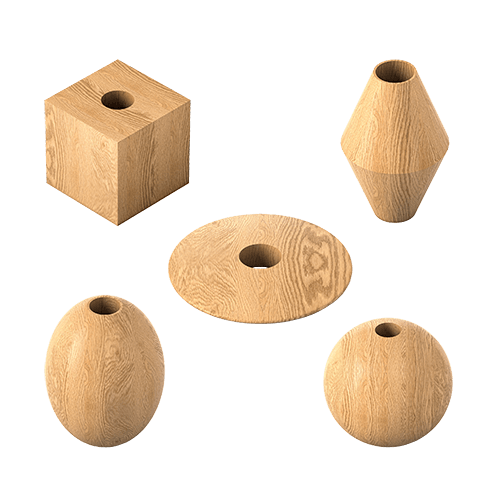
- square;
- oval;
- rectangular;
- another complex shape.
Ornament
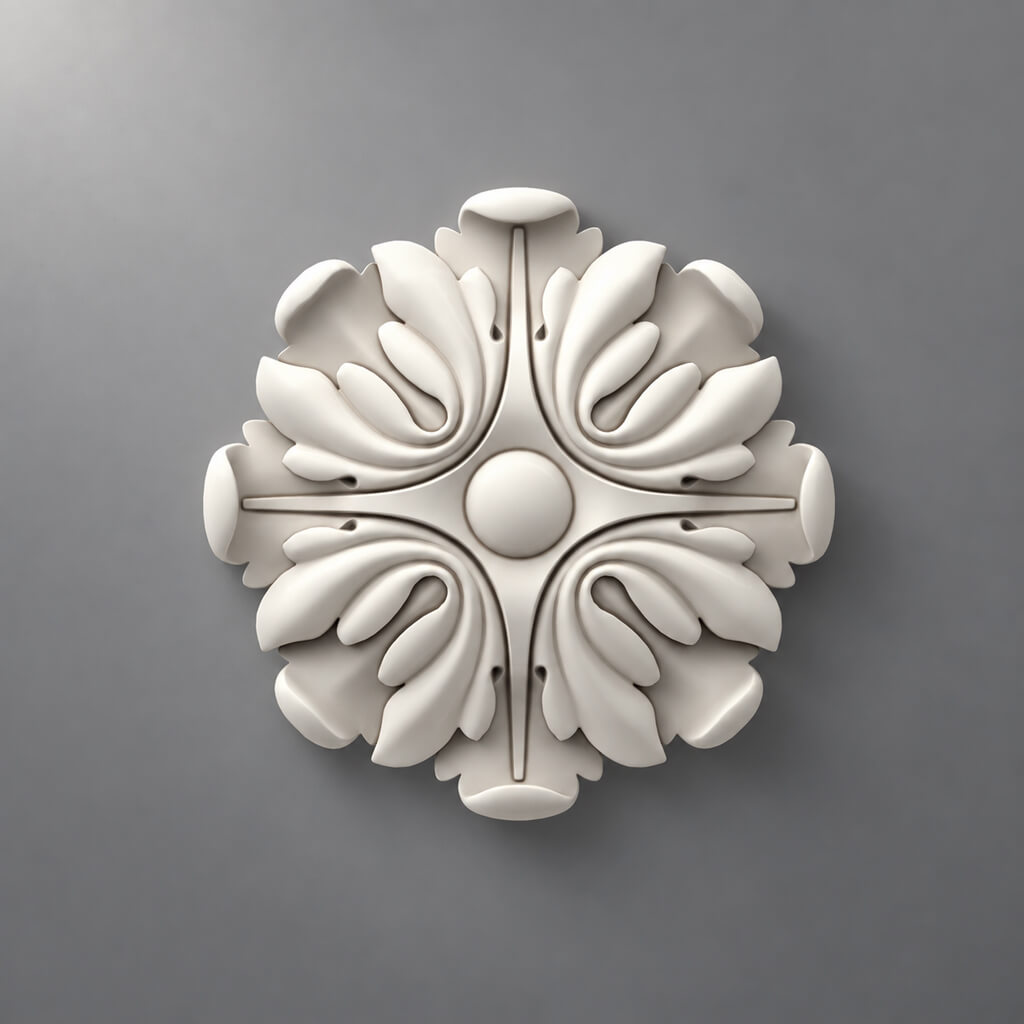
Floral, botanical, geometric, and other types of relief work differently next to a chandelier and moldings.
SKU
The SKU must be specified in the project, otherwise the DWG loses its link to procurement.
How to align a ceiling medallion with a chandelier
Main design axis:
center of the socket = center of the chandelier suspension, unless the concept specifically provides otherwise.
The ceiling plan separately records:
- geometric center of the socket;
- electrical outlet point;
- center of the light fixture;
- outer contour of the socket.
Why one axis is not enough
Even when the centers coincide, the light fixture and the socket may not match each other in scale.
Need to check:
- diameter or dimensions of the chandelier;
- visual mass;
- the length of the suspension;
- ceiling height;
- room size;
- adjacent cornice;
- ceiling frames.
Light fixture with multiple pendants
If the composition consists of several pendants, the designer must determine whether one canopy applies to the entire group or to each point separately.
How to match the canopy size to the light fixture
There is no single coefficient that suits all interiors.
Need to check:
- light fixture dimensions;
- shape;
- height;
- visual weight;
- room size;
- ceiling height;
- cornice scale;
- molding grid.
Large chandelier
A ceiling rose that is too small may visually disappear.
Compact light fixture
A ceiling rose that is too large becomes the main object on the ceiling and can overpower the light fixture.
High ceiling
Large decor is often perceived as calmer because the viewing distance is greater.
Low ceiling
Deep relief and a large diameter need to be checked more carefully.
The main thing is to evaluate the entire ceiling, not just a pair of “chandelier + ceiling rose” on a white background.
Ceiling rose on the RCP
On the RCP, the ceiling rose must have its own design code.
For example:
PR-01
In the legend:
PR-01 — STAVROS / SKU / ceiling rose / dimensions ...
The plan records:
- X axis;
- Y axis;
- center;
- outer contour;
- SKU;
- item code;
- link to the light fixture.
Why a project code is needed separately from the SKU
SKU — a product identifier.
PR-01 — a short designation for the drawing.
Combination:
PR-01 → STAVROS → SKU → URL.
This keeps the ceiling plan readable and the specification precise.
Why the center of the room and the center of the furniture may not coincide
A ceiling rose cannot be automatically placed at the geometric center of the room.
The chandelier can be centered:
- over the dining table;
- over the kitchen island;
- over the sofa area;
- over the bed;
- over the architectural portal;
- over the furniture group.
Example with a dining room
The room has a geometric center at one point, but the table is offset due to the passageway.
If the chandelier is centered over the table, the outlet should follow the light fixture, not the center of the room.
Bedroom example
The bed may be offset relative to the room due to a wardrobe or door.
The light fixture above the bed then also does not have to align with the geometric center.
Design rule
First, the compositional axis is determined, then the light fixture and outlet are placed on it.
How to show an outlet on a ceiling section
The plan shows the outer dimension, but does not show the relief or protrusion.
On the section, you need to check:
- thickness;
- the depth;
- lighting fixture;
- suspension;
- ceiling structure;
- backing;
- mounting point.
Why this is needed
A deep ceiling rose may protrude noticeably downward.
If a cornice, molding, or other ceiling relief runs nearby, their relative heights must be clear in advance.
Lamp
You need to see where the suspension actually runs relative to the ceiling rose.
Ceiling rose and stretch ceiling
This section is needed not as an installation instruction, but as a design check.
It is important for the designer to record:
- presence of an embedded element;
- mounting position;
- center of the light fixture;
- actual size of the ceiling rose;
- installation zone.
Why the mortgage is important
The decor and the light fixture should not turn into a single undefined installation point.
On the drawing, it is useful to separate:
- decorative geometry;
- electrical outlet;
- light fixture mounting;
- base.
What the installer should receive
Not just "place in the center," but precise axis coordinates.
Socket and drywall ceiling
For a drywall ceiling, check:
- base;
- level;
- cable;
- mounting box;
- fixture location;
- access panels;
- decorative geometry.
If there is a niche, lighting, or ventilation nearby, the outlet must not conflict with them.
A section view is more useful than a single RCP
On the plan, everything may look correct.
The section view shows whether the relief ends up at the level of another ceiling element.
Rose and ceiling cornice
The ceiling composition should read as a sequence:
ceiling rose → free field → cornice.
If the ceiling rose is too large, the free field disappears and the ceiling looks cluttered.
If it is too small, the center seems weak.
Polyurethane ceiling decoration it is better to select them as a system rather than as individual elements.
What to check on the plan
- outer dimension of the socket;
- inner edge of the cornice;
- the distance between them;
- axis of the light fixture.
What to check on the section
- protrusion of the socket;
- depth of the cornice;
- overall light-and-shadow pattern.
Ceiling rose and ceiling moldings
If the ceiling is divided by frames, the ceiling rose should fall within a clear field.
You need to:
- determine the center of the field;
- check the outer overall dimensions;
- leave free space;
- do not cross the frame ornament;
- align the axis of the light fixture.
For frames, you can use Moldings made of polyurethane and connect them to the ceiling outlet via a shared ceiling plan.
Error
First, a complex frame grid is built, and then they try to insert a ceiling medallion that is too large into the middle.
The right approach
The frame, ceiling medallion, and light fixture are designed simultaneously.
How to design multiple ceiling medallions
Multiple ceiling medallions are needed if the interior contains:
- a long table;
- a group of pendants;
- restaurant hall;
- hotel space;
- gallery;
- several functional zones.
Checked:
- common axis;
- spacing;
- repeat;
- the same SKUs;
- system of dimensions;
- distances to walls and cornices.
Same or different SKUs
If the composition is rhythmic, identical items make perception easier.
If the zones are different, you can use a system of sizes that are close in style.
The main thing is that the solution looks intentional.
Wall sockets in DWG
A socket is not always ceiling-mounted. In an interior, it can work as:
- the center of a molding frame;
- medallion;
- a decorative point on a panel;
- a furniture element.
For such tasks polyurethane rosettes you need to align not with the axis of the chandelier, but with the axis of a specific composition.
Wall frame
Checked:
- center;
- inner frame field;
- socket dimensions;
- molding width;
- position of the wall light or artwork.
Panel
If the socket is used as a decorative center of the panel, its size must be coordinated with the panel module.
Furniture
On the front, it is especially important to check the free space, handles, and opening.
How to name a socket block in AutoCAD
Bad option:
rosette_1
Correct:
STAVROS_RPU-XXX
Or:
STAVROS_CRPU-XXX_CEILING
The main thing is that the SKU must be part of the block name.
Why this is important
After a few months, there may be a dozen similar CAD files in the folder.
If the article number is saved in the name, the architect quickly understands which product was used.
Project code
You can add an internal code:
PR-01
Then the block and the specification are linked as follows:
PR-01 → STAVROS → SKU → DWG → URL.
How to check the DWG scale
After pasting into AutoCAD:
- measure the outer overall dimension;
- verify against the card;
- check units;
- check the center of the block.
A file cannot be considered correct just because it visually resembles the required size.
Reference dimension
If A and B are known, it is enough to verify at least one of them, and then check the second.
Thickness
Dimension C is checked on the section view.
Center coordinates
The block must have a clear base point.
For a ceiling outlet, it makes sense to use the geometric center.
Why you cannot enlarge the outlet with the SCALE command
If the real model has one size, but the designer stretched the DWG to another, a non-existent product has appeared in the project.
This is one of the most dangerous CAD errors, because visually everything can look convincing.
You need to:
- choose another model;
- change the composition;
- or consider custom manufacturing.
When SCALE is acceptable
For a conditional proxy at an early stage — if it is clearly marked as temporary.
When it is not acceptable
After selecting the SKU and moving on to working documentation.
How to use DWG together with a 3D model
Combination:
3D → appearance
DWG → dimensions and positioning
SKU → purchase
All three entities must describe the same product.
For visual verification, you can use 3D models of stucco, and for the working part — CAD models of decor.
What to verify
- article number;
- outer dimension;
- shape;
- orientation;
- center.
Common mistake
The 3D model has one outlet, while the RCP shows a different one in size.
As a result, the client approves one ceiling, while the working documentation describes another.
How to link an outlet to the project specification
Example:
| Code | SKU | Element | Size | Room | Quantity |
|---|---|---|---|---|---|
| PR-01 | ... | Ceiling rosette | ... | Living room | 1 |
| PR-02 | ... | Ceiling rosette | ... | Dining room | 1 |
Additionally store:
- URL;
- the material;
- shape;
- ornament;
- color / finish;
- DWG file;
- lighting fixture;
- status;
- project revision.
Why a light fixture is needed
Because an outlet is not designed in isolation.
If the light fixture changes, the composition must be rechecked.
Why a URL is needed
The procurement specialist must open exactly the product item specified in the project.
How to check an outlet before issuing construction documentation
Checklist:
- SKU is defined.
- The actual size has been verified.
- The center aligns with the design axis.
- The light fixture has been approved.
- DWG at the correct scale.
- Section verified.
- Cornice does not conflict.
- Ceiling frames do not intersect.
- Socket added to RCP.
- Socket added to specification.
- URL saved.
- Project revision is up to date.
If at least one item is not closed
Item is not yet ready for purchase.
How to hand over data to the electrician and installer
The electrician needs:
- center coordinates;
- fixture type;
- cable outlet;
- ceiling height or level.
The decor installer needs:
- SKU;
- dimensions;
- center;
- base type;
- position relative to the ceiling composition.
They must work from the same axis.
Why this is important
If the electrician places the outlet at the center of the room, and the designer centers the chandelier over the table, the error will be discovered too late.
Common layout axis
On the RCP, it is best to use the same set of coordinates for:
- Outlets;
- chandeliers;
- electrical outlet;
- furniture, if it defines the composition.
How to buy a ceiling socket after design
The commercial stage begins after the geometry has already been confirmed.
The correct sequence is:
SKU → DWG → RCP → specification → order.
For an approved item, you can Buy a polyurethane ceiling rosette using the same SKU that appears in the drawing.
If the task is specifically for a chandelier, ceiling rosette for chandelier it must be checked against the specific light fixture and ceiling grid.
What to check before payment
- SKU;
- size;
- shape;
- quantity;
- availability;
- current price;
- the latest revision of the project.
How to connect the socket to the overall stucco system
A ceiling rose rarely exists on its own.
The project may include:
- cornices;
- Moldings;
- ceiling frames;
- wall decor;
- other ceiling roses.
Therefore Polyurethane moldings it is useful as an overall system, while the ceiling rose serves as a specific focal point of the composition.
What should match
- scale;
- ornamental language;
- depth of relief;
- color;
- character of the profiles.
What can differ
It is not necessary to use elements from the same collection if the composition remains coherent.
How to detail a ceiling junction in AutoCAD
For a complex ceiling, it is convenient to produce not only an RCP but also a separate detail.
On it, show:
- center;
- socket outline;
- lighting fixture;
- cornice;
- moulding frame;
- dimensions;
- the axes;
- PR code;
- SKU.
Section
Shows:
- socket thickness;
- ceiling structure;
- light fixture mounting;
- cornice depth.
Plan
Shows:
- dimensions;
- center;
- frames;
- the axes;
- distances.
How to verify socket replacement in an already completed project
Sometimes the selected position changes.
It cannot be replaced just because the new one is "approximately the same diameter".
Need to compare:
- A;
- B;
- C;
- shape;
- center;
- ornament;
- visual mass.
If A/B has changed
The free space up to the moldings and cornice is rechecked.
If C has changed
The section is being rechecked.
If the shape has changed
A round element replaced with an oval or square one may require a different ceiling composition.
If the ornament has changed
The connection with the cornice and frames is being checked.
How to store DWG rosettes in a design studio library
Convenient structure:
/DECOR/STAVROS/ROSETTES/
For each SKU, store:
- DWG;
- 3D;
- preview;
- URL;
- dimensions A/B/C;
- shape;
- ornament;
- verification date;
- the project where it was used.
File name
For example:
STAVROS_RPU-XXX_DWG
Or:
STAVROS_CRPU-XXX_CEILING
Why a verification date is needed
If an object is reused a year later, it must be checked against the current card.
Common mistakes when working with DWG sockets
Mistake 1. A conditional circle instead of a real SKU
Consequence: the size changes after approval.
How to avoid: choose the product before the final RCP.
Mistake 2. The center of the room instead of the center of the composition
Consequence: the chandelier does not align with the table or furniture.
How to avoid: define the architectural axis.
Mistake 3. Arbitrary SCALE
Consequence: a non-existent product appears.
How to avoid: choose a different SKU.
Error 4. Size C not verified
Consequence: the cutout does not match the actual protrusion.
How to avoid: verify the thickness separately.
Error 5. The socket conflicts with the molding frame
Consequence: insufficient free space.
How to avoid: design the system simultaneously.
Error 6. DWG and 3D of different SKUs
Consequence: the visualization and the working drawing diverge.
How to avoid: include the SKU in file names.
Error 7. The electrical outlet is placed on the wrong axis
Consequence: the light fixture is offset relative to the ceiling outlet.
How to avoid: use a single layout axis.
Mistake 8. Specification without URL and SKU
Consequence: the kit assembler looks for an alternative.
How to avoid: include the full product line item.
When a ceiling outlet is not needed
A decorative centerpiece is not required in every interior.
Minimalist ceiling
If the composition is built only from light and a clean surface, the outlet may be unnecessary.
A very bold light fixture
A large, complex light fixture sometimes does not need an additional decorative backdrop.
Small room
A large ceiling rose can overload the ceiling.
Complex ceiling grid
If there are already many moldings, niches, and cornices, an additional center must be checked especially carefully.
No logical axis
If it is impossible to determine the compositional center, a random ceiling rose will not fix the situation.
How to assemble a ceiling decor set around a ceiling rose
If the project includes not only a ceiling rose but also a cornice, moldings, and other elements, it is better to create not a separate product list but a ceiling composition set.
For example:
| Code | Element | SKU | Quantity |
|---|---|---|---|
| PR-01 | Ceiling rosette | ... | 1 pc. |
| CR-01 | Cornice | ... | ... m |
| ML-01 | Ceiling molding | ... | ... m |
So Polyurethane ceiling rosettes are immediately linked with the surrounding decor rather than purchased as a separate item.
Why this is useful
If the cornice is changed later, the designer can quickly recheck the ceiling rose for scale.
If the socket changes, you can see which elements of the ceiling system are affected.
How to check the file before sending it to the specifier
The specifier needs more than just renders.
The handover must include:
- current RCP;
- DWG;
- project code PR;
- SKU;
- dimensions;
- URL;
- quantity;
- revision;
- linked luminaire.
Version check
All documents must have the same revision.
For example:
RCP_R04
DECOR_SPEC_R04
If the ceiling plan is R04 and the specification is R03, it is better to pause the order until it is reconciled.
How to organize the reuse of a verified socket
After the project is completed, the SKU can be saved to the corporate library.
Add:
- installation photo;
- room size;
- ceiling height;
- lighting fixture;
- comment on scale;
- installation specifics.
This way, the next designer sees not only the product card but also real-world experience of use.
What not to transfer automatically
Even a successful socket from one project does not have to suit the next one.
Every new interior requires re-checking the scale and axis.
FAQ
How does a DWG of a ceiling socket differ from an ordinary image?
DWG provides measurable geometry, center, and dimensions that can be used in the RCP, section, and specification.
What should be checked first after inserting a DWG?
The outer dimension and units of measurement, then the block center.
Can the actual ceiling rose be enlarged in AutoCAD?
After selecting a SKU — no. Scaling would create a size that is not in the catalog.
Where should the center of the ceiling rose be located?
On the design composition axis, usually coinciding with the center of the light fixture. It does not have to be the geometric center of the room.
Should the ceiling rose be shown in the section?
Yes, if thickness, relief, backing, ceiling structure, or the adjacent cornice matter.
How to choose a ceiling rose for several pendants?
First determine the overall composition axis and decide whether one shared ceiling rose is needed or several identical/coordinated elements.
Where can I get STAVROS technical files?
Via the downloads section; the page can serve as a professional entry point STAVROS for designers and architects.
Where can I view all product categories?
Through the STAVROS catalog you can go to ceiling sockets, moldings, cornices, and other categories.
Final workflow
1. Determine the compositional center.
Not automatically the geometric center of the room.
2. Choose the light fixture.
3. Choose the actual SKU of the socket.
4. Check A/B/C, shape, and ornament.
5. Download the DWG.
6. Check the units and base point.
7. Place the socket on the RCP.
8. Connect the center to the electrical outlet and the light fixture.
9. Check the clear space up to the cornice and moldings.
10. Issue the section.
11. Assign the PR code.
12. Add the SKU and URL to the specification.
13. Verify the DWG, 3D, and product item.
14. Check the final revision.
15. Place the order.
How to compare several sizes of the same socket before approval
If the same design is available in several sizes, it is useful not to choose "by eye," but to place the options on a single ceiling plan.
For example, conventional dimensions are compared:
- option A — 600 mm;
- option B — 800 mm;
- option C — 1000 mm.
For each option, measure:
- the distance to the nearest molding;
- distance to the cornice;
- relationship to the chandelier;
- the free space around it;
- the visual density of the ceiling center.
Why comparing in a single RCP is better than separate images
Separate cards do not show how much the entire composition changes.
On a single plan, it is clear that increasing the medallion by 200 mm reduces the free space by 100 mm on each side.
If the frame around the center is already tight, this can completely change the solution.
Comparison on the section
If the options differ in thickness C, the protrusion must also be compared.
Two products of the same width can cast completely different shadows.
How to create a ceiling decor schedule
For a large project, a single general specification is sometimes not enough.
It is convenient to create a separate ceiling decor schedule:
| Code | SKU | Zone | Size | Quantity | Linked luminaire | Status |
|---|---|---|---|---|---|---|
| PR-01 | ... | Living room | ... | 1 | L-01 | APPROVED |
| PR-02 | ... | Dining room | ... | 1 | L-02 | APPROVED |
| PR-03 | ... | Hall | ... | 3 | L-03 | APPROVED |
This allows you to quickly check whether the same socket is used in rooms with different luminaires without additional verification.
Link to the electrical schedule
It is useful to keep a link:
PR-01 ↔ L-01
where PR is the decorative position, L is the light fixture.
Then, when replacing the light fixture, it is clear which outlets need to be rechecked.
How to control changes after the release of working documentation
If the client changes the chandelier after the RCP is released, you cannot simply replace the line in the lighting schedule.
Need to recheck:
- center;
- dimensions;
- suspension height;
- visual weight;
- socket;
- cornice;
- molding grid;
- the decor specification.
If the outlet remains the same
It is necessary to confirm that the new light fixture is still compatible in scale.
If the outlet changes
Updated:
- DWG;
- RCP;
- section;
- specification;
- PR code, if the studio standard requires it;
- commercial order.
Why you shouldn't change only the PDF
The working DWG, specification, and PDF must describe the same revision.
Final technical check of the DWG block
Before saving to the corporate library, check:
- the block is inserted without additional SCALE;
- the base point is at a logical center;
- the outer dimensions match the product card;
- the thickness matches the data;
- the name contains the SKU;
- extra layers have been removed;
- the block contains no random elements;
- the file is saved in the agreed AutoCAD version;
- a link to the product is stored nearby;
- the verification date is specified.
Then the CAD file can be safely reused in subsequent projects without a new search for its origin.