Article Contents:
- A supplier's message does not yet mean that the entire goods are defective
- The notification must clearly identify the group being checked
- You cannot search for a batch by the name "oak molding"
- Where to look for the unused part of the batch
- One batch can be in five places at the same time
- Wooden molding: one room may contain two batches
- HOLD REASON is required
- You need to check the declared risk, not everything indiscriminately
- What to do if the first nonconformity is found
- What to do if no deviations are found
- Who has the right to remove a HOLD
- Why dismantling is not the first step
- PRODUCT NOTICE
- SITE CLAIM
- How to avoid a duplicate order
- The replacement must be linked to the original notice
- How to update the site map after replacement
- What to do with dismantled material
- When the installation schedule can return to normal mode
- Wholesale building material suppliers: how to arrange notice without stopping the entire site
- Wholesale building material suppliers: why a physical issue card matters more than a general invoice
- How to handle ISSUED material with crews
- How to avoid reusing removed HOLD material
- How to build an Installed Review by room
- How to proceed if the installed material is visually inaccessible
- How to work with a wooden cornice in an already finished interior
- How to expand the check after the first finding
- How to avoid turning a single finding into an automatic replacement of the entire batch
- How to work with the service reserve of the same batch
- How to count replacements by product lengths, not just by units
- How to account for different FINISH of the same SKU
- How to proceed if the notice concerns only one characteristic
- How to proceed if the notice is worded too broadly
- How to keep evidence of the check
- How to work with different installation crews
- How to restore the batch boundary by installation dates
- How to account for material that was returned from a shift before notice
- How to avoid confusing notice with a recall of all products
- How to close a notice without replacement if the finding was not confirmed
- How to close a notice if replacement was required only for some zones
- How to link a replacement shipment to the original batch map
- How to update the service reserve after replacing part of a batch
- How to account for material that has already been cut but not yet installed
- How to handle packaging if the LOT label is lost after issue
- How to avoid stopping adjacent work if the notice concerns only trim
- How to prioritize an Installed Review
- How to act if a notice arrives after partial handover of premises
- How to document scope expansion
- How to document a release in parts
- How to close the Product Notice Register
- Wholesale building material suppliers: how to build communication after a product notice
- How to prioritize batch tracing in the first hours
- How to check whether suitable material exists outside LOT-07
- How to work with solid wood when replacing part of a LOT
- How to avoid using Service Reserve twice
- When it's better not to send a replacement order right away
- How to handle a replacement if the notice came for a completed floor
- How to handle a notice if the batch hasn't been used at all yet
- How to handle a notice if the batch has already been fully used
- How to file the final notice report
- If the notice concerns labeling rather than the quality of the profile itself
- If the notice concerns the quantity in the package
- How to make a decision on PROBABLE TRACE
- How to work with a notice across multiple SKUs at once
- How to make a release partial by zones
- How to verify a replacement before installation
- When a Product Notice can be closed without an installed replacement
- What data should be saved after closing a notice
- What to do if the replacement arrived before the Installed Review was completed
- How to avoid losing the original notice after staff changes
- When the entire batch can still fall under a full HOLD
- How to verify that the notice did not leave a hidden open scope
- When a new order is not needed at all
- 1. Stopping the entire facility instead of the specific LOT
- 2. Continuing issuance after the notice
- 3. Searching for material by name
- 4. Treating the entire floor as one batch without confirmation
- 5. Immediately dismantling installed material
- 6. Mixing HOLD with regular stock
- 7. Not specifying HOLD REASON
- 8. Not checking material with the crews
- 9. Treating one finding as proof of a problem with the entire batch
- 10. Treat one normal plank as proof that the entire batch is in order
- 11. Create a replacement before determining scope
- 12. Reorder the entire LOT
- 13. Use Service Reserve without recording it
- 14. Do not link the replacement to the original notice
- 15. Do not update the batch map
- 16. Return dismantled items to regular stock
- 17. Remove the HOLD verbally
- 18. Close the event without a final report
- If the supplier asks to recheck the LOT, should the already installed material be dismantled immediately?
- What should be done with the remaining LOT in the warehouse?
- Can installation continue with other batches?
- What should be done if the exact LOT boundary on the floor is unknown?
- Should the entire LOT be reordered?
- How does a Product Notice differ from an object claim?
- Who removes the HOLD?
- What should be done with the replacement shipment?
- Should the notice be kept after closure?
- Can a notice end without a new order?
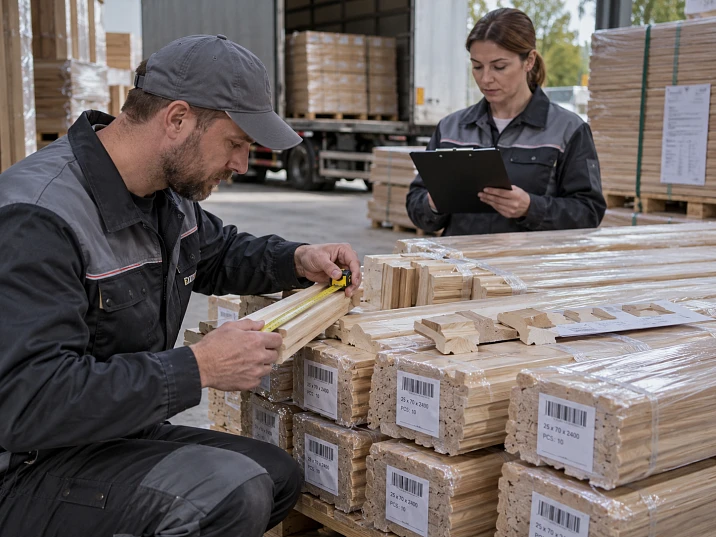
For a hotel project, 620 wooden trim elements were delivered. Three weeks after the first shipment, a message arrives: production batch LOT-07 requires additional inspection, and the remaining material should preferably not be used until clarification. By this point, some packages are in the central warehouse, some have already been distributed across floors, several ROOM KITs have been handed over to crews, and about 40% of the material has been installed.
The main task now is not to immediately decide whether the batch is defective or not. First, it is necessary to understand where LOT-07 is physically located, how much material has not yet been used, how much has been issued, which rooms have already been installed, and where the boundary between LOT-06 and LOT-07 lies.
If such traceability is absent, the project starts searching for the required batch among hundreds of identical moldings. If it is present, the event looks manageable:
LOT-07 → Floor 3 → Rooms 301–316 + 18 pcs in the warehouse + 8 pcs with the crew.
Work sequence:
NOTICE → IDENTIFY → LOCATE → STOP ISSUE → HOLD → CHECK → RESOLVE → RELEASE / REPLACE → UPDATE LOT MAP.
This is exactly the logic by which building materials supplier and the project team should work after notification: limit a specific group rather than stopping the entire project indiscriminately.
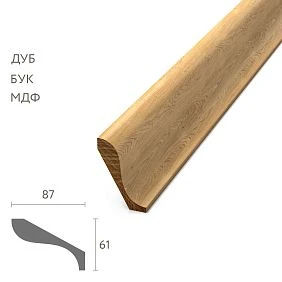
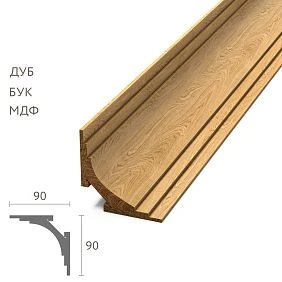
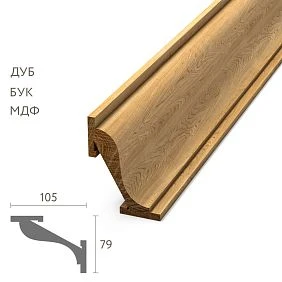
A supplier message does not yet mean that the entire goods are defective
Two entities must be distinguished: a potentially affected batch and confirmed non-conforming products. These are not the same thing. A product notice may mean the need for additional inspection of the batch for a specific parameter. It should not automatically turn into a command to dismantle everything or reorder the entire volume.
The first question after a notice: which exact scope needs to be localized? Until this scope is found, any replacement actions are premature.




The notification must clearly identify the group being inspected
construction materials supplier must, to the extent applicable to the specific situation, provide the object with data that can be used to uniquely locate the group being inspected.
- order number;
- SKU;
- the material;
- commercial length;
- LOT / batch number;
- approximate quantity;
- description of the reason for the additional inspection;
- what to do with the unused material pending a decision;
- which parameter needs to be checked;
- whether feedback on the inspection results is needed.
The more precise the identifiers, the less excess material will be placed on HOLD.
Our factory also produces:








You cannot search for a batch by the name “oak molding”
Bad search: "where is that oak molding?"
Good: MLD-___ / oak / L___ / LOT-07 / PO-___.
On a large project, the same molding type can exist in multiple lengths, batches, and finishes. Searching by a household name can easily stop the wrong group.
Get Consultation
PRODUCT NOTICE REGISTER — the central event table
| Notice | SKU | LOT | Received | Not installed | Installed | Status |
|---|---|---|---|---|---|---|
| PN-01 | MLD-A | LOT-07 | 160 | 48 | 112 | CHECK |
| PN-01 | PLT-A | LOT-04 | — | — | — | NOT AFFECTED |
The task of the Product Notice Register is not to replace the warehouse or AS-BUILT. It links one specific notice to the actual location and status of the item.
Additional fields: PO, material, length, FINISH, storage locations, installation zones, responsible person, inspection criteria, result, replacement qty, and release date.
The first action after a notice is STOP ISSUE, not dismantling
STOP ISSUE means: do not issue the remaining LOT-07 to new zones.
This is far more rational than immediately stopping all SKUs, blocking all floors, dismantling already installed material, declaring the entire shipment non-conforming, or reordering the full volume.
First, the specific batch is localized. Then an inspection plan is built.
Where to look for the unused part of the batch
On a large site, a LOT rarely remains as a single stack. The central warehouse, buffer zones, floor warehouses, ROOM KIT, material at the crews, returns, whole remnants, service reserve, and unused items near installation zones are checked.
It is useful to see movement as a chain:
RECEIVING → STORAGE → ISSUE → FLOOR → INSTALLATION → RETURN / RESERVE.
A single batch can be in five places at once
LOT-07 = 160 items. In reality: 26 — central warehouse, 18 — Floor 2, 14 — Floor 3 buffer, 8 — at the crew, 94 — already installed.
Therefore, the phrase “LOT-07 was blocked at the warehouse” does not mean that the batch is localized. Only 26 of 160 are actually in the central zone.
The batch map becomes critical precisely after the event
Before the notice, the LOT-map may seem like additional tracking. After the notice, it is responsible for the minutes spent on the main question: where is the material?
If the map is missing, it has to be reconstructed from packaging, issue logs, delivery notes, photos, foremen’s data, installation sequence, shift returns, and marked remnants.
construction materials suppliers can ensure an identifiable delivery, but the item must retain this identity after unloading and issuance.
UNINSTALLED, ISSUED, and INSTALLED — three different states
| Condition | What does it mean | First action |
|---|---|---|
| UNINSTALLED | Material is still in storage | HOLD / DO NOT USE |
| ISSUED | Issued to the crew, but installation status is not confirmed | Locate physically and verify |
| INSTALLED | Already in the interior | Create installed review list |
The same notification leads to different operations depending on the item's state.
Wooden skirting board: localize the installed batch by zones
If Wooden baseboard LOT-07 was used only on Floor 3, which is already a good boundary. But sometimes the transition between batches occurred in the middle of a floor.
Rooms 301–309 → LOT-06.
Rooms 310–318 → LOT-07.
Then the initial installed review scope is rooms 310–318, not the entire floor.
Wooden molding: a single room may contain two lots
С wooden molding the situation may be more complex. The first part of the frames in the room was installed from LOT-06, then LOT-07 began.
Two lots appear in one room. Then the entry "Room 314 → LOT-07" would be false. It needs to be clarified:
Room 314 / Panel A–C → LOT-06
Room 314 / Panel D–F → LOT-07.
If the exact lot boundary cannot be determined, it should not be invented
For an uncertain zone, the status TRACE UNCERTAIN is used. The review scope expands to the nearest reliably identified boundary.
For example, the logs clearly show that LOT-06 ended somewhere between Rooms 307 and 318, but the exact transition was not recorded. Then, instead of an invented point, the entire block 307–318 can be reviewed.
False precision is more dangerous than an expanded but honest boundary.
HOLD must exist physically, not only in the table
For the remaining lot: LOT-07 / HOLD / DO NOT USE.
The material is physically separated from RELEASED stock. This can be a separate rack, pallet, fenced-off area, or large labeling.
If the HOLD exists only in Excel, one crew may continue consuming the material because the message did not reach them.
HOLD REASON is mandatory
At a site, HOLD groups may be present simultaneously due to a product notice, damaged packaging, leakage, unconfirmed FINISH, or unreadable labeling. Therefore, the labeling needs a HOLD REASON.
For example: LOT-07 / HOLD / PN-01 / DO NOT USE.
A week later, it is clear why exactly the group was stopped and who should lift the restriction.
The check should begin with a specific inspection plan
The request "check whether everything is fine" is too vague. It provokes either a superficial check or a chaotic full audit of all parameters at once.
It is much more useful when building material suppliers and the site team translate the notice into a specific inspection plan:
- what exactly is being checked;
- which batch is in scope;
- which items are already installed;
- which are on HOLD;
- which signs are considered significant;
- how the result is recorded;
- who makes the RELEASE / EXPAND / REPLACE decision.
If the notification concerns geometry, the check should focus on geometry and related signs. If it concerns marking, the main risk is different. The article should not invent a defect on the supplier's behalf.
You need to check the declared risk, not everything in a row
A batch notification should not turn into a re-qualification of the entire product. This is important for two reasons.
First, a full audit of all parameters slows down the object and blurs the main question. Second, if the inspection covers too many unrelated attributes, the result becomes harder to interpret.
Working logic:
NOTICE RISK → REQUIRED CHECK → RESULTS → DECISION.
If necessary, only related parameters without which a decision is impossible are added to the main attribute.
How to create an INSPECTION SAMPLE for unidentified material
There is no universal inspection percentage. The sample size depends on the nature of the notice, the number of packages, the spread of material across warehouses, and the agreed plan.
The sample may be distributed across:
- different packages;
- the beginning, middle, and end of the batch;
- different storage locations;
- different floors;
- several ROOM KITs;
- different delivery shifts;
- different installation zones.
If the first inspection does not reveal any deviations, this does not necessarily automatically mean RELEASE of the entire batch — the outcome depends on the agreed inspection plan and confirmation by the responsible person.
What to do if the first nonconformity is found
One problem found does not prove that the entire batch is bad. But it also cannot be ignored as a coincidence.
Working status:
FINDING FOUND → EXPAND CHECK.
Next, the inspection is expanded according to the agreed principle:
- additional packages;
- adjacent numbers;
- other zones of the same LOT;
- installed elements;
- service reserve of the same LOT.
The goal is to determine the real scope of the finding, not to draw a conclusion from a single element.
What to do if no deviations are detected
It is better to record the result neutrally:
CHECK COMPLETED / NO FINDING IN INSPECTED SCOPE.
This wording is more accurate than “the batch is perfect.” It describes what was actually checked.
If the responsible process confirms that the restriction has been lifted, the batch receives RELEASE. Until then, HOLD remains in place.
Who has the right to lift HOLD
The right to RELEASE must be defined in advance. This may be the buyer, a technical specialist, the person responsible for quality, a customer representative, or another designated participant.
The installer must not decide on their own:
"seems fine, I took it."
The physical HOLD marking is removed only after an official status change.
INSTALLED REVIEW LIST — a separate document for already installed areas
Remaining stock material and already installed trim cannot be checked with a single table.
| Zone | SKU | LOT | Inspection | Result | Status |
|---|---|---|---|---|---|
| Room 310 | MLD-A | LOT-07 | Required | — | OPEN |
| Room 311 | MLD-A | LOT-07 | Required | — | OPEN |
| Room 312 | MLD-A | LOT-07 | Required | — | OPEN |
The Installed Review List is responsible only for the actually installed scope.
Why dismantling is not the first step
If the item is already installed, you first need to understand:
- whether it belongs to the required batch;
- which exact parameter is specified in the notice;
- whether it can be checked without dismantling;
- whether the declared defect was detected;
- which decision was confirmed for the specific case.
And only after that is replacement considered.
Immediate dismantling of the entire area without localizing the batch creates a risk of unnecessary damage and increases scope without evidence.
The building materials supplier and the site must distinguish between PRODUCT NOTICE and SITE CLAIM
PRODUCT NOTICE
The inspection initiative arose after additional information about the batch, already after shipment.
SITE CLAIM
The site itself discovered the nonconformity and contacts the supplier.
These processes may intersect, but they start differently. A product notice does not prove nonconformity of each item. A site claim, on the contrary, begins with a specific fact discovered on site.
When REPLACEMENT QTY arises
Replacement Qty can be counted only after the site has determined:
- how much material remains unused;
- which portion of the uninstalled material is deemed to require replacement;
- which installed items actually require a decision;
- which portion is RELEASED;
- which remains on HOLD;
- is there untouched stock;
- is there a service reserve;
- which items actually need to be replaced.
There is no need to automatically reorder the entire LOT.
How to avoid a duplicate order
Suppose LOT-07 = 160 items.
after checking:
- 120 — RELEASED;
- 24 — REPLACE;
- 16 — HOLD.
The new order is not 160. And not even 40 automatically.
First, the fate of these 16 HOLDs is decided. If some are later RELEASED, the Replacement Qty decreases. If some move to REPLACE, it increases.
RESOLUTION MATRIX
| Status | Quantity | Action |
|---|---|---|
| RELEASED | 120 | Use / keep set |
| REPLACE | 24 | Create replacement |
| HOLD | 16 | Additional check |
The matrix allows separating a confirmed replacement from uncertainty.
The new replacement batch receives a separate identifier
A replacement shipment should not become a “continuation of LOT-07” just because the SKU is the same.
More correctly:
PN-01 → REPLACEMENT-01 → LOT-09 / DELIVERY-12.
This way, a year later, it is possible to understand why an additional batch appeared and what it replaced.
The replacement must be linked to the original notice
Minimum linkage:
PN-01 → REPLACEMENT-01.
Additional Items:
- original PO;
- original LOT;
- new PO;
- new LOT / Delivery ID;
- replacement zones;
- quantity;
- date;
- final status.
How to update the site map after replacement
Was:
Room 314 → LOT-07.
After replacement:
Room 314 → replacement LOT-09.
AS-BUILT and LOT trace must show the final state, not the original delivery.
What to do with dismantled material
Dismantled material cannot be returned to regular free stock.
Status:
REMOVED / PN-01.
It is stored separately from new goods, regular stock, and service reserve. Further action is determined by the specific settlement process.
When the installation schedule can be returned to normal mode
Not after an email saying "seems everything is fine," but when:
- batch scope identified;
- HOLD physically placed;
- unplaced part localized;
- installed review completed to the required extent;
- RELEASE / REPLACE decisions confirmed;
- replacement material secured if necessary;
- zone map updated;
- the responsible person lifted the restrictions.
Only after this is STOP ISSUE closed for the permitted part.
Wholesale building material suppliers: how to organize a notice without stopping the entire site
When working with wholesale building material suppliers it is especially important to localize the notice by LOT and SKU, not by the general product category.
If the notice applies only to MLD-A / LOT-07, then:
- PLT-A / LOT-04 continues operation;
- KZ-A / LOT-05 continues operation;
- MLD-A / LOT-06 may continue operation if it is clearly not within scope;
- only MLD-A / LOT-07 is stopped.
This way the object protects the schedule without expanding risk.
Wholesale building material suppliers: why a physical issue map matters more than a general invoice
The invoice confirms that LOT-07 arrived. It does not confirm where it went after receiving. That is exactly why Building materials suppliers wholesale they can provide accurate labeling, but the object still needs its own traceability after receiving.
If the issue log shows:
LOT-07 → Floor 3 / Issue 12.09 / Crew B
the search is already much more precise than by a single invoice.
How to restore traceability if a batch map was not maintained
This is an unpleasant but realistic scenario. Restoration is built from several sources.
| Source | What it can provide |
|---|---|
| Receiving photos | LOT and quantity per package |
| Issue log | Date and floor |
| Site foreman | Installation order |
| Remains | Current batch marking |
| Work photos | When a new package is opened |
| ROOM KIT | Destination zone |
Each restored boundary receives a confidence level: VERIFIED / DOCUMENTED / TRACE UNCERTAIN.
How to handle ISSUED material at crews
The most vulnerable category is material that has already been issued, but it is still unclear whether it has been installed or is lying next to the work area.
For each issued batch, it is necessary to determine:
- which crew received it;
- how much;
- where installation was planned;
- what remains unused;
- what has already been installed;
- whether there is LOT marking;
- whether the remaining material can be physically returned to HOLD.
Until clarification, the remainder is considered HOLD.
How to avoid reusing material released from HOLD
After inspection, part may receive RELEASED. It is important to change not only the record but also the physical marking.
Procedure:
- Remove HOLD tag.
- Apply RELEASED / date / responsible person.
- Return to active stock.
- Assign zone.
- Update Product Notice Register.
If the marking remains old, the next day employees will again not understand the status.
How to build an Installed Review by rooms
For installed material, what matters is not the warehouse pack but the specific zone. Therefore, Installed Review is built from room to batch.
| Room / Zone | SKU | LOT | Inspection | Finding | Resolution |
|---|---|---|---|---|---|
| Room 310 | MLD-A | LOT-07 | Required | — | OPEN |
| Room 311 | MLD-A | LOT-07 | Required | — | OPEN |
| Room 312 | MLD-A | LOT-07 | Required | — | OPEN |
If the notice concerns a specific property, the inspection should be built around it. There is no need to examine the wall finish or adjacent elements unless necessary. The goal is to determine whether a decision is required for the installed LOT-07 in a specific zone.
What to do if the installed material is not visually accessible
Sometimes part of the trim is covered by furniture, equipment, or another finish layer. In such a situation, you should not automatically proceed to dismantling just for the sake of a visual check.
First, find out:
- whether the LOT can be confirmed from the installation documentation;
- what risk is stated in the notice;
- whether it can be verified indirectly;
- whether there are accessible similar sections from the same batch;
- whether the agreed inspection plan requires physical access to this specific element.
If a direct inspection is mandatory, the decision is made separately. If not, the section can receive the status DOCUMENTED / NOT DIRECTLY INSPECTED instead of pointless dismantling.
How to work with a wooden cornice in an already finished interior
У wooden cornice the installed batch may run in a continuous line across several walls. If the LOT changed in the middle of the room, it is better to tie the scope to natural boundaries: corners, axes, or walls.
For example:
Ballroom / Walls A–B → LOT-06.
Ballroom / Walls C–D → LOT-07.
In that case, a notice for LOT-07 does not require automatically checking the entire perimeter.
How to expand the check after the first finding
A Finding Found does not mean instantly replacing the entire batch. It means the initial sample is insufficient.
It is convenient to expand the check in layers:
- other items in the same packaging;
- adjacent packages of the same LOT;
- other storage locations for LOT-07;
- ISSUED material from other crews;
- installed areas from the same batch;
- service reserve of the same LOT.
After each layer, the Resolution Matrix is updated. This way, scope grows in a controlled manner rather than with a sudden jump to "check everything."
How not to turn a single finding into an automatic replacement of the entire batch
Various outcomes are possible:
- the finding turned out to be isolated;
- the finding repeats in only one package;
- the finding is associated with a specific storage zone;
- the finding repeats throughout the entire LOT;
- the finding appears only after installation;
- the finding is not confirmed upon re-inspection.
Each scenario leads to a different Replacement Qty. Therefore, the decision on quantity should always follow verification of the actual spread.
How to work with the service reserve of the same batch
The Service Reserve also belongs to the LOT-map. If there are 8 LOT-07 items in the reserve, they should not remain "invisible" just because they are not intended for the current installation.
For them:
SERVICE RESERVE / LOT-07 / HOLD / PN-01.
After RELEASE they become reserve again. After REPLACE they are removed from the operational stock and, if necessary, restored with a new batch.
How to calculate Replacement Qty taking into account dry stock and reserve
Suppose:
- REPLACE = 24;
- HOLD = 16;
- not affected FREE STOCK = 6;
- Service Reserve = 8, but the project wants to keep a minimum of 5;
- three reserve strips can be used temporarily.
Preliminarily:
24 − 6 − 3 = 15 pcs.
If later another 4 from HOLD move to REPLACE, Replacement Qty will become 19. If, on the contrary, 8 HOLD move to RELEASED, the current demand will remain 15.
Therefore, it is better to build a new PO based on the confirmed shortage, not on the total number of HOLD + REPLACE.
How to calculate replacement by product lengths, not just by pieces
The same SKU can exist in different lengths. If REPLACE affected 10 L2400 planks, the remaining 12 L1000 planks will not automatically compensate for them.
The Replacement Matrix must account for:
| SKU | Length | REPLACE | Free stock | BUY |
|---|---|---|---|---|
| MLD-A | 2400 | 10 | 2 | 8 |
| MLD-A | 1000 | 4 | 6 | 0 |
This way, the object does not receive a formally sufficient linear meterage from unsuitable lengths.
How to account for different FINISHes of the same SKU
If LOT-07 contains multiple finish configurations or the project uses one SKU in different finishes, the notice must be tracked by the full configuration.
MLD-A / OAK / F01 / LOT-07
и
MLD-A / OAK / F02 / LOT-07
must not be automatically combined into Replacement Qty. Even if the original notice relates to a production batch, the procurement replacement must match the actually installed finish.
How to proceed if the notice concerns only one characteristic
Suppose the supplier asks to recheck only the actual length of items in LOT-07. Then the inspection plan should not turn into a full audit of all surfaces and shades.
Checked:
- SKU identification;
- LOT;
- length;
- comparability with the order;
- related installation consequences.
Other parameters are recorded only if a related deviation is found during the process. This keeps the inspection focused.
How to act if the notice is worded too broadly
The phrase "recheck the batch" without a verification criterion is insufficient. Before a large-scale inspection, it is useful for the entity to request clarification:
- which parameter is being checked;
- which batch is in scope;
- whether there is a specific risk;
- what actions are required for the remaining stock;
- whether photos or measurements are needed;
- who confirms the release.
This is not a refusal to inspect. It is translating the notice into a manageable task.
How to keep inspection evidence
For each inspected area, it is useful to keep at least:
- Notice ID;
- SKU;
- LOT;
- Zone ID;
- date;
- criterion;
- result;
- a photo or measurement, if needed;
- responsible person;
- Resolution.
This allows the event to be closed without trying a month later to reconstruct who looked at what.
How to work with different installation crews
At a site, four crews may use the same LOT at the same time. The notification must become a centralized command, not four independent interpretations.
For each crew, the following are recorded:
- how many LOT-07 were issued;
- which destination zone;
- how much remains;
- how many were installed;
- whether the remainder returned to HOLD;
- who confirmed the stop issue.
Then issued material does not disappear between the warehouse and installation.
How to restore the batch boundary by installation dates
If there is no exact LOT map, the dates can help narrow the scope.
For example:
- LOT-06 ended on the evening of September 10;
- LOT-07 was first issued on the morning of September 11;
- Rooms 301–308 were installed before September 10;
- Rooms 312–318 — after September 11;
- Rooms 309–311 — transition block.
Then:
- 301–308 — likely NOT AFFECTED;
- 312–318 — probable LOT-07;
- 309–311 — TRACE UNCERTAIN and require extended verification.
This way, restoration remains honest and documented.
How to account for material that was returned from a shift before notice
The return may have lost its link to the floor but retained the LOT. If marking is present, it is included in uninstalled HOLD.
If the LOT is lost, the material receives:
UNIDENTIFIED HOLD / PN-01 CHECK.
Until identification, it cannot be considered free stock or used to replace another zone.
How not to confuse a notice with a recall of the entire product
The article must not use the word “recall” if the specific supplier message concerns additional verification of one batch. The scope of action is determined by the actual notification.
Working terminology:
- PRODUCT NOTICE;
- LOT CHECK;
- HOLD;
- INSPECTION;
- RELEASE / REPLACE.
This helps avoid overstating the meaning of the message without justification.
How to close a notice without replacement if the finding is not confirmed
A result is possible when, after the agreed verification:
- the unidentified material meets the criterion;
- the installed review did not reveal the stated attribute;
- the responsible person confirms the release;
- the entire batch returns to its normal status.
Then Replacement Qty = 0.
The Product Notice Register is closed with the entry:
PN-01 / CHECK COMPLETED / RELEASED / NO REPLACEMENT.
How to close the notice if replacement was required only for some zones
For example:
- 120 items RELEASED;
- 16 HOLD after extended inspection also RELEASED;
- 24 confirmed REPLACE;
- out of 24, six closed as dry stock;
- final Replacement Order = 18.
After LOT-09 arrives:
- 18 items are distributed across specific zones;
- replacement is performed;
- Installed Review is updated;
- AS-BUILT reflects the final state;
- PN-01 is closing.
How to link a replacement shipment to the original batch map
| Zone | Before | After | Notice |
|---|---|---|---|
| Room 314 | MLD-A / LOT-07 | MLD-A / LOT-09 | PN-01 |
| Room 315 | MLD-A / LOT-07 | MLD-A / LOT-09 | PN-01 |
It is exactly this link that makes further operation clear.
How to update the service reserve after replacing part of a batch
If the service reserve contained LOT-07, it also needs to be checked. After a confirmed replacement, some of the reserve items may move to REPLACE, and the new LOT-09 will replenish the stock.
For example:
| SKU | Reserve before | Released | Replace | New reserve |
|---|---|---|---|---|
| MLD-A | 8 | 5 | 3 | 5 + replacement qty |
The Service Reserve cannot be left at the old figure after a Product Notice. Otherwise, operations will assume it has eight usable items, although in reality only five remain.
How to account for material that has already been cut but not yet installed
ISSUED does not always mean whole planks. The crew may have already cut the parts but not installed them.
Such items must be accounted for separately:
- SKU;
- LOT;
- actual length;
- assigned zone;
- HOLD status;
- inspection result.
If a finding relates to a parameter that can still be checked after cutting, the parts are included in the inspection scope. If inspection is impossible, the decision is made separately. Cut material cannot automatically be considered either RELEASED or lost.
How to handle packaging if the LOT label is lost after issuance
If the packaging is opened and the label is thrown away, identification is restored through the issuance chain. For example:
Issue 12.09 / Crew B / Floor 3 / MLD-A / from LOT-07.
If the issuance log confirms the origin, the material can be included in PN-01 even without a physical label.
If there is insufficient evidence, the status is:
TRACE UNCERTAIN / POSSIBLE LOT-07.
The inspection scope is expanded, but the origin is not declared exact without grounds.
How to avoid stopping adjacent work if the notice concerns only the trim
A STOP ISSUE relates to a specific material, not to all work in the room. If molding LOT-07 is on HOLD, the crew can continue:
- preparatory operations;
- work with another RELEASED SKU;
- installation of skirting board of another LOT;
- work in adjacent rooms;
- tasks that do not depend on the batch being inspected.
This way, a product notice does not turn into an unjustified downtime for the entire floor.
How to prioritize Installed Review
If LOT-07 is already installed in 40 rooms, it is not necessary to start with a random sequence. Priority can be set by practical criteria:
- areas where a finding has already been detected;
- showcase rooms;
- locations with direct access;
- rooms that will soon be closed off by furniture;
- areas where future dismantling will be more difficult;
- control rooms at the start and end of LOT consumption.
Thus, an installed review provides information faster and helps decide whether the scope needs to be expanded.
How to proceed if a notice arrives after part of the premises has been handed over
Sometimes part of the facility has already been handed over to operations, while another part is still under construction. Then LOT-07 can simultaneously be:
- in the warehouse;
- with the installers;
- in the construction premises;
- in the rooms already handed over.
The Product Notice Register must separate zones by operational status. For handed-over premises, communication and access are organized through the responsible operations service, not as a regular construction walkthrough.
This does not change the principle: first localize the LOT, then check the specific scope.
How to document scope expansion
If the inspection expanded after the first finding, the reason must be recorded.
| Step | Scope | Reason | Result |
|---|---|---|---|
| CHECK-1 | 5 packages | Initial plan | 1 finding |
| CHECK-2 | 20 packages | Finding found | 3 findings |
| CHECK-3 | Installed Rooms 310–318 | Repeated finding | Review ongoing |
This shows why the inspection became larger and what data led to the decision.
How to document release in parts
It is not necessary to wait for the final decision on the entire LOT if the process allows safe release of individual subgroups.
For example:
- central warehouse — RELEASED;
- Floor 2 buffer — RELEASED;
- Floor 3 buffer — HOLD;
- Rooms 310–318 — Installed Review;
- Service Reserve — HOLD.
This allows part of the material to be returned to work without lifting the restriction on the undefined portion.
How to close the Product Notice Register
PN-01 is closed not when the supplier sends a second letter, but when the object has completed all related actions.
Checklist:
- SKU and LOT identified.
- UNINSTALLED localized.
- ISSUED material found.
- INSTALLED scope defined.
- HOLD physically installed.
- Inspection plan completed.
- Findings recorded.
- RELEASE / REPLACE / HOLD decisions confirmed.
- Replacement Qty calculated.
- Replacement shipment received if needed.
- Replacements completed.
- LOT-map updated.
- Service Reserve updated.
- Demounted material separated.
- Final status of PN-01 — CLOSED.
Wholesale building material suppliers: how to build communication after a product notice
On a large site, information about a notice must go through several channels simultaneously: procurement, warehouse, foremen, technical control, and operations, if part of the premises has already been handed over. If the message is sent only to the purchaser, the warehouse may continue issuing. If only the warehouse is notified, the foreman will not understand why the batch was suddenly stopped.
Practical communication matrix:
| Participant | What must be known | What must be done |
|---|---|---|
| Procurement | PN ID, SKU, LOT, PO | Coordinate requests and replacement |
| Warehouse | Which LOT is stopped | STOP ISSUE + HOLD |
| Site manager | Which zones are affected | Stop consumption of only the required batch |
| Quality / technical | Inspection criteria | Perform CHECK |
| Installation crews | What must not be used | Return leftovers and confirm installed qty |
| Operations | Installed review scope | Set up access to the transferred zones |
This scheme reduces the risk that one department considers the LOT released while another still treats it as HOLD.
How to prioritize the batch search in the first hours
If LOT-07 is distributed across dozens of locations, there is no need to start with a full inventory of the site. First, search the most mobile groups — those that may continue to be consumed right now.
- Material at the crews.
- Floor buffer near active installation.
- Open ROOM KITs.
- Central warehouse.
- Returns after the last shift.
- Service Reserve.
- Already installed zones.
The logic is simple: first stop the scope expansion, then calmly restore the history of the already installed portion.
Practical example: 160 items LOT-07 distributed across the site
Initially delivered 160 moldings MLD-A / LOT-07. After the notice, the register shows:
| Location | Quantity | Initial status |
|---|---|---|
| Central warehouse | 26 | HOLD |
| Floor 2 buffer | 18 | HOLD |
| Floor 3 buffer | 14 | HOLD |
| Crew B | 8 | ISSUED / locate |
| Installed Rooms 301–316 | 94 | INSTALLED REVIEW |
After checking the uninstalled stock:
- 50 RELEASED;
- 8 REPLACE;
- 8 at the crew turned out to be already partially cut and require separate verification.
Installed Review found a finding in four rooms, while in the rest the declared attribute was not confirmed.
The final decision may look like this:
| Group | Qty | Resolution |
|---|---|---|
| Uninstalled Released | 50 | Back to installation |
| Uninstalled Replace | 8 | Replacement |
| Cut / issued | 8 | 4 Released / 4 Replace |
| Installed | 94 | 90 Released / 4 Replace |
The final Replacement Qty before accounting for free stock = 16, not 160. This is the practical meaning of localization.
How to check whether a suitable material exists outside LOT-07
Even after REPLACE confirmation, the new order may be smaller if there is untouched material of the same configuration on site.
Check:
- LOT-06;
- LOT-08;
- FREE stock;
- service reserve;
- returns from other floors;
- whole remnants from the previous queue.
But another LOT can only be used if the SKU, material, and length match
How to work with natural wood when replacing part of a LOT
If the replacement involves oak or another wood with visible texture, the correct SKU does not guarantee a visually identical pattern. This is especially important in areas where the new part directly joins the old one.
Before distributing the replacement lot, it is useful to identify:
- feature areas;
- continuous lines;
- points of direct comparison between the new and old part;
- areas where visually similar elements can be redistributed;
- whether a unified subsequent finish is needed.
Product Notice addresses the batch issue, while visual compatibility of the replacement is a separate project task.
How to avoid using Service Reserve twice
Suppose 3 reserve planks from LOT-06 temporarily cover a confirmed REPLACE for LOT-07. If the new PO also includes these same three planks as current shortage, the reserve is effectively restored. If not, the operational stock decreases.
Therefore, in the Replacement Matrix it is useful to separate:
| Need | Qty |
|---|---|
| Replace installed / uninstalled | 16 |
| Covered by free stock | 4 |
| Covered temporarily by reserve | 3 |
| Buy for current replacement | 9 |
| Buy to restore reserve | 3 |
| Total new PO | 12 |
This way the same reserve plank does not disappear from accounting.
When it is better not to send the replacement order immediately
If most of the batch has already been classified, but a critical group is still on HOLD, a premature PO may create excess volume. Especially if the HOLD is quantitatively comparable to the confirmed REPLACE.
You can wait for the next checkpoint if:
- the schedule allows;
- HOLD will be released soon;
- a new delivery is not required immediately;
- there is no risk of stopping other zones.
If the deadline is critical, you can place a confirmed minimum and leave HOLD outside of it. The decision depends on the actual project schedule.
How to handle replacement if a notice came for a completed floor
If Floor 3 is already fully installed and there is no LOT-07 stock remaining, the Product Notice is still manageable. The main process simply shifts to Installed Review.
Steps:
- Confirm the LOT boundaries on the floor.
- Create a list of rooms.
- Verify the declared criterion.
- Separate Released from Replace.
- Do not dismantle Released.
- Generate Replacement Qty only for confirmed zones.
The absence of stock does not mean the entire floor needs to be replaced.
How to handle a notice if the batch has not been used at all
This is the simplest scenario. The entire LOT is in stock and has not been issued.
Then:
NOTICE → HOLD → INSPECTION → RELEASE / REPLACE.
Installed Review is not needed. Traceability is almost ideal. But even here, the replacement order is generated only after verification, not automatically for the full batch quantity.
How to handle a notice if the batch has already been fully used
The opposite extreme: UNINSTALLED = 0, ISSUED = 0, the entire LOT is installed.
Then the main document is the Installed Review List. Key tasks:
- restore the zone map;
- determine the exact scope;
- verify the stated criterion;
- do not expand the dismantling until the need is confirmed;
- form the replacement only based on actual decisions.
The Product Notice remains a local process even without physical stock.
How to prepare the final notice report
After the event is closed, a short final report is useful:
| Field | Summary |
|---|---|
| Notice | PN-01 |
| SKU / LOT | MLD-A / LOT-07 |
| Total scope | 160 |
| Released | 144 |
| Replaced | 16 |
| Replacement lot | LOT-09 |
| Installed zones updated | Yes |
| Service reserve updated | Yes |
| Status | CLOSED |
That way, a year later, you don't need to read the entire correspondence to understand the history.
If the notice concerns labeling rather than the quality of the profile itself
Not every post-shipment notification is related to a physical defect. Sometimes the supplier asks to recheck the batch identification, packaging labeling, or whether the label matches the actual execution.
Then the inspection plan will be different. The main task is to confirm:
- the correct SKU inside the packaging;
- the material;
- length;
- whether the label matches the contents;
- whether two configurations have been mixed up;
- where potentially mislabeled items have already gone.
In this case, dismantling an installed part may not be necessary at all if it can be reliably identified by geometry, documents, and area.
If the notice concerns the quantity in the packaging
Another scenario is doubt about the quantity of items inside some of the packages. Then the object needs to separate the commercial scope from what has already actually been issued and installed.
Checked:
- remaining closed packages;
- acceptance count;
- issuance log;
- crew balances;
- actual installed qty;
- returns.
The task is to restore material balance, not to automatically mark the installed interior as problematic.
TRACE CONFIDENCE: how confident the object is about the origin of the zone
For Installed Review, it is useful to add a confidence level.
| Status | What does it mean |
|---|---|
| VERIFIED TRACE | There is a direct LOT → Zone record |
| DOCUMENTED TRACE | Origin confirmed by journals and dates |
| PROBABLE TRACE | High probability, but no direct record |
| TRACE UNCERTAIN | Boundary not confirmed |
The lower the confidence, the wider the inspection scope should be. This is more honest than pretending the entire map has been perfectly reconstructed.
How to make a decision on PROBABLE TRACE
If a room is highly likely to belong to LOT-07, but there is no direct evidence, it can be included in an extended review. At the same time, the report retains the actual level of confidence.
This way the team does not miss a potentially related zone and at the same time does not declare unproven origin as fact.
How to handle a notice for multiple SKUs at once
Sometimes a notification affects not just one item, but several products from the same production group or the same order. In that case, the Product Notice Register should separate them by SKU.
For example:
| Notice | SKU | LOT | Scope | Status |
|---|---|---|---|---|
| PN-02 | PLT-A | LOT-11 | Floor 2 | CHECK |
| PN-02 | MLD-B | LOT-11 | Lobby | CHECK |
| PN-02 | KZ-C | LOT-11 | Not used | HOLD |
One Notice ID combines the event, but decisions for each SKU may differ.
How to make a release partial by zones
If Rooms 310–314 are verified and do not require restrictions, while Rooms 315–318 are still open, the object can proceed:
310–314 → RELEASED.
315–318 → OPEN / HOLD.
This way, the installation and operational schedule gradually normalizes without waiting for a final decision on the entire building.
How to check a replacement before installation
A new batch should not go into installation just because it arrived as a replacement. Before release, the following are checked:
- SKU;
- the material;
- length;
- FINISH;
- quantity;
- new LOT / Delivery ID;
- link to PN-01;
- destination zone.
Otherwise, correcting one Product Notice may create new confusion in traceability.
When a Product Notice can be closed without an installed replacement
Sometimes a finding is detected only in an unused part of the LOT, while the already installed material, after inspection, does not show the stated characteristic. In such a case, replacement of the installed zones is not required.
The final report may record:
- uninstalled replace — completed;
- installed review — completed / no finding;
- replacement qty — warehouse only;
- installed zones — released.
This is another example of why you cannot dismantle everything immediately after notice.
What data should be saved after closing the notice
For the operational archive, a compact set is sufficient:
- Notice ID;
- SKU / LOT;
- original scope;
- inspection result;
- number replaced;
- replacement LOT;
- areas where replacement occurred;
- updated service reserve;
- closing date.
The full correspondence can be stored separately. In the object history, the outcome matters.
How to perform the final reconciliation between the notice, the warehouse, and the object
Before closing PN-01, you need to make sure that three data sources match: the Product Notice Register, the actual warehouse, and the Installed Review. If the register shows REPLACE = 16, but the replacement shipment contains 18 items, the two extra items must receive a clear status. If Released = 144, but only 142 are distributed in the trace map, you need to find the difference.
The final reconciliation is performed using the formula:
TOTAL LOT SCOPE = RELEASED + REPLACED + HOLD / UNRESOLVED.
After closing, HOLD must be equal to zero if the notice is truly completed.
| Indicator | Qty |
|---|---|
| Total LOT-07 scope | 160 |
| Released | 144 |
| Replaced | 16 |
| Open Hold | 0 |
Then the replacement is checked:
Replacement received = Replacement installed + replacement reserve + remaining free stock.
This simple reconciliation prevents an additional batch from dissolving into the regular remaining stock.
What to do if the replacement arrived before the completion of the Installed Review
Sometimes, to meet the schedule, a new batch is ordered based on the confirmed minimum REPLACE while part of the installed scope is still being verified. In that case, the replacement shipment cannot automatically be considered the final volume of the event.
It is useful to separate:
- CONFIRMED REPLACEMENT — already proven need;
- PENDING REVIEW — possible additional need;
- CONTINGENCY STOCK — only if the project has consciously decided to keep additional stock.
This way, early delivery does not substitute for the technical solution for the remaining rooms.
How not to lose the original notice after staff changes
A Product Notice can last several weeks. During this time, the warehouse shift changes, the foreman moves to another site, and the buyer hands the task over to a colleague. Therefore, the event must be documentarily self-sufficient.
A new participant should understand within a few minutes:
- what happened;
- which SKU and LOT are affected;
- where the material is located;
- which scope has already been checked;
- what findings were discovered;
- what is RELEASED;
- what is REPLACE;
- what else is on HOLD;
- which replacement has already been ordered;
- who has the authority to close the notice.
If this can only be understood from correspondence across several chats, the process is too dependent on specific people.
When the entire batch can still fall under a full HOLD
Localization does not mean that a full HOLD is impossible. If the actual notice applies to the entire LOT, and the criterion cannot be safely verified partially before use, the entity may temporarily stop the entire batch.
But even in this case, it is important not to extend the HOLD to other LOTs and SKUs without justification. A full HOLD must be:
- limited to a specific batch;
- physically implemented;
- linked to notice;
- be accompanied by an inspection plan;
- have a clear path to RELEASE or REPLACE.
In other words, even the maximum restriction remains manageable if the scope is defined precisely.
How to verify that notice did not leave a hidden open scope
Before moving PN-01 to CLOSED, it is useful to perform a reverse check from the object, not just from the table. You need to make sure that there are no remaining zones where LOT-07 could have been used but were not included in Released, Replace, or Trace Uncertain.
To do this, take the initial batch quantity and sequentially confirm its movement:
received → warehouse → issued → installed → returned → reserved → replaced.
If the final quantities do not reconcile, it is too early to close the event. A discrepancy may indicate a forgotten Floor Buffer, an unrecorded return, some material still with the crew, or a missing entry in Installed Review.
This kind of reverse test is especially useful on a site where the LOT has spread across several floors before the notice appears. It protects against the situation where the official report is already closed, but several items from the inspected batch are still sitting in regular stock without a status.
When a new order is not needed at all
A Product Notice can be completed without any additional procurement. For example, the check confirms that all unused material can be RELEASED, Installed Review does not identify the stated indicator, and the service reserve remains sufficient. In such a scenario, the correct commercial outcome is Replacement Qty = 0.
It is important to record this separately: the absence of a new PO does not mean the notice was ignored. On the contrary, the site went through localization, inspection, resolution, and release, after which it proved that no additional material is required. This logic protects against automatic purchasing "just in case" and preserves the decision history for operations.
18 typical mistakes after a batch notification
1. Stopping the entire site instead of the specific LOT
Why it happens: the notification is interpreted too broadly. Consequence: dry and unrelated SKUs sit idle without justification. How to prevent it: localize SKU + LOT.
2. Continuing issuance after the notice
Cause: the information did not reach the warehouse. Consequence: the scope grows. Prevention: STOP ISSUE + physical HOLD.
3. Searching for material by name
Cause: it's easier to ask about "oak molding." Consequence: the wrong batch gets stopped. Prevention: SKU / material / length / LOT / PO.
4. Treat the entire floor as one batch without confirmation
Cause: the floor seems like a natural boundary. Consequence: extra rooms end up in review. Prevention: lot transition map.
5. Immediately dismantle installed material
Cause: the notice is perceived as a confirmed defect. Consequence: extra damage and work. Prevention: Installed Review first.
6. Mix HOLD with regular stock
Cause: the status is recorded only in the table. Consequence: accidental issue. Prevention: physical separation.
7. Fail to specify HOLD REASON
Cause: it seems obvious. Consequence: a week later it's unknown why the group was stopped. Prevention: PN-01 on the label.
8. Fail to check material with the crews
Reason: they believe everything issued has already been installed. Consequence: HOLD material remains in progress. Prevention: ISSUED status.
9. Treat one finding as proof of a problem with the entire batch
Reason: a discrepancy was found. Consequence: excessive replacement. Prevention: EXPAND CHECK.
10. Treat one normal plank as proof that the entire batch is in good condition
Reason: the first check passed. Consequence: risk remains in other packages. Prevention: agreed sample.
11. Create a replacement before determining scope
Reason: the desire not to lose time. Consequence: double order. Prevention: Resolution Matrix.
12. Reorder the entire LOT
Reason: it is easier to repeat the original volume. Consequence: huge surplus. Prevention: Replacement Qty.
13. Use Service Reserve without recording
Cause: reserve is available. Consequence: operation loses its buffer. Prevention: reserve reconciliation.
14. Not linking replacement to the original notice
Cause: a new PO is issued separately. Consequence: a year later, the reason for the second delivery is unclear. Prevention: PN-01 → Replacement-01.
15. Not updating the batch map
Cause: the technical issue has already been resolved. Consequence: AS-BUILT shows the old LOT. Prevention: update trace.
16. Returning dismantled items to regular stock
Cause: they look usable. Consequence: material is reused without a decision. Prevention: REMOVED / PN-01.
17. Removing HOLD verbally
Cause: everyone “already knows”. Consequence: the warehouse and the table diverge. Prevention: formal RELEASE.
18. Closing an event without a final report
Cause: installation restored. Consequence: traceability remains incomplete. Prevention: Product Notice Closeout.
Final Product Notice workflow
SUPPLIER NOTICE → IDENTIFY SKU / LOT / PO → STOP ISSUE → LOCATE UNINSTALLED → LOCATE ISSUED → LOCATE INSTALLED → HOLD → INSPECTION PLAN → CHECK → RELEASE / EXPAND / REPLACE → REPLACEMENT QTY → REPLACEMENT LOT → UPDATE LOT MAP → CLOSE NOTICE.
- Receive notice.
- Record PN ID.
- Confirm SKU, LOT, and PO.
- Stop issuance of the affected group.
- Physically place remaining stock on HOLD.
- Locate material in the central warehouse.
- Locate floor stock.
- Locate issued material at the crews.
- Determine installed scope.
- Set TRACE UNCERTAIN where the boundary is not confirmed.
- Create an inspection plan.
- Perform an initial check.
- If a finding occurs, expand the scope.
- Fill in the Resolution Matrix.
- Confirm RELEASE for the allowed portion.
- Determine REPLACE.
- Check dry stock and reserve.
- Calculate Replacement Qty.
- Create Replacement shipment.
- Link the new shipment to PN-01.
- Perform the replacement where it is needed.
- Update AS-BUILT and LOT trace.
- Recalculate Service Reserve.
- Close notice.
Summary: after a product notice, the first step is to find the specific batch within the live site
After normal shipment, wooden trim quickly stops being a single warehouse batch. It gets split across floors, ROOM KITs, crews, leftovers, and already installed rooms. Therefore, a message about an additional check is primarily a traceability task.
Main logic:
NOTICE → IDENTIFY → LOCATE → HOLD → CHECK → RESOLVE → RELEASE / REPLACE.
It allows you to avoid stopping the entire site, dismantling unnecessary items, and repeating the full order without justification.
The more accurately the site maintains the SKU → LOT → ZONE relationship, the faster a product notice turns from a crisis into a local, manageable procedure.
Frequently asked questions
If the supplier asks to recheck the LOT, should the already installed material be dismantled immediately?
No. First, it is necessary to confirm which zones belong to the LOT and understand the inspection criterion. Dismantling is considered only after a specific decision on the installed part.
What should be done with the remaining LOT in the warehouse?
STOP ISSUE, physical HOLD, PN ID marking, and verification according to the agreed inspection plan.
Can installation continue with other batches?
Yes, if they are clearly not included in the notice and their identity is confirmed. The HOLD must be local.
What should be done if the exact boundary of the LOT on the floor is unknown?
Use TRACE UNCERTAIN and extend the review to the nearest reliable boundary. Do not invent an exact room without evidence.
Should the entire LOT be reordered?
No. Replacement Qty is calculated only after reviewing RELEASE / REPLACE / HOLD and the available dry stock.
How does a Product Notice differ from a site claim?
A Product Notice is initiated by additional information about a batch after shipment. A Site Claim begins with a nonconformity discovered at the site.
Who removes the HOLD?
The person designated by the process. The installer must not independently move the material to RELEASED.
What should be done with a replacement shipment?
Give it a new LOT or Delivery ID, link it to PN-01, and update the zone map after installation.
Should the notice be kept after closure?
Yes. It explains the history of the additional delivery and changes to the LOT trace.
Can a notice end without a new order?
Yes. If the inspection found no items requiring replacement and RELEASE is confirmed, the Replacement Qty may be zero.