Article Contents:
- Why a designer should work directly with a decor manufacturer
- What the STAVROS partnership includes for designers and architects
- How work on a new design project begins
- Catalog for designers: which categories to use in a project
- Project materials: samples, 3D, DWG, and catalogs
- How a designer can build a STAVROS materials library
- How to correctly transfer an item from a visualization to a specification
- How to coordinate materials with the client
- How to calculate the amount of material before ordering
- Commercial specification of a design project
- Why partnership matters for repeat projects
- What to check in professional terms before starting cooperation
- Common mistakes in designer–manufacturer partnerships
- How to become a STAVROS partner
- Who is responsible for what: designer, specifier, manager, and contractor
- Four partnership scenarios
- How to move from partnership to selecting specific products
- How to embed the partnership process within a design studio
- Quick project readiness audit before the main order
- FAQ
- What does the partner program give an interior designer?
- Are there separate terms for architects?
- Do you need to be a large studio to use professional materials?
- How to start cooperation if there is no specific order yet?
- Why does a designer need physical samples if there are good renders?
- What comes first — a sample or a 3D model?
- Can I use only DWG without 3D?
- How to avoid a situation where the render shows one product but the order has another?
- Which samples are useful to always have in a design studio?
- How to store samples so they don't lose their value?
- What should be specified in the specification besides the product code?
- How to calculate moldings?
- How to calculate wall panels?
- How to calculate decorative overlays?
- Do I need to add extra allowance?
- What to do if an item is discontinued or temporarily unavailable?
- Can the manufacturer's manager select all the decor on behalf of the designer?
- How to tell if a partnership is truly beneficial for the studio?
- Can the same library be used for both residential and commercial interiors?
- How should a designer work with catalogs during the first meeting with a client?
- Should a URL be included in the specification?
- What matters more — a catalog or a physical library?
- Can you start with a single product group?
- How do you avoid duplicating samples in the studio?
- How do you connect a partner program with purchasing if the studio has a separate order assembler?
- What should you do after a project is completed?

For an interior designer, the value of a manufacturer does not begin with a discount or a beautiful catalog. It is far more important that the same SKU can be carried through the entire project: selected in the catalog, shown to the client as a sample, placed into a visualization, transferred into a working drawing, recorded in a specification, ordered, and then received as exactly that item on site.
That is why partner program for interior designers makes sense to view as the working infrastructure of a project, not as a formal bonus scheme. A professional needs not abstract “privileges,” but a clear route:
catalog → sample → 3D/DWG → SKU → visualization → specification → estimate → order → implementation.
When this chain is broken, typical problems arise: the render shows one decor, the bill of materials lists another, the contractor chooses a "similar" profile, the sample does not match the purchased batch, and the specifier has to reconstruct the designer's intent from correspondence.
For a design studio and architect, professional collaboration with a manufacturer is especially valuable on repeat projects. A library of materials, SKUs, 3D models, DWG files, and samples assembled once then speeds up new projects. This is the practical value of ongoing work with a single supplier of decorative solutions.

Why a designer should work directly with a decor manufacturer
Buying a single molding or panel is a simple transaction. Working on an interior project is a long process in which one product goes through several stages.
The designer first chooses the visual language, then assembles a moodboard, creates a visualization, approves the solution, issues working documentation, calculates quantities, passes the specification to the specifier, and oversees implementation. If different product information is used at each stage, the risk of error grows.
There is an image, but no SKU
At an early stage, an image from Pinterest, a catalog, or a random 3D model library is often used. Visually the solution works, but there is no specific product in the project.
This leads to a late search for an analogue. The item found may differ in width, relief depth, or ornament size, which means it no longer matches the approved render.
Working directly with the manufacturer allows you to start with a real product and preserve its identity through to purchase.
The visualization does not match the actual part
Even if the profile looks similar, a given 3D model may have a different scale. In the render, the molding looks thin, but the actual profile turns out to be noticeably wider. Or a decorative overlay in the scene has less relief than the real product.
Therefore, a professional workflow should link a specific SKU to a digital model.
The contractor substitutes the item on site
The phrase "install a molding of a similar appearance" leaves too much freedom. The contractor may choose a similar product with different geometry because it is available faster.
If the drawing and specification include a specific item code, any substitution becomes a controlled change rather than an unnoticed swap.
The specification diverges from the purchase
Another common problem: the PDF specification lists one item code, while the order has another. The cause is usually manual data transfer between the designer, the specifier, and purchasing.
The solution is to use the same designation system in all documents.
Why direct collaboration is beneficial not only on a large project
Even for an apartment of 70–100 m², it is useful for a designer to have:
-
exact product codes;
-
physical samples;
-
digital models;
-
manager contact;
-
clear catalog;
-
ability to reorder.
On a large project, the effect simply scales.




What STAVROS partnership includes for designers and architects
The official professional STAVROS page currently shows several specific tools for designers, architects, and decorators: a database of 3D models and DWG drawings, printed and electronic catalogs, a personal manager, showrooms in Moscow and Saint Petersburg, private events and production tours, as well as a form to join the partnership.
Therefore collaboration with interior designers can be assessed by real working tools, not by advertising promises.
3D models
For visualization, it is important to use the actual geometry of the specific product. This reduces the gap between presentation and implementation.
DWG drawings
DWG is needed already at the working stage: for unfolded views, profiles, assemblies, and references.
Catalogs
A catalog helps you quickly shortlist product families, compare styles, and provide the client with clear visual material.
Personal manager
In project work, you need a person who can connect the designer's question with the assortment, availability, technical materials, and the order.
Showrooms
Physical viewing is especially useful for large relief, wall solutions, and materials that are difficult to evaluate from a photograph alone.
Professional events
For a studio, this is not a mandatory part of the project, but a useful way to get acquainted with new collections and the manufacturer's technologies.
Form of partnership
The professional page includes the ability to become a STAVROS partner, meaning the transition from exploring the tools to formally starting cooperation is built into a single journey.
It is important not to attribute a specific discount percentage or bonus to the program if such a figure is not stated in the current public terms. For the article, it is sufficient to describe confirmed opportunities and direct the user to the official page for current terms.
Our factory also produces:

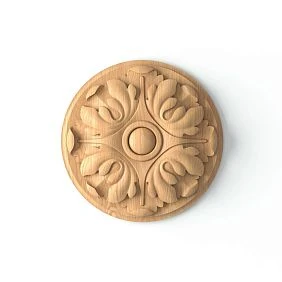
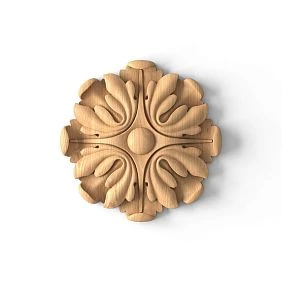
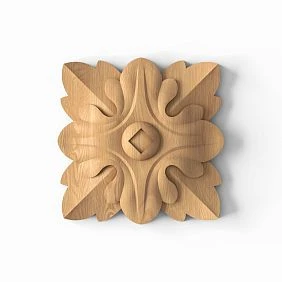
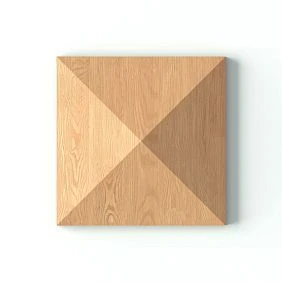
How work on a new design project begins
Professional collaboration is useful when it is integrated into the project from the very beginning, rather than appearing before purchase.
The workflow may look like this.
1. Provide project inputs
At the start, it is useful to create a short brief:
-
type of property;
-
area;
-
style;
-
main rooms;
-
timelines;
-
key materials;
-
approximate amount of decor;
-
project stages.
There is no need to send the manufacturer an entire album of hundreds of pages. Information that helps understand the context is enough.
2. Determine the style direction
Before choosing an SKU, the designer establishes the language of the project:
-
classic;
-
neoclassical;
-
contemporary;
-
art deco;
-
eclectic;
-
minimalism with architectural decor.
This narrows down the catalog.
3. Select product groups
For example:
-
stucco;
-
moldings;
-
wall panels;
-
wooden decor;
-
samples.
Separation matters because each group enters the specification differently and is calculated differently.
4. Select specific product codes
By this point, the search should no longer be for the abstract word "molding," but for specific dimensions, profile, and style.
5. Request samples
A sample is needed where the following matters:
-
scale;
-
texture;
-
relief;
-
actual shade;
-
surface quality;
-
compatibility with other materials.
6. Check digital materials
For visualization — 3D.
For working details — DWG.
7. Approve with the client
After checking the actual part and the visualization, the decision is finalized.
8. Transfer the SKU to the specification
Now the schedule lists a specific product code instead of a "white molding."
9. Calculate the quantity
Linear trim, panels, and piece decor are calculated using different methods.
10. Place the order
At this stage, purchasing is no longer a search. It is the execution of an approved specification.
Get Consultation
Catalog for the designer: which categories to use in a project
One of the strengths of working with a manufacturer on an ongoing basis is the ability to build a library not from random products, but from clear product categories. For a designer, this simplifies both visual search and specification.
Polyurethane Moldings
Molded decor works in wall and ceiling compositions, door portals, accent zones, and classical architectural systems.
If the project has already been approved and it is necessary to move to the commercial stage, You can buy ready-made stucco matching the Baroque style. Calculate the quantity: linear meters of cornices and moldings, number of rosettes, pilasters, consoles, corner elements. Add a ten to fifteen percent allowance for trimming. it can be done using specific item codes from the catalog. But in a professional workflow, the purchase should be the final stage, not the first.
Before ordering, the designer checks:
-
scale;
-
article number;
-
compatibility with neighboring items;
-
quantity;
-
installation;
-
finish.
Moldings
Molding is one of the most versatile interior tools.
It is used for:
-
framed compositions;
-
panels;
-
horizontal division;
-
vertical rhythm;
-
door portals;
-
accent walls.
For the project, it is convenient to choose Moldings made of polyurethane already taking into account the actual profile width, the relief, and the wall layout.
It is important for the designer to understand that a close-up image of the profile does not show the real scale. Therefore, it is better to check the molding both in 3D and on a physical sample.
Wall Panels
Panels are useful where a large textured surface needs to be created faster than with a set of individual decorative details.
Request buy MDF wall panels especially commercial, but for the designer the following are important first:
-
module;
-
drawing;
-
the direction of the slats;
-
panel dimensions;
-
cutting;
-
surface radius;
-
finish;
-
alignment with furniture.
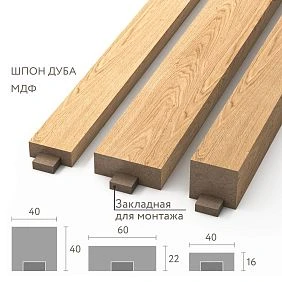
STAVROS now offers slatted panels as a separate category, featuring solutions made of MDF and solid wood.
Slatted solutions
Slatted wall panels can be used:
-
on an accent wall;
-
in the TV area;
-
behind the headboard;
-
on a column;
-
in the niche;
-
on a furniture facade;
-
on a reception desk.
For a professional project, not only the pattern matters, but also the direction of the rhythm. Vertical and horizontal layouts change the perception of space.
If the panel is used on a curve, this scenario must be verified on the specific product rather than transferring the properties of one model to the entire category.
Wooden decor
In a project made of natural materials, it is useful to use wooden decorative elements as a separate library.
Wood is especially appropriate:
-
in furniture;
-
in joinery portals;
-
wall panels;
-
on the frames;
-
in classical architecture;
-
in interior accents.
The designer needs to decide in advance what finish the wooden part will have: oil, lacquer, enamel, stain, patina, or another option.
Carved wooden decor
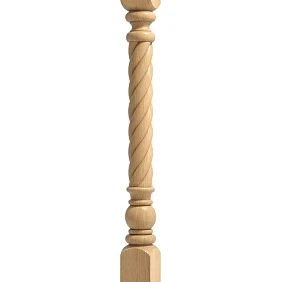
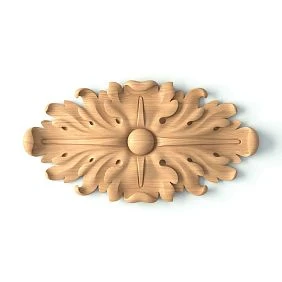
If the project requires more complex shaping, Carved wooden decoration it can be used for furniture, walls, portals, mirrors, stair areas, and classical interiors.
In the STAVROS catalog, carved decor includes, in particular:
-
overlays;
-
capitals;
-
brackets;
-
sockets;
-
a baguette;
-
pilasters;
-
columns;
-
carved legs;
-
platbands.
For a designer, it is important not to mix these entities into a single line "wooden decor." In the specification, each group must be named precisely.
Project materials: samples, 3D, DWG, and catalogs
Samples as a designer's working tool
A sample is not a souvenir from a catalog. It is needed to verify what cannot be reliably assessed on a screen.
STAVROS currently has a separate category Product samples, which presents samples of decorative items, moldings, slatted panels, printed catalogs, and exhibition solutions.
Scale verification
A profile with a width of 30, 50, or 90 mm may appear equally large in the product card because the photos are adapted to the screen.
A real sample returns the correct scale.
Relief check
The depth of the decor determines the shadow.
In the render it can be adjusted. On site it depends on:
-
natural light;
-
wall sconce;
-
backlighting;
-
the wall color;
-
the viewing distance.
Color check
White polyurethane, unfinished wood, MDF, and a finished surface are perceived differently.
If the material is to be painted, it is best to make a test paint sample.
Surface check
A physical part shows:
-
sanding quality;
-
smoothness of the relief;
-
edge;
-
surface for finishing;
-
a real sense of the material.
Combination check
The sample should be viewed next to:
-
wall paint;
-
with veneer;
-
stone;
-
fabric;
-
door front;
-
furniture.
This turns the choice from “liking it in the catalog” into a concrete material decision.
Sample before a large order
For a large project, it is better to follow the chain:
catalog → sample → material board → approval → specification → main order.
This is especially important if the element is repeated dozens of times.
Professional set
For a stucco project, a separate category is useful stucco samples and catalogs.
Such a set can be used in the studio as a permanent library of profiles and decorative solutions.
How to use 3D models in a design project
Professional visualization should work with a specific product, not with a “similar profile” from a random library.
STAVROS provides 3D Decor Models via the downloads section.
Working scheme:
SKU → 3D model → visualization → approval → the same SKU in the specification.
Real scale
A 3D model lets you check how well a profile or decorative element fits the room.
Fine relief can get lost on a large wall.
A large overlay may be too bold in a small bedroom.
Light and shadow
Relief products are especially dependent on lighting.
In the scene, you need to check:
-
daytime side light;
-
evening;
-
wall sconce;
-
linear lighting;
-
central light.
Intersections
3D helps you see whether the decor conflicts with:
-
furniture;
-
a door;
-
curtains;
-
with a lamp;
-
baseboard;
-
cornice.
SKU in the object name
It is useful to give a 3D object a name related to the real SKU.
For example:
STAVROS_MLDPU_XXX
Then, when preparing the specification, there is less risk of losing the link to the product.
Do not replace the sample with a 3D model
3D confirms the geometry.
The sample confirms the material, surface, and actual finish.
Both tools serve different purposes.
How to use DWG drawings in working documentation
For working drawings, you need DWG decor drawings, if the specific file is available for the selected product group.
The difference between 3D and DWG is fundamental:
3D = visual approval.
DWG = working design.
Layouts
On the layout, the designer shows:
-
exact height;
-
indents;
-
profiles;
-
frames;
-
decorative centers;
-
alignment with doors;
-
Furniture.
Details
DWG is especially useful for complex joints:
-
profile + casing;
-
molding + cornice;
-
decor + panel;
-
angle;
-
transition between two materials.
Profile
A cross-section shows the actual size of the item.
This helps avoid drawing a conventional 10 mm line where the actual part is significantly larger.
Handover to builders
The contractor should receive more than just a visualization.
They need dimensions and precise positions.
If the SKU is specified directly in the legend, the likelihood of accidental substitution is lower.
Catalogs as the link between idea and product code
A digital model is useful after selection. A catalog — before selection.
In the studio's professional library STAVROS catalogs perform several tasks:
-
quickly show the assortment;
-
help compare collections;
-
allow the client to choose within the actual assortment;
-
help the kit assembler verify categories;
-
speed up repeat projects.
The catalog is especially useful at an early meeting, when there is no need yet to open dozens of individual product cards.
How a designer can build a STAVROS materials library
Partnership becomes especially useful when a studio does not start every new project from scratch. A library assembled once reduces search time and lowers the risk that a designer uses a product in a render that is then difficult to identify.
It is better to build the library around project tasks, not around the random order of downloaded files.
Relief Decoration
A separate folder can store:
-
moldings;
-
cornices;
-
sockets;
-
overlays;
-
decorative wall elements;
-
ceiling decor.
For architectural accents, it is useful molded decoration made of polyurethane as a separate product layer, not as an add-on without its own SKU.
Inside the folder, it is better to separate:
WALL
CEILING
MOLDING
ROSETTE
DECOR
This way, the 3D model and DWG do not get lost among the images.
Wall solutions
It is more convenient to store panels separately from moldings.
A studio may have folders:
PANELS_MDF
SLATTED
WOOD
SAMPLES
For each item, it is useful to have:
-
image;
-
article number;
-
size;
-
material;
-
URL;
-
3D, if available;
-
a drawing;
-
sample photo.
Wooden decor
Natural wood requires separate logic, because the designer cares about species and finish.
The card can store:
-
beech / oak;
-
unpainted finish;
-
lead time and availability;
-
sizes;
-
product type;
-
furniture or architectural application.
Samples
The physical library must be linked to the digital one.
If a sample without a product code is left on the stand, within a few months it turns into a beautiful but useless piece of material.
It is useful to have on each sample:
BRAND / SKU / MATERIAL / FINISH / URL.
Digital library
The structure could look like this:
01_CATALOGS
02_3D
03_DWG
04_TEXTURES
05_SAMPLES
06_APPROVED_PROJECTS
Inside 3D and DWG files, it is better to keep the manufacturer's name and product code in the file name.
Why you shouldn't store only images
An image answers the question “what does it look like.”
But for a project, you also need:
-
size;
-
material;
-
code;
-
link;
-
availability of a digital model;
-
applicability.
If the designer saves only JPEG, the specifier has to search for the product by photo again.
The library needs to be updated
The manufacturer's catalog changes. New items appear, some are discontinued, files and collections change.
Therefore, it is useful to check every few months:
-
whether key SKUs are up to date;
-
whether the links work;
-
whether new models have appeared;
-
whether local files are outdated;
-
whether there are fresh catalogs.
How to correctly transfer a product from the visualization to the specification
One of the main professional risks is losing a specific product between the visualization and the working documentation.
The render may show the correct model, but the specification ends up with a line like:
decorative molding, white.
Such a document does not protect the project.
A working entry should include several fields.
| Field | What to specify |
|---|---|
| Manufacturer | STAVROS |
| Article number | Exact SKU |
| Category | molding / panel / decor |
| Size | from the product card |
| Material | polyurethane / MDF / wood |
| Finishing | if applicable |
| Room | specific project area |
| Quantity | pcs / linear m / panels |
| URL | product category or product page |
| Status | candidate / approved |
Manufacturer
If the visualization is approved for a specific item, the manufacturer must be specified explicitly.
Otherwise, the phrase "analog allowed" may result in different geometry.
Article number
The SKU is the main bridge between the image and the order.
Not:
light slatted panel.
But:
specific SKU, size, and material.
Category
The category helps to understand the calculation method.
Molding is calculated by linear meter and through cutting.
Trim — sold per piece.
Panel — by modules or by area.
Size
The size must be taken from the current product card, not from an old screenshot.
Material
Polyurethane, MDF, and solid wood require different approaches to installation, finishing, and samples.
Room
The same SKU can be used in five rooms. Breaking it down by room allows you to:
-
distribute the material;
-
track remaining stock;
-
monitor installation;
-
place reorders.
Quantity
For linear trim, it is better to store two values:
CALCULATED LENGTH
PURCHASE QUANTITY.
They may differ due to commercial lengths and allowance.
URL
The link helps you quickly open the current page and double-check the item before ordering.
Status
Before approval, the item may be CANDIDATE.
After the sample is reviewed and approved by the client — APPROVED.
This is especially useful on projects with many options.
How to approve materials with the client
Professional approval should capture not only the visual but also the real materiality.
Work sequence:
render → sample → real catalog → decision → SKU → approval confirmation.
Render
Shows the composition, color, and overall scale.
But the client should not treat the render as an absolute guarantee of texture.
Sample
Shows the actual surface.
Especially important for:
-
natural wood;
-
textured polyurethane;
-
wall panels;
-
complex finishes.
Catalog
Allows linking the approval to a specific model.
The client sees not only a beautiful shot, but also the actual product.
Article number
After approval, the SKU is locked in.
If the client later asks for "the same option," the designer doesn't go back to searching by images.
Signature or digital confirmation
On a large project, it is useful to record approval:
-
in the specification;
-
in the meeting minutes;
-
CRM;
-
in the project management system.
This removes the question of which version was approved.
Why you should not show materials without context
A sample panel in your hand and the same panel on a 3 m high wall feel different.
Therefore, it is better to show two levels at once:
-
the actual component;
-
its application in visualization.
How to calculate the amount of material before ordering
An article about partnership should not turn into a big calculator, but the designer must understand the calculation principle for each group.
Trim
Moldings and cornices are calculated by the length of the actual sections.
Basic logic:
sum of lines + technological allowance.
But the final purchase depends on the product length and the cutting chart.
If the project requires:
-
8 verticals of 1.9 m each;
-
8 horizontals of 0.8 m each,
you need not only to add up the linear meters, but also to check how these segments are obtained from whole products.
Panels
Panels are calculated by modules and the actual wall geometry.
Need to consider:
-
width of the area;
-
height;
-
panel format;
-
direction;
-
cut;
-
openings;
-
remainders.
The simple wall area does not always give the correct quantity.
Overlay decor
Counted per piece.
If each of the four frames has two overlays:
4 × 2 = 8 pcs.
If there is a left and right orientation, these are two SKUs.
Rosettes
Per piece.
At the same time, you need to check the relationship with the number of light fixtures and ceiling zones.
Complex compositions
It is better to calculate using the element map.
For example:
FRAME-A × 4
DECOR-L × 4
DECOR-R × 4
CENTER × 2
This is how the configurator sees the system, not just the final number.
Reserve
A universal percentage is not always reasonable.
More reserve is needed if:
-
many corners;
-
complex ornament;
-
non-simple cutting;
-
long critical sections;
-
reordering is undesirable.
Less — for simple repeatable installation and well-used leftovers.
Commercial procurement of the design project
After the visual and technical parts are approved, commercial procurement begins. At this stage, the designer's task is not to re-select decor, but to verify that the approved solutions have been correctly converted into an order.
Convenient procedure:
approved project → final specification → SKU verification → quantity → availability → commercial request → order.
SKU verification
Before ordering, it is useful to open each critical item and make sure that:
-
The SKU is recorded without errors;
-
size matches;
-
the material is the same;
-
the correct option is selected;
-
the link is up to date;
-
there is no accidental substitution with a similar product.
This is especially important if the specification was created several months ago.
Quantity check
The quantity is recalculated after the final release of the drawings.
If during the approval process one frame was removed or the panel area became smaller, the old calculation cannot be used.
Checking item status
The designer does not necessarily manage the supplier's warehouse, but before purchasing it is necessary to understand the current availability:
-
availability;
-
deadline;
-
ordering availability;
-
the required finish.
These parameters can change, so they cannot be hard-coded into an article or project as permanent values.
Checking related assortment
A single project often includes several materials.
For example:
-
stucco decor;
-
moldings;
-
panels;
-
wooden elements;
-
samples.
Instead of five independent requests, it is useful to compile a single schedule.
Relief Decoration
If the project includes overlays or architectural elements, polyurethane stucco decor should be counted as a separate group, even if it visually forms part of a framed composition with molding.
This way, the per-unit quantity is not lost.
Wall Panels
Panels must have a separate cutting map and their own unit of calculation.
They should not be combined with linear meters under a single "wall decor" line.
Wood
Wooden elements require separate finish control. If some items arrive without a coating, it is necessary to determine in advance who is responsible for painting or tinting.
How to request a commercial proposal for a project
A good request from a design studio reduces the number of clarifications and speeds up the calculation.
Instead of:
Please calculate the decor for the apartment.
it is better to send a structured table.
| Article | Category | Quantity | Room | Comment |
|---|---|---|---|---|
| ___ | Molding | ___ m / pcs. | Living room | Frames |
| ___ | Panel | ___ pcs. | Bedroom | Accent wall |
| ___ | Overlay | ___ pcs. | Hall | Central decor |
| ___ | Sample | ___ pcs. | — | Approval |
Additionally, it is useful to specify:
-
city;
-
desired deadline;
-
project stage;
-
is a sample needed;
-
whether a split delivery is required;
-
the kit assembler's contact.
Do not request a price without a configuration
The phrase "how much does the molding cost" is insufficient if a specific SKU is not defined in the project.
The price must relate to a specific product and the current moment.
Do not mix forecast and order
If the studio understands that another volume may be needed in two months, this can be communicated as a forecast.
But the forecast must not be perceived as a confirmed order.
Breakdown by stages
A large project can be completed in phases.
For example:
Phase 1 — public areas
Phase 2 — bedrooms
Phase 3 — additional rooms
This is useful if the property is being built gradually.
Why partnership matters for repeat projects
For a studio, the greatest value comes not from the first purchase, but from the third, fifth, and tenth project.
The first project takes time:
-
get familiar with the catalog;
-
check samples;
-
build a library;
-
download models;
-
set up designations;
-
understand the ordering process.
The second one is already faster.
The third can start from a ready-made base.
One library
The studio doesn't search for materials from scratch.
There are proven groups:
-
MOLDING; -
PANELS; -
WOOD DECOR; -
PU DECOR; -
SAMPLES.
Clear SKUs
The team knows how to record product codes and where to find them.
Familiar materials
The designer has already seen the samples and understands the real scale.
Repeatable workflow
The project follows a single scheme:
selection → digital model → sample → approval → specification → order.
Repeat order
If the same profile is needed for another project, there is no need to identify it again from a photo.
Handover between employees
The studio may have a change of designer or specifier.
If the process is formalized, the project does not depend on one person's memory.
How to organize a studio's internal database
Even a small team benefits from a simple table.
| Field | Example |
|---|---|
| Brand | STAVROS |
| SKU | ___ |
| Category | molding / panel / decor |
| Material | PU / MDF / wood |
| 3D | yes/no |
| DWG | yes/no |
| Sample | yes/no |
| Last project | ___ |
| Notes | ___ |
Last project
This is a useful field.
If an item has already been used, the team can look at:
-
photos of the completed installation;
-
assembly unit;
-
actual scale;
-
installation errors;
-
customer comments.
Notes
Practical details are recorded here:
-
"better to look at in side light";
-
"used to match the wall color";
-
“an additional sample was required”;
-
“a precise joint with the architrave is important”.
This is how the library becomes the studio’s knowledge, not just a catalog of files.
What to check in professional conditions before starting cooperation
Public information may be updated. Therefore, before the first request, it is useful to open the current conditions for designers and architects and check exactly what is available now.
At the time of checking, the official page states:
-
a database of 3D models;
-
DWG drawings;
-
printed and electronic catalogs;
-
personal manager;
-
showrooms in Moscow and St. Petersburg;
-
private events;
-
production tours;
-
the form of partnership.
If financial terms, specific bonuses, or other commercial parameters matter to the designer, they should be clarified according to the current program, rather than carried over from an old article or someone else's experience.
Why you shouldn't promise a fixed discount amount in the article
Partnership terms may depend on the current program and are subject to change.
If there is no specific figure on the public page, it cannot be stated as fact.
For professional content, it is more effective to describe proven working capabilities that genuinely help the project.
When direct partnership is especially useful
Not every designer is obliged to build ongoing work with a manufacturer.
But
How a designer can oversee implementation on site
Partnership with a manufacturer does not end at the moment of shipment.
The designer still needs to make sure that the approved solution is being implemented on site.
Check the delivery
At acceptance, it is useful to verify:
-
article numbers;
-
quantity;
-
materials;
-
finish;
-
integrity;
-
Completeness.
Compare with the sample
If there was an approved sample, it should be used as a reference point.
Especially for:
-
color;
-
wood;
-
of the relief;
-
coatings.
Check the layout before installation
The contractor should not start gluing moldings immediately after unpacking.
First, it is better to apply:
-
axes;
-
frames;
-
markings;
-
panel boundaries.
The designer checks the geometry.
Check the first assembled unit
If the project repeats ten identical frames, first assemble one.
After approval, the rest are repeated according to the template.
Record deviations
If the wall differs from the design dimension, a decision must be made before mass installation.
A small deviation on one wall may require recalculating the intervals.
Typical mistakes in designer—manufacturer partnerships
Mistake 1. Starting with a discount
Why it happens: the partner program is perceived as a way to get a better price.
Consequence: professional tools — samples, 3D, DWG, specification — remain outside the process.
How to prevent it: first set up the workflow, then discuss commercial terms.
Mistake 2. Using a random 3D model
Why it happens: the needed object is already in the visualizer's library.
Consequence: the client approves not the actual product.
How to prevent: link the model to a specific SKU.
Mistake 3. Not specifying the item code on the working drawing
Why it happens: the profile seems obvious from the render.
Consequence: the installer chooses an equivalent.
How to prevent: product code + legend + item code.
Mistake 4. Showing the client only the render
Why it happens: the visualization looks convincing.
Consequence: the real material is perceived differently.
How to prevent: use a physical sample for key items.
Mistake 5. Storing samples without labeling
Why it happens: at the time of receipt, everyone remembers which part this is.
Consequence: after six months, the sample cannot be identified.
How to prevent: SKU, material, link, and date.
Mistake 6. Changing a product in the specification without updating the 3D
Why it happens: the new product looks like the old one.
Consequence: visualization and procurement diverge.
How to prevent: changing the SKU = a new revision.
Mistake 7. Not checking that everything is up to date before ordering
Why it happens: the project was prepared a long time ago.
Consequence: the order assembler is working with outdated information.
How to prevent: before the PO, open the current pages and check the critical items.
Mistake 8. Mixing different materials in one line
Why it happens: everything is lumped under decor.
Consequence: it is impossible to calculate and order correctly.
How to prevent: keep polyurethane, MDF, wood, moldings, and piece decor separate.
Mistake 9. Sending only a render to the supplier
Why it happens: it seems that everything is visually clear.
Consequence: it is impossible to accurately calculate SKUs and quantities.
How to prevent: attach a specification.
Mistake 10. Not saving experience after completing a project
Why it happens: the team switches to the next project.
Consequence: the same mistakes are repeated.
How to prevent it: keep the final photos, SKU, assemblies, and comments in the studio library.
How to become a STAVROS partner
If a design studio or architect regularly uses architectural decor, the logical next step is to formalize a working contact.
The sequence is simple.
1. Open the professional page
It contains up-to-date tools and a contact form.
2. Review the available opportunities
Check:
-
3D;
-
DWG;
-
catalogs;
-
showrooms;
-
manager;
-
events;
-
current professional terms.
3. Prepare the data
The form usually requires basic information about the specialist or studio.
It is best to have the following ready:
-
name;
-
city;
-
contacts;
-
website or social media;
-
information about professional activity.
4. Submit the application
After submission, the next steps depend on the current STAVROS process.
5. Start with a real project
The most useful way to test a partnership is to run a specific task through it:
-
select materials;
-
request samples;
-
download technical files;
-
approve SKUs;
-
build a specification;
-
place the order.
This makes it clear how well the workflow suits the studio.
Who is responsible for what: designer, procurement specialist, manager, and contractor
Even with a good partnership, errors occur when the boundaries of responsibility are blurred.
It helps to define roles in advance.
Designer
Responsible for:
-
architectural concept;
-
material selection;
-
article number;
-
scale;
-
color;
-
scope of application;
-
visual approval;
-
design documentation.
The designer must not delegate to the supplier the decision of which profile "looks better" in an already approved composition.
Assembler
Responsible for:
-
specification currency;
-
commercial inquiry;
-
quantity verification;
-
timelines;
-
order;
-
documents;
-
delivery;
-
reorder.
The specifier must not change SKUs independently without design approval.
Manufacturer's manager
Helps connect the project with the assortment and current conditions.
They can clarify:
-
availability;
-
available files;
-
category;
-
order options;
-
samples;
-
commercial process.
But the manager does not replace the project author.
Contractor
Responsible for implementation:
-
marking;
-
installation;
-
joints;
-
preparation;
-
finish;
-
compliance with the working documentation.
If the actual wall differs from the drawing, the contractor must report the deviation rather than changing the composition on their own.
Client
Approves the visual and material solution.
For a complex project, it is useful to record exactly what has been approved:
-
view;
-
sample;
-
color;
-
article number.
This gives the team a single point of reference.
Four partnership scenarios
The same partnership scheme is applied differently depending on the project type.
Private apartment
Usually here:
-
fewer repeats;
-
greater attention to individual coordination;
-
material board is more important;
-
simpler breakdown of delivery.
The main value of a partner workflow is to avoid late decor replacement after render approval.
Country house
The number of rooms is greater, and the stylistic language often needs to be maintained throughout the entire property.
It is useful to create:
-
a family of profiles;
-
a unified set of finishes;
-
standard details;
-
a shared library.
Restaurant, hotel, or commercial interior
Here, the role of repetition is greater.
The same decor can be repeated:
-
in rooms;
-
in corridors;
-
in common areas;
-
at reception desks;
-
in several branches.
Therefore, the following are especially important:
-
exact SKU;
-
reordering;
-
zoning;
-
supply history;
-
revision control.
Design studio with multiple parallel projects
The biggest time savings come from the system.
One manager, one library, unified naming rules, and a familiar set of materials reduce the number of repeated searches.
How to move from partnership to selecting specific products
Partnership work should naturally transition to a product only when the project has already reached the selection of a specific material.
Incorrect approach:
partnership program — buy stucco — buy panels — buy moldings — buy decor.
This turns the text into a list of commercial keywords.
Correct:
-
explain the process;
-
show the tool;
-
provide a product category in the context of a real task.
For example, a designer has assembled a wall concept, checked the 3D and a sample — then it makes sense to move on to a specific category.
Or a studio is assembling a material board for a wall — then a catalog of samples and panels is appropriate.
This way the link supports action rather than existing for the sake of density.
How to establish a partner process within a design studio
How to assess whether a partner scheme works for a studio
After a few projects, you can check not an abstract “convenience” but specific signs.
Fewer replacements after visualization
If most approved SKUs reach implementation without accidental substitution, the system works.
Fewer clarifications on the specification
The specifier knows what to order without constantly asking the author.
Faster preparation of new projects
The team reuses the library and proven groups.
Fewer errors on site
The contractor receives accurate drawings and SKUs.
Easier repeat ordering
The right item is found by SKU, not by photo.
The studio builds its own knowledge base
After each project, the following are saved:
-
photo;
-
details;
-
comments;
-
proven combinations;
-
actual challenges.
This turns the partnership into an operational asset for the studio.
How to update the library after project completion
After handing over the project, it is useful to conduct a short post-project review.
For each important material, ask:
-
whether the sample matched the delivery;
-
whether the 3D model matched the real scale;
-
was the calculated quantity sufficient;
-
were there any leftover remnants;
-
were there any issues with the seams;
-
how the finish looked;
-
did you have to change the SKU;
-
was an urgent reorder needed.
Then update the internal card.
Example:
SKU: ___
USED: HOTEL LOBBY
RESULT: APPROVED
NOTE: the profile is active under side lighting
WASTE: higher due to many corners
REORDER: easy
On the next project, the designer already works not only with the catalog, but also with their own experience.
How to avoid dependence on a single employee
The partner scheme should not rely on the lead designer's memory.
If all information is stored only:
-
in personal messages;
-
in a messenger;
-
in a local folder;
-
in the specifier's head,
when an employee changes, the project becomes vulnerable.
It is useful to store centrally:
-
professional contacts;
-
library;
-
links;
-
specification template;
-
samples;
-
project history;
-
approved SKUs.
This is how the studio maintains a working system regardless of the team's individual composition.
Quick project readiness audit before the main order
Before the specifier sends the final order, it is useful to do a quick project check. It takes less time than subsequently correcting discrepancies between the visualization, the specification, and the actual delivery.
1. Item codes
Each critical item must have one approved SKU. If a note still lists two options separated by "or," the choice is not finalized.
2. Visualization
Check that the final render uses exactly the profile, panel, or decorative element specified in the specification. If the 3D model was provisional, this must be clearly noted and resolved before purchase.
3. Working drawings
Dimensions and details must match the actual product. Pay special attention to moldings, panels, door junctions, and decorative elements with complex geometry.
4. Samples
For key materials, the status must be clear: sample not required, sample reviewed, or sample approved by the client. The wording "we'll see after delivery" means the risk has simply been pushed to a later stage.
5. Quantity
Not only the final figure is checked, but also how it was derived. For linear profiles — a line map and cutting plan, for panels — a modular grid, for piece decor — quantity by each zone.
6. Finish
If the product is painted, it must be clear: what color, who performs the finishing, at what stage, and whether there is an approved color sample.
7. Related items
The main SKU must not be left without accompanying elements. If installation requires adhesive, fasteners, jointing compound, or additional parts, this is checked before placing the order.
8. Current relevance
Before sending an order, the kit specialist rechecks availability, lead times, and current commercial terms. Data from a month ago may no longer reflect the real situation.
If all eight points are covered, the project is ready for procurement. If even one remains uncertain, it is better to close the gap first, and only then convert the decision into money and logistics.
FAQ
What does the partner program give an interior designer?
The practical value lies in access to professional tools and a well-structured process: catalogs, 3D models, DWG drawings, samples, a manager's contact, and the ability to link a specific item code to a project from visualization to order. Financial terms and other commercial parameters should be viewed on the current professional page.
Are there separate terms for architects?
STAVROS brings designers, architects, and decorators together in one professional program. The current page lists 3D models, DWG, catalogs, a personal manager, showrooms, professional events, and the partnership form.
Do you need to be a large studio to use professional materials?
No. 3D, DWG, and catalogs are useful for a private designer as well. The scale of the studio affects rather how quickly your own library and a formalized workflow pay off.
How do you start cooperation if there is no specific order yet?
You can start with the library: download catalogs and technical materials, get familiar with the categories, assemble a sample set, and save suitable SKUs. When a project comes up, part of the preparatory work will already be done.
Why do designers need physical samples if there are good renders?
A render shows the geometry in the scene. A sample shows the real scale, surface, material, light and shadow, and finish. A sample is especially important for wood, textured polyurethane, and wall panels.
What comes first — a sample or a 3D model?
Usually, you first select an item by catalog, then check it in 3D, and for key decisions order a sample. The order may vary, but the final SKU is best approved only after digital and physical verification if the material is critical.
Can I use only DWG without 3D?
Yes, if the project does not require detailed visualization. DWG is sufficient for working drawings and details. But for approval with the client, a 3D model is often more convenient because it shows the real volume and shadow.
How can you avoid a situation where the render shows one product but the order has another?
Link the object in 3D to the real SKU from the very beginning. Carry the same item code into the DWG, specification, and commercial request. When replacing, issue a new revision of the documents.
Which samples are useful to keep permanently in a design studio?
Depends on the specialization. For a studio that regularly uses architectural decor, the following are useful:
-
moldings;
-
stucco decor;
-
wall panels;
-
wooden elements;
-
finish options.
Each sample must be labeled with a product code.
How to store samples so they don't lose their value?
A physical part must have a label:
BRAND / SKU / MATERIAL / FINISH / URL.
If a sample was used in a specific project, it's useful to add a note about the site and a photo of the installation.
What should be specified in the specification besides the product code?
Minimum:
-
manufacturer;
-
category;
-
size;
-
material;
-
room;
-
zone;
-
quantity;
-
finish;
-
link;
-
installation note, if needed.
How to calculate moldings?
By the actual length of all lines on the layout, then taking into account the commercial length and cutting. A single total meterage without a parts map can lead to an incorrect purchase.
How are wall panels calculated?
By the real modular layout. You need to take into account the width and height of the area, the panel format, direction, openings, and offcuts. The simple wall area is only the first reference point.
How are decorative overlays calculated?
Piece by piece for each SKU. If there are left and right versions, they are counted separately.
Do I need to add extra allowance?
If the project allows for the risk of damage, complex cutting, or many corners, a reserve is needed. But a universal percentage for all materials does not exist. It is better to justify it with a real layout.
What to do if an item has been discontinued or is temporarily unavailable?
Do not automatically buy a "similar" one. First check the alternative by dimensions, material, and appearance, then update the visualization, working documentation, and specification. After that, the new solution can be approved.
Can the manufacturer's manager select all the decor for the designer on their own?
The manager can help with the assortment and technical questions, but the author's composition remains the designer's area of responsibility. Otherwise, the project turns into product selection without architectural logic.
How can you tell that a partnership is truly useful for the studio?
If new projects are assembled faster, there are fewer replacements after visualization, the specifier requests clarifications less often, the contractor receives more accurate documentation, and repeat orders go through using saved SKUs, then the system brings practical benefits.
Can the same library be used for residential and commercial interiors?
Yes, but the ways it is applied will differ. In an apartment, individual coordination matters more; in a hotel or restaurant, repeatability, batches, and unified components matter more. The SKU itself can remain the same.
How should a designer work with catalogs during the first meeting with a client?
It is better not to show the entire assortment. First narrow the choice by style and task, then show a few real product families. This reduces overload and helps move faster to specific SKUs.
Should a URL be included in the specification?
It is convenient, especially for the specifier. But a link does not replace the SKU. A URL can change, while the SKU remains the main product identifier.
What is more important — a catalog or a physical library?
They solve different tasks. A catalog helps you search and compare quickly. A physical library helps you check material and scale. A strong studio uses both levels.
Can you start with just one product group?
Yes. For example, a studio can first set up work only with moldings and stucco. After several projects, add panels and wooden decor. You do not have to create a huge library right away.
How to avoid duplicating samples in the studio?
Keep a registry. Before ordering a new sample, check whether such an item already exists. For each sample, record the SKU, material, finish, and storage location.
How to link the partner program with purchasing if the studio has a dedicated specifier?
The designer approves the SKU and the visual solution. The specifier checks availability, quantity, commercial terms, and places the order. The manufacturer's manager helps with current information and available materials. This scheme is better than when all functions are handled through a single correspondence thread.
What to do after the project is completed?
Save the final specification, photos of the completed installation, installation comments, current SKUs, and useful notes. This turns a completed project into a data source for the next one.
Bottom line: partnership works when a single SKU goes through the entire project journey
For a designer, a regular manufacturer is valuable not for the number of advertising promises, but for how predictably its product can be carried through a project.
The working chain looks like this:
catalog → sample → 3D/DWG → visualization → approval → SKU → specification → calculation → order → delivery → installation → repeat project.
If the same item is used at every stage, the risk of accidental substitution and discrepancy between the image and the actual object is reduced.
If a studio runs many projects, the effect compounds: its own library, proven SKUs, familiar materials, ready-made assemblies, and a history of implemented solutions begin to save time for the entire team.
You can start with the professional page STAVROS: check the current tools, explore the program, and submit an application. After that, it makes sense to immediately run a specific project through the system — select materials, request samples, use 3D and DWG, record item codes, and assemble the final specification.
This is how a partner program turns from a formal status into a working process that helps the designer preserve the author's vision from the first visualization to the real interior.