Article Contents:
- A project change does not cancel procurement actions already taken
- First, freeze the new project revision
- Why you cannot recalculate based on the phrase “a few rooms were removed”
- Why minus 30 m does not mean minus 13 planks
- PROJECT SURPLUS
- SITE LEFTOVER
- SERVICE RESERVE
- Standard and custom items require different approaches
- “Buying building materials wholesale” is easier than correctly reducing an order that has already been placed
- When redistribution is actually permissible
- Linear meters do not prove that the surplus fits another zone
- What to do with volume that has not yet been produced
- What to do with material in production
- What to do with a finished but not yet shipped batch
- The already received linear stock is first inventoried
- Whole products and short offcuts are different assets
- How to determine a reasonable service reserve after a project reduction
- If only the decorative frames are cancelled, reduce only the moulding
- If instead of 50 standard rooms only 42 remain, use the ROOM KIT — but check the exceptions
- What not to do with surplus
- Surplus can become working material again after a late change
- How to assign priority to Surplus Register lines
- How to close a project after a scope reduction
- Practical scenario: the project shrank by 190 m, but the actual surplus turned out to be 74 m
- Practical scenario: one floor was moved, and the restaurant was cancelled
- Floor 4 — DEFERRED
- Restaurant — CANCELLED / SPEC CHANGE
- Practical scenario: the footage decreased, but the number of whole planks barely changed
- Practical scenario: there are surplus meters, but they are useless for the new area
- When material should not be redistributed
- A commercial decision should come after object classification
- Wholesale procurement of construction materials: how to split the project reduction by order stages
- How to link the project revision and the order revision
- Why Procurement Delta cannot be subtracted twice
- How to calculate Remaining To Order after a reduction
- How to handle project stock that has already been produced
- How to keep a surplus decision log
- How to close a COMMERCIAL RESOLUTION line
- How to work if the project grew again after a reduction
- 6. Not accounting for the volume already produced
- 7. Treating READY material as “not yet existing”
- 8. Calling the entire surplus a service reserve
- 9. Reallocating other material
- 10. Mixing up different lengths
- 11. Mixing different FINISH
- 12. Not accounting for whole planks separately from offcuts
- 13. Do not maintain a Surplus Register
- 14. Place a new reorder when surplus already exists
- 15. Transfer material to another project without verification
- 16. Assume cancellation or return is automatic
- 17. Close an old revision without resolving the fate of already ordered material
- 18. Close the project without final reconciliation
- When you should not try to reduce the order
- When a reduction truly requires immediate action
- What to send to the seller or manufacturer when requesting a change
- Why verbal approval of a change is not enough
- How to handle a partial reduction of a single line item
- How to handle material that has already been shipped but not yet received
- How to account for linear stock that has already been cut but not yet installed
- Why already installed material is not included in surplus
- How to avoid mixing up the Surplus Register with regular warehouse stock
- How to label physical surplus on site
- How to handle multiple batches of the same surplus
- How to account for FINISH when reducing
- How to account for different product lengths
- How to assess the possibility of transferring material to another project
- How to use the Surplus Register in budget control
- How to link change management to the actual bill of materials
- If the project was reduced by 100 m, can the order be reduced by the same 100 m?
- How does CANCELLED differ from DEFERRED?
- What is COMMITTED QUANTITY?
- Should skirting boards in lengths be recalculated after reducing the linear meters?
- Can all excess material be kept as an operational reserve?
- What should be done with the short offcuts already received?
- Can surplus be used in another area?
- What should be done if part of the order has not yet been produced?
- What should be done if the material has already been shipped?
- Should the Surplus Register be checked before every new reorder?
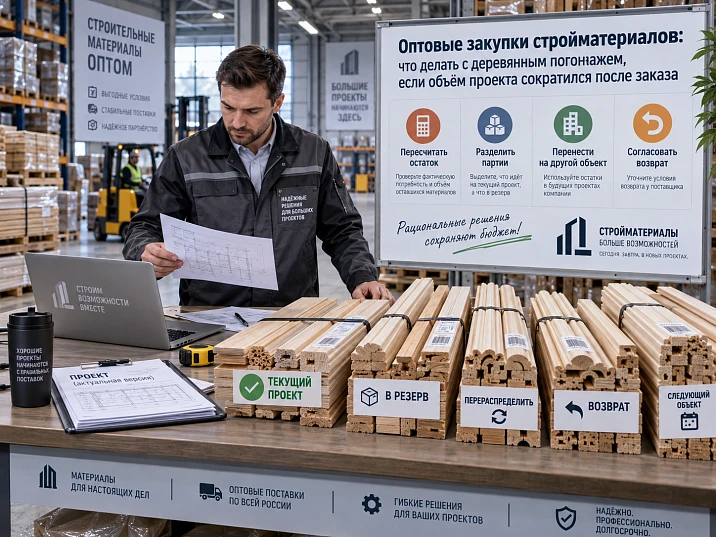
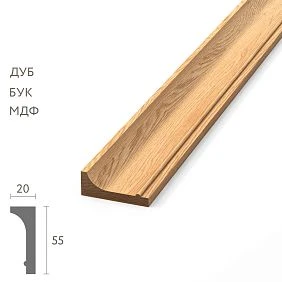
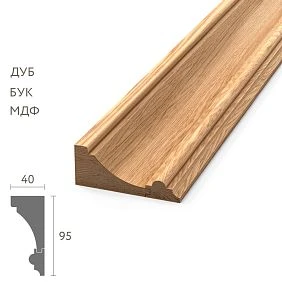
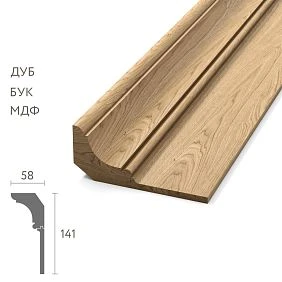
For a hotel project under revision REV05, a wooden skirting board, moulding and cornice were ordered: 680 m of skirting board, 420 m of moulding and 190 m of cornice. Part of the order has already been paid for, part has gone into production, and several items are ready for shipment. A month later, the client changes the project programme: one floor is moved to the next phase, wall frames are cancelled in twelve rooms, the restaurant switches to a different concept, several rooms are combined, and part of the ceiling cornice is excluded.
The new revision shows a reduction in demand of 190 m. But the phrase “so we have 190 m extra” is incorrect. Of those 190 m, some may not yet have entered the order, some is already in production, some has arrived on site, and some is not cancelled demand at all — it has merely been moved to the next queue.
Therefore, after a project reduction, you must not start with the question “what can be returned?”. The first question is different:
what demand is actually active now, what has already become a purchasing commitment, and what volume has actually turned into a potential surplus?
Work sequence:
NEW REVISION → PROCUREMENT DELTA → COMMITTED QUANTITY → RECEIVED / INSTALLED → SURPLUS REGISTER → REALLOCATE / DEFER / SERVICE RESERVE / COMMERCIAL RESOLUTION.
This is exactly how they should work wholesale purchases of building materialsif the project changed after the order was placed: first recalculate the actual requirement and obligations, then make a decision on each line item separately.
A project change does not cancel procurement actions already taken
After a new project revision is released, the old geometry is no longer current, but the commercial and physical actions that have already occurred do not disappear. That is why the same “minus 40 m” can require completely different decisions.
| Status | What it means | What to check after a project reduction |
|---|---|---|
| PLANNED | The line item was only in the plan | Remove from future requirement |
| ORDERED | Order placed | Check the order change terms |
| IN PRODUCTION | Item is in production | Verify the current stage and resolution options |
| READY | Batch ready | Search redistribution / transfer / reserve |
| SHIPPED | Batch shipped | Prepare acceptance and decision at the site |
| RECEIVED | Material already accepted | Inventory the configuration and condition |
| CUT / INSTALLED | Part already used | Count only the actually free balance |
The point of the matrix is simple: the project reduction relates to demand, while the procurement status relates to actual commitments and material. They must not be mixed in one column.




First, freeze the new project revision
When wholesale procurement of construction materials the first step after reducing the scope is not calling the supplier, but locking in the new current version of the project.
For example:
SPEC-PG-REV08 — CURRENT.
Previous:
SPEC-PG-REV07 — SUPERSEDED.
The new revision must answer specific questions:
- which rooms are excluded;
- which zones are only moved to a future phase;
- which profiles have disappeared entirely;
- which SKUs are retained, but in smaller quantities;
- which SKUs have been replaced by others;
- which new items have appeared;
- which geometry is now the basis for the procurement calculation.
While the current revision is not frozen, reducing the order is risky: the project may continue to change, and the commercial team will start making decisions based on interim data.
Why you can't recalculate based on the phrase "several rooms were removed"
A verbal change does not show which specific elements disappeared. In one room, the molding may be removed but the baseboard and cornice remain. In another, the entire finish work is cancelled. In a third, the room is not cancelled but moved to the next phase.
Therefore, the project must move from the phrase "there is less" to a specific new bill of quantities.
Our factory also produces:





CANCELLED and DEFERRED are different statuses
CANCELLED means the item is no longer needed for the project.
DEFERRED means the item is needed, but later.
If these statuses are confused, the project may try to reduce an already placed order today, and in three months buy the same profile again for the deferred floor.
| Situation | Status | Procurement meaning |
|---|---|---|
| The floor is permanently excluded from the project | CANCELLED | Requirement is deleted |
| Floor moved to the next queue | DEFERRED | Requirement remains |
| The restaurant is changing its concept and the profile is no longer used | CANCELLED / SPEC CHANGE | The old SKU requires a separate decision |
| Installation postponed by two months | DEFERRED | The material may remain part of the current project |
Before calculating the surplus, all excluded zones must be classified exactly this way.
Get Consultation
Wooden skirting is recalculated by excluded segments, not by percentage of area
If one floor became 20% smaller, this does not mean that the purchase wooden baseboard needs to be automatically reduced by 20%.
Specific sections need to be redone:
- walls;
- doorways;
- built-in furniture;
- baseboard end points;
- changed partitions;
- commercial lengths;
- cutting map.
After a layout change, usable offcuts may be distributed differently. Therefore, a net reduction in linear meters and a reduction in the number of full planks rarely match one to one.
Why minus 30 m does not mean minus 13 planks
Suppose that previously, short sections of cancelled rooms were made from offcuts left over after long walls. Once those are excluded, the long walls themselves remain, but the usable offcuts simply stop being used. As a result, the design linear meters decrease noticeably, but the number of required full planks decreases less.
And conversely, if several long walls are cancelled, the number of full planks may decrease more than a simple percentage rule would suggest.
That is why they recalculate the strips and the cutting map, not just the linear meters.
Wooden moulding: reducing the frames changes the serial cutting layout
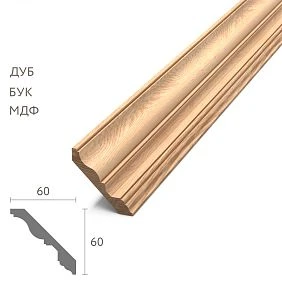
С wooden molding the effect is even more noticeable. Suppose wall frames were removed from twelve rooms. The simple arithmetic of "minus the perimeter of twelve frames" shows only the net linear footage.
For procurement, it is necessary to recalculate:
- repeating side dimensions;
- serial cutting;
- offcuts from long elements;
- commercial lengths;
- already prepared elements;
- installation reserve for the remaining rooms.
If before the change 40 identical frames provided stable cutting, and only 28 remain, the usefulness of the offcuts may change. Therefore, the new quantity in pieces must be recalculated based on the remaining series.
We create a PROCUREMENT DELTA, not a new table without history
When it changes purchase of construction materials, it is more convenient to compare the two versions and get the DELTA.
For example:
| SKU | REV07 | REV08 | Δ |
|---|---|---|---|
| PLT-A | 180 pcs. | 156 pcs. | −24 |
| MLD-A | 220 pcs. | 142 pcs. | −78 |
| KZ-A | 48 pcs. | 48 pcs. | 0 |
| MLD-B | 0 | 12 pcs. | +12 |
Delta immediately shows where demand has decreased, increased, or remained the same. But a negative value does not yet mean that this entire volume can be canceled.
The next step is to compare DELTA with the procurement status.
COMMITTED QUANTITY: how much volume has already become a procurement commitment
COMMITTED — the volume for which a procurement commitment already exists under the procedure adopted on the project.
Suppose:
- new MLD-A demand — 142 pcs.;
- already committed — 180 pcs.;
- difference — 38 pcs.
180 − 142 = 38 pcs.
It is these 38 that become potential surplus. But even after that, you cannot write "the excess is 38." First you need to understand where these 38 items are physically and commercially located.
| Status of 38 pcs. | Quantity | Action |
|---|---|---|
| Not launched yet | 10 | CHECK CANCELLATION / CHANGE |
| IN PRODUCTION | 12 | REVIEW WITH SUPPLIER |
| READY | 8 | REALLOCATE / DEFER / RESERVE |
| RECEIVED | 8 | Inventory + decision |
One common minus has decomposed into four different management tasks.
Project surplus, physical remainder, and service reserve are not the same thing
After reducing the volume, the word "excess" often appears, but it hides several different entities.
PROJECT SURPLUS
According to the new specification, part of the previously planned volume is no longer required.
SITE LEFTOVER
Physical material remained after installation or cutting.
SERVICE RESERVE
Material is deliberately kept for future repairs after handover.
These groups may overlap, but they should not be automatically combined. For example, 24 planks became Project Surplus, but of those, the project decides to keep 8 as Service Reserve. Then the actual volume requiring a different decision is 16, not 24.
SCOPE REDUCTION MATRIX — the main table of the article
| SKU | Was needed | Needed now | Already ordered | Already received | Solution |
|---|---|---|---|---|---|
| PLT-A | 420 м | 350 м | 420 м | 210 м | CHECK |
| MLD-A | 260 м | 170 м | 260 м | 0 | REVIEW |
| KZ-A | 110 м | 110 м | 110 м | 110 м | KEEP |
| MLD-B | 80 м | 0 | 80 м | 80 м | REALLOCATE |
The matrix does not make a decision automatically. It shows where the project requirement and procurement reality diverge.
After this table, each row undergoes a separate review.
What decisions are possible for a potential surplus
There is no single universal scenario of “returning the excess.” For each item, one of the working statuses is selected.
| Status | Meaning |
|---|---|
| KEEP | The material is still needed for the current project |
| DEFER | The material belongs to a postponed queue |
| REALLOCATE | The material is assigned to another zone of the same project |
| SERVICE RESERVE | Part is intentionally kept for future renovation |
| CHECK CANCELLATION | Check whether the not-yet-completed part of the order can be changed |
| CHECK RETURN | For material already received, check the terms of the specific transaction separately |
| COMMERCIAL RESOLUTION | Separate approval from the seller / manufacturer is required |
The article should not promise that any wooden trim can be canceled or returned. The possibility depends on the specific item, the stage of fulfillment, and the terms of the transaction.
Standard and custom items require different approaches
If the profile is a standard stock item, one set of solutions may be realistic. If the product is made to a custom profile, material, length, or project finish, the commercial consequences of reduction may be different.
Therefore, in the Surplus Register it is useful to store a field:
STANDARD / PROJECT-SPECIFIC / CUSTOM FINISH / SPECIAL LENGTH.
This is not a legal status, but a working characteristic for the team: the item cannot be treated the same as a regular standard product until the terms of the specific order are confirmed.
“Buying building materials wholesale” is easier than correctly reducing an order that has already been placed
During initial specification, the task often sounds straightforward: buy construction materials wholesale, calculate the quantity, and place the order.
After a project is reduced, the process runs in the opposite direction:
revised project → new requirement → existing commitments → actual material → decision on each potentially unnecessary item.
You cannot simply take the latest estimate and put a minus in front of the removed volume. You need to see which part of that volume has already turned into an actual batch.
First, we look for redistribution within the same project
Before making a commercial decision, it is useful to check whether the potential surplus can be used in another area of the same site.
For example, the molding was canceled in the bedrooms, but the same SKU and the same finish are still needed:
- in the lobby;
- in the office;
- in the hallway;
- on the next floor;
- in the transferred queue.
If the configuration matches, some of the "excess" material may cease to be surplus and receive the status REALLOCATED or DEFERRED.
When reallocation is actually permissible
The full configuration is checked:
- SKU;
- the material;
- cross-section;
- product length;
- finish;
- revision;
- area;
- the actual state of the elements.
The phrase "they also need oak molding there" is not enough.
Linear meters do not prove that the surplus fits another zone
There are 40 m of free PLT-A. The next zone needs 38 m of PLT-A. It seems the material can simply be transferred.
But in fact, 40 m may consist of:
- 10 whole planks;
- short offcuts after cutting;
- elements of a different length;
- planks of a different FINISH;
- damaged material.
Therefore, the required segments and physical items are matched first.
The meters may match, but the planks may not.
What to do with the volume not yet produced
If you need buy construction materials wholesale, the simplest stage of change is the one where part of the volume has not yet been fulfilled. But even here, automatic cancellation cannot be promised.
Working wording:
verify the current order and request from the seller / manufacturer the possibility of changing the not yet fulfilled part.
Until confirmation is received, the old commercial version is considered valid.
In the registry, such a volume receives the status:
CHECK CANCELLATION / AWAITING CONFIRMATION.
What to do with material in production
If the item has not yet arrived, this does not mean it can be considered "non-existent." Production may have already begun.
For such a volume, the following status is useful:
IN PRODUCTION / REVIEW WITH SUPPLIER.
The team must clarify the actual stage and only after that decide what can be changed.
What to do with a finished but not yet shipped batch
READY is a separate state. The items already exist, but have not yet taken their place at the site.
Before any external decision, the object first checks:
- whether they are needed for the transferred queue;
- whether they can be redistributed to another zone;
- whether it makes sense to keep part as a service reserve;
- whether there is a late design change that will require this SKU again;
- what commercial options are available for a specific order.
Object logic first, commercial second.
The already received linear stock is first inventoried
The received material cannot be described with the phrase “about 80 m left.” A composition is needed for a decision.
Inventory:
| Field | What to fix |
|---|---|
| SKU | Exact SKU |
| Material | Oak / beech / MDF / other finish |
| Length | Commercial or actual length |
| FINISH | If there are different finishes |
| Whole pieces | Number of whole items |
| Useful offcuts | Usable offcuts with lengths |
| Condition | GOOD / DAMAGED / OPENED |
| Zone / source | Where the remainder came from |
Only after that can you decide what is actually redistributed and what is suitable for reserve.
Whole items and short offcuts are different assets
For example, SURPLUS contains:
- 18 whole planks 2400 mm;
- 9 segments 800–1300 mm.
The total linear meters may look impressive, but whole planks are far more versatile. They are easier to move to another wall, keep in service reserve, or use after the next revision.
Short offcuts are only useful when matching segments are available.
Therefore, in the Surplus Register, the meters of whole items and offcuts should not be merged into a single figure.
The service reserve must not become a dumping ground for excess
Request buy building materials wholesale often leads to large batches and natural surplus. After the project is scaled down, the temptation to call all surplus a “reserve” is especially strong.
This is a bad practice.
The reserve must correspond to the future repair task.
For example, after recalculation, 38 whole PLT-A remain. Operations reasonably wants to keep 8.
Then:
- 8 → SERVICE RESERVE;
- 30 → remain in SURPLUS REGISTER and require a separate decision.
Renaming does not replace decisions.
How to determine a reasonable service reserve after project reduction
There is no universal percentage. Assess:
- how many zones this SKU uses;
- how critical the profile is for local repair;
- how easy it is to reorder the finish;
- whether there is a unique finish;
- which standard lengths are needed for repair;
- what volume was already allocated as service stock before reduction;
- whether there is space and conditions for storage.
A rare custom profile and a standard, easily reproducible item may require completely different stock levels.
If an entire floor is cancelled, first determine: CANCELLED or DEFERRED
The situation with an entire floor seems simple because the volume is large. But this is exactly where it is especially dangerous to confuse cancellation with postponement.
The following was planned:
| Floor 4 | Quantity |
|---|---|
| PLT-A | 82 pcs. |
| MLD-A | 120 pcs. |
| KZ-A | 36 pcs. |
If the floor is truly excluded from the project, these items become candidates for a negative Procurement Delta. If the floor is merely postponed to the next year, the demand remains. Then part of the already produced material may receive DEFERRED status and remain linked to the future queue.
Before deciding, you need to check:
- whether the same design will be used;
- whether the SKUs will be retained;
- whether the material will change;
- whether the FINISH will change;
- whether the storage conditions are suitable for the future deadline;
- whether a new floor revision is planned.
If at least one of these parameters is still unknown, the status "DEFERRED — HOLD FOR REVIEW" is more honest than automatically "leave for the next stage".
If only the decorative frames were cancelled, we reduce only the moulding
In twelve rooms, the wall frames were cancelled, but the skirting, cornice and door elements remain. If the procurement list was split by SKU and zones, the change is localised quickly.
For each room:
- PLT-A — no changes;
- KZ-A — no changes;
- MLD-A — REMOVED;
- installation reserve MLD-A — recalculate;
- service reserve MLD-A — check separately.
If everything was recorded in a single line as "decorative trim per room", the reduction becomes much more complicated. The set needs to be broken down again by SKU.
This is one of the arguments in favor of a detailed procurement structure already at the initial stage.
If instead of 50 standard rooms there are 42 left, we use ROOM KIT — but we check for exceptions
For a serial project, it is convenient to have a kit for one standard room.
For example:
| ROOM KIT A | Per room |
|---|---|
| PLT-A | ___ |
| MLD-A | ___ |
| KZ-A | ___ |
If eight fully standard rooms have been cancelled, a preliminary Delta can be obtained by multiplying ROOM KIT × 8.
But after that, you need to check:
- corner rooms;
- rooms of a different size;
- rooms with an additional door;
- shared corridor elements;
- molding purchased for the entire floor, not by number;
- remnants of serial cutting;
- service reserve.
ROOM KIT speeds up the calculation but does not replace the final check of the actual geometry.
If the profile itself has changed, this is already a SPECIFICATION CHANGE, not a simple reduction
Was:
MLD-A — 180 m.
Now:
MLD-B — 120 m.
You cannot record “minus 60 m of molding.” These are two different purchasing operations:
MLD-A: −180 m.
MLD-B: +120 m.
With MLD-A, a potential Surplus appears. With MLD-B, a new requirement emerges. If the old material is already committed, the object simultaneously manages the surplus of one SKU and a new order for another.
This is exactly why Procurement Delta must be tracked by precise SKUs, not by the broad category “molding.”
SURPLUS REGISTER: turning “excess” into manageable items
After comparing the new revision and procurement statuses, a separate register of potential surplus is created.
| SKU | Configuration | Potential surplus | Condition | Solution |
|---|---|---|---|---|
| PLT-A | Oak / 2400 | 24 pcs. | READY | DEFER |
| MLD-A | Beech / 2400 | 42 pcs. | RECEIVED | REALLOCATE |
| KZ-A | Oak / 2000 | 6 pcs. | RECEIVED | SERVICE RESERVE |
You don’t need to put the entire warehouse into the table. Only items whose fate requires a decision after the Scope change.
Additional fields may include:
- Source PO;
- Revision origin;
- Current zone;
- Whole pieces;
- Useful offcuts;
- FINISH;
- Commercial status;
- Owner of decision;
- Deadline.
So the question "what to do with excess material?" turns into a set of specific lines.
What not to do with surplus
After reducing the project, it is especially important not to create a second mistake on top of the first.
Do not:
- hide surplus within the general warehouse stock;
- automatically label the entire volume as service reserve;
- mix different SKUs;
- mix materials and FINISH;
- consider short offcuts as full free footage;
- transfer material to another project without verification;
- create a new reorder while the Surplus Register is not verified;
- work from the old revision;
- delete the original order history;
- consider the possibility of cancellation or return automatic.
The main task is to preserve the identity of the material until a final decision is made.
The next reorder must be checked against the Surplus Register
Two months later, the new contractor asks to purchase an additional 20 MLD-A. If the warehouse stock and the Surplus Register are kept separate, the site can easily place a repeat purchase.
But the register may already contain:
MLD-A / 26 whole pieces / GOOD / RECEIVED / AVAILABLE FOR REALLOCATION.
Then first check:
- whether the material matches by SKU;
- does the material match;
- does the FINISH match;
- are the product lengths suitable;
- is it not reserved for another stage;
- are the whole elements sufficient for the new cutting map.
Only after this is Remaining To Order determined.
The surplus can become working material again after a late change
Today 12 planks are recognized as surplus. A month later, the designer adds a new section where the same SKU is needed.
Instead of an urgent reorder, part of the surplus receives the status:
ALLOCATED.
That is why the material should not be depersonalized or removed from project accounting too early. While the project is actively changing, the Surplus Register remains dynamic.
But this is not a reason to keep everything "just in case" indefinitely. Each line needs a decision deadline and an owner.
How to assign priority to Surplus Register lines
Not all potential surplus is equally urgent. It helps to add a Priority.
| Priority | Situation |
|---|---|
| HIGH | Item not yet produced / commercial decision needed urgently |
| MEDIUM | READY / delivery reorganization possible |
| LOW | RECEIVED / safely stored / redistribution options available |
This is not a universal scale. It is needed so the team first handles the decisions where time actually affects the number of available options.
How to close a project after a volume reduction
The final reconciliation must go through several levels.
WAS NEEDED
↓
NOW NEEDED
↓
ALREADY COMMITTED
↓
ALREADY RECEIVED
↓
ALREADY INSTALLED
↓
SURPLUS
↓
REALLOCATED / DEFERRED / SERVICE RESERVE / COMMERCIAL RESOLUTION
A project can be considered procurement-closed only when the last group contains no undefined lines.
Practical scenario: the project was reduced by 190 m, but the actual surplus turned out to be 74 m
Let's look at a conditional example.
The new revision reduced the net requirement for three SKUs by 190 m. After recalculating the cutting layout and queues, it turned out:
- 45 m related to the deferred floor — DEFERRED;
- 28 m are still needed due to the new cutting layout;
- 16 m were already installed before the new revision was released;
- 12 m were decided to be kept as a justified service reserve;
- 15 m is redistributed to the lobby;
- 74 m remains a genuine potential surplus.
It is precisely these 74 m that require a commercial and object-level decision.
The original “minus 190 m” was a design variance, not a ready quantity for cancellation or return.
Practical scenario: one floor was relocated, and the restaurant was cancelled
Here, two different types of reduction are present in a single revision.
Floor 4 — DEFERRED
Skirting and cornice are still needed later. If the SKU and design are confirmed, already committed material can be retained as a Deferred Allocation under suitable storage conditions and an agreed schedule.
Restaurant — CANCELLED / SPEC CHANGE
The old moulding is no longer needed because the restaurant is moving to a different concept. A Surplus Register is created for it, along with a separate new requirement for the next concept.
If both changes are combined into a single line “minus one floor and restaurant,” the team will lose the distinct material management scenarios.
Practical scenario: the square footage decreased, but the number of whole planks barely changed
There were 76 m of skirting board across several long and short walls. After removing the short sections, 63 m remained. It seems that the purchase should decrease by about 13 m.
But the short sections were previously made from offcuts of the long walls. After removing them, the long walls still require almost the same number of full planks.
Summary:
- the net meterage decreased noticeably;
- the number of full planks decreased by only a few pieces;
- the waste structure changed more than the purchase.
This example shows why Scope Reduction should return to cutting.
Practical scenario: there are surplus meters, but they are useless for the new zone
After the frames were cancelled, 32 m of MLD-A remained. The new office requires 28 m of the same SKU. At first glance, the redistribution is ideal.
The inventory shows:
- 4 full planks of 2400 mm;
- many offcuts 600–1100 mm;
- the new zone requires long vertical elements without additional joints.
Physical surplus of 32 m does not cover the new purchasing requirement. Some offcuts can be used for short horizontals, but Remaining To Order will still remain.
Counting must be done by segments, not by total meters.
When material is better not to be redistributed
Redistribution is poorly suited if:
- the material differs;
- the FINISH differs;
- the length does not suit the cutting plan;
- the profile is needed for the future Deferred queue;
- the material is a justified service reserve;
- there is damage;
- the design revision of the new zone has not yet been approved;
- the transfer creates a deficit in the source zone.
Surplus does not mean "free for any use".
A commercial decision must come after object classification
Before discussing cancellation, modification, return, or another commercial option, the object must know:
- exact SKU;
- configuration;
- number of whole products;
- the order stage;
- the new design requirement;
- the possibility of redistribution;
- justified reserve;
- the remainder that the project truly does not need.
Only this remainder becomes the subject of commercial discussion.
wholesale purchase of building materials: how to split the project reduction by order stages
After receiving the Procurement Delta, it is useful not to argue about the total shortfall, but to break it down by stages. This is one of the strongest tools in the entire article, because it shows where there is still room for change and where the object already has physical material.
| Stage | Example volume | Working status | Next step |
|---|---|---|---|
| Not ordered | 22 pcs. | REMOVE FROM FUTURE NEED | Do not include in the new PO |
| ORDERED, not started | 16 pcs. | CHECK CHANGE | Request change possibility |
| IN PRODUCTION | 18 pcs. | REVIEW | Clarify actual stage |
| READY | 12 pcs. | SURPLUS CANDIDATE | Check Deferred / Reallocate / Reserve |
| SHIPPED | 8 pcs. | RECEIVE & HOLD | Accept and separate from installation flow |
| RECEIVED | 10 pcs. | INVENTORY | Inventory of whole elements and offcuts |
| INSTALLED | 6 pcs. | OUTSIDE PROCUREMENT SURPLUS | Do not count as free material |
Of the conditional 92 units of project reduction, only part relates to future procurement at all. Part has already become a material asset, and part is on the wall. Therefore, a single line "minus 92" has no managerial meaning without stages.
How to link project revision and order revision
A project may issue REV08, but this does not mean that the PO automatically becomes REV08. It is useful to separate the two version numbers.
For example:
| Document | Version | What does it mean |
|---|---|---|
| Design / Specification | REV08 | Current project requirement |
| Purchase Order | PO-018 / REV02 | Current commercially confirmed order version |
After the release of REV08, the buyer creates a Change Request for PO-018. Until the change is confirmed, you cannot simply rewrite the PO as if the new quantity had already been agreed.
This way the project avoids the dangerous situation where the internal table shows 142 pcs., while the supplier continues to work against the confirmed 180.
Why Procurement Delta must not be subtracted twice
Another typical mistake is when the same reduction simultaneously decreases Remaining To Order and also lands in the Surplus Register.
Suppose REV07 required 200 pcs., of which 150 were ordered and 50 were not yet ordered. After REV08, 160 are required.
Projected reduction:
200 − 160 = 40 pcs.
But all 40 can be removed from the 50 not yet ordered. Then:
- Committed = 150;
- Current Need = 160;
- Remaining To Order = 10;
- Surplus committed = 0.
If you additionally record “Surplus 40,” the project will count the same Delta twice.
Surplus appears only where Committed Quantity exceeds Current Need.
Potential surplus formula
For simplified control, the following formula is useful:
Potential Surplus = max(Committed Quantity − Current Need, 0).
But it works only after:
- Current Need is recalculated in comparable units;
- Committed Quantity refers to the same configuration;
- different lengths are not mixed;
- different FINISH are not mixed;
- different Deferred and Cancelled zones are not mixed.
If the skirting is counted in pieces and the new Scope is given in meters, both values must first be brought to the same purchasing system via cutting.
How to calculate Remaining To Order after reduction
Second formula:
Remaining To Order = max(Current Need − Valid Committed, 0).
Here Valid Committed is material already ordered that still matches the current revision.
If the old SKU was replaced, it cannot be counted as Valid Committed for the new SKU just because both relate to molding.
Example:
- Current Need MLD-B = 120 pcs;
- Committed MLD-B = 40 pcs;
- Committed old MLD-A = 80 pcs.
Remaining To Order MLD-B = 80 pcs, not 0. The old MLD-A goes into a separate Surplus Register.
How to account for a reserve that was already included in the original order
The original PO could contain:
- base requirement — 180 pcs.;
- installation stock — 8 pcs.;
- service reserve — 6 pcs.
Total — 194.
After the reduction, the design base requirement became 150. You cannot simply subtract 30 from 194 and call 164 the new requirement. You need to redefine:
- installation stock for the remaining segments;
- service reserve for the zones that actually remain;
- whether the old reserve has become excessive after the reduction.
The new structure may turn out to be:
150 + 6 installation + 4 service = 160 pcs.
Then Delta is counted relative to 194, but explained by components.
How to handle project reserve that has already been produced
If the original service reserve has already been manufactured together with the main batch, after reduction it cannot automatically be considered "free." First, the new reserve requirement is checked.
For example, previously the property had 54 rooms, now 42. 12 spare strips were planned. After revision, 8 are sufficient.
Then 8 remain Service Reserve, and 4 move to the Surplus Register.
This way the reserve also participates in change management, rather than remaining unchanged by inertia.
How to keep a decision log for surplus
For each line, it is useful to store not only the final status, but also the decision date.
| Surplus ID | SKU | Qty | Decision | Date | Owner |
|---|---|---|---|---|---|
| S-001 | PLT-A | 8 | SERVICE RESERVE | ___ | PM |
| S-002 | PLT-A | 16 | DEFER FLOOR-4 | ___ | PM |
| S-003 | MLD-A | 24 | COMMERCIAL REVIEW | ___ | PROCUREMENT |
This way, a month later it is clear why the material is in the warehouse and who made the decision. Without a log, any surplus again turns into an unnamed remainder.
How to close a COMMERCIAL RESOLUTION line
The COMMERCIAL RESOLUTION status should not remain permanent. After approval, it is replaced by a specific outcome, for example:
- ORDER UPDATED;
- KEEP AS ORDERED;
- REALLOCATED;
- RETURN / OTHER AGREED ACTION — only if it is actually confirmed by a specific transaction;
- DEFERRED;
- SERVICE RESERVE.
The main thing is not to leave the line in uncertainty after the project is completed.
PROCUREMENT FREEZE: when a new revision can already be moved into a procurement decision
If the project keeps changing every day, prematurely reducing the order can create a pendulum effect: today the team reduces the scope, tomorrow it restores some items, and the day after tomorrow it changes the profile again. Therefore, between the design revision and the commercial change, it is useful to have a short checkpoint — Procurement Freeze.
An item is ready for the final change decision when:
- the new revision is approved;
- the excluded zones are confirmed;
- CANCELLED are separated from DEFERRED;
- the new cutting plan is completed;
- Current Need is expressed in purchasing units;
- Committed Quantity verified;
- there are no open project questions for new SKUs;
- the person responsible for purchasing agrees with Delta.
Until then, the Surplus Register can be generated as preliminary, but it should not be considered the final basis for changing the order.
How to work if the project increased again after the reduction
Change manageme
6. Do not account for the volume already produced
Cause: the goods have not arrived yet. Consequence: the obligation is underestimated. Prevention: IN PRODUCTION as a separate status.
7. Treat READY material as “not yet existing”
Cause: it is not at the site. Consequence: the site makes a decision as if the batch has not been manufactured. Prevention: READY status.
8. Call the entire surplus a service reserve
Reason: it is convenient to close the issue with a single solution. Consequence: the warehouse receives an unjustified stock. Prevention: the reserve is calculated separately.
9. Reallocate another material
Reason: the SKU appears identical. Consequence: the new zone receives the wrong execution. Prevention: full configuration.
10. Mix up different lengths
Reason: they compare meters. Consequence: the cutting plan does not close. Prevention: inventory by lengths.
11. Mix different FINISH
Reason: the profile is identical. Consequence: surplus formally exists, but visually it does not fit. Prevention: FINISH as a separate field.
12. Do not account for whole planks separately from offcuts
Reason: both groups are converted to meters. Consequence: the suitability of the remainder is overestimated. Prevention: Whole / Offcut.
13. Do not maintain a Surplus Register
Cause: surplus remains in the general warehouse stock. Consequence: the site re-purchases existing material. Prevention: a separate register.
14. Place a new reorder when surplus already exists
Cause: procurement does not see available whole items. Consequence: double purchasing. Prevention: check before reorder.
15. Transfer material to another site without verification
Cause: the first project was reduced. Consequence: the material may be needed by the Deferred queue or may not match the second project. Prevention: first close the status of the source project.
16. Assume cancellation or return is automatic
Cause: the project was reduced. Consequence: expectations do not match the terms of the specific deal. Prevention: CHECK CANCELLATION / CHECK RETURN and confirmation of terms.
17. Close an old revision without accounting for the fate of already ordered material
Cause: the new table looks clean. Consequence: the physical batch remains unmanaged. Prevention: link REVISION CHANGE to the Surplus Register.
18. Close the project without final reconciliation
Reason: installation is complete. Consequence: undefined surplus and reserve remain. Prevention: final reconciliation of Scope → Committed → Received → Installed → Surplus.
How to assemble PROCUREMENT RECONCILIATION for each line item
After the new revision is approved and the Surplus Register is created, it is useful to perform a line-by-line reconciliation — comparing demand, commitments, and physical material.
| SKU | Current Need | Committed | Received | Installed | Free Whole | Decision |
|---|---|---|---|---|---|---|
| PLT-A | 156 | 180 | 120 | 104 | 16 | DEFER 8 / RESERVE 8 |
| MLD-A | 142 | 180 | 80 | 56 | 24 | REALLOCATE / REVIEW |
| KZ-A | 48 | 48 | 48 | 42 | 6 | SERVICE RESERVE |
Current Need answers the question “how much is needed under the current revision.” Committed — how much is already tied up by a procurement commitment. Received — how much has been physically accepted. Installed — how much has already gone into the interior. Free Whole — how many whole items are actually free for a new decision.
Such a table does not replace warehouse accounting, but it shows the management picture after a project change.
When you should not try to reduce the order
A reduction in project demand does not always mean that trying to reduce the order is rational.
For example, if:
- the volume has been transferred to the nearest next queue;
- the SKU remains unchanged;
- the material is already fully ready;
- storage is safe and does not create problems;
- the profile is critical for future repairs;
- the project is almost guaranteed to use this material later;
it may be wiser to leave the item as DEFERRED than to try to change the purchase today and then form it again in a few months.
This is not a universal recommendation to "always leave it." It is an example of why the decision should take into account the stage and future need, not just the new figure for the current stage.
When a reduction truly requires an immediate decision
Priority is higher if:
- the item has disappeared from the project permanently;
- the old SKU has been replaced by another;
- production has not yet started and there is a window for changes;
- the volume is large and has no reasonable use within the project;
- the material has a unique FINISH that is not needed by other zones;
- storing it for a long time is problematic;
- the new revision has already been approved and a return to the old concept is not expected.
It is precisely such lines that receive HIGH in the Surplus Register.
What to pass to the seller or manufacturer when requesting a change
The message "we now need less" creates unnecessary clarifications. It is better to pass a structured Delta.
Minimum set:
- original order number;
- exact SKU;
- the material;
- length;
- FINISH, if any;
- original quantity;
- desired new quantity;
- what part has already been received;
- what part is still needed;
- please confirm the available options for the specific line item.
This makes it possible to discuss not an abstract “project reduction,” but a specific procurement line.
Why verbal approval of a change is not enough
If the manager said on the phone, “we’ll try to reduce it,” while the original order remains in the system, the team may mistakenly consider the matter closed.
Until written confirmation, the status should remain:
CHANGE REQUESTED / NOT CONFIRMED.
After confirmation:
ORDER UPDATED.
or another actual status that reflects the real decision.
This way, the old version of the order does not disappear prematurely.
How to handle partial reduction of a single line item
Originally ordered 120 planks. New requirement — 92. Of the 120, 100 have already been produced, and 20 have not yet been started.
Procurement Delta = −28.
However, the available window for change may only affect the 20 that have not yet been started. The remaining 8 of the potential surplus are already within the produced batch.
It turns out:
- 20 — CHECK CANCELLATION;
- 8 — REALLOCATE / DEFER / RESERVE / COMMERCIAL RESOLUTION;
- 92 — KEEP for the active requirement.
One line is split into three manageable parts.
How to handle material that has already been shipped but not yet received
The SHIPPED status matters because the material is physically between the supplier and the site. At this point, the project should no longer plan it as "not yet existing."
Practical procedure:
- Do not change the site balance until actual acceptance.
- Prepare a separate area for the disputed volume.
- After acceptance, do not mix it with the regular installation stock.
- Record it in the Surplus Register.
- Then handle it as RECEIVED.
This helps avoid losing the batch in the regular kit.
How to account for linear stock that has already been cut but not installed
The CUT status differs from an intact plank. Even if the material is not yet fixed to the wall, its versatility has already decreased.
For example, from 12 whole planks they made:
- 8 pieces of 1850 mm;
- 4 pieces of 940 mm;
- several short offcuts.
After canceling the placement, the original 12 planks can no longer be considered free. The Surplus Register now contains a set of specific pieces.
For redistribution, you need to find zones with the same segments or shorter lengths. If there are none, part of the material becomes a less liquid remainder.
Why already installed material is not included in surplus
After a new revision, it may turn out that part of the already completed finish is no longer needed under the updated concept. But this is no longer purchasing surplus.
If the material has been installed, the further decision relates to changing the finished interior:
- keep;
- dismantle;
- rework;
- use during the transition period.
The procurement item must clearly separate free material from already installed material. Otherwise, the register will contain "excess" that is physically on the wall.
How not to mix up the Surplus Register with regular warehouse stock
The warehouse answers: what physically exists.
The Surplus Register answers: which material, after a Scope change, is potentially no longer needed for the current requirement and requires a decision.
A single warehouse stock item may include:
- normal installation stock;
- service reserve;
- material for the next phase;
- actual surplus;
- return from floor;
- offcuts.
Therefore, the entire warehouse cannot be considered surplus.
How to label physical surplus on site
Until a decision is made, it is useful to separate the material physically or at least by labeling.
For example:
SURPLUS REVIEW / PLT-A / OAK / L2400 / REV08 / 18 PCS.
This way, the foreman will not take these planks as ordinary free stock before the decision is completed.
After the REALLOCATE or RESERVE status, the labeling is updated.
How to work with multiple batches of the same surplus
Suppose the excess PLT-A consists of:
- LOT-03 — 12 pcs.;
- LOT-05 — 18 pcs.
If the batches have already been separated, it is better to preserve the origin. Especially if the visual characteristics of natural wood may differ.
For the new zone, you can select one batch in full and keep the second as a reserve. Combining everything into “30 pcs. PLT-A” is not always useful.
How to account for FINISH when reducing
If one SKU is used in several finishes, Procurement Delta is calculated separately for each configuration.
For example:
| Config | Was | Became | Delta |
|---|---|---|---|
| MLD-A / F01 | 120 | 120 | 0 |
| MLD-A / F02 | 60 | 20 | −40 |
| MLD-A / F03 | 40 | 0 | −40 |
The total Delta for MLD-A = −80, but surplus F02 and F03 cannot be mixed. They require separate decisions.
How to account for different product lengths
If one SKU has L1000 and L2400, reduction is also carried out separately.
For example, the new zone requires long elements of 2400 mm. A surplus of short L1000 does not cover the need even with a larger total meterage.
The Surplus Register must store LENGTH as a required field wherever length affects cutting.
How to assess the possibility of transferring material to another project
Transfer between projects is possible only after a separate check. It is necessary to make sure that the source project has actually released the item and that it is not needed by the Deferred queue or reserve.
For the second project, the following are checked:
- SKU;
- the material;
- length;
- FINISH;
- condition;
- whole planks / offcuts;
- the current specification of the second project.
The phrase "they also need a skirting board there" is not a valid reason.
How to use the Surplus Register in budget control
Surplus is not only physical but also management information. If the budget report shows an already committed cost, the register helps explain which part of the obligations after the new revision no longer corresponds to the current Scope.
At the same time, the entire cost of surplus cannot automatically be considered "recoverable savings". The commercial result depends on the fate of each line.
It is more useful to separate:
- REALLOCATED — the cost remains in the project;
- DEFERRED — the cost is attributed to a future phase;
- SERVICE RESERVE — remains an asset of the project;
- COMMERCIAL RESOLUTION — the outcome is not yet determined.
This way, the finance team does not record potential surplus as savings prematurely.
How to link change management to the actual register
Once construction is complete, AS-BUILT should show what was actually installed. The Surplus Register answers a different question: what happened to the material that was no longer needed after the project change.
Combination:
REVISION CHANGE → PROCUREMENT DELTA → SURPLUS RESOLUTION → AS-INSTALLED.
If surplus is reallocated to another zone, that zone must appear in the actual register. If the material remains as a reserve, it must not be included in Installed Qty.
Final workflow after project reduction
- Freeze the new project revision.
- Mark the old one as SUPERSEDED.
- Classify zones as CANCELLED / DEFERRED / CHANGED.
- Recalculate actual demand by SKU.
- Recalculate cutting and commercial lengths.
- Generate Procurement Delta.
- Reconcile Delta with Committed Quantity.
- Break down Committed by ORDERED / IN PRODUCTION / READY / SHIPPED / RECEIVED / CUT / INSTALLED.
- Generate SCOPE REDUCTION MATRIX.
- Create Surplus Register.
- Verify redistribution within the project.
- Separate Deferred queues.
- Calculate a justified Service Reserve.
- Inventory whole items and usable offcuts.
- For the volume not yet completed, request confirmation of available changes.
- For finished and received material, make a project-level decision.
- Update warehouse labeling.
- Before any new reorder, check the Surplus Register.
- Close all lines with the status REALLOCATED / DEFERRED / SERVICE RESERVE / COMMERCIAL RESOLUTION.
- Perform the final Procurement Reconciliation.
Bottom line: the reduction of the project should be calculated not from the old order, but from the new requirement and existing commitments
When a project is reduced after ordering, it is a mistake to assume that the entire difference between the old and new specifications automatically became "excess material."
Correct logic:
NEW NEED → PROCUREMENT DELTA → COMMITTED → STATUS → SURPLUS → DECISION.
The project variance shows what has changed. Committed Quantity shows what volume can no longer be treated as merely a future plan. Inventory shows what physically exists. The Surplus Register helps separate redistribution, deferral, service reserve, and items that require a separate commercial decision.
This way, a Scope reduction does not turn into chaotic order cancellations and does not create a new wave of errors.
Frequently asked questions
If the project decreased by 100 m, can the order be reduced by the same 100 m?
Not necessarily. The cutting plan must be recalculated and it must be checked what part of the volume is already committed, produced, received, or installed. The project shortfall and the actual procurement surplus can differ significantly.
How does CANCELLED differ from DEFERRED?
CANCELLED is no longer needed by the project. DEFERRED is needed later. Material in the Deferred queue cannot automatically be considered excess.
What is COMMITTED QUANTITY?
This is the volume for which a procurement commitment already exists under the procedure adopted on the project. It is compared with the new requirement after revision.
Should the skirting board be recalculated in lengths after reducing the total meterage?
Yes. Changing the segments alters the cutting plan, so the net meterage does not automatically show the new quantity of whole items.
Can all the excess material be kept as an operational reserve?
No. The reserve is determined by future repair needs. The remaining surplus must be given a separate decision.
What should be done with the short offcuts already received?
Inventory them by length and condition. They may be useful for short segments, but they are not equivalent to whole planks of the same total meterage.
Can the surplus be used in another area?
Yes, if the SKU, material, length, FINISH and requirements of the new area match. After reallocation, the status changes to ALLOCATED / REALLOCATED.
What should be done if part of the order has not yet been produced?
Verify the exact line and ask the seller or manufacturer whether the not-yet-completed part can be changed. Until confirmed, the change cannot be considered agreed.
What should be done if the material has already been shipped?
After acceptance, separate it from the regular installation flow and enter it into the Surplus Register. Then make a decision as for physically received material.
Should the Surplus Register be checked before every new reorder?
Yes. Otherwise, the project may re-purchase a SKU that is already available as free whole items or in the transferred queue.