Article Contents:
- One SKU does not mean one purchasing line
- Wholesale building materials starts with configuration, not total linear meters
- FINISH CODE: how to label a finish briefly and unambiguously
- Why a color name is not enough
- Wooden moulding: one profile can work in different interior zones
- Where errors most often occur with one SKU in multiple executions
- The buyer groups everything by SKU
- Supplier receives an incomplete specification
- Warehouse sees identical geometry and merges packages
- Foreman relies only on SKU
- Installer discovers the difference too late
- One SKU of different lengths is also not always a single line item
- Why the zone is needed not only for logistics but also for order control
- Wooden skirting board: one geometry, different finishes
- Why a reserve cannot be combined under a single SKU
- The reserve must be stored by full configuration
- What to do with unprocessed linear stock
- Why "ready for painting" and "painted" are different logistics states
- MASTER FINISH SAMPLE: the project's finish reference
- What to check on the reference sample
- Why a phone screen is not a color reference
- Why you shouldn't change FINISH only in the order comment
- REVISION for finishing
- What to do if the material was changed but the color should remain similar
- Wooden cornice: one profile on different floors
- Why a colored sticker should not be the only identifier
- Why the correct total quantity does not confirm completeness
- How to issue material to installers
- What to do with returns after a change
- Why reordering by SKU only is especially risky
- What to keep after completing a project
- How to link service reserve to a FINISH code
- How to account for cutting separately for each configuration
- How to calculate reserve without universal percentages
- What to do with the remainder of one finish if another has run out
- When not to split a single SKU into multiple purchasing line items
- When a single finish should become a separate project SKU even if the product code is the same
- How to process a FINISH change after a partial delivery
- How to decide on reordering from an old sample
- How to check the first package before mass issuance
- How to handle mixed-up FINISH codes
- How to link a FINISH code to a zone on drawings
- How to avoid mixing up FINISH with identical packaging
- How to control unfinished finishing work on site
- How to compare an order and a delivery line by line
- Why a commercial order and a warehouse card may have different levels of detail
- How to make labelling resistant to staff turnover
- How to carry out a spot check of the warehouse once a week
- How to separate finished products and samples
- How to handle a single SKU with different contractor finishing systems
- How to handle trim that is intentionally going to be repainted after installation
- How to account for redoing the finish without replacing the profile itself
- Wholesale building materials: why a single SKU cannot be searched in the warehouse by name alone
- How to prepare a reorder when only one product length is out of stock
- How to avoid confusing the specified finish with the actual color after aging
- When a physical sample is especially important
- How to prepare the final data set after completing the purchase
- 1. Combine the entire linear meterage of one SKU into a single line
- 2. Not specifying the material
- 3. Not specifying the length
- 4. Writing simply “white”
- 5. Do not assign a FINISH CODE
- 6. Do not save a physical sample
- 7. Mix oak and beech
- 8. Mix a finished coating and a material for finishing
- 9. Combine reserves F01 and F02
- 10. Mark only with colored tape
- 11. Accept the correct total quantity without breakdown
- 12. Store everything under one SKU
- 13. Issue to installers without a FINISH code
- 14. Reorder only by item code
- 15. After changing the color, do not update the specification
- 16. Use the F02 remainder as an F01 reserve without approval
- 17. Do not link the batch to the zone
- What the full configuration registry looks like
- When it is better to order a small test batch first
- How not to confuse one profile after finishing is completed
- How to link an article to a future actual statement
- Can one SKU be combined into a single line if it will be painted anyway later?
- Is a FINISH CODE needed if there are only two colors?
- Can one MASTER SAMPLE be used for oak and beech under the same enamel?
- If the total square footage is correct, why verify the quantity by FINISH?
- How should leftovers be stored after installation?
- What should be done if the FINISH changed after a partial delivery?
- Should the zone be indicated on the packaging?
- Can additional orders be placed using only the previous order number?
- If one FINISH is used in several rooms, should they be stored separately?
- When is a single SKU without an additional code sufficient?

For the hotel, the designer approved a single wooden moulding profile so that the entire property maintains a unified architectural language. The profile geometry is the same, but it must be applied differently: in the guest rooms — under white enamel, in the lobby — in oak with the wood texture preserved and tinted, in the restaurant — in a darker finish, and in the technical area — without a finish coat, with finishing done on site.
In the general project schedule, it is easy to write one line: “MLD-___ — 460 m.” For design purposes this may be sufficient if the main task is to show a repeating profile. For procurement, such a line is dangerous. It hides the material, the length of the blanks, the surface preparation option, the finish, and the place of application. As a result, one item code turns into several effectively different product batches, but the documents do not show this.
Main rule of the article:
A SKU by itself is not yet equal to a purchasing line item.
For project procurement, a working line item must include at least:
SKU + MATERIAL + LENGTH + FINISH + ZONE.
For example:
MLD-___ / oak / 2400 / F02 / lobby.
And separately:
MLD-___ / beech / 2400 / F01 / guest rooms.
Geometrically, this may be one profile. For procurement, they are two different line items that cannot be combined into one line, one reserve, and one storage zone.
This is exactly how it should work wholesale trade in building materials on a complex interior project: not from total meterage to a random batch, but from the exact configuration to calculation, labeling, acceptance, storage, and issue.
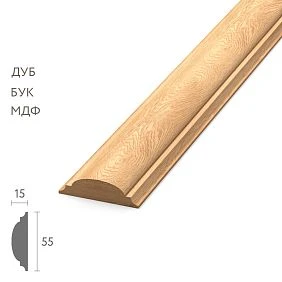
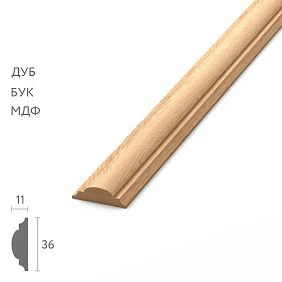
One article number does not mean one purchasing item
The article number is the basis for identifying a profile. It helps to understand which geometry is being referred to. But a single SKU is not enough if the same profile exists in several materials, lengths, or preparation variants.
In practice, the purchasing configuration may differ by the following parameters:
- material;
- cross-section;
- commercial length;
- surface preparation level;
- finish;
- color;
- gloss level;
- application area;
- status of "ready for installation" or "requires further finishing".
Until these parameters are fixed, the line "MLD-___ — 400 m" describes only the intention to use a certain profile. It does not yet describe an order.
This is especially critical for large purchases. An error in one parameter is replicated across dozens of packages. If the buyer mixed up the material, the warehouse accepted everything as one item, and the installers discovered the difference only after opening the packages, the error has already passed through the entire process.




Wholesale trade in building materials begins with configuration, not with total linear meters
Bad purchasing line:
MLD-XXX — 400 m.
Good purchasing structure:
| Code | Article | Material | Finish | Zone | Volume |
|---|---|---|---|---|---|
| M01-F01 | MLD-XXX | Beech | White enamel | Numbers | 260 м |
| M01-F02 | MLD-XXX | Oak | Staining | Lobby | 80 м |
| M01-F03 | MLD-XXX | Oak | Oil / project finish | Restaurant | 60 м |
In total, the same 400 m remain, but for purchasing these are three independent items. Each requires its own calculation of commercial lengths, its own reserve, its own labeling, and its own storage location.
It is at this stage that the total design linear meters turn into a real order.
Our factory also produces:






FINISH CODE: how to designate a finish briefly and unambiguously
If a project has several finishes of the same profile, long verbal descriptions quickly start to diverge. One file says "white enamel," another says "white matte," a third says "painted white," and in correspondence it's "white as per sample."
To avoid comparing wordings manually, it's convenient to assign a short code to each approved finish.
| FINISH CODE | Working description | Purpose |
|---|---|---|
| F01 | White enamel per approved sample | Room number inventory |
| F02 | Tinted oak | Lobby |
| F03 | Oak with project oil finish | Restaurant |
| F04 | No finish coat / for on-site finishing | Technical areas |
The code does not replace the detailed description. It links documents. The same F01 is used in the specification, order, labeling, warehouse sheet, and issue to installers, while the decoding is stored in the finish registry.
Get Consultation
Why a color name is not enough
The phrase "white" does not describe a finish. Even if the project uses a specific color according to RAL, NCS, or another system, procurement still needs to know more.
A work line may need:
- color code;
- base material;
- surface preparation type;
- coating system;
- gloss level;
- approved sample number;
- approval date;
- finish version.
The article should not invent universal gloss standards or specific codes. These are set by the project. The main point is to show that the word "white" cannot be the only parameter of an order.
A working entry might look like this:
F01 / RAL ____ / matte / MASTER SAMPLE No.___ / REV02.
If the project has changed the shade or gloss, it is not the comment in the messenger that changes, but the current version of the FINISH CODE.
Wooden moulding: one profile can work in different interior zones
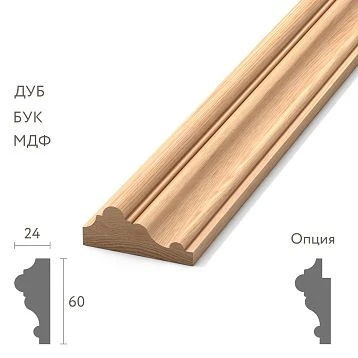
wooden molding it is convenient to repeat in different rooms if the project needs a unified profile pattern. The same relief can appear in guest rooms, the corridor, the restaurant, the lobby, and the office.
Repeating the geometry creates integrity, but does not oblige using one material and one finish throughout the entire building. The representative zone may require oak with visible texture, while the guest room stock may require opaque paint. In procurement, this is not "one moulding," but several configurations of one profile.
There is no need to create artificial new article numbers. A project configuration code is sufficient.
For example:
M01-F01 = MLD-___ / beech / L___ / F01 / guest rooms.
M01-F02 = MLD-___ / oak / L___ / F02 / lobby.
This way the SKU remains a product identifier, while the project system adds the missing procurement parameters.
Wholesale of building materials: why identical profiles cannot be combined into one line
When wholesale of building materials a summary line by SKU looks convenient: fewer lines, easier to read the order. But it hides the parameters that actually determine the suitability of the batch.
The summary line does not show:
- which part should be made of oak;
- which — of beech or MDF;
- what length each zone requires;
- which FINISH is assigned;
- which batch is already ready for installation;
- which still needs to undergo finishing;
- what volume constitutes the reserve for a specific finish.
An error after such a merge can occur at any stage:
order → production → labeling → receiving → warehouse → issue → installation.
The earlier configurations are separated, the cheaper the control.
Where an error most often occurs when one SKU has multiple versions
The purchaser merges everything by item code
They see the same SKU, add up the meters, and send the supplier a single quantity. As a result, the distinction between materials and finishes is lost.
The supplier receives an incomplete specification
Even an attentive manager cannot reconstruct what exactly was meant by 400 m of one profile if the configurations are not described.
The warehouse sees identical geometry and merges the packages
If the labeling is weak, oak F02 and oak F03 end up in the same storage zone.
The foreman relies only on the SKU
He receives the correct item code, but not the right variant.
The installer discovers the difference too late
In the worst case, the difference becomes noticeable only after unpacking, cutting, or installation.
The system must prevent the error before that point.
One SKU in oak and beech means two purchasing lines
A good real-world example is MLD-063. One item code exists in several product variants. For MDF and solid wood, not only the materials differ, but also the actual dimensions and lengths of the blanks. Therefore, the line “MLD-063 — 120 m” is insufficient.
For purchasing, at minimum the following must be separated:
| Article | Material | Section | Available length | Project status |
|---|---|---|---|---|
| MLD-063 | MDF | 14×8 mm | 2600 мм | For concealed finish as per project |
| MLD-063 | Beech | 14×9 mm | 1000 / 2400 mm | Separate configuration |
| MLD-063 | Oak | 14×9 mm | 1000 / 2400 mm | Separate configuration |
Even if after opaque painting beech and oak should look similar, from a procurement standpoint they are different materials. If the project changes the material, the configuration is updated, not just the word in the comment.
One SKU in different lengths is also not always one line item
Linear meter is convenient for the overall budget, but the blank length affects cutting. Let's imagine that one profile is available in lengths of 1000 and 2400 mm. A total of 100 m does not explain how many of which strips need to be purchased.
If long elements go into the lobby and short ones into furniture or local areas, combining them hides the production logic.
Therefore, after selecting the configuration, a separate calculation is performed:
meters of the specific configuration → cutting map → suitable commercial lengths → number of pieces → reserve.
You cannot first combine all the meters and choose the length only after placing the order.
building materials wholesale: what makes up the full code of a procurement item
for building materials wholesale a project may use its own code system that does not claim to be the manufacturer's internal labeling.
For example:
SKU / MATERIAL / LENGTH / FINISH / ZONE.
Conditional code:
MLD050-OAK-2400-F02-LOBBY.
It means:
- MLD050 — product profile;
- OAK — oak;
- 2400 — required product length;
- F02 — approved finish;
- LOBBY — application area.
This is an example of the customer's project system, not a statement that STAVROS uses exactly this code.
Why the zone is needed not only for logistics, but also for order control
The same finish may be needed in two places, but with different reserves and different schedules. For example, F02 is used in the lobby and is stored separately as a service stock.
If the zone is missing, the warehouse sees only the same SKU and FINISH. Later it becomes harder to understand how much has already been issued, how much should remain, and how much cannot be used in the current queue.
Therefore, the zone can be part of the code or a separate mandatory column. The main thing is that the connection is not lost.
Wooden skirting board: one geometry, different finishes
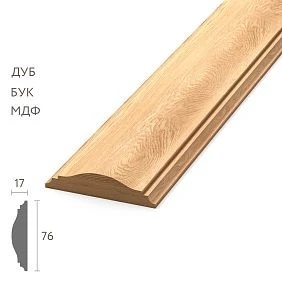
Wooden baseboard especially clearly shows why one profile does not equal one purchasing item.
In the numbered stock, the project may use the same profile for opaque paint. In the representative area — oak with preserved texture. In the office — the same geometry with a darker tint.
The profile is the same. The visual result differs. Such batches must not be mixed in the order, in the warehouse, or in the reserve.
The specification must show each configuration separately, even if the total linear meterage is later consolidated into the overall budget.
Wholesale sale of building materials: first count each FINISH separately
When wholesale sale of building materials the incorrect order looks like this:
skirting board — 500 m → order.
More correctly:
F01 — 320 m
F02 — 120 m
F03 — 60 m
And only then is each block converted separately:
meters → cutting → commercial lengths → pieces → reserve.
If lengths are calculated after merging FINISH codes, you can get a mathematically correct total volume, but an incorrect quantity of each variant.
Why a reserve cannot be combined under a single SKU
Suppose F01 runs out at the site. There are still 20 m of the same SKU left in stock in F02. The geometry matches, but that does not mean there are 20 m of suitable reserve.
The reserve must match the full configuration:
RESERVE F01 ≠ RESERVE F02.
If the project deliberately allows repainting or reworking one finish into another, that is a separate decision. Different FINISH options cannot be considered interchangeable by default.
The reserve must be stored by full configuration
A working label for reserve packaging might look like this:
MLD-___ / OAK / L2400 / F02 / SERVICE RESERVE / LOBBY.
Such stock can be confidently used for future local repairs. The note “MLD-___ — reserve” is too weak: a year later, no one will remember which finish it belongs to.
What to do with unfinished trim
If part of a batch arrives without a finish coating and must be finished later, it should be allocated as a separate logistics state.
For example:
RAW / FOR FINISH.
or a clear Russian project code.
Such elements cannot be mixed with finished products, even if the SKU, material, and length match.
One batch is already ready for installation. The other requires painting, tinting, or another finish. These are different states of readiness.
Why "to be painted" and "painted" are different logistics states
There are two identical profiles in the warehouse. One has gone through the entire finishing cycle and is ready for installation. The other has only been prepared and must be sent to the finishing area.
If the warehouse combines them as a single item, the installation schedule becomes unreliable. The foreman sees availability but receives material that cannot yet be installed.
Therefore, the registry needs a readiness status:
- RAW;
- PREPARED;
- FINISH IN PROGRESS;
- FINISHED;
- QC APPROVED;
- READY FOR INSTALLATION.
A specific system may be simpler, but the difference between "in stock" and "ready for installation" must be visible.
Wholesale building materials sales: linking FINISH CODE to a physical reference sample
When wholesale building materials sales a text description of the finish is better linked to an approved sample.
For F01, the following are recorded:
- code;
- description;
- physical sample number;
- approval date;
- revision.
For F02 — its own set. For F03 — its own.
Thus, the finish name does not exist separately from the physical reference. If two descriptions of F02 appear in different documents, the team still returns to a single MASTER SAMPLE.
MASTER FINISH SAMPLE: the project's finish reference
The FINISH CODE by itself solves the problem of textual identification, but does not replace visual approval. If the project is sensitive to shade, texture, and gloss level, each important finish needs a physical reference — a MASTER FINISH SAMPLE.
For example:
F02 MASTER / oak / tinting / REV01 / approved __.__.____.
The reference is stored as a control point. It is used to compare the test sample, the first production batch, reorders, and disputed elements during acceptance.
For a large series, such a sample is more useful than a photo on a phone. A photo helps to quickly discuss the result, but it should not be the only criterion for accepting color and texture.
What to check on the reference
On a MASTER SAMPLE, you evaluate not an abstract “like / don't like,” but specific features:
- correct profile;
- correct material;
- shade;
- readability of the wood texture;
- visual density of the coating;
- gloss level;
- overall character of the surface;
- compliance with the zone for which the sample is approved.
If the project does not specify laboratory tolerances, the article should not invent them. The reference is used as a project comparison tool within a genuinely agreed system.
Why a phone screen is not a color reference
The same photograph looks different on different displays. Perception is further influenced by lighting, camera settings, white balance, and automatic image processing.
Therefore, a photograph is a convenient communication tool, but not a reliable substitute for a physical sample for final finish approval.
How to link the design specification and the procurement one
The designer may write:
“molding MLD-___, dark oak.”
This conveys the intent well, but procurement needs more precise fields.
The specifier turns the designer’s line into a working one:
MLD-___ / oak / L2400 / F02 / LOBBY / QTY ___.
The purpose of a procurement specification is not to restate the design in other words, but to turn it into an unambiguous product configuration.
Ideally, the two documents remain linked via a Design ID or item code.
| Design ID | Designer's description | Procurement configuration | Status |
|---|---|---|---|
| D-M01 | Molding, white, numbers | MLD-___ / BEECH / L2400 / F01 / ROOMS | APPROVED |
| D-M02 | Molding, dark oak, lobby | MLD-___ / OAK / L2400 / F02 / LOBBY | APPROVED |
This way the project preserves its artistic wording, while procurement gets data it can actually work with.
If the color changed after the quantity was calculated
Suppose the profile geometry remains the same, the lengths and cutting layout do not change, but F01 is replaced with F04. In this case, it is not necessary to recalculate the entire geometry from scratch. But the procurement line needs to be updated.
Procedure:
- Close the old F01 configuration as inactive for this zone.
- Create a new active F04 line.
- Check whether the material has changed along with the finish.
- Check whether the length or surface preparation has changed.
- If the geometry and lengths are the same, transfer the current quantity calculation.
- Check whether order F01 has already been placed.
The last point is especially important. If the old order has already been confirmed, simply editing the line in Excel does not cancel the physical batch.
Why you cannot change FINISH only in the order comment
The table says F01. In the messenger, someone writes: “make it dark instead.” A week later, another employee opens the table and sees a white finish, while the supplier relies on the chat.
This is a typical source of version conflicts.
The change must be reflected in the current specification. A comment may explain the decision, but it must not be the only place where the new configuration exists.
REVISION for the finish
If F02 changes, you can introduce:
F02-R1 → F02-R2.
It is not necessary to use exactly this numbering. The main thing is that the team knows which version is current and which sample belongs to it.
What to do if the material was changed but the color should remain similar
For example, the project initially used beech under opaque enamel, then decided to switch to oak while keeping a similar color.
The visual idea may remain close, but the procurement configuration has changed significantly:
- the material has changed;
- the cross-section may change;
- the commercial length may change;
- the surface texture changes;
- the preparation for the finish may change;
- the new cutting layout needs to be checked.
This is a new configuration. You cannot keep the old code and just add “now oak” in the note.
Wooden cornice: one profile on different floors
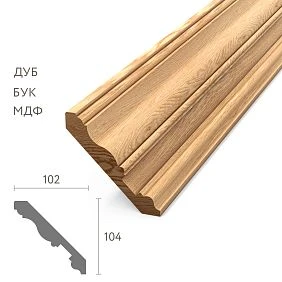
wooden cornice may be repeated throughout the building, keeping one profile but changing the finish depending on the purpose of the floor.
For example:
- 1st floor — F02;
- 2nd–4th floor — F01;
- restaurant — F03.
In the summary list, this is one SKU. In the procurement list, it is three blocks.
If you visualize the project on a building plan, FINISH codes can be shown as colored symbols, but the text code must remain the primary identifier.
Wholesale building materials: how to label packaging
When purchasing wholesale building materials labeling must follow the structure of the specification.
Minimum label:
- SKU;
- MATERIAL;
- LENGTH;
- FINISH;
- ZONE;
- QTY;
- if necessary — REVISION.
Example:
MLD-___ / OAK / L2400 / F02 / LOBBY / 12 PCS.
This labeling must be readable without access to the internal memory of a specific employee.
Why a colored sticker should not be the only identifier
Color coding is convenient as an additional layer: red — F01, green — F02. But a sticker can peel off, fade, or be mixed up. A new employee may not know the legend at all.
Therefore, color helps you navigate quickly, but a text code is mandatory.
How to receive multiple variants of a single SKU
Receiving cannot be considered successful just because the correct total number of planks with the right SKU has arrived.
The check is performed by configuration:
| Parameter | What to Check |
|---|---|
| SKU | Does the SKU match |
| MATERIAL | Does the material match |
| LENGTH | Does the product length match |
| FINISH | Does the code match the reference |
| QTY | Does the quantity within the specific configuration match |
| ZONE | Is the correct destination marking present |
If one column does not match, the batch requires verification even with the correct SKU.
Why the correct total quantity does not confirm completeness
You need to:
- F01 — 80 pcs.;
- F02 — 20 pcs.
Received:
- F01 — 90 pcs.;
- F02 — 10 pcs.
The total quantity is perfect: 100 pcs. But the order is incorrect. For F02 there is a shortage of 10 pcs., and for F01 there are 10 extra.
This is one of the best examples of why total-based control does not work with multiple finishes of the same SKU.
How to store multiple finishes of the same SKU at the site
The physical warehouse structure must mirror the order structure.
Bad:
MLD-___ — one shared stack.
Better:
MLD-___ / F01
MLD-___ / F02
MLD-___ / F03
If materials also differ in length, FINISH needs the next level of separation.
For example:
MLD-___ / F02 / L2400
MLD-___ / F02 / L1000
This way, physical storage becomes an extension of the specification rather than a separate system.
How to issue material to installers
The issue log must contain more than just the SKU and quantity.
| Date | Zone | SKU | Material | FINISH | Length | Quantity |
|---|---|---|---|---|---|---|
| ___ | Numbers 201–204 | MLD-___ | Beech | F01 | 2400 | ___ |
| ___ | Lobby | MLD-___ | Oak | F02 | 2400 | ___ |
The phrase “issued 20 moldings” is too weak. On a site with multiple variants, it does not allow you to reconstruct which batch went to which zone.
What to do with returns after a shift
The installer brought back three intact pieces. They cannot simply be placed with the same SKU.
First, determine:
SKU + MATERIAL + LENGTH + FINISH.
Only after this are the pieces returned to the correct storage cell or to the service reserve.
Wholesale trade of building materials and control of actual consumption
After installation begins, consumption must be calculated separately for each configuration.
For example:
| FINISH | Issued | Installed | Returned intact | Remainder |
|---|---|---|---|---|
| F01 | ___ | ___ | ___ | ___ |
| F02 | ___ | ___ | ___ | ___ |
| F03 | ___ | ___ | ___ | ___ |
This way you can see which finish is being overused. If everything is combined by SKU, a local shortage of F02 is hidden behind a surplus of F01.
What to do if one finish is not enough
Incorrect reorder:
“reorder another 30 m of MLD-___”.
It is more correct to provide the full configuration:
MLD-___ / OAK / L2400 / F02 / LOBBY / QTY ___.
It is useful to attach a link to the previous order and the identifier of the approved reference to the request. Then a new employee or manager does not have to reconstruct the configuration from memory.
Why reordering by SKU alone is especially risky
The manager may indeed find the correct item code. But at the same time choose:
- the wrong species;
- the wrong length;
- the wrong preparation option;
- the wrong finish;
- the wrong revision.
The result is a paradox: the SKU is correct, but the item for the project is wrong.
What to keep after the project is completed
For each FINISH configuration, it is useful to keep:
- SKU;
- the material;
- length;
- FINISH CODE;
- MASTER SAMPLE;
- photos of the finished result;
- area of application;
- order number;
- remaining operational reserve;
- current revision number.
This set does not replace the AS-BUILT list. It answers a different question: how exactly the procurement configuration was organized and which reference to use for reordering.
How to link the service reserve to the FINISH code
After completion of work, the remainder must not be stored only as “MLD-___ — 12 m”. If the project has three finishes of the same SKU, the reserve must be split.
| SKU | Material | FINISH | Length | Reserve | Application area |
|---|---|---|---|---|---|
| MLD-___ | Beech | F01 | 2400 | ___ | Numbers |
| MLD-___ | Oak | F02 | 2400 | ___ | Lobby |
| MLD-___ | Oak | F03 | 2400 | ___ | Restaurant |
Otherwise, during future renovations, a technically suitable profile may turn out to be visually unsuitable.
How to calculate demand if one FINISH is used in several zones
One FINISH code can apply to several rooms at once. For example, F01 is used in all rooms, while F02 is used in the lobby and the executive office.
In this case, it is useful to first calculate by zones, and then aggregate only identical configurations.
| Zone | SKU | Material | FINISH | Footage |
|---|---|---|---|---|
| Rooms 201–210 | MLD-___ | Beech | F01 | 120 м |
| Rooms 211–220 | MLD-___ | Beech | F01 | 140 м |
| Lobby | MLD-___ | Oak | F02 | 80 м |
| Office | MLD-___ | Oak | F02 | 24 м |
After verification, the first two rows can be combined into a purchasing requirement of F01 = 260 m, and F02 = 104 m, if the workpiece length and the other parameters are indeed the same.
That is, aggregation can only be done after verifying the full configuration, not by a single SKU.
How to account for cutting separately for each configuration
Suppose F01 is needed in short wall frames, while F02 is needed in long continuous lobby lines. Even with the same SKU and the same commercial length, the cutting will be different.
Therefore, waste optimization cannot be performed across the entire SKU at once. First, a cutting plan is built for F01, then separately for F02. They can only be mixed if the project allows the physical use of one finish in another area, which in the scenario under consideration is usually not the case.
Otherwise, a mathematically ideal combined cutting plan will lead to the leftover of F02 being considered suitable for F01.
How to calculate reserve without universal percentages
Fixed 5 or 10% do not always give a good result. For one FINISH, long sections can create large leftovers; for another, short elements almost fully utilize the planks.
It is more practical to divide the reserve into two layers:
- installation — related to cutting, possible rejects, and actual geometry;
- operational — retained after project handover for future repairs.
The first is calculated together with the cutting plan. The second is determined separately, taking into account the scale of the area, the availability of reordering, and the importance of an exact visual match.
The main thing is not to combine these two reserves into a single figure.
What to do with the leftover of one finish when another runs out
Suppose F01 is fully consumed, and F02 has 18 m remaining. It cannot be used automatically. First, three questions are asked:
- Does the material match?
- Can F02 be technologically converted into F01 without losing the result?
- Has such a change been approved by the project?
If at least one answer is negative or unconfirmed, the remaining F02 is not a reserve for F01.
Geometric compatibility does not yet mean purchasing interchangeability.
How to control the finish across multiple production batches
A large volume of a single FINISH may be produced or supplied in several batches. Even if the code is the same, it is useful to keep the Batch ID.
For example:
| FINISH | Batch | Zone | Quantity | Status |
|---|---|---|---|---|
| F02 | B01 | Lobby | 40 pcs. | APPROVED |
| F02 | B02 | Lobby | 20 pcs. | QC |
If the batches are visually close and accepted against the same reference, they can be used together. If they differ noticeably, the distribution by zones must be agreed before installation, not after.
What to do if the finish is applied not at the supplier but on site
Then the purchasing configuration must still contain the final FINISH code, but an additional technological state appears.
For example:
MLD-___ / OAK / L2400 / TARGET F02 / RAW / LOBBY.
This means: the profile was purchased as a raw oak element, but is intended for F02 finishing.
After finishing is completed, the status changes to:
FINISHED / F02 / QC APPROVED.
This way, the warehouse and the site foreman do not confuse "where the element should go" with "what state it is currently in".
When there is no need to split one SKU into multiple purchasing positions
If the material, length, preparation, finish, and application area are the same, there is no need to artificially split the line. For example, the same F01 skirting board is used in ten identical rooms, purchased in one batch, and stored together.
Splitting is justified when the difference affects at least one of the following processes:
- what exactly to order;
- how to calculate cutting;
- how to label;
- how to receive;
- how to store;
- how to issue;
- what reserve to keep;
- how to reorder.
If the difference does not change any of these processes, a separate code may be unnecessary.
When one finish should become a separate project SKU, even if the product code is the same
On a particularly complex project, an internal project code can be made a standalone identifier. For example:
INT-M01-F01
INT-M01-F02
Both refer to the same product MLD-___, but for the project team they exist as separate purchasing positions.
This is convenient if FINISH determines not only the color, but also different production processes, lead times, acceptance, and storage zones.
How to handle a FINISH change after a partial delivery
The most difficult situation is when part of F01 has already arrived, but the project changes the remaining volume to F02.
You cannot simply replace the code throughout the entire line. The history needs to be split:
| Configuration | Status | Quantity | Action |
|---|---|---|---|
| F01 | RECEIVED | ___ | Decide on further use |
| F02 | NEW / TO ORDER | ___ | New purchase |
The project must separately decide the fate of the already received F01: use it, transfer it, keep it in reserve, or otherwise resolve it. A new finish does not erase the old physical batch.
How to decide on reordering based on an old sample
If a repeat order of F02 is needed several months later, first check whether the previous MASTER SAMPLE is still valid. If the finish has been revised during this time, you cannot blindly refer to the old sample.
In the repeat order request, it is useful to specify:
- FINISH CODE;
- REVISION;
- the previous order number;
- reference number;
- zone;
- the full configuration.
This way, the repeat order is tied to a specific version, not to the generic name “dark oak.”
How to check the first package before mass distribution
After accepting the batch, it is useful to open one control package of each FINISH before mass handover to the installers.
Check:
- marking;
- the material;
- length;
- visual finish;
- compliance with the master sample;
- surface integrity;
- correctness of the destination zone.
If an error is found on the control package, the distribution of the entire batch can be stopped.
How to act in case of mixed-up FINISH codes
For example, in storage zone F01, several packages with F02 were found. You should not simply move them and consider the issue closed.
You should:
- stop the distribution of the disputed batch;
- recount F01 and F02 separately;
- check the labeling of the remaining packages;
- verify the delivery note;
- update the actual remaining stock;
- check whether the incorrect variant has already gone into installation.
One detected mismatch is a signal to check the entire batch, because the error may not have occurred in just one package.
How to link a FINISH code to a zone on drawings
If finishes differ by room, the code should appear not only in the purchasing table but also on the working plan or finish schedule.
For example:
- ROOM TYPE A — F01;
- LOBBY — F02;
- RESTAURANT — F03.
Then the site foreman can check the issue against the drawing, rather than relying on verbal memory of "where the dark oak was."
How to avoid mixing up FINISH with identical packaging
If the outer packaging looks identical, the labeling must be large and repeated on at least two accessible surfaces. This reduces the risk that after stacking, the label ends up on the bottom or against a wall.
For long-length moulding, it is also useful to have marking not only on the outer bundle but also on the inner label, if technologically possible.
The article should not prescribe a specific mandatory label format — that is an organizational decision for the site. But the principle is obvious: the identifier must survive normal warehouse movements.
How to track unfinished finishing on site
If RAW profiles are finished on site, a separate list of unfinished batches must be maintained.
| SKU | Target FINISH | Qty | Current status | Zone |
|---|---|---|---|---|
| MLD-___ | F04 | ___ | RAW | Technical area |
| MLD-___ | F02 | ___ | FINISH IN PROGRESS | Lobby |
This way, "availability" does not substitute for "readiness."
How to compare order and delivery line by line
Before closing a delivery, it is better to reconcile each configuration rather than rely on the overall total.
| Configuration | Ordered | Received | Difference | Status |
|---|---|---|---|---|
| MLD-___ / BEECH / 2400 / F01 | 80 | 90 | +10 | CHECK |
| MLD-___ / OAK / 2400 / F02 | 20 | 10 | −10 | SHORTAGE |
In total, the order and delivery are equal to 100, but the system immediately shows the real problem.
Full example: one moulding, four purchasing configurations
Imagine a hotel where a single molding profile runs through the entire property. Architecturally, it is one element. But after materials and finishes are approved, four procurement configurations emerge.
| Config ID | SKU | Material | Length | FINISH | Zone | Project volume | ||||||||||||||||||||||||||||||||||||||||||||||||||||||||||||
|---|---|---|---|---|---|---|---|---|---|---|---|---|---|---|---|---|---|---|---|---|---|---|---|---|---|---|---|---|---|---|---|---|---|---|---|---|---|---|---|---|---|---|---|---|---|---|---|---|---|---|---|---|---|---|---|---|---|---|---|---|---|---|---|---|---|---|
| M01-F01 | MLD-___ | Beech | 2400 | F01 | Numbers | 260 м |
| FINISH | Length | Remainder | Needed for the next queue | Status |
|---|---|---|---|---|
| F02 | 1000 | ___ | ___ | OK |
| F02 | 2400 | ___ | ___ | REORDER |
Ordering "F02 in general" is not enough. You need to specify which length has run out.
How not to confuse the specified finish with the actual color after aging
After several years of use, the actual shade on the wall may change. But the FINISH CODE must store the originally approved finish system, not a new subjective description like "it looks a bit darker now".
During renovation, the original reference sample is used and compared with the current interior. If the project requires adjustment for the aging of the existing finish, a new version is created rather than rewriting the old code retroactively.
When a physical sample is especially important
MASTER SAMPLE is especially useful if:
- the wood texture must remain visible;
- the finish is transparent or semi-transparent;
- the project has several similar shades;
- one SKU is used nearby in different FINISHES;
- future reorders are planned;
- the finishing is done by different contractors.
For opaque solid-color finishes, a physical reference sample is also useful, but it is especially valuable where the visual result depends on the wood itself.
How to prepare the final data set after completing the purchase
Once the main batch has been purchased and handed over for installation, the procurement package should not be discarded. It is useful to transfer it to the operational archive.
The kit may include:
- configuration registry;
- FINISH codes and their descriptions;
- MASTER SAMPLE or data on its storage;
- order numbers;
- photos of completed areas;
- remaining service reserve;
- final revisions;
- link to the AS-INSTALLED statement.
This simplifies the next repair and re-procurement.
Fifteen mistakes when ordering a single SKU in different finishes
1. Combine the entire linear meterage of one article into a single line
Why it happens: the SKU seems to be a sufficient identifier. Consequence: materials and finishes get mixed up. How to prevent: use the full configuration.
2. Not specifying the material
Why it happens: after painting, profiles should look similar. Consequence: the wrong base is purchased. How to prevent: MATERIAL is a required field.
3. Not specifying the length
Why it happens: only linear meters are counted. Consequence: cutting and the number of strips become incorrect. How to prevent: LENGTH is saved in the configuration.
4. Writing simply “white”
Why it happens: the color seems obvious. Consequence: different participants understand the finish differently. How to prevent: FINISH CODE + reference sample.
5. Not assigning a FINISH CODE
Why it happens: finishes are described in words. Consequence: wording diverges between documents. How to prevent: a single code.
6. Not keeping a physical sample
Why it happens: a photo seems sufficient. Consequence: reorders are compared only on screen. How to prevent: MASTER FINISH SAMPLE.
7. Mixing oak and beech
Why it happens: the profile is the same, the coating is opaque. Consequence: the purchasing configuration becomes ambiguous. How to prevent: separate lines by material.
8. Mixing a finished coating and a material for finishing
Why it happens: the same SKU sits next to it. Consequence: an unfinished batch is issued for installation. How to prevent: RAW / FINISHED / READY status.
9. Merging reserves F01 and F02
Why it happens: the geometry matches. Consequence: during repair it turns out the required finish is not available. How to prevent: reserve by full configuration.
10. Marking only with colored tape
Why it happens: visually convenient. Consequence: the marking is lost or unclear to a new employee. How to prevent: a text code is mandatory.
11. Accept the correct total quantity without breakdown
Why it happens: the total matched. Consequence: a shortage of one FINISH is hidden by a surplus of another. How to prevent: line-by-line receiving.
12. Store everything by a single SKU
Why it happens: the warehouse is oriented around the item code. Consequence: batches get mixed. How to prevent: physical zones by configuration.
13. Issue to installers without a FINISH code
Why it happens: the foreman “already knows.” Consequence: the correct profile ends up in the wrong zone. How to prevent: FINISH in the issue sheet.
14. Reorder only by item code
Why it happens: the old SKU is known. Consequence: a different material, length, or finish arrives. How to prevent: pass along the full configuration and reference sample.
15. After a color change, do not update the specification
Why it happens: the change remained in the correspondence. Consequence: production, warehouse, and installation work from different versions. How to prevent: a new REVISION.
16. Use the F02 remainder as an F01 reserve without approval
Why it happens: the profile is the same. Consequence: local repair differs in finish. How to prevent: interchangeability only after a separate decision.
17. Do not link the batch to the zone
Why it happens: the FINISH code seems sufficient. Consequence: the service reserve or material from another queue is used up prematurely. How to prevent: ZONE in the specification and labeling.
A ready-made algorithm for purchasing a single SKU in multiple finishes
- Identify the product SKU.
- Break down the project by application zones.
- For each zone, record the material.
- Record the cross-section and commercial length.
- Create a FINISH CODE.
- Prepare a detailed description of FINISH.
- Approve MASTER FINISH SAMPLE.
- Assign REVISION.
- Generate the full procurement configuration.
- Calculate the linear meters separately for each configuration.
- Build the cutting plan for each configuration.
- Convert meters into commercial lengths and pieces.
- Calculate the installation allowance.
- Determine the operational reserve separately.
- Place the order line by line by configuration.
- Provide the current FINISH codes to production and the supplier.
- Label packages with SKU / MATERIAL / LENGTH / FINISH / ZONE.
- Accept each configuration separately.
- Check the first package against the MASTER SAMPLE.
- Place different FINISH items in different warehouse zones.
- Issue complete configurations to installers.
- Return leftovers to the correct bin.
- Track consumption separately by FINISH.
- Reorder only as complete configurations.
- After handover, keep the reference samples, photos, audits, and service reserve.
Central formula:
SKU + MATERIAL + LENGTH + FINISH + ZONE = purchasing line item.
Not:
SKU + meters.
What the full configuration registry looks like
| Config ID | SKU | Material | Length | Finish | Zone | Qty | Revision | Status |
|---|---|---|---|---|---|---|---|---|
| M01-F01 | MLD-___ | BEECH | 2400 | F01 | ROOMS | ___ | R2 | READY |
| M01-F02 | MLD-___ | OAK | 2400 | F02 | LOBBY | ___ | R1 | READY |
| M01-F03 | MLD-___ | OAK | 2400 | F03 | RESTAURANT | ___ | R1 | HOLD |
| M01-F04 | MLD-___ | ___ | ___ | F04 | TECH | ___ | R1 | RAW |
With a table like this, you can already build the order, labeling, receiving, and issuing.
How to tell that the specification is ready for payment
Before paying, each line must be checked:
- SKU is defined.
- Material is defined.
- Cross-section and length are confirmed.
- FINISH CODE is valid.
- MASTER SAMPLE approved.
- Zone specified.
- Quantity calculated based on the current cutting layout.
- Reserve shown separately.
- Revision matches the current one.
- The old configuration does not continue to exist in parallel.
If at least one item is open, it is better not to consider the order ready.
When it is better to first order a small test batch
A test batch is useful if:
- FINISH is new for the project;
- the material was changed after the profile was approved;
- one SKU must match the finish already installed;
- the wood texture matters;
- a very large volume is planned;
- the error will be repeated across many rooms.
On a test batch, they check not only the color but also the actual relationship between the material, profile, coating, and future area.
How not to mix up one profile after finishing is complete
Paradoxically, after painting it sometimes becomes harder to distinguish batches. Opaque enamel hides the species, and the same color visually unifies different configurations.
Therefore, after finishing is complete, the marking must not disappear until installation. If the packaging is replaced, the code is transferred to the new container.
Only after installation in a specific area can the logistics code complete its function.
How to link the article to the future actual statement
This article answers the question: how to correctly purchase and avoid mixing several versions of the same profile.
The as-built statement after construction answers a different question: which of these configurations are actually installed in each zone.
The connection turns out to be natural:
PROCUREMENT CONFIGURATION → DELIVERY / INSTALLATION → AS-INSTALLED REGISTER.
These processes should not be mixed in one article. At the procurement stage, the main thing is to create and preserve the differences between configurations.
Bottom line: one profile can be repeated throughout the entire property, but each version must be purchased separately
A unified geometry of wooden moulding is a powerful design tool. One profile can tie together the guest rooms, lobby, restaurant, and office. But as soon as the material, length, preparation, finish, or zone changes, the purchasing line must become separate.
The main rule:
the same SKU does not mean the same product for the project.
The correct sequence is:
project → SKU → material → length → FINISH CODE → zone → MASTER SAMPLE → calculation → order → marking → acceptance → separate storage → issue → remaining stock → service reserve.
This keeps the commercial order manageable even when visually similar profiles are used in tens and hundreds of meters.
Frequently asked questions
Can one SKU be combined into one line if it will be painted later anyway?
Only if the material, length, preparation, future FINISH, and zone are truly identical. If even one parameter differs, it is safer to keep a separate configuration.
Is a FINISH CODE needed if there are only two colors?
Yes, if the project is large or materials pass through several participants. F01 and F02 are more unambiguous than "white" and "dark," especially for reorders and returns.
Can one MASTER SAMPLE be used for oak and beech under the same enamel?
They should not automatically be considered one configuration. The material differs, which means the purchasing item differs. The project may accept the same visual reference, but order lines must still preserve the material.
If the total square footage is correct, why verify the quantity by FINISH?
Because an excess of F01 does not compensate for a shortage of F02. The total may match perfectly while the configuration is incorrect.
How should leftovers be stored after installation?
By full configuration: SKU, material, length, FINISH, and zone if needed. They must not be returned to the general pile of a single item code.
What should be done if the FINISH changed after a partial delivery?
An existing actual batch cannot be "renamed" into a new one. You need to separate the already received volume from the new requirement, and then decide the fate of the old batch separately.
Do I need to specify the zone on the packaging?
For a complex project, it is useful. This reduces the risk of using the correct finish in the wrong queue or room.
Can I reorder using only the previous order number?
The previous order number is useful, but it is better to also specify the full configuration and the current FINISH revision. This protects against errors after project changes.
If one FINISH is used in several rooms, should they be stored separately?
Not necessarily, if the configuration is completely identical and logistics do not require separation. It is enough to keep the link to the zones in the schedule.
When is one SKU without an additional code sufficient?
On a small order where there is only one material, one length, one finish, and one application zone. As soon as variability appears, the configuration code becomes useful.