Article Contents:
- The supplier needs a verified schedule, not a set of contradictory drawings
- The first document is a register of the source working documentation
- First we check revisions, then we investigate the conflict
- Duplicate
- Omission
- Conflict
- Ambiguity
- Wholesale building material depots: identical names cannot be combined without checking the SKU
- If the profile is handed over to the furniture maker, it is one purchasing line, not two
- Building material depots: resolve the conflict first, then request the price
- You cannot automatically trust the newest document
- Construction materials wholesale: every purchasing line must have provenance
- Traceability to the drawing speeds up work when the project changes
- The total square footage may not change, but the procurement may change completely
- Wooden molding: take the number of frames from the actual layouts
- Exceptions register for typical rooms
- You cannot send a supplier several contradictory schedules
- Wholesale building materials warehouse: price is requested from a single active schedule
- How to check door portals piece by piece
- How to check furniture assemblies without double purchasing
- How to check ceiling cornice by sections
- How to work with door casing when the door package is described unclearly
- How to compare identical SKUs in different configurations
- How to work with different names for the same SKU
- How to maintain a register of conflict resolutions
- How to update the master schedule after closing an issue
- How to identify which issues are blocking payment right now
- How to perform a "zero open commercial issues" check before payment
- How to compare two revisions of the master schedule
- Why a change to zero meters may still require a new order
- How to check the baseboard along built-in furniture
- How to check the decorative door portal
- How to check molding frames on elevations
- How to work with symmetrical and mirrored rooms
- How to account for rooms with the same area but different geometry
- How to account for baseboard returns on slopes
- How to account for short transition elements
- How to check furniture facades with wooden molding
- How to check the ceiling cornice at a built-in wardrobe
- How to check the cornice at a curtain niche
- How to check the same baseboard across different phases of the project
- How not to confuse a future phase with an omission
- How to account for already ordered items during a new document reconciliation
- How to mark rows that changed after ordering
- How to handle contradictions between the architecture and the contractor's estimate
- How to work with a supplier's commercial proposal after the list is updated
- How to assign a revision number to a unified list
- How to avoid sending an old list again
- How to distribute responsibility for cross-disciplinary reconciliation
- Construction material databases: price requests must be based on a single current version
- How to check that a list is ready before sending it to a supplier
- Practical example: door casing counted twice
- How to assemble an order by room without losing the overall SKU total
- How to check whether linear trim is hidden inside the finish schedule
- How to work with a drawing where the SKU is not specified at all
- How to verify that the door count matches between the plan and the door schedule
- How to check furniture exceptions in typical unit numbers
- How to distinguish a project duplicate from an intentional repetition of the same SKU
- What to do if a conflict is found after the price request
- What to do if a conflict is found after payment
- How to turn interdisciplinary reconciliation into a repeatable process
- Practical scenario: how to get one row without duplicates from five documents
- Practical scenario: omission detected only during reverse check
- How to verify the unit of measurement before merging rows
- How to verify that no rows without a physical zone remain after reconciliation
- How to formally close interdisciplinary reconciliation
- 1. Count only by the plan
- 2. Count only by the layouts
- 3. Not checking revisions
- 4. Combine the door casing with a separate casing
- 5. Not checking the furniture package
- 6. Count the baseboard along the cabinet twice
- 7. Lose the profile inside the furniture list
- 8. Not checking the ceiling niche
- 9. Treat identical names as identical products
- 10. Treat identical SKUs as identical variants
- 11. Automatically trust the newest document
- 12. Resolve the conflict verbally and not record it
- 13. Do not store the source of the procurement line
- 14. Do not update the consolidated statement after a response
- 15. Recalculate the entire project after a single change
- 16. Continue counting standard rooms after exceptions appear
- 17. Send multiple conflicting statements to the supplier
- 18. Pay for a line with an open question
- Can an order be assembled using only the skirting plan?
- What to do if the plan and the elevation specify different SKUs?
- How can you tell that the door casing is already included in the door package?
- Should furniture drawings be taken into account when purchasing skirting boards?
- How can you avoid buying the same moulding twice?
- What should be done with standard numbers after custom changes?
- Should the entire project be recalculated after a new furniture revision?
- When is a line ready for payment?
- Can the same SKU from multiple zones be merged?
- Why keep the source of each line after ordering?

On a large interior project, wooden trim rarely lives in a single document. Skirting can be marked on the floor plan, clarified on a wall elevation, partially repeated in the door schedule, excluded near a built-in wardrobe, appear again in a furniture drawing, and intersect with a decorative portal. Crown moulding simultaneously depends on the architectural elevation, ceiling plan, curtain niche, and built-in furniture. Door casing may be included in the door package or purchased separately as a wooden profile.
If procurement simply combines the lines from all documents, some material will be bought twice. If only one set is taken, some items will disappear from the order. Therefore, before sending a request for pricing, you first need to assemble one verified purchasing schedule from several sets of working documentation.
Main sequence:
document register → revision check → interdisciplinary review → duplicate / omission / conflict / ambiguity → question register → approved decision → unified procurement schedule → price request → order.
It is at this stage that the search formulation wholesale construction base should no longer mean "a place where a batch of contradictory files was sent," but the next stage of the process: the supplier receives a clear, verified, and unambiguous schedule.
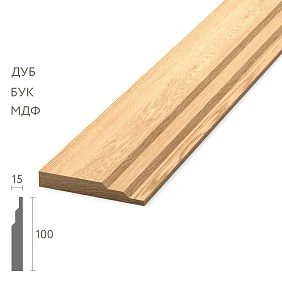
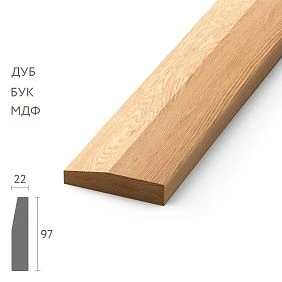
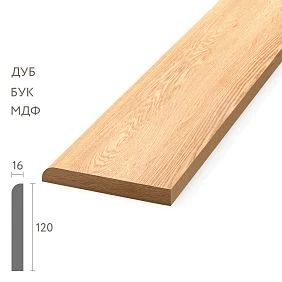
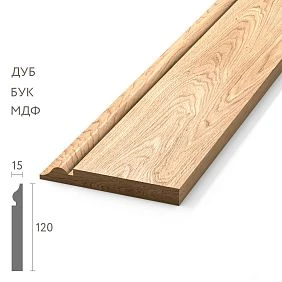
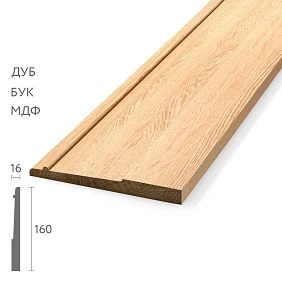
The supplier needs a verified schedule, not a set of contradictory drawings
The supplier should not have to guess which of the three documents is correct. If the plan specifies PLT-006, the elevation specifies PLT-005, and the furniture schedule simply says "wooden skirting board," the task is not yet ready for commercial pricing.
First, the client, procurement coordinator, or project team must consolidate the documents and issue a single procurement line item in which it is clear:
- what this product is;
- exact SKU;
- the material;
- execution;
- area;
- quantity;
- where this data came from;
- which project revision was used;
- are all questions on the item closed?
Only after that does the line become ready for procurement.




The first document is the register of the initial working documentation
Before calculating the meters, it is useful to record which sources the order is actually assembled from.
| Code | Document | Revision | Date | Status |
|---|---|---|---|---|
| A01 | Skirting board plan | 7 | ___ | Active |
| A02 | Wall elevations | 6 | ___ | Active |
| D01 | Door schedule | 4 | ___ | Active |
| M01 | Built-in furniture | 8 | ___ | Active |
| P01 | Ceiling plan | 5 | ___ | Active |
The first cause of contradictions may already be found here: the furniture was released in revision 8, while the skirting plan is still at revision 5. In that case, the difference is not necessarily an error — perhaps one discipline simply has not yet received the latest change.
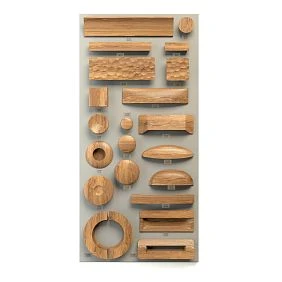
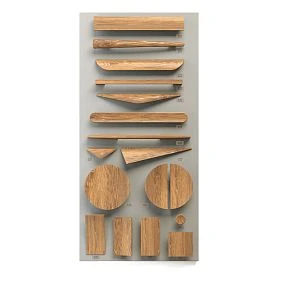
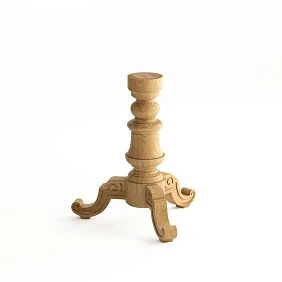
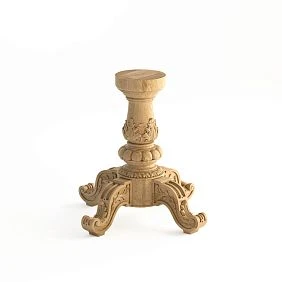
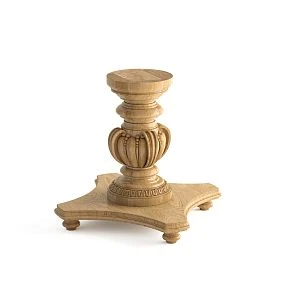
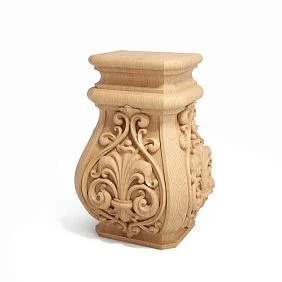
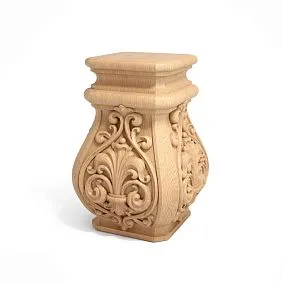
Our factory also produces:
First check the revisions, then investigate the conflict
If one document shows PLT-A and another shows PLT-B, you cannot immediately choose the “newer document” or the higher sheet number. First you need to understand whether the documents belong to the same project stage and what change was made in each revision.
For example:
- skirting plan — revision 7;
- elevation — revision 8;
- but revision 8 only changed the position of the light fixtures;
- the skirting board in it was not revisited.
In that case, number 8 by itself does not prove that the layout is a new source on the skirting board.
Working conclusion:
newer ≠ automatically more correct on a specific element.
Get Consultation
Interdisciplinary reconciliation matrix — the central document before procurement
| Zone | Plan | Layout | Doors | Furniture | Ceiling | Summary |
|---|---|---|---|---|---|---|
| Lobby | PLT-A | PLT-A | PLT-A | — | — | Check duplicate |
| Room 201 | PLT-A | PLT-A | DR-A | PLT-A | — | Check |
| Number 202 | PLT-A | PLT-B | DR-A | — | — | conflict |
| Corridor | PLT-A | PLT-A | — | — | — | Approved |
Until the conflict is resolved, the line must not move into the final procurement list.
Four types of problems: duplicate, omission, conflict, and ambiguity
Duplicate
The same physical part is counted in two documents.
Example: the skirting board along the built-in wardrobe is already included in the general skirting list and is simultaneously repeated in the furniture specification as a separate material.
Omission
An element is drawn on the drawing but is missing from all procurement lines.
For example, there is a decorative frame on the elevation, but it is not in the moulding list.
Conflict
Two active documents require different SKUs for the same physical location.
Plan:
MLD-043.
Elevation:
MLD-050.
Ambiguity
It is unclear whether the element is included in another package.
Example:
Is the door casing included with the door or purchased separately?
These four statuses turn chaotic checking into a clear process.
We verify the wooden skirting board against the plan and elevations at the same time
The top view shows the route wooden baseboard, but does not always reveal the finishing details.
The elevation can show:
- return to the reveal;
- termination at the door casing;
- tall portal;
- decorative block;
- bypassing built-in furniture;
- changing the profile on the accent wall;
- a section that appears continuous on the general plan but is actually broken.
Therefore, calculating the skirting board only from the plan is risky, and calculating only from the elevations is time-consuming and also incomplete. Cross-checking two sources is needed.
Door schedule — one of the main sources of double counting
A single door portal may include:
- the frame;
- extension;
- platband;
- decorative molding;
- skirting board on both sides;
- transition piece.
Some of these elements may be included in the door package, while others may be purchased separately as wooden trim.
Therefore, for each disputed item, a field is needed:
INCLUDED IN THE DOOR PACKAGE? — YES / NO / PARTIALLY.
Without this, the same casing can easily appear both in the door cost and in a separate STAVROS order.
wholesale building materials depots: identical names cannot be combined without checking the SKU
Different documents may use the following words:
- molding;
- baguette;
- wooden trim;
- decorative strip;
- framing;
- profile.
Sometimes it is one product. Sometimes it is six different elements.
Therefore, matching is performed not only by name, but by function, geometry, zone, and SKU. If the SKU has not yet been determined, the line remains under review rather than being merged automatically.
Furniture schedule — the second source of hidden trim
Built-in furniture may contain wooden profiles that are not in the architectural schedule. For example, molding around a wardrobe, a decorative portal, baseboard in the area where furniture meets the wall, or a wooden layout on the facade.
If the purchaser looks only at the architecture, such items will be missed. If they simply add the furniture schedule on top, some material may be duplicated.
For each furniture line, it is necessary to determine:
- whether the profile is purchased by the furniture maker independently;
- whether the profile is provided to the furniture maker by the client;
- whether the same section is already accounted for in the general schedule;
- which SKU is actually required;
- what length is needed for furniture cutting;
- is there a separate finish.
If the profile is handed over to the furniture maker, it is one procurement line, not two
For example, the client buys MLD-050 from STAVROS and hands it over to the furniture contractor for installation in the portal.
Then in the single schedule you can record:
MLD-050 / reception area / supplied by client / installed by furniture maker.
There is no need to create a second independent line just because the item appears in the furniture drawing. The second entry will be a service reference to the installation package, not a new requirement.
The ceiling plan and wooden cornice need to be coordinated with the furniture, curtains and lighting
wooden cornice especially easy to lose between several disciplines.
It may depend on:
- ceiling niche;
- a floor-to-ceiling built-in wardrobe;
- curtain niche;
- a ventilation grille;
- linear light;
- sensor;
- wall elevation;
- a decorative panel.
Therefore, the curtain track cannot be calculated from the ceiling plan alone. An interdisciplinary check of the actual contour is needed.
construction material databases: first we resolve the conflict, then we request the price
Bad sequence:
we got three different quantities → sent everything to the supplier → asked them to calculate options → one was accidentally paid for.
Work sequence:
conflict → question to the design team → decision → single procurement line → price request.
The supplier should receive an already agreed requirement, not act as an arbiter between the plan and the elevation.
List of questions before procurement
| Code | Zone | Question | Responsible | Status |
|---|---|---|---|---|
| B01 | Number 202 | PLT-A or PLT-B? | Architect | OPEN |
| B02 | Lobby | Is the door casing included in the door package? | Door contractor | CLOSED |
| B03 | Office | Who purchases the furniture molding? | Furniture maker / customer | OPEN |
While the critical issue remains open, the affected line must not proceed to procurement.
The newest document cannot be trusted automatically
Revision 8's layout may be newer than revision 7's plan, but this does not yet mean that all layout parameters take priority.
You need to understand:
- what exactly changed in the new revision;
- which discipline is responsible for this element;
- whether there is an approved design solution;
- whether the difference is a consequence of an old uncoordinated sheet;
- whether only lighting, furniture, or another unrelated parameter has been changed.
A conflict is resolved by an official project decision, not by choosing the highest revision number.
Each item needs a primary data source
To prevent the next procurement specialist from repeating the investigation, it is useful to determine which document is considered the primary one for a specific product type.
For example:
| Product | Primary source | Additional verification |
|---|---|---|
| Baseboard | Skirting board plan + approved detail | Elevations / furniture |
| Molding frames | Elevations | Plans / furniture |
| Door casings | Door schedule | Elevations |
| Cornices | Elevations + ceiling plan | Curtains / furniture / engineering |
This is not a universal rule for all projects. On a specific site, sources are assigned by the project team.
construction materials wholesale: each procurement line must have a provenance
Line:
MLD-050 / Lobby / 32 pcs.
it is much more reliable if the following is available:
Source: drawing A-421, revision 8, assembly 04.
Then, when a question arises, the procurement specialist returns to the original drawing within a minute and understands where the quantity came from.
Traceability to the drawing speeds up work when the project changes
Each critical line can have a link:
SKU → zone → document → sheet → assembly.
For example:
P01 → PLT-006 → Number 201 → A-312 / assembly 04.
When A-312 revision 9 is released, the procurement specialist filters all lines that reference this document and reviews exactly those. There is no need to recalculate the entire project from scratch.
Change Impact Register
| New document | Affected SKUs | Zones | Action |
|---|---|---|---|
| Door schedule rev. 5 | DR-01, PLT-01 | Portals | Double-check |
| Furniture rev. 9 | PLT-01, MLD-04 | Rooms 201, 205 | Double-check |
| Ceilings rev. 6 | KZ-02 | Lobby | Double-check |
So a new letter with one changed sheet does not turn into a full recalculation of all skirting boards, moldings, and cornices.
The total linear footage may not change, but the procurement may change completely
Was:
100 m PLT-A.
Now:
70 m PLT-A + 30 m PLT-B.
The total meterage is still 100 m. If you look only at the final figure, it seems that nothing has changed.
In fact, the following have changed:
- SKU;
- possibly the material;
- product length;
- Cutting;
- price;
- application areas;
- reserve.
Therefore, revisions must be compared line by line, not just by total meterage.
Wooden molding: take the number of frames from the actual elevations
If a project has 12 rooms, you cannot automatically multiply the “average frame” by 12 if the elevations differ.
For example:
- type 1 — 3 frames;
- type 2 — 4 frames;
- type 3 — 2 frames.
Quantity wooden molding calculated based on the actual geometry of each typology and then converted into whole units accounting for cutting.
Standard rooms speed up calculations but require an exceptions register
A hotel may have 20 identical rooms of type A. At an early stage it is convenient to calculate:
TYPE A × 20.
Later, rooms 201, 205, and 218 received individual changes to furniture and moldings.
Then the correct logic is:
TYPE A × 17 + three separate exceptions.
Exceptions register for standard rooms
| Room | Base type | Exception | Affected linear trim |
|---|---|---|---|
| 201 | А | Another built-in wardrobe | PLT-A |
| 205 | А | Additional portal | MLD-B |
| 218 | А | Frame changed | MLD-C |
This way, typing remains useful but does not hide individual changes.
A single procurement list is compiled only after all questions are closed
As long as the register contains an open question regarding the SKU, belonging to a door package, furniture, or ceiling, the corresponding line should not be considered ready for procurement.
It is useful to separate the statuses:
- DRAFT — data collected but not verified;
- UNDER REVIEW — a question or conflict has been found;
- APPROVED — a design solution exists;
- READY FOR PROCUREMENT — SKU, material, length, zone, and quantity confirmed;
- ORDERED — the commercial stage has begun.
This way the line does not jump directly from a rough draft into an order.
You cannot send a supplier several contradictory schedules
If the supplier receives at the same time:
- a skirting board plan;
- a door schedule;
- a furniture specification;
- a separate assembler's table;
and they contain different quantities, they must not choose which figure to consider correct.
Before requesting a price, there must be one commercially significant schedule. The other documents remain sources for verification, not parallel orders.
How to set up a single procurement line
| Code | Zone | Product | SKU | Material | Length | Quantity | Source | Status |
|---|---|---|---|---|---|---|---|---|
| P-001 | Room 201 | Baseboard | PLT-006 | Oak | 2400 | 18 | A-312 / assembly 04 | READY FOR PROCUREMENT |
| M-004 | Lobby | Molding | MLD-050 | Beech | 2400 | 32 | A-421 / detail 03 | Approved |
Such a line can already go into a commercial estimate.
wholesale building materials warehouse: the price is requested based on one current bill of quantities
After interdisciplinary verification, the supplier receives not a set of drawings, but a structured order.
It does not contain:
- open conflicts;
- two different SKUs in one place;
- unclear furniture items;
- undefined trim;
- old revisions next to new ones;
- duplicate rows of the same physical element.
This reduces the risk of a commercial error even before the invoice is issued.
How to check for duplicates by geometry, not just by name
Two rows may have different names and still describe the same area.
For example:
- "baseboard along the cabinet";
- “base wooden profile for built-in furniture.”
If both lines refer to the same 4.8 m wall and the same SKU, there is a risk of double counting.
Useful for verification:
- zone code;
- wall / axis;
- start and end coordinate;
- SKU;
- linked node;
- supplying party.
How to find gaps from drawing to schedule
Verification must work in both directions.
Not only:
bill of materials → is there a supporting drawing?
But also:
drawing → is there a purchase line?
If four frames are drawn on the layout, but only three are accounted for in the bill of materials, the omission is detected precisely by the reverse check.
How to check door portals piece by piece
It is convenient to keep a small passport for each opening.
| Door | Casing | Skirting board | Molding | Door package | Status |
|---|---|---|---|---|---|
| D-201-01 | DR-A | PLT-A | — | Casing partially | Verified |
| D-202-01 | DR-B | PLT-B | MLD-C | Frame only | Under review |
This way the door area stops being a generic line item called "trim."
How to check furniture junctions without double purchasing
A built-in wardrobe can have four scenarios:
- the baseboard runs continuously behind the furniture;
- the baseboard ends at the side panel;
- the furniture maker installs its own base;
- the wooden profile is provided to the furniture maker by the customer.
Each scenario affects the specification differently. Therefore, before ordering, it is necessary to determine not only the wall length, but also the actual junction design.
How to check a ceiling cornice by sections
It is convenient to divide the cornice along continuous lines:
- Wall A;
- Wall B;
- curtain niche area;
- section above the cabinet;
- return at the portal.
If one section disappears due to floor-to-ceiling furniture, the total area changes not uniformly, but along a specific contour.
How to work with the door casing if the door package is described unclearly
The phrase "the door casing is included with the door" is insufficient.
Need to check:
- on one or both sides;
- which material;
- which profile;
- what size;
- whether the decorative inner element is included;
- whether there is an extension;
- whether a separate STAVROS profile is not provided.
Until this is clear, the line remains under review.
How to compare identical SKUs in different configurations
An identical item code does not yet mean a single purchasing line if the following differ:
- the material;
- length;
- finishing;
- area;
- queue;
- Purpose.
For example:
PLT-A / oak / 2400 / F01
и
PLT-A / beech / 2400 / F02
— different procurement configurations.
How to handle different names for the same SKU
The reverse situation: the door schedule says “D-02 trim,” the elevation says “portal molding,” and the estimate says “wooden strip.”
If, after verification, it turns out that MLD-050 is used everywhere, the lines are merged around the SKU and physical location, and the original names can be kept as notes.
This way, terminology from different disciplines does not create three purchases of the same profile.
How to maintain a conflict decision log
| Question | Conflict | Solution | Document | Date |
|---|---|---|---|---|
| B01 | PLT-A / PLT-B | Approve PLT-B | Architect's response ___ | ___ |
| B02 | Casing | Only the outer side is included | Door schedule rev. 5 | ___ |
The decision must remain in the history. Otherwise, in a week the same conflict will arise again during the next table update.
How to update the master schedule after a question is closed
After answering a question, you cannot simply write a comment “resolved.” You need to update the procurement line itself.
For example:
Was:
Number 202 / PLT-A or PLT-B / UNDER REVIEW.
Now:
Number 202 / PLT-B / oak / 2400 / quantity ___ / READY FOR PROCUREMENT.
The decision history remains in the question registry, while the master schedule contains only the current state.
How to determine which questions are blocking payment right now
Not all open project questions should halt the entire procurement.
If question B07 concerns the second-phase restaurant, and the first phase of rooms is fully approved, it can be prepared for payment.
For this, it is useful for each question to have a field:
DOES IT AFFECT THE CURRENT PURCHASE? — YES / NO.
Then open questions do not block independent ready packages.
How to perform the "zero open commercial questions" check before payment
Before paying for a specific package, it is not necessary to close absolutely all project questions. But all questions affecting the paid items must be closed.
Control check:
- Each line has an exact SKU.
- Material confirmed.
- Length confirmed.
- Zone specified.
- Quantity calculated.
- Source line is locked.
- No open conflict with doors, furniture, or ceiling.
- No ambiguity about who supplies the item.
- No duplicate in another schedule.
- No question that changes this specific procurement line.
Only after that does the item receive the status "READY FOR PROCUREMENT".
How to compare two revisions of a unified schedule
The most useful format is not only the new total, but also the difference.
| Code | Was | Became | Change | Reason |
|---|---|---|---|---|
| P-001 | PLT-A / 18 pcs. | PLT-A / 16 pcs. | −2 | Cabinet changed |
| M-004 | MLD-A / 24 pcs. | MLD-B / 24 pcs. | SKU change | New layout |
| K-002 | KZ-A / 8 pcs. | KZ-A / 10 pcs. | +2 | Return added |
This way the buyer sees not just a new number, but the meaning of the change.
Why a change to zero meters can still require a new order
There were 24 MLD-A planks. Now there are 24 MLD-B planks. The quantity and linear meters haven't changed, but the product is different.
If you compare only the total quantity, the system will show "no changes." That's why the SKU, material, length, and finish fields are mandatory.
How to check the baseboard along built-in furniture
This is one of the most common areas of double counting.
On the architectural plan, the baseboard runs along the entire 6 m wall. On the furniture drawing, the wardrobe occupies 4 m of this wall and has its own plinth. There are three possible solutions:
- the architectural baseboard is completely excluded behind the wardrobe;
- the baseboard runs continuously behind the furniture;
- part of the line is covered by the furniture, while short sections remain at the edges.
If the actual junction isn't determined, the buyer will either purchase 4 extra meters or, conversely, deduct material where it's needed.
How to check the decorative door portal
A portal may consist of a casing, molding, extension, and baseboard. In different documents, it can easily be split into several unrelated lines.
For each portal, it is useful to compile a single passport:
- door code;
- outer casing;
- inner casing;
- decorative molding;
- skirting board on the left;
- skirting board on the right;
- returns;
- supply package;
- drawing source.
Then these elements become procurement lines without duplication.
How to check molding frames on unfoldings
For frames, it is better to calculate the linear footage not "per room," but by the actual sides.
For example, in one room:
- frame 1 — 1800 × 900;
- frame 2 — 1800 × 900;
- frame 3 — 1200 × 700.
On the plan, these frames may be indicated only by a conventional symbol. The elevation drawing provides the real geometry.
Therefore, for moulding, the main source is often the elevation drawing, while the plan is used to check presence and area.
How to work with symmetrical and mirrored rooms
Two rooms may be mirrored. This does not always mean the same cutting of the linear trim.
If a doorway portal, cabinet, or accent wall mirror-reverses the direction, the number of meters may match, but the distribution of full strips and end pieces will be different.
Therefore, standard rooms can be grouped by area only after verifying that the exceptions truly do not affect the SKU and cutting layout.
How to account for rooms with the same area but different geometry
The area of a room says almost nothing about the amount of skirting board. Two rooms of 20 m² can have different perimeters, numbers of doors, and built-in furniture.
Therefore, area cannot be used as a direct substitute for the actual skirting board route.
The procurement list must be based on the actual geometry.
How to account for skirting board returns at reveals
A return at a reveal may not be visible on a top-down plan, but it can be seen on an elevation or detail drawing.
If there are 20 such openings, even a small additional section becomes a noticeable volume.
Therefore, it is useful to have a field in the check:
RETURN / REVEAL — YES / NO.
How to account for short transition elements
A small detail 200–300 mm long may not appear on the general plan at all, but be critical for a neat junction.
For example:
- transition at the door;
- short section between the cabinet and the casing;
- return at the decorative panel;
- termination of the skirting board at the column.
Such elements are especially often lost between disciplines.
How to check furniture fronts with wooden moulding
If moulding is used on a furniture front, it is necessary to determine whether it is part of the furniture cost or a freely supplied material.
If the customer purchases the moulding separately, the line item must contain:
- SKU;
- quantity;
- the material;
- length;
- the furniture joint;
- to whom the material is transferred;
- when it is transferred;
- what remaining quantity is returned.
Otherwise, the furniture maker may simultaneously include the same material in their commercial package.
How to check the ceiling cornice on a built-in wardrobe
If the wardrobe reaches the ceiling, the cornice can:
- run in front of the wardrobe;
- end at the wardrobe;
- go around the wardrobe;
- be integrated into the furniture composition.
The decision affects both the architectural schedule and the furniture schedule.
One approved detail is needed before procurement.
How to check the curtain track in a curtain niche
A curtain niche may reduce, interrupt, or completely eliminate the wooden curtain track on a specific wall.
The following are cross-checked:
- ceiling plan;
- elevation;
- curtain plan;
- niche detail;
- actual curtain track length.
If one document still shows a continuous curtain track, while another already contains a niche, this is a revision conflict.
How to check the same skirting board across different construction phases of the project
PLT-A can be used in the first and second phases. In the master list, it is important not to mix up:
- what is being purchased now;
- what remains for a future phase;
- what has already been ordered;
- what is only approved.
A single SKU can have multiple rows across phases if this helps with management.
How not to confuse a future phase with a skip
If a row is missing from the current order, it is not always a SKIP. It may have been intentionally deferred to the next phase.
Therefore, the status must be explicit:
FUTURE PHASE.
This way, duplicate and skip checks will not treat a planned exclusion as an error.
How to account for already ordered items during a new document reconciliation
If interdisciplinary reconciliation is performed after some purchases, the unified schedule must show:
- not ordered;
- ordered;
- received;
- changed after order;
- requires adjustment.
A new conflict on an already ordered item is far more important than a conflict on a future line, because it already has a commercial commitment.
How to mark lines that changed after order
For example:
| Code | Ordered | New revision | Status |
|---|---|---|---|
| P-011 | PLT-A / 20 | PLT-B / 20 | CHANGED AFTER ORDER |
| M-008 | MLD-A / 32 | MLD-A / 28 | QUANTITY CHANGED |
Such lines cannot simply be rewritten retroactively. The old and new states must be preserved.
How to perform a reverse check from the procurement list back to the project
After assembling the consolidated list, it is useful to do a second pass.
For each line, ask:
- where this element is located on the project;
- which document confirms it;
- why this particular SKU;
- why this quantity;
- whether it is included in another package;
- whether it is duplicated in another zone.
If the question "where is this in the project?" cannot be answered quickly, the line requires verification.
How to perform a reverse check from the project to the procurement list
The second half of the control:
For each physical element in the drawings, check whether there is a corresponding procurement line.
This is especially useful for:
- doors;
- portals;
- furniture frames;
- cornices in niches;
- short returns;
- typical rooms with exceptions.
This particular check finds the gaps.
How to handle contradictions between the architecture and the contractor's estimate
A contractor's estimate should not automatically be considered the source of truth for the project. It may contain aggregated line items, rounding, or its own naming.
If the estimate does not match the working documentation, first verify the design solution, and then adjust the commercial calculation.
You cannot choose a figure just because it has already made it into the budget.
How to handle a supplier's commercial proposal after the schedule is updated
If the unified schedule has changed, the old commercial proposal needs to be compared with the new revision.
Check:
- deleted rows;
- new rows;
- changed SKUs;
- changed quantities;
- changed materials;
- changed lengths.
The old price should not be automatically considered valid for another configuration.
How to assign a revision number to a single specification
For example:
PURCHASE SPECIFICATION PG-08.
After the issues and changes are closed, PG-09 is issued.
In each version, it is useful to store:
- date;
- author;
- basis for changes;
- list of changed lines;
- the status.
This is how the buyer and supplier discuss the same version.
How to avoid resending an old statement
On a project, it is easy to keep several files with similar names. Therefore, the status of the old version must be explicit:
NOT VALID.
And the current one:
VALID FOR PROCUREMENT.
This is simpler and more reliable than relying on the date in the file name.
How to distribute responsibility for interdisciplinary verification
There is no universal position. On one project it is a completer, on another an architect, project manager, or procurement specialist.
But the roles must be clear:
| Role | Task |
|---|---|
| Designer | Resolves technical conflicts |
| Assembler | Consolidates documents and maintains a single schedule |
| Buyer | Orders only approved line items |
| contractor | Confirms the scope of its package |
| Supplier | Calculates and supplies according to the current schedule |
The supplier must not become responsible for design contradictions it did not create.
building material depots: a price request must be based on a single current version
When a price request is sent to a supplier, it must contain a single current procurement schedule. If three versions of the table are attached to the email "just in case," the commercial calculation begins to depend on a random choice.
It is useful to specify in the request:
- the schedule revision number;
- date;
- SKU list;
- the material;
- commercial lengths;
- quantity;
- finish;
- queue;
- comment on critical items.
Project drawings may be attached for reference, but the single agreed specification remains the commercially binding document.
How to check that the specification is ready before sending it to the supplier
Before requesting a price, you can run a quick check.
| Check | Condition |
|---|---|
| Revisions of source documents | Checked |
| Duplicates | Closed |
| Gaps | Closed |
| SKU conflicts | Closed |
| Unclear package boundaries | Closed |
| Typical rooms | Exceptions accounted for |
| Source of each critical line | Specified |
| Current version | Assigned |
If a critical line still has the status "UNDER REVIEW", it must not quietly end up in a commercial order.
Practical example: skirting board appears on the plan, in doors, and in furniture at the same time
Initial Data:
- skirting board plan — PLT-006, 180 m;
- door schedule — 18 portals with PLT-006;
- furniture — 24 m of PLT-006 along built-in wardrobes;
- two layouts — PLT-005 on accent walls.
If you add everything mechanically, you get an overcount. If you take only 180 m, you may miss furniture sections and SKU changes.
After verification, it turns out:
- 12 door portals are already included in the planned 180 m;
- 6 portals have separate returns that are not in the plan;
- of the 24 m of furniture, 16 m were deliberately deducted from the architectural route;
- 8 m of the furniture section duplicate the plan;
- two accent walls should be PLT-005, not PLT-006.
The final schedule is generated anew by zones, not by arithmetic addition of the three documents.
Practical example: a door casing counted twice
The door estimate states:
a set of casings — 18 doors.
In the decorative schedule:
DR-A — 36 verticals + 18 top pieces.
At first glance, the decorative schedule simply clarifies the geometry. But after querying the door contractor, it turns out that their set already includes the same DR-A on both sides.
<
How to assemble an order by room without losing the overall SKU total
Within the project, it is better to count by rooms and walls, while the commercial order to the supplier can be aggregated by identical configuration.
For example:
| Room | SKU | Material | Length | Quantity |
|---|---|---|---|---|
| Room 201 | PLT-006 | Oak | 2400 | 18 |
| Number 202 | PLT-006 | Oak | 2400 | 17 |
| Number 203 | PLT-006 | Oak | 2400 | 19 |
In the price request, these lines can be combined into 54 items of the same configuration. But the master schedule keeps the breakdown by room, so when one number changes, the entire order does not have to be recalculated manually.
How to check whether linear trim is hidden inside the finish schedule
The finish schedule often contains a consolidated entry such as “wooden decorative wall treatment” without a separate SKU. On the elevation, however, there may be a baseboard, frame molding, and casing.
Before purchasing, you need to check whether a single consolidated estimate line is actually a set of several product items. Otherwise, the supplier will receive an overly general description, and the project will end up with an incomplete set of components.
A consolidated line is acceptable for budgeting, but not for the final purchase of wooden trim.
How to work with a drawing where no SKU is specified at all
Early or design sheets may contain only a generic designation such as "molding" without an item code. Such an item must not automatically be added to the order under the nearest similar SKU.
Status:
SKU NOT DEFINED.
Next, you need to:
- find the approved sample or specification;
- confirm the profile with the design team;
- check the material;
- check the dimension;
- only after that, assign the procurement configuration.
This is especially important for visually similar moldings.
How to verify that the number of doors matches between the plan and the door schedule
Sometimes the problem is not the profile but the number of openings themselves. The plan shows 18 doors, while the door schedule shows 17. If the door casing is calculated only from the door schedule, one portal may disappear from the procurement.
Before calculating the linear footage, it is useful to check:
- number of doors;
- opening codes;
- sides of the door casing;
- whether technical doors have been excluded;
- whether a late portal has been added to the elevation.
Only after this check does the door schedule become a reliable source for door casings and related skirting boards.
How to check furniture exceptions in typical unit numbers
A typical unit number may have the same area and almost the same finishes, but one different cabinet completely changes the skirting route. Therefore, the exception register should reference not only the room number but also the document that changed.
For example:
Number 205 / type A / furniture rev. 9 / cabinet enlarged by 600 mm / recalculate PLT-006.
So after the next release of furniture documentation, you can quickly understand which exceptions need to be rechecked.
How to distinguish a project duplicate from a deliberate repetition of the same SKU
A single SKU may legitimately appear in multiple documents if the documents describe different physical locations.
For example, PLT-006 appears:
- in the hallway;
- in numbers;
- in the lobby;
- in the furniture portal.
This is not a duplicate by itself. A duplicate occurs only when two rows refer to the same physical element or area.
Therefore, the check should rely on zone and geometry, rather than simply looking for a repeated SKU.
How to check the schedule before the first commercial request
Before sending to the supplier, a short final pass is useful:
- Are there any rows without SKU.
- Are there any rows without material.
- Are there any rows without length.
- Are there any open conflicts.
- Are there any unclear door or furniture packages.
- Are all typical room exceptions accounted for.
- Do all critical rows have a source.
- Does the statement match the current revisions.
- Are there any old outdated rows left.
- Has a current procurement statement number been assigned.
If these ten checks are passed, the supplier receives an already normal commercial task.
How to act if a conflict is found after a price request
If a commercial proposal has already been received and then a conflict is discovered, you cannot silently correct the internal table and continue approving the old price.
A new revision of the procurement statement must be issued and it must be shown which lines have changed. The supplier recalculates only the affected items if the rest remain unchanged.
This way the commercial part remains synchronized with the project part.
How to act if a conflict is found after payment
This is a more complex scenario. The line receives the status:
CHANGED AFTER ORDER.
Next, check separately:
- whether production has already started or not;
- can the quantity be changed;
- can the SKU be changed;
- which material is already ready;
- whether a surplus will arise;
- whether a separate commercial adjustment is needed.
The main thing is not to erase the original line. You need to preserve the history of "before → after."
How to turn cross-disciplinary reconciliation into a repeatable process
On the next project, there is no need to reinvent the methodology. You can use a permanent template:
- document registry;
- cross-disciplinary reconciliation matrix;
- issue register;
- exception register;
- change impact register;
- unified procurement schedule;
- revision log.
Only specific SKUs, zones, and sources change.
When complex cross-disciplinary reconciliation is not needed
Not every order requires a dozen tables. If the site is small, the skirting of one SKU is specified in one current plan, there is no built-in furniture, door casings are fully included in the door package, there is no cornice, and the elevations contain no additional profiles, a compact check is sufficient.
But even in a simple case, before ordering it is worth confirming:
- the current revision;
- SKU;
- the material;
- length;
- quantity;
- absence of another package that supplies the same element.
That is, the methodology must be proportionate to the complexity of the project. Its goal is not to create more documents, but to remove uncertainty before procurement.
Practical scenario: how to get one line without duplication from five documents
In room 201, the skirting board appears in five sources at once. The plan shows PLT-006 along the perimeter. The elevation clarifies the return at the door. The door schedule contains the door casing, but not the skirting board. The furniture drawing shows a wardrobe along 2.4 m of wall and a note “continue skirting board.” The contractor’s estimate has a consolidated line “wooden finishing of the room.”
If you simply add the documents together, the contractor’s estimate and the furniture line may create duplication. If you take only the plan, you may lose the return at the door.
After reconciliation, one procurement record is formed:
P-201-01 / PLT-006 / oak / 2400 / Room 201 zone / quantity according to the current cutting list / source: plan + elevation / furniture section included / door package not included.
Five documents do not turn into five procurement lines. They become five proofs of one physical requirement.
Practical scenario: omission detected only during reverse checking
The unified schedule contains all skirting boards and moldings for the rooms. When checking from the schedule back to the project, there are no errors: each line has a drawing.
But during the reverse check — from elevations to the schedule — a decorative frame MLD-050 is found in the lobby that does not appear in any procurement line. It is barely visible on the plan because it exists only on the vertical elevation.
Status:
SKIP.
After calculating the frame geometry and converting to whole units, the item is added to the procurement schedule. This example shows why both checks are needed: one catches unjustified lines, the other — missing ones.
How to verify the unit of measurement before merging lines
Even after eliminating duplicates, two lines cannot be merged if they are measured in different units. One document may give skirting in linear meters, another — in pieces, a third — in sets per room. Before summing, all values are converted to a single procurement form.
For example, an elevation shows 12.6 m of moulding, a furniture schedule — 4 whole strips, and the supplier ships items in 2400 mm lengths. First you need to determine which whole items are actually required after cutting, and only then merge the demand. Simply adding "12.6 m + 4 pcs." makes no procurement sense.
How to verify that no lines without a physical zone remain after reconciliation
A line with the correct SKU and quantity is still suspicious if you cannot show exactly where it is used. Before issuing the schedule, it is useful to filter out items without a room, wall, portal, or other identifiable installation location.
If a line exists only as "MLD-050 — 16 pcs." without a zone and source, its origin needs to be established. Sometimes it is a legitimate general reserve, sometimes — a forgotten duplicate from an old estimate. Such a check helps avoid ordering material whose existence cannot be confirmed by the project.
How to formally close cross-disciplinary reconciliation
The process can be considered complete when all purchased lines have a valid revision, source, zone, exact SKU, material, length, quantity, and the status "READY FOR PURCHASE", and all related issues are closed or explicitly deferred to a future queue.
After this, the unified purchase list becomes a standalone document. Drawings continue to be stored as supporting evidence, but the supplier receives a single unambiguous task.
This approach is especially useful on large projects with multiple contractors and frequently changing working documentation.
18 interdisciplinary review errors
1. Counting only from the plan
Why it happens: the plan seems to be the main document. Consequence: returns, portals, and furniture exceptions are missed. How to prevent: cross-check with elevations.
2. Counting only from elevations
Reason: they contain more details. Consequence: the general route and zones not shown on a specific wall may be missed. Prevention: plan + elevation.
3. Not checking revisions
Reason: the files appear up to date. Consequence: old and new solutions conflict. Prevention: document register.
4. Combine the door casing with a separate casing
Cause: two different documents. Consequence: double purchase. Prevention: the field "included in the door package?".
5. Not checking the furniture package
Cause: furniture is considered a separate discipline. Consequence: hidden trim goes missing or is duplicated. Prevention: furniture in the reconciliation matrix.
6. Counting the baseboard along the wardrobe twice
Cause: the line exists in both architecture and furniture. Consequence: extra material. Prevention: check the actual detail.
7. Losing a profile inside the furniture schedule
Cause: the furniture maker expects the material to be handed over free of charge. Consequence: the profile is missing at installation. Prevention: specify who is responsible for supply.
8. Not checking the ceiling recess
Cause: the cornice is calculated along the walls. Consequence: conflict with the ceiling or curtains. Prevention: ceiling reconciliation.
9. Treat identical names as identical products
Cause: the terminology appears to match. Consequence: different profiles are merged. Prevention: function + geometry + SKU.
10. Treat identical SKUs as identical variants
Cause: the item code is the same. Consequence: materials, lengths, or finishes are mixed up. Prevention: full row configuration.
11. Automatically trust the newest document
Cause: the revision number is higher. Consequence: a change is selected that does not relate to the trim. Prevention: check the revision content.
12. Resolve the conflict verbally and not record it
Cause: all participants agreed. Consequence: the issue returns after the files are updated. Prevention: decision register.
13. Do not store the source of the procurement row
Cause: the schedule has already been compiled. Consequence: when changes occur, it is unclear what to review. Prevention: link to the document and node.
14. Not updating the single schedule after a response
Cause: the decision remained in the email. Consequence: the buyer works from the old line. Prevention: update the active schedule.
15. Recalculating the entire project after a single change
Cause: no links between lines and drawings. Consequence: extra work and new errors. Prevention: change impact register.
16. Continuing to count typical rooms after exceptions appear
Cause: the typology is convenient. Consequence: individual rooms are counted incorrectly. Prevention: exception register.
17. Sending several conflicting schedules to the supplier
Cause: the desire to “provide all the data.” Consequence: the commercial estimate is based on a random option. Prevention: one active procurement schedule.
18. Paying for a line with an open question
Cause: the order needs to be expedited. Consequence: project uncertainty turns into purchased material. Prevention: “READY TO PURCHASE” status only after critical questions are closed.
Final order assembly sequence from working documentation
PLANS + ELEVATIONS + DOORS + FURNITURE + CEILINGS → DOCUMENT REGISTER → REVISION CHECK → INTERDISCIPLINARY VERIFICATION → DUPLICATE / OMISSION / CONFLICT / AMBIGUITY → ISSUE REGISTER → RESOLUTION → PRIMARY SOURCE → UNIFIED PROCUREMENT SCHEDULE → READY FOR PROCUREMENT → PRICE REQUEST → ORDER.
- Compile a list of all source documents.
- Record revisions and dates.
- Identify the current versions.
- Divide the project into zones.
- Compare the plan with the elevations.
- Check door assemblies.
- Check built-in furniture.
- Check ceilings and cornices.
- Build the cross-disciplinary reconciliation matrix.
- Flag duplicates.
- Find gaps.
- Find SKU conflicts.
- Find unclear package boundaries.
- Create an issue registry.
- Assign owners.
- Close critical issues.
- Determine the primary source by product types.
- Link rows to drawings.
- Create a change impact register.
- Account for typical rooms and exceptions.
- Compile a single procurement schedule.
- Verify it from the schedule to the design.
- Verify it from the design to the schedule.
- Issue the current revision.
- Send only that to the supplier.
Bottom line: first we assemble one source of truth for the project, then we buy
The main mistake in multi-item procurement is assuming that construction documentation is automatically a procurement schedule. On a real project, skirting, molding, cornice, and casing are spread across several sets of drawings and specifications.
Therefore, before requesting a price, you need to create one agreed-upon picture:
where the element is located → what its SKU is → whether it is part of another package → which document is the source → whether there is a duplicate → whether there is a gap → whether there is a conflict → what quantity should actually be purchased.
Only after this does the procurement become unambiguous.
If the supplier receives an already verified schedule, they calculate specific products rather than participating in an investigation of design contradictions. If the project changes, traceability back to the drawing allows only the affected lines to be revised. If the rooms are typical, the exception register prevents the old formula from hiding new solutions.
It is this stage that separates a set of construction documents from a real order.
Frequently asked questions
Can an order be assembled using only the skirting plan?
On a simple project this is sometimes sufficient, but in a complex interior you need to cross-check the elevations, doors, furniture, and ceiling details. The plan may not show terminations and hidden exceptions.
What should be done if the plan and the elevation indicate different SKUs?
Do not automatically choose the newer file. Check the revisions and request a design decision. Until an answer is received, the line remains under review.
How can you tell that the door casing is already included in the door supply?
Check the door schedule and the package composition for the specific side of the opening. The wording “casing included” is not sufficient if there is a separate decorative profile.
Should furniture drawings be taken into account when purchasing skirting boards?
Yes, if built-in furniture affects the skirting board route or uses a separate wooden profile.
How can you avoid buying the same moulding twice?
Match lines by physical zone, function, and SKU, not just by document name. If the customer hands the moulding over to the furniture maker, it is one purchasing line.
What should be done with standard numbers after custom changes?
Keep the base type only for unchanged rooms, and move the changed ones into an exceptions register and count them separately.
Should the entire project be recalculated after a new furniture revision?
No, if the purchasing lines are linked to the source documents. Only the lines that referenced the changed document are rechecked.
When is a line ready for payment?
When the SKU, material, length, zone, and quantity are confirmed, and all open questions affecting this specific item are closed.
Can identical SKUs from multiple zones be merged?
For a commercial order — yes, if the configuration matches completely. But within the master schedule, it is better to keep separate links to zones and sources.
Why keep the source of each line after ordering?
So that during the next revision you can quickly understand which items need to be reviewed and avoid recalculating the entire project.