Article Contents:
- Why you shouldn't choose decorative trim based only on the main photo
- What data must be visible on a wooden trim product page
- Wooden skirting board: height and profile first, price later
- How to determine the height of a wooden skirting board without fitting it in the room
- Why material shouldn't be chosen as the last step
- How to compare several versions of the same product code
- Wooden moulding: why it's especially important to check the cross-section online
- How to compare several wooden mouldings in an online store
- Online building materials store: how to build a shortlist instead of an overflowing cart
- Step 1 — shortlist
- Step 2 — order
- Can you choose moulding from a photo alone?
- Why is the product code more important than the name?
- Do I need to order a sample of each profile?
- Can I first add 50 planks and then choose the material?
- What matters more for a cornice — a frontal photo or a drawing?
- Where can I view product drawings?
- When should shipping be calculated?
- What should I save for reordering?
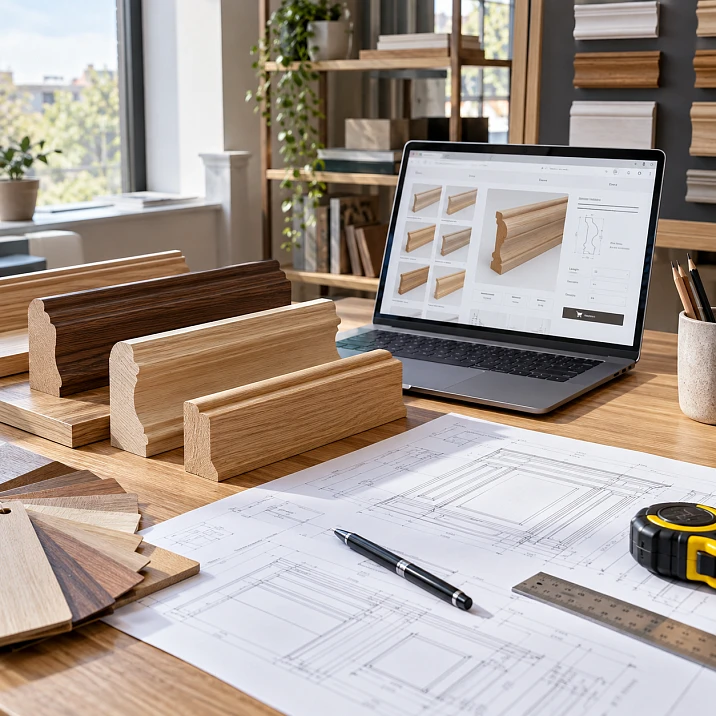
Wooden skirting, moulding and cornice can be selected and ordered entirely remotely, but for a project purchase it is not enough to open a product page you like from a photo and immediately add the required linear meters to the cart. On screen, a thin 10×6 mm moulding and a 65×18 mm profile can occupy almost the same image area. In an interior, these are elements of completely different scale.
Therefore online store of building materials for complex mouldings, it is better to use it not as a regular showcase, but as a sequence of checks:
category → filter → product card → SKU → size → profile section → material → stock length → comparison of candidates → specification → sample if needed → calculation of whole units → availability check → delivery → order.
In the STAVROS catalog, mouldings can be filtered by purpose, material, and dimensional parameters, while individual product cards list material options, dimensions, and stock lengths. Designers also have access to catalogs and DWG drawings, and before placing a large order, physical samples of specific product groups can be requested.
It is convenient to start with the section wooden trim, but the final choice is always made at the level of a specific SKU.
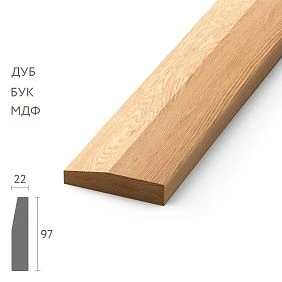
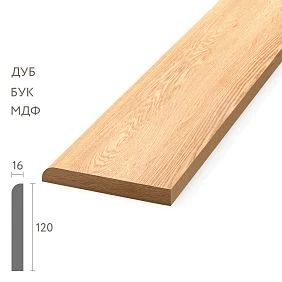
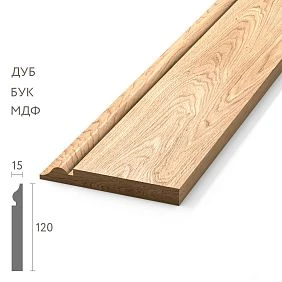
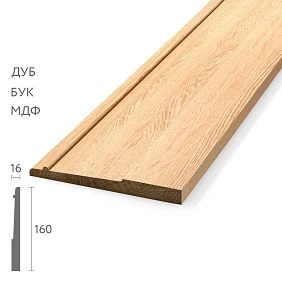
Why decorative mouldings cannot be selected based on the main photo alone
The main photo answers the question:
what does the profile look like?
It answers another question poorly:
what is its real scale?
The image in the product card is scaled to fit the screen. A 10 mm wide moulding and a 65 mm wide moulding may look visually comparable if both are shown close-up.
Therefore, the photograph is the first visual filter, not the final basis for ordering.
After that, you need to open:
- article number;
- size;
- the material;
- commercial length;
- additional images;
- a drawing or cross-section diagram, if available.
If one of these parameters is critical for the project, it cannot be replaced by an impression from the image.




What data must be opened in the product page for wooden moulding
Minimum set for a project line:
| Parameter | What to record | | --- | --- | | SKU | exact SKU | | Material | oak / beech / MDF / other finish | | Size | all specified parameters | | Length | product length of the specific finish | | Treatment | selected surface condition | | Availability | current status | | Link | URL of the specific product page | | Quantity | only after cutting |
For example:
MLD-050 / oak / 65×18×2400 mm / quantity after cutting
much more reliable than:
wide classic moulding
The first entry lets you find the same product six months later. The second forces you to choose again.
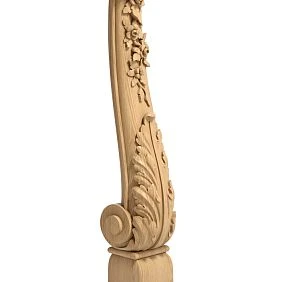
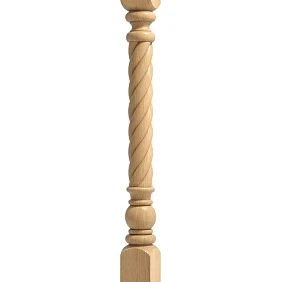
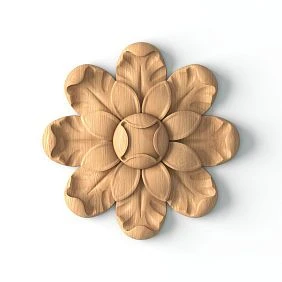
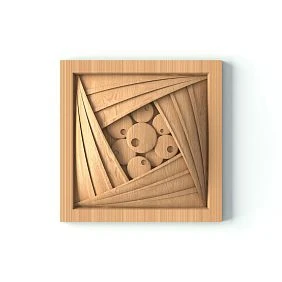
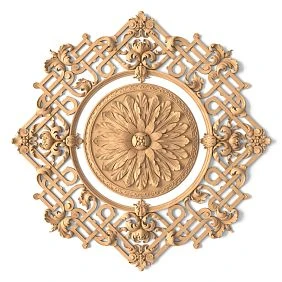
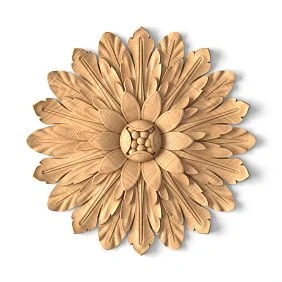
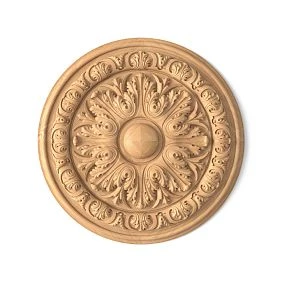
Our factory also produces:

Wooden skirting board: height and profile first, price second
For a project order, the "cheapest first" sorting should come after technical selection.
Correct sequence:
- determine the required scale;
- check the cross-section;
- choose the material;
- check the product length;
- assess how it matches the door and floor;
- only after that compare the price.
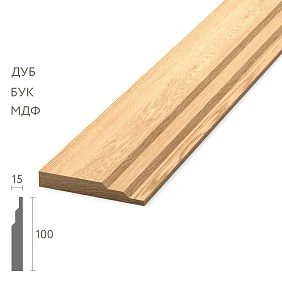
The current PLT-006 shows why this matters. The beech and oak solid wood versions list 100×15×2400 mm, while the MDF variants list 100×16×2600 mm.
The item code is the same, but the product configuration depends on the material.
If you choose the quantity first and change the material later in the cart, the calculation may become incorrect.
Get Consultation
How to determine the height of a wooden skirting board without trying it in the room
If there is no physical sample yet, the size can be checked digitally or on paper.
Let's say a skirting board with a height of 100 mm has been chosen.
On a photo of the wall or in a drawing, you need to mark a 100 mm strip from the floor and compare it with:
- with the casing;
- a door;
- the height of the furniture;
- sockets;
- the wall layout;
- the overall height of the room.
You can print a 100 mm strip at a 1:1 scale and hold it against the wall.
This does not show the texture and material, but it immediately answers the main question: is the profile too large or too small relative to the room?
Why material should not be chosen as the last step
For wooden moulding, the material affects not only the appearance and price.
In some product cards, along with the material, the product length changes, and sometimes one of the cross-section dimensions as well.
Therefore, the sequence:
selected SKU → calculated the pieces → then switched the material
is risky.
You need to:
selected SKU → selected material → fixed the specific size and length → only then calculated the pieces.
This is especially important for skirting boards and cornices, where the length of the strip directly affects the number of joints and the remainder.
How to compare several versions of the same article
A single SKU sometimes creates a false impression that all variants are interchangeable.
A table is useful for checking:
| SKU | Material | Size | Length | Quantity per project | | --- | --- | --- | ---: | ---: | | PLT-006 | oak | 100×15 | 2400 | ___ | | PLT-006 | beech | 100×15 | 2400 | ___ | | PLT-006 | MDF | 100×16 | 2600 | ___ |
Until the last column is recalculated separately for the selected variant, the item cannot be considered ready for ordering.
If the designer approved oak, and the purchaser later switched the card to MDF solely because of price, it is no longer just one commercial line that changes, but the entire configuration.
Wooden moulding: why it is especially important to check the cross-section online
Two mouldings may have a similar front shape but a different profile depth.
The current MLD-001 has a cross-section of 10×6 mm.
MLD-050 — 65×18 mm.
By the first dimension, the difference is:
65 / 10 = 6.5 times.
By the second:
18 / 6 = 3 times.
On screen, this is easy to underestimate.
Therefore, when choosing a molding, you need to look not only at the width, but also at the full profile.
For example, you can compare MLD-001 и MLD-050 by product cards, not by catalog thumbnails.
How to compare several wooden moldings in an online store
You don't need to keep ten tabs open and try to remember how they differ.
Make your own short list:
| Code | SKU | Size | Material | Length | Decision | | --- | --- | --- | --- | ---: | --- | | M1 | MLD-001 | 10×6 | oak | ___ | too small | | M2 | MLD-050 | 65×18 | oak | 2400 | finalist | | M3 | MLD-___ | ___ | beech | ___ | check |
The first selection stage can be represented as follows:
20 found → 8 after size check → 4 after material → 2 after cross-section → 1 approved profile.
This is not a mandatory numerical rule. The point is to narrow down the list by technical criteria, not to buy the first visually appealing option.
Online building materials store: how to build a shortlist instead of an overflowing cart
Online building materials store it is more convenient to use in two stages.
Stage 1 — shortlist
It includes candidates that are still being compared.
Stage 2 — order
It includes only the approved configuration.
The cart should not be used as a storage place for twenty alternative profiles.
Otherwise, two days later it's hard to tell:
- which SKU was the main one;
- which one was added "just in case";
- which room it is intended for;
- why one version is made of oak and the other of MDF.
First the project table. Then the cart.
Why the SKU matters more than the product name
In a working project, you can't leave wording like:
tall classic baseboard
Or:
thin molding for frames
Exact SKUs are required.
For example:
PLT-006 / oak / 100×15×2400
Or:
MLD-050 / oak / 65×18×2400
The SKU links the selected geometry to the product page.
The free-form description remains only an explanation.
Wooden cornice: why you need to look at the entire cross-section for online purchases
A cornice cannot be reliably assessed from a frontal photo alone.
The current KZ-001 has a dimensional combination of 104×102×24×17 mm, and the product length depends on the version: 2000, 2400, and 2600 mm are available.
The entire profile matters to the designer.
Therefore, you need to open Cornice KZ-001 and verify the letter parameters against the official drawing.
You cannot decide on your own that any letter means "projection" or "height along the wall" unless the specific diagram confirms this.
How to check a cornice without a physical sample
First, use the drawing.
If it can be printed at 1:1, check the control dimension with a ruler to make sure the program has not reduced the image when printing.
Then place the section:
- in the corner of the wall and ceiling;
- against the wardrobe mock-up;
- next to the intended skirting board;
- against the room section.
This makes it clear how much space the cornice physically occupies.
If doubts about the relief or texture remain after the paper mockup, then it makes sense to order a sample.
How to create an online specification for a single room
After selecting profiles, browsing the catalog needs to be turned into a document.
| Zone | Product | SKU | Material | Size | Length | Linear meters | | --- | --- | --- | --- | --- | ---: | ---: | | Floor | skirting board | PLT-___ | oak | ___ | 2400 | ___ | | Wall | moulding | MLD-___ | oak | ___ | 2400 | ___ | | Ceiling | cornice | KZ-___ | oak | ___ | 2400 | ___ |
After cutting, the following are added:
- number of whole products;
- installation reserve;
- comment;
- link to the product page.
Only now this is a project purchase.
How to create a digital card for an approved profile
For each final SKU, it is useful to keep a separate card:
| Field | Value | | --- | --- | | Project | ___ | | Room | ___ | | SKU | ___ | | Material | ___ | | Size | ___ | | Length | ___ | | URL | ___ | | Drawing checked | yes / no | | Sample checked | yes / no / not required | | Approval date | ___ | | Approved by | ___ |
Such a card is especially useful if the procurement is stretched over several months.
It protects against the situation where an oak profile of 2400 mm was used in the first phase, and in the second phase someone finds the same SKU in a different material and considers it an automatic replacement.
One profile fits — now let's check it next to two others
You shouldn't choose a skirting board today, a cornice in a week, and a moulding accidentally later.
Build a virtual set:
PLT + MLD + KZ
and compare:
- relative size;
- complexity of the relief;
- the material;
- overall character;
- the adjacency of lines on the wall.
The check does not require asserting that the products are "perfectly compatible" technically.
It is needed for visual and dimensional control in the project.
Building materials website: which features are especially useful when choosing moulding
A good building materials website is needed by the buyer not only for the photo.
For complex moulding, the following are especially useful:
- search by SKU;
- filter by purpose;
- filter by material;
- filter by sizes;
- sorting;
- card with all variants;
- multiple photos;
- drawing;
- availability status;
- direct link to a specific SKU.
In the STAVROS catalog, mouldings can indeed be filtered by application, material, and dimensional parameters.
But even a good filter does not replace a project specification: it only helps you find candidates faster.
Why a screenshot of a card is worse than a direct link
A screenshot is useful as a visual archive.
But it quickly becomes outdated.
A few months later:
- the price may change;
- availability will change;
- a different material may become available;
- the description will be updated;
- a reorder may be needed.
Therefore, keep at least the following in the list:
SKU + link + material + size + length.
A screenshot can be added as a supplement, but not instead of this data.
When online data is sufficient
A physical sample is not always necessary.
It may be unnecessary if:
- the same SKU has already been used;
- the project has an old reference sample;
- the order is small;
- the geometry has been verified;
- the profile is simple;
- the material will be fully covered with an opaque finish;
- the error is easily fixable.
In such a situation, the digital route may be sufficient.
When a physical sample is needed
A sample is especially useful if:
- the batch is large;
- the profile is complex;
- the wood is visible;
- there are several close candidates;
- the product must match the existing finish;
- an error will require removal;
- the decision is approved by the customer, who does not work with drawings.
STAVROS has a separate product samples section, which contains samples of wooden baguettes and molding sets.
It is better to order a sample after digital selection, when the list has already been narrowed down to one or two finalists.
How to calculate linear meters before finalizing your cart
One must distinguish:
required meters
и
the actual number of whole items.
For example, 42.7 m of baseboard is needed.
If the 2400 mm length option is selected:
42,7 / 2,4 = 17,79.
Minimum — 18 planks.
Total linear meters:
18 × 2.4 = 43.2 m.
If the same project allows a 2600 mm length:
42,7 / 2,6 = 16,42.
Minimum — 17 planks.
Total linear meters:
17 × 2.6 = 44.2 m.
The second option requires fewer pieces but more purchased linear meters.
Therefore, "fewer planks" does not automatically mean "less waste" or "cheaper."
Why a simple waste percentage does not replace cutting optimization
If you add 10% to 42.7 m:
42.7 × 1.10 = 46.97 m.
For a 2.4 m strip, this is:
ceil(46.97 / 2.4) = 20 strips, that is, 48 m.
But a real project may require 19, 20, or 21 strips depending on the length of individual walls and joint locations.
For molding frames, the percentage is even less reliable.
Therefore, after selecting a specific SKU, a list of cut lengths is needed, not just the total linear meters.
How to calculate one SKU across multiple rooms at once
If the same molding is used in the living room, study, and hallway, it is not necessary to calculate each room as a separate purchase.
First, collect all required cut lengths for one SKU.
For example:
- living room — 18.6 m;
- study — 9.4 m;
- hallway — 12.8 m.
Total net requirement:
18.6 + 9.4 + 12.8 = 40.8 m.
After that, an overall cutting plan is made.
This way, usable offcuts from the living room can be used in the study instead of automatically becoming "waste".
For a large project, this method is usually more accurate than a separate waste percentage for each room.
An online store shopping cart is not a construction specification
The shopping cart answers:
what are we buying right now?
The specification answers:
for which room, which SKU, which material, which length, how many are needed, what reserve, and who approved it?
On a large project, both tools are needed.
First, the specification establishes the correct quantity.
Then the cart is used to place the order.
If you change an item in the cart, the change must be synced back to the specification.
How to reconcile the cart with the specification before payment
It is useful to do a line-by-line comparison.
| Field | Specification | Cart | Match | | --- | --- | --- | --- | | SKU | MLD-___ | MLD-___ | yes | | Material | oak | oak | yes | | Size | ___ | ___ | yes | | Length | 2400 | 2400 | yes | | Quantity | 24 | 24 | yes |
If at least one line differs, first determine the cause.
For example, the quantity became 22 instead of 24. Perhaps the buyer manually reduced the cart. Perhaps the cutting plan changed. Perhaps two planks are already on site.
Any discrepancy must be explained before payment.
How to coordinate an online order with the designer or the client
Do not send only the final total for approval.
A table is required:
| Item | SKU | Material | Size | Qty | Status | | --- | --- | --- | --- | ---: | --- | | Skirting board | PLT-___ | oak | ___ | ___ | approve | | Molding | MLD-___ | oak | ___ | ___ | approve | | Cornice | KZ-___ | oak | ___ | ___ | approve |
The client must confirm a specific product, not abstract “skirting boards for 180,000 ₽.”
After approval, the table is assigned a revision.
For example:
SPEC-07 APPROVED
It is this revision that is compared with the cart before payment.
Online building materials store with delivery: first, we finalize the order contents
Online building materials store with delivery logistics should not be assessed while the buyer is still changing the SKU.
Procedure:
first the order composition → then packaging → then the address → then the delivery cost.
If MLD-001 is selected today and MLD-050 tomorrow, and then the plinth material is changed, the dimensions and shipping cost may also change.
Therefore, delivery is the next stage after the specification is finalized.
What to check before calculating delivery
Required:
- final SKUs;
- the material;
- lengths;
- quantity;
- city;
- exact address;
- method of obtaining;
- the need for rigid packaging, if it is provided for by the product;
- the site's readiness to accept long-length items.
On the STAVROS payment and delivery page, it is stated that an order can be placed via the website, by phone, in the showroom, or by email; for a request, the SKU, material, size, quality, and quantity are required.
This same structure is also useful for the internal project specification.
Online building materials store with delivery: what to check before paying
Before payment online building materials store with delivery must be verified against the approved specification.
Checklist:
- article numbers;
- materials;
- dimensions;
- commercial lengths;
- quantity;
- current availability status;
- the deadline;
- packaging;
- address;
- the delivery cost;
- recipient's contact.
The shipping cost depends on size, weight, and address, so it is more accurate to estimate it based on the already assembled batch.
What to do if an item goes out of stock between approval and payment
Do not automatically replace it with an adjacent SKU.
You need to:
- record which item is unavailable;
- check the production time;
- check whether it can wait;
- if a replacement is being considered — compare the new SKU, dimensions, and material;
- update the specification;
- obtain re-approval;
- only after that, change the cart.
Otherwise, digital procurement breaks at the very last point: technically, one profile is approved, but a different one is paid for.
What to do if the material changed after adding to the cart
This is a separate check.
Suppose the specification lists PLT-006 in oak, 2400 mm long.
In the cart, the user switched the material to MDF, and the product card now shows 2600 mm.
You cannot simply keep the previous quantity.
You need to:
- recheck the size;
- recalculate the quantity;
- check compatibility with the project;
- update the specification;
- re-approve the replacement.
The cart should not automatically dictate a new solution to the project.
Why a reorder should start with a search by SKU
Six months later, 10 more planks were needed.
No need to re-enter:
classic wooden molding
Need to search for:
MLD-XXX
and then verify:
- the material;
- size;
- length;
- current version;
- the status.
This sharply reduces the likelihood of accidental replacement.
Online order passport for future repairs
After purchase, save:
- article number;
- name;
- the material;
- size;
- length;
- link;
- quantity;
- order number;
- date;
- photo of the marking;
- several whole spare elements, if they are provided for by the project.
For a commercial property, this is especially useful.
Three years later, the maintenance service receives not a browser history, but a ready-made passport.
When it is better not to complete an online purchase
It is not worth paying for a large batch if:
- profile selected from photo only;
- full size not verified;
- material still changing;
- product length unknown;
- drawing of complex cornice not opened;
- two similar moldings not compared;
- quantity calculated by meters only;
- cart differs from specification;
- sample needed but not yet approved;
- delivery calculated for an incomplete order composition.
Stopping at these stages is a normal part of project procurement.
Mistakes when buying wooden moulding online
Mistake: choosing based on the main photo.
Cause — product cards visually scale the item. Consequence — incorrect real size. Solution — check the millimeters and cross-section.
Mistake: calculating the quantity first, then choosing the material.
Cause — the SKU seems unchanged. Consequence — the product length changes, and the calculation becomes outdated. Solution — complete the full configuration first.
Mistake: keeping twenty options in the cart.
Cause — the cart is used as a shortlist. Consequence — the final SKU gets lost. Solution — a separate table of candidates.
Mistake: saving only a screenshot.
Cause — it is visually convenient. Consequence — it is difficult to make an accurate reorder. Solution — store the SKU and the link.
Error: calculating delivery before the specification is finalized.
Reason — you want to know the budget right away. Consequence — the batch changes, and the logistics calculation becomes meaningless. Solution — finalize the items first.
Error: automatically substituting an out-of-stock item.
Reason — the order needs to be placed faster. Consequence — a different profile ends up in the project. Solution — a new check and a new revision.
A ready-made algorithm for buying wooden moulding online
- Select a product group.
- Filter the catalog by purpose.
- Check the size.
- Choose the material.
- Open the drawing or cross-section.
- Compare several candidates.
- Lock in the exact product codes.
- Assemble a set: skirting board + moulding + cornice.
- Order a sample if needed.
- Create a specification by room.
- Calculate the cutting plan.
- Convert meters into whole units.
- Add a justified reserve.
- Check availability.
- Check the delivery.
- Compare the cart with the approved specification.
- Only then place the order.
This way, the digital purchase stays convenient but is no longer approximate.
Questions before ordering online
Can I choose a moulding from a photo alone?
For a simple, small order, sometimes yes, but for a project purchase you need to check the size and full cross-section.
Why is the product code more important than the name?
It allows you to accurately restore the selected item when reordering.
Do I need to order a sample of each profile?
No. It is especially useful for large volumes, complex relief, and an expensive selection mistake.
Can I first add 50 strips and then choose the material?
Not advisable. The product length and quantity calculation may change along with the material.
What is more important for a curtain rod — a frontal photo or a drawing?
For geometry — a drawing and actual dimensions; a photo complements the visual representation.
Where to view product drawings?
STAVROS publishes a section of catalogs and DWG drawings, including a catalog of wooden and MDF trim.
When should delivery be calculated?
After the order composition, materials, lengths, and quantity have already been finalized.
What should be saved for reordering?
Item code, material, size, length, link, order number, and the approved specification.