































Article Contents:
- Comparison of sizes, fasteners and materials
- Atlas HL-071 size range: what is confirmed in the card
- The main difference is line or point
- Why Atlas is classified as a bracket handle
- Why Jupiter is classified as a knob handle
- When to buy Atlas HL-071
- When to buy Jupiter HL-064
- Atlas 240 mm long
- Atlas 400 mm long
- Atlas 560 mm long
- Atlas 801 mm long
- Atlas 1041 mm long
- How to choose Atlas length based on facade width or height
- Atlas on a tall kitchen cabinet
- Atlas on a wide kitchen drawer
- Atlas on a swing wardrobe
- Atlas in a walk-in closet
- Atlas on a large chest of drawers
- Atlas in a hotel or boutique
- Jupiter for a small box
- Jupiter for a bedside table
- Jupiter for an upper kitchen cabinet
- Jupiter for a small chest of drawers
- Jupiter for a vanity table
- Jupiter for a display cabinet and sideboard
- Jupiter for children's furniture
- Jupiter on a framed front
- Two Atlas mounting points or one Jupiter point
- How to mark up Atlas without errors
- Why you cannot drill a long Atlas only by parameter D
- How to mark up Jupiter
- How to check the thickness of a furniture facade
- How to replace an old bracket with Atlas
- How to replace an old button with Jupiter
- Can I replace a bracket with a button
- Can I replace a button with Atlas
- How to install Atlas vertically
- How to install Atlas horizontally
- Why Jupiter orientation does not matter
- How to check the 45 mm protrusion
- Difference between 42 and 45 mm on Jupiter
- Can you combine Atlas and Jupiter in one set
- How to combine handles in the kitchen
- How to combine handles on a wardrobe and dresser
- How to combine handles in the bedroom
- How to combine handles in the hallway
- How to combine handles in a hotel room
- Beech under white enamel
- Beech for colored or black enamel
- Oak for tinting
- Beech or oak for the kitchen
- Beech or oak for the wardrobe
- Why "Prestige" sanding is not a finished finish
- How to paint handles without losing shape
- How to tint oak handles
- Unpainted or finished version
- When to choose Atlas HL-071M
- When to choose Jupiter HL-064M
- Can you mix unpainted and finished versions
- Atlas on a smooth minimalist facade
- Jupiter on a smooth facade
- Atlas on a framed facade
- Jupiter on a framed front
- Atlas next to slatted panels
- Jupiter next to turned legs
- Handles for hallway
- Handles for children's furniture
- Handles for study
- Handles for sideboard and display cabinet
- Handles for boutique furniture
- Practical choice: facade about 300 mm wide
- Practical choice: facade about 450 mm wide
- Practical choice: cabinet about 2000 mm high
- Practical choice: small cabinet
- Practical choice: wide kitchen bottom drawer
- Practical choice: upper kitchen door
- Practical choice: carved overlay facade
- Practical choice: replacing hardware without repainting
- Practical choice: custom-made new furniture
- Mistake: choosing a handle only by photo
- Mistake: confusing Atlas total length with center distance
- Mistake: drilling based on text description without drawing
- Mistake: ignoring the 42 and 45 mm discrepancy for Jupiter
- Error: installing Atlas 1041 mm on a too narrow facade
- Error: using Jupiter on a large heavy door without checking
- Error: installing Atlas on a small drawer
- Error: placing Jupiter too close to the edge
- Error: replacing a bracket with a button without repairing the second hole
- Error: replacing an Atlas button without checking the internal fittings
- Error: mixing beech and oak randomly
- Error: painting different batches separately
- Error: considering an unpainted model ready for installation
- Error: transferring the coating of version M to HL-071 or HL-064
- Error: using one handle type throughout the apartment without assessment
- Error: do not account for the protrusion in the passage
- Error: do not check the position of two Atlas on double doors
- Error: install Atlas without checking verticality
- Error: buy one handle for a prototype from a different batch
- Error: do not count the total quantity
- Who Atlas HL-071 is suitable for
- Who Atlas HL-071 is not suitable for
- Who Jupiter HL-064 is suitable for
- Who Jupiter HL-064 is not suitable for
- What to buy together and which pages to open side by side
- How not to confuse Atlas with a metal railing
- How not to confuse Jupiter with a regular round blank
- How not to confuse Atlas HL-071 and HL-071M
- How not to confuse Jupiter HL-064 and HL-064M
- How to buy on STAVROS
- What to check in the Atlas card before ordering
- What to check in the Jupiter card before ordering
- How to create a specification for a set
- How to order handles in one batch
- How to accept handles before drilling
- How to care for Atlas
- How to care for Jupiter
- FAQ: questions about Atlas HL-071 and Jupiter HL-064
- How is Atlas HL-071 different from Jupiter HL-064?
- What lengths are available for Atlas HL-071?
- What is the center distance for Atlas 240 mm long?
- What is the D parameter for Atlas 400 mm?
- Why do Atlas 560, 801, and 1041 mm have D 240 mm?
- Do I need to open the DWG before drilling Atlas?
- How many wooden balls does Atlas 240 mm have?
- What protrusion does Atlas have?
- What is the current size of Jupiter?
- Why is Jupiter described as 42 mm?
- How many holes are needed for Jupiter?
- Which handle is suitable for a tall cabinet?
- Which model should I choose for a small drawer?
- Will Atlas fit an upper kitchen cabinet?
- Can I install Jupiter on a wide kitchen drawer?
- Can I install two Jupiter handles on one drawer?
- Can I replace an old bracket with Jupiter?
- Can I replace the button on Atlas?
- What to choose for white enamel?
- How to preserve the handle texture?
- Are there coated versions of Atlas and Jupiter?
- Can Atlas and Jupiter be combined in one set of handles?
- How to check the thickness of the facade?
- Where to buy Atlas HL-071?
- Where to buy Jupiter HL-064?
- What should I check before ordering?

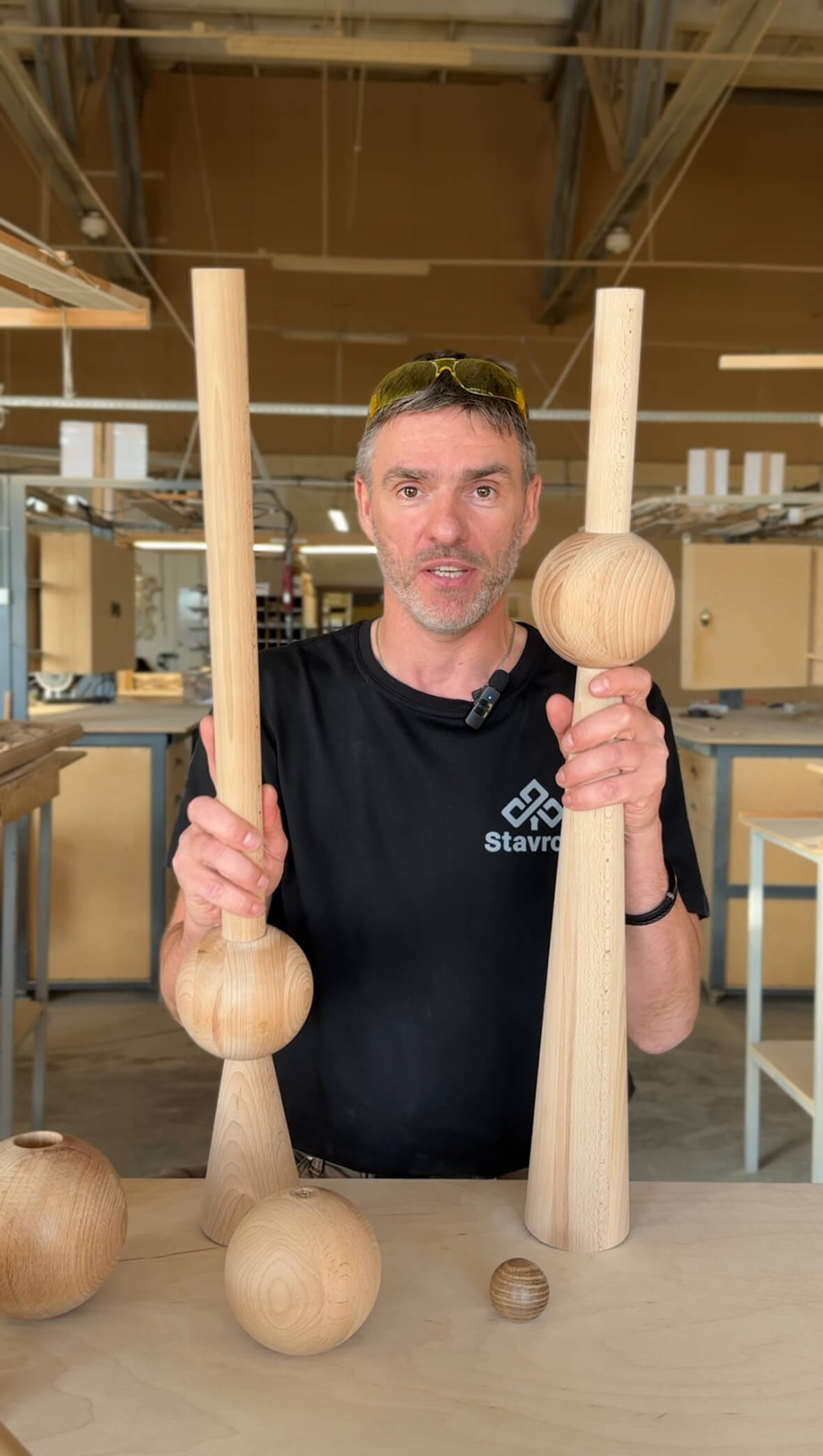
A wooden furniture handle can be purchased either as a noticeable sculptural line or as a compact point on the facade. Atlas HL-071 and Jupiter HL-064 are built on the same motif of a wooden sphere, but solve opposite tasks. Atlas is a bracket handle made of a series of turned spheres on a metal rod. Jupiter is a small spherical knob handle with a diameter of 29 mm on a metal base.
Atlas is available in five lengths: 240, 400, 560, 801, and 1041 mm. It is mounted at two points, protrudes 45 mm from the facade, and can be installed vertically or horizontally. The model is suitable for a tall cabinet, kitchen tall cabinet, wide drawer, sideboard, and large chest of drawers, where the hardware should not only open the door but also change the proportions of the facade.
Jupiter has a current table size of 29 × 29 × 45 mm, is mounted at a single point, and occupies minimal space. It is suitable for a small door, drawer, bedside table, vanity table, upper kitchen cabinet, and framed facade, where a long handle would cover the decorative field.
Both models are available in beech or oak with a "Prestige" sanding. Beech is chosen for opaque enamel, oak for tinting while preserving the texture. It is fundamentally important for the buyer to decide not only which shape they like more, but also how many holes are already in the facade, how wide the door is, where it is convenient to grip by hand, and whether the handle will be finished independently or a ready-made version with coating is needed.
Short answer. Atlas HL-071 is worth buying for a tall cabinet, pencil case, wide drawer or large facade where an expressive pull handle and convenient grip in different places are needed. Jupiter HL-064 is suitable for a small door, cabinet and drawer when one drilling point, compact round silhouette and free decorative field are important.
In one set, models can be combined: place Atlas on tall pencil cases and wide lower drawers, Jupiter on small upper facades and compact pull-out sections. The common spherical motif will connect the fittings without mechanically repeating one size on all furniture.
Buy wooden handle Atlas HL-071 Buy wooden knob Jupiter HL-064 buy wooden furniture handles Buy wooden handles for painting



Comparison of sizes, mounting and materials
| Parameter | Atlas HL-071 | Jupiter HL-064 |
|---|---|---|
| Type | Handle bracket | Knob handle |
| Shape | A row of turned wooden spheres | One wooden sphere |
| Size range | 240, 400, 560, 801 and 1041 mm | 29 × 29 × 45 mm according to the current table |
| Thickness of wooden elements | 28 мм | Diameter 29 mm |
| Protrusion | 45 мм | 45 mm per current table |
| Number of attachment points | Two | One |
| Base | Metal rod | Metal base |
| Material of wooden part | Beech or oak | Beech or oak |
| Sanding | «Prestige» | «Prestige» |
| Beech | For enamel | For enamel |
| Oak | For tinting | For tinting |
| Orientation | Vertical or horizontal | Direction does not affect round shape |
| Main facade scale | Medium and large | Small and medium |
| Finished version with coating | Atlas HL-071M | Jupiter HL-064M |

Atlas HL-071 size range: what is confirmed in the card
| Length A | Thickness B | Protrusion C | Parameter D in the table | Practical comment |
|---|---|---|---|---|
| 240 мм | 28 мм | 45 мм | 160 мм | Nine balls with a diameter of 28 mm and a center distance of 160 mm are confirmed |
| 400 мм | 28 мм | 45 мм | 320 мм | Suitable for wide drawer and facade; markings are checked against the drawing |
| 560 мм | 28 мм | 45 мм | 240 мм | Value D cannot be automatically considered a classic center distance without DWG |
| 801 мм | 28 мм | 45 мм | 240 мм | Before drilling, be sure to check the location of the two mounting points |
| 1041 мм | 28 мм | 45 мм | 240 мм | A length of about one meter requires a full-size fitting on a tall facade |
Our factory also produces:



The main difference is a line or a point
Atlas creates a long sculptural line on the facade. A row of spheres changes the perception of the door's height or width, and the handle itself becomes part of the furniture design.
Jupiter works as a local point. It does not split the panel, does not cover the carved overlay, and is easily repeated on several identical drawers.
The same sphere motif allows both models to be used in one set, but their functions must remain different.
The choice starts with the scale of the facade and the grip scenario, not just with a liking for the shape.
Get Consultation
Why Atlas is classified as a pull handle
The card classifies HL-071 as a "pull handle" type. The model has two mounting points and an elongated section that can be gripped by hand.
Externally, Atlas resembles a sculptural railing, but in the product system it should be called a pull handle to avoid mixing it with metal profile and railing solutions.
Wooden spheres are strung on a metal base, so the model combines the tactility of wood with the rigidity of the inner rod.
Other options can be compared in the category where wooden handles with two mounts.
Why Jupiter is classified as a knob handle
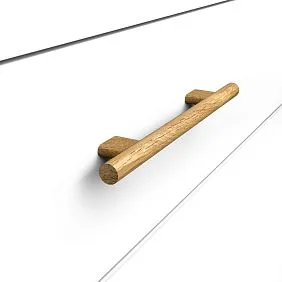
Jupiter is mounted at a single point and has a compact rounded head.
The round shape does not dictate a vertical or horizontal orientation, so marking is simpler than for a long pull.
This handle preserves maximum free space around it and suits small framed fronts.
To compare compact models, you can buy a wooden knob handle of the appropriate size.
When to buy Atlas HL-071
The model is needed when the handle should be noticeable on a tall cabinet, pencil case, large chest of drawers, sideboard, or wide drawer.
It is convenient where the user may grip in different places, and the long line helps visually elongate the facade.
Atlas is especially expressive on a smooth door that looks empty without large hardware.
Before ordering, it is worth choose Atlas length from 240 to 1041 mm for a specific facade.
When to buy Jupiter HL-064
The compact knob suits a nightstand, small drawer, vanity table, upper kitchen cabinet, and small sideboard door.
One drilling point simplifies installation on a new facade and reduces the risk of error with the center distance.
Jupiter better preserves the carved frame and decorative panel because it occupies minimal area.
For such a scenario, you can choose a compact handle for a furniture drawer.
Atlas 240 mm long
The basic version fits medium-sized fronts, wide drawers, buffet doors, and small pencil cases. It is confirmed for nine wooden balls with a diameter of 28 mm, a projection of 45 mm, and a center distance of 160 mm.
The 240 mm size already makes the handle noticeable, but does not turn it into an almost meter-long vertical. This option is easier to fit on a dresser, kitchen module, or hallway cabinet.
If the front already has two holes with a 160 mm pitch, compatibility still needs to be checked by the fastener diameter and door thickness.
For a new project, you can choose a handle with a center distance of 160 mm and check the DWG before drilling.
Atlas 400 mm long
The 400 mm version fits a wider drawer, a swing cabinet, and a medium-height door. The table shows parameter D 320 mm.
The handle creates a noticeable line but remains more compact than the 560–1041 mm options. On a smooth facade, it can become the main decorative element.
Before installation, check that the lower or upper mounting point does not fall into the frame, panel, or internal fittings.
A full-size paper strip 400 mm long allows you to evaluate the composition without risk to the facade.
Atlas 560 mm long
The 560 mm size is intended for a large door, tall cabinet, wide wardrobe, or furniture partition. Such a handle already significantly changes the proportions of the surface.
In the table, parameter D is specified as 240 mm. It cannot be automatically interpreted as the standard center-to-center distance because the handle itself is much longer.
Before drilling, open the drawing and confirm exactly where the two mounting points are located relative to the ends.
Blind marking based on the number from the table can lead to incorrect positioning and damage to the new facade.
Atlas 801 mm long
The 801 mm version is suitable for a tall cabinet and walk-in closet, where the vertical handle should be noticeable across almost the entire working area.
A series of spheres creates a pronounced rhythm and allows changing the grip position along the height.
Parameter D 240 mm in the table requires mandatory verification against DWG, not transfer to the facade as a confirmed center distance.
Also need to check whether the metal base conflicts with hinges, shelves, and the internal system of the cabinet.
Atlas 1041 mm long
A handle 1041 mm long is intended for a very tall facade, tall cabinet, or wardrobe where compact hardware would visually get lost.
It works as an independent sculptural line about a meter long and requires enough free space.
On a narrow door, such a model may look disproportionate and come close to the edges of the facade.
Before ordering, make a template 1041 × 28 mm and evaluate it on the closed and open door.
How to choose the length of Atlas based on the width or height of the facade
There is no universal formula 'handle equals a certain fraction of the facade'. Framed, smooth, and carved doors perceive the same length differently.
On a vertical tall cabinet, the handle can take up a significant portion of the height, while on a wide drawer, it emphasizes the horizontal.
First, mark the working grip area and decorative boundaries, then compare several paper templates.
Only after this, choose one of the five card lengths.
Atlas on a tall kitchen cabinet
A vertical handle facilitates visual reading of a tall door and allows gripping at a comfortable height.
Options 560, 801, or 1041 mm should be compared on the specific cabinet, not chosen by maximum size.
The handle should not cross the horizontal lines of adjacent drawers or interfere with the opening of nearby appliances.
The material and color are tied to the rest of the kitchen hardware.
Atlas on a wide kitchen drawer
A horizontal pull distributes the visual accent across the width and provides a convenient grip area.
Versions of 240 or 400 mm are often easier to align with the drawer than handles about a meter long.
The center of the handle should align with the center of the facade, unless the design provides for asymmetry.
Two holes are marked according to the template and approved drawing.
Atlas on a swing cabinet
On paired doors, long handles can be placed symmetrically on both sides of the joint.
It is necessary to check that fingers do not get caught in the too narrow gap between two handles.
Identical lengths, material, and finish are mandatory for a pair.
The vertical pattern of spheres is especially noticeable on smooth high facades.
Atlas in the dressing room
A long handle helps connect a tall cabinet, mezzanine, and lower sections into a single vertical line.
At the same time, it is not necessary to install the same Atlas on every small drawer. On compact sections, Jupiter is more appropriate.
This way, the wardrobe maintains a general spherical motif without being overloaded with long lines.
Before ordering, it is useful to create a map of all facades and distribute the types of handles.
Atlas on a large chest of drawers
Wide drawers can accommodate a horizontal bracket of 240 or 400 mm.
On tall side doors, vertical installation of a longer version is possible.
The same series helps to connect different modules of the chest of drawers, but the lengths are selected separately.
You cannot mechanically repeat one size on narrow and wide facades.
Atlas in a hotel or boutique
An expressive handle helps make furniture recognizable and support a branded interior.
For a series of cabinets, it is important to order identical lengths in one batch and preserve the drilling template.
The prototype is tested for grip comfort, intensive use, and cleaning between spheres.
Only after the approval of the control facade is the entire volume launched.
Jupiter for a small drawer
A diameter of 29 mm is suitable for a compact facade, where a long handle would take up most of the width.
One attachment point simplifies centering and leaves free space around.
On a very wide heavy drawer, one button may be inconvenient, so the solution is tested on a prototype.
It is not allowed to assign a universal permissible load based on one handle size.
Jupiter for a bedside table
The round button supports a small scale and does not compete with legs, frame, and decorative overlay.
It is convenient for one drawer or a small door.
Beech under enamel allows the handle to match the body color, oak under tinting preserves the natural texture.
For the bedroom you can choose a knob handle for a cabinet or chest of drawers.
Jupiter for an upper kitchen cabinet
A small knob maintains the lightness of the upper row and does not cover the frame panel.
On a high door, you need to check if it is comfortable to grip the sphere from below or from the side.
If the facade is large and heavy, a compact size does not always provide a comfortable grip.
A test setup on one door helps make a decision before drilling the entire kitchen.
Jupiter for a small chest of drawers
Repeating knobs create a neat grid on several drawers.
The round shape does not require orientation selection, so the series looks more even.
The location of each point is marked using a single template.
If the top drawer is significantly wider than the others, you can consider Atlas or two Jupiter on it after design review.
Jupiter for vanity table
A small spherical button suits narrow drawers for cosmetics and accessories.
It does not cover the decorative frame and leaves room for the central overlay.
The repeating motif can be linked to round legs, mirror, and other turned hardware.
It is better to coordinate the finish with the cabinet before drilling.
Jupiter for display case and sideboard
On a small glass or framed door, a compact button looks lighter than a long pull.
However, the decorative handle should not be considered part of the glass attachment.
On the wide lower drawers of the Atlas buffet, Jupiter may be more convenient, and on the upper doors — Jupiter.
Thus, one object gets two scales of the same spherical theme.
Jupiter for children's furniture
The round shape is visually soft and suits small drawers and doors.
However, safety is determined by the entire structure, protrusion, attachment, and user age, not just the absence of sharp corners.
The screw must match the thickness of the facade and be securely tightened.
The coating is chosen considering frequent contact and maintenance.
Jupiter on a framed facade
The 29 mm diameter allows the handle to be placed within the free field without overlapping the profile.
The drilling point cannot be moved to a thin edge or carved part without checking the base.
First, mark the frame, then find a convenient working area.
If the button looks too small, it's better to choose a different model rather than shifting it accidentally.
Two Atlas mounting points or one Jupiter point
Atlas requires precise alignment of two holes. A marking error leads to misalignment and can make installation impossible.
Jupiter is installed through a single hole, making it easier to center and replace on a new facade.
Two points better resist twisting of a long handle, but specific reliability depends on the facade, fasteners, and installation.
One point simplifies the work, but the button must be tightened so it does not rotate.
How to mark Atlas without error
The handle is applied to a full-size facade or template, and the intended axis is marked.
After selecting the height, open the DWG drawing of a specific length and check the actual coordinates of the mounting points.
First, make test holes on a sample, not on the finished expensive door.
For paired fronts, a single rigid template is used.
Why you cannot drill a long Atlas only by parameter D
In the table of options 560, 801, and 1041 mm, D 240 mm is repeated.
This may reflect a design feature, but without a drawing, the number cannot be considered the classic center distance for all three lengths.
The position of the fasteners relative to the ends of the handle affects the load and appearance.
Before drilling, confirm the DWG and the actual handle.
How to mark Jupiter
For a button, determine one point, usually related to the center of the drawer or a convenient grip zone on the door.
On paired facades, the distances to the edges must match.
Before drilling, check the inner side: there should be no hinge, guide, or other fastener.
The hole diameter and screw length are selected according to the kit and the thickness of the facade.
How to check the thickness of a furniture facade
The fastener must pass through the facade and securely connect to the handle base, without protruding dangerously or damaging the front part.
The thickness of different doors and drawers may vary even within the same set.
You cannot automatically use one screw for all modules without checking.
The completeness and suitable fasteners are clarified in the product card or with a STAVROS manager.
How to replace an old bracket with Atlas
First, measure the distance between the existing holes and compare it with the confirmed drawing of the selected length.
Matching the overall length of the handle does not mean the attachment points match.
If the holes don't fit, the facade will need to be repaired or drilled again.
On a frame door, new points must also fall into a solid flat field.
How to replace an old button with Jupiter
If the old hole is conveniently located and matches the fastener, replacement can be simple.
You need to check if there is any damage or an overly large opening around it.
The new Jupiter must fit tightly with its metal base.
When shifting the point, the old hole will need to be carefully closed and finished.
Can a bracket be replaced with a button
After removing the bracket, two holes remain, but Jupiter uses one.
One old hole can be used only if positioned correctly; the second will need repair.
On a painted facade, local restoration may be noticeable.
Therefore, such a replacement is more rational when repainting or making a new facade.
Can the button on Atlas be replaced?
One old point does not provide a ready-made marking for the bracket.
The position of two new holes must be determined from the drawing, and the old one may only coincide by chance.
A long handle will also require more free space.
Before replacement, make a paper template and check the internal door structure.
How to install Atlas vertically
Vertical orientation is suitable for tall cabinets, wardrobes, and high hinged cabinets.
The handle axis must be parallel to the edge of the facade.
The height is chosen so that users of different heights can comfortably grip without touching the adjacent door.
On paired cabinets, both handles are installed mirror-symmetrically and at the same mark.
How to install Atlas horizontally
The horizontal bracket is suitable for wide drawers, low doors, and sideboards.
It emphasizes the width and allows gripping the handle closer to the center.
The marking is aligned with the facade axis and adjacent drawers.
On drawers of different widths, multiple lengths of the same Atlas series can be used.
Why Jupiter's orientation does not matter
The spherical wooden part looks the same regardless of rotation.
This simplifies the visual alignment of a series of buttons.
However, the metal base and fasteners must still fit flush.
The round shape does not eliminate the need for precise center marking.
How to check the 45 mm protrusion
Both models protrude 45 mm according to the current tables, so they need to be evaluated from the side.
In a narrow passage, the handle may catch on clothing or an adjacent door.
On a drawer, the protrusion affects the actual depth of the furniture front.
The paper front template is supplemented with a 45 mm thick volumetric mockup.
Discrepancy of 42 and 45 mm for Jupiter
The current dimension table specifies 29 × 29 × 45 mm.
In the text description, 29 × 29 × 42 mm appears.
For the article, a table value of 45 mm is used, but before drilling and designing a tight gap, you need to check the DWG or the actual sample.
It is advisable to bring the card to a single value so that the buyer does not receive contradictory data.
Can Atlas and Jupiter be combined in one set
Yes, because both models are built on a spherical wooden motif and have a metal base.
Atlas can be placed on tall cabinets and wide lower drawers, Jupiter on upper cabinets, nightstands, and small pull-out sections.
The connection is created not by the same size, but by the repetition of a rounded shape, the same wood species, and the same finish.
It is better to show the distribution of handles on a layout of all facades before ordering.
How to combine handles in the kitchen
A tall cabinet takes a vertical Atlas, a wide lower drawer takes a horizontal Atlas, small upper doors take Jupiter.
This way, large facades get a convenient extended grip, and small ones are not overloaded.
All handles are ordered from beech or oak in a single concept.
If the kitchen already has an active panel, the number of long brackets should be limited.
How to combine handles on a wardrobe and a dresser
On a tall wardrobe, Atlas creates a vertical line; on dresser drawers, Jupiter forms a calm grid.
The finish ties the two pieces together into one set.
You can use Atlas 240 or 400 mm on wide dresser drawers if the knob looks too local.
The main thing is not to change the handle type without considering existing holes.
How to combine handles in the bedroom
Jupiter suits bedside tables and a vanity table, Atlas suits a tall wardrobe or walk-in closet.
A common spherical motif ties the furniture together without forcing meter-long handles on small drawers.
Beech under enamel can match the color of the bed and facades.
Oak under tinting supports natural legs, frames, and decorative panels.
How to combine handles in the hallway
Atlas is suitable on a tall wardrobe for clothes, Jupiter — on a shoe cabinet and small drawers.
The 45 mm protrusion is checked in a narrow passage.
The long handle should not fall into the opening area of the entrance door.
Buttons on the lower cabinet are positioned so that they are convenient to use while standing.
How to combine handles in a hotel room
Atlas can become a recognizable vertical on the wardrobe, Jupiter — repeat on cabinets and dresser.
For a series of rooms, it is important to establish uniform lengths, drilling points, and finish.
Ready-made versions with coating can reduce the number of operations if their finish matches the project.
Before a large order, one set of furniture is assembled and tested.
Beech under white enamel
Beech is chosen for opaque finishes when the handle must match the facade or become contrasting.
White Atlas preserves sculptural chiaroscuro between spheres but visually appears lighter than natural oak.
White Jupiter almost dissolves on a light cabinet, leaving only a soft volume.
A test paint is needed so that the enamel layer does not hide the precision of the shape.
Beech under colored or black enamel
Color allows linking hardware with the kitchen, cabinet, or wall panels.
Black Atlas turns into a graphic line on a light facade.
Colored Jupiter can be repeated on children's furniture or a dresser, but the coating must match the usage conditions.
All handles in one room are best painted in one batch.
Oak under tinting
Oak is chosen when you need to preserve the natural texture.
On the long Atlas, the pattern repeats across several spheres and creates a lively rhythm.
On Jupiter, the texture is concentrated in one compact form.
The tinting is compared with the facade, countertop, legs, and other wooden parts.
Beech or oak for the kitchen
Beech under enamel helps to precisely match the color of painted facades.
Oak under tinting suits a natural or veneered kitchen.
Mixing beech and oak on the same set without a clear concept is not advisable.
Handles are often viewed up close, so the difference in texture will be noticeable.
Beech or oak for the cabinet
On a tall cabinet, a long Atlas made of oak becomes a prominent natural accent.
A beech handle in the color of the facade looks calmer and emphasizes the shape only through light and shadow.
Jupiter from the same wood helps connect the inner drawers and cabinets.
The material is chosen simultaneously for all sizes of the series.
Why 'Prestige' sanding is not a finished finish
The sanded surface is prepared for further processing but does not have a final color or protective layer.
Versions HL-071 and HL-064 without the M index need to be finished independently or through a workshop.
Handles cannot be installed as finished coated products if the project requires resistance to frequent contact and dirt.
The coating system is approved before installation.
How to paint handles without losing shape
The layer of primer and enamel should remain uniform between the Atlas spheres and around Jupiter.
Overlaps at the joint of wood and metal are especially noticeable.
The test sample allows checking adhesion, gloss, and grip comfort.
Mounting holes are protected from accidental filling with the compound.
How to tint oak handles
The tint should look the same on a long bracket and compact buttons.
On individual Atlas spheres, the shade may vary due to the wood grain.
For one piece of furniture, it is better to order and finish handles in one batch.
The finish coating is chosen considering constant hand contact.
Unpainted or finished version
HL-071 and HL-064 are suitable for a customer who wants a custom color or tint.
HL-071M and HL-064M have separate cards for finished versions with coating.
The finished model reduces self-finishing, but the available option needs to be checked on the card.
The coating characteristics of the M version cannot be transferred to an unpainted handle.
When to choose Atlas HL-071M
A finished bracket is suitable if its finish already matches the furniture and the customer does not plan a separate painting cycle.
This option is convenient for a finished cabinet, wardrobe, or sideboard.
Before ordering, you can buy Atlas HL-071M with ready coating and check the available parameters.
The size and layout are still checked against the specific card and drawing.
When to choose Jupiter HL-064M
The ready-made button is convenient for nightstands, dressers, and kitchens if the finish matches the facade.
It eliminates the need to paint the small sphere and metal base yourself.
In the card, you can buy Jupiter HL-064M with finish after checking the current finish.
For a series of handles, it's better to order all items in one batch.
Can you mix unpainted and ready-made versions
Technically, different cards can be used in one project, but the shade, gloss, and texture may not match.
A self-painted Atlas next to a ready-made Jupiter should be checked on live samples.
Even the same color name does not guarantee an identical result.
For a solid set, one finish system is safer.
Atlas on a smooth minimalist facade
A long handle made of spheres becomes the main decoration and eliminates the need to add complex decor.
On a solid-color door, proportions are especially noticeable, so you cannot choose the length with a margin of "the more, the better."
Vertical Atlas helps visually elongate the cabinet, horizontal — emphasizes the width of the drawer.
The handle color can match the facade or create a controlled contrast.
Jupiter on a smooth facade
A compact button leaves the surface almost free and supports a calm design.
On a large smooth door, one Jupiter may look too small.
On a small drawer or narrow door, this scale is perceived accurately.
Before ordering, you need to check the grip comfort, not just evaluate the conciseness.
Atlas on a frame facade
A long bracket can cross a panel, profile, or central decor.
It is placed only on a sufficiently wide flat field.
For options 801 and 1041 mm, frame geometry is especially important: mounting points should not fall on the thickness difference.
If Atlas covers the pattern, it is better to choose a shorter length or Jupiter.
Jupiter on a framed facade
A small button fits more easily inside the panel and preserves the decorative frame.
The mounting point must be on a solid flat part.
On paired doors, buttons are installed mirror-wise.
The round shape goes well with carved and classic profiles.
Atlas next to slatted panels
A row of spheres creates its own rhythm that can support vertical slats.
However, a handle that is too long on a facade next to an active wall can overload the interior.
It's better to connect elements by wood species and finish rather than trying to repeat every step.
A test visualization shows whether contrast or tone-on-tone is needed.
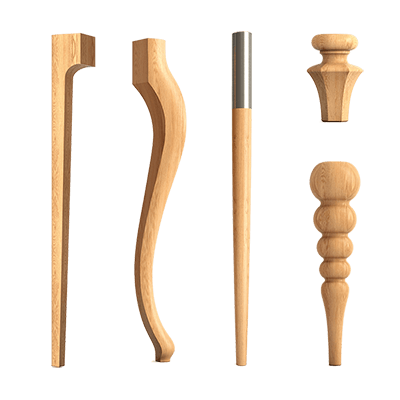
Jupiter next to turned legs
A spherical knob easily connects with furniture supports, finials, and other rounded decor.
It doesn't have to exactly match the diameter of the leg, but the overall shape should be noticeable.
Same wood species enhances
Handles for hallway
On a tall cabinet, Atlas makes it easier to find a grip point and creates a vertical reference.
On a shoe cabinet and small drawer, Jupiter looks more proportional.
The 45 mm protrusion is checked in a narrow passage.
The handle should not touch the entrance door, wall, or clothing.
Handles for children's furniture
Jupiter is more suitable for small fronts and drawers.
Atlas can be used on a tall cabinet if the installation length and height are comfortable for the child.
Safety depends on the attachment, protrusion, coating, and furniture construction.
Universal suitability cannot be guaranteed solely due to a rounded shape.
Handles for an office
Oak Atlas with a tinted finish supports a tall cabinet and natural furniture.
Jupiter fits desk drawers and small doors.
One model connects large and compact hardware.
Before drilling, check the internal guides and shelves.
Handles for buffet and display cabinet
Atlas can be placed on large lower doors or wide drawers.
Jupiter better preserves glass and framed upper fronts.
The decorative handle does not perform the function of holding the glass.
Distributing two models helps separate the massive lower and light upper parts.
Handles for furniture in a boutique
Sculptural Atlas makes a cabinet or display case recognizable.
Jupiter is repeated on small boxes in the checkout area and on pedestals.
For commercial spaces, the prototype, wear-resistant finish, and consistent layout are important.
The batch of handles must be accepted before all furniture is installed.
Practical choice: a facade about 300 mm wide
Atlas 240 mm can take up almost the entire width, so margins should be left on the edges and the frame checked.
Jupiter with a diameter of 29 mm usually looks lighter.
If the drawer is heavy and wide in depth, the convenience of a single button is tested on a sample.
The size of the facade alone does not replace a grip test.
Practical choice: a facade about 450 mm wide
Atlas 240 or 400 mm can be compared using full-size templates.
Jupiter maintains a minimalist look and fits a small door.
On a wide drawer, a pull is often more convenient because it provides an extended grip area.
The marking is connected to the internal guides.
Practical choice: cabinet height about 2000 mm
For a tall door, consider Atlas 560, 801, or 1041 mm.
Maximum length is not mandatory: sometimes the medium version better preserves free margins.
Jupiter remains a local point and may look too small.
The final choice is made using a template on the closed facade.
Practical choice: small cabinet
Jupiter usually matches the scale and requires one hole.
Atlas 240 mm may be wider than the useful field.
If the cabinet has a wide drawer and a smooth front, the short Atlas can still be checked.
The solution depends on width, frame, and grip comfort.
Practical choice: wide lower kitchen drawer
Horizontal Atlas distributes the grip and emphasizes width.
Jupiter can be used with one or two buttons, but this scheme requires checking symmetry and convenience.
Two buttons are not equal to one bracket in feel and installation.
The buyer should compare real prototypes.
Practical choice: upper kitchen door
Jupiter takes up little space and remains lightweight.
The Atlas 240 mm is only suitable for a sufficiently large door and can visually weigh down the top row.
The height of placement affects the ease of grip.
The button is not placed too close to the corner without checking the strength.
Practical choice: a facade with a carved overlay
Jupiter is easier to place next to the central decor.
Atlas can overlap the overlay or compete with it in the rhythm of spheres.
If a long bracket is necessary, it is shifted to a free field according to the project.
A full-size layout should include both the handle and the entire decor.
Practical choice: replacing hardware without repainting
Jupiter is easier to install into an existing single hole if it fits.
Atlas requires matching two points and a neat facade condition.
Transition between types often leaves extra holes.
Without repair options, it's better to look for a model with compatible markings.
Practical choice: custom-made new furniture
The handle type is determined before the facades are made.
This way the craftsman can embed even holes, reinforcement, and a convenient position.
Atlas and Jupiter distribute across all furniture with one scheme.
Ordering in one batch reduces the risk of differences in wood and finish.
Mistake: choosing a handle only from a photo
Without scale, Atlas may appear more compact, and Jupiter larger than actual size.
The photo does not show how 1041 mm looks on a specific door and how noticeable the 45 mm protrusion is.
A paper template and a 3D fitting provide a more accurate answer.
Before ordering, you need to compare several sizes on the same facade.
Error: confusing the total length of Atlas with the center distance
Length A describes the overall dimension of the handle, while parameter D is related to the mounting geometry.
For the 240 mm version, a center distance of 160 mm is confirmed.
For lengths 560, 801, and 1041 mm, the repeating D of 240 mm cannot be interpreted without a DWG.
Drilling based on the overall length will lead to a serious error.
Error: drilling based on a text description without a drawing
The card helps to choose the model, but holes must be marked according to the exact drawing and the actual product.
This is especially important for the long Atlas with two points.
One wrong center can ruin the facade.
First, check the template on a separate sample.
Error: ignore the discrepancy of 42 and 45 mm for Jupiter
The table shows a dimension of 45 mm, but the text description mentions 42 mm.
The difference is small, but can be important near a wall, adjacent door, or in a tight passage.
The article uses 45 mm as the current table value.
Before the production drawing, you need to check the DWG.
Error: placing Atlas 1041 mm on a too narrow facade
A long handle requires free margins and sufficient door width.
On a narrow cabinet, it can approach the edges and look disproportionate.
Maximum size does not automatically make furniture more expressive.
The template helps choose 560 or 801 mm instead of 1041 mm.
Error: using Jupiter on a large heavy door without checking
A compact handle may be visually appropriate but not always convenient for a large facade.
The user should be able to easily grip it and open the door without excessive force.
The permissible load cannot be derived from a diameter of 29 mm.
The solution is tested on a real furniture sample.
Error: installing Atlas on a small drawer
Even the 240 mm version can take up almost the entire width and cover the decorative frame.
Two holes may also end up too close to the edges.
Jupiter is often more suitable for a compact box.
If a bracket is needed, it's worth comparing other models in the category.
Error: placing Jupiter too close to the edge
A single drilling point seems simple, but the thin section of the facade may be weaker.
The button should be placed on a sturdy area and leave comfortable space for fingers.
On paired doors, the points are mirrored.
The markings are checked from the inside.
Error: replacing a bracket with a button without repairing the second hole
After removal, two points remain, but Jupiter uses one.
Opening a second hole will worsen the appearance and protection of the facade.
Local repair is especially difficult on tinted oak.
It is better to plan the transition together with the complete finishing of the door.
Error: replacing the Atlas button without checking the internal fittings
The two new holes may hit the hinge, guide, or fastener.
A long handle also requires more space inside and outside.
First, study the facade structure.
Only then choose the length and coordinates.
Error: mixing beech and oak accidentally
Wood species have different textures and visual character.
On one set, random alternation will be noticeable even with a close shade.
For enamel, beech is more often chosen; for tinting, oak.
Contrast is used only as a deliberate design scheme.
Error: painting different batches separately
Color, gloss, and coating thickness may vary.
On repeating Jupiter, the discrepancy turns into a noticeable grid.
On long Atlas, the difference is especially visible next to paired doors.
It is better to finish the entire set at the same time.
Error: considering an unpainted model ready for installation
Prestige sanding does not replace enamel, tinting, and protective finish.
Frequent touching will quickly dirty untreated wood.
If self-finishing is not planned, it's worth looking at M versions.
Before installation, the entire coating cycle must be completed.
Error: transferring M version coating to HL-071 or HL-064
Unpainted and finished models have separate cards.
It cannot be claimed that the base Atlas or Jupiter already has the finish of the finished version.
When purchasing, check the full article number, including the M index.
This protects against incorrect expectations regarding color and readiness.
Error: using one type of handle throughout the entire apartment without assessment
A tall cabinet, a small nightstand, and a kitchen drawer require different scales.
Atlas and Jupiter can be distributed across tasks while maintaining a common spherical motif.
Mechanical repetition of one model often worsens usability.
The facade map helps avoid such a mistake.
Error: not accounting for the protrusion in the passage
Both handles have a table protrusion of 45 mm.
In a narrow hallway, next to a bed, or between kitchen rows, this size affects movement.
Long Atlas also creates a large contact zone.
The volumetric template is checked with doors and drawers open.
Error: not checking the position of two Atlas on paired doors
Handles that are too close can interfere with fingers and look like one heavy strip.
Too far apart — break the connection between the doors.
The position depends on the profile width and gap.
Paired facades are marked simultaneously.
Error: installing Atlas without checking verticality
Even a slight misalignment is noticeable on a long handle.
The facade level does not always align with the edge of the furniture or floor.
The marking is checked with several control lines.
Final drilling is performed only after repeated measurement.
Error: buying one handle for a prototype from a different batch
The control sample must match the future order in material and finish.
Otherwise, the color and wood grain of the series may differ.
After approval, it is better to order the full set.
The template and finishing sample are kept.
Error: do not count the full quantity
In the kitchen or dressing room, it is easy to forget the inner drawer, mezzanine, or the second side of paired furniture.
A repeat order may differ by batch.
The list is compiled for each facade: model, length, material, finish, and orientation.
The result is checked against the furniture drawing.
Who is Atlas HL-071 suitable for
The model is suitable for the owner of a tall cabinet, pencil case, wide drawer, large chest of drawers, or sideboard.
It is needed when the hardware should become a noticeable part of the design and provide an extended grip area.
Atlas performs especially well on smooth medium and large facades.
The buyer must be ready to precisely mark two mounting points.
Who Atlas HL-071 is not suitable for
The bracket may be excessive for a small drawer, narrow door, or facade with dense carved decor.
Long versions require checking the DWG and free space.
If a simple button replacement without facade repair is needed, Atlas will complicate the task.
In such cases, Jupiter or another compact model is more logical.
Who Jupiter HL-064 is suitable for
The button suits small doors, drawers, cabinets, vanity tables, and upper kitchen facades.
It preserves the frame, requires one drilling point, and is easily repeated in a series.
The model is convenient for a buyer who wants a soft spherical motif without a long line.
Especially practical on compact furniture.
Who Jupiter HL-064 is not suitable for
One small knob can get lost on a tall smooth cabinet or be inconvenient on a wide heavy drawer.
It does not create a vertical accent and does not replace the long grip zone of Atlas.
On large furniture, you need to check convenience by actually opening it.
Sometimes it is better to choose a pull or two knobs according to a separate project.
What to buy together and which pages to open nearby
Choosing a handle does not end with the card of one item. The buyer needs to decide whether the hardware will be unfinished or ready, which type to use on each facade, and whether to keep one series on all furniture. The categories of pulls and knobs help compare alternatives, and the ready-made M versions allow you to skip self-finishing if the available option fits the project.
The accompanying set in this topic is not a mounting kit, but a coordinated system of handles. Atlas can be distributed across large facades, Jupiter across small ones. All items must match in wood species, finish, and overall style, while the fasteners and screw length are checked against the thickness of specific doors and drawers.
| What to add to the selection | Why | For which scenario | What to Check |
|---|---|---|---|
| Bail handle made of turned wooden spheres | Design a tall or wide facade | Cabinet, pencil case, large drawer, sideboard | Length, DWG, two attachment points and protrusion |
| Round furniture handle with a diameter of 29 mm | Maintain compact scale | Nightstand, small drawer, upper cabinet | Size 29 × 29 × 45 mm and one hole |
| Choose handles for kitchen, cabinet, and dresser | Compare other sizes and shapes | When Atlas and Jupiter are not suitable | Mounting type, material, and facade scale |
| Select hardware without a ready-made coating | Order custom enamel or tinting | Furniture for custom finishing | Wood species and a unified painting cycle |
| View long handles for cabinets | Compare Atlas with other brackets | Large facade and two mountings | Center-to-center geometry and overall length |
| Round knobs for a dresser and nightstand | Compare compact buttons | Small facade and single mount | Diameter, protrusion, and grip comfort |
| Choose a ready-made long handle finish | Skip self-painting | Ready-made furniture and quick installation | Current finish and size |
| Ready-made spherical furniture knob | Get a compact button with finish | Kitchen, dresser, cabinet | Color, batch, and facade matching |
How not to confuse Atlas with a metal railing
Atlas has a metal rod, but its visible shape is built from wooden spheres.
In the catalog, it is classified as a pull handle, not as a Gola profile handle or regular metal railings.
Choosing this model is related to the tactility of wood and the sculptural pattern.
If you need a flat or fully metal profile, you should look at another category.
How not to confuse Jupiter with a regular round blank
Jupiter is a ready-made furniture handle on a metal base with pre-installed fasteners.
A wooden ball without a base and screw assembly does not automatically replace it.
The diameter of 29 mm describes the wooden part, while the full actual size includes a 45 mm protrusion.
Buying a random bead instead of fittings is irrational.
How not to confuse Atlas HL-071 and HL-071M
HL-071 is intended for self-finishing, HL-071M has a separate version card with coating.
The M index cannot be omitted when ordering if the buyer needs a ready color.
The size range and available options must be checked in each card separately.
A photo of the finished version does not confirm the coating of the base model.
How not to confuse Jupiter HL-064 and HL-064M
The base Jupiter is offered for enamel or tinting, while the M version is a finished product with coating.
Both retain the spherical shape and single-point principle, but the finishing condition differs.
The full article number is specified in the specification.
This is especially important when a furniture workshop orders handles for ready assembly.
How to buy on STAVROS
First, divide the facades into large and compact ones.
For large ones, open the Atlas card and compare five lengths; for small ones, use Jupiter with a diameter of 29 mm.
Then choose beech or oak, an unpainted or finished version, and compile the total quantity.
Before payment, check the drawing, facade thickness, existing holes, and current configuration.
What to check in the Atlas card before ordering
Exact length, thickness of 28 mm, protrusion of 45 mm, and parameter D are needed.
For 240 mm, the center distance of 160 mm is confirmed; for other options, the marking must be checked against the DWG.
Check the material, finish condition, and quantity.
For a pair of long handles, keep one installation template.
What to check in the Jupiter card before ordering
Check the diameter of 29 mm, the table protrusion of 45 mm, beech or oak, and the version without coating or with index M.
Due to the discrepancy of 42/45 mm, you need to open the DWG before precise design.
Make sure that one hole falls into the strong field of the facade.
The screw length is coordinated with the door thickness.
How to compile a specification for a set
For each facade, record the model, length, orientation, material, and finish.
Atlases of different sizes are not combined in one line.
Jupiter is counted by the number of doors and drawers.
The finished list is checked against the furniture layout and the number of mounting points.
How to order handles in one batch
Ordering simultaneously helps achieve similar wood texture and uniform preparation.
This is especially important for oak intended for tinting and paired Atlas handles.
If some handles are purchased later, the shade may differ.
A spare handle for a large project can be finished together with the main batch.
How to inspect handles before drilling
Check the article number, length, material, surface condition, and quantity.
Atlas handles are compared to a template and two mounting points are checked.
Jupiter handles are measured by actual protrusion and base.
All issues are resolved before painting and installation.
How to care for Atlas
Dust can accumulate between the spheres, so the handle is cleaned with a soft cloth or brush.
The care product is chosen based on the finish coating.
Do not pull the handle by one end sphere if the project assumes a normal grip on the central area.
Periodically check the fasteners on the inside of the facade.
How to care for Jupiter
Wipe the button without abrasives or harsh chemicals.
If the handle starts to rotate, check the tightness without damaging the facade.
Tinted oak should only be repaired with a compatible compound.
A spare finish sample is useful for local restoration.
FAQ: questions about Atlas HL-071 and Jupiter HL-064
How is Atlas HL-071 different from Jupiter HL-064?
Atlas is a long handle bracket made of a series of wooden spheres with two attachment points. Jupiter is a compact spherical button with a diameter of 29 mm and one attachment point.
What lengths are available for Atlas HL-071?
The current card shows 240, 400, 560, 801, and 1041 mm.
What is the center distance for Atlas with a length of 240 mm?
For the base version, 160 mm is confirmed.
What is the D parameter specified for Atlas 400 mm?
The table indicates 320 mm, but you still need to check the drawing before drilling.
Why is D specified as 240 mm for Atlas 560, 801, and 1041 mm?
This value is repeated in the table, but without the DWG, it cannot be confirmed as the standard center distance for all lengths.
Do I need to open the DWG before drilling Atlas?
Yes. For a long bracket, the exact position of the two mounting points is critical.
How many wooden balls does the Atlas 240 mm have?
For the base version, nine spheres with a diameter of 28 mm are confirmed.
What protrusion does the Atlas have?
45 mm according to the current table.
What is the current size of Jupiter?
The table specifies a size of 29 × 29 × 45 mm.
Why does the Jupiter description mention 42 mm?
There is a discrepancy between the text and the table on the page. The article uses 45 mm, but for an accurate project, the DWG needs to be checked.
How many holes are needed for Jupiter?
One hole.
Which handle is suitable for a tall cabinet?
More often Atlas, especially versions 560, 801, or 1041 mm after full-size fitting.
Which model to choose for a small drawer?
More often Jupiter with a diameter of 29 mm.
Will Atlas fit for an upper kitchen cabinet?
A 240 mm version is possible on a sufficiently large facade, but Jupiter usually keeps the top row easier.
Can Jupiter be installed on a wide kitchen drawer?
Yes, but the convenience of a single button needs to be checked. Sometimes Atlas or two buttons per separate project are more rational.
Can two Jupiter handles be installed on one drawer?
As a design scheme, if both points are symmetrical and convenient to use.
Can I replace the old bracket with Jupiter?
After the bracket, a second hole will remain that needs to be repaired.
Can I replace the button on Atlas?
Yes, but two new mounting points will be needed and a check of the free field.
What to choose for white enamel?
Beech
How to preserve the handle texture?
Choose oak and an agreed tint with a protective finish.
Are there versions of Atlas and Jupiter with coating?
Yes, individual cards have Atlas HL-071M and Jupiter HL-064M.
Can I combine Atlas and Jupiter in one set?
Yes. Atlas suits large facades, Jupiter suits small ones, and the common spherical motif ties them together.
How to check the thickness of the facade?
Measure the door or drawer and select fasteners based on actual thickness and handle set completeness.
Where to buy Atlas HL-071?
In the card of the unpainted Atlas pull handle on the STAVROS website.
Where to buy Jupiter HL-064?
In the card of the unpainted Jupiter knob handle on the STAVROS website.
What should be checked before ordering?
Model, length or diameter, material, finish, mounting points, DWG, face thickness, existing holes, and total quantity.
Summary: sculptural Atlas or compact Jupiter
Atlas HL-071 is chosen for large facades, tall cabinets, tall units, wide drawers, or sideboards. Five lengths from 240 to 1041 mm allow creating a horizontal or vertical line of turned wooden spheres. Two mounting points require precise marking, and options 560–1041 mm require mandatory DWG verification, since the D 240 mm parameter cannot be considered a standard center distance without confirmation.
Jupiter HL-064 is chosen for small doors, nightstands, dressers, vanity tables, and upper kitchen facades. The wooden part diameter is 29 mm, one mounting point, and the current table projection of 45 mm helps preserve free space. Due to a discrepancy with the text value of 42 mm, the exact dimension should also be verified against the drawing before production.
Both models are made from beech or oak with a "Prestige" sanding finish. Beech is suitable for enamel, oak for tinting. The buyer can choose unpainted HL-071 and HL-064 or view ready-made versions HL-071M and HL-064M with separate cards. In a single set, Atlas and Jupiter should be reasonably distributed according to facade scale, maintaining the common wood species and finish.
On the STAVROS website, you can open cards of two models, compare categories of handles and knobs, and compile a full specification for a kitchen, cabinet, or dresser. This choice is more reliable than a random purchase: dimensions, mounting type, material, and finish condition are known in advance, and the facade can be prepared according to an accurate drawing before drilling.