Article Contents:
- Architectural elements in a project are a system, not a set of beautiful details
- Lower part
- Vertical part
- Upper part
- Horizontal termination
- Pilasters
- Columns
- Engaged columns
- Bases
- Capitals
- Moldings and Cornices
- Carved details
- Additional decorative elements
- A pilaster is suitable when
- A column is suitable when
- A half-column is an intermediate option
- Practical test
- Low room
- High hall
- Wide doorway
- Small opening
- Relative scale
- Joint with baseboard
- Base width
- Base height
- Smooth or carved
- Flat or three-dimensional
- Ornament
- What to check
- Width
- Height
- Ornament
- Base is too tall
- Capital is too small
- Capital is much wider than the shaft
- Different ornamental languages
- Quick proportion check
- Step 1. Secure the opening
- Step 2. Determine the verticals
- Step 3. Resolve the lower joint
- Step 4. Determine the top
- Step 5. Check the connection to the ceiling
- Example of a complete set
- What to Check
- Pilaster as a vertical axis
- Don't place a pilaster "in a free spot"
- Passage
- Cross-section
- Height
- Base
- Top
- Decorative and load-bearing column
- Transparent finish
- Painting
- Patina
- When polyurethane is convenient
- What not to do
- How to check
- Doric
- Ionic
- Corinthian
- Design principle
- Use real dimensions
- Check the overall and close-up view
- Why 3D is not enough
- Why DWG does not replace a specification
- Why a code does not replace an SKU
- Status
- Why this is important
- Mistake 1. The base does not align with the skirting board
- Mistake 2. The capital does not match in width
- Mistake 3. Scale is too large
- Mistake 4. Incorrect ornament
- Mistake 5. A placeholder 3D model instead of a real SKU
- Error 6. Left and right elements forgotten
- Error 7. Cornice selected after pilasters
- Error 8. The specification counts a "set", but procurement requires individual SKUs
- Small room
- Minimalist architecture
- Active furniture
- Engineering constraints
- No budget for detailing junctions
- Pilasters and Columns
- Capitals
- Carved decoration
- Trim
- Catalog
- Professional file handling
- What to store
- Why
- Geometry
- Product data
- Digital files
- Commercial part
- How does a pilaster differ from a column in a project?
- Should a capital be selected together with a pilaster?
- Which element should be selected first?
- Can wood and polyurethane be combined?
- Where can I find real profiles and dimensions?
- How do I calculate a portal?
- Is a 3D model needed?
- Why is DWG needed?
- When is it better to choose a pilaster instead of a column?
- What is essential before ordering?

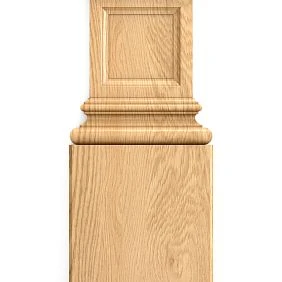
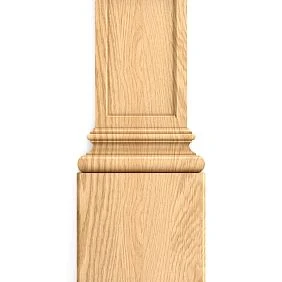
An architectural assembly cannot be put together from parts that simply happen to appeal to you. A pilaster, base, capital, and cornice work as a single vertical-horizontal system: the lower part provides support, the vertical forms the rhythm, the capital completes it, and the upper profile ties the composition to the wall, door portal, or ceiling. Therefore architectural elements for the project they should be selected not individually, but as a compatible set.
Work sequence:
architectural task → system type → base → pilaster / column → capital → top finishing → dimension check → SKU → 3D/DWG → specification → calculation → order.
This approach is especially important for door portals, fireplace areas, libraries, offices, formal halls, niches, accent walls, and built-in furniture. In these scenarios, an error in even one element changes the proportion of the entire composition.
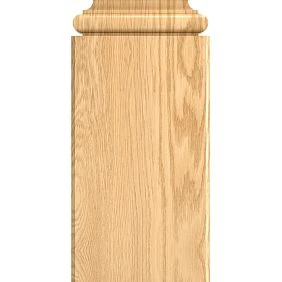
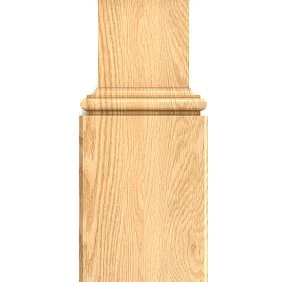
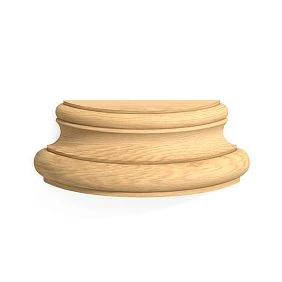
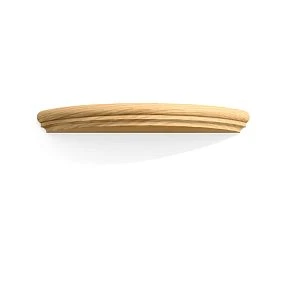
Architectural elements in a project are a system, not a set of beautiful details
The main mistake is choosing each detail separately.
For example:
- the designer liked a capital;
- later a pilaster is selected for it;
- the base turns out to be narrower than the pilaster;
- the upper cornice has a different scale;
- the skirting board does not align with the base.
In a render, this can sometimes be “assembled,” but in a working drawing the incompatibility becomes obvious.
Correct logic:
bottom → vertical → top → horizontal termination.




Lower section
The base must:
- match the width of the pilaster or column;
- have a clear projection;
- align with the skirting board;
- not block the doorway or furniture;
- maintain the overall scale of the composition.
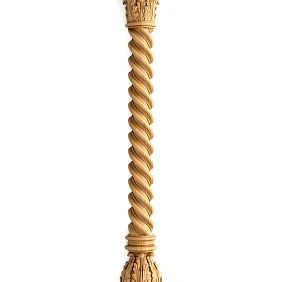
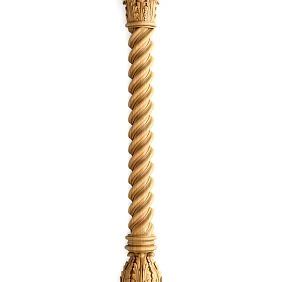
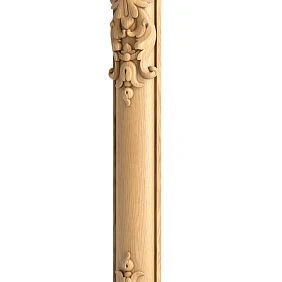
Our factory also produces:
Vertical part
This is a pilaster, half-column, or column.
It determines:
- height;
- width;
- rhythm;
- vertical axis;
- distance between elements;
- visual weight.
Get Consultation
Upper part
The capital should be connected not only to the vertical, but also to the future cornice, architrave, or other upper termination.
Horizontal termination
A molding, cornice, or wooden profile connects the vertical elements to each other and turns a set of details into an architectural composition.
That is why Wooden pilasters better considered in a system with bases, capitals, and adjacent trim.
Which architectural elements should be included in the project
Pilasters
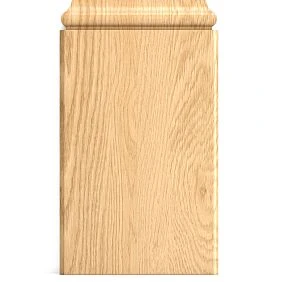
A pilaster works together with the wall. It does not take up as much space as a full-fledged column and is well suited for:
- door portals;
- niche;
- fireplace zones;
- long walls;
- libraries;
- built-in furniture;
- symmetrical wall compositions.
Columns
wooden columns are needed where the vertical should read as a standalone volume.
These can be:
- large halls;
- passage areas;
- island compositions;
- formal interiors;
- decorative space dividers.
Half-columns
A half-column gives a more voluminous silhouette than a pilaster, but remains connected to the wall.
It is useful when a flat vertical is not enough, and a full round column takes up too much space.
Bases
The base forms the lower termination of the vertical.
It cannot be considered a standalone decoration: geometrically, it must support the pilaster or column.
Capitals
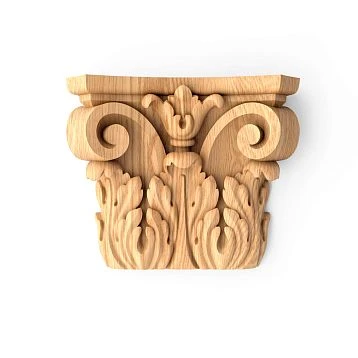
wooden capitals complete the top of the vertical element and help connect it to the cornice, architrave, or another upper horizontal.
Moldings and Cornices
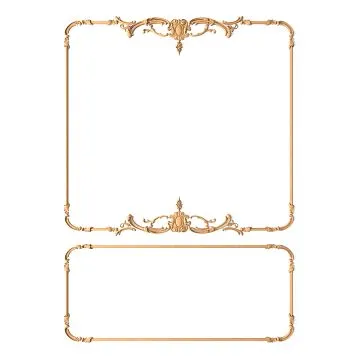
Wooden moldings and cornices connect the vertical details with the rest of the room's architecture.
Carved details
Carved wooden decoration adds local accents — overlays, rosettes, brackets, and other elements.
Additional decorative elements
wooden decorative elements can complement a portal, furniture unit, or wall composition, but must conform to the overall scale.
When to choose a pilaster and when a column
The choice is determined not by style, but by the spatial task.
A pilaster is suitable when
- the element should work with the wall;
- usable area needs to be preserved;
- a doorway is being framed;
- a long wall needs to be divided;
- a vertical is required next to built-in furniture;
- the composition is built on a flat elevation.
A pilaster is especially convenient in small and medium-sized rooms, where a freestanding column volume can obstruct passage.
A column is suitable when
- a freestanding volume is needed;
- there is enough free space;
- the project requires a formal composition;
- the vertical element should work from all sides;
- the element forms a spatial axis.
A half-column is an intermediate option
It retains volume but is more strongly tied to the wall.
Practical test
Before choosing, you need to look not only at the frontal view but also at the plan.
If, after installing a column, the passage narrows to an inconvenient width or the element interferes with furniture, a pilaster may be more practical.
However, if the vertical element is in a large hall and needs to be read from several directions, a flat pilaster may look insufficiently expressive.
How to choose the size of an architectural element
Size cannot be chosen separately from the room.
Need to consider:
- ceiling height;
- wall width;
- the width of the doorway;
- furniture size;
- the height of the baseboard;
- scale of the ceiling cornice;
- viewing distance.
Low room
A pilaster that is too wide with a large capital visually makes the wall heavier.
Tall hall
A very narrow vertical element may get lost.
Wide door portal
If the pilasters are too thin relative to the opening, the composition does not gain enough visual weight.
Small opening
Large bases and capitals can reduce the usable field and overload the portal.
Relative scale
For example, the wall width is 3000 mm and the pilaster is 150 mm:
150 / 3000 = 5%.
On a 7000 mm wall, the same element occupies:
150 / 7000 ≈ 2,1%.
The same SKU will be perceived differently.
How to choose a pilaster base
The base is not just a lower decorative element. It determines how the system meets the floor and the skirting board.
Need to check:
- width;
- height;
- protrusion;
- the material;
- profile;
- the junction with the baseboard;
- position relative to the door.
Joint with the baseboard
This is one of the most problematic junctions.
Possible solutions:
- the skirting board meets the base and stops;
- the base protrudes forward and receives the skirting board on the side;
- the skirting board runs through the composition;
- the base has a separate plinth profile.
This issue cannot be left to the installer to decide "on site."
Base width
If the base is noticeably narrower than the shaft, the vertical visually loses its support.
If it is much wider, the lower part becomes excessively heavy.
Base height
A tall base in a small room can consume a significant part of the vertical rhythm.
How to choose a pilaster
For a pilaster, check:
- width;
- height;
- thickness;
- relief;
- orientation;
- the material;
- compatibility with the base;
- compatibility with the capital;
- the junction point with the upper profile.
The STAVROS category includes Carved pilasters and columns, as well as bases, columns, pilasters, and half-columns, so different types of verticals can be found within the design system.
Smooth or carved
A smooth element works better in calmer architecture.
Carved — when a pronounced ornamental center is needed.
Flat or three-dimensional
A flat pilaster works well on a wall.
A column or half-column — when volume is needed.
Ornament
You can't look only at the beauty of the pattern. You need to check:
- scale;
- repeat;
- direction;
- compatibility with the capital;
- adjacent decor.
How to choose a capital
The capital is selected after determining the vertical, not before.
Correct sequence:
pilaster width → system height → top profile → capital type → SKU.
What to check
- width;
- height;
- overhang;
- relief;
- the material;
- ornament;
- symmetry;
- the point of transition into the cornice.
Width
The capital can be wider than the pilaster — this is normal if the proportion looks intentional.
But too large an overhang in a narrow portal creates a conflict with the door or the adjacent wall.
Height
A capital that is too low gets lost.
One that is too high takes up a significant part of the vertical.
Ornament
If the pilaster is strict and the capital is excessively saturated with plant relief, the system may look assembled from different sets.
Base + pilaster + capital: how to check proportions
The set should be evaluated as a single silhouette:
bottom → shaft → top.
If the parts are chosen separately, four problems most often arise.
Base too tall
It visually shortens the vertical element and makes the composition bottom-heavy.
Capital too small
The top does not complete the pilaster and looks accidental.
Capital much wider than the shaft
A large overhang is acceptable, but only if the surrounding space allows it to work.
Different ornamental languages
For example, a strict geometric pilaster and a very organic floral capital can clash with each other.
Quick proportion check
First, place the set into the drawing at real scale.
Then check:
- overall height;
- base width;
- shaft width;
- capital width;
- distance to the door;
- connection with the upper cornice.
Only after that does it make sense to evaluate the decorative details.
How to assemble a door portal
A door portal is one of the most illustrative design assemblies.
Work sequence:
skirting board → base → pilaster → capital → architrave / cornice.
Step 1. Secure the opening
Required:
- width;
- height;
- wall thickness;
- platband;
- the direction of opening;
- adjacent sockets and switches.
Step 2. Determine the verticals
Pilasters must not accidentally narrow the passage or interfere with the door leaf.
Step 3. Decide on the lower joint
The skirting board and base must be coordinated in advance.
Step 4. Determine the top
The capital and horizontal termination must relate to the width of the portal.
Step 5. Check the connection to the ceiling
If a continuous cornice of the room runs above the door, the portal must be aligned with it.
Example of a complete set
A single symmetrical portal may require:
- 2 bases;
- 2 pilasters;
- 2 capitals;
- top profile of the required length;
- additional central elements.
That is why the specification must not contain the line “portal — 1 set” if purchasing is done by individual SKUs.
Architectural elements for the fireplace area
The fireplace composition follows a similar logic, but the scale is set by the portal itself.
The following can be used on the sides:
- pilasters;
- half-columns;
- carved overlays;
- Brackets.
At the top:
- capitals;
- horizontal cornice;
- central decorative element.
What to check
- width of the fireplace portal;
- height;
- clearance to the ceiling;
- TV or mirror above the fireplace;
- side furniture;
- plinth;
- symmetry.
A large capital near a small portal easily overloads the composition.
Pilasters in wall composition
A pilaster does not have to frame only a door.
Scenarios:
- between moulding panels;
- along the edges of an accent wall;
- around a mirror;
- around a TV zone;
- in a library;
- next to built-in furniture.
Pilaster as a vertical axis
It should continue the overall grid.
If there are already frames on the wall, the pilaster can align with their vertical boundaries.
If there is a built-in wardrobe nearby, the vertical can be tied to its sections.
Do not place the pilaster "in a free spot"
This is one of the most common compositional defects.
The vertical must have a reason:
- center;
- edge;
- axis;
- symmetry;
- the boundary of the zone.
Columns and decorative elements: how to use a volumetric vertical
A full-fledged column requires checking not only the frontal view, but also the plan.
Passage
The column should not create an inconvenient narrow circulation zone.
Section
For a volumetric vertical, the diameter or width matters.
Height
It must be aligned with the ceiling and the capital.
Substrate
The base must have sufficient margin around it.
Top
The capital must not conflict with the ceiling cornice.
Decorative and load-bearing column
A decorative element cannot automatically be considered a load-bearing structure.
If the column is to bear a load, that is a separate engineering task.
Architectural elements made of solid wood
Wood is especially appropriate where natural texture and joinery logic matter.
Relevant for design work:
- Oak;
- Beech;
- massive pilasters;
- base;
- capitals;
- columns;
- carved accents;
- molding.
Transparent finish
If the wood remains visible, the following are important:
- pattern;
- shade;
- grain direction;
- stain;
- oil;
- Polyurethane
Painting
If the elements are painted to match the wall or furniture, the texture becomes less dominant, but the surface quality and relief remain critical.
Patina
It emphasizes the relief and requires a physical sample.
Polyurethane architectural elements
For lightweight wall and ceiling systems, it is convenient Polyurethane moldings.
In the project, it can cover:
- Moldings;
- cornices;
- wall decor;
- overlay elements;
- Ceiling compositions.
Moldings made of polyurethane especially useful when the architectural system is built with frames and extended lines.
Polyurethane wall decor can be used for local accents, but its scale should be tied to wooden or polyurethane verticals.
When polyurethane is convenient
- painting is required;
- low weight is important;
- repeatability is required;
- the system contains a lot of linear trim;
- the decor should match the wall color.
How to combine wood and polyurethane in one project
You don't have to choose one material for everything.
For example:
wooden portal + polyurethane wall moldings + ceiling cornice.
Such a combination works if these match:
- scale;
- styling;
- color;
- the character of the profile;
- visual weight.
What not to do
It is not advisable to combine:
- a very massive carved wooden capital;
- a thin minimalist molding;
- a small geometric ornament;
- a large Baroque applique,
if there is no common logic between them.
How to check
Place all elements in a single 3D frame and on a single unwrap.
How to choose an architectural order without stylistic mistakes
In a project, you don't need to turn the choice of decor into an architecture history textbook. But it's useful to understand the general character of the order.
Doric
More austere, geometric, and restrained.
Ionic
More plastic, often with more pronounced volutes and details.
Corinthian
The most richly decorated with plant ornament.
Design principle
If an expressive type of capital is chosen, the other elements should not compete with it in scale and motif.
How to check the system in 3D
3D models of architectural decor are needed primarily to verify the actual composition.
Visualization allows you to evaluate:
- scale;
- proportions;
- protrusions;
- chiaroscuro;
- distances;
- combination with furniture;
- legibility of the ornament.
Use real dimensions
A placeholder column from a third-party library may have a different diameter or height.
If the project is being prepared for procurement, the final model must match the selected SKU.
Check the overall and close-up view
The general view shows the architectural role.
Close-up — the quality of the relief.
Side view — the projection and depth.
How to detail an architectural node in DWG
DWG of architectural decor helps translate the visual system into working documentation.
On a section or elevation, you need to show:
- axis;
- floor level;
- base;
- pilaster shaft;
- capital;
- upper cornice;
- actual dimensions;
- junctions;
- distances to the door and furniture.
Why 3D is not enough
The installer should not determine dimensions from a render.
Why DWG does not replace a specification
A drawing shows geometry, but does not always contain the full product set.
Therefore, both parts are needed:
DWG + SKU specification.
How to assign design codes to architectural elements
For a complex detail, it is convenient to use design designations.
For example:
AR-01 — base
AR-02 — pilaster
AR-03 — capital
AR-04 — cornice
Then short codes can be shown on the drawing, while product data is expanded in the specification.
Why the code does not replace SKU
AR-02 — internal project identifier.
SKU — identifier of the actual product.
Combination:
AR-02 → STAVROS → SKU → URL.
Specification of architectural elements
Example:
| Code | SKU | Element | Material | Size | Quantity |
|---|---|---|---|---|---|
| AR-01 | … | Base | Oak | … | 2 pcs. |
| AR-02 | … | Pilaster | Oak | … | 2 pcs. |
| AR-03 | … | Capital | Oak | … | 2 pcs. |
| AR-04 | … | Cornice | Wood | … | … m |
Additionally, it is useful to store:
- room;
- zone;
- URL;
- finish;
- orientation;
- approval status;
- project revision.
Status
Use:
- SHORTLIST;
- APPROVED;
- SPECIFIED;
- ORDERED.
Only final items are included in the purchase.
How to calculate the set for one portal
Error — write:
“portal — 1 pc.”
A breakdown by components is needed for the purchase.
Example:
- 2 bases;
- 2 pilasters;
- 2 capitals;
- cornice of the required length;
- additional overlays;
- fasteners and installation materials — according to a separate scheme.
If the project contains three identical portals:
- bases:
2 × 3 = 6 pcs.; - pilasters:
2 × 3 = 6 pcs.; - capitals:
2 × 3 = 6 pcs..
Linear footage is calculated separately.
Why this is important
Each component has its own SKU and can be ordered separately.
The scope of supply must be clear even before a commercial inquiry.
Typical design mistakes
Mistake 1. The base does not align with the skirting board
Why it happens: the base is chosen after the skirting board, or vice versa.
Consequence: a random cut appears on site.
How to prevent it: resolve the joint in section before purchasing.
Mistake 2. The capital does not match in width
Why it happens: it is chosen by ornament separately from the pilaster.
Consequence: the top looks out of place.
How to prevent it: compare the set on a single elevation.
Mistake 3. Scale that is too large
Why it happens: the item is judged only by a large photo.
Consequence: a small room becomes overloaded.
How to prevent: check in 3D relative to the wall, door, and furniture.
Mistake 4. Incorrect ornament
Why it happens: individual elements were liked independently.
Consequence: the scheme looks assembled from different collections.
How to prevent: choose a single ornamental core.
Mistake 5. A conditional 3D model instead of a real SKU
Why it happens: quick visualization is needed.
Consequence: procurement changes the actual geometry of the project.
How to prevent: replace the proxy before final approval.
Error 6. Left and right elements forgotten
Why it happens: the object is simply mirrored in the render.
Consequence: the wrong quantity was purchased.
How to prevent: list L/R as separate lines.
Error 7. Cornice selected after pilasters
Why it happens: the top finishing element is postponed until later.
Consequence: the capital and the profile conflict.
How to prevent: check the entire vertical assembly at once.
Error 8. The specification counts a “set,” but procurement requires individual SKUs
Why it happens: design logic and commercial logic are not synchronized.
Consequence: missing base, capital, or profile.
How to prevent: lay out the set by SKU.
When an architectural system is not needed
Not every wall requires pilasters or columns.
Small room
If a large vertical element physically consumes usable width, it is better to use a flatter system.
Minimalist architecture
In a project with clean planes, a complex order composition may be stylistically superfluous.
Active furniture
If built-in cabinets and panels already form the wall architecture, an additional pilaster sometimes creates a duplicate of verticals.
Engineering constraints
Hatches, ventilation, tracks, and door mechanisms can make a complex portal impractical.
No budget for detailing the assemblies
Complex decor without proper working documentation often yields a worse result than a simpler system.
How to buy architectural elements for a project
The commercial stage begins after the assembly's completeness has already been determined.
Correct sequence:
composition → assembly → real SKUs → drawing → specification → quantity → order.
Pilasters and columns
First, the type, size, material, base, and capital are checked.
Capitals
They are purchased only after compatibility with the vertical is verified.
Carved decor
If the assembly includes overlays, sockets, or brackets, they must have separate codes and quantities.
Linear trim
Cornices and mouldings are calculated by length, then the cutting plan is checked.
Catalog
Before the final purchase, it is useful to open the STAVROS catalog and verify the current category structure and product items.
Professional work with files
For project preparation, you can use STAVROS for designers and architects, which contains 3D models, DWG files, and product catalogs.
How to organize a library of architectural details in a design studio
Instead of storing only individual products, it is useful to save ready-made schemes.
For example:
PORTAL-01 / classic / wood
Inside:
- AR-01 — base;
- AR-02 — pilaster;
- AR-03 — capital;
- AR-04 — cornice.
What to store
- preview;
- actual SKUs;
- DWG;
- 3D;
- dimensions;
- installation photo;
- installation comment.
Why
The next project can use an already proven system instead of starting with a search for individual parts.
How to check an architectural unit before handing it over to the kit assembler
Run a check before purchasing.
Geometry
- axes are defined;
- heights are aligned;
- base aligns with the plinth;
- capital matches the vertical;
- cornice does not conflict with the ceiling.
Product data
- each element has an SKU;
- URL preserved;
- material specified;
- quantity calculated.
Digital files
- 3D matches the product;
- DWG matches the current revision;
- proxies removed.
Commercial part
- availability verified;
- price updated;
- timelines clarified;
- reorder possible if needed.
FAQ
How does a pilaster differ from a column in the project?
A pilaster works together with the wall and takes up less space. A column is a standalone volume and requires checking passages and the space around it.
Should the capital be selected together with the pilaster?
Yes. The capital must match the width, scale, ornament, and top termination of the vertical.
Which element should be selected first?
First the architectural function and the general type of the system, then the vertical, base, capital, and cornice.
Can wood and polyurethane be combined?
Yes, if they match in scale, style, and color logic.
Where can I find real profiles and dimensions?
In the STAVROS catalog and product cards, as well as in the available DWG and 3D materials.
How should a portal be calculated?
Not as "1 set," but by individual components: bases, pilasters, capitals, cornice, and additional elements.
Do you need a 3D model?
For a complex portal or column composition, it's useful because it lets you check the scale and projections before purchasing.
Why do you need DWG?
To lock in the actual dimensions, axes, junctions, and profile in a working drawing.
When is it better to choose a pilaster instead of a column?
When the vertical element should work with the wall and it's important to preserve usable space.
What is essential before ordering?
The final specification with SKU, quantity, URL, and the latest drawing revision.
Final workflow
1. Define the architectural task.
Portal, wall, fireplace, niche, or separate vertical.
2. Select the system type.
Pilaster, half-column, or column.
3. Determine the base.
4. Select the vertical element.
5. Choose the capital.
6. Choose the top finial.
7. Check the proportions.
Height, width, projections, distances.
8. Confirm the SKU.
9. Check the system in 3D.
10. Create a DWG section.
11. Assign AR codes.
12. Generate a specification.
13. Break down the set into individual products.
14. Calculate quantity and linear footage.
15. Check the final revision and place the order.