Article Contents:
- Why a designer needs a 3D model of a real product, not a similar object from a library
- Scenario 1. Conventional model
- Scenario 2. Model of a specific product
- Where conventional models are especially risky
- 3D models of stucco molding
- 3D models of moldings
- 3D models of ceiling cornices
- 3D models of ceiling rosettes
- 3D models of wall and slatted panels
- 3D models of wooden and furniture decor
- Step 1. Determine the element type
- Step 2. Check the actual dimensions
- Step 3. Note the article number
- Step 4. Find the corresponding digital model
- Step 5. Check the scale after import
- Step 6. Only then build the composition
- Width
- Height and depth of the relief
- Length
- Profile
- Orientation
- Pattern repeatability
- Radii
- Profile first, then the frame
- Check corners in close-up
- Do not change the cross-section with the scale modifier
- Cornice
- Rosette
- Ceiling composition
- Rhythm cannot be replaced by texture
- Check the first and last module
- Light as part of geometry
- Check system units
- Do not scale the object along individual axes
- Keep an eye on the pivot
- Use arrays consciously
- Do not turn model color into a specification
- 3D geometry
- BIM object
- What data is useful to add to a BIM object
- When BIM is especially useful
- 3ds
- STL
- OBJ
- FBX
- DWG
- Revit/BIM
- 3D answers the question “what will it look like”
- DWG answers the question “how to implement it”
- Why one render is not enough
- Why DWG alone is not enough
- Step 1. Make a list of all decorative objects
- Step 2. Link each object to a product code
- Step 3. Check whether the model has been scaled
- Step 4. Calculate quantity
- Step 5. Add URL
- Step 6. Set the status
- Why you should not take length from a conditional 3D
- Mistake 1. Scaling decor by eye
- Error 2. Using a similar but not identical model
- Error 3. Not recording the SKU
- Error 4. Working with a discontinued or unavailable item
- Error 5. Substituting the material
- Error 6. Not checking the linear length
- Error 7. Using a model color as a reference
- Error 8. Not updating the specification after replacing the model
- When a sample is especially needed
- How to store a sample in a design studio
- Moldings
- Moldings
- Wall Panels
- Wooden decor
- What a single source means
- Example of correct naming
- Example of poor naming
- Folder by manufacturer
- File name by SKU
- Object card
- Library version
- General shot
- Medium shot
- Close-up
- Technical note
- What you can't promise with a render
- On the plan
- On the elevation
- In the detail
- In the specification
- In 3D
- Model check
- Product check
- Drawing check
- Specification check
- Sample check
- Distant secondary decor
- Concept stage
- Geometry too heavy
- The element does not affect shading
- Use instances
- Use proxies
- Separate project levels of detail
- Do not optimize object size
- Small room
- Large hall
- Long Wall
- High ceiling
- Moldings
- Slatted panels
- Recessed Outlets
- Decorative appliqués
- Wooden elements
- The light fixture has changed
- The furniture width has changed
- The door has been moved
- The color has changed
- How to stay connected
- Where to download 3D models of STAVROS interior decor?
- Can a 3D model be used without checking the SKU?
- Can you stretch a molding in 3ds Max?
- Which is more important — 3D or DWG?
- How can you tell that a model is loaded at the correct scale?
- Do you need to create a Revit family for every element?
- Can you use a model from an old project?
- Why do you need a physical sample after 3D?
- How do you calculate molding from 3D?
- Where can you view full product catalogs?
- Where can you buy decor after choosing a 3D model?

3D models of interior decor are useful to a designer only when they help realize the exact interior that was shown to the client. A beautiful object from a random library can solve the rendering task but create a problem during procurement: there is no real product with such proportions, the profile is different, the size has to be changed, and the approved composition begins to fall apart already after purchase.
For a working project, it is better to build the chain in reverse:
real product → article number → digital model → visualization → approval → working documentation → specification → order.
That is why 3D models of interior decor should be viewed not as a separate library of beautiful objects, but as a link between the manufacturer's catalog and project documentation. On the STAVROS page with catalogs and drawings, materials on polyurethane decor, DWG drawings, 3D models, catalogs of slatted panels, wooden moldings, and other product groups are available. For the designer, the value of such a structure is that a digital object can be linked to a real product group and then transferred to the specification without searching for a "similar" product after the render is approved.
For project work, it is important to immediately separate the digital object and the real material. For example, Polyurethane moldings in the specification it must remain a specific product group, and not just a shader or a conventional object name in the scene.
The main principle of the article is simple: every decorative object in a visualization must have a product passport. At minimum, the designer must understand what type of product it is, what its real dimensions are, what material it is made from, which article number or product group it corresponds to, and where to find it before procurement.


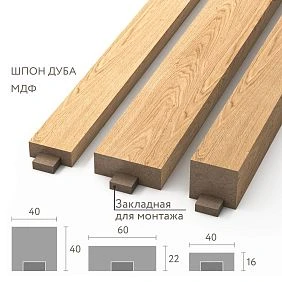
Why a designer needs a 3D model of a real product rather than a similar object from a library
For a conceptual render, a conventional model is sometimes acceptable. At the early stage, it is important to check the style, composition, and overall idea. But as soon as the visualization becomes a document for approval with the client, "approximate" decor begins to create risks.
Let's consider two scenarios.




Scenario 1. Conventional model
The visualizer finds a beautiful molding in a third-party library. The profile looks good in the scene, the frames on the wall come out proportional, and the client approves the interior.
Then comes the specification. This exact profile is not available for purchase. The closest real option is 18 mm wider and 9 mm deeper. In a single frame this seems like a small difference, but on a wall with four frames the entire geometry changes:
-
the inner field shrinks;
-
the distances between frames become different;
-
the outer frame moves closer to the casing;
-
the decorative overlay no longer fits into the original composition.
The visualization has to be adjusted after approval.
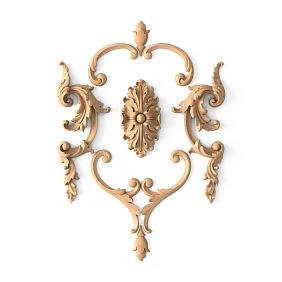
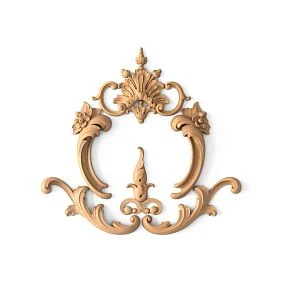
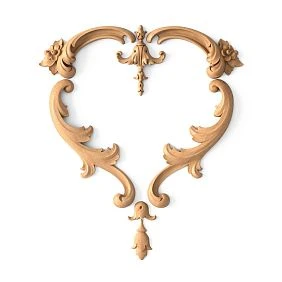
Our factory also produces:
Scenario 2. Model of a specific product
First, a real profile is selected. Its size is known, the SKU is fixed, and the model is placed in the scene at a 1:1 scale. All frames are built from the actual geometry.
After approval, the same profile goes into the specification. The order assembler does not look for a replacement but works with a specific product item.
This is the main difference between a design 3D model and a decorative placeholder.
Get Consultation
Where conditional models are especially dangerous
The more the decor affects the geometry, the higher the risk.
Particularly careful work is needed with:
-
moldings and frames;
-
ceiling cornices;
-
ceiling medallions around chandeliers;
-
slat panels;
-
large overlays;
-
wooden furniture decor;
-
repeating ornaments;
-
with profiles that must join at the corners.
If an element is used once and is not linked to adjacent dimensions, the replacement may go unnoticed. If it forms a system, even a slight difference affects the entire composition.
Which 3D models of interior decor a designer needs
You cannot talk about "3D decor" as a single category. Different products solve different design tasks and require different checks.
3D models of stucco molding
3D models of stucco are needed for wall and ceiling compositions, where relief, scale, and the interaction of several elements matter.
This group may include:
-
decorative overlays;
-
sockets;
-
cornices;
-
moldings;
-
pilasters;
-
brackets;
-
capitals;
-
ornamental details.
For stucco molding, it is especially important not to change the scale of the digital object arbitrarily. If the real product has a fixed height and depth, increasing it by 20% in 3D turns it into a different product that may not physically exist.
3D models of moldings
Molding seems like a simple element because in visualizations it is often perceived as a line. In reality, this line has width, relief height, and profile.
For wall frames, a designer needs not only 3D models of moldings, but also the actual geometry of the profile. It is what determines:
-
shadow;
-
the size of the inner field;
-
the distance between adjacent frames;
-
the joint at the corner;
-
the visual mass of the composition.
3D models of ceiling cornices
A cornice affects the transition between the wall and the ceiling. Its height and projection change the proportions of the room, especially at standard ceiling height.
You cannot choose a cornice based only on the front view. You need to look at the cross-section and check how much space it actually takes up along the wall and ceiling.
3D models of ceiling medallions
A medallion always exists within the system “ceiling → light fixture → decorative center.” The diameter of the decorative element must be related to the scale of the room and the chandelier.
This is where 3D is especially useful: you can see not only the socket itself, but also how its diameter relates to the pendant, furniture, and the free area of the ceiling.
3D models of wall and slatted panels
On a large surface, the value of the model is even higher. The panel affects:
-
step;
-
rhythm;
-
direction;
-
depth;
-
junction with the door;
-
baseboard;
-
sockets;
-
light;
-
the boundary of the accent zone.
The visualizer should show not a conventional "slat" texture, but the actual geometry if the project is already moving into the working stage.
3D models of wooden and furniture decor
For furniture, precise dimensions of overlays, capitals, brackets, and carved elements are important. An error of a few centimeters can disrupt the proportion of the facade or simply leave no room for a handle, panel, or adjacent element.
If the interior uses wooden decorative elements, it is advisable to place them in the scene with their actual dimensions rather than scaling them after import.
How to choose a stucco model by its actual product code
The correct order starts not with a folder of files, but with the product task.
Step 1. Determine the element type
You need to understand what exactly is being designed:
-
molding;
-
cornice;
-
socket;
-
overlay;
-
bracket;
-
capital;
-
wall decor.
This immediately narrows down the catalog.
Step 2. Check the actual dimensions
The visualizer should know at minimum:
width → height → depth → length, if the element is linear.
For a socket, the outer dimensions and thickness matter. For a molding, the cross-section. For an overlay, the width, height, and maximum relief.
Step 3. Record the SKU
Before starting the detailed scene, it is useful to record the SKU or the exact product designation.
This protects against a situation where four similar models are placed in one scene and a month later no one remembers which one was approved.
Step 4. Find the corresponding digital model
If the manufacturer provides a file, that file is used, or geometry built strictly according to the real product.
Step 5. Check the scale after import
After opening in 3ds Max, another 3D environment, or a converter, the model must be measured. Importing through different formats sometimes changes the scene units.
The check is simple: one known dimension of the digital model must match the product dimension.
Step 6. Only then build the composition
Once the size is confirmed, you can calculate frames, offsets, installation height, and adjacent elements.
At this stage, the first commercial transition occurs: if the model is selected, the designer can already Buy molding of the same product group, rather than searching for an analogue after visualization.
3D model of moulding: which parameters must match the real product
Visual similarity is not enough. For a working project, the parameters that affect geometry must match.
Width
For moulding, the width determines the size of the frame. If the profile in the scene is narrower than the real one, the free space on the wall will be overestimated.
Height and depth of the relief
Depth is especially important for side lighting. A digital model that is too "flat" will produce a softer shadow than the real product.
Length
For linear products, length is needed not so much for rendering as for future calculations. If the model is stretched along a path, the real length of the supplied part still needs to be stored separately.
Profile
A front view does not describe moulding. The real profile is needed for:
-
angle;
-
junctions;
-
shadows;
-
sections;
-
working drawings.
Orientation
Some decorative elements have a top and a bottom. A 180° rotation may look acceptable in 3D, but contradict the logic of the ornament.
Pattern repeat
For linear moulding ornament, the repeat must be checked. If the texture or model repeats incorrectly, the visualization will show a pattern that cannot be produced from the actual product.
Radii
For a curved wall, not every profile can be bent automatically. The ability to work along a radius depends on the specific product and the installation system.
3D models of mouldings: how to design frames correctly
In a design project, moulding almost always works as a system.
Sequence:
actual profile → 3D → layout → proportion check → SKU → linear meter calculation.
Profile first, then frame
If you first draw a frame of “beautiful width” and then substitute the actual moulding, the inner size will change.
Suppose the designer specified a nominal profile of 30 mm, but the actual selected moulding is 48 mm.
For a 1200 × 800 mm frame, the visual difference in outer dimensions seems small, but the inner field decreases:
By width: 2 × (48 − 30) = 36 mm;
in height: the same 36 мм.
If there is an insert or a wall light inside, this difference can already affect the composition.
Check corners in close-up
In a distant render, a 45° corner almost always looks clean. In reality, the profile has a relief that must align correctly.
Therefore, it is useful to have a large test corner in the working scene.
Do not change the cross-section with the scale modifier
You can increase the frame length by extending the straight sections. You cannot increase the profile itself in width, height, or depth if the project involves purchasing a serial product.
After selecting a profile, you can go to the category and buy polyurethane moldings in the geometry that was used in the project.
3D models of ceiling decor
Ceiling decor is more challenging than wall decor because its scale is perceived from a different distance and angle.
Cornice
The cornice should be evaluated in section. In the scene, it is important to check:
-
height along the wall;
-
ceiling projection;
-
shadow;
-
proximity to curtains;
-
space for lighting, if provided.
Socket
Polyurethane ceiling rosettes it is better to evaluate together with a specific light fixture.
If the chandelier is large, a ceiling medallion that is too small may look accidental. If the room is compact, an excessively large decorative composition can visually lower the ceiling.
Ceiling composition
The ceiling medallion, cornice, moldings, and lighting should be connected into a single system.
Before approval, it is useful to check:
-
center of the light fixture;
-
center of the socket outlet;
-
axis of the room;
-
distance to the cornices;
-
pattern repeat;
-
suspension height.
3D models of wall panels
For 3D panels, what matters is not as a separate object, but as a check of the entire plane.
If the project uses MDF wall panels, the model should help answer the questions:
-
how many rhythms fit on the wall;
-
what the edge looks like;
-
where the door passes;
-
whether the socket falls on an edge;
-
how the panel connects to the skirting board;
-
how the surface changes under side lighting.
Rhythm cannot be replaced by texture
Texture without geometry can show color and approximate direction, but not the actual shadow.
For the final close-up visualization, it is better to use geometry or another method that preserves the actual depth of the relief.
Check the first and last module
The most common mistake is a beautiful field in the center and a random cut at the edge.
If the wall width is not a multiple of the module, the designer must decide:
-
symmetrically trim the edges;
-
change the zone boundary;
-
center the field;
-
snap the end to furniture or a door.
Light as part of the geometry
A vertical slat and side lighting create repeating shadows. Therefore, the scene should be checked in at least two modes: neutral and accent lighting.
3ds Max: how to use decor models in visualization
This article should not turn into a 3ds Max tutorial, but project decor has several technical rules that directly affect feasibility.
Check system units
The first action after import is measurement.
If the molding should have a width of 52 mm, but in the scene it became 5.2 cm or 0.52 m due to import settings, the error may remain visually unnoticeable in the overall frame.
Therefore, before copying an object, you need to verify one known dimension.
Do not scale an object along individual axes
Non-uniform scale is especially dangerous for stucco molding. It changes not only the length but also the cross-section.
If you need a longer molding, you should increase the length of the segment, build it along the profile, or use correct repetition geometry. You must not turn a 50 × 20 mm profile into 65 × 20 mm just because it looks better in the composition.
Keep an eye on the pivot
For repeating elements, a convenient pivot speeds up layout:
-
for molding — on the profile axis;
-
for the overlay — at the geometric center or mounting base;
-
for the panel — at a clear starting point of the module;
-
for the socket — in the center.
The correct anchor point reduces the risk of accidental shifts.
Use arrays deliberately
Array is convenient for slats and repeating decorative elements, but the distance between objects must reflect the real project.
If the render shows a 110 mm step, but the actual module in the delivery is different, the visualization is not production-ready.
Don't turn a model color into a specification
The material in the render is a visual approximation. Even a very well-tuned shader does not confirm the real shade.
For final approval, the color must be tied to a sample, a paint swatch, or the actual finish.
Revit and BIM: when 3D models become working project objects
A professional project can be assembled not only in 3ds Max. In the architectural environment, requests for "revit molding" and "molding revit" appear because decor needs to be not just shown, but coordinated with the building model.
It is important to distinguish between two concepts here.
3D geometry
This is an object that shows shape and dimensions.
BIM object
This is already an element of a project information model, which may have parameters, type sizes, classification, and other data.
You should not assume that any 3D file is a ready-made Revit family. If there is no specific format on the download page, the designer should not invent its availability.
The right approach:
download the available geometry and drawings → check the format → if necessary, prepare the object for your BIM environment → link it to the real product code.
What data is useful to add to a BIM object
Even if the model is created within the studio, it is useful to store:
-
manufacturer;
-
article number;
-
product group;
-
width;
-
height;
-
depth;
-
length;
-
material;
-
URL;
-
approval status.
Then the BIM model becomes part of the package.
When BIM is especially useful
For a single decorative element in an apartment, a complex family may be excessive.
But if the project includes:
-
a hotel;
-
a chain of public interiors;
-
dozens of identical rooms;
-
standard wall compositions;
-
repeating panels,
a parametric or at least standardized object helps control quantity and changes.
STL, OBJ, FBX, 3ds: why a designer needs different formats
Each format has its own purpose. The availability of a specific file type should be checked in the manufacturer's library, not assumed.
3ds
The format is used to exchange 3D geometry between programs and is convenient for visualization tasks. It is important to check units, orientation, and materials after import.
STL
STL stores surface geometry and is often used where the shape itself matters. It does not have to contain a convenient scene structure or materials.
OBJ
OBJ is a common geometry exchange format. It is convenient for transferring shape between programs, but after import you need to check the scale and normals.
FBX
FBX is used to transfer more complex scenes and objects. It can store more information, but the result depends on the specific exporter and importer.
DWG
DWG is especially valuable for a designer in working documentation:
-
profile;
-
overall dimension;
-
cross-section;
-
snapping;
-
unfolding;
-
installation geometry.
Revit/BIM
This is already the project coordination environment. The availability of a ready-made family cannot be replaced by the presence of an ordinary 3D model.
The main rule, regardless of format: the file must be linked to the product that can actually be installed on site.
3D and DWG — why a designer needs both formats
DWG decor drawings and 3D models solve different tasks.
3D answers the question “how will it look”
In 3D, the designer checks:
-
volume;
-
relief;
-
light;
-
proportion;
-
proximity to furniture;
-
scale relative to the room.
DWG answers the question “how to implement”
The drawing needs:
-
actual dimensions;
-
profile;
-
dimension references;
-
distances;
-
mounting points;
-
layout;
-
Quantity.
Why one render is not enough
The installer must not measure the image.
If in the visualization the molding runs 140 mm from the casing, this distance must also exist on the working elevation drawing.
Why a single DWG is not enough
A drawing can be technically accurate, but the client is not obliged to understand how the profile will look under side lighting.
Therefore, the professional combination:
3D for perception + DWG for execution + article number for purchasing.
How to get a specification from a 3D visualization
This is one of the most important stages. While an object exists only in the scene, it is not yet ready for purchasing.
A product passport must be created for each element.
| Field | Value |
|---|---|
| Manufacturer | STAVROS |
| Article number | Exact SKU |
| Type | molding / rosette / panel / overlay |
| Size | actual |
| Material | polyurethane / MDF / wood |
| Room | specific |
| Zone | wall / ceiling / furniture |
| Quantity | pcs. / linear m |
| URL | product or category page |
| 3D | name of the file used |
| Status | approved / under review |
Step 1. Make a list of all decorative objects
Not by types, but by actual positions.
For example:
-
MLD-01 — living room frame;
-
MLD-02 — bedroom frame;
-
ROS-01 — ceiling rosette;
-
PAN-01 — wall panel;
-
DEC-01 — wooden overlay.
Step 2. Link each object to an SKU
If a scene contains a model but no SKU, it is not yet a specification.
Step 3. Check whether the model has been scaled
Objects that were copied between scenes require especially careful checking.
Step 4. Calculate the quantity
For molding — length.
For rosettes — pieces.
For panels — by specific layout.
For overlays — number of repetitions.
Step 5. Add URL
The configurator should navigate not to a search engine, but to a known manufacturer page.
Step 6. Confirm the status
You can use:
DRAFT → CLIENT APPROVED → SPECIFIED → ORDERED
This reduces the risk of purchasing an item from an outdated version of the project.
How to calculate moldings from a 3D project
The visualization already contains the geometry of the frames, so it can be used as a basis for calculation. But the number needs to be verified against the working dimensions.
Let's assume the frame has an outer size of 1200 × 800 mm.
Perimeter of one frame:
2 × (1.2 + 0.8) = 4 m.
There are four identical frames on the wall:
4 × 4 = 16 m.
This is the theoretical length without taking into account corners, waste, and the actual length of supplied elements.
If the room also has two frames of 900 × 600 mm:
2 × (0.9 + 0.6) = 3 m per one;
2 × 3 = 6 m for two.
Total geometric length:
16 + 6 = 22 m.
Next, the designer or planner adds a technological allowance based on the actual cutting plan, product length, and number of corners. It is better not to assign a universal percentage without this data.
Why you shouldn't take the length from a conditional 3D
If the profile in the scene does not match the real SKU, the correct footage does not yet mean the correct purchase. First the profile is confirmed, then the length.
How to calculate ceiling medallions and repeating decor
A medallion is counted in pieces, but there may be an entire composition around it.
For example, a hotel has 18 identical rooms, each with one medallion.
Base quantity:
18 × 1 = 18 pcs.
If two more medallions are needed for public areas, the total becomes 20.
But before ordering a series, you need to make sure that the following are the same in every unit:
-
a light fixture;
-
ceiling height;
-
outlet position;
-
ceiling construction.
If five units have a different type of light fixture, you cannot automatically carry over the same SKU.
The same principle applies to repeated decals: the quantity is counted after checking the actual installation locations, not by the number of copies in the old scene.
How to avoid discrepancies between the visualization and the real object
Mistake 1. Scaling decor "by eye"
Why it happens: the composition in the frame seems too small.
Consequence: the real product does not match the agreed proportion.
How to prevent it: change the composition, not the physical size of the serial product.
Error 2. Using a similar but not identical model
Why it happens: the required file cannot be found, and the render deadline is near.
Consequence: the specifier has to look for a replacement after approval.
How to prevent it: mark the placeholder as temporary and replace it before final approval.
Error 3. Not recording the SKU
Why it happens: the model is stored under a name like molding_final.max.
Consequence: a month later it is impossible to tell which product was used.
How to prevent it: include the item code in the object name and specification.
Error 4. Working with a discontinued or unavailable item
Why it happens: the model remained in the old library.
Consequence: the project is approved on an item that cannot be purchased.
How to prevent: before the final release, check that the product is current and in stock.
Mistake 5. Substituting the material
Why it happens: a beautiful wood shader in the scene is used for an item made of a different material.
Consequence: the client expects one texture but gets another.
How to prevent: link the visualization material to the actual finish.
Mistake 6. Not checking the linear length
Why it happens: a spline can be stretched to any length.
Consequence: the cutting plan on site is not taken into account.
How to prevent: store the actual length of the supplied element and the cutting plan separately.
Error 7. Using a model color as a reference
Why it happens: the monitor shows a beautiful shade.
Consequence: the actual finish is different.
How to prevent it: confirm the color with a physical sample or a paint swatch.
Error 8. Not updating the specification after replacing a model
Why it happens: the visualizer replaced the object, but the table stayed the same.
Consequence: the old SKU is purchased.
How to prevent it: after every final revision, cross-check “scene ↔ specification.”
Sample after 3D: why it is still needed
Even a perfect model does not fully convey materiality.
After digital approval, it is useful to move to the physical one.
Available in the catalog STAVROS product samples, including samples of slatted panels, moldings, and other demonstration items.
A sample allows you to check:
-
real texture;
-
color;
-
surface quality;
-
physical depth;
-
glare;
-
edge;
-
combination with the floor;
-
proximity to doors;
-
interaction with fabric and furniture fronts.
Professional chain:
3D → preliminary approval → sample → final approval → order.
When the sample is especially needed
-
new material;
-
large volume;
-
complex shade;
-
natural wood;
-
large accent wall;
-
upscale public interior;
-
the client is sensitive to texture.
How to store a sample in a design studio
It is convenient to add labeling:
manufacturer / item code / project / date / status.
Then the physical library stays connected to the digital one.
How to buy decor used in a 3D project
The commercial part should begin only after the digital object has already been linked to the actual product.
The right way:
3D model → SKU → product page or category → size check → quantity → specification → order.
Moulding
If a specific element was used in the visualization, before ordering you need to check:
-
whether the SKU matches;
-
whether the size matches;
-
whether the material matches;
-
whether the scale has not been changed;
-
whether the correct finish option is specified.
For a project that uses polyurethane decor, you can go to the section molded decoration made of polyurethane and match the items against the approved scene.
Moldings
If the frames have already been calculated, the same profile used in the 3D is selected. It cannot be replaced with an "almost identical" one without rechecking the composition.
For procurement, a general request for "moldings" is not enough—a precise group is needed, so it is useful to save a reference in the specification to Moldings made of polyurethane and the specific article number.
Wall panels
When working with panels, it is especially important to transfer from the 3D not only the material, but also the direction, rhythm, and dimensions of the area.
If the project is approved with MDF panels, the specifier's next task is buy MDF wall panels of the same system, rather than choosing a new panel based on visual similarity.
Wooden decor
For carved and furniture elements, it is important to check the wood species, size, and finish. A visualization may use an idealized texture, but the specification must be based on the actual product.
If the project is built around a natural material, it is useful to separately check Carved wooden decoration.
Why a designer needs a single source of files and products
The more participants in a project, the higher the risk of a gap between the visualization and procurement.
The typical process involves:
-
designer;
-
visualizer;
-
architect;
-
assembler;
-
customer;
-
supplier manager;
-
site foreman;
-
installer.
If everyone works with their own version of the object, errors are almost inevitable.
What a single source means
For each item, the following must be linked:
image → 3D → DWG → SKU → URL → specification.
This allows any participant to verify which specific product is being referred to.
Example of correct entry
MLD-047 / molding / polyurethane / profile per DWG / 36.4 linear m / URL / APPROVED
Even if the visualization file is lost, the product item remains unambiguous.
Example of incorrect entry
classic white molding
Such a line cannot be safely passed to procurement.
How to work with a 3D model library in a design studio
If the bureau regularly uses decor, it is useful not to download files anew for each project, but to create your own structured library.
Folder by manufacturer
For example:
STAVROS / polyurethane / moldings /
STAVROS / wall-panels /
STAVROS / wood-decor /
File name by SKU
Instead of:
beautiful_molding_final_2.max
Better:
STAVROS_MLD-XXX_3D
If the source library uses a different naming convention, the studio's internal index can still maintain a link to the SKU.
Object card
For frequently used models, it is useful to store:
-
preview;
-
article number;
-
category;
-
overall dimension;
-
material;
-
link;
-
verification date;
-
file name;
-
scale note.
Library version
Product catalogs change. Therefore, the library needs to be periodically checked against the manufacturer's website.
It is not necessary to update all files every week. But before the final assembly of a specific project, the relevance of the items used must be checked without fail.
How to use 3D models for approval with the client
A 3D model helps the client understand the scale of the decor, but the designer must present the solution so that the actual product is what gets approved.
Wide shot
Needed to assess the role of decor in the interior.
Medium shot
Shows:
-
frame proportions;
-
relationship to furniture;
-
panel size;
-
scale of the rosette.
Close-up
Needed for relief and light-and-shadow.
Technical note
In the presentation, it is useful not to overload the client with product codes, but after approval the designer must record them in the working documentation.
What cannot be promised based on a render
Cannot be considered absolutely accurate:
-
on-screen color;
-
shine;
-
wood texture;
-
degree of matteness;
-
fine nuances of paint finish.
A physical sample is needed for this.
How to use samples together with 3D
3D is responsible for space, the sample for materiality.
A good approval process:
visualization → preliminary decision → sample → comparison with materials → final color → specification.
For example, on screen the molding looks warm white. After receiving the sample next to the wall paint, it turns out the shade needs to be adjusted.
This is a normal part of design, not a visualization error.
For design work, you can use STAVROS product samples, especially if you need to compare panels, moldings, or decorative profiles before the main purchase.
How to link 3D with working documentation
Visualization should not exist separately from the drawings.
On the plan
The decor area and finish code are shown.
On the elevation
Displayed:
-
sizes;
-
dimension references;
-
axes;
-
boundaries;
-
joints;
-
sockets;
-
furniture;
-
Light.
In the node
A profile or complex junction is displayed.
In the specification
Appear:
-
manufacturer;
-
SKU;
-
material;
-
quantity;
-
URL.
In 3D
The same object remains.
If at least one document contains a different item code, the project already has a contradiction.
How to check a project before releasing it to the assembly kit
Before handing it over to the kit assembler, it is useful to run a short audit.
Model check
-
all elements at real scale;
-
no random non-uniform scale;
-
no placeholders;
-
no duplicate old objects;
-
object names are clear.
Product check
-
SKU exists;
-
product group matches;
-
the size is confirmed;
-
material confirmed;
-
URL is up to date.
Drawing check
-
profile matches the 3D model;
-
frame dimensions match;
-
panels have the same pitch;
-
ceiling elements match in diameter;
-
furniture parts do not conflict.
Specification check
-
quantity is present;
-
item codes are present;
-
links are present;
-
rooms are specified;
-
status is specified.
Sample verification
-
critical materials are physically approved;
-
color is approved;
-
sample is labeled;
-
the final version is not confused with the test version.
When a 3D model is not needed
Not every decorative element requires a separate heavy 3D object.
Distant secondary decor
If an element is barely visible and does not affect the composition, it can be simplified.
Conceptual stage
At an early stage, a placeholder is acceptable if it is clearly marked as temporary.
Geometry is too heavy
A high-poly model can slow down the scene. In this case, it is acceptable to create a lightweight proxy version, but its real dimensions must be preserved.
The element does not affect light and shadow
Sometimes a simplified shape is sufficient for a distant shot.
The main constraint: simplifying geometry must not change the design dimensions.
How to prepare 3D models for a large scene
A professional interior may contain hundreds of repeating decorative objects. If each one is loaded as a unique heavy mesh, the scene becomes unwieldy.
Use instances
Repeating overlays or slats are better made as instances.
Use proxy
For complex carved decor, a proxy allows you to preserve visual quality without overloading the main scene.
Separate project levels of detail
You can have:
-
a lightweight working model;
-
the final model for a large render;
-
DWG for documentation.
But all three must reference a single SKU.
Do not optimize the object's size
Polygon optimization is acceptable. Changing the physical scale is not.
3D model and the real scale of the room
The most useful function of 3D is not to “show it beautifully,” but to check the size in context.
Small room
A large rosette, deep cornice, or massive molding can visually overwhelm a space.
Large hall
Conversely, a profile that is too small gets lost.
Long wall
The slatted rhythm can become too frequent.
High ceiling
Small stucco molding is perceived more weakly from a great distance.
The visualizer should look not only at an individual object, but also at the relationship:
size of decor / size of surface / viewing distance.
How to use the model for a preliminary quantity calculation
A 3D scene can provide a good initial calculation if it is assembled correctly.
Moldings
All segment lengths are measured.
Slatted panels
Modules are counted by zone width.
Outlets
Instances are counted.
Decorative inlays
Instances are counted.
Wooden elements
Counted by furniture or rooms.
However, the final order cannot be formed from 3D alone without cross-checking against drawings and actual product formats.
How to handle changes after approval
A project rarely remains unchanged until construction.
The customer can:
-
change the sofa;
-
enlarge the TV;
-
replace the luminaire;
-
move the door;
-
change the wall color.
Each such change may affect the decor.
The light fixture has changed
The ceiling outlet is being checked.
The furniture width has changed
Frames and panels are being checked.
Door moved
The panel edge and adjacent molding are being recalculated.
The color has changed
A new color sample is needed, but the product code may remain the same.
How to stay connected
After every significant revision, the following is checked:
3D → DWG → specification.
If one thing changed but the other two did not, the project diverges.
What a professional STAVROS library gives a designer
STAVROS for designers and architects combines several tools that are useful in project work: a database of 3D models and DWG files, catalogs, and professional interaction with the brand.
For a studio, this makes it possible to build a shorter path from visualization to purchase:
selection → digital model → project → sample → specification → order.
At the same time, 3D does not replace technical verification, and a catalog does not replace visualization. A strong process works precisely because each tool solves its own task.
Designer's checklist before handing the project over to the specifier
Before the final handover of the project, check:
-
Every significant 3D object is linked to a real SKU.
-
The model scale has not been changed.
-
Dimensions have been checked.
-
Moldings are built according to the real profile.
-
Rosettes match the real dimensions.
-
Panels have the actual rhythm.
-
The material in the specification matches the product.
-
DWG is available where the profile matters.
-
Quantity has been calculated.
-
Cutting map has been verified for linear moldings.
-
Edge modules have been verified for panels.
-
Sample has been approved for wood.
-
Color has been approved for items to be painted.
-
URLs have been added to the specification.
-
Old model versions have been deleted or archived.
-
All items have a clear status.
-
Product availability has been verified before ordering.
If this checklist is completed, the likelihood that the finished interior will differ noticeably from the visualization due to decorative elements is significantly lower.
FAQ
Where can I download 3D models of STAVROS interior decor?
In the section 3D models for designers 3D models, DWG drawings, and catalogs are available for various product groups. Before using a specific file, you need to verify it against the actual product item and actual dimensions.
Can I use a 3D model without checking the item code?
For a conceptual render — as a temporary object. For final approval and specification, it is better to link the model to a real SKU.
Can I stretch a molding in 3ds Max?
You can build the composition to any required size along the length of the section, but the cross-section of a standard profile cannot be arbitrarily scaled if the project is to be implemented with a specific product.
What is more important — 3D or DWG?
They solve different tasks. 3D shows volume and light and shadow. DWG fixes dimensions, profile, and references. A working project needs both levels of information.
How can I tell that a model is loaded at the correct scale?
Measure one known dimension of the object and compare it with the size of the actual product in the catalog.
Do I need to create a Revit family for each element?
No. For a single decorative object, this may be excessive. For large, repetitive projects, a standardized BIM object is more useful.
Can I use a model from an old project?
Only after verifying that the product is still current and that the dimensions and item code have not changed.
Why is a physical sample needed after 3D?
3D does not confirm the actual color, texture, gloss, or tactile feel. A sample is needed for physical approval.
How do I calculate molding based on 3D?
Measure the length of all actual frame segments, add them up, and then perform a cutting calculation taking into account the length of the supplied profile, the angles, and the technological allowance.
Where can I view the full product catalogs?
On the page STAVROS catalogs catalogs and project materials are compiled for several product categories.
Where to buy decor after selecting a 3D model?
Once the item code is approved and added to the specification, go to the corresponding product category or the product page on the website STAVROS. It is important to order exactly the item that was used in the final version of the project.
Final working algorithm
If the entire process is reduced to a single sequence, it looks like this:
1. Find the real product.
First the catalog and item code, then the digital model.
2. Download the model.
Check the source and file name.
3. Check the scale.
Verify at least one known dimension.
4. Place into the scene.
Do not deform the section and relief.
5. Build the composition.
Frames, panels, ceiling decor, furniture.
6. Check the lighting.
Especially for relief elements.
7. Approve with the client.
Lock in the final version.
8. Check the DWG.
Dimensions and profiles must match the 3D.
9. Order a sample.
If color, material, or texture is critical.
10. Generate a specification.
Manufacturer, SKU, size, material, quantity, URL.
11. Calculate the quantity.
Not only by the scene, but also by the actual product format.
12. Check the current status.
Before ordering, make sure the item is available.
13. Pass to the kit compiler.
Without placeholder objects and old versions.
14. Order the same product.
This is how visualization turns into a realizable project, not just a standalone image.