Article Contents:
- Why a slatted wall cannot be shown in 3D with a regular texture
- What to model: a single decorative slat or a ready-made slatted panel
- Individual decorative slats
- Finished slat panel
- One real slat as the source object
- Instance instead of independent copies
- Array and the correct spacing
- How not to overload the scene
- TV Area
- Bed headboard
- Built-in wardrobe
- Bar counter and furniture fronts
- Texture scale
- Fiber direction
- Material difference
- Texture repeat
- Use texture instead of geometry
- Scale panel by width
- Do not check the outermost panel
- Hide the socket in the render
- Use one SKU in the specification and another in the scene
- Repeat the same wood texture
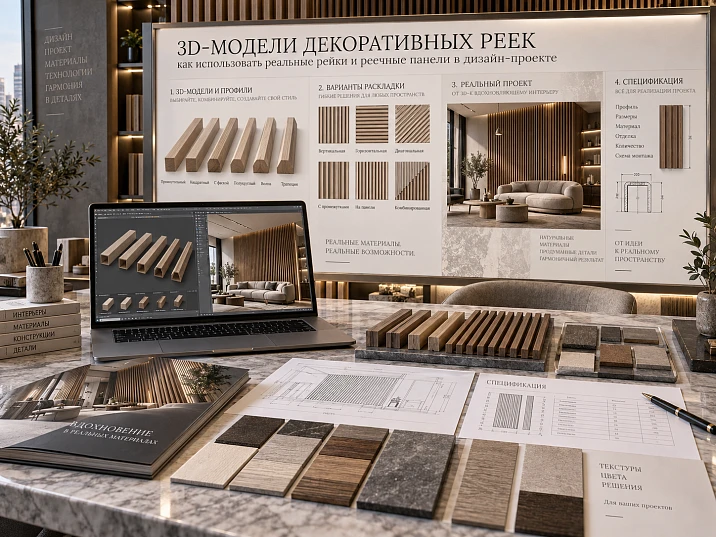
A slatted wall is especially easy to fake in a render. It is enough to apply a beautiful texture with vertical stripes to a plane — and from a distance the surface already appears assembled. But add side lighting, move the camera closer to the end, or place a door casing nearby, and it becomes clear: the texture has neither real depth, nor a true pitch, nor a physical edge.
For a design interior, this is not enough.
If a specific slat or slatted panel is purchased in the specification, its geometry must be used in 3D. Otherwise, the visualization shows one rhythm, the working documentation shows another, and a third arrives on site.
Correct sequence:
real SKU → real dimensions → 3D model of the slat or panel → modular rhythm → edge elements → nodes → visualization → DWG → specification → purchase.
The main task of 3D here is not to make the wall visually striking, but to check how the real product works in a specific interior.
Why a slatted wall cannot be shown in 3D with an ordinary texture
A texture imitates the pattern.
A 3D model reproduces the geometry.
For a slatted surface, this is a fundamental difference, because the visual effect is built not only on color. It arises from the physical relief:
- a protrusion;
- profile width;
- depth;
- gap;
- side faces;
- real shadow;
- extreme elements.
If the slats exist only inside the material map, side light hardly reveals the actual relief. At a wall corner, no physical end face appears. Near a door, you cannot check the protrusion relative to the door casing.
Therefore, 3D models of decorative slats are needed where the slatted surface affects the architecture of the space, rather than simply serving as a background pattern.




What to model: a single decorative slat or a ready-made slatted panel
Before starting work, you need to determine the type of the real product.
Our factory also produces:
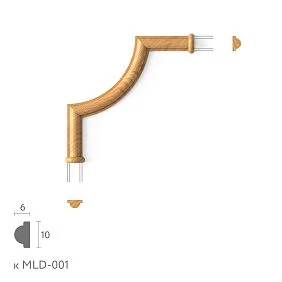
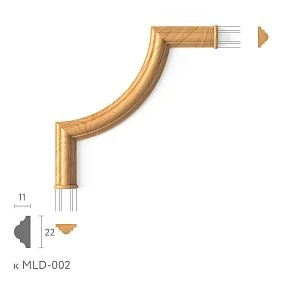
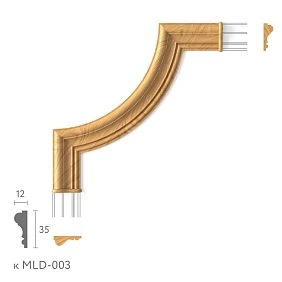
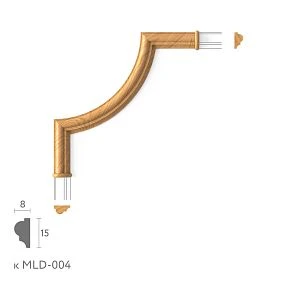
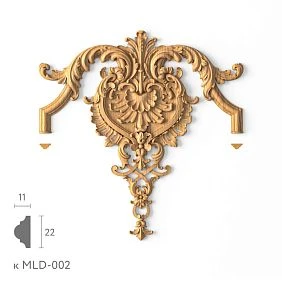

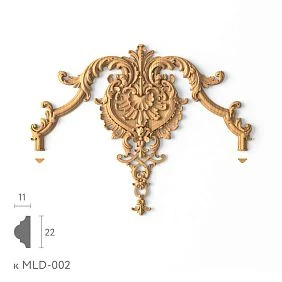
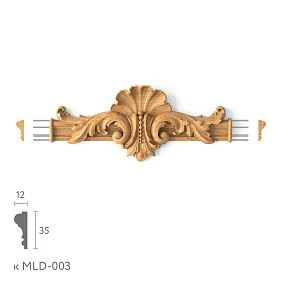
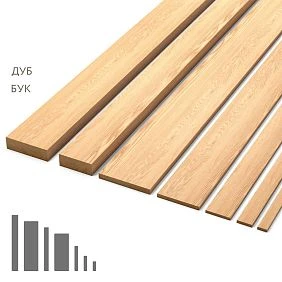
Individual decorative slats
Here, the base unit is one slat.
For it, the following are recorded:
- cross-section;
- width;
- depth;
- length;
- the material;
- SKU.
Then the designer independently forms:
- spacing;
- gap;
- quantity;
- first rail;
- last rail;
- total field width.
Get Consultation
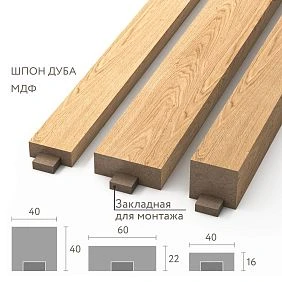
Finished slat panel
Here, the base unit is an already finished module.
It has:
- actual width;
- thickness;
- length;
- internal rhythm;
- SKU.
In 3D, it is not a separate conditional line that is repeated, but a real panel.
To select real positions, you can use STAVROS slatted panels.
A separate rail and a finished panel may look similar, but they cannot be modeled and calculated in the same way.
Why a 3D model should start with a real SKU
The weak scheme looks like this:
random model → beautiful render → attempt to find a similar product.
The problem shows up later. The panel found turns out to be wider, the rhythm changes, the depth is different, the wall edge is assembled differently.
The project has to be adjusted to fit the product.
The reverse sequence is more reliable:
STAVROS catalog → SKU → real dimensions → 3D → visualization.
Then the render initially shows what can be specified and purchased.
For the project library, you can use the section 3D models and DWG STAVROS.
Which parameters of the decorative slat need to be transferred to 3D
For an individual slat, the following are important:
- actual width;
- depth;
- length;
- cross-section;
- chamfer or radius;
- the material;
- grain direction;
- color or finish;
- SKU.
Even a small chamfer can change the character of light and shadow in a close-up.
If the profile has a complex cross-section, it can be replaced with a simple rectangle only where this does not change the design perception. For final verification, it is better to use the actual shape.
For the panel, the following are additionally important:
- full module width;
- thickness;
- length;
- internal rhythm;
- installation direction;
- actual module edge.
How to properly build a slatted wall in 3ds Max
It is better to start not with the entire wall, but with one physically correct unit.
One real slat as the source object
Create the object at real scale.
Check the scene units.
If the product has a specific cross-section, the model must match it without arbitrary stretching.
Instances instead of independent copies
Repeating slats are better created as instances.
Then changing the base object updates the entire surface.
If, after checking, it turns out that a different SKU was selected, it is easier to replace one source element than to manually fix dozens of independent copies.
Array and the correct step
Distinguish three concepts:
slat width ≠ gap ≠ pitch.
For example, with a width of 30 mm and a gap of 20 mm, the axial pitch in a simple system will be 50 mm.
An error of even a few millimeters, repeated 40 times, noticeably shifts the edge of the field.
How not to overload the scene
On a large surface, the number of repetitions grows quickly.
Use instances and, if the project is heavy, a proxy approach for repeating geometry.
But optimization must not change the product dimensions.
The model can be lightened in terms of polygons.
It must not be “lightened” by substituting the real rhythm.
How to check the real rhythm of rack panels in the visualization
Order matters more than effect.
- Determine the clear width of the area.
- Take the real panel width or the real rack pitch.
- Fix the start of the layout.
- Repeat the physical modules.
- Look at the remainder.
- Decide the first and last panel.
- Only after that, adjust the camera and light.
If you start with a beautiful angle, it is easy not to notice that the outermost panel physically does not fit.
Why you shouldn't stretch a rack panel “for a beautiful shot”
This is one of the most dangerous habits in visualization.
The panel almost reaches the edge of the wall — and it gets stretched across the width.
In the image, everything looks perfect.
But the original SKU remains in the specification.
The result is a product that doesn't exist.
The rule is simple:
the model can be optimized by polygons, but its product geometry cannot be changed arbitrarily.
If the size doesn't fit, change the layout, the end module, or the SKU itself.
Not the product.
How to model end rails and end modules
The middle of the wall rarely causes problems.
Problems are almost always at the edges.
You need to decide:
- whether the layout is symmetrical or not;
- whether the field starts from a corner or from an axis;
- whether the TV is centered;
- whether there is alignment with furniture;
- whether a narrow remainder is acceptable;
- whether the edge module can be trimmed;
- whether the visual rhythm is preserved.
If the edge panel is trimmed, this must be visible in 3D and then confirmed in the working documentation.
The visualization should not hide an inconvenient edge behind a curtain or furniture just because it makes the shot look better.
3D model of the slats and door
A doorway is a good test of the model's realism.
Check:
- the thickness of the casing;
- the protrusion of the slats;
- the distance to the first slat;
- the completion of the panel;
- the transition behind the door;
- the opening of the door leaf.
If the slatted field ends near the door, the end face becomes a visible element of the composition.
If the panel passes through a hidden door, the geometry must account for the actual panel and the gap.
The render must show the joint, not mask it.
3D model of slats and furniture
TV area
Checked:
- TV axis;
- pedestal;
- mounting;
- cable outlets;
- Outlets;
- boundaries of the slat field.
Often it is the TV axis that becomes the layout base.
Bed headboard
Compare:
- center of the bed;
- edge margins;
- nightstands;
- wall lamp;
- Outlets;
- height of the slat field.
Even a slight shift in rhythm relative to the bed is noticeable in the frontal visualization.
Built-in wardrobe
It is necessary to check the joint between the facade and the slatted surface.
If the last slat comes too close to the cabinet door, the composition looks cramped.
Bar counter and furniture facades
The slatted module can be used not only on the wall.
If the same product transitions to furniture, it is important to preserve the real size and installation direction.
How to show sockets and switches on a slatted wall
A beautiful render can easily hide an engineering problem.
But on site, the switch frame has to go somewhere.
Check:
- whether the mechanism lands on the top of the slat;
- does it end up in the gap;
- does it intersect the trimmed module;
- is a level mounting surface needed;
- what the block looks like under side light.
If the socket ends up partially on the profile, the problem must be solved at the design stage.
Not after installation.
Lighting and 3D model of slatted panels
It is lighting that clearly shows the difference between texture and actual geometry.
Side light produces:
- a separate shadow from each slat;
- different illumination of the chamfer and the side surface;
- depth of the relief;
- change of the pattern when the camera angle changes.
In a texture, this effect has to be imitated.
On a real model, it occurs naturally.
If the project has LED lighting, the light profile needs to be checked on real geometry.
How to work with wood material in 3D
There is no need to turn the design model into a lesson on Corona or V-Ray.
It is more important to preserve a few real characteristics.
Texture scale
The fibers should not look twice as large as real ones.
Grain direction
A vertical slat usually requires a logical longitudinal direction of the texture.
Difference in materials
Oak, beech, MDF for painting — different surfaces.
You should not use the same material just because the difference is almost unnoticeable in the background.
Texture repetition
If the same identical section of wood repeats on 30 slats, the surface looks artificial.
At the same time, the variety of material should not change the SKU geometry.
3D and DWG: why a project needs both files
3D is responsible for perception.
DWG — for precision.
For a rack wall, 3D shows:
- rhythm;
- light;
- scale;
- relationships with furniture;
- end modules.
DWG captures:
- cross-section;
- spacing;
- dimensions;
- nodes;
- constraints.
Therefore, the combination is stronger than any single file.
For design work, you can use DWG and STAVROS 3D models.
How to link a 3D model to a specification
Each model must have a real product identity.
Example:
| Field | What to fix |
|---|---|
| Code | PAN-01 / RK-01 |
| Manufacturer | STAVROS |
| SKU | real |
| Type | slat / panel |
| Size | actual |
| Material | MDF / wood |
| Color / finish | approved |
| Room | specific |
| Zone | specific wall |
| Quantity | pcs. / modules |
| 3D | file name |
| URL | Product |
| Status | APPROVED |
If the 3D file is named panel_final_2.max, the link to procurement is weak.
If it is named by project code and SKU, the model becomes part of the documentation.
How to calculate quantity from an approved 3D layout
3D should not replace a separate calculation document, but it provides an important basis:
approved geometry → quantity of actual modules → reserve → specification.
If actual panels are already installed on the wall at 1:1 scale, the quantity can be verified against the layout.
But the final order must account for physical product units and cutting rules.
For a detailed methodology, it is useful to go to the article about calculating decorative elements for a project.
Sample panel after 3D visualization
3D shows the shape well.
But it does not replace a physical sample.
The sample is used to check:
- actual texture;
- color;
- gloss;
- wood shade;
- surface;
- finish.
Work sequence:
3D → shortlist → sample → approval → SKU freeze.
For such a check, you can use STAVROS product samples.
Why the approved model needs to be "frozen"
After the interior is approved, the SKU must not change silently.
If the visualizer replaced the panel with a similar one, you need to update:
- 3D;
- DWG;
- the specification;
- quantity;
- URL;
- the status.
A good scheme:
CANDIDATE
↓ check in the scene
↓ sample
APPROVED
After APPROVED any change must go through as a new revision.
How to buy the slatted panels used in the 3D project
The commercial stage should be a continuation of the visualization, not a new search.
If the project is assembled on a specific panel, after approval you need to buy exactly this SKU.
For product selection, you can use Slatted wall panels and the general section wall panels.
If the project works with individual wooden profiles, it is useful to check Wooden trim.
Main principle:
not “find a similar panel after rendering,” but buy the SKU with which the approved project was assembled.
Mistakes that are especially dangerous in 3D slatted surfaces
Use a texture instead of geometry
Consequence: no real shadow, end face, or depth.
Solution: model the physical profile.
Scale the panel by width
Consequence: a non-existent product appears in the project.
Solution: change the modular layout or SKU.
Do not check the end panel
Consequence: everything looks nice in the render, but in reality an inconvenient remainder is left.
Solution: measure the entire field.
Hide the outlet in the render
Consequence: the engineering unit remains unresolved.
Solution: show real electrical installation products.
Use one SKU in the specification and another in the scene
Consequence: visualization and procurement diverge.
Solution: linking SKU = 3D = DWG = SPEC.
Repeat the same wood texture
Consequence: the surface looks artificial.
Solution: control the material separately from the geometry.
Working algorithm for a 3D model of a slatted surface
- select a real slat or panel;
- record the SKU;
- obtain the actual dimensions;
- set up the 3D scene units;
- create or import one real unit;
- do not change its product geometry;
- set instance / array;
- set the real step;
- check the full field width;
- align the first and last panel;
- check the door;
- check the furniture;
- check sockets and switches;
- set material and grain direction;
- check side light;
- verify the geometry against the DWG;
- add the same SKU to the specification;
- approve the physical sample if necessary;
- record the status
APPROVED; - only after that proceed to ordering.
3D models of decorative slats are useful not because they make the visualization more realistic by themselves.
Their real value lies elsewhere: they make it possible to keep the same product geometry from catalog to render, from render to DWG, and from DWG to specification and purchasing.
The final chain must remain unchanged:
SKU → actual dimensions → 3D model → modular rhythm → edge elements → junctions → visualization → DWG → specification → purchase.