Article Contents:
- Handing over an interior doesn't end with beautiful photos
- The main result is the wooden trim passport for the project
- Two archive levels resolve the conflict between completeness and convenience
- Project code and manufacturer's SKU must not be mixed up
- Do not leave the old design version as the actual one
- The document must be linked to a specific item code
- Building materials supplier: a technical document does not replace precise product identification
- Files must be named so they can be found without the involvement of the project author
- One item — one clear information folder
- Multiple deliveries of the same SKU can be combined in operation, but must not be lost in the archive
- Material suppliers: the original order number is useful, but should not be the only identifier
- A technical photograph should help identify the product
- A physical sample is sometimes more useful than a photograph
- A sample and an operational reserve are different things
- If a reserve exists but no one knows where it is, it practically does not exist
- Installation leftovers cannot automatically be declared an operational reserve
- Usable offcuts need to be identified, otherwise they turn into waste
- Photographs of the reserve document the fact of handover, not just its appearance
- If part of the reserve is still in transit, this must be stated honestly
- An open remark must be visible in the final card
- After correction, the final set is updated to reflect the actual state
- On-site changes must always be included in the final schedule
- Who checks the set before handover
- The designer should not be the sole keeper of information
- The purchaser should not be the sole source either
- What does “DONE” mean
- A link to the website is useful, but it does not replace the saved project data
- How the kit helps when the management company changes
- How the kit helps during reconstruction
- Practical scenario: the project code exists, but the item number is lost
- Practical scenario: one profile was purchased, but another was installed
- Practical scenario: a reserve formally exists, but the execution is different
- Practical scenario: part of the reserve is stored in another building
- Practical scenario: technical documents arrived after handover
- Price does not need to be stored as a primary operational parameter
- Each intermediate logistics supplier does not need to be stored as the primary identity of the item
- The as-built drawing must show the actual application zones
- A change in room numbering must also be reflected in the final set
- Photos are better linked to the SKU and zone rather than collected in a general gallery
- The reference sample must be labeled as precisely as the reserve
- Before handing over the reserve, its actual condition must be checked
- Handover of the kit must be a standalone event
- A spot check before handover is faster than a full re-audit
- If some documents for the item are lost, do not replace them with guesses
- How to handle documents that relate not to the product but to a specific delivery
- How to prepare a kit for a future reorder
- How to prepare a kit for a future reorder
- How to handle a reserve if the room or zone is renamed later
- Handover without a short usage instruction makes even a good archive weaker
- When documentation can be considered truly handed over
- Practical example: what a completed card for a single item looks like
- Practical example: what an item card with an open question looks like
- A backup copy of the final set is needed before handover of the property
- 1. Hand over only design drawings to operations
- 2. Failure to save the manufacturer's item number
- 3. Leaving only the item number without the design code
- 4. Handing over data for the ordered item rather than the installed one
- 5. Failure to update the card after a replacement
- 6. Not specifying the material
- 7. Not specifying the commercial length
- 8. Not describing the finish
- 9. Not specifying the application areas
- 10. Putting technical documents into one shared folder
- 11. Using a promotional catalog instead of a technical data sheet
- 12. Handing over the entire procurement archive as a working set
- 13. Not saving the order number
- 14. Keeping photos only on the foreman's phone
- 15. Not separating the sample from the repair reserve
- 16. Fail to specify the location of the reserve
- 17. Consider the ordered reserve as actually delivered
- 18. Lose open comments
- 19. Leave the old design version as the actual one
- 20. Fail to assign an owner of the final documentation
- The facility passport should be shorter than the full archive, but more informative than a single specification
- How to work with an item that has been discontinued by the time of repair
- How to work with a custom-made profile
- How to work with finishes that were done on site
- How to work with the same profile across multiple finishes
- How to hand over paper originals and electronic copies
- How to hand over the set if the project is delivered in stages
- How to store reserve information after partial use
- The final set should remain a living operations document
- Should all invoices and commercial proposals be handed over to operations?
- What matters more: the project code or the manufacturer's SKU?
- What to do if the SKU changed during construction?
- Do all installation photos need to be stored?
- Is a physical sample needed?
- How does a sample differ from an operational reserve?
- Which set of technical documents is mandatory?
- What should be done if part of the reserve has not arrived yet?
- Who should own the final set?
- Should the set be updated after handover?

The interior is finished. The wooden skirting board has been installed, the moulding frames have been assembled, the cornices have been mounted, the snag list has been closed out, and the contractors are preparing to leave the site. Visually, everything looks complete. But it is precisely at this moment that the technical client or the future operations team may ask questions to which the project unexpectedly has no single clear answer.
Exactly which skirting board was installed on floors 2–6? What is its manufacturer's article number? What material is it made of? What finish was applied? Where is the reserve stored? Which item is actually in place in the lobby after all the replacements? Which technical documents relate to the moulding, and which relate to the cornice? Is there a photo of the profile and its application?
If the answers are scattered across the purchaser's emails, an old invoice, the foreman's phone, the designer's folder, and several versions of the schedule, the site effectively loses the history of its finishes immediately after handover.
Therefore building materials wholesale for a large commercial project, they should leave behind not only closed invoices and a beautiful interior, but also a compact technical dossier for future operations.
Work sequence:
INSTALLATION COMPLETED → MAIN COMMENTS CLOSED → LATEST AS-BUILT SCHEDULE → MANUFACTURER AND SKU CONFIRMATION → MATERIAL / SIZE / LENGTH / FINISH → ACTUAL APPLICATION AREAS → TECHNICAL DOCUMENTS → PHOTOS → OPERATIONAL RESERVE → RESERVE STORAGE LOCATION → OPEN QUESTIONS → OPERATIONS WORKING SET → FULL PROJECT ARCHIVE → HANDOVER TO THE PROPERTY OWNER.
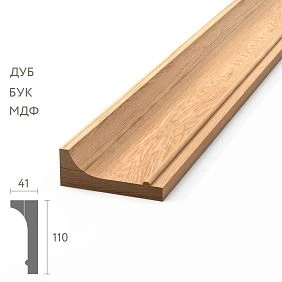
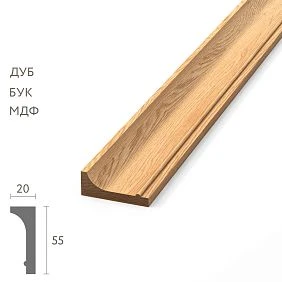
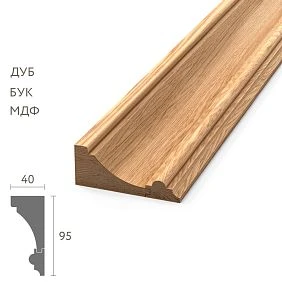
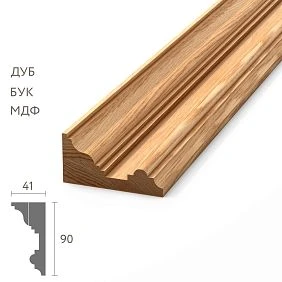
Interior handover does not end with beautiful photographs
You can fully complete the finishing and still leave the owner with a poorly managed property. On the surface everything is ready, but two years later during local repairs no one knows exactly what needs to be purchased.
For wooden trim, this problem is especially noticeable. Visually similar profiles may differ in:
- SKU;
- cross-section;
- by material;
- commercial length;
- the finish;
- purpose in the project.
The phrase “white oak molding is used in the rooms” becomes almost useless after a few years. Operations needs an exact commercial identifier and a link to the place of application.
The main result is the property’s wooden trim passport
This is not a government document and not a separate mandatory form. It is the project’s internal final schedule, which gathers in one line everything that operations truly needs.
| Field | Example |
|---|---|
| Object | Hotel |
| Zone | Floors 2–6 |
| Product | Wooden skirting board |
| Manufacturer | STAVROS |
| Article number | PLT-___ |
| Material | Oak |
| Size | ___ |
| commercial length | ___ |
| Finishing | ___ |
| Actually applied | Premises ___ |
| Order number | ___ |
| operational reserve | ___ pcs. |
| Reserve storage location | ___ |
| Technical documents | Attached / not required / to be confirmed |
| Photo | Attached |
Five years later, such a table helps order the same profile much faster than searching for a photo in the messenger archive.




A procurement archive and an operations set are different things
The procurement department may keep:
- commercial proposals;
- invoices;
- payments;
- correspondence;
- order versions;
- discount approvals;
- logistics documents;
- internal comparison tables.
For operation three years later, most of this array is not needed in daily work. What matters is to quickly understand: what is installed, where it is installed, what to replace it with, and whether there is a spare.
Therefore, the full procurement archive is not handed over as the only working folder. A separate compact operations set is formed from it.
Two archive levels resolve the conflict between completeness and convenience
The working operations set contains only the current information needed for maintenance.
The full project archive preserves the history of revisions, replacements, invoices, correspondence, investigations, and old versions.
This way nothing is lost, but the future engineer does not have to search for a single SKU among hundreds of files.
Our factory also produces:








What information does the property owner actually need
Minimum set for each actually installed item:
- manufacturer;
- exact article number;
- the material;
- profile size;
- product length;
- finishing;
- places of actual application;
- internal project code;
- original order number;
- operational reserve;
- storage location of the reserve;
- technical documents, if they are provided for the specific product and project;
- representative photos;
- open issues, if any still exist.
There is no need to turn the product card into a full construction diary. The final information should answer the future operational task.
Get Consultation
construction materials wholesale must maintain contact with the manufacturer after installation
In the project, the profile may be referred to by an internal code:
P-01.
But after handover, it is not enough to leave only P-01. Operations must see:
P-01 = STAVROS / PLT-___ / oak / size ___ / length ___ / finish ___.
The project code preserves the architectural logic. The manufacturer's SKU preserves the product identity.
The project code and the manufacturer's SKU must not be mixed
For example:
Project code: M-04.
Manufacturer's SKU: MLD-050.
M-04 explains what function the profile performs in the project. MLD-050 explains what physically needs to be ordered.
If only MLD-050 is left in the final schedule, it will be harder for a future architect to understand the role of the profile. If only M-04 is left, the purchaser will not be able to reorder the product.
Both identifiers are needed at the same time.
If the product code changed during the project, the summary shows what was actually installed
The project originally contained:
M-04 → MLD-A.
After the approved replacement:
M-04 → MLD-B.
The final working set must clearly state:
MLD-B WAS ACTUALLY INSTALLED.
The history of MLD-A is retained in the full project archive, but it must not remain the primary operational line.
The old design version must not be left as the actual one
This is one of the most dangerous mistakes. A few years later, the repair crew looks at the old design, orders MLD-A, and receives a profile that does not match the existing interior.
Therefore, the final statement is based on actual execution, not on the original design.
The as-built statement becomes the basis of the final package
There is no need to create everything from scratch after completion of the work. The last verified statement of actually installed products is taken and supplemented with operational data.
For each line, the following are added:
- manufacturer documents;
- profile photo;
- installation photo;
- operational reserve;
- storage location of the reserve;
- order number;
- comment on the replacement, if there was one;
- open remarks.
This way, the final package grows out of the existing records rather than being created as a separate parallel system.
Wooden skirting board: what to keep after handover
for wooden baseboard the maintenance service does not need the history of every warehouse issue. It needs a short and accurate record of the actually installed product.
It is useful to keep in it:
- article number;
- the material;
- profile size;
- commercial length;
- finish;
- floors and rooms;
- typical application details;
- operational reserve;
- storage location of the reserve;
- order or delivery number for additional tracing.
A few years later, such a record makes it possible to quickly understand which profile needs to be taken from reserve or reordered.
Wooden moulding: an application map is more important than a single overall remaining stock
One interior may contain several visually similar of wooden moldings.
For example:
- MLD-A — wall frames in rooms;
- MLD-B — furniture portals;
- MLD-C — door framing;
- MLD-D — lobby accent wall.
Therefore, the operational schedule must answer not only "what is this item code," but also "where exactly is it installed."
Practical format:
| Article | Material | Application | Zones | Reserve |
|---|---|---|---|---|
| MLD-A | Oak | wall frames | Numbers 201–260 | 6 pcs. |
| MLD-B | Oak | Furniture portals | Lobby | 3 pcs. |
This way, two similar profiles do not get mixed up during local repairs.
Wooden cornice: the item code must be linked to a specific zone
After a few years, an employee may see three similar wooden cornices, but not remember which one is used where.
The final map should give a direct answer:
- KZ-A — restaurant;
- KZ-B — lobby;
- KZ-C — guest room stock;
- KZ-D — meeting rooms.
If a separate finish is provided for each curtain rod, it is recorded in the same row.
materials in bulk: which supplier documents to keep
There is no universal list of mandatory documents for any wooden moulding. The exact set depends on the specific product, contract, project requirements, technical customer, and applicable standards.
The final package includes only what actually relates to a specific item and is provided for it.
Possible options:
- technical description;
- quality certificate, if provided;
- certificate or declaration, where applicable to a specific product;
- storage and operation instructions;
- warranty information;
- details of a specific delivery;
- other documents required by the project.
The article should not turn this list into a universal legal requirement for any molding or skirting board.
The document must be linked to a specific SKU
A “Certificates” folder containing dozens of files with no link to products is almost useless for operations.
Better:
PLT-___ → technical details → document 1 / document 2.
MLD-___ → technical details → document 1.
This way, the employee does not have to guess which product the file belongs to.
building materials supplier: a technical document does not replace precise product identification
A manufacturer's general catalog, an advertising presentation, or a brand page does not replace the record of the actually installed product.
In the final set, what matters more is:
- exact article number;
- exact material;
- exact size;
- execution;
- actual area;
- related technical information.
Documents should confirm and supplement identification, not replace it.
Files should be named so that they can be found without the involvement of the project author
Three years from now, no one should have to remember that "scan001.pdf" is the quality certificate for the required molding.
Practical names:
- PLT-___-technical-data.pdf;
- MLD-___-quality-certificate.pdf;
- KZ-___-warranty-information.pdf;
- PLT-___-profile-photo.jpg;
- MLD-___-application-areas.pdf.
Weak names:
- scan001;
- new;
- final2;
- manager document;
- last correct.
The file name should be clear to someone opening the folder for the first time.
One item — one clear information folder
Convenient structure for a specific SKU:
MOLDING MLD-___
- product card;
- technical details;
- profile photo;
- application photo;
- application areas;
- finish description;
- stock information;
- order number;
- open questions, if any.
Operations looks for the item, not a replica of the procurement department's structure.
Multiple deliveries of the same SKU can be merged in operations, but not lost in the archive.
PLT-A could arrive in July, August, and September. If these batches do not differ in significant parameters for operations, the final card can be maintained as a single item.
But in the full archive, it is useful to preserve the history of individual deliveries, especially if:
- the finish differed;
- there were separate remarks;
- part of the batch had a different finish;
- a claim was filed;
- there is a need for traceability of origin.
The working set remains compact, the full archive remains detailed.
Material suppliers: the original order number is useful, but it should not be the only identifier
In the operation card, it is worth keeping the order number or delivery date. Wording:
MLD-050 / oak / 2400 mm / order no. ___ dated ___.
much more useful than "that molding from the numbers."
But the order number is additional traceability. Five years later:
- the manager may have changed;
- the archive system may have been migrated;
- the old order may be difficult to find.
Therefore, the main method of identification remains:
MANUFACTURER + SKU + MATERIAL + SIZE + LENGTH + FINISH.
A technical photograph should help identify the product
Not only interior photographs are useful for operation.
A representative set may include:
- general view of the area;
- close-up of the profile;
- typical junction;
- corner assembly;
- color and finish;
- place of application.
Hundreds of identical shots of every meter are not needed. For one SKU, a set that allows understanding the appearance and application is sufficient.
A physical sample is sometimes more useful than a photograph
If a signed short profile fragment remains after the project, it can be kept as a sample.
For example:
MLD-050 / oak / finish ___ / project ___.
A physical sample helps to:
- visually match the existing profile;
- compare the finish;
- confirm the shape for future repairs;
- avoid searching for a product by photo alone.
A sample and a maintenance reserve are different things
A short 150 mm fragment can be an excellent shape reference and completely useless for actual repairs.
A sample is needed for identification.
A reserve is needed for the physical replacement of a damaged section.
The operational reserve must be described as a separate line item
The phrase "we left a few planks" is not suitable for a facility that will be in operation for many years. The reserve must be linked to a specific SKU and application location.
| Article | Material | Length | Quantity | For which zones |
|---|---|---|---|---|
| PLT-A | Oak | 2400 мм | 8 pcs. | Floors 2–5 |
| MLD-A | Oak | 2400 мм | 6 pcs. | Room number inventory |
| KZ-A | Beech | 2000 мм | 3 pcs. | Restaurant |
It must be specified where the reserve is physically stored.
If a reserve exists but no one knows where it is, it effectively does not exist
Useful to note:
- warehouse;
- room;
- shelf;
- responsible department;
- if necessary, the package number.
The wording "there should have been eight planks left" does not constitute operational accounting.
Installation remainder cannot be automatically declared as operational reserve
After construction, 14 PLT-A planks remained. This does not yet mean that the operational reserve equals 14.
It needs to be divided into:
- whole usable items;
- usable offcuts;
- damaged material;
- free surplus;
- targeted repair reserve.
Of the 14 remaining planks, the project may decide to keep 8 as operational stock, use 4 in another phase, and not count 2 as usable reserve.
The final card must show the actually transferred quantity, not the balance from the intermediate warehouse table.
Useful offcuts need to be identified, otherwise they turn into waste
Operations does not need a "wooden leftovers" box without understanding its contents.
For a group of useful offcuts, it is sufficient to specify:
- article number;
- the material;
- lengths;
- quantity;
- the zones where this profile is used.
For example:
MLD-050 / oak / 950 mm — 2 pcs. / 780 mm — 3 pcs.
Then the short offcut can be deliberately used for local repairs.
Photos of the reserve record the fact of handover, not just the appearance
It is useful to take a few shots:
- general view of the reserve;
- marking;
- the number of packages;
- storage location.
This way, after handover there is no dispute: “we left you eight planks” or “there were only five in stock.”
A photo does not replace the inventory list, but it confirms the physical condition at the moment of handover.
If part of the reserve is still in transit, this must be stated honestly
The project is already being handed over, but four repair items are on backorder.
Correct entry:
Reserve actually transferred — 6 pcs.
Expected — 4 pcs. under order No.___.
While ten items are physically unavailable, you cannot write “reserve — 10 pcs.” without explanation.
Open remarks and documentation readiness are different statuses
The trim can be fully documented, but local repair is still ongoing for one molding.
These are two different situations:
DOCUMENTATION SET IS READY.
REMARK NOT CLOSED.
There is no need to block the transfer of all information because of one open defect. But this defect must be clearly marked.
An open remark must be visible in the final card
For example:
MLD-A / room 314 / replacement pending.
Operations must understand that the current photo and condition of this area are not yet final.
After correction, the final set is updated to reflect the actual state
The issue has been closed. MLD-A has been replaced with MLD-B.
The working operational version must contain:
MLD-B IS ACTUALLY INSTALLED.
The old version is not deleted without a trace but remains in the project's full archive as a change history.
This way, the working set always shows the current physical object, while the archive shows its path.
On-site changes must be included in the final schedule
This is especially important for commercial interiors. On a construction site, a replacement may be officially approved that is not in the original design specification.
For example:
as designed — MLD-A.
as built after approval — MLD-B.
The final schedule must show MLD-B. Otherwise, operations will rely on the old design version.
Who checks the package before handover
The organizational chart differs across sites. Those who may check include:
- procurement specialist;
- purchaser;
- general contractor;
- technical client;
- design supervision;
- operations service;
- the site owner's representative.
There is no single universal role. But there must be a specific owner of the final package who is responsible for its integrity before handover.
The designer should not be the sole keeper of information
The designer knows which profile was planned. Operations needs to know which profile was actually installed.
Sometimes these are different things.
The purchaser also should not be the only source
The purchaser knows what was bought. But some of the material could:
- not be used;
- be replaced;
- go to another zone;
- remain as a reserve;
- be returned to the supplier.
The result is based on actual execution, not just on the order.
The main reconciliation before handover takes place across five levels
For each item, it is useful to follow the chain:
WHAT WAS APPROVED → WHAT WAS ORDERED → WHAT WAS DELIVERED → WHAT WAS ACTUALLY INSTALLED → WHAT REMAINS IN RESERVE.
For example:
| Stage | M-04 |
|---|---|
| Approved | MLD-A |
| Ordered | MLD-A |
| Delivered | MLD-A |
| After replacement, actually installed | MLD-B |
| Reserve | MLD-B — 4 pcs. |
It is the last actual level that becomes the basis for operation.
The main summary table should show the readiness of each item
| Project code | SKU STAVROS | Material | Actually installed | Zones | Reserve | Documents | Summary |
|---|---|---|---|---|---|---|---|
| P-01 | PLT-A | Oak | Yes | Floors 2–5 | 8 | Collected | done |
| M-02 | MLD-A | Oak | Yes | Numbers | 6 | Collected | done |
| K-03 | KZ-A | Beech | Partially | Restaurant | 3 | Collected | ISSUE OPENED |
What «DONE» means
For the line:
- SKU confirmed;
- material confirmed;
- actual application determined;
- documents collected;
- reserve specified;
- reserve location known;
- no open questions.
wholesale building materialsthe final folder should not turn into a file dump
The purpose of the final package is not to collect the maximum number of documents. The purpose is to leave a sufficient set of reliable information that can be used to maintain the interior without the involvement of the old project team.
A hundred random files are worse than one well-structured schedule where each line is linked to a specific item code and attachments.
Therefore, the working package should not automatically include:
- all draft commercial proposals;
- rejected options;
- correspondence about discounts;
- every intermediate revision;
- internal notes from the purchaser;
- old quantity calculations that no longer match the actual situation.
This data may remain in the full project archive, but must not interfere with operation.
The electronic structure must be understandable to someone opening the folder for the first time.
Simple option:
- 01 — Final statement;
- 02 — Skirting boards;
- 03 — Moldings;
- 04 — Cornices;
- 05 — Technical documents;
- 06 — Operational reserve;
- 07 — Photographs;
- 08 — Open questions;
- 09 — Complete project archive.
Inside the folder for a specific item code, only information related to it is stored.
This way, the operations team does not have to review the procurement history and can immediately find the required product.
A link to the website is useful, but it does not replace the saved project data
You can include a link to the current product source in the card. But after a few years:
- the product card may change;
- the page address may be updated;
- the item may be discontinued;
- a new version may become available;
- the available lengths or finish options may change.
Therefore, the work card must store the key technical details that were relevant to the specific project.
At the same time, there is no need to copy the entire STAVROS catalog into the archive. Only the information related to the actually installed item is saved.
How the kit helps with local repairs years later
In room 415, the baseboard was damaged. Without a final dossier, operations start from scratch: photograph the profile, look for the designer, compare the catalog, ask the old contractor.
With a ready-made kit, the algorithm is short:
- open the schedule;
- find room 415;
- see the project code P-01;
- go to item PLT-A;
- check the material, length, and finish;
- check the operational reserve;
- if there is no reserve — generate an accurate repeat request.
It is precisely for this scenario that the final kit is created.
How the kit helps when the management company changes
After a few years, operations may be taken over by a new organization. If the information exists only in the memory of the old team, the new operator essentially starts from scratch.
The working kit makes it possible to transfer along with the property:
- product identity;
- application areas;
- actual replacements;
- service reserve;
- storage locations;
- technical details;
- history of open issues.
Thus, the finish becomes part of the property's managed assets, rather than a set of unknown decorative details.
How the kit helps during renovation
The future architect can immediately see which profiles actually exist in the interior.
This allows a conscious decision to:
- replicate the existing profile;
- preserve part of the interior;
- replace only individual areas;
- select a compatible new element;
- use remaining reserve stock;
- not destroy the existing solution simply because the item code could not be identified.
A moldings and cornices application map is especially useful: it shows where the same profile repeats and which sections can be preserved.
Practical scenario: the project code exists, but the article number is lost
The execution plan specifies "P-03", but the supplier and the actual article number are not recorded anywhere. Visually, the skirting board resembles several catalog profiles.
Before handover, such a line cannot be left as "P-03" without clarification. The product identity must be restored from the available sources:
- the latest actual inventory list;
- the order;
- delivery note;
- reserve labeling;
- a physical sample;
- approval of the substitution.
If the exact article number cannot be confirmed, this is stated honestly in the final card. There is no need to invent the closest similar SKU.
Practical scenario: one profile was purchased, but a different one was installed
Project code M-02 was linked to MLD-A. It was purchased. On site, by agreement, MLD-B was used, and part of MLD-A remained unused.
The final set must separate:
- actually installed: MLD-B;
- originally ordered: MLD-A — archive;
- remaining MLD-A: free / returned / used in another area.
Operations must not receive MLD-A as the "correct molding" just because it appears on the invoice.
Practical scenario: the reserve formally exists, but the execution is different
The schedule states: "MLD-A reserve — 6 pcs.". During the actual check, it turns out that four items have a different finish.
This means the operational reserve is not equal to six usable parts for one area.
Needs to be split:
- MLD-A / finish F01 — 2 pcs.;
- MLD-A / finish F02 — 4 pcs.
Reserve is always described in the same item detail as the actually installed material.
Practical scenario: part of the reserve is stored in another building
The document states “PLT-A — 8 pcs.”. In fact, five are in the main warehouse, three are in the technical room of another building.
For operation, it is better to record two storage lines:
| Article | Quantity | Place | Responsible |
|---|---|---|---|
| PLT-A | 5 | Warehouse C-01 | Usage |
| PLT-A | 3 | Building 2 / technical room | Usage |
The total “8 pcs.” is preserved, but the object knows where to find each part.
Practical scenario: technical documents arrived after handover
The main set has already been handed over, but one supplier document arrives later.
You cannot create a parallel folder called "sent later". It is better to update the card of the specific item and issue a new version of the set.
For example:
Version 1.0 — handover of the facility.
Version 1.1 — document for MLD-B added.
This is how operations understands which version is the working one.
The version of the final set is needed just like the version of the working documentation
If, after handover, a comment was closed, a reserve was changed, or a missing document was added, the final set changes.
It is useful to store in the header:
- version number;
- date;
- brief description of the change;
- person responsible for the release.
The old version remains in the archive, the new one becomes effective.
No need to store the price as a primary operational parameter
The price at the time of purchase is useful for the financial archive, but in a few years it will almost certainly change.
In the working operations set, what matters more is:
- article number;
- the material;
- size;
- length;
- finishing;
- manufacturer;
- place of application.
The cost remains in the full procurement archive.
No need to store each intermediate logistics supplier as the primary identity of the item
For operations, the key source is the manufacturer and the exact item. If a logistics company or intermediary was involved between the factory and the site, this information can be stored in the supply archive.
But a repair record five years later should lead to the product, not to the name of the transport company.
The as-built diagram must show the actual application zones
If an item code is used only in part of the rooms, this should be visible without reading the entire architectural documentation.
For linear trim, a simple reference is sufficient:
- building;
- floor;
- room or group of rooms;
- typical detail;
- article number;
- finish.
For example:
MLD-B / lobby / furniture portals / finish F02.
This way, operations understands not only that MLD-B exists at the site, but also where to find it.
Changes to room numbering must also be included in the final set
If room 201 became 215 during the project, the working operational version must use the current number.
But in the archival reference, it is useful to preserve:
215 / previously 201.
This helps locate old reports, photographs, and orders that were issued before the renumbering.
The final set must be convenient for today's operations while not breaking the project's history.
Photographs are best linked to the item code and zone rather than collected into a single gallery
A folder of 300 images named IMG_5842.jpg and IMG_5843.jpg is of little help.
More practical:
- PLT-A_number-fund_general-view.jpg;
- PLT-A_door-unit.jpg;
- MLD-B_lobby_portal.jpg;
- KZ-A_restaurant_typical-joint.jpg.
Then the photograph becomes part of the technical identification.
The reference sample must be signed just as precisely as the reserve
An unlabeled fragment turns into "some wooden plank" after a few years.
On the sample or next to it, keep:
- manufacturer;
- article number;
- the material;
- finish;
- object;
- application area.
If there are several samples, they are stored separately from the repair reserve so that an employee does not accidentally use the reference during installation.
Before handing over the reserve, its actual condition must be checked
The plank could have been lying in a temporary warehouse for several months, surviving a move and construction work. Formal presence in the table does not yet mean suitability.
Before handover to operation, check:
- integrity;
- marking;
- compliance with the SKU;
- the material;
- commercial length;
- finish;
- quantity.
Only after this is the reserve considered actually handed over.
The working set must have an owner and a storage location
Even a perfect folder is useless if, after handover, no one knows where it is.
You need to determine:
- responsible department;
- electronic storage location;
- physical archive if necessary;
- update rule;
- who can change the current version.
For example:
Owner: operations service.
Electronic archive: facility folder / finishing materials / wooden trim.
Handover of the set must be a separate event
One should not assume that sending a link by email automatically means transferring the information to the owner.
Practical procedure:
- prepare the current version;
- check file access;
- check several random product codes;
- check the reserve;
- show the structure to the operations team;
- confirm the handover.
This way, a new user understands not only where the files are located, but also how to use them.
A spot check before handover is faster than a full re-audit
It is not necessary to review every photo again if the set was assembled as the project progressed. But before handing over the site, it is useful to select several rows of different types:
- baseboard of a typical floor;
- molding with replacement;
- cornice of the viewing area;
- position with reserve;
- position with technical document.
For each one, verify the path from the final inventory to the file, photo, and physical reserve.
If spot-checking reveals systemic errors, the audit is expanded.
A set is considered working only if a real task can be completed with it
The strongest test is a practical one.
An employee who did not participate in the project is given a scenario:
"In room 415, the skirting board is damaged. Determine what product is installed, whether there is a reserve, and what needs to be ordered if there is no reserve."
If a person finds within a few minutes:
- article number;
- the material;
- size;
- finish;
- reserve location;
- original order number;
the kit fulfills its function.
If answering still requires the old foreman, the structure is not useful enough.
If some documents for the item are lost, they should not be replaced with guesses
On a real project, it may turn out that for one line item the technical file was not preserved, the old manager is unavailable, and only the delivery note remains in the folder. In that case, the final kit should not mask the gap.
For a line, you can specify:
TECHNICAL DOCUMENTS: BEING CLARIFIED.
Next, the project checks the available sources: the manufacturer's card, the order archive, correspondence, reserve marking, saved files. If the document could not be restored, this is honestly recorded. You must not invent the name of a certificate, document number, or specification.
How to work with documents that relate not to the product, but to a specific delivery
Some information may be related not only to the SKU, but also to a specific batch or shipment. Then it is better to store it at two levels.
In the SKU card:
- general technical information;
- the material;
- size;
- purpose;
- operational data.
In the delivery archive:
- order number;
- date;
- packing list;
- documents relating specifically to this batch;
- notes made during acceptance.
This way the operational card stays simple, and the traceability of a specific delivery is not lost.
Set no.
How to prepare the set for a future reorder
A few years later, an operational task most often begins not with searching for an old invoice, but with a specific breakage: one plinth is damaged, a short molding is needed to repair the portal, the cornice reserve has run out. Therefore, the final card should make it possible to create a repeat request without reconstructing the entire project history.
Minimum reorder line:
STAVROS / item code ___ / material ___ / size ___ / commercial length ___ / finish ___ / quantity ___.
If there is an original order, it is added as a reference link. If the item has been discontinued, the same card remains the basis for selecting a compatible replacement or custom manufacturing.
A good final set saves time precisely because it shifts the future task from the mode of "finding out what this was" to the mode of "checking the current availability of a specific item."
How to work with the reserve if the room or zone is later renamed
After handover, numbering may change: 201 becomes 215, an office turns into a meeting room, a building gets a new designation. The operational reserve, however, remains the same physical material.
It is best to store in the card:
- current zone designation;
- previous designation as an archived reference;
- article number;
- execution;
- reserve storage location.
This way, the new room address does not break the link with documents issued during the construction period.
Handing over without a short usage guide makes even a good archive weaker
It is useful to show the operations team not only the folders but also the search logic.
A short guide is enough:
- find the room or area in the final schedule;
- identify the project code and the actual SKU;
- open the folder for the specific item;
- check the material, length, and finish;
- check whether there is a reserve;
- if there is no reserve, use the card data to reorder;
- after repair, update the reserve balance.
Such an instruction takes up one page but dramatically increases the practical value of the entire set.
When documentation can be considered truly delivered
Delivery is considered complete not at the moment files are copied to the server, but when the receiving party can open the set and confirm its main elements.
It is useful to check together:
- one skirting board;
- one molding;
- one cornice;
- one item with a replacement;
- one item with an operational reserve;
- one open remark, if any remain.
If the article number, photo, documents, and reserve are easy to find from these lines, the structure is clear. If participants immediately start looking "somewhere in another folder," the set needs to be finalized before delivery.
Practical example: what a completed card for one item looks like
Suppose a single oak skirting board is used in the room inventory. During the construction process, a lot of disparate data has accumulated for it: design code P-01, commercial order, delivery note, installation photos, several replacements by room, warehouse stock balance, and a separate reserve batch.
In the operational set, all of this should not be shown as ten unrelated files. One clear card is needed.
| Field | What we specify |
|---|---|
| Project code | P-01 |
| Manufacturer | STAVROS |
| Article number | PLT-A |
| Material | Oak |
| Size | By the actual product card |
| commercial length | By the actually supplied variant |
| Finishing | F01 |
| Actual zones | Floor numbers 2–5 |
| Original order | No.___ dated ___ |
| Technical information | Folder PLT-A |
| Photo | General view + profile + standard detail |
| Reserve | 8 whole items |
| Reserve location | Warehouse C-01 / rack 4 |
| Open questions | No |
| Status | done |
The following remain separately in the full archive:
- old versions of the specification;
- intermediate calculations;
- invoices;
- correspondence;
- delivery notes;
- history of individual deliveries.
If in five years a section of the skirting board is damaged in the room, the operations team does not start by searching for old emails. It opens card P-01, checks PLT-A and the reserve. If the reserve is depleted, the data from this same card becomes the basis for a repeat request.
If by that time PLT-A is no longer available, the saved material, cross-section, length, finish, photographs and physical sample provide the basis for finding an analogue or manufacturing a compatible profile.
This is precisely the practical point of the final package: not to "prove that the documents have been collected," but to preserve the ability to service the interior without reassembling the old project team.
Practical example: what an item card with an open issue looks like
For the KZ-A curtain rod in the restaurant, the main documentation has already been collected, but three items must be replaced after a local remark.
A working card might look like this:
- project code K-03;
- actually installed article KZ-A;
- material — beech;
- zone — restaurant;
- main scope — installed;
- open remark — 3 items;
- resolution — replacement;
- reserve — 3 items;
- final photo of the disputed area — update after closure.
The documentary package for KZ-A can already be handed over. But the line status remains "REMARK OPEN" until the actual condition of the restaurant is brought to the final version. After replacement, the card is updated, and the old entry goes into history.
A backup copy of the final package is needed before handover of the facility
Even a well-assembled structure loses value if it exists in a single copy on one employee's computer. Before handover, it is useful to check that the current version is stored in a stable corporate or facility storage and has a backup according to the procedure adopted on the project.
The check is simple: open the package from another workstation, make sure that links and attachments are accessible, and that files for specific item codes actually open. It is especially important to check photos, technical documents, and the final schedule: external temporary links or files accessible only to the owner of a personal account must not be the only way to access them.
A backup copy does not mean creating several independent "working versions." One approved version remains current, and the copy is needed for preservation. If the document is updated, the version number changes, and the backup copy is updated along with it according to the adopted rule.
Additionally, before handover, it is useful to open several cards on a mobile or other ordinary operations device: folder names, photos, and tables should remain understandable without the author's special software environment. The less the package depends on one employee's personal habits, the higher the likelihood that it will actually be used during repair and maintenance.
If the package does not allow such a verification task to be solved quickly, it needs to be improved before handover, rather than shifting the missing logic onto the future operations team.
20 mistakes when assembling the final package for wooden trim
1. Hand over only design drawings for operation
Why it happens: the design is considered the main source. Consequence: approved substitutions and actual execution are lost. How to prevent: the final schedule should show what was actually installed.
2. Do not save the manufacturer's part number
Cause: the design has an internal code. Consequence: reordering turns into searching by photo. Prevention: manufacturer + part number are mandatory.
3. Leave only the part number without the design code
Cause: the SKU seems sufficient. Consequence: the architectural function of the element is lost. Prevention: store both identifiers.
4. Hand over data for the ordered item, not the installed one
Cause: the procurement schedule is more accessible. Consequence: operations receives the wrong SKU after substitutions. Prevention: rely on the actual schedule.
5. Do not update the record after a substitution
Cause: the substitution was closed on site, but the documents were not corrected. Consequence: future repairs repeat the old profile. Prevention: update the current version.
6. Not specifying the material
Cause: the SKU seems unambiguous. Consequence: a different version may be ordered. Prevention: material is a separate field.
7. Not specifying the product length
Cause: length was considered warehouse information. Consequence: a repair purchase gets the wrong format. Prevention: save the length of the specific version.
8. Not describing the finish
Cause: the color is visible in the photo. Consequence: the new part does not match the existing one. Prevention: record the finish code or description.
9. Not specifying application zones
Cause: it is assumed that one SKU covers the entire site. Consequence: similar profiles get mixed up. Prevention: an application map.
10. Putting technical documents into one shared folder
Cause: it is faster when handing over. Consequence: it is unclear which file relates to what. Prevention: a document → SKU link.
11. Use an advertising catalog instead of a technical data sheet
Cause: the catalog presents the product range attractively. Consequence: the actual product is not identified. Prevention: store specific details by SKU.
12. Hand over the entire procurement archive as a working set
Cause: it seems that more files means more reliability. Consequence: operations cannot quickly find what they need. Prevention: two archive levels.
13. Do not save the order number
Cause: there is a product code. Consequence: it is harder to reconstruct the supply history. Prevention: use the order number as additional traceability.
14. Store photos only on the foreman's phone
Cause: it is quick to do during construction. Consequence: after the employee leaves, the photos are unavailable. Prevention: transfer representative shots to the archive.
15. Do not separate the sample from the repair reserve
Cause: both are pieces of profile. Consequence: the reference sample may be accidentally used. Prevention: separate labeling.
16. Not specifying the location of the reserve
Cause: the warehouse is known to everyone at handover. Consequence: a year later the stock cannot be found. Prevention: exact storage address.
17. Considering the ordered reserve as actually delivered
Cause: the additional order has already been paid. Consequence: the documentation shows more material than there is. Prevention: separate “delivered” and “expected.”
18. Losing open remarks
Cause: there is a desire to hand over the set as fully complete. Consequence: operations does not know about the unfinished area. Prevention: a separate register of open issues.
19. Leaving the old design version as the actual one
Cause: the original design is neater than the as-built records. Consequence: the card does not match the interior. Prevention: final reconciliation with the actual state.
20. Not assigning an owner for the final documentation
Cause: it is assumed that the folder “will remain on the server by itself.” Consequence: the set stops being updated and is lost. Prevention: a specific owner and storage location.
Final check of the package before handover to the property owner
Before handover, it is useful to run a quick check based not on the number of files, but on the package's ability to answer real operational questions.
| Check | Condition |
|---|---|
| Actually installed SKUs confirmed | Yes / no |
| Project codes linked to manufacturer SKUs | Yes / no |
| Material is specified | Yes / no |
| Size and product length specified | Yes / no |
| Finish specified | Yes / no |
| Application zones defined | Yes / no |
| Substitutions reflected | Yes / no |
| Technical documents linked to specific items | Yes / no |
| Representative photos collected | Yes / no |
| Operational reserve recalculated | Yes / no |
| Reserve storage location is known | Yes / no |
| Open issues are visible | Yes / no |
| Current version of the set is marked | Yes / no |
| Documentation owner is assigned | Yes / no |
If any of the critical lines answers "no", the task is not yet complete.
The object passport should be shorter than the full archive, but more informative than a single specification
A good working set lies between two extremes.
Too short version:
one old specification without actual replacements, reserve, and photos.
Too heavy version:
the entire supply archive, correspondence, dozens of revisions and hundreds of files without structure.
Working version:
- one final summary sheet;
- cards of actually installed SKUs;
- the technical information related to them;
- photographs;
- reserve;
- open questions;
- a link to the full archive if necessary.
How to work with a product that has been discontinued by the time of repair
After a few years, the original profile may be unavailable. The final kit still remains useful because it preserves:
- article number;
- size;
- the material;
- finish;
- photo;
- a physical sample, if available.
This provides a basis for a deliberate search for a replacement or for manufacturing a compatible element.
Without initial identification, the search begins with visual guesswork.
How to work with a custom-made profile
If the molding was non-standard, a single conventional article number may not be enough.
It is useful to include in the final set:
- a technical drawing;
- cross-section;
- the material;
- finish;
- order or technical specification;
- physical sample;
- application areas.
A few years later, re-manufacturing without this data can be significantly more difficult.
How to work with finishes that were applied on site
Sometimes the profile is supplied in one condition, while the final painting, tinting, or other coating is applied on site.
In such a case, the operational record should reflect the actual final finish, not just the factory-supplied condition.
It is useful to save:
- base material;
- profile SKU;
- description or code of the finish;
- a representative photo;
- a sample if needed.
How to handle the same profile across multiple finishes
The same MLD-A can be white in guest rooms and tinted in the lobby.
In that case, you cannot use a single line:
MLD-A — the entire property.
You need to split the configurations:
| Article | Material | Finish | Zone | Reserve |
|---|---|---|---|---|
| MLD-A | Oak | F01 | Numbers | 4 pcs. |
| MLD-A | Oak | F02 | Lobby | 2 pcs. |
The operational reserve is also stored separately.
How to hand over paper originals and electronic copies
Some documents may exist in paper form, while others may exist only electronically.
In the final inventory, it is useful to specify:
- electronic copy available / not available;
- where the paper original is stored;
- which SKU it relates to;
- who is responsible for the archive.
There is no need to duplicate everything on paper if the project does not require it. The main thing is for the owner to understand where the current information is located.
How to hand over the set if the property is being commissioned in stages
A large facility can be commissioned floor by floor or building by building. In that case, there is no need to wait for all zones to be fully completed.
You can release intermediate versions:
Version 1.0 — Building A.
Version 1.1 — Building B added.
Version 2.0 — final facility package.
At the same time, shared SKUs do not need to be copied chaotically into every folder. They can have a single product card and a separate zone map.
How to store reserve information after partial use
After handover, the facility used two of the eight reserve PLT-A strips.
The operational kit should be updated:
Was: 8 pcs.
Used: 2 pcs. for room 415 renovation.
Remaining: 6 pcs.
If the reserve is not updated after renovation, after a few years the inventory list shows a non-existent stock.
The final set should remain a living operational document
At the time of handover, the initial operational version is created. After that, it does not need to be changed for every minor detail, but significant events should be reflected:
- use of reserve;
- profile replacement;
- new additional order;
- change of reserve storage location;
- replacement of finish in a specific area.
This way, the information does not become outdated immediately after the handover of the property.
Final algorithm for preparing the document set
INSTALLATION COMPLETED → MAIN COMMENTS RESOLVED → LATEST ACTUAL SCHEDULE → MANUFACTURER AND ARTICLE NUMBER → PROJECT CODE → MATERIAL → SIZE → LENGTH → FINISH → ACTUAL ZONES → TECHNICAL DETAILS → PHOTO AND SAMPLE → OPERATIONAL RESERVE → RESERVE LOCATION → OPEN QUESTIONS → FINAL SCHEDULE → WORKING OPERATION SET → FULL ARCHIVE → VERIFICATION → HANDOVER TO OWNER.
- Record the completion of the main installation.
- Close the main installation comments.
- Take the latest actual schedule.
- Verify project codes.
- Confirm the manufacturer.
- Confirm the exact article number.
- Confirm the material.
- Confirm size.
- Confirm product length.
- Confirm actual finish.
- Specify application areas.
- Reflect all agreed substitutions.
- Save the original order number.
- Link technical documents to SKU.
- Collect representative photos.
- Keep a physical sample if necessary.
- Recalculate the operational reserve.
- Verify its suitability.
- Record the storage location.
- Separately mark the expected but not yet transferred reserve.
- Mark open remarks.
- Compile the final report.
- Create a working folder structure.
- Separately save the full project archive.
- Assign a version number.
- Assign a documentation owner.
- Perform a spot practical check.
- Hand over the set to the operations service.
- Explain the procedure for future updates.
Bottom line: the object needs to retain not the procurement history, but a tool for future operation
After the project is completed, the owner must not depend on the memory of the designer, purchaser, or site foreman. The final set turns wooden trim from a decorative element of unknown origin into a manageable part of the object.
For each item, the following must be clear:
WHAT IS INSTALLED → WHERE IT IS INSTALLED → WHICH SKU → FROM WHAT MATERIAL → WHAT FINISH → WHAT DOCUMENTS ARE AVAILABLE → IS THERE A RESERVE → WHERE IT IS STORED → HOW TO REPEAT THE ORDER.
The full project archive preserves history. The working operations set preserves access to the necessary information.
This is exactly what makes the documentation useful a year later, five years later, and during the next renovation.
Frequently asked questions
Should all invoices and commercial proposals be handed over to operations?
No. They can be stored in the full project archive. What matters more for the working set is the actually installed SKUs, materials, zones, technical information, and reserve.
What is more important: the project code or the manufacturer's article number?
Both are needed. The project code shows the function in the interior, while the manufacturer's article number allows the item to be identified and reordered.
What should be done if the article number changed during construction?
The working as-built version should show the article number that was actually installed. The previous version is kept in the full archive.
Do all installation photos need to be stored?
Not necessarily. A representative set for each product type and area is sufficient, unless additional photos are needed for open issues.
Is a physical sample needed?
Not always, but for complex finishes, non-standard profiles, or future identification it can be very useful.
How does a sample differ from an operational reserve?
A sample is needed for identification. A reserve is for actual repairs. A short fragment can be a good sample, but may not be suitable for replacement.
Which set of technical documents is mandatory?
There is no universal list for any trim. The set is determined by the specific product, the contract, the requirements of the project, the technical customer, and applicable standards.
What should be done if part of the reserve has not yet arrived?
Indicate the actually delivered quantity separately from the expected one. Do not count a future delivery as an already existing reserve.
Who should own the final set?
The organizational scheme may vary, but after handover there must be a specific owner of the documentation and a clear storage location for the current version.
Should the set be updated after handover?
Yes, if significant operational data changes: the reserve has been used, the profile has been replaced, an additional order has been placed, or the storage location of the stock has been changed.