Article Contents:
- Why "paid" and "spent on the project" are not the same thing
- Five figures you need to control the procurement budget
- Budget — the approved limit
- Committed — obligations already incurred
- Paid — actually paid
- Forecast — what still needs to be ordered
- Forecast at Completion — the expected total cost
- Quantity Variance
- Price Variance
- Configuration Variance
- Logistics Variance
- Stage 1. Estimate approved
- Stage 2. First orders placed
- Stage 3. Final measurement increased the quantity
- Stage 4. Decorative element material changed
- Stage 5. Logistics changed
- Stage 6. Final items ordered
- Stage 7. Closure
- Mistake: treating the entire unpaid budget balance as available
- Mistake: calling everything not yet ordered savings
- Mistake: the same amount remains in both Forecast and Committed
- Error: the original budget is being adjusted to match the actual cost
- Error: a project change does not receive a financial estimate
- Should a paid advance be counted as a separate expense on top of Committed?
- Can a supplier's quotation be counted as Committed?
- What should you do if the final quantity of materials is not yet known?
- Should delivery be included in the materials budget?
- How do savings differ from unused budget?
- When can a procurement package be considered closed?

An approved budget does not yet mean that the project will stay within it. Until procurement is complete, the cost keeps changing: quantities are refined after final measurements, orders are issued to suppliers, some items are paid in advance, some after readiness, project changes appear, additional deliveries and new requirements for material or finish arise. Therefore, budget control cannot be reduced to bank payments.
If on construction and finishing materials 3,000,000 ₽ was approved, and 1,100,000 ₽ has been paid today, this does not mean that 1,900,000 ₽ is still free. Part of the amount may already be tied up in confirmed orders, while the rest of the procurement is still only expected. For a management decision, you need to see not just one figure, "paid," but the whole picture: how much was approved, how much has already been contracted, how much has actually been paid, how much still needs to be ordered, and what total is forecast by the completion of procurement.
Approved budget → confirmed commitments → actual payments → remaining forecast → changes → forecast of total cost → deviation from budget.
This approach makes it possible to notice overspending before it shows up in the cash account and to understand its cause: price, quantity, project change, transport, additional material reserve, or another agreed adjustment.

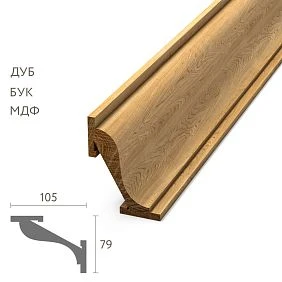
Why "paid" and "spent on the project" are not the same thing
Suppose an order for 700,000 ₽ is placed for one finishing package. Under the terms of the deal, 50% is paid immediately, and the remainder after readiness. The financial statement shows a payment of 350,000 ₽. If you rely only on that, it seems that the package used 350,000 ₽ of the budget. But the project has already taken on a commitment of 700,000 ₽.
| Indicator | Total | What does it mean |
|---|---|---|
| Committed | 700 000 ₽ | Confirmed cost of the placed order |
| Paid | 350 000 ₽ | Payment actually made |
| Remaining payable | 350 000 ₽ | Unpaid portion of an already committed obligation |
If you only consider Paid, the purchase looks cheaper than it actually is. If you only consider Committed, you cannot properly plan cash flow. These metrics are related, but they answer different questions.




Five figures you need to control your procurement budget
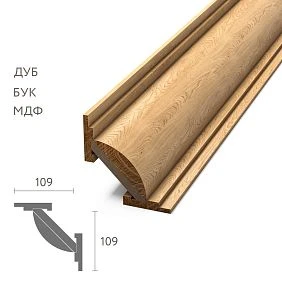
Our factory also produces:






Budget — the approved limit
Budget is the amount against which the actual and forecast state of a purchase is compared. For example, 3,000,000 ₽ was approved for wooden finishing. This figure cannot be rewritten every time to match actual expenses, otherwise the very concept of variance would disappear.
Get Consultation
Committed — obligations already incurred
Committed is the cost of purchases that have already moved from an intention to a confirmed obligation under the company's established procedure. Usually this is a placed and confirmed order, contract, specification, or another document after which the amount should no longer remain merely a forecast.
Paid — actually paid
Paid shows the actual movement of money. It is needed to control settlements with suppliers and future cash requirements. But Paid by itself does not answer the question of how much the procurement package will cost once completed.
Forecast — what still needs to be ordered
Forecast — the expected cost of the portion of the requirement that has not yet become Committed. It is this column that prevents creating a false picture of "we still have plenty of free budget" simply because some materials have not yet been ordered.
Forecast at Completion — expected final cost
Forecast at Completion, or FAC, is one of the key management figures. In a simplified model:
FAC = Committed + Remaining Forecast.
If changes are accounted for in a separate track, their approved financial impact is added to the calculation in accordance with the project's accepted methodology. It is FAC that should be compared with the current approved budget baseline, not the sum of payments already made.
Example: bank payments look fine, but the budget is almost exhausted
3,000,000 ₽ has been approved for the purchase of wooden finishes. Two months later, the situation looks like this:
- confirmed orders — 1,450,000 ₽;
- of which actually paid — 1,100,000 ₽;
- remaining unplaced requirement — forecast 1,150,000 ₽;
- a new approved project change adds 240,000 ₽.
If you look only at Paid, it seems that 1.9 million ₽ remains until the limit. But the current procurement estimate is:
1 450 000 + 1 150 000 + 240 000 = 2 840 000 ₽.
Under the current forecast, the margin until the original limit is not 1.9 million ₽, but 160,000 ₽. If one large line item turns out to be more expensive than expected, the project will go into overspend before most of this amount is even paid.
Construction finishing materials are better controlled by procurement packages
A single line “finishing materials — 3,000,000 ₽” is too coarse. If the final forecast becomes 3,150,000 ₽, it shows an overspend but does not explain it. It is much more useful to break the budget into manageable packages that correspond to the actual procurement structure.
| Code | Package | What's included |
|---|---|---|
| WP-01 | Baseboard | Skirting boards and the project-specified elements of this group |
| WP-02 | Moldings | Moldings by zones and rooms |
| WP-03 | Cornices | Cornices and related items |
| WP-04 | Decor | Carved and stucco decorative set |
| WP-05 | Installation consumables | Materials included in the project's procurement package |
After this breakdown, it is clear where the deviation occurred. For example: skirting board −50,000 ₽, cornice −60,000 ₽, moulding +190,000 ₽, decor +70,000 ₽. The overall total is the same, but now you can analyse the cause of the overspend for a specific package.
Central table: Budget, Committed, Paid, Forecast and FAC
For large-scale procurement of construction materials it is useful to keep a single summary table where each material group goes through the same set of indicators.
| Group | Budget | Committed | Paid | Remaining Forecast | FAC | Variance |
|---|---|---|---|---|---|---|
| Baseboard | 700 000 ₽ | 620 000 ₽ | 400 000 ₽ | 50 000 ₽ | 670 000 ₽ | −30 000 ₽ |
| Molding | 1 100 000 ₽ | 680 000 ₽ | 520 000 ₽ | 510 000 ₽ | 1 190 000 ₽ | +90 000 ₽ |
| Cornice | 650 000 ₽ | 420 000 ₽ | 180 000 ₽ | 170 000 ₽ | 590 000 ₽ | −60 000 ₽ |
| Decor | 550 000 ₽ | 210 000 ₽ | 100 000 ₽ | 370 000 ₽ | 580 000 ₽ | +30 000 ₽ |
| Total | 3 000 000 ₽ | 1 930 000 ₽ | 1 200 000 ₽ | 1 100 000 ₽ | 3 030 000 ₽ | +30 000 ₽ |
The table immediately shows that the overall overspend is not caused by the entire package. The main problem lies in the mouldings group. Cornices and skirting boards, on the contrary, create an offset. This is already a basis not for a general demand to "save money", but for a targeted check of quantity, price, configuration and changes.
The main budget variance formula
Budget Variance = Forecast at Completion − Approved Budget.
If FAC equals 3,120,000 ₽ with a budget of 3,000,000 ₽, the deviation is +120,000 ₽. A positive value in such a system means a forecast overspend, a negative one means an expected cost below the baseline. A company may use its own sign convention; what matters more is that the rule is consistent across all reports.
Uncommitted budget is not yet a saving
Suppose 500,000 ₽ is allocated for a group of products. 200,000 ₽ has been ordered. At first glance, one could say: "a saving of 300,000 ₽". But if the not-yet-ordered volume at current prices is forecast at 270,000 ₽, the real picture is different:
200 000 + 270 000 = 470 000 ₽.
The projected savings amount to 30,000 ₽, not 300,000 ₽. Therefore, the remainder between Budget and Committed cannot automatically be called savings. First, Remaining Forecast must be subtracted from it, and approved changes must be taken into account.
Why the original budget cannot be rewritten after every change
Suppose a package was initially approved for 3,000,000 ₽. After several changes, the forecast became 3,200,000 ₽. If you simply replace the Budget line with 3,200,000 ₽, the report will again show zero variance. Formally, the table will turn "green," but the project history will disappear.
It is better to store versions:
- Budget REV00 — 3,000,000 ₽ — the original approved baseline;
- Budget REV01 — 3,250,000 ₽ — the new baseline after an official change;
- between versions, an explanation is preserved of why the limit changed.
Then the project can be analyzed on two levels at once: how far it has deviated from the original decision and whether it fits within the current officially approved limit.
A Change Order must have a financial impact
A specification change without a financial assessment leaves a hole in the forecast. For example, a designer replaced one type of molding with another. Everything in the drawings has already been updated, but the old cost is still living on in the budget.
| ID | Change | Financial impact | Status |
|---|---|---|---|
| CR-017 | Replacing MLD-A with MLD-B | +84 000 ₽ | Approved |
Once approved, the amount must go into the appropriate part of the budget: into Forecast if the order has not yet been placed, or into Committed when the change has already been formalized by a purchase commitment.
Quantity, price, and configuration are different causes of variance
It is useful to break down the total overspend by cause. Otherwise, all problems look the same: "materials turned out to be more expensive."
Quantity Variance
The estimate had 420 planks, but after the final measurement 455 are required. The additional 35 units increase the cost even if the price per unit stays the same. This is a quantity variance.
Price Variance
The budget assumed 1,000 ₽ per unit, while the agreed purchase price is 1,080 ₽. The quantity has not changed, but the price has increased. This is a price variance.
Configuration Variance
The quantity stayed the same, but the project changed the material, profile, finish, or another characteristic that affects cost. For example, oak was chosen instead of beech. This is already a configuration change, and it is useful to separate it from an ordinary price increase.
Logistics Variance
Initially, one consolidated delivery was planned. Due to the site schedule, three separate deliveries were required. It is better not to absorb the additional transport cost into the price of the items, otherwise the cause of the variance becomes invisible.
Separate causes are needed not for nice-looking reporting. They allow different decisions to be made. An overspend due to quantity requires checking volumes and reserves; due to price, negotiations or updating the quote; due to configuration, approval of the design decision; due to logistics, rebuilding the delivery schedule.
Materials for finishing works: what to include in the procurement package
Depending on the project, the procurement budget may include not only visible items. For a correct comparison of Budget and FAC, it is determined in advance which direct costs belong to a specific package.
- main items;
- additional elements provided for by the project;
- consumables;
- packaging, if it is paid for separately;
- delivery;
- samples, if their cost is included in the project budget;
- agreed additional operations;
- other direct costs fixed by the project methodology.
At the same time, the procurement budget should not be turned into the company's full cost. Administrative staff salaries, office rent, advertising, and general business expenses should not accidentally end up in the table just because they are also related to the business. The boundary must be defined in advance and applied equally to all lines.
Budget Register: a working document that links cost and status
A convenient Budget Register can be maintained at the package level or at the managed item level — the choice depends on the scale of the project. For a small project, packages are sufficient. For a complex specification, it is useful to go down to individual SKUs or groups of similar items.
| Code | Description | Status | Budget | Committed | Paid | Forecast | Variance |
|---|---|---|---|---|---|---|---|
| P01 | Skirting board, package 1 | Committed | … | … | … | … | … |
| M01 | Mouldings, package 1 | Forecast | … | … | … | … | … |
| K01 | Cornices, package 1 | RFQ | … | … | … | … | … |
A simple sequence can be used for status:
- NOT PROCURED — there is a requirement, but procurement has not started;
- RFQ — the price is being clarified;
- FORECAST — the expected cost has been determined, but no commitment has been made yet;
- COMMITTED — the order is confirmed;
- PARTIALLY PAID — part of the amount has been paid;
- PAID — the amount has been paid;
- CLOSED — the final cost and scope have been confirmed.
The key point is that the status should affect the rules for accounting for the amount, not be a decorative label.
An RFQ price is not yet a committed cost
A supplier sent a quote for 500,000 ₽. The customer has not yet approved the scope or placed the order. It is reasonable to use this amount as a quote or forecast, but it cannot automatically be considered committed. Otherwise, the project will show obligations that do not yet exist.
The opposite mistake is just as dangerous: the order has already been placed, but the amount is still sitting in forecast. If it is also added to committed at the same time, double counting will occur.
No Double Counting: one procurement amount — one logical category
The same portion of the requirement must not be fully present in both Committed and Remaining Forecast at the same time.
Suppose 600 units are required in total. An order has already been placed for 400. Forecast should be calculated only for the remaining 200 units, not again for all 600.
If an order for 400 units costs 500,000 ₽, you cannot simultaneously keep Committed 500,000 ₽ and Forecast another 500,000 ₽ for the same 400 units. After the order is placed, the corresponding portion of forecast is replaced by committed cost.
This rule is especially important in large tables, where a single purchase is first estimated, then a quote is received, then an order is placed and paid in several installments. Without a strict transition between statuses, the same amount starts living in several columns.
Physical material stock and financial contingency are different things
In construction procurement, the word "reserve" is used in two meanings, and they are easy to confuse.
Material Reserve — a physical additional volume of material. For example, to the calculated 400 planks, 20 units are added for the reserve specified by the project. Then Budget Qty is 420.
Budget Contingency — a monetary reserve for uncertainties, if provided for by the project rules.
You cannot automatically count the same physical reserve twice. If the 20 additional planks are already included in Budget Qty = 420, their cost should already be present in the calculation. You cannot add the cost of those same 20 units a second time as a separate "material reserve" line.
Cash Flow and Procurement Cost must be separated
The procurement budget answers the question: how much does the set of materials for the project ultimately cost?
The payment calendar answers another question: when exactly will the money be needed for payment?
Suppose an order costs 600,000 ₽. In September, 300,000 ₽ is paid, and in October, another 300,000 ₽. Procurement Cost may already be 600,000 ₽, while cash out in September is only 300,000 ₽.
Therefore, it is useful to keep two related but distinct structures: the procurement package budget and the payment schedule. Moving a payment to the next month does not reduce the cost of the obligation itself.
Variance Log: why it became more or less expensive
When there are many variances, a single total value is not enough. A log of reasons is needed.
| ID | Package | Reason | Δ Budget | Status |
|---|---|---|---|---|
| V01 | M01 | Increase in quantity after measurement | +… | Approved |
| V02 | K01 | A more favorable price was obtained | −… | Approved |
| V03 | P02 | Change of material/finish | +… | Pending |
For reasons, it is convenient to use short categories: PRICE, QTY, DESIGN, LOGISTICS, WASTE / RESERVE, and OTHER APPROVED CHANGE. Then the total of +180,000 ₽ stops being “it somehow turned out more expensive”: the manager sees how much is related to an increase in quantity, how much to a material replacement, and how much to supply organization.
What to check once a week instead of reviewing the entire table
If the Budget Register is updated regularly, the manager does not need to reread hundreds of rows every week. It is more useful to review changes since the previous control:
- new commitments;
- packages where FAC has exceeded the approved budget or internal tolerance;
- new and changed Change Orders;
- items without an up-to-date Remaining Forecast;
- causes of the largest overspend;
- real, not formal, potential savings;
- large future orders that will soon move from Forecast to Committed;
- unpaid balances on already confirmed commitments.
Additionally, a simple traffic-light system can be applied: GREEN — FAC is within the approved budget or tolerance; AMBER — the buffer is shrinking rapidly or there are significant pending changes; RED — the current FAC exceeds the approved limit. Each company sets the specific monetary thresholds independently.
How to control not yet paid commitments
The separate Remaining Payable column helps link the procurement budget to future cash needs. For example: PO — 600,000 ₽, Paid — 300,000 ₽, Remaining Payable — 300,000 ₽.
These 300,000 ₽ should not re-enter Remaining Forecast: the order has already been placed and its full cost is in Committed. But the finance team needs to see that half of the obligation is still to be paid.
Practical scenario: how the budget changes from estimate to final delivery
Stage 1. Estimate approved
There is a Budget by packages, but no order has been placed yet. At this stage, almost the entire future procurement is in Forecast. Paid and Committed are zero.
Stage 2. First orders placed
Skirting boards and some moldings are confirmed by the supplier. Their cost moves from Forecast to Committed. If an advance has been paid on these orders, the amount is also reflected in Paid, but this does not change the total procurement cost.
Stage 3. Final measurement increased the quantity
For moldings, 455 units are required instead of 420. The cost of the additional 35 units is added to Remaining Forecast. The Variance Log receives the reason QTY.
Stage 4. Decorative element material changed
The project replaces one configuration with a more expensive one. Before approval, the difference may be a pending change. After approval, the financial impact is included in the current forecast.
Stage 5. Logistics changed
Instead of one delivery, three were required. Additional direct transport costs are added to the relevant package and receive the reason LOGISTICS.
Stage 6. Last items ordered
Remaining Forecast tends toward zero because almost the entire demand has become committed. At this stage, FAC is already practically equal to the sum of accepted purchase commitments plus the remaining confirmed adjustments.
Stage 7. Closing
After final deliveries and settlements, the lines are moved to CLOSED. The actual final cost is reconciled, the final Budget Variance is recorded, and the history of reasons is preserved.
When budget control needs to be more detailed
Not every project requires the same depth. For a small order with several items, a single table by groups is sufficient. Added complexity is justified when procurement happens in several stages, there are many items with different deadlines, the project changes frequently, payments are split into an advance and a final settlement, and transport and additional processing noticeably affect the final cost.
In such projects, it is useful to link the item code, package, current version of the specification, procurement status, and financial indicators. This reduces the risk that the cost was updated in one document but remained outdated in another.
When a complex control system is not needed
For a one-time purchase of several fully agreed items, a complex Budget Register may be excessive. If the quantity is final, the price is fixed, there is a single delivery, no project changes are expected, and the entire order is paid at once, control can be simplified.
But even then, it is useful to separate the approved limit, the confirmed order cost, actually paid, and the remaining amount to pay. The more uncertainty there is between the estimate and the final delivery, the more useful a detailed model becomes.
Main mistakes in procurement budget control
Mistake: treating the entire unpaid budget balance as free
Why it happens: the report is based on bank payments. Consequence: the manager takes on a new commitment without seeing orders already placed but not yet paid. How to prevent it: analyze Committed and FAC separately from Paid.
Mistake: calling everything not yet ordered savings
Why it happens: Budget is compared only with Committed. Consequence: the report shows fictitious savings before the last orders are placed. How to prevent it: maintain a Remaining Forecast for the entire not-yet-procured requirement.
Mistake: one amount remains in both Forecast and Committed
Why it happens: the cost is not transferred between stages but simply copied. Consequence: FAC is overstated. How to prevent it: after order confirmation, replace the corresponding part of Forecast with Committed.
Error: the original budget is adjusted to match the actual cost
Why it happens: there is a desire to eliminate the red variance. Consequence: it becomes impossible to understand how far the project has drifted from the original solution. How to prevent it: keep budget revisions and change the baseline only after official approval.
Error: a project change does not receive a financial assessment
Why it happens: the team first revises the drawings and specification, and updates the budget later. Consequence: FAC lags behind the actual project. How to prevent it: assign a cost impact and approval status to every significant Change Order.
Final budget control algorithm
- Lock in the Approved Budget and its revision.
- Break the budget down into packages or manageable groups.
- Specify Budget Qty if the budget depends on the quantity of items.
- Maintain an up-to-date Forecast for demand that has not yet been ordered.
- After the order is confirmed, move the corresponding cost to Committed.
- Do not leave the same amount a second time in Remaining Forecast.
- Track Paid separately from Committed.
- Show Remaining Payable for placed but not fully paid orders.
- Reflect every approved change in the budget and the reason log.
- After clarifying the quantity, update not only the specification but also the Forecast.
- Separate Price Variance, Quantity Variance, Configuration Variance, and Logistics Variance.
- Calculate Forecast at Completion.
- Compare FAC with the current approved baseline.
- Do not rewrite the original budget retroactively.
- When the limit is officially changed, create a new revision.
- Before closing the project, reconcile final commitments, payments, and actual cost.
- Record the final Budget Variance and its causes.
How to link the budget to actual material procurement
A financial table is useful only when it is linked to real procurement decisions. If the project has already determined the finishing composition, the next step is to obtain current terms for the required items and replace assumptions with concrete data.
For comprehensive furnishing, you can send the supplier a specification with SKUs, quantities, material, lead time requirements, and batch breakdown. This way delivery of finishing materials is linked to the budget not as a single line, but through specific items and commitments.
After the order composition is confirmed, the current amount becomes part of Committed. Before confirmation, it is more reasonable to keep it in Forecast. If quantity, material, or finish changes between the price request and the order, it is the current forecast that is updated, not the original budget history.
If you need a single building materials supplier for project furnishing, it is better to send the current specification for calculation rather than individual names from correspondence. Then the proposal can be matched against the Budget Register by the same packages, quantities, and project versions.
Bottom line: you need to control not past payments, but the future cost to complete
The budget for construction and finishing materials becomes manageable when the project stops looking only at invoices that have already been paid.
Budget → Committed → Paid → Remaining Forecast → Change → FAC → Variance.
Budget shows the approved baseline. Committed — purchase obligations already incurred. Paid — actual cash movement. Remaining Forecast — the cost of needs not yet ordered. FAC shows the expected cost of the package after procurement is completed. Variance explains how much this forecast differs from the approved limit.
If the final figure grows, the next task is not just to record the overrun, but to break it down into causes: more material was needed, the price changed, the project chose a different configuration, additional deliveries appeared, or a Change Order was approved.
This kind of control makes it possible to see the problem before the final delivery and make a decision while cost can still be influenced.
FAQ
Should a paid advance be counted as a separate expense on top of Committed?
No. Paid is part of an obligation already incurred, not a new cost on top. If an order costs 600,000 ₽ and a 300,000 ₽ advance has been paid on it, the procurement cost does not become 900,000 ₽. Committed remains 600,000 ₽, while Paid shows that half of that amount has already been transferred.
Can a supplier's commercial proposal be counted as Committed?
The proposal itself does not yet mean an obligation has been incurred. Until the order has passed the company's established confirmation procedure, it is more reasonable to account for the amount as a quote or forecast.
What should be done if the final quantity of materials is not yet known?
Do not leave the line empty. Use the current justified Forecast and note the basis for the calculation. After the final measurement, update the quantity and record the difference as Quantity Variance.
Should delivery be included in the materials budget?
This depends on the project methodology. If delivery is a direct cost of a specific procurement package, it can be accounted for there. The key is to define the rule in advance and apply it consistently.
How does savings differ from unused budget?
Unused budget may still be needed for the unpurchased remainder. Savings are more accurately assessed after accounting for Remaining Forecast. If out of a 500,000 ₽ limit, 200,000 ₽ is already committed and another 270,000 ₽ is expected to be spent, the current projected savings equal 30,000 ₽, not 300,000 ₽.
When can a procurement package be considered closed?
When deliveries and changes are complete, final quantities are confirmed, the cost of all obligations is determined, payments are recorded, and there is no open Remaining Forecast for this package. After that, the final Budget Variance is locked in.