Article Contents:
- The original specification and the actual bill answer different questions
- Why "what was purchased" does not equal "what was installed"
- The main unit of accounting is not the order or the invoice, but the installed zone
- Four states of a single item: design, order, delivery, installation
- The actual bill should show not only the SKU, but also the execution
- The first practical tool is a "design → actual" discrepancy table
- Discrepancy types are better classified rather than described in free text
- Material from another queue: how to preserve its origin and installation location
- Claim and replacement: the installed result must remain in the actual record
- Change Log: change history next to the actual bill of materials
- Three reliability statuses: VERIFIED, DOCUMENTED, UNVERIFIED
- Why total footage for a site without zones is weak for operations
- Excluded rooms should not be left as if the material were installed there
- A new room or zone should appear as ADDED
- How to record a length replacement if the profile remains the same
- Photo documentation should be linked to a zone, not stored as a set of random shots
- What to do if the material cannot be visually identified after painting
- Wooden skirting board: what to record for future local repairs
- Wooden moulding: the actual schedule should account for the composition
- Wooden cornice: a continuous line is best recorded by walls
- Door casing and doorway: the door code is more useful than the general room name
- How to account for inter-zone material movements
- How to record installation from multiple batches of the same SKU
- How to handle areas hidden by furniture or equipment
- What should happen after operational repair
- How to link the as-built schedule to the operational reserve
- When the reserve no longer matches the actual interior
- Example of a complete as-installed schedule line
- How not to turn an as-installed schedule into an accounting report
- How to tell that the as-installed schedule is accurate enough for operation
- When a detailed AS-INSTALLED schedule is not needed
- How to link the as-installed schedule to the STAVROS catalog
- What to do if a product card changed after project handover
- What to do if a profile is discontinued or unavailable years later
- How to conduct the final walkthrough before issuing REV00
- How to settle the quantity question after the final walkthrough
- How to prepare a project summary after completing detailing

At the start of a project, everything looks simple. The specification lists: PLT-A — 320 m, MLD-A — 180 m, KZ-A — 95 m. These figures are used to build the budget, place the first orders, and plan installation. But construction almost never ends with exactly the same table it started with.
As work progresses, part of PLT-A may be replaced with a different profile. In two rooms, the designer changes the molding. One area requires an additional cornice of a different length. One unit is excluded from the finishes, a new room appears, the contractor transfers the remainder from another phase, several strips are replaced under a claim, and one additional order covers a local shortage after the final measurement.
A few months later, the project folder still contains the original specification, several revisions, invoices, delivery notes, acceptance certificates, correspondence, and contractor spreadsheets. But operations is interested in a different question:
what is actually installed on this specific wall, in this room, and in this area?
If there is no answer, then two years later, during a local repair, you might order the profile that was specified in the original design but was never installed here. Or you might order the correct item code but not the version that appeared after the replacement. That is why a complex site needs a separate final record of the actual composition — an as-built schedule of the installed wooden trim.
In this article deliveries of construction materials are no longer viewed as just a delivery or warehouse operation. The main task begins after several project and procurement changes: to restore the chain from the original decision to the actually completed interior and hand over the current version of the data to operations.
Working logic:
AS-DESIGNED → AS-PROCURED → AS-DELIVERED → AS-INSTALLED → FACTUAL REGISTER.
In Russian:
what was designed → what was ordered → what was delivered → what was actually installed → what was recorded for operations.
It is this last stage that turns scattered procurement and installation documents into a clear history of the site.
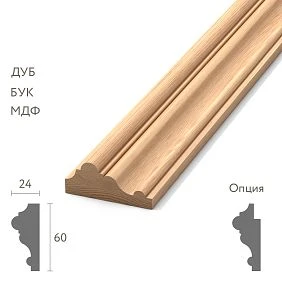
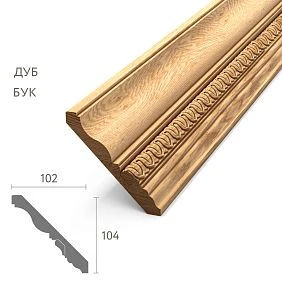
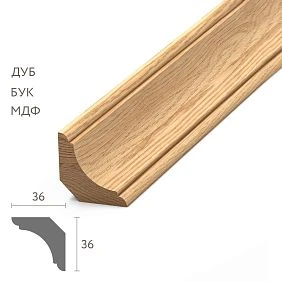
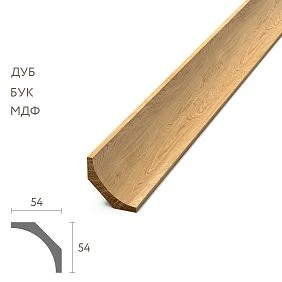
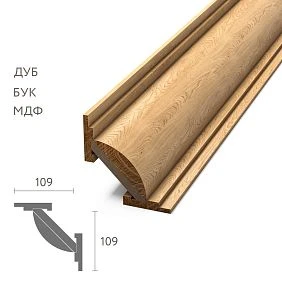
The original specification and the as-built schedule answer different questions
The design specification shows the intent. It states which skirting boards, mouldings, cornices and architraves were supposed to be used according to a specific version of the project.
The actual schedule shows the result. It answers which products actually ended up on site after all replacements, additional orders, transfers of leftovers and adjustments.
| Document | The main question | When needed |
|---|---|---|
| Project specification | What was planned to be installed? | Design and initial procurement |
| Order register | What was ordered and in what quantity? | Procurement |
| Delivery register | What actually arrived? | Acceptance and logistics |
| Installation list | What was planned to be issued and installed? | Execution of works |
| Actual statement | What was actually installed and where? | Handover, operation, future repairs |
The error occurs when one document is used in place of another. A delivery note does not prove that all delivered material was installed. An installation statement does not prove that no last-minute substitution occurred. The original design does not automatically reflect additional orders and claims.




Why "what was purchased" does not equal "what was installed"
The ordered volume almost always includes more than the actually installed length. There is cutting, offcuts, reserve, leftovers, defects, returns, replacements, and movement of material between phases.
For example, 120 m of skirting board was ordered for the area. 103 m was installed on the walls. Of the remaining 17 m, part went into usable leftover, part into cutting waste, and part into operational reserve. If a year later operations looks only at the purchasing PO, it will mistakenly conclude that 120 m was installed in the area.
The reverse situation is also possible. The original order was 120 m, but after a layout change another 18 m was ordered, and 6 m was transferred from another phase. The actually installed volume no longer matches either the first PO or the original specification.
Therefore, the actual statement should be built by installed zones, and procurement documents should be used as supporting sources.
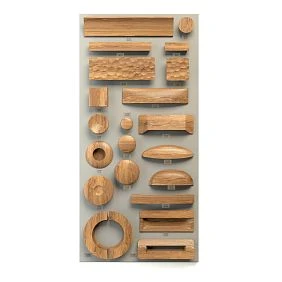
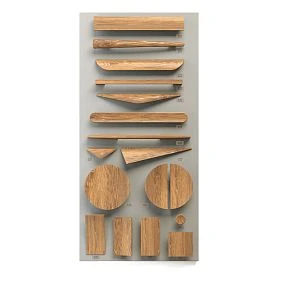
Our factory also produces:






The main unit of accounting is not the order or the invoice, but the installed zone
If you compile the actual history only by PO, you will get a shopping list, but not an interior map. For operation, it is much more useful to start from the object.
The unit of accounting can be:
- room;
- floor;
- building;
- a specific wall;
- a doorway;
- a wall frame;
- a ceiling cornice line;
- a separate repair or installation phase.
The choice depends on the scale of the project. For an apartment, a room and profile type are sufficient. For a hotel or public interior, it is useful to have a room code and, if necessary, a wall code.
For example:
H-203 / WALL-B / PLT-___.
Such a record immediately answers where to look for the material if a local replacement is needed several years later.
Get Consultation
Four states of one item: design, order, delivery, installation
For every important SKU, it is useful to see the chain of states.
| Stage | Example | What may change |
|---|---|---|
| AS-DESIGNED | MLD-A — 180 m | Design revision |
| AS-PROCURED | MLD-A — 120 m; MLD-B — 70 m | Replacement, split by orders |
| AS-DELIVERED | MLD-A — 118 m; MLD-B — 70 m | Short delivery, claim, replacement |
| AS-INSTALLED | MLD-A — rooms 1–5; MLD-B — rooms 6–8 | Actual distribution by zones |
It is the last row that becomes the basis of the actual inventory list. The previous ones are needed to explain the history and confirm where the installed material came from.
The actual inventory list should show not only the SKU but also the specification
The entry "wooden skirting board PLT-A" may be insufficient if a single item was ordered in different materials, lengths, finishes, or processing options. For operation, it is critical to preserve the specification that was actually installed.
Minimum item card:
- article number;
- product type;
- the material;
- cross-section / size;
- product length or specification, if this affects reordering;
- finish;
- installation zone;
- actual length or quantity;
- batch / order number, if saved;
- installation date or stage;
- basis of confirmation;
- verification status.
If some data is unknown, it is better to mark it as "not confirmed" than to substitute a characteristic from an old specification without verification.
The first practical tool is the "project → actual" discrepancy table
It is convenient to start the actual inventory not from a blank sheet, but from the current project specification. Actual columns are added for each row.
| Code | Project SKU | Project volume | Actual SKU | Actual zone | Status |
|---|---|---|---|---|---|
| PG-01 | PLT-A | 320 м | PLT-A + PLT-B | 1st and 2nd floor | CHANGED |
| PG-02 | MLD-A | 180 м | MLD-A | Most rooms | PARTIAL CHANGE |
| PG-03 | KZ-A | 95 м | KZ-A / different length in zone C | Corridor and hall | CHANGED |
This table shows where it is sufficient to confirm the project and where the change history needs to be restored.
Discrepancy types are better classified rather than described in free text
To keep the schedule clear on a large project, it is convenient to encode changes.
- UNCHANGED — installed as in the project.
- REPLACED — the project SKU has been replaced with another.
- PARTIAL REPLACEMENT — replacement only in some zones.
- ADDED — the item appeared after the original specification.
- REMOVED — the project item is excluded and not installed.
- QTY CHANGED — length or quantity changed.
- TRANSFERRED — material from another queue or zone was used.
- CLAIM REPLACEMENT — part of the material was replaced after a claim.
- UNVERIFIED — installation not confirmed.
The code does not replace a comment, but it lets you quickly find all lines that differ from the original project.
How to account for a partial replacement of one profile with another
Suppose the entire second floor was originally to receive PLT-A. During the work, the profile is changed to PLT-B in two rooms. You cannot simply replace PLT-A with PLT-B in the common line: this would destroy information about most of the rooms.
It is more correct to split the actual list by zones:
| Zone | Actual SKU | Material | Status |
|---|---|---|---|
| Rooms 201–206 | PLT-A | ___ | AS DESIGNED |
| Room 207 | PLT-B | ___ | REPLACED |
| Room 208 | PLT-B | ___ | REPLACED |
Now, after two years, the operation will no longer treat the entire floor as identical.
A reorder should not automatically change the actual inventory list
The presence of a second order only indicates procurement. To add a new line to AS-INSTALLED, you need to determine where the material actually went.
For example, 24 m of KZ-A was reordered. These 24 m could have:
- gone entirely into the new room;
- partially replaced defects;
- covered the overrun of the first phase;
- remained in reserve;
- been used in another area.
Therefore, PO-2 is not equal to the automatic “+24 m installed.” The actual statement should include only the part confirmed as installed.
Material from another phase: how not to lose the origin and installation location
On a construction site, leftover material from a previous phase is often used. This is a normal solution, but it breaks the simple logic of “the PO for this zone = the material for this zone.”
For example, the third floor was 8 m short of molding. The installers used a 10 m leftover from the second floor. In fact:
- the purchase belonged to the second phase;
- the installation took place on the third floor;
- the second phase's leftover decreased;
- the actual statement for the third floor should contain this SKU.
In AS-INSTALLED, the installation location is what matters. The material source can be stored in a separate field, “Source Batch / Source PO,” but it should not determine the zone in the final statement.
Claims and replacement: the installed result should remain in the actuals
Suppose a delivery contained 20 planks, four of which were damaged. They were installed temporarily, then replaced with new ones under a warranty claim. The procurement history will contain several movements. The actual operation statement should retain four normal installed planks of the version that exists after the correction.
If a different article or a different version arrived under the warranty claim, this is already a full-fledged change and should be reflected separately.
The actual statement is not required to store the entire defect history in the main line. For this, it is better to have a Change Log. But the final position should describe the current interior.
Change Log: change history next to the actual statement
| ID | Date | Zone | Was | Became | Reason | Base |
|---|---|---|---|---|---|---|
| CH-01 | ___ | Room 207 | PLT-A | PLT-B | Project change | REV-06 |
| CH-02 | ___ | Hall | KZ-A / L1 | KZ-A / L2 | Additional order of a different version | PO-18 |
| CH-03 | ___ | Corridor | MLD-A | MLD-A | Replacement under a warranty claim | CLAIM-04 |
The Change Log explains why the actual statement differs from the project. It is especially useful if changes occurred at different times and through different participants.
Which sources should be considered evidence of actual installation
On a complex site, data may conflict. One table lists PLT-A, the delivery note has PLT-B, and in the photo the profile looks different. Therefore, it is useful to define the confirmation hierarchy in advance.
A practical set of sources:
- physical inspection of the installed element;
- approved as-built drawing or inventory list for the specific zone;
- installation photos with identifiable zone and SKU;
- installation / material handover log;
- delivery note and supply register;
- Purchase Order;
- original design specification.
The lower source must not automatically override the upper one. If the design says PLT-A, but the physical inspection and installation inventory confirm PLT-B, then PLT-B is recorded in AS-INSTALLED, and the design is used as history.
Three reliability statuses: VERIFIED, DOCUMENTED, UNVERIFIED
Not all rooms can be checked equally. Part of the profile may be hidden by furniture, access to the number is blocked, or old markings are lost. Instead of a made-up "exact," it is useful to assign a confidence status.
- VERIFIED ON SITE — physically checked at the site.
- DOCUMENTED — confirmed by reliable documents, but not physically inspected.
- UNVERIFIED — insufficient data or a conflict exists.
For operations, this is far more useful than a table where all rows look equally reliable.
How to compile an actual room-by-room schedule
It is convenient to start with a room matrix. Each zone gets a separate row for each type of trim.
| Zone | Type | SKU | Execution | Actual quantity | Verification status |
|---|---|---|---|---|---|
| H-201 | Baseboard | PLT-A | ___ | ___ | VERIFIED |
| H-201 | Molding | MLD-A | ___ | ___ | VERIFIED |
| H-202 | Baseboard | PLT-B | ___ | ___ | DOCUMENTED |
| H-202 | Cornice | KZ-A | ___ | ___ | UNVERIFIED |
After that, the data can be aggregated by floor or facility, but the primary link to the room is not lost.
Why total linear footage for a facility without zones is weak for operations
The phrase “PLT-A — 280 m, PLT-B — 40 m” is useful for the overall total, but it does not answer the question of where PLT-B is located. A few years later, when repairing a specific room, the facility will have to be surveyed again.
Therefore, the final report should have two levels:
- detailed — by rooms and zones;
- summary — total volume by SKU.
The summary table is convenient for reserve and repeat purchasing, the detailed one — for operation.
How to calculate the actual length without false precision
After installation, it is not always reasonable to re-measure every millimeter of skirting. For long lines, you can use confirmed room dimensions, installation diagrams, and control measurements. But you cannot automatically transfer the design footage if there were changes.
Practical principle:
if the zone geometry has not changed and the same profile is installed — confirmation using the current installation diagram is allowed;
if the zone has changed, the profile has been replaced, or there were additional orders — the actual volume must be recalculated or measured.
In the report, you can use rounding suitable for future purchasing, but the calculation method should be documented.
The actual volume and operational reserve should be separated
After the work is completed, 12 m of PLT-A and 6 m of MLD-B may remain in the warehouse. This is not part of the installed volume.
In the final data set, it is useful to have two tables:
| SKU | Actually installed | Operational reserve |
|---|---|---|
| PLT-A | ___ | 12 м |
| MLD-B | ___ | 6 м |
Then operations understands both the existing interior and what is already available for future renovation.
Excluded rooms should not be left as if the material were installed there
If a room was excluded from the project, the original specification may still contain its linear footage. In the actual statement, such a zone should receive the status REMOVED / NOT INSTALLED.
This is important because the total design volume will be higher than the actual one. If you simply copy the original table and add a few replacements, the difference will remain hidden.
A new room or zone should appear as ADDED
The reverse scenario: during construction, an additional room, niche, corridor, or extended finishing area appears. There may be no row for it in the original specification.
In AS-INSTALLED, such a zone is added with the ADDED marker and a reference to the document by which it appeared: a revision, additional task, installation drawing, or confirmed Change Log.
This way the as-built schedule remains complete, and not just a "corrected version of the original design."
How to record a length substitution when the profile remains the same
A separate type of change arises when the profile SKU has not changed, but a different commercial length variant was purchased for one zone. For operations, this does not always mean a different visual profile; however, the order history may be useful for re-procurement.
In the as-built schedule, it is better to distinguish two concepts:
- Installed Profile — which specific profile operations sees on the wall;
- Source Execution — which commercial variant or supply it was obtained from.
If, after cutting, two strips of different commercial lengths yield the same installed section, the profile and material remain the primary identifier. The commercial length can be retained as a procurement characteristic, but it should not be turned into a separate "new profile" if the geometry and execution are identical.
If, however, a different length is accompanied by a different material, finish, or other design characteristic, then it is already a separate as-built line.
Photo documentation must be linked to a zone, not stored as a set of random shots
Photos are useful only when it is clear from them what exactly is depicted and where it is located. A folder of hundreds of frames labeled "construction June" is almost useless a few years later.
For each changed or critical item, a few meaningful shots are enough:
- general view of the room or wall;
- close-up of the installed profile;
- joint with the adjacent element;
- end face or cross-section, if available;
- packaging labeling before installation, if it helps confirm the SKU;
- photo after final finishing.
The file name or caption must contain the zone code. For example:
H-207_WALL-B_PLT-B_FINAL_01.jpg.
This way the photo becomes part of the actual inventory, not a separate archive.
What to do if, after painting, it is impossible to visually determine the material
After opaque painting, oak, beech, and MDF may no longer be clearly distinguishable in a photo. In such a situation, you must not "determine the material by eye" and record a guess as fact.
Use other sources:
- the delivery note for the specific shipment;
- Purchase Order;
- packaging labeling;
- the installation inventory;
- a saved offcut;
- control sample;
- confirmation from the contractor, if it is tied to a specific zone.
If the confirmation is still insufficient, it is better to put UNVERIFIED in the "material" field. The actual inventory should reflect the degree of reliability, not create false confidence.
Wooden skirting board: what to record for future local repairs
for wooden baseboard linking to the room and natural line boundaries is especially important. After a few years, damage may appear on only one wall, and operations needs to understand which profile is installed there.
It is useful to save in the zone card:
- SKU;
- the material;
- section size;
- finish;
- the walls or perimeter where it is installed;
- approximate actual linear meters;
- photo;
- availability of an operational reserve;
- number of the original order or the last reorder;
- verification status.
If, in one room after repairs, part of the line was replaced with a different skirting board, the room must be divided into sections. The entry "room 207 — PLT-A" will no longer be correct.
Wooden moulding: the actual inventory must take the composition into account
wooden molding it is often used not as a single continuous line, but as frames, panels, opening trims, and decorative compositions. Therefore, a single total linear measurement for the room is not enough.
It is useful to fix:
- type of composition;
- which walls or panels use the profile;
- whether there is another molding in the adjacent area;
- which SKU was applied after the changes;
- which finish was selected;
- whether there are non-standard angles or joints;
- whether the template or installation diagram was preserved.
If two rooms look visually identical, but during construction MLD-A was replaced with MLD-B in one of them, this difference should become obvious from the actual schedule.
Wooden cornice: it is better to fix a continuous line along the walls
for wooden cornice continuity matters. If a different finish appears in one part of the room after a reorder, operations must know the exact boundary.
Instead of a single line “hall — KZ-A,” it is more useful to have:
| Zone | Section | SKU | Execution | Status |
|---|---|---|---|---|
| Hall | Walls A–B | KZ-A | L1 / ___ | VERIFIED |
| Hall | Wall C | KZ-A | L2 / ___ | DOCUMENTED |
| Hall | Wall D | KZ-B | ___ | REPLACED |
This way, when a specific section is replaced in the future, the entire history of the room will not have to be reconstructed.
Door casing and doorway: the door code is more useful than the room’s generic name
If a room has several doors, it is more convenient to record casings by opening code. For example:
D-207-01 / TRIM-A
D-207-02 / TRIM-B
This is especially important if, after a claim or a change to the door package, one opening received a different finish. A general entry “room 207 — casing TRIM-A” will hide the actual difference.
How to reconstruct the fact if the installation documentation is incomplete
Sometimes the actual schedule starts being compiled only after construction is completed, when some records have been lost. Then the data has to be reconstructed.
Work sequence:
- Obtain the latest design specification.
- Collect all POs and invoices.
- Collect the Change Log and additional orders.
- Obtain issue and installation reports, if available.
- Walk through the site room by room.
- Photograph the discrepancies.
- Cross-check disputed areas against remaining stock and samples.
- Assign a reliability status to each line.
The weaker the documents, the more important the physical inspection. But even a physical inspection does not always allow determining hidden characteristics, so some fields will honestly remain UNVERIFIED.
What to do if the documents contradict each other
A typical conflict:
- design specification — PLT-A;
- PO — PLT-B;
- delivery note — PLT-B;
- installation log — PLT-A;
- the actual inspection resembles PLT-B.
In such a situation, you cannot choose a value based on the principle of “which document is more important in general.” You need to reconstruct the specific chain.
If the actual inspection and delivery documents confirm PLT-B, while the installation log contains PLT-A, it is most likely that the log was not updated after the replacement. The statement records PLT-B, status VERIFIED, and the conflict is preserved in a comment or Change Log.
If the profiles cannot be physically distinguished, the status may remain DOCUMENTED until additional confirmation appears.
Procurement and installation summary: material balance is useful as a diagnostic tool
The actual statement cannot be built from the balance alone, but the balance helps identify gaps.
Simplified:
received = installed + remaining + reserved + scrap + return / write-off ± inter-zone movements.
For one item you can assemble:
| Indicator | Quantity |
|---|---|
| Received | 320 м |
| Confirmed installed | 286 м |
| operational reserve | 12 м |
| Useful remainder | 8 м |
| Waste / cutting | 14 м |
If the sum of categories does not reconcile by a significant amount, this is a reason to look for a missing zone, an unrecorded additional order, or an incorrect balance.
But a matching balance does not prove where exactly the material was installed. For that, a zonal report is still needed.
How to account for inter-zone material movements
If 10 m of PLT-A were moved from body A to body B, in the warehouse history this is a transfer. In the actual report for body B, this is a regular installed PLT-A with the source indicated.
Useful entry:
| Installation zone | SKU | Volume | Source | Comment |
|---|---|---|---|---|
| Body B / room 12 | PLT-A | 8 м | Transfer from A / Batch 03 | Used remaining queue balance |
This way the origin is preserved, but the final interior map remains correct.
How to record installation from multiple batches of the same SKU
The same profile may arrive in several batches. If the batches are accepted visually and technically as a single system, the actual inventory does not need to be split down to each strip. However, it is useful to keep the batch number if it is needed for future matching of the finish or for claims.
For example:
PLT-A / rooms 201–210 / Batch 01 + Batch 04 / visually accepted.
If the batches differ noticeably and are distributed across different rooms, it is better to record them separately by zone.
How to handle areas that are hidden by furniture or equipment
After the interior is completed, part of the trim may be inaccessible for direct inspection. For example, the skirting board is hidden by a built-in wardrobe, the moulding is covered by a furniture panel, or a section of the cornice is inaccessible without dismantling equipment.
There is no need to disassemble a finished interior just for the formal status of VERIFIED if it is not justified. For such areas, documentation can be used and DOCUMENTED can be set.
The comment should state:
Physical verification limited by fixed furniture.
This honestly describes the limitation of the check.
The actual inventory must retain revisions and not be overwritten
At the time of handover, a baseline version is created, for example:
AS-BUILT REV00.
Two years into operation, the baseboard is replaced in two rooms. You cannot silently overwrite REV00. The next revision must be issued:
AS-BUILT REV01 — operational replacement.
This is how the history of the property is preserved: what it was at handover and what changed later.
What should happen after operational repair
If the operations service used stock and replaced damaged 3 m of baseboard, the record is updated only when the change affects the actual composition.
If PLT-A was replaced with an identical PLT-A of the same specification, it is enough to update the repair log and the remaining stock. If PLT-B was installed, the actual zone schedule must receive a new revision.
That is why the actual schedule is not a one-time archival file, but the baseline document for the further history of the interior.
How to link the actual schedule to the operational stock
For each critical profile, it is convenient to have a link to the current stock:
| SKU | Where installed | Reserve | Storage location | Status |
|---|---|---|---|---|
| PLT-A | Floor 1 | 12 м | Warehouse R-01 | AVAILABLE |
| MLD-B | Rooms 207–208 | 6 м | Warehouse R-02 | AVAILABLE |
Then future renovation begins with checking the reserve, not with a new search for the profile.
When the reserve no longer matches the actual interior
After several replacements, a paradox may arise: the warehouse stores a PLT-A reserve, but some rooms have already been switched to PLT-B. Formally, the reserve exists, but for the modified zones it is useless.
The actual inventory list helps to see this discrepancy. After a major interior revision, you should check whether there is a reserve for each current SKU, and not pass off the old stock as universal.
How to prepare the final data package for operation
The actual inventory list is most useful not as one huge file, but as a set of interrelated views.
Minimum package:
- summary report by SKU;
- detailed report by room;
- Change Log;
- operational reserve register;
- photos of modified and critical areas;
- links to current product cards or archived order data;
- latest revision of installation diagrams, if needed to understand the layout.
This way, operations can start with a simple summary and, if necessary, drill down to a specific wall.
Example of a complete actual report row
| Field | Example |
|---|---|
| Zone ID | H-207 / WALL-B |
| Type | Baseboard |
| Installed SKU | PLT-B |
| Material | ___ |
| Section | ___ |
| Finish | ___ |
| Installed Qty | ___ m |
| Source PO | PO-018 |
| Change ID | CH-01 |
| Verification | VERIFIED ON SITE |
| Photo | H-207_WALL-B_PLT-B_FINAL_01.jpg |
| Reserve | Yes / link to R-02 |
Such a row is far more useful than the phrase "skirting board — 320 m" from the original project.
How not to turn an actual inventory list into an accounting report
The document does not have to store every price, payment, and invoice if operations do not need them. Commercial history can exist separately.
For AS-INSTALLED, the following matters:
- product identity;
- installation location;
- execution;
- actual quantity;
- history of critical replacements;
- data reliability;
- link to the reserve and photos.
Price is useful for purchasing, but after a few years it may still become outdated. The SKU, profile, and zone retain practical value longer.
How to tell that the actual inventory list is already accurate enough for operations
Perfect completeness is rarely achievable. On a large site, some old packaging has already been discarded, several hidden areas are inaccessible, and one contractor submitted an incomplete archive. Therefore, the task is not to fill every cell at any cost, but to separate what is confirmed from what is unknown.
A schedule can be considered workable when:
- all rooms and zones are present;
- for each type of trim, the actual SKU or UNVERIFIED status is specified;
- all known substitutions are reflected;
- additional orders are matched to zones;
- excluded and added rooms are accounted for;
- the reserve is separated from the installed volume;
- critical discrepancies have photo or documentary evidence;
- a revision number exists;
- it is clear who checked the data and when.
Having several UNVERIFIED rows is better than a table where disputed values are presented as fact.
When a detailed AS-INSTALLED schedule is not needed
For a small space with one type of skirting board, one delivery, and no changes, a complex system may be excessive. It is enough to save the article number, material, a few photos, the volume, and the remaining reserve.
A full zonal schedule is especially useful when:
- the project is large;
- there are several floors or buildings;
- there have been many revisions;
- several similar profiles were used;
- part of the material was replaced;
- there were several additional orders;
- some material was moved between phases;
- future operation and local repair matter.
The complexity of the documentation should match the complexity of the object.
How to link the actual schedule of quantities to the STAVROS catalog
In the STAVROS catalog, linear moldings are divided by type, including moldings, baseboards, casings, and cornices. For operation, it is useful to maintain a direct link between the actual line and a specific product category or product page if the URL is stable and the SKU is current.
But the catalog does not replace the actual schedule of quantities. It shows what the product is. Only the object table answers where this product is actually installed.
Therefore, for a repeat order, the correct sequence is as follows:
zone → actual SKU → check the current product page → check the available variant → new order.
Not the other way around.
What to do if the product page changed after the object was handed over
After a few years, the name, available materials, lengths, or product page may change. Therefore, the actual bill of materials should not depend solely on a live link.
Keep your own object data:
- article number;
- specifications at the time of order;
- PO number;
- photo of the installed profile;
- photo of the end face or a sample;
- finish;
- the area.
Then, even if the catalog changes, operation retains the original identification.
What to do if the profile is discontinued or unavailable years later
The actual bill of materials does not guarantee that the same SKU will always be available for purchase. But it dramatically improves the starting point for finding a replacement.
If the original item code is unavailable, operations already has:
- exact name;
- cross-section;
- the material;
- finish;
- photographs;
- area of application;
- the remaining reserve, if it has been preserved.
This allows checking the operational stock first, then searching for an exact repeat or an approved equivalent, rather than starting with the question "what is even on this wall?"
How to conduct the final walkthrough before releasing REV00
Before freezing the baseline version of the actual list, it is useful to perform a final on-site walkthrough. Its purpose is not to re-measure the entire interior, but to check discrepancies and high-risk areas.
The walkthrough route includes:
- all REPLACED lines;
- all PARTIAL REPLACEMENT;
- all ADDED;
- all zones with reorders;
- areas after a claim;
- zones where material was transferred from another phase;
- all UNVERIFIED items that can be checked without dismantling;
- rooms excluded from the project;
- new rooms that were not in the original specification.
After the walkthrough, disputed lines either receive VERIFIED / DOCUMENTED status or remain UNVERIFIED with an explanation.
How to resolve the quantity issue after the final walkthrough
The actual length can be determined in different ways. The main thing is not to mix methods within a single line without a note.
Possible methods:
- actual measurement;
- current as-built drawing;
- calculation based on room dimensions;
- confirmed installation report;
- combination of several sources.
In a separate column, you can store Method: MEASURED / DRAWING / INSTALL LOG / ESTIMATED.
This is especially useful if, years later, you need to understand how accurate the original measurement was.
How to prepare a project summary after completing the detailing
When all rooms are filled in, a summary table by SKU is created.
| SKU | Type | Zones | Actually installed | Reserve | Status |
|---|---|---|---|---|---|
| PLT-A | Baseboard | Floor 1, part of floor 2 | ___ | 12 м | VERIFIED |
| PLT-B | Baseboard | 207, 208 | ___ | ___ | VERIFIED |
| MLD-A | Molding | Main |