Article Contents:
- When a regular label is no longer enough
- A QR code does not replace the regular text on the pack
- You don't need to encode all the changing information in the QR code itself
- Why you can't make a single QR code for the SKU only
- Wholesale building material suppliers: the manufacturer's SKU must not be lost
- Why status cannot be stored by label color alone
- Wooden moulding: purpose is sometimes more important than total remaining stock
- Wooden cornice: even a small quantity requires traceability
- If the original pack was fully broken down, we create a linked return card
- Useful offcuts can be tracked as a group rather than individually
- Why a QR code on each individual timber piece is usually redundant
- Production level
- Site level
- If a factory QR code already exists, the site code must be clearly distinguishable
- The QR code should not open a huge shared table with 500 rows
- What the installer should see after scanning
- What the warehouse operator should see
- What the purchaser should see
- QR codes help when the warehouse operator changes, but do not replace a warehouse handover
- When a temporary warehouse is relocated, the QR code remains the same
- A new QR after each move breaks traceability
- When merging incomplete bundles, we also preserve their origin
- Bundles must not be merged just because they are "similar"
- The link between reserve and premises is needed even after the facility is commissioned
- Building materials supplier: we create reorders from the card, not from memory
- The QR card speeds up claim preparation
- Which operations should take a few seconds
- What to do without the internet
- A damaged QR label does not create a new package
- Critical product fields must be protected from accidental editing
- A discrepancy between digital and physical stock must not be corrected silently
- A QR code does not fix poor warehouse discipline by itself
- When QR is especially justified
- Main table: what to keep on the paper label and what to store in the card
- Product identity
- Packaging identity
- Current state
- History
- Photos are better added per event, not continuously
- Scanning during receiving should not duplicate the supplier manually
- How to build a packaging number so it does not depend on the floor
- How to account for a room kit
- The kit must not hide product lines
- How QR helps verify kit completeness before issue
- How to account for partial issue from a single pack
- The level of detail is chosen based on the actual task
- How not to lose material after handover to the crew
- Inter-crew transfer must be a separate operation
- Return from a construction floor must change the central balance
- How to account for damage after issue
- How to use QR to track usable offcuts by length
- How to account for a return without original packaging
- It is better to temporarily separate unidentified material physically
- How to link a QR code to a warehouse map
- How to verify a warehouse via a scanner walkthrough
- How to handle multiple deliveries of the same SKU
- How to handle the same SKU in different materials or finishes
- How to handle a change in a pack's purpose
- How to handle packaging that has been fully used up
- How to handle a canceled or mistakenly created card
- How to prevent two active QR codes for one physical package
- How to organize access rights without a complex corporate system
- The pilot should test a real working day, not a demo scenario
- The package number is best generated automatically
- The label must survive the warehouse and the installation area
- If a pack is repackaged, the identifier must be transferred in a controlled manner
- The QR system must distinguish a data error from real product movement
- Correcting a critical field should leave a "was → became" record
- QR tracking is useful for analyzing recurring warehouse errors
- But the system must not turn into a tool for total employee surveillance
- How to prepare employees for launch
- How to evaluate the system's success after a month
- When it's better to simplify the system after launch
- Practical scenario: false shortage after issue to the floor
- Practical scenario: one pack was split between two floors
- Practical scenario: a quarantine pack accidentally ended up next to a regular one
- Practical scenario: the reserve moved but did not lose its purpose
- Practical scenario: the QR code is damaged, but the pack remains identifiable
- How to hand over the system to operations after construction is completed
- Before scaling, it's useful to test one end-to-end scenario from acceptance to return
- 1. Remove regular text labeling
- 2. Make QR code only by SKU
- 3. Not assign a number to the physical package
- 4. Encode all information directly in the QR code
- 5. Create a new code after each movement
- 6. Cover the factory labeling
- 7. Lose the original SKU
- 8. Not account for the material
- 9. Not account for the product length
- 10. Count issue as consumption
- 11. Do not process returns
- 12. Do not account for operational reserve separately
- 13. Do not allocate quarantine
- 14. Create a QR for every short offcut
- 15. Merge similar profiles by name
- 16. Do not save movement history
- 17. Silently correct numeric discrepancies
- 18. Make too many required fields
- 19. Depend entirely on the internet
- 20. Implement QR where simple tracking is more effective
- Do I need to print a QR on every plank?
- Can I remove the regular label if there is a QR?
- What is better to encode in the QR itself?
- If the packaging was moved, is a new QR needed?
- What should I do if the pack was split?
- Can leftovers from different packs be combined?
- What should be done with usable offcuts?
- How does QR help before reordering?
- What to do if the QR label is damaged?
- When is a QR system not needed?
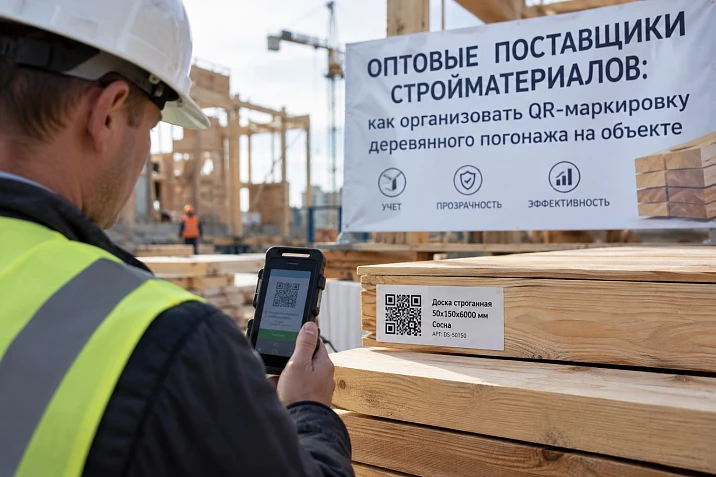
On a large site, a single pack of wooden trim travels a long path: receiving, temporary storage, distribution across phases, floors and rooms, issue to the crew, return of intact items, tracking of usable remnants, transfer of part of the material to reserve or quarantine. At each stage, people may rewrite the same data differently.
Initially, the delivery looks exact:
MLD-050 / oak / 2400 mm / 12 pcs.
A few days later, a record appears in the warehouse: “large molding — 12.” The foreman writes “molding in the lobby.” After the return, the log shows “molding remainder — 3.” Physically, it is the same product the whole time, but the link to the original SKU gradually disappears.
Therefore wholesale building material suppliers for a large project, they should be considered not only as a source of goods, but also as the beginning of the traceability chain. The QR code here is useful not as a trendy sticker, but as a quick entry into one up-to-date digital card for a specific physical package.
Main scheme:
RECEIVING → IDENTIFICATION → SITE PACKAGE NUMBER → STANDARD READABLE LABEL → QR CODE → DIGITAL CARD → WAREHOUSE → ISSUE → MOVEMENT → RETURN → REMAINDER → QUARANTINE / RESERVE → REORDER / CLAIM → HANDOVER TO OPERATIONS.
Main principle:
THE QR CODE DOES NOT REPLACE THE LABELING. IT LINKS THE PHYSICAL PACKAGE TO ITS CURRENT DIGITAL HISTORY.
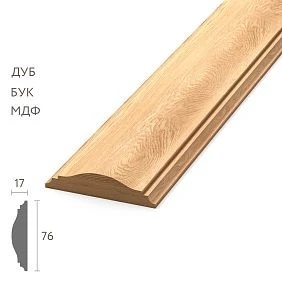
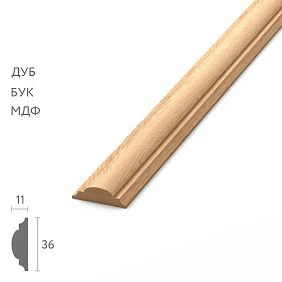
When a regular label is no longer enough
On a small site, a simple large inscription is often better than any complex system:
MLD-050 / oak / 12 pcs. / floor 2.
But with a large volume, factors appear that constantly change:
- 30–50 or more SKUs;
- several floors and buildings;
- several installation crews;
- phased deliveries;
- partial issuances;
- returns;
- usable remnants;
- operational reserve;
- quarantine items;
- additional orders;
- temporary warehouse transfers.
The paper label remains physically unchanged. The digital card can update the current location, condition, and quantity without reprinting all the original information.




The QR code does not replace the regular text on the package
The package must remain understandable without a phone, internet, or system access. The physical label retains a minimum of:
- article number;
- the material;
- commercial length;
- quantity;
- floor or zone;
- object packaging number;
- condition, if it is critical.
The QR code leads to an extended product card. If the smartphone is dead, the internet is temporarily unavailable, or the code is damaged, the warehouse can still identify the item.
Correct scheme:
LARGE READABLE LABELING + DIGITAL CARD.
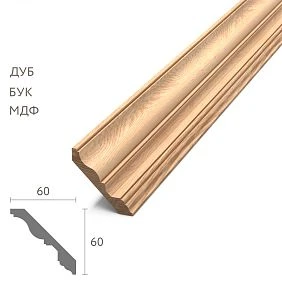
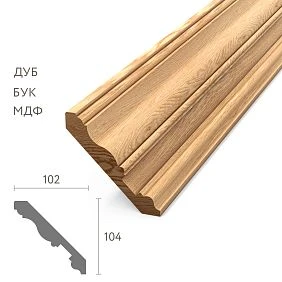
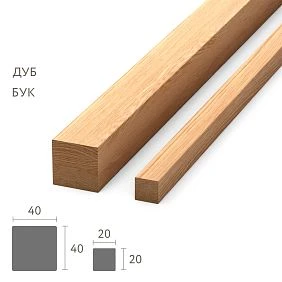
Our factory also produces:




You don't need to encode all the changeable information into the QR code itself
A weak option is to write a long string directly into the code:
SKU + quantity + floor + warehouse worker + date + condition + remaining stock.
The problem is simple: quantity, location, and condition change. So after every move, you have to print a new code.
It's better to encode only a stable card identifier, for example:
PG-000184.
After scanning, the system opens the card PG-000184, where the current state is already stored.
Get Consultation
SKU and the number of a specific package are different identifiers
SKU MLD-050 describes the product. But ten physical packs of MLD-050 may arrive at the site.
They are assigned different object numbers:
- PG-000184;
- PG-000185;
- PG-000186;
- and so on.
This is how the system understands: it is the same SKU, but different physical transport units with their own movement history.
Why you cannot use a single QR code for the SKU only
If all packs of MLD-050 have the same code, the system cannot distinguish:
- which pack went to floor 3;
- which remained in stock;
- which was partially returned;
- which became reserved;
- which was quarantined;
- which belongs to another shipment.
Two levels are needed:
PRODUCT SKU
и
UNIQUE NUMBER OF THE PHYSICAL PACKAGING UNIT.
Wholesale building material suppliers: the manufacturer's SKU must not be lost
Even if the item creates its own code PG-000184, the original SKU MLD-050 remains mandatory.
Otherwise, a new "language" emerges within the construction site that the supplier does not understand during reordering, reconciliation, or claims.
The card always retains:
- manufacturer;
- article number;
- the material;
- product length;
- batch number, if required;
- object packaging number.
What data do we enter during the first acceptance
The digital card should not turn into a huge passport. At the start, it is enough to have data that actually helps identify and move the material.
| Field | Example |
|---|---|
| Object packaging number | PG-000184 |
| Article number | MLD-050 |
| Material | Oak |
| commercial length | 2400 мм |
| Quantity | 12 pcs. |
| Supply | Delivery 03 |
| Date of receipt | ___ |
| Packaging condition | No remarks |
| Purpose | Floor 3 / rooms 301–310 |
| Current location | Warehouse V-04 |
Photos are added as needed: for damaged packaging, quarantine, claim, or non-standard item.
Card statuses are best named in Russian and made unambiguous
A small set is sufficient for a standard project process.
| Condition | What does it mean |
|---|---|
| ACCEPTED | Physically arrived, initial acceptance completed |
| Verified | SKU, material, and quantity confirmed |
| APPROVED FOR ISSUE | Material can be transferred to installation |
| quarantine | There is a question or discrepancy |
| Reserve | Material is reserved and not consumed in the usual manner |
| ISSUED | Physically transferred to the installation area or team |
| Return | Material returned after issue |
The sticker color can be used additionally, but the critical status must be stored in the card.
Why status cannot be stored by label color only
The red sticker may peel off. The packaging may be repackaged. An employee may not know the internal color legend.
If the card PG-000184 holds the QUARANTINE state, scanning immediately shows a ban on use even after the pack is moved to another rack.
The physical color remains a fast visual signal, while the digital state is the control source.
Building materials suppliers wholesale: we link the pack to a specific project zone
On a large site, records like "floor 3" are not enough. The same SKU can be used in dozens of rooms.
The card can store a structure:
building 1 → floor 3 → rooms 301–310 → queue 2.
For another pack of the same SKU:
building 1 → floor 4 → rooms 401–410 → queue 3.
This way, the total warehouse stock does not lose the purpose of its individual parts.
Wooden skirting board: one SKU across several floors — different packaging units
Wooden baseboard PLT-A can be used across three floors at once:
- floor 2 — 80 pcs.;
- floor 3 — 84 pcs.;
- floor 4 — 82 pcs.
The total remaining stock of PLT-A — 246 pcs. is good for the budget, but weak for the project. The installation team needs to understand which physical portion is already reserved for a specific phase.
QR cards for individual packs help maintain the link:
PLT-A / floor 2 / packs PG-001–PG-004.
PLT-A / floor 3 / packs PG-005–PG-008.
If a pack is temporarily transferred to another floor, its current assignment and movement history change, not the product SKU.
Wooden moulding: assignment is sometimes more important than total remaining stock
wooden molding a single SKU can be used in different compositions: frames, portals, furniture units, accent walls.
Therefore, it is useful to store not only the room but also the purpose in the product card:
Number 310 / frames P1–P4.
Then the matching MLD-050 will not be accidentally taken to the neighboring portal just because it is physically lying nearby.
Wooden cornice: even a small quantity also requires traceability
wooden cornice may be in the order in a total quantity of only 16 pieces:
- 8 — lobby;
- 4 — restaurant;
- 4 — operational reserve.
Formally, the volume is small, but mixing several units already disrupts the configuration of feature areas.
The QR system is especially useful where quantities are small but the purpose is critical.
How to organize issuance via QR code
An employee scans PG-000184 and sees:
- MLD-050;
- Oak;
- 2400 mm;
- 12 pcs.;
- warehouse V-04;
- status “APPROVED FOR ISSUANCE”;
- purpose — floor 3.
After issuance, the following is recorded:
issued 12 pcs. → floor 3 / installation zone.
The card changes its current location. The material does not “disappear from the warehouse” but moves to another point on the site.
Issue and consumption are different events
You issued 12 planks to the installer. This does not yet mean that 12 planks have been installed.
Some of it may:
- come back intact;
- remain in the area until the next day;
- be passed to another crew;
- yield a useful remainder;
- be damaged;
- go into installation.
Therefore, QR tracking must distinguish at least:
ISSUED
и
CONSUMED / INSTALLED.
construction materials supplier: QR helps avoid creating a false reorder
The foreman reports: “MLD-050 is out of stock.” The central warehouse shows zero.
But the digital system sees:
- 0 pcs. in the central warehouse;
- 18 pcs. on the third floor;
- 6 pcs. with the second crew;
- 4 pcs. in reserve.
There are still 28 pcs. physically on site. Before a new order, this stock and the actual need must be checked.
The QR code does not override the buyer's decision, but it allows you to quickly see material that has already left the central warehouse and therefore disappeared from the simple warehouse balance.
Returning whole material makes it available to the fund again
Installers return 4 whole PLT-A. If the original pack is still intact, you can open its card and process the return.
The following are recorded:
- article number;
- quantity;
- condition;
- new location;
- return date.
After acceptance, the card shows:
PLT-A / 4 pcs. / warehouse V-07 / AVAILABLE.
This balance is again included in the calculation of the next requirement.
If the original pack has been fully disassembled, we create a linked return card
From PG-000184, out of 12 strips, 8 were used, 4 are being returned. The outer packaging is no longer available.
You cannot print a random new QR without history. A new card is created:
PG-000184-B1 / return from PG-000184 / 4 pcs.
This way the origin remains clear.
Useful offcuts can be tracked as a group rather than individually
You don't need a QR code for every 180 mm piece. But if usable long offcuts remain after cutting:
- 1200 mm;
- 950 mm;
- 780 mm;
they can be collected in a container:
MLD-050 / useful remnants.
A single container card stores a set of lengths and the storage location.
This way the system does not turn into microscopic tracking of every offcut, but preserves real usable remnants.
Why QR on each individual batten is usually redundant
For a typical large site, it is sufficient to label:
- a pack;
- a transport unit;
- a room set;
- a return container;
- a reserve group;
- a quarantine group.
Piece-by-piece labeling of each skirting board sharply increases the number of operations and rarely provides comparable benefit.
The exception is unique, particularly expensive, or custom-made items, where the history of each unit truly has value.
large supplier of building materials: factory and object marking must coexist
The object QR system must not cover or replace the production marking.
Two levels are preserved.
Production level
- manufacturer;
- article number;
- the material;
- length;
- batch number, if available;
- original packaging.
Object level
- object packaging number;
- project;
- floor and room;
- queue;
- current position;
- condition;
- movement history.
When filing a claim or placing a repeat order, the object card must lead back to the original product, rather than creating an independent system with no link to the manufacturer.
If a factory QR code already exists, the object code must be clearly distinguished
Two QR codes may be present on the packaging at the same time. One leads to the manufacturer's product information, the other to object tracking.
To avoid confusion among employees, the object code should be labeled, for example:
OBJECT TRACKING.
Factory:
PRODUCT INFORMATION.
The functions differ, so there is no competition between the codes.
The QR code should not open a huge shared table with 500 rows
Weak scenario:
scanning → shared file → employee manually searches for their row.
More correctly:
scanning → specific card PG-000184.
The card is already linked to the general ledger, but the user shouldn't have to find themselves among hundreds of entries.
What the installer should see after scanning
The installer typically doesn't need the purchase price or the commercial proposal history.
They need:
- article number;
- brief description;
- image if needed;
- floor;
- room;
- purpose;
- quantity;
- whether it can be used;
- current version of the task.
The fewer unnecessary fields, the higher the chance that the system will actually be used.
What the warehouse operator should see
For the warehouse, movement matters more:
- article number;
- quantity;
- current position;
- condition;
- queue;
- reserve;
- to whom it was issued;
- what has been returned;
- history of recent operations.
The card should help complete an operation in a few seconds, not turn the warehouse worker into an operator of a complex database.
What the purchaser should see
The purchaser would additionally benefit from:
- the original order;
- supplier;
- delivery date;
- related batches;
- total balance for the site;
- open backorder;
- quarantine;
- operational reserve.
A single card can have different levels of detail for different roles.
QR helps when changing warehouse operators, but does not replace warehouse handover
A new employee can walk through the warehouse and scan the batches one by one. The system will show:
- what this item is;
- where it should be located;
- what quantity is expected;
- what its status is;
- whether there are any open discrepancies.
But QR labeling itself does not replace inventory and transfer of responsibility. It only speeds up reconciliation of the physical warehouse with the digital picture.
When a temporary warehouse is relocated, the QR code remains the same
Package PG-000184 has been moved from rack В-04 to Д-07.
No need to print a new QR. The code designates the physical package, not its location.
The card is updated with:
CURRENT LOCATION: В-04 → Д-07.
The movement history is preserved.
A new QR after each move destroys traceability
If one package received five new codes in a month, the system effectively sees five different objects.
It is more correct for one identifier to live with the physical package the entire time the package exists as a unit of accounting.
Changes:
- space;
- condition;
- purpose;
- quantity after partial issue;
- responsible person;
- but not the identifier of the original package itself.
When splitting a batch, we create child packages
Initially:
PG-000184 — MLD-050 — 12 pcs.
Batch split:
- 8 pcs. → floor 3;
- 4 pcs. → floor 4.
Two child cards are created:
- PG-000184-1 — 8 pcs.;
- PG-000184-2 — 4 pcs.
Both retain the link to the original PG-000184.
This way the quantity history reconciles:
12 = 8 + 4.
When merging partial bundles, we also preserve the origin
There are leftovers of the same MLD-050:
- 3 pcs. from PG-000184;
- 4 pcs. from PG-000211;
- 5 pcs. from PG-000237.
If the material fully matches by article number, material, length, finish, and condition, the leftovers can be physically merged.
The new card must contain:
formed from PG-000184 / PG-000211 / PG-000237.
This way, in case of a future discrepancy, the origin can be restored.
Bundles cannot be merged just because they are "similar"
Before consolidation, check:
- article number;
- the material;
- commercial length;
- execution;
- finish;
- condition;
- Purpose.
The phrase "white molding" or "same baseboard" is insufficient.
The quarantine card must block regular issuance
Suppose six planks have damaged packaging. After acceptance, the card receives:
quarantine.
Inside:
- reason;
- date;
- photo;
- quantity;
- person responsible for the decision;
- expected action.
After verification, the status changes to:
APPROVED FOR ISSUANCE
or
DO NOT USE.
QR is especially useful for operational reserve
The reserve looks no different from a regular pack. If it has been moved to another shelf, its purpose is easy to forget.
In the digital card, in large text:
OPERATIONAL RESERVE. ISSUE ONLY WITH APPROVAL.
You can additionally specify:
- for which floors;
- for which rooms;
- which SKU;
- what quantity;
- who can authorize use.
Linking the reserve to rooms is needed even after the facility is commissioned
For example:
PLT-A / floor reserve 2–4.
Or:
MLD-B / restaurant reserve.
After a few years of use, it will be possible to understand exactly where the material is used and for which repairs it can be reused.
building materials supplier: we create the reorder from the card, not from memory
The card already contains:
- exact article number;
- the material;
- product length;
- original delivery;
- purpose;
- remaining stock.
That is why the reorder is formulated as:
MLD-050 / oak / 2400 mm / 12 pcs.
And not:
“we need more of the same moldings.”
The QR card speeds up claim preparation
Scanning a problem batch can immediately provide:
- article number;
- receipt date;
- quantity;
- delivery number;
- photos at receiving;
- movement history;
- current status.
This is far more informative than a photo without context like “here’s the plank.”
Movement history cannot be edited like regular text
If yesterday the batch was in warehouse V-04 and today it’s on floor 3, the old location should not disappear from the history.
It is useful to store the sequence of events.
| Date | Event | Place | Quantity |
|---|---|---|---|
| 12.09 | ACCEPTED | Warehouse V-04 | 12 |
| 14.09 | Verified | Warehouse V-04 | 12 |
| 18.09 | ISSUED | Floor 3 | 12 |
| 20.09 | Return | Warehouse V-07 | 4 |
The material's journey is visible on a single screen.
How not to turn the QR system into bureaucracy
The system will fail if every movement requires ten fields, five photos, and approval from several employees.
For a standard operation, the following is enough:
SCAN → SELECT ACTION → SPECIFY QUANTITY → CONFIRM.
Detailed comments and photos are needed for exceptions:
- quarantine;
- damage;
- discrepancy;
- claim;
- unidentified remainder.
Which operations should take a few seconds
Basic actions include:
- move;
- issue;
- return;
- move to reserve;
- move to quarantine;
- confirm the actual location.
If even these operations are complex, staff will start bypassing the system and keeping parallel records.
What to do without the internet
The QR system should not leave the warehouse helpless when connectivity is poor.
The pack retains its standard labeling:
- article number;
- the material;
- quantity;
- area;
- packaging number.
The operation can be recorded in the reserve ledger and later synchronized in the digital system according to the established procedure.
The key point is not to create two independent histories. The deferred entry must go into the same card.
A damaged QR label does not create a new package
The SKU and number PG-000184 are determined from the regular label. After verification, a duplicate of the same QR code is printed.
A new card is not created because the physical pack remains the same.
Otherwise, the history will split into the "old" and "new" packages without a real event.
Critical product fields must be protected from accidental editing
The warehouse operator can change:
- space;
- quantity after issue or return;
- condition;
- assignment within the approved scheme.
But they must not independently rewrite:
- article number;
- the material;
- commercial length;
- manufacturer.
These fields determine the product's identity and require more controlled adjustment.
Weekly reconciliation is necessary even with good digital records
The QR card reflects what employees have recorded. Therefore, digital data must be periodically compared with the physical warehouse.
For a spot check, it is enough to take several packages and verify:
- card ↔ actual pack;
- article number;
- the material;
- quantity;
- current position;
- condition;
- reserve or regular stock;
- quarantine.
If the system shows B-04, but the package is located at D-07, the problem already exists, even if the item quantity matches.
A discrepancy between the digital and physical stock cannot be corrected silently
The card should show 8 pcs., but 7 were physically found.
Bad solution:
change 8 to 7.
Correct:
DISCREPANCY: −1.
Then check:
- an unrecorded issue;
- a transfer;
- return;
- damage;
- an error during the initial recount;
- similar packaging;
- splitting the pack.
Once the cause is identified, the card is updated with a clear reason.
A QR code does not fix poor warehouse discipline on its own
If employees take material without scanning, move packs between floors without recording it, and return leftovers "wherever there was space," the QR code alone will not solve anything.
It accelerates a good process, but does not create it automatically.
Before implementation, simple rules need to be defined:
- any movement is a transaction;
- any issue is a transaction;
- any return is a transaction;
- quarantine is not consumed;
- reserve is not consumed without a decision;
- discrepancy is recorded, not overwritten.
When a QR system is not needed at all
At a small private site, there may be:
- 3–5 SKUs;
- one installation crew;
- one warehouse;
- installation within a few days;
- almost no returns or reserves.
In that case, a large printed label and a simple ledger may be faster and more reliable.
You shouldn't implement QR just for the sake of digitalization itself.
When QR is especially justified
The system becomes useful when several factors combine:
- a hotel or a large business center;
- several floors or buildings;
- many similar SKUs;
- several installation crews;
- phased deliveries;
- a long construction timeline;
- a significant operational reserve;
- frequent returns and transfers;
- several responsible employees;
- the need to quickly prepare additional orders and claims.
The more the material moves between people and zones, the higher the value of a single card.
Main table: what to keep on the paper label and what to store in the card
| Parameter | Regular label | Digital card |
|---|---|---|
| Article number | Yes | Yes |
| Material | Yes | Yes |
| Length | Yes | Yes |
| Quantity per package | Yes | Yes |
| Current location | preferably | Yes |
| Movement history | No | Yes |
| Issuance | No | Yes |
| Returns | No | Yes |
| Reserve | Yes | Yes |
| quarantine | Yes | Yes |
| Photos | No | If necessary |
| Link to the original order | Limited | Yes |
Digital tracking complements physical labeling rather than competing with it.
The package card should have a clear structure
A practical option can be divided into four blocks.
Product identity
- article number;
- the material;
- length;
- manufacturer;
- batch number if applicable.
Packaging identity
- PG-000184;
- original quantity;
- acceptance date.
Current state
- space;
- quantity;
- status;
- purpose;
- responsible person.
History
- movements;
- issuance;
- returns;
- quarantine;
- splitting or merging.
It is better to add photos per event rather than continuously
A photo is useful for:
- damaged packaging;
- quarantine;
- discrepancy;
- claims;
- unclear identification;
- rare individual part.
For a routine move from rack В-04 to Д-07, no photo is needed.
This keeps the card compact, and the file storage does not get filled with thousands of identical images.
Scanning during receiving should not duplicate the supplier manually
If the original labeling contains a readable SKU, material, and quantity, this data can be transferred to the object card once.
There is no need to make several employees re-enter the same thing at different stages.
The main task of acceptance:
- confirm physical presence;
- verify identity;
- assign an object number;
- link to a zone;
- record the condition.
How to build a package number so that it does not depend on the floor
The number PG-000184 is better than a code like "E3-LOBBY-12" if the package can be moved.
A stable number does not change with its location.
The zone and floor are stored in separate fields. Then, after moving a batch from floor 3 to floor 4, there is no need to change the identifier.
How to account for a room set
For a hotel room, you can assemble a set:
- PLT-A — 18 pcs.;
- MLD-A — 12 pcs.;
- KZ-A — 2 pcs.
Instead of three independent operations, you can create a parent card:
ROOM 315 SET.
Inside, it is linked to three packages.
This does not replace their own numbers, but allows you to quickly check the completeness of the room.
The set must not hide product lines
If the card shows only "set 315 ready," it will be difficult to identify the specific SKU during a claim or reorder.
Therefore, a set is an additional grouping, not a replacement for individual package cards.
How QR helps verify completeness before handover
Before handing over to the floor, the employee scans the set and sees:
| Article | Required | Actually in the set | Result |
|---|---|---|---|
| PLT-A | 18 | 18 | done |
| MLD-A | 12 | 12 | done |
| KZ-A | 2 | 1 | Missing 1 |
This way, an incomplete set does not go to installation under the "ready" status.
How to account for partial issue from one pack
PG-000184 contains 12 MLD-050. The crew takes 7.
In the card:
- initially — 12;
- issued — 7;
- remaining — 5;
- remaining location — B-04.
If the 7 issued items need to be tracked separately going forward, you can create a child issue card. If the project only needs the balance for the bundle, a separate QR for those 7 is not required.
The level of detail is chosen based on the actual task
A QR system can track every single piece, but that does not mean it should be done that way.
For standard linear stock, the following level is sufficient:
BUNDLE / SET / REMNANT CONTAINER.
Item-by-item level is justified if the product:
- custom;
- expensive;
- has a unique geometry;
- tied to one specific node;
- requires a separate history.
How not to lose material after handing it over to the crew
A warehouse system usually tracks goods well up to the moment of issue and poorly after.
QR allows you to preserve the following status:
FLOOR 3 / AT CREW A / 12 pcs.
If the material is not installed the same day, it remains visible as part of the site's inventory.
This is especially important before reordering.
Inter-crew transfer must be a separate operation
Crew A transferred 4 MLD-050 strips to Crew B.
If no record is made, the first will show a false shortage, and the second will have material without provenance.
Operation:
TRANSFERRED: CREW A → CREW B / 4 pcs.
The total site balance does not change; only the responsible zone changes.
Return from a construction floor must change the central balance
If 5 whole strips were physically returned to the warehouse, but the card still shows “at the crew,” the system understates the available stock.
After return acceptance:
LOCATION: FLOOR 3 → WAREHOUSE V-07.
STATUS: AVAILABLE.
This material is again included in the next configuration.
How to account for damage after issue
If packaging or products are damaged during installation, the event must be recorded separately from normal consumption.
The card may receive an entry:
DAMAGED / 2 pcs. / floor 3 / reason being clarified.
If necessary, a photo and comment are added. After a technical decision, part of the material may be:
- used partially;
- returned;
- written off;
- moved to quarantine;
- replaced.
The key point is not to dissolve the damage within the general "expense."
How to use QR for tracking usable remnants by lengths
The usable remnants container can store not only the total quantity but also specific lengths.
| SKU | Leftover length | Quantity |
|---|---|---|
| MLD-050 | 1200 мм | 2 |
| MLD-050 | 950 мм | 3 |
| MLD-050 | 780 мм | 1 |
For the next short section, the purchaser or foreman can check the existing stock before opening a new full pack.
How to account for returns without original packaging
Sometimes the crew returns 6 whole planks without a box and without the original label. If the SKU and material are confirmed, a new return card is created with the origin:
return from zone E3 / previously issued from PG-000184 and PG-000185.
If the origin cannot be determined, the card receives the status:
REQUIRES IDENTIFICATION.
Such a group should not automatically go into free stock.
Unidentified material is better to be temporarily separated physically
QR does not solve the problem if the employee is not sure which profile is in front of them.
Before confirmation:
- do not mix with regular remainder;
- do not issue for installation;
- do not assign a "similar" SKU based on appearance;
- check the source documents and samples;
- after confirmation, link to the correct card.
How to link a QR to a warehouse card
The card should store the current cell, for example B-04. Then the digital system and the physical warehouse speak the same language.
Useful format:
ZONE B → RACK 04 → LEVEL 2.
If the warehouse is temporary and is frequently reconfigured, a coarser addressing scheme is sufficient. There is no need to make the system too precise if the racks themselves are constantly changing.
How to check the warehouse with a scanner walkthrough
Periodic inventory can follow a physical route:
- the employee walks through the warehouse;
- scans the packaging;
- sees the expected location and quantity;
- confirms the match;
- if there is a discrepancy, it creates an event.
This way, inventory becomes a check of the link between the digital card and the physical object, rather than just a recount of the total quantity.
How to work with multiple deliveries of the same SKU
MLD-050 may arrive in three deliveries on different dates. Even if the item is the same, it is useful for object cards to store a link to the original delivery.
This helps:
- handle complaints;
- keep a record of receiving;
- understand which batches were in a specific vehicle;
- match photos and packing lists;
- control stage-by-stage assembly.
How to work with the same SKU in different materials or finishes
If a single profile exists in multiple versions, the QR card must not rely on SKU alone.
The full set is checked:
ITEM CODE + MATERIAL + LENGTH + FINISH.
Only after the packaging matches can they be combined or interchanged in accounting.
How to handle a change in a pack's purpose
The pack was reserved for floor 4, but the project changed, and now it is allowed to be used on floor 3.
A new card is not needed.
The history records:
PURPOSE CHANGED: FLOOR 4 → FLOOR 3 / reason ___.
This preserves the original logic and shows why the material changed zones.
How to handle packaging that has been fully used up
When the balance reaches zero, the card is not deleted.
It receives the status:
CLOSED / USED UP.
The history remains available for:
- material balance;
- complaint investigation;
- audit;
- consumption analysis;
- reordering.
How to handle a cancelled or mistakenly created card
If an employee accidentally created a duplicate, it is better not to delete the record without a trace.
Status:
CANCELLED / DUPLICATE OF CARD PG-000184.
This way the system preserves the history and prevents a cancelled number from later being mistaken for an existing pack.
How to prevent two active QR codes for one physical package
When printing a duplicate of a damaged label, the new code must lead to the same card.
Before printing, the employee checks:
- pack number;
- article number;
- the actual location;
- quantity.
Then a duplicate of PG-000184 is printed, not PG-000399.
How to organize access rights without a complex corporate system
Even a simple scheme can separate actions by role.
| Role | What they can do |
|---|---|
| Installer |
View the card, confirm the floorIt is better to start implementation with a pilot zone rather than the entire facilityIf a facility has 20 floors and hundreds of packages, launching a new system everywhere at once is risky. First, it is useful to choose one floor or one queue with a typical set of operations: receiving, storage, issuing, partial return, and reservation. The pilot allows you to check:
After that, it is better to simplify or refine the card form and only then scale the system to the entire facility. The pilot should test a real working day, not a demo scenarioIf the system is tested only on one perfectly closed batch, most problems will not surface. The pilot needs ordinary events:
They are the ones who show whether QR tracking will survive on a real construction site, not just in a presentation. It is better to generate the package number automaticallyIf employees come up with PG-184, PG-0184, PG184, and P-184 themselves, the system quickly ends up with duplicates and different formats. It is better to issue a unique number automatically and not allow a closed number to be reused. A person does not need to remember the meaning of the code. Their task is to link the physical pack to the card. The label must survive the warehouse and the installation areaDigital logic is meaningless if the physical label quickly tears, gets wet, or wears off. When choosing the format, you need to take into account the conditions of the site: dust, movement, temporary storage, and repeated scanning. It's useful to check:
If the outer packaging is usually thrown away on the first day, the QR code should be duplicated on the inner group label. If the pack has been repackaged, the identifier must be transferred in a controlled mannerSometimes the transport packaging is damaged and the warehouse repackages the material. If the physical composition of the pack has not changed, the new shell does not create a new digital entity. The employee checks the item code and quantity, then transfers the same number PG-000184 to the new packaging and records the event: REPACKAGED / quantity confirmed. If the composition has changed — for example, part of the material was separated — the pack splitting rules already apply. The QR system must distinguish between a data error and actual movement of goodsIf the card mistakenly states floor 4 instead of floor 3, this is not a movement. This is a data correction. If the pack is physically moved from floor 3 to floor 4 — this is a movement event. These two scenarios should be kept separate, otherwise the history will show fictitious movements that never occurred. Correcting a critical field should leave a "was → became" recordEven if an administrator corrects an incorrectly entered material or length, it is useful to preserve: WAS: beech → BECAME: oak / reason: error during initial entry. This way, a subsequent audit understands why the card differs from an earlier export or printout. QR tracking is useful for analyzing recurring warehouse errorsIf the system stores events, after a few weeks you can see recurring patterns:
This allows improving the process itself, not just closing individual errors. But the system must not turn into a tool for total employee surveillanceThe main purpose of the card is material traceability. If the interface is overloaded with personal ratings, explanations of every minute, and unnecessary confirmations, employees begin to perceive the system as an obstacle. To move material, it is enough to record the person responsible for the operation where it is really needed: receiving, issuing, quarantine, critical correction. How to prepare employees for launchThe instruction should be short. For most users, five rules are enough:
A separate extended instruction is needed only for administrators and purchasers. How to evaluate the system's success after a monthIt is useful to check not the number of scans, but the practical result. The system works if:
If QR codes are scanned frequently, but the actual warehouse still diverges from the system, the implementation needs refinement. When it is better to simplify the system after launchIf it turns out that no one uses certain fields, they can be removed. If photos at every movement only slow down the work — keep them for exceptions. If detailed tracking of individual short remainders does not affect purchasing — switch to the container level. Simplification after real use is a normal part of implementation. A good system is as minimal as the task allows. Practical scenario: false shortage after issuing to the floorAt the central warehouse, MLD-050 shows zero. The foreman is asking to urgently order 20 more strips. Before QR tracking, the purchaser saw only the warehouse balance and would almost certainly have placed a reorder. After scanning and checking the cards, it is clear:
For the upcoming installation, 22 pcs. are actually available without using the reserve. No new order is needed. The system does not “save material” on its own; it makes the stock that already exists visible. Practical scenario: one pack was split between two floorsPG-000184 contains 12 PLT-A. According to the new sequence, 8 strips are needed on the third floor and 4 on the fourth. If you simply change the “location” field to “floor 3 and 4,” the card becomes ambiguous. Therefore, two child packages are created. The original card remains as the parent and shows that all 12 units are fully allocated. When returning two planks from the fourth floor, the system knows exactly which child group they came from, and the overall balance of the original batch remains verifiable. Practical scenario: a quarantine batch accidentally ended up next to a regular oneSix MLD-050 units have damaged packaging and are awaiting inspection. Physically, they are on the adjacent shelf with regular MLD-050. A large red label helps visually, but the QR card additionally blocks regular issuance. If an employee still scans the batch before handing it over, the system shows: QUARANTINE — ISSUANCE PROHIBITED. After the technical inspection, the status changes either to "APPROVED FOR ISSUANCE" or to "DO NOT USE". Practical scenario: the reserve moved but did not lose its purposeDue to warehouse reorganization, the operational reserve PLT-A was moved from zone R-01 to D-09. Without a digital card, the new team may see a regular batch of PLT-A and issue it for installation. When scanning, a large status remains: RESERVE / floors 2–4 / issuance only by approval. Only the physical location changes. The purpose and history remain. Practical scenario: the QR code is damaged, but the pack remains identifiableDuring the move, the label was torn. The packaging still shows MLD-050, oak, 2400 mm, 12 pcs., and number PG-000184. The employee opens the card by number, verifies the actual location and quantity, and prints a duplicate of the same code. The history is not interrupted, and no new digital package is created. How to hand over the operations system after construction is completedAfter the facility is handed over, most cards are no longer needed in daily work. But the operational reserve, closed claims, and the history of key deliveries may remain useful for a long time. Before handing over to operations, the data should be divided:
The operations department does not need to be given the entire construction interface. It needs simplified access to what remains: SKU, material, length, reserve quantity, storage location, application zone, and the history of critical events. This way the QR system does not end with the construction project, but also does not drag unnecessary construction bureaucracy into operations. Before scaling, it is useful to test one end-to-end scenario from acceptance to returnBefore launching across the entire site, take one real package and run it through the full cycle: acceptance, placement in the warehouse, issue, movement to the floor, partial consumption, return, and re-placement. At each step it should be clear what the employee sees, how many actions they perform, and where the history remains. If duplicate cards, lost quantity, unclear statuses, or the need to manually search for a shared table already appear on a single pack, scaling will only multiply these defects. First the logic of one full cycle is fixed, then the system is rolled out to the remaining SKUs and floors. For a large site it is also useful to determine in advance who closes the card after the package is fully consumed and who is responsible for the archive. This prevents the situation where actually empty packs continue to be listed as active and distort the available balance before the next reorder. 20 mistakes when implementing QR labeling for wooden trim1. Removing regular text labelingWhy it happens: QR seems like a complete replacement for the label. Consequence: without a phone or connection, the pack becomes unclear. How to prevent it: keep the SKU, material, length, quantity, and zone in regular text. 2. Make QR only by SKUCause: all packs of the same product look identical. Consequence: it is impossible to distinguish specific physical packages. Prevention: a unique number for each pack of the item. 3. Not assigning a number to the physical packageCause: only the product SKU is used. Consequence: the history of a specific location is lost. Prevention: PG-000184, PG-000185, etc. 4. Encoding all information directly in the QRCause: the desire to make the code self-contained. Consequence: when the location or quantity changes, a new code is required. Prevention: encode only a stable card identifier. 5. Creating a new code after every moveCause: the code is tied to the storage location. Consequence: one pack turns into several digital entities. Prevention: change the “location” field, not the identifier. 6. Covering the factory markingCause: the item label is larger and more convenient. Consequence: the link to the manufacturer and the original batch is lost. Prevention: place the item marking next to it. 7. Losing the original SKUCause: the internal PG number seems sufficient. Consequence: reorders and claims are processed by description. Prevention: the manufacturer's SKU is a mandatory field. 8. Not accounting for materialCause: the profile looks visually identical. Consequence: different finishes get merged. Prevention: SKU + material. 9. Not accounting for product lengthCause: the warehouse counts only pieces. Consequence: strips of different lengths, which are not equivalent for cutting, get mixed up. Prevention: length in the product card and on the label. 10. Treating issuance as consumptionCause: the material has left the central warehouse. Consequence: the site's remaining stock is artificially reduced. Prevention: separate “issued” and “installed.” 11. Not processing returnsCause: intact strips are simply put back on the rack. Consequence: the digital inventory is understated. Prevention: a return is a separate operation. 12. Do not account for the operational reserve separatelyCause: physically it is the same SKU. Consequence: the reserve quietly goes into installation. Prevention: the "RESERVE" status and restricted issuance. 13. Do not set aside quarantineCause: disputed packaging remains in the general warehouse. Consequence: it may be issued by mistake. Prevention: digital and physical "QUARANTINE" status. 14. Create a QR code for every short offcutCause: the desire for maximum detail. Consequence: accounting becomes heavier than the actual work. Prevention: a container for useful leftovers. 15. Merge similar profiles by nameCause: "white molding" seems like sufficient identification. Consequence: different SKUs and materials get mixed up. Prevention: verify the full configuration. 16. Do not keep movement historyCause: the card stores only the current location. Consequence: if there is a discrepancy, the path cannot be restored. Prevention: an event log. 17. Silently correcting digital discrepanciesCause: the desire to quickly bring the system in line with reality. Consequence: the reason for the loss disappears from history. Prevention: a "DISCREPANCY" event and an investigation. 18. Making too many mandatory fieldsCause: the desire to collect as much data as possible. Consequence: employees bypass the system. Prevention: routine operations should take a few seconds. 19. Depending entirely on the internetCause: all information has been moved to a digital card. Consequence: when the connection is poor, the warehouse stops. Prevention: physical labeling and a backup recording procedure. 20. Implementing QR where simple tracking is more effectiveCause: digitalization is perceived as a goal. Consequence: the system creates more actions than value. Prevention: assess the scale of the site, the number of SKUs, crews, and movements. Final order of implementing QR labeling on siteA BATCH ARRIVED → CHECKED THE FACTORY LABELING → SAVED THE ORIGINAL SKU → ASSIGNED A SITE PACKAGE NUMBER → PRINTED A REGULAR LABEL → ADDED A QR CODE → CREATED A DIGITAL CARD → RECORDED THE SKU, MATERIAL, LENGTH, QUANTITY, AND PURPOSE → PERFORMED ACCEPTANCE → ASSIGNED A STATUS → PLACED IT IN THE WAREHOUSE → SCANNED IT UPON ISSUE → UPDATED THE LOCATION → AFTER INSTALLATION, RECORDED CONSUMPTION AND RETURN → RETURNED THE USABLE REMAINDER TO THE FUND → SEPARATED THE RESERVE AND QUARANTINE → FOR A REORDER OR CLAIM, OPENED THE ORIGINAL CARD → AFTER HANDOVER, TRANSFERRED THE RESERVE CARDS TO OPERATIONS.
Bottom line: the value of a QR code is not in the code itself, but in the continuous identity of the materialA QR code alone does not make a warehouse manageable. It does not correct an incorrect SKU, does not force employees to process issuances, and does not replace a large, readable label. Its value emerges when a single stable number accompanies the physical packaging throughout the entire object. The employee sees not only "MLD-050" but also the specific PG-000184: where it was received, where it was moved, to whom it was issued, how much was returned, and whether the remainder belongs to a reserve. Main formula: PHYSICAL PACK + READABLE LABEL + STABLE QR + ONE UP-TO-DATE CARD + MOVEMENT HISTORY. If the object is small, such a system may be unnecessary. But if dozens of SKUs pass through several floors, crews, returns, and reserves, a single digital card reduces the risk of mis-picking, false shortages, and reordering "from memory." Frequently asked questionsShould a QR be printed on every plank?Usually not. For most objects, a pack, a transport unit, a room kit, and a container for useful leftovers are sufficient. Item-by-item labeling is justified for unique or expensive parts. Can the regular label be removed if there is a QR?It should not be. The SKU, material, length, quantity, and zone must be readable without a phone. What is better to encode in the QR itself?A stable card identifier, not changeable data such as location and quantity. If the packaging was moved, is a new QR needed?No. The current location field changes, but the physical bundle identifier remains the same. What should I do if a bundle was split?Create child cards with quantities and keep the link to the original package. Can leftovers from different bundles be combined?Yes, if the SKU, material, length, finish, and condition match completely. The new card must store its origin. What should be done with usable offcuts?Do not label every short piece. Usable leftovers can be combined into a container with a single card and a list of lengths. How does the QR help before reordering?It shows not only the central warehouse, but also material on floors, with crews, in returns, and in reserve. This helps to see the real stock of the site. What should I do if the QR label is damaged?Use the text label to determine the package number and print a duplicate of the same code. A new card is not created. When is a QR system not needed?On a small site with a few SKUs, one crew, and a short installation timeline, a simple label and a list can be more effective. |