Article Contents:
- A sold order and an executable order are not the same thing
- COMMERCIAL ORDER
- FULFILLMENT ORDER

The client has approved the order, the manager has received confirmation, the invoice has been accepted, and the commercial part of the deal appears complete. But for the warehouse and logistics, the order may still be incomplete. In the correspondence, the manager remembers that one molding is intended only for the lobby, the baseboard needs to be split between the second and third floors, the cornice should be shipped in the second batch, the oak must go to FIN-02, and the client has prohibited SKU substitution without separate approval.
If only two lines go to operations — MLD-A 240 pcs. и PLT-B 360 pcs. — commercially the order exists, but operationally it is not yet executable.
Therefore wholesale sale of construction materials must have a formal SALES-TO-OPERATIONS HANDOFF stage:
QUOTE APPROVED → ORDER CONFIRMED → CURRENT REVISION → INTERNAL HANDOFF → ACKNOWLEDGED → PICKING → PACKING → PRE-DISPATCH REVIEW → SHIPPED.
The main task of handoff is to transfer everything promised to the client from the manager's memory and correspondence into precise operational order fields.
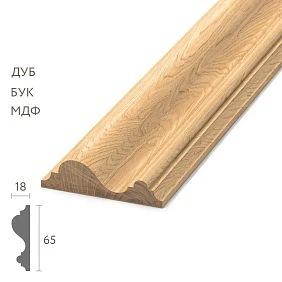
A sold order and an executable order are not the same thing




COMMERCIAL ORDER
Answers the questions: what the client bought, at what price, in what volume, and on what commercial terms.
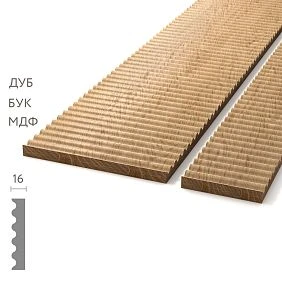
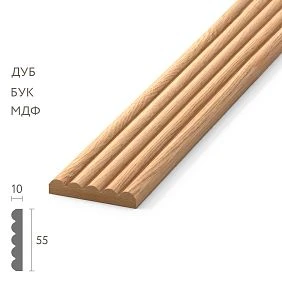
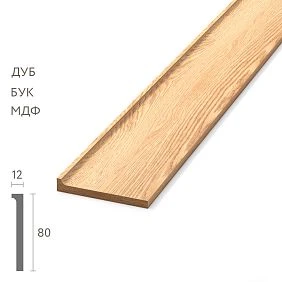
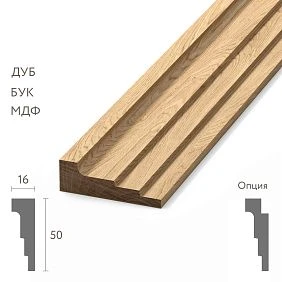
Our factory also produces:






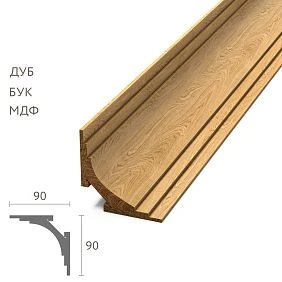
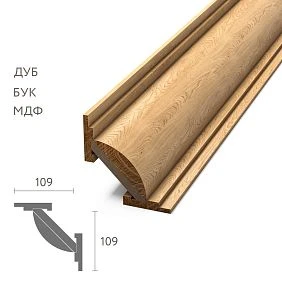
FULFILLMENT ORDER
Answers: what exactly needs to be manufactured or assembled, which material and length, how to divide by zones, how to label, which batches to include it in, and when to ship.
Between these two states, a separate control transition is needed. Without it, operations is forced to interpret the commercial order itself.
Get Consultation
RACI for order handoff between sales and operations
In a small business, the entire process can be handled by two people. On a large project, it is useful to know in advance who is responsible for what.
| Action | Sales | Configuration | Warehouse | Logistics |
|---|---|---|---|---|
| Final order configuration | A/R | C | I | I |
| Handoff completeness check | C | A/R | I | I |
| Picking | I | C | A/R | I |
| Packing | I | C | A/R | I |
| Dispatch | I | C | C | A/R |
Here R — responsible, A — accountable for the result, C — consulted, I — informed. The specific scheme may differ, but the absence of an owner almost always leads to “I thought someone else would check it.”
What must pass from the sales department onward
| Data | Sales | Configuration | Warehouse | Logistics |
|---|---|---|---|---|
| SKU | ✓ | ✓ | ✓ | — |
| Material | ✓ | ✓ | ✓ | — |
| Quantity | ✓ | ✓ | ✓ | ✓ |
| Finish | ✓ | ✓ | ✓ | — |
| Zone | ✓ | ✓ | ✓ | ✓ |
| Batch | ✓ | ✓ | ✓ | ✓ |
| Labeling | ✓ | ✓ | ✓ | ✓ |
| Required on site | ✓ | — | — | ✓ |
| Address | ✓ | — | — | ✓ |
This matrix shows which data must come out of the commercial part and become operational.
Before handing over the order, we determine the CURRENT REVISION
For example:
ORDER-148-R03
Not “the manager’s latest Excel file,” not “the final file from Telegram,” but a specific version with a clear status:
CURRENT APPROVED VERSION.
If sales hands over R03 while the warehouse continues working from R02, all subsequent checks are meaningless.
Version Conflict: how to detect two “current” versions
Dangerous scenario: sales considers R04 the CURRENT version, while operations received R03 marked “final.”
For each working document, the following fields are useful:
ORDER ID / REVISION / STATUS / ISSUE DATE / OWNER
If the system detects two versions with CURRENT status, the handoff is put on HOLD until the conflict is resolved. You cannot continue picking based on the principle “the newer one is probably the one that arrived later.”
Why you shouldn't forward the entire conversation instead of a handoff
The phrase "it's all there in the chat with the client" turns the warehouse into a conversation analyst.
The employee has to figure out on their own:
- what was canceled;
- what the client returned to the order;
- which SKU is final;
- which length is in effect;
- what belongs to the first batch;
- what the manager promised verbally.
The conversation can serve as a confirming archive, but the fulfillment order must be self-sufficient.
Handoff SLA: how long an order can wait for clarification
If the order is confirmed in the morning, but the picker discovers the missing length only two days later, the customer deadline may already be at risk.
Therefore, it is useful to establish an internal SLA within the company:
- sales passes the handoff after order confirmation;
- operations checks completeness within the agreed internal timeframe;
- if data is missing, the order is returned immediately;
- the execution timer starts only after HANDOFF COMPLETE.
The company determines the specific hours or days itself. The main thing is not to mix the time of commercial confirmation with the time of actual readiness of the order for execution.
What to hand off for wooden skirting board
Not only:
PLT-A — 200 pcs.
But:
- exact SKU;
- the material;
- size;
- commercial length;
- the main quantity;
- the reserve on a separate line;
- zone;
- finish;
- batch;
- labeling requirements.
The operation should not leave anyone wondering: "Where are these 200 pieces going, and in what finish?"
The reserve must not be hidden inside the main quantity
For example:
MAIN QTY = 220
PROJECT RESERVE = 12
If the picking list simply says 232, the object will treat it all as installation volume. A month later, no one will understand how many strips were reserved specifically.
Why the reserve needs separate marking
Useful:
PLT-A / RESERVE / DO NOT INSTALL WITHOUT RELEASE
Then the stock does not dissolve among the main volume and is not accidentally used on the first available wall.
For similar moldings, zone marking is especially necessary
For example:
MLD-A / FLOOR-2 / CORRIDOR
MLD-B / FLOOR-2 / LOBBY
Two visually similar profiles cannot be sent as "moldings — 14 packs." The more similar the items, the higher the value of precise marking.
Marking must replicate the handoff data, not create a new system
If in the fulfillment package the zone is called LOBBY, the packaging should not say MAIN HALL, if these terms are not explicitly related.
The same identifier must pass through:
HANDOFF → PICKING LIST → LABEL → PACKING LIST → SITE RECEIPT.
Why product length is especially important for a wooden cornice
The manager confirmed:
KZ-A / 2400 mm
The warehouse received only:
KZ-A
If the profile has several configurations, such a line is already incomplete. The fulfillment order must allow the item to be assembled without an additional call to the manager.
Material and finish — separate fields
Not:
oak, as discussed
But:
MATERIAL: OAK
FINISH: FIN-02
This is especially important if one SKU in the project comes in different versions.
Approval Reference links fulfillment to the approved decision
For a design-critical item, you can add:
MLD-A / approved under SUB-PG-007-R02
This way the assembler understands that this is an approved configuration, not a temporary option from a chat.
Wholesale sale of building materials: a large order cannot be handled as a single cart
wholesale sale of building materials often means one commercial order, but several operational queues.
Inside there may be:
- several SKUs;
- different floors;
- different readiness dates;
- different unloading points;
- several delivery batches.
Therefore, one ORDER can have several fulfillment batches.
How to split one order into batches
For example:
BATCH 01
Floor 1–2
PLT-A + MLD-A
BATCH 02
Floor 3–4
PLT-A + MLD-A
BATCH 03
Lobby
MLD-B + KZ-C
All batches belong to ORDER-148, but each has its own composition and date.
Batch Reconciliation: the sum of batches must match the order
Splitting into batches creates a new risk: during transfers, quantities can be lost or counted twice.
| SKU | Order Total | B01 | B02 | B03 | Balance |
|---|---|---|---|---|---|
| PLT-A | 280 | 120 | 160 | 0 | 0 |
| MLD-B | 460 | 0 | 180 | 280 | 0 |
| KZ-C | 96 | 0 | 0 | 96 | 0 |
Before HANDOFF COMPLETE, it is useful to check:
SUM(BATCH QTY) = ORDER QTY.
If Balance is not zero, the batch plan is not yet complete.
"First send about half" is a bad instruction
Operations needs specific strings:
B01 / PLT-A / 120 pcs
And not:
about half of the baseboard
Otherwise, different people may interpret differently what exactly constitutes "half."
Required-on-Site Date and Ship Date are different dates
The client says:
It needs to be on site on October 18.
This:
REQUIRED ON SITE.
Logistics calculates:
SHIP DATE.
And the assembly team needs:
PICK/PACK READY DATE.
Chain:
PICK/PACK READY → SHIP → REQUIRED ON SITE.
Why these three dates cannot be replaced by one
If the order only says "October 18," the warehouse may decide that assembly needs to start on the 18th. Logistics may think they need to depart on the 18th. The client may think the goods should already be unloaded on the 18th.
Separating dates removes ambiguity.
Everything that affects fulfillment must leave the correspondence
The manager could promise:
- separate floor marking;
- do not mix two moldings;
- the first batch without a cornice;
- notify one day before the truck;
- do not send the remainder automatically.
If a promise affects fulfillment, it is no longer the sales rep's personal memory, but an order field.
Promise Register: what exactly sales promised the client
For non-standard B2B orders, it is useful to highlight customer promises separately.
| Promise | Owner | Fulfillment field | Status |
|---|---|---|---|
| floor-by-floor marking | Sales | Label rule | CAPTURED |
| Call before the machine | Sales | Dispatch instruction | CAPTURED |
| Cornice not in B01 | Sales | Batch plan | CAPTURED |
This way you can verify that each promise has turned into an operational field rather than remaining in a CRM comment.
The SPECIAL INSTRUCTIONS field must be used carefully
Truly non-standard instructions can be placed there:
DO NOT MIX FLOOR 2 AND FLOOR 3
CALL SITE CONTACT BEFORE DISPATCH
But the main specification must not be hidden in a free-form comment. SKU, Material, Length, Qty, and Zone must be separate structured fields.
If substitution is prohibited, everyone must see it
For example:
SUBSTITUTION: NOT PERMITTED WITHOUT APPROVAL.
Otherwise, the warehouse sees a shortage of MLD-A and decides to put in a visually similar MLD-B. The commercial manager did not plan this, but the error has already gone out to the client.
When substitution is allowed only conditionally
You can use:
SUBSTITUTE ONLY WITH SALES + DESIGN APPROVAL
Then operations knows that the shortage cannot be resolved on its own.
The sale of building materials wholesale does not end with payment of the invoice
wholesale sale of building materials for a B2B order, it is considered operationally ready only when what was promised to the client has been translated into executable internal data.
This is exactly where the Order Handoff Checklist comes in.
Order Handoff Checklist
- Current version of the order.
- SKU.
- Material.
- Size.
- trade length.
- Main quantity.
- reserve.
- finish.
- Approval reference.
- Zone.
- Batch.
- marking.
- Required-on-Site Date.
- Address.
- Site contact.
- Special Instructions.
- Substitution rule.
A separate HANDOFF COMPLETE status is needed
A convenient sequence:
SALES CONFIRMED → HANDOFF PENDING → HANDOFF COMPLETE → IN FULFILLMENT → READY TO SHIP → SHIPPED.
This is more informative than the general status “order in progress.”
What does HANDOFF PENDING mean
The commercial order is confirmed, but operations should not assemble it yet.
For example, missing:
- final breakdown by floors;
- date;
- finish approval;
- product length;
- substitution rule.
Until these fields are closed, the order remains HANDOFF PENDING.
Who is responsible for handoff completeness
It is not necessary to create a separate position. But the role must be clear.
For example, the sales manager is responsible for the completeness of the transferred package, and the kit assembler on the operations side confirms its suitability for execution.
The manager handed it over — that does not yet mean operations accepted it
A status is needed:
ACKNOWLEDGED.
If the configurator detects that MLD-A has no length specified, it must not guess.
Status:
HANDOFF REJECTED / MISSING LENGTH
The order is returned to sales for correction.
Why two-way handoff reduces hidden errors
One-way transfer only says: "sales sent the file."
Two-way says: "operations verified that this file can actually be used to fulfill an order."
These are two different degrees of control.
Which fields to make mandatory
For wooden trim, the minimum is:
- SKU;
- Material;
- Length;
- Qty;
- Zone;
- Batch;
- Revision.
Without them, the order does not move to IN FULFILLMENT.
Mandatory Field Gate is better than a free-form comment
If the system allows moving an order to IN FULFILLMENT with an empty SKU or Length, sooner or later an employee will fill the gap "from memory."
The validation logic can be simple:
IF SKU IS EMPTY → BLOCK
IF MATERIAL IS EMPTY → BLOCK
IF LENGTH IS EMPTY → BLOCK
IF QTY IS EMPTY → BLOCK
IF ZONE IS EMPTY → BLOCK
Such constraints eliminate a class of errors before they even reach the warehouse.
What to do with optional fields
Finish, Approval Reference, Reserve, or Special Instructions may be mandatory only for certain order types.
It is better to use conditional mandatory logic:
IF FINISHED PRODUCT = YES → FINISH REQUIRED
IF RESERVE > 0 → RESERVE LABEL REQUIRED
The customer changed the order after handoff
If the warehouse is already picking the batch, you cannot simply write:
remove 12 moldings
A CHANGE ORDER is created, the new version receives the CURRENT status, and only then do operations change the picking.
The old picking list must be cancelled
Sales works on R04, while the warehouse continues picking on R03 — a classic broken-version error.
after the change:
PICKING-LIST-R03 — CANCELLED
PICKING-LIST-R04 — CURRENT
How to prove that the new version reached operations
| Document | Revision | Recipient | Status |
|---|---|---|---|
| Order | R04 | Sales | CURRENT |
| Fulfillment package | R04 | Operations | ACKNOWLEDGED |
| Picking list | R04 | Warehouse | RELEASED |
This is how "we sent the new version" becomes a verifiable status.
Revision Acknowledgement must refer to a specific version
The status "operations acknowledged" is not enough.
More correctly:
ACKNOWLEDGED ORDER-148-R04
If R05 appears, the previous acknowledgement no longer confirms the new version. This is especially important for changes after handoff.
What the warehouse should receive
Not a commercial offer with prices, but an operational picking document.
| SKU | Material | Length | Qty | Batch | Zone |
|---|---|---|---|---|---|
| PLT-A | Oak | 2400 | 120 | B01 | Floor 2 |
| MLD-A | Oak | 2400 | 80 | B01 | Lobby |
Price does not help the warehouse with picking. Technical identity does.
Picking List and Packing List are different documents
PICKING LIST answers: what needs to be picked.
PACKING LIST answers: what was actually packed.
After picking, these documents are compared, and discrepancies become exceptions.
Pick Confirmation: what the warehouse actually found and picked
Between the Picking List and Packing List, another operational fact is useful — PICK CONFIRMED.
For example:
PLT-A requested 120 / picked 120
MLD-A requested 80 / picked 76 / short 4
Shortfall is detected before packing. This allows the problem to be solved earlier and avoids unpacking already prepared bundles.
Why the Packing List must reflect the actual contents
If 120 PLT-A were planned but 112 were physically packed, the packing list must show 112. You cannot copy the planned quantity just to make the document match.
Otherwise, the shortage disappears on paper and only shows up on site.
Label Verification: packaging must match the Packing List
Even a correctly assembled order can be ruined by an incorrect label.
Before closing the packaging, it is useful to verify at minimum:
- SKU;
- Zone;
- Batch;
- Qty;
- Finish, if it differs;
- Order Revision.
For similar moldings this is especially important: the contents of the pack may be correct, but incorrect labeling will send it to the wrong zone.
If the warehouse cannot assemble the order in full
Required:
PLT-A = 120
Available:
PLT-A = 112
The warehouse must not:
- silently send 112;
- replace eight with another SKU;
- move goods from someone else's project;
- add the missing items to the packing list.
Status:
SHORTFALL.
Shortfall must have the following action
For example:
SHORTFALL 8 PCS → MOVE TO B02
Or:
SHORTFALL 8 PCS → URGENT REPLENISHMENT
Without a Next Action, the shortage simply stalls.
Why it's better to detect an internal shortage before the truck
While the order is in the warehouse, options remain:
- check the reserve;
- approve an additional order;
- change the batch composition;
- notify the client;
- move the line to the next batch.
Once the truck arrives at the site, the shortage becomes a site issue.
Pre-Dispatch Review — the final checkpoint
Before the machine is released, verify:
CURRENT ORDER REVISION
with:
PACKING LIST
and:
BATCH PLAN.
Three documents must describe the same shipment.
What to check before RELEASED FOR DISPATCH
- SKU;
- the material;
- length;
- quantity;
- finish;
- marking;
- batch;
- address;
- date;
- receiver's contact.
After that, the batch receives:
RELEASED FOR DISPATCH.
Pre-Dispatch Document Set
Before the machine is released, it is useful to have one complete set:
- CURRENT ORDER REVISION;
- Batch Plan;
- Packing List;
- Label Summary;
- Delivery Address;
- Required-on-Site / Ship Date;
- Site Contact;
- Special Instructions.
Logistics receives the final package and should not have to reassemble information from sales and the warehouse.
Receiver's contact — part of the fulfillment order
Not just "Ivan".
You need to:
- name;
- phone;
- object;
- area of responsibility;
- if necessary — a time window.
Logistics shouldn't have to look for the client through the manager when the vehicle arrives.
Sales should see the actual status after shipment
For example:
B01 — SHIPPED
B02 — PICKING
B03 — ON HOLD
Then the manager informs the client based on facts, rather than asking the warehouse in a messenger.
Exception Log collects deviations from the plan
| Exception | What happened | Solution |
|---|---|---|
| EX-01 | PLT-A shortage 8 pcs | Move to B02 |
| EX-02 | Label error | Repacked |
| EX-03 | Client date moved | B03 on hold |
This way deviations don't dissolve in chats.
Exception Severity: not all deviations are equal
Convenient to separate:
- CRITICAL — incorrect SKU, material, finish, address;
- MAJOR — shortage, incorrect zone, wrong batch;
- MINOR — fixable label error before dispatch.
This helps prioritize work before shipment: a critical error blocks RELEASED FOR DISPATCH, a minor one can be fixed locally.
Why the Exception Log is useful after order closure
It shows where the handoff or fulfillment process failed:
- incomplete data;
- labeling error;
- shortfall;
- outdated revision;
- customer change after picking;
- batch plan error.
RIGHT FIRST TIME — a simple handoff quality KPI
You can calculate the share of orders that operations accepted and was able to fulfill without returning them to sales due to incomplete or contradictory data.
Formula:
RFT = orders accepted first time / all handoffs × 100%.
For example, 42 out of 50 orders passed handoff without being returned:
42 / 50 × 100% = 84%.
This is not an industry benchmark, but an internal process quality metric.
Which Handoff Rejection reasons should be classified
- MISSING SKU;
- MISSING LENGTH;
- MISSING ZONE;
- REVISION CONFLICT;
- FINISH NOT APPROVED;
- BATCH NOT DEFINED;
- SUBSTITUTION RULE MISSING.
After a few months, you can see which fields sales systematically forgets.
Handoff Completeness Score as a quick internal filter
If the company doesn't want to build a complex workflow, a simple check can be used:
17 required fields / 17 filled = complete
17 / 14 filled = incomplete
But critical fields matter more than quantity: missing SKU cannot be compensated by having three comments filled in.
After the order is closed, the data should improve the next sale
It is useful to analyze:
- how many handoffs were returned by sales;
- how many revision conflicts there were;
- how many shortages were detected before the machine;
- how many changes came after picking;
- how many times repacking was required due to labeling.
This shows the quality of the SALES → OPERATIONS process.
Promised vs Fulfilled — final quality check of execution
After closing the order, it is useful to compare the customer promise with the actual result.
| Parameter | Promised | Fulfilled |
|---|---|---|
| SKU | MLD-A | MLD-A |
| Batch date | 18.10 | 18.10 |
| Zone labels | By floors | By floors |
| Substitution | Forbidden | No substitution |
Thus, the sales-to-operations handoff is evaluated by the result for the customer, not only by the fact that the file was transferred.
Handoff Snapshot: what to save before starting assembly
At the moment of HANDOFF COMPLETE, it is useful to save a short snapshot of the order. It is needed not instead of the master-order, but as a checkpoint: it is precisely from this data that operations began execution.
- Order ID and CURRENT REVISION;
- final SKU list;
- Material / Length / Finish;
- Qty and Reserve;
- Batch Plan;
- Zone and Label Rules;
- Required-on-Site Date;
- Substitution Rule;
- Site Contact;
- ACKNOWLEDGED date.
If a Change Order appears later, the new snapshot shows the already updated state. This makes it easy to prove which data was in effect at the start of picking and why the first batch could differ from subsequent ones.
HANDOFF COMPLETE does not mean the order can already be shipped
This status confirms only one thing: operations has received a complete and consistent package. After it, picking, stock availability checks, packing, shortfall resolution, labeling, and Pre-Dispatch Review still remain.
Therefore, the correct sequence of statuses protects against the dangerous logic of “if the data has been handed over, then it can be loaded.” Only a separate final status, RELEASED FOR DISPATCH, authorizes shipment.
Final Sales-to-Operations Handoff algorithm
- Confirm the commercial order.
- Determine the CURRENT APPROVED REVISION.
- Check SKU.
- Check Material and Finish.
- Check Length and Qty.
- Display Reserve on a separate line.
- Link Zone.
- Split order into Batch.
- Lock Labeling Rules.
- Lock Substitution Rule.
- Lock Required-on-Site Date.
- Calculate Ship Date.
- Determine Pick/Pack Ready Date.
- Add Site Contact.
- Add Special Instructions.
- Move order to HANDOFF PENDING.
- Operations reviews the package.
- Receive ACKNOWLEDGED or HANDOFF REJECTED.
- After acceptance — HANDOFF COMPLETE.
- Issue Picking List.
- Record Packing List as actual.
- Close Shortfalls and Exceptions.
- Conduct a Pre-Dispatch Review.
- Set RELEASED FOR DISPATCH.
- Pass the actual status back to sales.
A commercially correct order does not yet guarantee a correct shipment. The error often appears not in the price or the profile selection, but at the moment when the detailed context of the deal is compressed into two lines for the warehouse.
A good Sales-to-Operations Handoff preserves everything that affects execution: the exact SKU, material, length, finish, quantity, reserve, zones, batches, marking, dates, substitution rules, and the current revision.
Then operations does not reconstruct the manager's intent from correspondence. The warehouse picks exactly the batch that was promised to the client, logistics delivers it at the right moment, and sales sees the real status without manually searching for information.