Article Contents:
- Why it's not enough for an architect to simply choose a beautiful molding
- What to check before including a molding in a project
- Profile width and the real scale of the space
- Why profile depth matters no less than width
- How to read a molding cross-section
- How to lay out a molding on a wall elevation
- Architectural grid first, molding second
- How to design moldings around a door opening
- Molding and casing thickness
- Moldings around a hidden door
- Molding and built-in furniture
- Molding and kitchen cabinets
- Molding and wall panels
- Molding and baseboard
- Molding and ceiling cornice
- Ceiling Moldings
- Moldings and utility points
- What to do if a switch lands on the frame
- Molding and wall light
- Inside corner
- Outside corner
- Corner elements as part of the system
- Ornamental molding and pattern repeat
- Why the profile cannot be scaled
- How to use the molding DWG
- How to use the 3D model
- 3D and DWG must belong to the same SKU
- How to assign a project code to a molding
- How to document molding in the finish schedule
- How to calculate molding linear footage
- Why linear footage is not yet the order quantity
- How to document molding substitutions
- When it is better not to specify molding
- Architect's checklist before issuing construction documents
- How to purchase moldings after project issuance

On a drawing, the wall may look flawless: frames are aligned along axes, the door portal is assembled symmetrically, and the switch sits neatly inside the decorative field. The problem shows up later — when instead of a conventional line a few millimeters thick, a real molding appears with its own width, depth, and relief. It comes too close to the door casing, interferes with the facade of a built-in wardrobe, or runs right through the frame of an electrical device.
That is why in a working project a molding cannot remain a conventional graphic element. It is a physical profile. It has a cross-section, a mounting surface, a maximum projection, a commercial length, a material, and a specific SKU. Until these parameters are linked to the drawing, the project describes an idea but does not yet guarantee its implementation.
For an architect, a different sequence is useful than for purely visual selection: first the real profile, then its cross-section and position on the drawing, followed by details with doors, furniture, baseboard, cornice, and service points. Only then come the linear footage, cutting plan, finish schedule, and order. This approach is especially important for project interiors, where the same molding runs through several rooms and dozens of junctions.
STAVROS has a dedicated section for designers and architects, and project work with specific products is conveniently structured so that the same SKU runs through visualization, DWG, working documentation, and specification. Then replacing a profile stops being an unnoticed “image edit”: it becomes a controlled project revision.
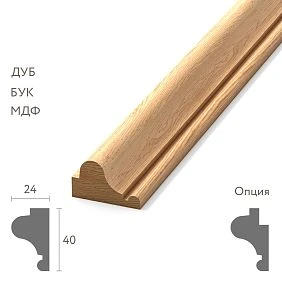
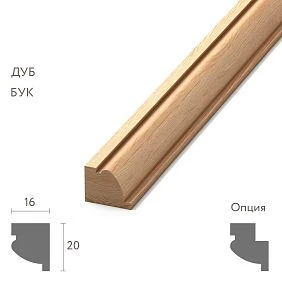
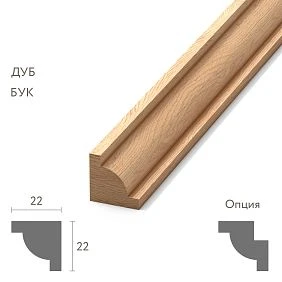
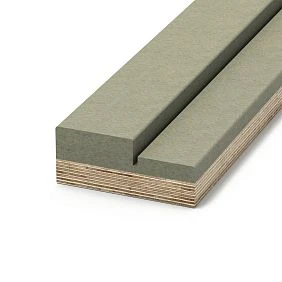
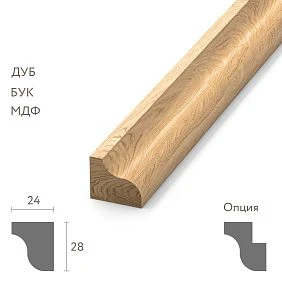
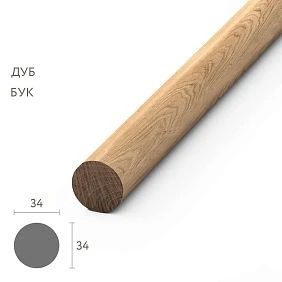
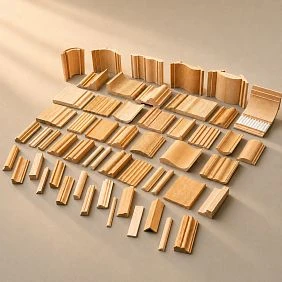
Why an architect cannot simply choose a beautiful molding
Visually similar profiles can behave completely differently in a detail. One almost lies in the plane of the wall, while another creates a pronounced projection. One has calm, geometric edges of the cross-section, while another has relief that reaches the very edge. In a render, these differences may be perceived as stylistic. In a working drawing, they become dimensional.
Suppose a frame is planned on the wall that meets the door casing. If the architect specifies only the width of the decorative strip on the wall facade but does not check the projection, they do not see the real junction of the two profiles. The molding may turn out thicker than the casing. Then its end becomes noticeable, an accidental step appears, and the installer has to solve the detail on site.
Therefore, for architectural molding, appearance and collection are not enough. The minimum set for a project is real width, depth, cross-section, material, SKU, commercial length, installation location, and junction diagram. This is the point where moldings for architects differ from abstract decorative selection: the product must reach the construction site without losing its geometry along the way.
A good working project answers not the question "what profile was intended," but the tougher one: "which exact profile, in what size, and how should it be installed here." The sooner this answer becomes unambiguous, the fewer decisions are shifted from the designer to the specifier and installer.




What to check before including a molding in the project
Before drawing the first frame on the elevation, it is worth opening the data of the actual product and writing down the parameters that may affect the geometry. Usually eight items are enough:
- profile width;
- maximum depth or projection;
- nature of the relief;
- the material;
- product length;
- SKU or manufacturer's article number;
- availability of a working drawing, DWG, or another precise representation of the section;
- specific installation location.
The last point is often underestimated. The same profile that is acceptable on a long free wall may turn out to be inconvenient next to a concealed door or a cabinet facade. Therefore, it is useful to consider the product card together with a fragment of the project, rather than separately.
If the molding is still being selected, add a status in the working table: PRELIMINARY, APPROVED, REPLACED. This is a simple discipline, but it prevents a preliminary element from quietly turning into a procurement one. For APPROVED the real SKU and dimensions must be recorded. If the profile is replaced, the old article number is not deleted without a trace: it goes into the revision history.
When choosing a category, it makes sense to immediately open the real Moldings made of polyurethane or another required product group and work with the actual dimensions. This is more useful than first drawing an ideal decorative system and then looking for a product that happens to fit into it.
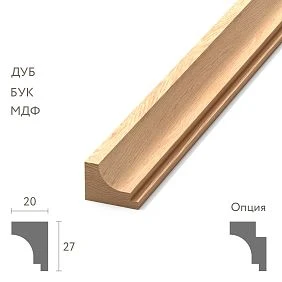
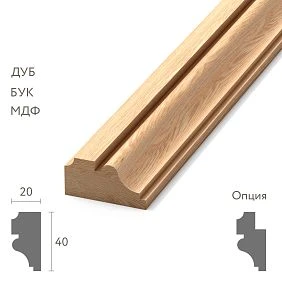
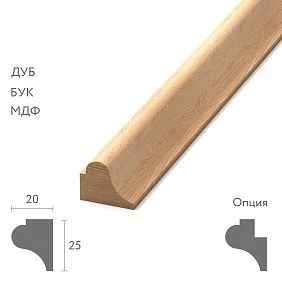
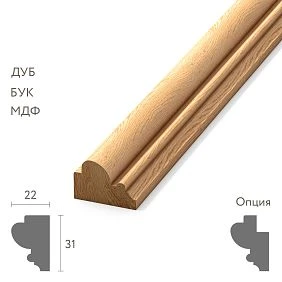
Our factory also produces:
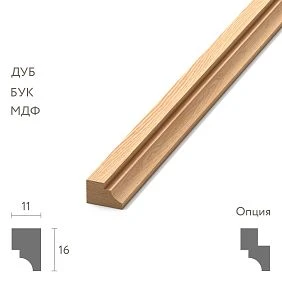
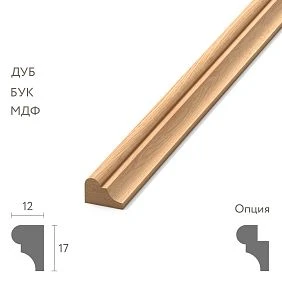
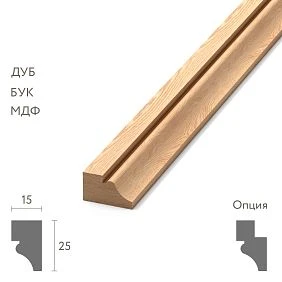
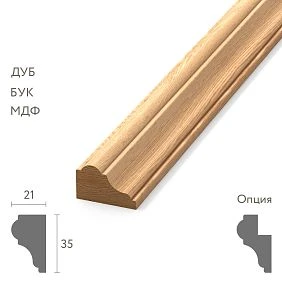
Profile width and the real scale of the room
There is no universal formula like “for a three-meter ceiling you need a molding of such-and-such width.” The height of the room sets only one scale. Next to it remain the door, baseboard, furniture, the size of the decorative frame, the length of the wall, and the distance from which a person mostly sees the composition.
Let's imagine a wall 4.2 m long with a door 2.4 m high and a narrow wall section. A wide profile on the central part of the wall may look convincing because there is enough air around it. The same profile on the narrow wall section turns the decorative field into a heavy frame: there is almost no free space between the door casing and the molding, and the relief itself begins to compete with the door trim.
A different logic applies on a long wall. A molding that is too thin may stop reading as an architectural division and remain just a line, especially if the frames are large. But this does not mean the profile should be scaled in CAD. You need to choose a different real profile.
Check the width in at least three views: the overall elevation, a local wall fragment, and a section. The overall elevation shows the proportion. The local fragment shows the distances to neighboring elements. The section shows the physical volume. Only the combination of these three views gives a proper sense of scale.
Another useful technique is to temporarily place the actual dimensions of the door and large furniture on the elevation, even if the furniture is not yet detailed. Then the molding is evaluated relative to the objects that will actually shape the space, rather than relative to an empty rectangular wall.
Get Consultation
Why profile depth is no less important than width
Two moldings of the same width can produce completely different results because of depth. One barely protrudes and, under frontal lighting, almost blends into the wall. The other creates a noticeable shadow and is perceived as a standalone architectural band.
For a project, depth matters even more than for an image. It is what determines whether the profile will run into a furniture facade, whether it will end up above the plane of the door casing, and whether it will create an unwanted step in the transition to the wall panel.
Pay especially close attention to areas where something movable approaches the wall: a hinged cabinet door, a hidden door, a pull-out facade, a built-in furniture door. On a flat elevation, there may be no intersection. In space, the protruding profile already falls into the element's path.
Depth also changes the character of the light. In a visualization, the relief is sometimes “drawn in” by the material or the lighting scheme, and the profile appears more expressive than it will be in the actual room. The working section brings the project back to physics: how many millimeters the element actually protrudes and which surface creates the shadow.
If several candidates are being considered for one wall, compare them not only by width but also by the pair width × projection. This is far more informative. A 45 × 8 mm profile and a 45 × 18 mm profile are different architectural tools, even though in a specification based on one parameter they might look almost identical.
How to read a molding section
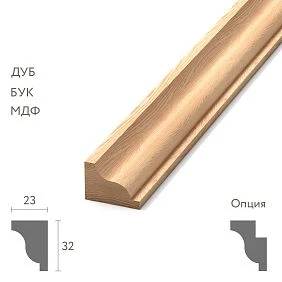
The section answers the questions that the wall facade hides. It shows the mounting surface, the maximum projection, the nature of the relief, the bevels, the shelves, and how the profile meets the adjacent plane.
The first thing to find is the side that adjoins the wall. It defines the base plane. The maximum projection is measured from it. If the profile has a complex edge, it is useful to mark not only the overall width but also the zone where the relief actually ends: sometimes the edge is visually light, sometimes massive.
The second is to check whether the shape requires a special solution at the end. A simple smooth profile can be neatly cut and finished with a return if the project provides for such a detail. An ornamental profile is more complex: the pattern, the repeat, and the position of the motif can make an ordinary geometric cut visually unsuccessful.
The third is to compare the section with adjacent products. If there is a casing, skirting, or panel nearby, it is better to assemble a small detail at a scale of 1:2 or 1:1. On it, you can immediately see which profile projects further and where a shadow gap forms.
For this work, real DWG drawings of moldings. After selecting a product, insert the section at its original scale and do not stretch the block to the desired geometry. If a different size is needed, that is already a different profile or a different SKU.
How to lay out a molding on a wall elevation
The elevation should show not the decorative pattern itself, but its position relative to fixed objects. The frame should have dimensions, axes, and anchors. The door should have the actual opening and casing. The furniture should have at least its working overall dimensions. The switches should have their installation centers. The skirting and cornice should have their actual height.
The mistake of “visually approximately equal margins” is especially noticeable after installation. On screen, two offsets of 92 and 104 mm may be perceived as equal. In the finished interior, next to the rigid vertical of the door casing, the difference becomes obvious. The designer must decide whether real equality is required here or a deliberate compensation.
It is convenient to split dimensions into two levels. The first is the architectural grid: axes, field boundaries, positions of doors and furniture. The second is the dimensions of the decorative profile itself within this grid. Then replacing the molding does not automatically destroy the entire layout: you can see where only the profile width changes and where, because of it, the frame has to be moved.
Do not overload the elevation with dozens of dimension chains. Critical dimensions are better repeated on a local fragment at a large scale. Working documentation benefits not from the number of figures, but from the absence of ambiguity.
And one more check: close the frame with the actual profile on all four sides. A line along the axis does not show how much space the inner field will occupy after installation. For small panels, this difference can be significant.
First the architectural grid, then the molding
A good frame composition rarely begins with an attempt to "evenly arrange rectangles." First, the axes to which the wall must submit are determined: the center of the room or of the visible part of the wall, door axes, large furniture modules, boundaries of built-in structures.
Let us imagine a wall 3.8 m wide. On the left, a built-in wardrobe occupies 900 mm; on the right, a door with casing takes another 900 mm together with the adjacent zone. The geometric center of the entire wall is no longer the center of the visible finish. If the decorative system is tied to it, the composition is formally symmetrical on the drawing but is perceived as shifted in the room.
Therefore, the actual decorative field is determined first. Its center and side fields are assigned within it. Then the vertical axes are checked relative to doors and furniture. And only after that is it chosen along which line the molding runs: along its own axis, along the inner edge of the frame, or according to another system adopted by the studio.
This order is also useful when replacing a profile. If the architectural grid exists independently, the new molding can be checked against it. But if the entire geometry was built from the random width of the first selected profile, replacement turns into a cascade of corrections.
The molding is subordinate to the architecture of the wall, not the other way around. But when the profile is approved, its actual dimensions must return to the drawing and confirm that the original grid is physically feasible.
How to design moldings around a doorway
The door is one of the main sources of conflict. The casing, baseboard, decorative frame, and sometimes a pilaster or cornice all converge around it. If the door is of increased height, its top line begins to affect the upper field of the wall as well.
Start with the casing. Fix its outer boundary and projection. Then set the minimum acceptable field to the molding not "by eye," but as a specific dimension. On a narrow pier, it will immediately become clear whether the chosen profile has enough space.
Next, check the top of the door. There are three fundamentally different situations: the molding passes above the opening as part of the overall frame grid; the frame is subordinate to the top of the door; a separate decorative element appears above the door. These schemes must not be mixed randomly on adjacent walls of the same room.
The bottom is important as well. The baseboard meets the casing, and the frame begins higher up. If the baseboard height is changed after the finishing elevations are issued, the lower field of the frame may disappear. Therefore, the combination casing — baseboard — molding is better considered as a single unit, rather than as three independent specification items.
If additional stucco decor is used around doors, it should be selected from a real system. The category Decor for Molding is useful precisely as a source of specific mating elements, not as a reason to draw in an arbitrary corner or insert without an article number.
Thickness of the molding and casing
The wall elevation shows the contour. The section shows the hierarchy of planes.
If the molding protrudes beyond the casing, its edge near the door can become unexpectedly noticeable. If, on the contrary, the casing is significantly more massive, a thin molding may visually "rest" against it and look cut off. Neither option is automatically wrong, but both must be designed.
Make a cross-section through the casing and the nearest vertical of the frame. Use real thicknesses. Look at how they meet when viewed at an angle from inside the room. This is especially useful in corridors and passage areas, where a person often sees the wall not frontally.
A single project may have different types of doors. Do not transfer a proven offset from one casing to all the others without comparing sections. A casing in a bathroom, a concealed frame in a living room, and a classic portal in a study set different conditions.
If the distance between the molding and the casing is minimal, it is useful to provide a separate enlarged-scale detail on the elevation. Then the installer will not interpret the thin gap as an error in the drawing.
Moldings around a hidden door
A concealed door changes the principle of wall construction. Where an ordinary door itself creates a visible boundary, a concealed leaf tends to remain part of the overall plane. Therefore, the molding can either be stopped before the door, run across the leaf, or the door can be used as one of the modules of the composition.
If the frame runs across the door leaf, it is not enough to show it as a continuous line on the elevation. It is necessary to check the door construction, the permissible thickness of the decorative element, the opening trajectory, and the transition across the gap along the perimeter of the leaf. The decor must not turn the concealed door into a mechanically non-functional assembly.
If the molding breaks off, the end must be designed. A simple "cut on site" often looks unfinished, especially with a deep profile. The working detail must make clear exactly where the product ends and how the end face is finished.
The third option is to include the door in a modular grid. Then the verticals and horizontals of the frames are built so that the joints of the leaf support the composition. This usually requires coordinating architectural and door documentation earlier than it seems.
The main rule is simple: the fate of the molding near a concealed door is decided by the design. If it is left to the installer, he will choose between aesthetics and functionality after the door has already been manufactured.
Molding and built-in furniture
A built-in wardrobe has an unpleasant trait: in early drawings it often looks like a static rectangle. In reality, the fronts open, the side panels have thickness, and filler strips and shadow gaps appear. A molding that elegantly "disappears behind the wardrobe" in a sketch may obstruct the door or leave a noticeable cut-off edge.
First, establish the actual boundary of the architectural trim. This may be the side panel of the wardrobe, the line of a filler strip, a niche, or a separate wall plane. Do not continue the frame across the furniture just for the sake of symmetry if it will physically disappear behind the structure.
Then check the opening. For a hinged front, not only the edge of the wardrobe matters, but also the trajectory of the door. A deep profile next to the side panel can fall into this zone. Pull-out systems and handleless fronts also require technical clearances.
If the wardrobe reaches the ceiling, check its relationship with the cornice. Sometimes the wall molding and the furniture can be separated independently, but a ceiling cornice requires a unified solution: to terminate at the wardrobe, continue in front of it, or become part of the furniture composition.
On the drawing, the boundary must be unambiguous. The wording "molding up to the wardrobe" without a dimension is insufficient. Provide a reference to the finished face of the furniture or another stable datum.
Molding and the kitchen unit
In the kitchen, decorative paneling encounters a large number of rigid horizontals: the countertop, the backsplash, the bottom of the upper cabinets, the top of the tall units, the cornice line. Therefore, frames that work well on a free wall in the living room should not always be transferred here without changes.
Tall units effectively form a new wall boundary. If a narrow painted wall section remains next to them, a large frame may lose its meaning. In such an area, it is sometimes better to leave a smooth plane or use a single vertical profile than to try to preserve the module of the entire room.
Upper cabinets create a different conflict. The molding should not accidentally disappear behind the carcass by a few centimeters and reappear below or to the side. Either the decorative field ends before the furniture, or the junction deliberately shows the continuation of the trim.
The backsplash also requires a solution. If the molding approaches its edge, the material, thickness, and method of terminating the backsplash become part of the architectural junction. This is especially noticeable with stone or large-format cladding, which itself has a pronounced thickness.
The working documentation must define an exact boundary: where the architectural wall finish ends and the furniture system begins. Do not leave this line to the kitchen installation stage — by that point, the main dimensions have already been fixed by production.
Molding and wall panels
Junction panel → molding → smooth wall looks simple only in the frontal view. In section, three different surfaces appear and, possibly, three different thicknesses.
If the panel protrudes more than the molding, you need to decide what happens to its end face. If the molding protrudes further, it can act as a frame. If the planes almost coincide, a small technological difference can create an accidental gap or step.
For design, first fix the panel thickness from the finished wall. Then insert the actual molding section. After that, determine the junction line: the molding covers the panel edge, meets it flush, or is separated by a seam. Each scheme requires its own dimension.
Themselves Wall Panels may have a pronounced texture. In that case, the molding does not always have to cross the panel surface. Sometimes it is cleaner to finish the frame system along the smooth wall and give the panels their own field.
A section here is more essential than a beautiful perspective. The shadow from a real protrusion can completely change the character of the transition, while in a render it is easy to make visually convenient. A working detail must not depend on favorable lighting.
Molding and baseboard
The lower part of the wall is almost always built from the baseboard. Its height sets the first rigid horizontal line, after which the free field begins up to the frame.
If the frame was calculated for a baseboard height of 80 mm, and later a 140 mm profile is chosen, you cannot simply replace one line in the specification. The lower boundary of the decorative system will visually rise, the free field will shrink, and sometimes the molding will end up too close to the baseboard.
Therefore, on the elevation it is better to have a separate dimension from the top of the baseboard to the lower edge or axis of the molding. It quickly shows the consequences of a replacement. If the lower field is too small, there are three options: raise the entire frame, reduce its height, or choose a different baseboard/molding.
Also check the junction at doors. The baseboard often ends at the door casing, while the frame continues higher and to the side. If the door casing has a base, plinth, or extension, it is precisely that which may limit the decorative field.
For wooden projects, it is useful to consider the system as a whole — wooden moldings, cornices, and baseboards it is easier to coordinate when all profiles are compared at the same scale. The material itself does not cancel the geometric check: the decisive factors remain the sections and junctions.
Molding and ceiling cornice
The top of the wall is just as much a dimensional zone as the bottom. The chain is usually read as follows: the baseboard forms the lower boundary, the frame occupies the main field, free space remains above it, and then the cornice begins.
If the cornice is chosen after the frame layout, the upper field often turns out to be random. This is especially true with large cornices: they visually “lower” the ceiling along the wall and eat up the space that was considered free in the early elevation.
Check not only the height of the cornice, but also its actual position relative to the ceiling and wall. With a complex profile, the visible height and installation dimensions may be perceived differently. A section in the corner of the room provides more information than a single facade line.
With taller doors, another relationship arises: the top of the door, the top of the frame, and the bottom of the cornice may end up too close. Sometimes the solution is to reduce the number of decorative horizontals rather than crowd them.
A good upper wall zone looks calm not because all the offsets are identical, but because there is a clear hierarchy between the major architectural lines. This hierarchy is designed before the profiles are ordered.
Ceiling moldings
The ceiling is especially unforgiving of approximate layout. The geometry of the room, the central ceiling rose, the chandelier, the recessed lights, the ventilation grilles, the sensors, and sometimes the curtains or niches all operate there at the same time.
If polyurethane ceiling moldings are used, start not with the decorative frame, but with a ceiling plan showing all the engineering points. First determine the chandelier axis and the major technical elements. Then check where the molding runs. A light fixture cut halfway into the relief is not a decorative nuance, but a conflict between two systems.
For a rectangular room, it is easy to draw a frame that follows the perimeter. But a real ceiling may have a ventilation duct protrusion, a niche for curtains, or an off-center furniture arrangement. In such cases, mechanically repeating the room's contour often creates several random breaks.
If there is a decorative accent in the center, for example Ceiling rosette, its diameter and position must be included in the same grid. The frame, the ceiling rose, and the light fixture must be one geometric system, not three layers superimposed on one another.
The ceiling assembly should be produced together with the lighting plan. Otherwise, the last engineering adjustment can destroy an already approved decorative scheme.
Moldings and engineering points
A switch, socket, thermostat, or sensor occupies a small area, but can ruin an entire frame grid. The reason is simple: engineering is often designed according to functional dimensions, while the decorative layout is designed according to composition. If the two layers are not reconciled, the conflict will show up on the wall.
On the elevations, show not conventional symbols, but the actual installation centers and the overall zones of the product frames. Especially for multi-gang units: their width is noticeably greater than that of a single switch.
A convenient verification order is as follows:
- overlay the current electrical layout onto the finishing layout;
- identify all points that intersect the molding or come too close to it;
- check whether the engineering point can be shifted, taking furniture and usage scenarios into account;
- if shifting is impossible, adjust the frame grid;
- if the grid is critical, choose a narrower profile.
Do not try to "work around" a switch with a local break in the molding unless this technique is part of the overall composition. Such workarounds almost always look like a correction of a mistake.
Engineering points should be coordinated before the final metrage calculation. Even a small change to one frame can change the length of several sections and the cutting map.
Pay especially close attention to shared walls between several rooms. Electrical outlets may be adjusted in one set of drawings, while decorative layouts are adjusted in another. If the files are updated separately, a single moved switch can remain in its old place in the finishing documentation.
What to do if a switch lands on a frame
There are three basic solutions here, and they should be chosen not based on the installer's convenience, but based on the priorities of the specific wall.
The first is to change the framing grid. This is a good option if the composition is still flexible and shifting one vertical line does not disrupt the axes with doors and furniture. Sometimes it is enough to increase or decrease the margin by a few centimeters.
The second is to relocate the switch. This solution is only possible after checking the electrical scheme, installation height, ease of use, and adjacent structures. You cannot move an electrical installation device purely for decoration if the new position worsens its function.
The third is to choose a narrower profile. This is especially rational when the conflict occurs in several places. One more compact molding can preserve the overall grid and eliminate a series of local exceptions.
There is also a fourth scenario: to acknowledge that the frame is not needed in a specific area. This is better than building a complex detour around a single switch and then repeating it only for the sake of formal symmetry.
The decision must appear in the working documentation. On site, it is already too late: cables are routed, walls are prepared, molding is purchased, and any change affects several contractors.
If the relocation is nevertheless approved, update not only the electrical plan but also the elevation drawing, the finish schedule, and the visualization if it is used for design supervision. The same switch should not exist in two coordinates in different parts of the project.
Molding and wall light
A wall light combines architectural and engineering geometry. It has an axis, a base, a projection from the wall, and a visual volume. If the frame is built only around a nominal connection point, the actual base of the fixture may overlap the molding.
Check four things simultaneously: the fixture axis, the base dimensions, the frame outline, and any possible decorative overlay. If the wall light model has not yet been approved, set a reserve zone rather than a point-specific attachment.
Symmetrical compositions have another trap. Sconces can be placed symmetrically relative to the center of the wall, but the decorative panels themselves on the left and right may have different visible widths due to a door or furniture. In that case, mathematical symmetry does not produce visual symmetry.
If the sconce is located inside the frame, check whether there is enough margin around the base. When the distance is too small, the molding relief begins to visually "press" on the fixture. Sometimes it is better to enlarge the panel, and sometimes to reduce the profile.
A section is useful here as well. It shows whether the fixture's projection conflicts with the depth of the decorative profile over a short distance, especially with massive wall-mounted models.
A separate case is a sconce on a decorative overlay. In that case, the overlay, the fixture base, and the molding must be checked as a single assembly. If the overlay overlaps the profile, this should be a deliberate decision, not the result of a mismatch between two drawings.
Internal corner
For smooth molding, the inner corner is usually resolved with a geometric miter cut. But even a simple scheme requires an accurate wall: the actual angle of the room may differ from an ideal 90°, and on-site trimming must account for the real geometry.
In a working project, there is no need to try to predict every construction inaccuracy. You need to show the principle of the joint and determine where geometry is critical. If a corner forms a noticeable node in the center of the composition, it should be detailed separately.
With ornamental profile, repeat pattern is added. Two segments may meet geometrically, but the pattern at the corner may end up randomly cut off. Therefore, cutting begins not only with length, but also with the position of the motif.
On short runs, this problem is especially noticeable. One full repeat may occupy a significant part of the fragment, and simply moving the cut location changes the entire composition.
If the project uses special corner elements, do not automatically replace the miter cut with them. First make sure that the element belongs to the same system and is actually needed in the chosen composition.
And one more practical check: if two frames of different sizes meet at a corner, do not try to "fix" the mismatch by changing the width of the profile itself. The grid changes, but the profile remains a real product.
External corner
An external corner is more noticeable than an internal one, because the profile meets an open edge and is read from several directions. Any inaccuracy in the joint, difference in depth, or unsuccessful pattern shows up more strongly here.
For a smooth profile, it is important to decide where the apex runs and how the seam is formed. This is almost invisible on a finishing layout, so an external corner is better shown as a separate fragment of the plan or a section.
With ornamental moulding, the repeat comes back, but the task is more difficult: the viewer sees both sides at once. If the motif on one side ends randomly, the corner is perceived as cut off.
External corners of columns, piers, and projecting bulkheads should be counted as separate items in the check. Do not transfer the solution from a flat wall automatically: visibility there is different, and so are the requirements for the end faces.
Sometimes it is more correct to abandon continuing the moulding around a small projection and end the decorative field before it. Architectural logic matters more than the obligatory “wrapping” of every surface.
If an external corner is in a passage area, an operational factor is added as well: the projecting relief ends up closer to the movement path. This is not a reason to automatically exclude the moulding, but it is a reason to carefully check the projection and position.
Corner elements as part of the system
Special corner decor makes sense only when it truly belongs to the selected system and its SKU is recorded separately. You cannot enter a single “moulding” item in the specification and assume that decorative corners will appear on their own.
If used molding decorative elements, enter them in the schedule as independent products: their own article number, quantity, and installation location. The linear meterage of the trim is calculated separately.
This is especially important for large projects. On one wall, a corner element may be used four times; on another, only at the top; on a third, not at all. The formula “four corners per frame” works only for a specific scheme.
On the layout, it is better to designate such elements with a separate code, for example DE-01, and the molding — ML-01. Then the installation drawing and the bill of materials unambiguously show that these are different purchasing items.
If the corner decor has a distinct orientation, add left/right or top/bottom to the designation. Symmetry of the image does not always mean the part is interchangeable.
Before ordering, recalculate the corner elements based on the actual places of use. Their quantity cannot be reliably obtained by multiplying the total number of frames if the project has door breaks, incomplete frames, or different types of corners.
Ornamental molding and repeat
For a smooth profile, consumption is mainly determined by the geometry of the lines and the cutting layout. For an ornamental one, the repeat is added — the repetition of the pattern. It can turn a mathematically sufficient linear footage into an insufficient number of strips.
Let's imagine a short frame. Based on the sum of lengths, two sides can be cut from one strip. But the first side requires a specific fragment of the ornament in the center, while the second requires a mirror-perceived section. There is enough length remaining, but the pattern does not allow it to be used without a noticeable break.
On symmetrical walls, it is useful to assign a control point for the motif: the center of the side, the corner, or the axis of the panel. The cutting layout is built from it. Then the decorative pattern is subordinated to the architectural grid, rather than to the random start of the factory strip.
For door portals, the situation is even stricter. The verticals are located next to each other and are compared by eye. If on one the pattern begins with a whole motif, and on the other with half of it, the difference is noticeable even without measurement.
Therefore, in the bill of materials, ornamental molding cannot be described only in linear meters. For purchasing, the commercial length, the number of strips, and the cutting layout taking into account the repeat are needed.
If the specific repeat is unknown at an early stage, do not approximate it. Mark the profile as preliminary and return to cutting after the actual product is approved.
Why the profile cannot be scaled
If the actual product is 45 mm wide, stretching its DWG or 3D to 60 mm means creating a product that does not exist. Visually, this technique may seem harmless: the outline is preserved, the relief remains "similar." For working documentation, this is a fundamental error.
Scaling changes width, depth, radii, relief position, and junctions simultaneously. Even if the facade only needs an additional 15 mm, in real production you cannot obtain it with the Scale command.
The correct action is to select a different SKU with a suitable cross-section. If there is no exact equivalent, the project must be adjusted to the existing profile, or the production of a custom product must be addressed separately, if such a possibility is actually provided.
This rule also applies to visualizers. The 3D file must represent the same real object that will later appear in the specification. Otherwise, the visualization gradually separates from the project: the client approves one thing, the architect issues another, and the procurement specialist buys a third.
In the bureau's library, arbitrary scaling of approved product blocks should be locked, or at least a warning should be added to the name. The less freedom an object has after the status APPROVED, the more reliable the connection between the model and the purchase.
There is only one exception: the scale is changed for technical display on the sheet, not for the geometry of the object itself. A view scale of 1:5 or 1:2 is acceptable; deformation of the cross-section is not.
How to use the molding DWG
After selecting the SKU, download the actual section, check the units, and insert it into the project without scaling. On the page STAVROS catalogs and drawings technical files can be used as source data rather than redrawing the profile manually from an image.
A good block name should be readable
When you receive an updated file from the manufacturer, compare the dimensions with the already approved block. Replacing a file without revision is risky: even a small dimensional shift can affect narrow junctions.
If the DWG contains several contours or layers, keep the source file in the library and prepare a working view separately. This way the project retains a link to the original file, but the drawing remains clean.
How to use the 3D model
The 3D model is needed primarily for perception: to check the scale of the profile, the character of the relief, the shadow, and how the element behaves in the overall composition. This is especially useful for complex rooms where doors, cornices, furniture, and several levels of finishes are present at the same time.
But 3D does not replace the working section. A model may be optimized for visualization, contain a simplified mesh, or use a material that does not describe the installation geometry at all. Dimensional verification is performed using technical data and the drawing.
If the project team uses 3D models of moldings, it is useful to keep an object card nearby: SKU, width, depth, length, material, product link, and approval status. For those looking for moldings for interior visualization, the principle is the same: the visual asset must remain linked to the real product rather than living a life of its own. Then the model does not turn into a nameless decorative asset.
When visualizing, you also should not correct proportions by scaling along a single axis. If a profile seems too thin, that is a signal to go back to the catalog and choose another one, not to "tweak" the geometry for a pretty picture.
The role of 3D ends where fabrication and installation begin. At this point, the main document remains the working documentation with the actual cross-section and references.
At the same time, 3D is useful for early detection of conflicts that are hard to read on a flat drawing: for example, intersections with furniture fronts, protruding portals, or cornices. The main thing is to treat the model as a check, not as a source of dimensions in itself.
3D and DWG must relate to the same SKU
The link must be rigid:
SKU = 3D = DWG = specification.
If the visualization uses one profile, the detail uses another, and the schedule uses a third, the project may formally look complete, but in fact it contains three different versions of the solution.
Therefore, formalize an article replacement as a revision. First, the new SKU receives the status PRELIMINARY. Then the dimensions, cross-section, and details are checked. After that, the 3D, DWG, and schedule are updated. Only when all four layers match does the new profile become APPROVED.
A good practice is not to store files under names alone like molding_new.max or final_molding.dwg. After a few months, such names mean nothing. The article number in the file name and in the object properties is far more reliable.
If a single SKU has multiple size variants, the coding must also distinguish the size. Otherwise, the article number alone may be insufficient for an unambiguous selection.
This discipline seems like bureaucracy only until the first major replacement. On a project with dozens of elevations, it saves hours of searching and prevents the situation where an old profile remains in one room after a general revision.
For the team, it is useful to designate a single point of truth — a schedule or specification library from which other representations receive the product code. Then the visualizer, architect, and procurement specialist do not create parallel versions of the same item.
How to assign a project code to a molding
A project code is needed for compact work on drawings. Instead of a long article number in every frame, it is convenient to use ML-01, ML-02, ML-03.
But the project code must not replace the purchasing identifier. ML-01 it is understandable within a specific documentation set, while the customer, procurement specialist, and supplier need the manufacturer's actual SKU.
The linkage might look like this:
| Project code | Manufacturer | SKU | Purpose | Status |
|---|---|---|---|---|
| ML-01 | STAVROS | specific SKU | wall frames | APPROVED |
| ML-02 | STAVROS | specific SKU | Ceiling frame | APPROVED |
| ML-03 | STAVROS | specific SKU | Door portal | PRELIMINARY |
If the same product is used in multiple rooms, do not create a new code without reason. The code describes the type of solution, not each individual installation location.
If one profile is used differently — for example, on a wall and on a ceiling — the solution depends on the bureau's structure. Sometimes a single code with multiple application zones is sufficient. Sometimes it is better to separate the types if the assemblies, finishes, or cutting rules differ.
The main thing is that the full set of product data can be found in one step using the code from the layout. The code must not exist separately from the correspondence table.
How to document molding in the finish schedule
The schedule must allow the procurement specialist to understand exactly what to buy without opening the visualization or guessing from the image. The minimum row includes the project code, manufacturer, SKU, actual profile, material, rooms, calculated linear meters, product link, and status.
Example structure:
| Field | Value |
|---|---|
| Code | ML-01 |
| Manufacturer | STAVROS |
| SKU | specific |
| Profile | actual dimensions |
| Material | PU / wood / other approved |
| Room | Living room |
| Footage | estimated |
| URL | product card or category |
| Status | APPROVED |
For a large project, add columns product length, number of planks, reserve, revision, check date. This helps separate the geometric footage from the actual order.
The URL should lead to a specific source, not to search results. If the product has not yet been approved, it is better to honestly leave the status as preliminary than to fill the field with a "similar" product card.
Do not store the size only in the row name. Separate fields allow automatic comparison of data during revision and help identify discrepancies.
The finish schedule is the final checkpoint where an architectural idea turns into a procurement line item. That is exactly why it must be boringly precise.
If the project involves multiple finishes for the same profile, this should also be visible in the schedule. A single SKU may be physically identical, but different rooms will require different finish codes and different installation notes.
How to calculate molding linear footage
You need to count the actual installation lines. Not the room area and not the wall perimeter, if the molding forms frames.
For each wall, break down the decorative system into segments: verticals, horizontals, individual inserts, areas above doors, ceiling frames. Sum them by a single product code.
Example. There are two frames on a wall. Each has two verticals of 2.2 m and two horizontals of 0.9 m.
For one frame:
2 × 2.2 + 2 × 0.9 = 6.2 m.
For two:
6.2 × 2 = 12.4 m.
This is only the geometric linear footage. It says nothing yet about the number of planks to order.
If there is a short 0.7 m insert on the same wall, it must be added separately. Do not try to derive the consumption from the total perimeter of the room — it is not related to the actual lines of the decorative layout.
For complex projects, it is convenient to calculate the meterage from CAD/BIM by object types, but the automatic result still needs to be checked visually. A mistakenly duplicated line or a hidden element in the model can easily add extra meters.
After automatic calculation, sort the positions by room and by code. This breakdown quickly reveals anomalies: for example, if a small room suddenly has more moulding than a large living room.
Why meterage is not yet the quantity to order
Suppose the project needs 12.4 m of profile. If the commercial strip has a fixed length, the quantity is determined by cutting, not by simple division with rounding.
Let's say a conventional strip is 2.6 m long. The arithmetic gives:
12,4 / 2,6 = 4,77.
It seems five strips are enough. But now let's look at the actual segments: four verticals of 2.2 m and four horizontals of 0.9 m. After a vertical, only 0.4 m remains from each strip — a 0.9 m horizontal no longer fits there. This means the cutting plan requires more material than the total meterage shows.
This is the difference between length and order. Mathematically, there is enough material. In terms of cutting, there is not.
First, distribute the longest sections across whole strips. Then try to place short elements in the leftovers. After that, account for corners, trimming, possible pattern repeat, and a reserve for areas where a mistake is especially costly.
You cannot automatically apply one percentage of reserve to all projects. For a smooth long layout and for ornamental short frames, the nature of waste is different. It is much more useful to make a cutting map and use it to determine a reasonable reserve.
On a large project, you can maintain a separate cutting list: plank number, original length, offcuts, remainder, room. It only seems redundant until the same profile runs through ten rooms and dozens of frames.
How to document a molding replacement
The replacement should look not like "we swapped a beautiful profile for a similar one," but like a consistent revision:
OLD SKU → NEW SKU → REVISION.
First, record the reason: the product is unavailable, the budget has changed, the client chose a different relief, the assembly has changed. This helps you understand exactly what needs to be rechecked.
Then compare the old and new profiles by width, depth, commercial length, and cross-section character. If even one of the parameters changes, check the frames, door junctions, furniture, baseboard, cornice, and engineering points.
After that, update the 3D and DWG. Replacing a line in the schedule is not enough. The old profile may remain in the visualization or in a single local assembly.
Next, recalculate the linear footage and the number of planks. The new product may have a different length, so the previous quantity cannot be carried over automatically.
In the revision table, it is useful to store the date and author of the change. On large projects, after a few weeks it is already difficult to remember why one SKU was replaced by another. A documented chain saves you from re-discussing the old decision.
After replacement, a control search for the old code across the entire set is useful. If ML-01 it has been replaced with a new type, but the previous SKU is still found in a note or block name, the project is not yet synchronized.
When it's better not to add molding
Not every empty surface needs a decorative frame. Sometimes omitting molding is the more precise architectural decision.
The first case is an overly busy wall. If it already has doors, cabinets, sconces, panels, and several utility points, an additional frame grid can only highlight the inconsistency of the elements. It's better to resolve the major geometry first.
The second is critically narrow wall sections. When only a small strip of wall remains after the trim and furniture, molding turns into a set of cut-offs and awkward terminations. Here, a calm painted surface often works better.
The third is a surface with an active rhythm of its own. A slatted or strongly textured panel already creates the wall's architecture. Molding layered on top of it doesn't necessarily add value.
The fourth is a project where a specific profile hasn't been chosen yet, but construction is already approaching the finishing stage. It's better to temporarily not release the decorative grid as final than to lock into the documentation an object that doesn't exist or hasn't been verified.
Professional interior moldings are useful when they genuinely participate in the architecture of the space and can be precisely implemented. The mere presence of an empty wall is not sufficient grounds.
There is one more criterion — the number of exceptions. If almost every frame requires its own workaround for a door, outlet, furniture, or duct, perhaps the system itself was chosen incorrectly. A strong architectural solution usually doesn't need dozens of justifications.
Architect's checklist before issuing construction documents
Before issuing the set, go through the wall or room as a sequence of checks, not as a picture.
- a real SKU is selected;
- profile dimensions are taken from current data;
- the section is inserted without scaling;
- the project code is linked to the SKU;
- doors and casings are coordinated;
- concealed doors have separate units;
- built-in furniture does not conflict with the profile projection;
- the boundaries of the kitchen furniture are defined;
- the junction with wall panels is shown in section;
- the skirting board is approved or accounted for as a specific dimension;
- cornice aligned with the upper margin;
- ceiling moldings checked against lighting and ventilation;
- sockets, switches, thermostats and sensors do not fall on the relief;
- sconces checked for base and axis;
- internal and external corners resolved;
- repeat taken into account for ornamental profile;
- meterage calculated along actual lines;
- cutting map converted into number of planks;
- specification matches DWG and 3D;
- all replacements documented as a revision.
It is especially useful to do the final check not against the schedule but against the drawings: go through each type of moulding from its first to its last use. This makes it faster to spot isolated areas where an old code or previous geometry survived after edits.
If the project is released in stages, keep this checklist as part of the studio's internal procedure. It works better than hoping that all team members remember the history of decisions equally well.
How to buy mouldings after project release
The commercial stage should begin not with an abstract request to "buy decorative moulding," but with an already approved project position. If the task is to buy polyurethane mouldings for a project interior, the working documentation should have already narrowed the choice down to specific products. By this point, the SKUs, dimensions, linear footage, commercial length, and number of strips are known.
If the project involves polyurethane molding, first check the relevance of the specific product page and the availability of the selected item. For the main category, it is convenient to use the section of polyurethane moldings, cornices, and baseboards. The purchase here becomes the final link in the chain, not a replacement for design.
The phrase "buy polyurethane moulding" describes the user's intent, but before ordering, an architect needs more precise answers: which SKU, how many strips, for which rooms, which corner elements, whether there is a reserve, and whether the actual product matches the released DWG.
If several materials are used, separate orders by system. Polyurethane and Wooden trim may be used in the same interior, but they have different positions, profiles, and cutting logic. Do not combine them under a single line item called "decorative profile."
Before sending the order, check the latest revision of the schedule against the drawing set. Then open the STAVROS catalog and verify that the selected items match the project. Only after this reconciliation does the quantity from the table become a real order.
For ordering, it is useful to prepare a separate export without unnecessary project information: code, SKU, name, quantity, room or zone, note on completeness. Such a table is more convenient for purchasing, but it must be generated from the main specification, not exist as a standalone version of the data.
If a product is being substituted at the time of ordering, do not accept a "size equivalent" without rechecking the cross-section. Matching width does not yet mean matching projection, relief, and behavior at the junction.
The correct chain remains unchanged:
architectural grid → SKU → DWG → junctions → linear footage → cutting → specification → order.
It is this sequence that makes architectural moldings part of the working documentation, rather than a decorative line that has to be reinvented on site.