Article Contents:
- Why you need to choose the handle before drilling the furniture front
- What data you need to get from the handle product page before production
- Visual Geometry and Mounting Geometry should be stored separately
- Manufacturing Record
- What to do if the product page data and the sample do not match
- End-to-end example: a kitchen with 18 fronts and one handle SKU
- What happens when replacing HND-01 with HND-02
- Why this example matters more than the general advice "choose the right size"
- Final check before ordering handles
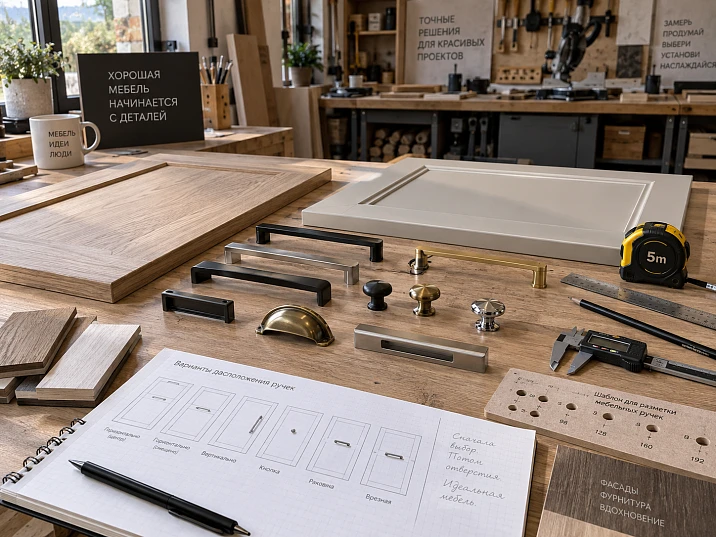
The fronts are already cut, the edges are finished, and the furniture project is almost ready for assembly. At this stage, the craftsman selects a wooden handle — and discovers that the actual product has a different fit, a different projection, and a different length than the conditional model in the visualization. If the holes have not yet been drilled, the project can be saved by revising the drawing. If the drilling has already been done on twenty fronts, replacing the handle turns into a production problem.
That is why the furniture handle for a series is chosen not after the front is made, but before drilling, milling, and issuing the drilling map.
Work sequence:
SELECT SKU → GET REAL MOUNTING GEOMETRY → TEST ONE HANDLE → APPROVE → DRILLING TEMPLATE → FACADE PRODUCTION → BOM → BATCH → REORDER.
For a furniture maker, a handle is not just decorative hardware. It is a pre-approved production component: with an SKU, actual dimensions, installation method, coordinates, material, finish, and quantity.
It is exactly this logic that makes it possible not to look for a "similar handle" after the fronts are manufactured, but to design furniture directly for a physically existing product.
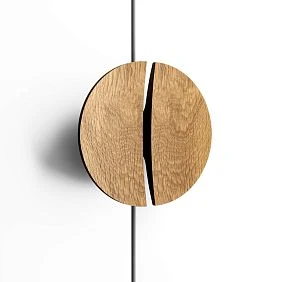
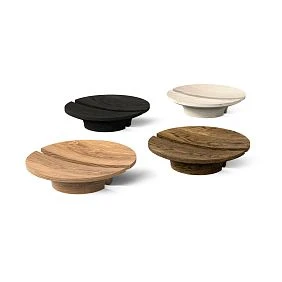
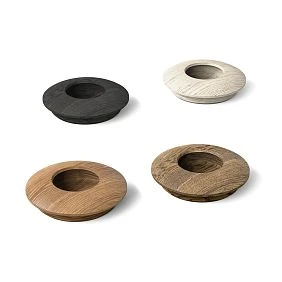
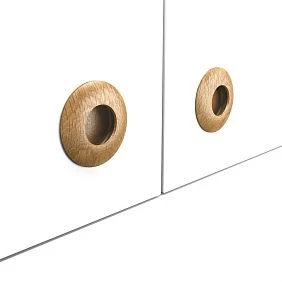
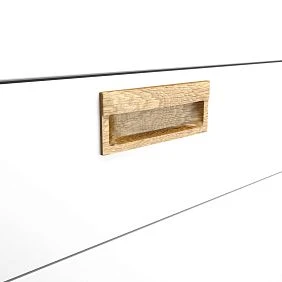
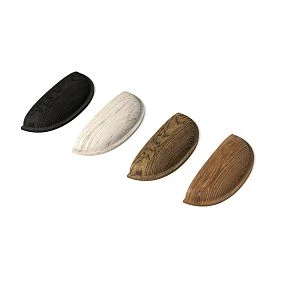
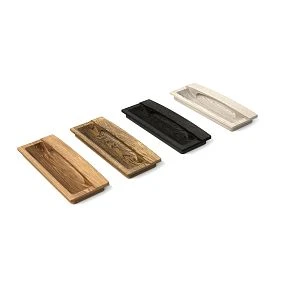
Why you need to choose the handle before drilling the furniture facade
The most expensive mistake is treating the handle as a final assembly item.
A handle has mounting geometry.
It can determine:
- one or more attachment points;
- mounting seat;
- milling zone;
- projection from the facade;
- length;
- position relative to the edge;
- position relative to the frame;
- position relative to the overlay;
- ease of grip.
If this geometry appears after drilling, there is almost no freedom of choice left.
The correct sequence.
Not:
the facade is ready → we look for a handle → we try to fit the existing holes.
But:
SKU selected → actual handle verified → drilling map built → test facade manufactured → APPROVED → production run.
Why this is especially important in small-batch production.
One mistake on one facade — rework of one part.
One mistake in the template — rework of:
- 6;
- 12;
- 20;
- 30
identical facades.
A production run multiplies not only the correct solution, but also the mistake.
The handle must be included in the project's initial data.
Before launching the facades, the following must be known:
- Manufacturer;
- SKU;
- installation type;
- actual dimensions;
- the material;
- finish option;
- Project Code;
- status.
To select the actual product, you can use the catalog wooden furniture handles STAVROS.




What data needs to be obtained from the handle product page before production
The product name is not enough.
A furniture maker needs data that can be transferred to a drawing.
Minimum set:
| Field | What for |
|---|---|
| SKU | precise identification |
| Length | External dimension |
| Width | dimensions on the front |
| height / projection | grip and conflict zone |
| Installation type | drilling / milling |
| number of mounting points | fitting map |
| installation dimensions | hole positions / fits |
| Material | finish and visual compatibility |
| Finish | own or ready-made finish |
If the card contains A/B/C.
Do not transfer designations without understanding the meaning.
Write down separately:
- what exactly A measures;
- what does B measure;
- what does C measure.
For one category, A may be the overall length; for another, it may be a different dimension. In a production drawing, ambiguity is unacceptable.
If the installation dimension is not specified.
Do not guess it from a photo.
Options:
- obtain the actual part;
- request technical data;
- take the measurement from a sample;
- leave the SKU in the status
CANDIDATE.
A photograph is not a dimensional document.
Two different size groups.
It is useful to distinguish:
Visual Geometry
- length;
- width;
- overhang.
and:
Mounting Geometry
- number of points;
- distances between points;
- mounting seat;
- milling.
The first group defines the appearance and grip.
The second — facade production.
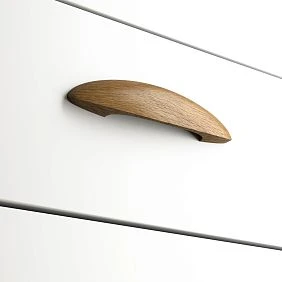
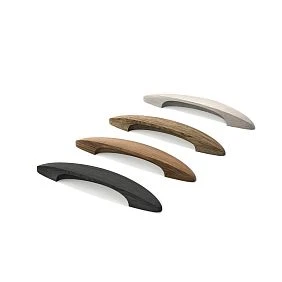
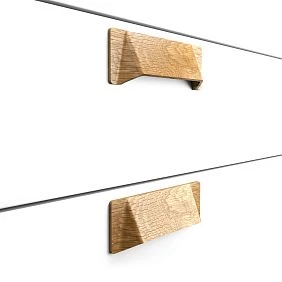
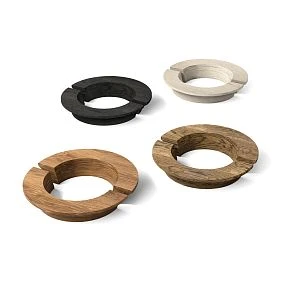
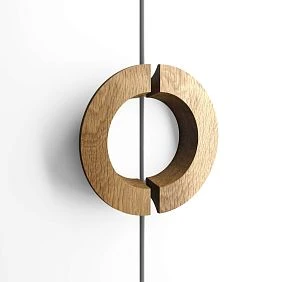
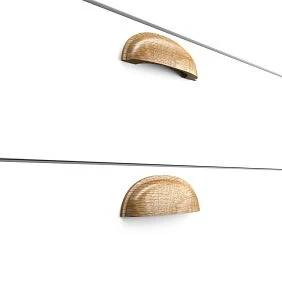
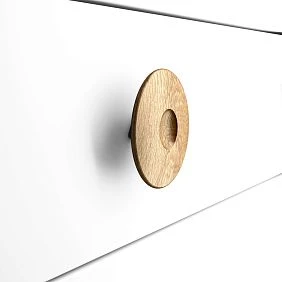
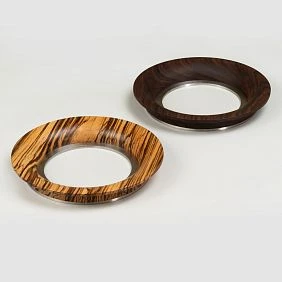
Our factory also produces:
Visual Geometry and Mounting Geometry must be stored separately
A handle has two geometries, and production makes mistakes precisely when they are mixed up.
Visual Geometry answers the question of how the handle occupies space on the facade:
- overall length;
- width;
- overhang;
- silhouette;
- grip zone.
Mounting Geometry answers the question of how to install it:
- number of mounting points;
- distance between points;
- mounting shape;
- bore depth;
- fastener position.
On a single handle, these systems are connected but not interchangeable.
For example, two brackets may have a similar overall length and a completely different mounting pattern. If the furniture maker compares only the external dimensions, the new handle looks "almost the same," but the old drilling template no longer fits.
Get Consultation
Manufacturing Record
For a production library, it is useful to store a separate row:
| Field | Value |
|---|---|
| Code | HND-01 |
| SKU | real |
| Visual Size | actual |
| Mounting Type | 1-point / 2-point / insert / profile |
| Mounting Data | confirmed |
| Template ID | TMP-HND-01 |
| Facade Types | F-01, F-02 |
| Finish | F-03 |
| Status | APPROVED |
This way, the handle stops being just a product card and becomes a production component.
What to do if the card data and the sample do not match
Before launching the series, a verified source becomes essential.
You need to:
- stop production;
- double-check the item code;
- verify that the correct variant was received;
- request up-to-date data;
- update the template only after confirmation.
Do not "average" the two values or choose the one that is more convenient for the project.
Why the name "wooden handle" is useless for production
The specification sometimes contains:
wooden handle, oak.
This is not enough for procurement.
A catalog can contain dozens of wooden handles made from the same material.
Correct entry:
STAVROS → SKU → Type → Size → Material → Finish.
Project Code and SKU.
On the drawing, it is convenient to use a short code:
HND-01.
In the BOM:
HND-01 → STAVROS → SKU.
In purchasing:
HND-01 → SKU → Qty.
This way, the same component passes through the project without being renamed.
Why Project Code does not replace the SKU.
HND-01 is clear to the workshop.
The supplier does not know it.
Why SKU does not replace Project Code.
On a facade drawing, a long SKU overloads the documentation.
A short code allows for quick reading:
HND-01;HND-02;HND-03.
But each code represents a single product item.
One code — one SKU within a single revision.
If on one sheet HND-01 — handle A, and on another — handle B, production becomes ambiguous.
When replacing:
HND-01 REV01 = SKU-A
HND-01 REV02 = SKU-B.
Knob handle: a single mounting point does not eliminate the need for precise positioning
The knob handle appears to be the simplest type.
A single mounting point does indeed make it easier to change position compared to a bracket.
But before drilling, you still need to determine:
- center;
- distance from the edge;
- installation height;
- overall diameter or dimensions;
- overhang;
- grip area.
The center of the handle is a separate coordinate.
Conditional facade:
W = 400 mm
H = 700 mm.
If the button is placed geometrically in the center:
X = 200 mm.
But along Y it may not be in the center of the facade, but in the comfortable grip zone.
The rule for one type of furniture cannot be automatically transferred to another.
Button near the frame.
If the facade is framed, not only the offset to the outer edge matters.
Need to check:
- inner frame;
- panel;
- adjacent molding;
- relief decor.
A button can end up in a technologically or visually awkward spot even with a "beautiful" overall indent.
Repeating buttons.
On a chest of drawers with several drawers, a single error along Y is especially noticeable: the handles form a line.
Therefore, after approving the first coordinate, create a template rather than marking out each front separately.
Button on a symmetrical pair of fronts.
If two doors meet in the center, the button handles form a compositional pair.
Need to check:
- the distance between handles;
- same height;
- mirroring relative to the joint;
- free movement of both doors.
One front cannot be marked out independently of the second.
Button on the drawer.
The centering error is especially noticeable on the drawer.
Conditional example:
W_drawer = 600 mm.
If the button should be centered:
X = 300 mm.
But if the front has an asymmetrical decorative element, the geometric center may be visually incorrect. Then the coordinate should follow the approved composition, not an automatic formula.
One or two buttons.
On a wide drawer, two button handles are sometimes used.
Then the furniture maker must record:
- the distance between them;
- position relative to the center;
- symmetry.
You can't just "eyeball the spacing" after the facade is already finished.
Pull handle: the handle center and the hole centers are different data points
For a pull handle, it's critical to understand at least three entities:
- overall dimensions;
- the center of the handle;
- mounting points.
These are not the same thing.
Why a "standard center-to-center distance" is dangerous.
Even if a craftsman is used to certain dimensions, production must be based on a specific SKU.
Not on a familiar standard.
Not on the previous handle.
Not on a photograph.
Conditional example.
Facade:
W = 500 mm.
Handle center on X:
Xc = 420 mm.
If a specific handle has two attachment points located symmetrically about the center, the holes are laid out from Xc according to the actual installation geometry of this handle.
When changing the SKU, the handle center may remain the same.
The holes are already different.
This is a key production point.
Vertical and horizontal installation.
A single SKU can be used in different orientations if the design allows it.
But the drilling chart must clearly show the orientation.
Not:
Handle-bracket.
But:
HND-01 / vertical
Or:
HND-01 / horizontal.
Bracket next to wooden decor.
If there is an overlay or molding on the front, the following is checked:
- overall dimensions of the bracket;
- overhang;
- distance to the relief;
- hand movement;
- visual axis.
There may be no physical intersection, but there may be an ergonomic conflict.
Drill Template ID.
For each approved bracket, it is useful to assign a template:
TMP-HND-01.
The template card stores:
- SKU;
- base point;
- orientation;
- drilling points;
- front types to which the template applies;
- revision.
One SKU — multiple templates.
One handle can be used on:
- a vertical door;
- a horizontal drawer;
- a narrow front;
- a wide front.
The SKU remains the same.
Templates can be different:
TMP-HND-01-V
TMP-HND-01-H
This is better than trying to make one universal template for all cases.
Why a template needs a revision.
If the handle was shifted by 15 mm, the product has not changed.
But the production operation has changed.
Therefore:
TMP-HND-01 REV02.
This is how the drilling department understands that the previous template cannot be used.
Recessed handle: physical part first, then milling
With a recessed handle, the cost of a mistake is higher.
Drilling a hole is not enough here.
The front panel receives the mounting geometry.
The correct workflow:
actual handle → actual fit → template / CAM → test front panel → verification → series.
You can use the current category to choose recessed wooden handles.
What needs to be confirmed.
- external dimension;
- seating depth;
- the length of the seating area;
- orientation;
- distance to the edge;
- facade thickness;
- method of fixation.
Exact values must be taken from the data of the specific product or a physical sample.
You cannot build a groove based on a visualization.
Even if the 3D model looks accurate.
A visualization may be:
- simplified;
- scaled;
- made without the mounting part.
For milling, real production geometry is required.
Test Pocket.
Before the series, do a fit test on a test workpiece or the first facade.
Checked:
- does the handle fit without excessive play;
- does the milling extend into a weak zone;
- is there enough material;
- is it convenient to install the handle after finishing.
After APPROVED.
The template or CAM process is frozen together with the SKU.
Fit control after finishing.
A test on a raw front is useful, but for a recessed handle it is important to understand the final assembly after coating as well.
If the fit is calculated too close to zero, the production process can become sensitive to surface preparation and finishing.
There is no need to invent a universal tolerance.
Need to check a specific combination:
real handle + real front + real finish process.
Spare test sample.
If the batch is large, it makes sense to keep one control blank with the same milling.
It helps:
- check a new batch of handles;
- check replacement;
- compare the fit on the next order.
Recessed handle and edge.
The mounting geometry may come close to the edge of the front.
Therefore, even before production, it is necessary to understand:
- where the edge runs;
- how the end face is constructed;
- whether enough material remains;
- whether the cutout intersects another technological zone.
This check is performed by the designer using the actual handle, not by the visualizer based on an image.
Profile handle: dimensions, end face, and orientation become part of the front
The profile handle is even more closely tied to the furniture's geometry.
STAVROS has a separate category wooden profile handles.
For the furniture maker, the following are important:
- length;
- height;
- thickness;
- position relative to the edge;
- orientation;
- interaction with the edge;
- adjacent facade.
The profile cannot be considered an ordinary overlay handle.
It can visually and structurally continue the facade.
Therefore, it must be selected before the final production of the facade part.
Conflict with the edge.
If the profile is installed next to the end, it is necessary to determine in advance:
- where the edge banding material runs;
- whether there is milling;
- how the profile ends;
- whether it interferes with the adjacent door.
Length and series of fronts.
In a kitchen or a long wardrobe, one profile model can be used on fronts of different widths.
You cannot automatically assume that the same product suits everyone.
Each front type is checked separately.
Profile on several adjacent fronts.
If handle profiles form a common horizontal or vertical line, the difference is especially noticeable:
- in installation height;
- in length;
- in offsets;
- in the end position.
Therefore, the entire block of facades is designed first.
Not a single separate one.
The first and last facade of the block.
The outer handles may work differently from the central ones:
- side panel next to it;
- wall next to it;
- tall cabinet next to it;
- different grip angle.
If the profile protrudes, check the outer zones separately.
Profile and adjacent appliances.
In a kitchen project, a profile handle may be located next to built-in appliances.
You cannot transfer the geometry of a standard facade without checking:
- gaps;
- opening;
- end face;
- adjacent surfaces.
Exact distances depend on the specific furniture and appliance design.
Unpainted handles: ready-made geometry and a custom finish
unpainted wooden handles give the workshop a different workflow.
The master buys:
a ready-made geometry
and performs it himself:
- soil;
- enamel;
- stain;
- tinting;
- varnish;
- Oil
When this is especially convenient.
If the handle should be:
- in the color of the facade;
- to match the legs;
- to match the wooden molding;
- part of the overall finishing system of the product.
Finish Code.
It is useful to store separately:
HND-01 = SKU
Finish = F-03.
For example:
F-03 = workshop finish.
Thus, the SKU is responsible for the shape.
The workshop is responsible for the finish.
Why you shouldn't name a finished entry "white handle".
A month later, the craftsman will buy the same geometry but won't understand:
- what the SKU was;
- what the original material was;
- what recipe produced the white color.
A production record must preserve both layers.
Trial finish.
Before painting the entire batch:
- check one handle;
- agree on the color;
- check the surface;
- record the Finish Code;
- only then paint the series.
The Finish Sample must be linked to the SKU.
It is not enough to save the "white enamel" finish sample.
Better:
HND-01 / SKU / F-03 / SAMPLE APPROVED.
Then, after a few months, it is clear which specific geometry received this finish.
One Finish Code — different materials.
If the handle and the front are made from different substrates, the same Finish Code does not yet guarantee a visually identical result.
Therefore, physical verification is needed before the series.
Where to store the reference sample.
For repeatable furniture, it helps to have:
- one finished handle;
- a photo of it under neutral light;
- finish record;
- the approval date.
This way, the next batch is compared not to a screen, but to a real reference.
Coated handles: faster assembly, but less freedom in finishing
Handles with Finish follow a different route:
SKU → ready finish → installation.
This is convenient when the workshop doesn't want to include handles in its own painting cycle.
When a ready finish is stronger.
- the desired color already exists;
- short lead time;
- no separate painting;
- the manufacturer's coating is part of the design.
When an unpainted handle is more flexible.
- non-standard color facade;
- the handle should blend with the facade;
- the workshop uses its own tinting;
- a single finish should unite several wooden components.
Comparison.
| Task | Without coating | With coating |
|---|---|---|
| custom color | Convenient | depends on the catalog |
| in-house painting shop | Need | not required |
| assembly speed | there is an additional step | Higher |
| uniform tone with the facade | controlled by the craftsman | needs to be selected |
| series repeat | Finish Code needed | a ready-made option is repeated |
No single option is always better.
The choice depends on the workshop's production process.
Beech, oak, and handle material: the specific finish must be specified
There's no need to turn material selection into a rule of "beech for enamel, oak for lacquer."
For a furniture maker, what matters more is: what material a specific handle is made of and how it works with the current finish.
For opaque coating.
More attention to:
- surface preparation;
- geometry;
- sanding quality;
- compatibility with the selected coating system.
For a transparent coating.
Additional Items:
- wood grain;
- shade;
- tone;
- matching with the facade and other wooden parts.
One SKU pattern does not guarantee one material.
If one shape is available in different finishes, the BOM must contain a material variant.
Not:
HND-01 / wood.
But:
HND-01 / SKU / beech
Or:
HND-01 / SKU / oak.
Natural variability.
The same article number does not turn natural wood into uniform plastic.
For a transparent finish, it is better to evaluate the parts of one piece of furniture as a set before finishing.
First, one test handle: the cheapest stage before a production run
If the SKU is new to the workshop, one test handle provides more information than a dozen photos.
Before a series, the following are checked:
- size;
- grip;
- overhang;
- position;
- drilling;
- surface;
- the material;
- own finish;
- combination with the front.
Why 3D does not replace a physical sample.
3D shows well:
- proportion;
- place on the facade;
- visual mass.
The physical handle shows:
- grip;
- edge;
- actual extension;
- installation;
- surface;
- the fit.
For a furniture maker, these are different checks.
Test Card.
| Check | Result |
|---|---|
| SKU | confirmed |
| Size | approved/reject |
| Grip | approved/reject |
| Mounting | approved/rework |
| Finish | approved/reject |
| Facade Position | approved/reject |
| Series | ready/hold |
When you can skip buying a test one.
If this SKU has already been used by the workshop and:
- the fit is known;
- a template exists;
- finish is known;
- facade is standard.
Then the handle is already a MASTER component.
A trial piece before drilling the batch.
The order is better divided:
- obtain the handle;
- measure;
- approve the provision;
- make one test front;
- install the handle;
- check the grip;
- check opening;
- only then release the template.
Thus one physical handle checks both the product and production at the same time.
A trial handle and a Golden Sample are not the same thing.
TEST SAMPLE
can be used for experiments.
GOLDEN SAMPLE
— the approved reference sample.
If the test handle:
- was sanded;
- was trimmed;
- was repainted several times,
it is no longer suitable as a Golden Sample.
For a repeatable series, it is better to keep a separate clean reference sample.
How to choose the handle position on the front without a universal “correct offset”
There is no single magic distance for all fronts.
The position depends on:
- handle type;
- facade size;
- opening directions;
- frame position;
- adjacent decor;
- ergonomics;
- door pairing.
Work sequence:
facade → handle type → axis → offset → opening check → template.
Coordinate system.
Select a base.
For example:
X — from the left edge of the facade.
Y — from the bottom edge.
Or:
X — from the right edge.
The key is to use one principle on one facade type.
Conditional example.
Facade:
W = 450 mm.
Handle center:
Xc = 390 mm from the left edge.
If the handle is changed, Xc it can only be saved after checking the new dimension.
If the new handle is longer, it may come close to the molding or overlay.
Double doors.
On two doors, the coordinates must be mirrored.
The handles must form a single unit, not two independent parts.
Opening check.
A closed facade is only half the battle.
Check:
- whether the handles collide;
- whether the adjacent door gets in the way;
- whether the hand catches on a decorative element;
- whether the overhang conflicts with the side panel or wall.
The datum must match production.
If the workshop uses a jig from the bottom right corner, the CAD layout must reference the same datum.
Bad scenario:
- the designer dimensions from the center;
- the machinist at the machine — from the edge;
- the installer — from the top.
Every coordinate system translation creates a chance for error.
Absolute and Relative Placement.
For a standard series, it is useful to distinguish:
Absolute
X = 60 mm from the edge.
Relative
X = center of stile.
Both approaches can be correct.
But the rule must be fixed.
Handle on a framed front.
If the handle is mounted on the frame stile, the base is often tied not to the overall front, but to the actual stile width.
When the frame geometry changes, the coordinates must be checked again.
Handle next to the hinge.
Handle on the outside, hinge on the inside, but both belong to the same door.
Production verification must rule out conflicts between fasteners or drilling zones.
There is no need to assign universal minimum distances without data from a specific design.
Wardrobe, chest of drawers, kitchen, and cabinet: one SKU behaves differently
The article must not turn into a general catalog of “which handle for which furniture.”
But production differences between fronts must be taken into account.
Wardrobe.
On a tall front, the following matter:
- installation height;
- pairing;
- position along the long vertical;
- adjacent doors;
- repeatability across a series.
The query “wooden handles for a wardrobe” becomes a production matter when a specific SKU is fixed before drilling.
Dresser.
Drawers can have different widths.
It is not necessary to choose different handles.
You can change:
- number of handles;
- the position;
- centering method.
But each drawer type must have its own template.
kitchen.
There are many repetitions here.
Therefore, the following are especially important:
- a stable SKU;
- single drilling map;
- several facade types;
- common BOM;
- the ability to reorder.
cabinet.
On a small facade, a large handle occupies a large share of the area.
Conventionally:
W_facade = 300 mm
L_handle = 180 mm.
The handle occupies:
180 / 300 × 100 = 60%
facade width.
This is already a dominant element.
You need to evaluate the actual dimensions before production, not after.
Practical scenario: a cabinet with six doors.
Conventionally:
- 6 identical fronts;
HND-01;- the handle is installed vertically;
- one handle per facade.
First, one master facade is created:
F-01.
On it:
- X is fixed;
- Y is fixed;
- a trial handle is installed;
- the grip is checked.
After APPROVED:
HND-01 Qty per facade = 1.
Total:
1 × 6 = 6.
If one spare element is needed:
Order Qty = 7.
Practical scenario: a chest of drawers with drawers of different widths.
Three drawers:
- 800 mm;
- 600 mm;
- 400 mm.
One SKU is used.
Options:
- one handle on each;
- two on the wide one, one on each of the others;
- unified centering for each front.
The choice depends on the composition and ergonomics.
But the BOM must reflect the actual quantity.
For example:
2 + 1 + 1 = 4 handles.
Practical scenario: a kitchen with three front types.
F-01 — lower drawer.
F-02 — upper door.
F-03 — tall cabinet.
One SKU can be used:
- horizontally on F-01;
- vertically on F-02 and F-03.
Then different Template IDs are needed for a single SKU.
This is a good example of why a product card and a production template are different entities.
How to create a drilling template for a specific SKU
Once the handle is approved, a reproducible production tool is needed.
The template can be:
- physical;
- CAD markup;
- a machine program;
- part of a process card.
Algorithm.
- take the real installation geometry;
- define the base point;
- lock X/Y;
- create the holes or fit;
- test on a sample facade;
- measure the result;
- mark as APPROVED;
- only then start the production run.
Base point.
For example:
lower-right facade corner.
But it must be explicitly specified.
Why you shouldn't build a template from a photograph.
Because a photograph does not provide:
- precise scale;
- depth;
- actual mounting centers;
- the installation surface.
Check after the first drilling.
You shouldn't drill all the fronts at once.
First one.
Install the handle.
Check.
Only then repeat the operation.
The physical jig and the CNC template must describe the same position.
If some fronts are drilled manually and some on the machine, both operations must use a common source geometry.
It must not be the case that:
- CNC used REV03;
- the manual jig remained REV01.
Template marking.
It is useful to indicate on the physical jig:
TMP-HND-01
SKU
REV
Orientation.
This way the old template will not be confused with the new one.
Test Hole Board.
A separate test plate can be used for the new handle.
It is used to check:
- alignment of holes;
- fasteners;
- actual fit.
This is cheaper than the first test on a finished painted facade.
Handle BOM: Qty per furniture item and Total Order Qty are different fields
For a series, the quantity must be separated into per furniture unit and total order.
Example:
| Field | Value |
|---|---|
| Project Code | HND-01 |
| Manufacturer | STAVROS |
| SKU | specific |
| Type | clip / button / recessed |
| Material | Wood |
| Finish | F-01 |
| Qty per unit | 4 |
| Furniture Qty | 6 |
| Calculated Qty | 24 |
| Spare Qty | 2 |
| Total Order Qty | 26 |
| Status | APPROVED |
Formula.
Calculated Qty = Qty per furniture item × Furniture Qty.
Conventionally:
4 × 6 = 24.
Spare Qty.
The reserve must not be hidden inside the number.
Not:
26 handles.
But:
Calculated = 24
Spare = 2
Order = 26.
Why not use automatic percentages.
For 24 handles +10% gives 26.4.
You still need to buy a whole quantity.
The decision must be deliberate:
- 24;
- 25;
- 26;
- other.
Depending on the risk and the possibility of reordering.
Several facade types — several application rows.
If one SKU is used on three facade types, the BOM can store a common item and a separate allocation.
| Facade Type | HND Code | Qty per facade | Facade Qty | Total |
|---|---|---|---|---|
| F-01 | HND-01 | 1 | 8 | 8 |
| F-02 | HND-01 | 1 | 6 | 6 |
| F-03 | HND-01 | 2 | 2 | 4 |
Total:
18 handles.
This way you can see not only the total but also where it came from.
Top-down check.
The sum of all facade types must match Calculated Qty.
Bottom-up check.
Each handle in the BOM must have a place of use.
This detects:
- an extra line;
- an old facade;
- a handle that was removed from the project but forgotten to be removed from the purchase.
End-to-end example: a kitchen with 18 facades and one handle SKU
A conditional project contains:
- 8 lower facades;
- 6 upper;
- 2 tall;
- 2 pull-out drawers.
The workshop wants to use a single wooden handle HND-01 throughout the entire kitchen.
This is only possible after checking not one facade, but four facade types.
F-01 — lower door.
The handle is installed vertically.
Qty per facade = 1.
F-02 — upper door.
Same SKU.
Also vertically, but with a different installation height.
So a different Template ID is needed.
F-03 — tall front.
The same SKU may visually appear too short relative to a large door.
If, after checking, the proportion is not satisfactory, a different SKU is needed on the tall front. Unification should not become an end in itself.
F-04 — pull-out drawer.
The handle is installed horizontally.
Another template is used.
If all four types are approved, the BOM can be considered final.
Conventionally:
F-01: 8 × 1 = 8
F-02: 6 × 1 = 6
F-03: 2 × 1 = 2
F-04: 2 × 1 = 2
Total:
Calculated Qty = 18.
If the workshop decides to order two spare handles:
Spare Qty = 2.
Total Order Qty = 20.
But the quantity is only half of the output.
The following must exist in parallel:
TMP-HND-01-F01
TMP-HND-01-F02
TMP-HND-01-F03
TMP-HND-01-F04.
One SKU.
Four production applications.
What happens when replacing HND-01 with HND-02
You can't just replace a line in the purchase order:
HND-01 → HND-02.
You need to go through all four facade types.
For each, check:
- external dimension;
- mounting geometry;
- orientation;
- position;
- Template ID;
- the visual proportion.
It may turn out that the new SKU fits the lower and upper facades, but doesn't fit the tall one.
Then the BOM becomes mixed:
F-01 → HND-02
F-02 → HND-02
F-03 → HND-03
F-04 → HND-02.
This is already a new kitchen revision.
Why is such an example more important than the general advice “choose the right size”
Because in production, a single product does not exist on its own.
It exists within a specific facade type.
The same handle on four geometrically different doors may require:
- different positions;
- different orientations;
- different templates;
- and sometimes abandoning standardization.
That is why the furniture maker must maintain the link:
SKU ↔ Facade Type ↔ Template ID ↔ Revision.
This allows the project to be repeated months later without redoing engineering work.
Why SKU must be frozen before series launch
If the first handle has already been verified, the template approved, and the facade drilled according to it, the SKU becomes part of the production release.
For example:
HND-01 / SKU-A / REV03 / APPROVED.
What gets frozen.
- SKU;
- type;
- mounting geometry;
- position;
- finish;
- template.
What happens if you change the handle after 30 facades.
A new model may have:
- a different distance between points;
- different dimensions;
- a different projection;
- a different fit.
Even if it looks similar.
The first facade of the series.
It is useful to conduct a First Article Inspection.
Check:
- the handle;
- holes;
- п
A batch of natural wood.
If the handles are to receive a clear finish, before installation lay them out in sets by furniture item.
This way, natural variability is distributed deliberately.
Spare and Service Stock.
For a repeatable model, you can store:
Spare QtyAnd separately:
Workshop Stock.Do not mix the client's stock with the workshop's general warehouse.
repeat order.
A new order should begin with a Reorder Card.
Not with a photo search.
Checked:
- current SKU;
- material variant;
- finish variant;
- Availability.
If everything matches, the repeat series is launched without new engineering work.
Production error matrix.
Mistake Reason Consequence Prevention holes were made before SKU selection the handle was considered final decor limited selection, facade rework select SKU before drilling used "standard center-to-center" habit replaces product data handle cannot be installed check a specific SKU the new SKU looks visually similar only the appearance was compared the old template is not suitable verify mounting geometry 3D was used as a technical drawing the visual model was taken as accurate incorrect fit use confirmed dimensions one template for different fronts orientation and base not accounted for offset handles separate template IDs finish stored verbally no Finish Code repeat batch differs record finish spare hidden in total Qty no reason for spare unclear order separate Spare Qty replacement made in Excel drawing/template old documents don't match new revision
Error "drilling everything at once".
Even if the template seems obvious, the first facade should be a test piece.
Correct sequence:
1 facade → install handle → verify → release batch.This is especially important for a new SKU.
Error "if the handle is wooden, then installation is the same".
The material does not determine the installation method.
A wooden handle can be:
- a knob;
- with a bracket;
- recessed;
- profile;
- another design.
The production process is determined by the specific geometry, not the material.
The mistake of “the handle fit the wardrobe — so it will fit the kitchen.”
The SKU may match.
But the facade type, orientation, and template may be different.
You need to duplicate the product, not automatically the entire assembly.
The mistake of “one sample handle is approved — no need to check a new batch.”
For a repeat order, at least incoming inspection is still needed:
- is it the same SKU;
- whether the material is correct;
- is it the same finish;
- are there any damages.
A Golden Sample speeds up this check.
Production package for the handle: what should go to the workshop together with the front
Even a correctly selected SKU can be lost during handover between the designer, purchasing, and production.
Therefore, before drilling, it is useful to assemble a small data package where the handle exists not as a link in a chat, but as a production item.
Minimum package.
1. Project Code
For example:
HND-01.2. Manufacturer + SKU
So that purchasing orders exactly that product.
3. Facade Type
For example:
F-01.4. Orientation
verticalOr:
horizontal.5. Template ID
For example:
TMP-HND-01-V REV03.6. Finish
F-02or the manufacturer's ready-made finish.
7. BOM Qty
Quantity per item and total order.
Production route for one handle.
Can be written as a single line:
HND-01 → SKU → TMP-HND-01-V REV03 → F-01 → F-02 finish → 12 pcs → RELEASED.Such an entry combines the product, installation, and series.
What to pass to drilling / CNC.
- facade type;
- the base point;
- coordinates;
- Template ID;
- revision;
- orientation.
The driller does not need to choose the handle.
They should receive an already finalized solution.
What to pass to purchasing.
- SKU;
- material variant;
- finish variant;
- Order Qty;
- clean URL;
- status.
Purchasing does not need to determine the coordinate on the facade.
What to pass to the painting area.
If the handle has no coating:
- HND Code;
- material;
- Finish Code;
- approved sample.
This way, each area receives exactly the data it needs.
What should not be left only in the chat.
Phrases:
“the handle was raised slightly”;
“a different bracket was used”;
“these handles are now painted together with the facade”;
“a different template for tall doors”.
If a decision affects production, it must be included in the document.
Zero-Ambiguity Test.
Before release, give the package to someone who was not involved in the selection.
They should understand without additional questions:
- which handle to order;
- how to install it;
- which fronts;
- which template to use;
- which finish;
- how many pieces;
- which revision is current.
If they have to ask:
"and on tall doors, is it also horizontal?"
that means the package isn't ready yet.
Drawing Revision and Template Revision are different things.
A front drawing may get a new revision due to a change in carcass size, while the handle template remains the same.
And vice versa.
That's why it's useful to keep both versions:
FACADE REV05TMP-HND-01 REV03.The main thing is that the release record links the current pair.
Production must be able to reconstruct the decision six months later.
The client ordered another cabinet.
Six months later, the workshop should open the archive and see:
- SKU;
- template;
- position;
- finish;
- BOM.
If instead you have to look for a photo of the finished cabinet and re-measure the old facade, the documentation has failed its purpose.
Where to buy wooden furniture handles after project approval
The commercial stage should be last.
First:
- SKU;
- installation;
- test;
- template;
- BOM.
Only then the order.
For selection, you can use:
- Wooden furniture handles;
- unpainted furniture handles;
- Handles with Finish;
- Wooden handle brackets;
- Mortise wooden handles;
- wooden profile handles.
Commercial queries "buy wooden furniture handles", "wooden furniture handles buy", "wooden furniture handles buy", "solid wood handles", "wooden handles for cabinet", "wooden handles for kitchen", "unpainted furniture handles" here should lead not to a general overview, but to a specific production choice.
Final production checklist.
Identity
- Project Code exists;
- SKU confirmed;
- material variant confirmed.
Geometry
- length verified;
- overhang verified;
- mounting geometry verified;
- mounting points known.
Facade
- the position is approved;
- frame does not conflict;
- adjacent decor does not conflict;
- opening verified.
Template
- base point defined;
- X/Y locked;
- test front passed inspection.
Finish
- unpainted / coated determined;
- Finish Code present for custom finish;
- sample approved.
BOM
- Qty per unit;
- Furniture Qty;
- Calculated Qty;
- Spare Qty;
- Total Order Qty.
Series
- First Article Inspection passed;
- SKU frozen;
- revision is up to date.
Reorder
- MASTER card saved;
- template saved;
- URL preserved;
- availability is rechecked.
Final check before ordering handles
Before sending the order to the supplier, it is useful to do a final check against one short sheet.
For each item, the following must match:
- Project Code;
- SKU;
- material variant;
- installation type;
- facade type;
- Template ID;
- Finish Code;
- Calculated Qty;
- Spare Qty;
- Total Order Qty;
- Revision.
If at least one field is unknown, it is better to leave the line in the status
HOLD.For example, the handle has already been selected and the quantity has been counted, but the drilling template has not yet been checked on a test facade. Ordering the entire series is premature: physically the product is suitable, but the production operation has not yet been confirmed.
The opposite situation is also possible. The template has been checked, but the workshop decided to change the finish from its own coating to a factory option. Then the installation geometry does not change, but the purchasing item may become different. It is necessary to check the specific product variant, and not consider the color a secondary detail.
It is useful to do a final check in two directions.
From facade to purchasing: every handle code on the drawings is present in the BOM.
From purchasing to facade: every handle in the BOM has a specific place of application.
This is how extra items, old SKUs, and handles that were removed from the project but forgotten to be removed from the order are found.
A good release needs no explanation over the phone. The documentation should make it clear what to buy, where to install it, and which template to drill by.
Final formula:
SELECT SKU → GET REAL MOUNTING GEOMETRY → TEST ONE HANDLE → APPROVE → DRILLING TEMPLATE → FACADE PRODUCTION → BOM → BATCH → REORDER.
For a furniture maker, a good handle doesn't begin with a shape or a photo. It begins the moment a real SKU appears in the project before drilling. After that, the front, the template, the BOM, and the entire series work with the same physical part — with no guesswork, re-drilling, or searching again.