Article Contents:
- What exactly L1902S represents
- Why the letter S is not a technical comment
- The geometry itself shows that this is not one product
- Why the error starts in the estimate, not in the warehouse
- Master SKU 1
- Master SKU 2
- How to store data in ERP or Excel
- One project can legitimately contain both models
- Why a lighting design cannot be used instead of an architectural one
- What to do in case of an S/M collision between project sections
- In each type, we fix one approved SKU or separate routes
- We do not treat the entire ceiling perimeter as a single cornice
- Why S and M meterages cannot be merged again
- Why dividing meters by two is not enough
- Conditional example with L1902S details
- Option
- L1902M is calculated by its own map
- Why identical white color proves nothing
- The summary specification must retain both lines
- Why the L1902 line should be considered a master data error
- BIM export must preserve the full article number
- How to verify BIM export
- Excel functions can also remove the suffix
- How to safely group a family
- Automatic merging by article root is prohibited
- What to do if the contractor sent a file without suffixes
- Why you can't guess by room
- Who confirms the final model
- A commercial proposal must contain two lines
- What to do if the supplier wrote only L1902
- If S and M swapped places in quantity
- How to draw up a mis-shipment report
- Why opened packages are especially dangerous
- Internal marking
- Floor kits
- The installer must not change S to M on their own
- And vice versa: a surplus of S does not cover a shortage of M
- Installation and operational reserve
- Installation reserve S
- Operational reserve S
- Usable leftovers are also split
- Why the total footage of leftovers is misleading
- How to maintain an offcut bank
- Changing the lighting design: what to do if the lighting was removed
- If backlighting was added
- Why dimensions must be rechecked with every S/M change
- The first standard room as control L1902S
- The first lighting zone is checked separately
- Why generic B2B anchors must not blur product precision
- How to place a reorder for L1902S
- Reorder through another employee
- Specification versioning
- L1902-map-v1
- L1902-map-v2
- L1902-map-v3
- Why different departments must not work from different versions
- 1. Removing S and M as “extra letters”
- 2. Combining items by the L1902 root
- 3. Treating S and M as variants of the same profile
- 4. Adding up the linear meters of S and M
- 5. Keeping one shared reserve
- 6. Confusing the architectural and electrical specifications
- 7. Switching from S to M just because lighting was added
- 8. Switching from M to S after removing lighting
- 9. Accepting delivery based on the word L1902
- 10. Store both models in one cell
- 11. Label leftovers without a suffix
- 12. Place a reorder for "the same L1902"
- 13. Treat size as secondary
- 14. Attribute the frequency of the general query to L1902S
- 15. Turn the article into a general LED guide
- Checklist of invalid entries
- Conventional room A
- Conditional number B
- Lobby and restaurant
- Why even a clean S area needs to be translated into details
- Conditional cutting plan for room A
- Why card L1902M should be separate
- How to work with the delivery queue
- Phase 1
- Queue 2
- Queue 3
- Why the reserve should not be duplicated in every queue
- How to restore the reserve after use
- How to conduct the final inventory
- Why the overall family total can only be stored as reference
- How to verify physical completeness
- Why this metric is stronger than the total balance
- How to perform a check after the first ten numbers
- How to check the first public M-zone
- Why a mass hotel is especially sensitive to a single SKU error
- How to store the project reason for assignment
- What to do if the assignment reason no longer applies
- How to check a change via the delta
- Why you should not replace using only square footage
- Why operations should know S/M
- How to create a repair passport
- When it is better not to place order L1902S
- Three final diagnostic tests
- Test 1 — remove the suffix
- Test 2 — change S to M
- Test 3 — add a general reserve
- How to conduct a reverse audit of the final order
- S
- M
- Why the final order must be reproducible
- Diagnostic scenario: BIM stores family but loses SKU
- Why restoring S/M after export is dangerous
- Diagnostic scenario: Excel removes the last letter
- Diagnostic scenario: row L1902 already came from the old archive
- Why unknown rows cannot be distributed proportionally
- Checking the first order as a physical reference
- What to do if the package arrived without a readable label
- How to compare two commercial proposals
- Why the family-total price can hide a substitution
- How to monitor S↔M changes via the delta
- How to preserve the source of each row
- How to verify mass scaling of a standard number
- How to verify that M did not get into the standard multiplier S
- Why the reserve must also have a source
- What to do if a lot of M remains after canceling the light zone
- How to verify that the repair fund is real
- When a project can be considered ready for wholesale purchasing
- Final role check before payment
- How to check a document for self-sufficiency
- Why the comment “without light” does not replace L1902S
- Why the comment “for backlighting” does not replace L1902M
- Final check of the repair fund
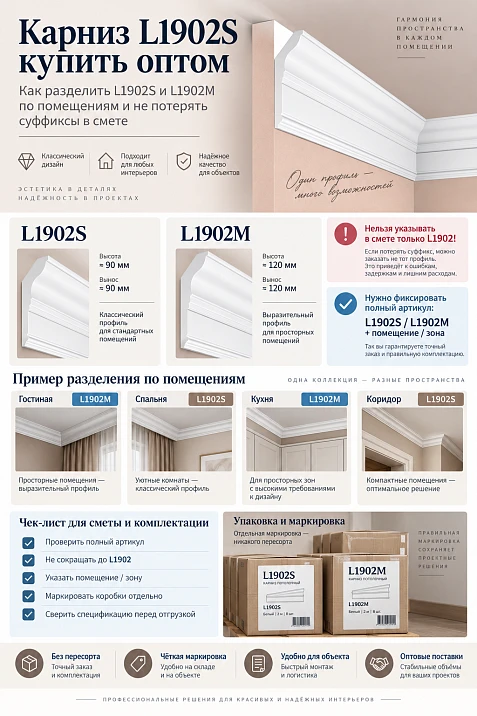
On a large hotel project, the line L1902 — 900 linear m looks convenient only until the original design documents are opened. An architectural schedule may contain both L1902S and L1902M at the same time, and these are not two ways of writing the same name. They are different HI WOOD product items with different cross-sections: L1902S — 80×27×2000 mm, L1902M — 100×33×2000 mm. If an estimator, BIM export, or Excel "for convenience" removes the last letter and merges both lines into L1902, the procurement will lose the link between the room, the design detail, and the specific SKU.
For a 60-room hotel, the problem scales quickly. In standard rooms, the project may use L1902S, while some public areas use another model, L1902M, linked in the current STAVROS card to a lighting scenario. Corridors, elevator lobbies, the restaurant, the lobby, and conference areas may have their own solutions. If all of this is combined into a total linear meterage L1902, it is no longer possible to understand from it:
-
how much L1902S to buy;
-
how much L1902M to buy;
-
where reserve S is needed;
-
where reserve M is needed;
-
which leftovers can be reused;
-
what to receive at the warehouse;
-
which SKU to reorder in six months.
Therefore, the L1902S cornice must be purchased wholesale for such a project through the following chain:
room → approved design scenario → specific SKU → separate profile route → separate parts list → separate cutting plan → 2000 mm strips → SKU reserve → marking → receiving → warehouse → issue → reorder without removing S/M.
Main principle:
L1902S and L1902M cannot be merged under a common root L1902. The suffixes S and M are part of specific product designations and must be preserved in all documents from design to warehouse.
This is the opposite task from the case where two historical names actually refer to one confirmed product record. Here, merging destroys the data.

What exactly L1902S represents
In this article, the main product is the HI WOOD L1902S decorative ceiling cornice made of polystyrene.
| Parameter | L1902S |
|---|---|
| Article number | L1902S |
| Brand | HI WOOD |
| Material | Polystyrene |
| Size | 80×27×2000 mm |
| Length | 2000 мм |
| Role in the article | primary purchased SKU |
Product card: cornice HI WOOD L1902S 80×27×2000 mm.
For a wholesale specification, the line must retain at minimum:
HI WOOD L1902S / polystyrene / 80×27×2000 mm / quantity / project / phase.
Not:
L1902.
Not:
80 mm cornice.
Not:
standard cornice without lighting.




Why the letter S is not a technical comment
In a weak table, an employee might assume:
S is an extra letter; remove it for grouping.
But after removal:
L1902S → L1902
the SKU ceases to be specific.
This is not shortening the text.
This is loss of the identifier.
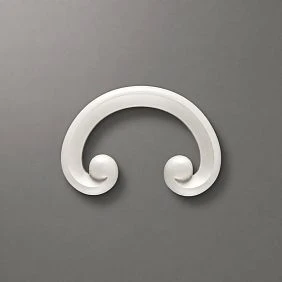
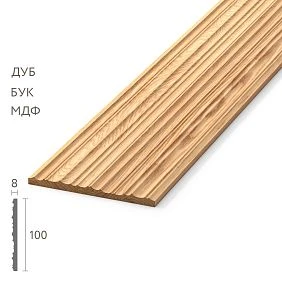
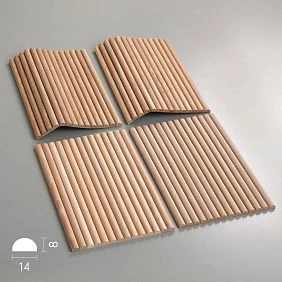
Our factory also produces:



L1902M is a separate SKU, not a “version of the entry” L1902S
Next to it in the catalog there is L1902M:
| Parameter | L1902M |
|---|---|
| Article number | L1902M |
| Material | Polystyrene |
| Size | 100×33×2000 mm |
| Length | 2000 мм |
| Status for the article | separate SKU |
Card: cornice HI WOOD L1902M 100×33×2000 mm.
The current product card L1902M separately positions the item as a polystyrene ceiling cornice with lighting. This is useful for understanding the project role, but the purchaser still should not decide on their own:
there is lighting → therefore automatically M.
More correctly:
the lighting design and architectural specification are coordinated → L1902M is approved for the specific zone.
Get Consultation
The geometry itself shows that this is not a single product
L1902S:
80×27×2000 mm.
L1902M:
100×33×2000 mm.
Differences include:
-
profile height/width;
-
removal;
-
cross-section;
-
project detail;
-
article number.
Therefore:
the remaining stock of L1902M is not a substitute for L1902S.
And vice versa.
Why the line “L1902 — 900 m” is not a ready-made request
Let's imagine a summary estimate:
L1902 — 900 linear m.
At first glance, it seems that the next step is:
900 / 2 = 450 planks.
But this figure does not answer the main question:
which planks exactly?
If S and M are mixed in the 900 m, the theoretical 450 pieces have no product identity.
For example, the actual structure could be:
-
L1902S — 640 m;
-
L1902M — 260 m.
Even before cutting, this is:
-
one procurement line S;
-
another procurement line M.
They cannot be merged back.
Why the error starts in the estimate, not in the warehouse
Mixed-up items are often considered a warehouse problem.
But here the warehouse is already receiving corrupted data.
If the estimate contains:
L1902,
the storekeeper cannot restore:
-
was it S;
-
was it M;
-
which room the item belonged to;
-
what geometry is needed.
Therefore, protection begins earlier:
architecture → BIM → estimate → procurement.
We create two master positions
In the corporate reference book:
Master SKU 1
HI WOOD L1902S / 80×27×2000 mm.
Master SKU 2
HI WOOD L1902M / 100×33×2000 mm.
Forbidden third card:
L1902 / generic.
The common root can only be used as search text or a family label.
Not as a purchasing SKU.
How to store data in ERP or Excel
Useful fields:
| Field | Example |
|---|---|
| brand | HI WOOD |
| sku | L1902S |
| family | L1902 |
| material | polystyrene |
| A | 80 |
| C | 27 |
| L | 2000 |
| project_role | As per project |
| room_group | Type A |
| revision | R2 |
For M:
sku = L1902M.
Field family=L1902 acceptable.
But grouping by family must not sum items for purchasing.
One project may legitimately contain both models
Example of a conditional hotel:
-
60 standard rooms — L1902S per architectural specification;
-
some corridors — L1902S;
-
lobby with lighting scenario — L1902M;
-
restaurant — specific SKU per its project;
-
conference area — specific SKU per project;
-
elevator lobbies — per finish schedule.
This is not a universal assignment rule.
This is a procurement separation model.
First, the project determines the SKU.
Then procurement calculates the quantity.
Room map: the first document after the project
Practical table:
| Room | Lighting scenario | Approved SKU | Base |
|---|---|---|---|
| Number A | no separate lighting node | L1902S | architectural specification |
| Number B | no separate lighting node | L1902S | architectural specification |
| Lobby | As per project | L1902M | architecture + lighting design |
| Restaurant | As per project | ___ | Project |
| Corridor | As per project | L1902S | finish schedule |
Key field:
Approved SKU.
Not:
light yes/no.
The lighting scenario helps verify consistency.
But it does not replace the product specification.
Why a lighting design cannot be used instead of an architectural design
Electrical documentation may describe:
-
LED strip;
-
power supply;
-
contour;
-
control;
-
connection.
Architectural documentation defines:
-
specific cornice;
-
its geometry;
-
route;
-
junctions;
-
height/position.
If the electrician writes:
lighting contour L1902M,
and the architecture:
L1902S,
this is a collision.
Not a reason to buy both.
What to do in case of an S/M collision between project disciplines
Procedure:
-
record the room;
-
write down the architectural SKU;
-
issue the lighting SKU;
-
compare the assembly drawings;
-
forward the question to the responsible designer;
-
obtain the approved solution;
-
update the revision;
-
only after that, consider the purchase.
Procurement does not choose between S and M on its own.
We divide the hotel into room types
On a property with 60 rooms, you don't need to manually count each room from scratch if the layouts repeat.
You can create types:
-
room A;
-
room AR — mirrored;
-
room B;
-
accessible environment room;
-
corridor type K1;
-
elevator hall;
-
lobby;
-
restaurant;
-
conference area;
-
utility rooms.
For each type, the following is recorded:
-
specific SKU;
-
route length;
-
number of parts;
-
number of slats;
-
reserve;
-
revision.
For each type, we fix one approved SKU or separate routes
If the entire room uses L1902S:
room A / L1902S.
If both profiles are actually provided within one zone:
-
route S;
-
route M.
What you must not do:
room A / L1902.
And you cannot mix the linear footage before calculation.
We do not count the entire ceiling perimeter as one cornice
For the room:
-
perimeter 18 m;
-
route L1902S — 12.4 m;
-
route L1902M — 3.6 m;
-
another 2 m — a different junction or without a cornice.
If you write:
L1902 — 16 m,
the sum seems to be correct.
But the procurement information has been destroyed.
Therefore:
L1902S — 12.4 m.
L1902M — 3.6 m.
And only separately:
total decorative trim — 16 m.
We get two finished linear meterages
After standardizing the hotel, we can get, for example:
-
L1902S — approximately 640 m;
-
L1902M — approximately 260 m.
This is not a final number of planks.
But already two independent material flows.
Now you can:
-
count S parts;
-
count M parts;
-
build two cutting maps;
-
create two reserves.
Why S and M footage cannot be merged again
Bad summary:
L1902 total = 900 m.
It is only suitable for very rough analytics.
Not for:
-
requests;
-
warehouse;
-
invoice;
-
reserve;
-
reorder.
The system should be able to show:
family total = 900 m;
while preserving:
L1902S = 640 m;
L1902M = 260 m.
Converting L1902S footage into parts
Each route requires:
-
straight sections;
-
corner sections;
-
returns;
-
endings;
-
areas between doors;
-
fragments at niches;
-
interfaces with other elements.
It is the details that form the actual cutting layout.
Not the sum of meters itself.
Why dividing meters by two is not enough
L1902S has a length of 2000 mm.
If the net footage is:
640 m,
Naively:
640 / 2 = 320 planks.
But this is only a theoretical minimum.
If the project contains many 1200 mm parts, two such parts do not fit into one plank.
1200 + 1200 = 2400 > 2000.
Then the actual quantity is higher.
A conditional example with L1902S details
Let a typical number contain:
-
1850 mm;
-
1850 mm;
-
950 mm;
-
950 mm;
-
620 mm;
-
620 mm.
Net length:
6.84 m.
Naively:
6.84 / 2 = 3.42 → 4 planks.
But let's check the cutting.
Option
Bar 1:
Bar 2:
Bar 3:
950 + 950 = 1900.
Plank 4:
620 + 620 = 1240.
Yes, 4 planks are enough.
In another set with the same linear meters, 5 may be needed.
Therefore, the map is essential.
L1902M is calculated using its own map
There is no need to try to use S leftovers for M.
Even if the length of the segment fits.
For example:
-
remaining L1902S — 900 mm;
-
need part L1902M — 850 mm.
Fits by length.
By SKU — no.
Functional value of the S remnant for M:
Why the same white color proves nothing
Both profiles:
-
white;
-
polystyrene;
-
two-meter;
-
ceiling-mounted.
But they differ:
-
by article number;
-
size;
-
by cross-section;
-
by design node;
-
by purpose in a specific project.
After painting, visual inspection becomes even more difficult.
Therefore, identification is carried out before installation.
The summary specification must retain both lines
Example:
| SKU | Size | Rooms | Footage | Slats | Reserve |
|---|---|---|---|---|---|
| L1902S | 80×27×2000 | rooms, corridors as per design | ___ | ___ | ___ |
| L1902M | 100×33×2000 | lighting zones as per design | ___ | ___ | ___ |
This is much stronger:
L1902 / 900 m / 450 pcs.
Why the string L1902 should be considered a master data error
A common root is acceptable as a family.
But if:
SKU = L1902,
this means the article field is corrupted.
The validator can check:
-
L1902S— acceptable; -
L1902M— acceptable; -
L1902— CHECK/ERROR.
This way the error is caught before purchase.
Export from BIM must preserve the full SKU
The risk arises if the parameter:
Family = L1902
and a separate suffix is stored in another field.
When exporting to Excel, the second parameter is lost.
Therefore, in BIM it is useful to have:
SKU = L1902S
Or:
SKU = L1902M.
Do not assemble the SKU manually after export.
How to verify BIM export
Test sample:
-
one L1902S object;
-
one L1902M.
After export, the following should remain:
L1902S;
L1902M.
If both became:
L1902,
export cannot be used for procurement.
Excel functions can also remove the suffix
Dangerous practices:
-
LEFT()with a fixed number of characters; -
removing the last letters;
-
grouping by root;
-
cleaning up "unnecessary" characters;
-
pattern search
L1902*.
Excel itself is not to blame.
The problem lies in the processing logic.
How to safely group a family
You can add:
family = L1902.
But do not replace:
sku.
Then the report may show:
family L1902 — total volume 900 m.
At the same time, the detailed purchase retains:
S and M.
We prohibit automatic merging by item root
Bad algorithm:
take the first five characters of the SKU.
Then:
-
L1902S;
-
L1902M
become one.
Stronger:
The SKU is compared in full.
Family is a separate field.
What to do if the contractor sent a file without suffixes
Cannot be restored:
S for numbers, M for lobby
from memory.
Need to return to:
-
architectural schedule;
-
lighting project;
-
approved nodes;
-
latest revision.
After that, the file is normalized.
Why you can't guess by room
Even if usually:
numbers = S;
lobby = M.
In a specific project, it may be different.
Therefore, the room's function is a hint.
Not a SKU source.
Who confirms the final model
For a specific project's process:
-
architect;
-
interior designer;
-
responsible design engineer;
-
general designer.
Procurement does not make architectural decisions.
It ensures that the decision made is not lost in the data.
The commercial proposal must contain two lines
If the item uses both models:
L1902S — ___ pcs.
L1902M — ___ pcs.
Not:
L1902 — ___ pcs.
Even if the total amount is the same.
What to do if the supplier wrote only L1902
Send back for clarification.
Request:
-
full SKU;
-
size;
-
quantity for each SKU.
Before payment.
It is harder to correct after shipment.
If S and M have swapped quantities
For example, project:
S = 300;
M = 80.
Quote:
S = 80;
M = 300.
You should not just "swap the numbers".
First, check:
-
the original room matrix;
-
the import formula;
-
the pivot table;
-
whether the routes are mixed up.
This eliminates the cause, not the symptom.
Acceptance of L1902S and L1902M is carried out separately
For L1902S, check:
-
exact SKU L1902S;
-
80×27×2000 mm;
-
quantity;
-
factory marking;
-
condition;
-
match with the count.
For L1902M:
-
exact SKU L1902M;
-
100×33×2000 mm;
-
quantity;
-
marking;
-
condition;
-
compliance with its order line.
Cannot accept:
total 380 rails L1902.
If S and M are mixed inside, the total quantity proves nothing.
How to draw up a mis-shipment report
Example:
Ordered L1902S — 300 pcs.
Ordered L1902M — 80 pcs.
Actual L1902S — 280 pcs.
Actual L1902M — 100 pcs.
Total quantity:
But the delivery is still incorrect.
Shortage of S:
Surplus M:
This is a good example of why the family total cannot be used for acceptance.
Storage cells must be different
Minimum:
HIWOOD / L1902S / 80×27×2000
Separately:
HIWOOD / L1902M / 100×33×2000
Not:
L1902.
Not:
curtain rods 2 m.
After opening the packaging, white profiles are harder to distinguish visually.
Therefore, the SKU must remain on the cell and on the stock balances.
Why opened packages are especially dangerous
As long as the box or pack has a factory label:
the identity is obvious.
After opening:
-
individual strips are moved;
-
leftovers are stacked nearby;
-
crews return the material;
-
labels get lost.
If the warehouse uses a shared code L1902, the error becomes almost inevitable.
Internal labeling
For example:
L1902S / K1 / E04.
L1902M / K1 / LOBBY.
If one floor uses both models:
L1902S / E04 / S-ZONE.
L1902M / E04 / M-ZONE.
The internal code does not replace the factory SKU.
It adds a logistics designation.
Floor kits
For a typical floor, one kit can be created with two lines:
| Floor | SKU | Quantity |
|---|---|---|
| 4 | L1902S | ___ |
| 4 | L1902M | ___ |
If there is no M on the floor:
line M = 0.
This is more useful than having no field at all.
This shows that M was not forgotten.
It is genuinely not provided.
The installer must not change S to M on their own
Scenario:
the floor ran out of L1902S.
There is L1902M in stock.
The installer decides:
both are white and two meters long, I'll install M.
This is a project change.
Different sizes mean a different ceiling assembly.
Therefore:
shortage of S → check remaining stock → reserve S → reorder S.
Not:
take M.
And vice versa: remaining stock of S does not cover a shortage of M
If a lighting zone uses L1902M, the remaining stock of L1902S does not become a substitute just because the length is the same.
Functionally:
reserve(S) ≠ reserve(M).
Reserve is split by SKU
The following must exist:
reserve_L1902S
and:
reserve_L1902M.
Forbidden string:
reserve_L1902.
Why?
Because 10 S planks and 10 M planks are not 20 universal planks.
Installation and operational reserve
For each SKU separately.
Installation reserve S
For:
-
cut errors;
-
damage;
-
local changes in S-zones.
Operational reserve S
After delivery:
-
repairs;
-
replacement;
-
damage during operation.
For M — its own reserve.
They cannot be exchanged without a design decision.
Useful remnants are also separated
Marking:
L1902S / 860 mm / FREE.
Or:
L1902M / 860 mm / FREE.
Identical 860 mm remain different resources.
Why the total remaining length is misleading
In stock:
-
L1902S — 8 m remaining;
-
L1902M — 6 m.
Phrase:
L1902 remaining — 14 m
not available for reorder.
If you need S:
8 m of S available.
If you need M:
6 m of M available.
How to maintain a stock bank
| SKU | Length | Status | Purpose |
|---|---|---|---|
| L1902S | 860 | FREE | Type A |
| L1902M | 860 | FREE | Lobby |
| L1902S | 520 | ASSIGNED | E05 |
| L1902M | 430 | RESERVE | lighting zone |
So one physical piece cannot be assigned to two different SKUs.
Changing the lighting design: what to do if the lighting was removed
Cannot be done automatically:
replace L1902M with L1902S.
Why?
Because M and S have different geometry.
A unit designed for M may require:
-
a different position;
-
another junction;
-
a different gap;
-
a different architectural line.
If the lighting scenario was removed:
-
the project is updated;
-
the profile is confirmed;
-
only then is the specification changed.
If the backlight was added
Similarly, you cannot:
replace S with M using a single letter in Excel.
Need to check:
-
the geometry of the ceiling unit;
-
the architectural drawing;
-
the lighting system;
-
installation location;
-
revision.
Only after this:
L1902M.
Why dimensions need to be rechecked with every S/M change
S:
80×27.
M:
100×33.
A SKU change means:
-
+20 mm in one dimension;
-
+6 mm in another.
Even without lighting calculations, this is already a different geometric object.
Therefore, a SKU change is not a formal edit.
The first standard number as a control L1902S
Before the mass launch of 60 numbers, it is useful to complete one standard number.
Checked:
-
physical L1902S;
-
geometry;
-
route;
-
joints;
-
quantity;
-
actual consumption;
-
remainders.
After acceptance, the model is scaled to identical numbers.
The first lighting zone is checked separately
If the project uses L1902M:
-
its actual card is taken;
-
the geometry is verified;
-
the specific node is checked;
-
the electrical part is checked by the relevant section of the project.
The article does not become a guide to LED installation.
Only this matters here:
The M-zone must end with the exact product line L1902M.
How to send a consolidated request to the supplier
For example:
HI WOOD L1902S / 80×27×2000 mm / 300 pcs.
And separately:
HI WOOD L1902M / 100×33×2000 mm / 80 pcs.
Pros:
-
reserve for each item;
-
a queue;
-
project.
Not:
L1902 — 380 pcs.
Why general B2B anchors should not blur product precision
The user can search large supplier of building materials or finishing material suppliers.
But after a general commercial entry, the request should narrow down to:
L1902S.
If the project uses M:
separate line L1902M.
The same applies to wholesale suppliers of building materials, wholesale purchasing of building materials, deliveries of finishing materials и materials in bulk.
A broad request leads to the supplier.
The SKU makes the order precise.
How to place a reorder L1902S
Not:
cornice L1902 — 40 more pieces.
Stronger:
HI WOOD L1902S / 80×27×2000 mm / 40 pcs. / site ___ / phase ___ / reason for reorder ___.
If you need M:
separate reorder M.
Reorder through another employee
The new procurement specialist must receive:
-
master specification;
-
old invoice;
-
a link to the card;
-
reference sample;
-
remainder;
-
reserve.
Not a description:
that cornice without light.
Specification versioning
For example:
L1902-map-v1
Initial S/M allocation.
L1902-map-v2
After lobby approval.
L1902-map-v3
After restaurant modification.
Only one active revision goes to procurement.
Previous ones are archived.
Why different departments should not work on different versions
Architecture uses v3.
Procurement opened v2.
Electricians are viewing v1.
Result:
-
different zones;
-
different quantities;
-
S/M collisions.
Therefore, each summary should show:
revision.
Fifteen mistakes when purchasing L1902S and L1902M
1. Remove S and M as "extra letters"
Why it happens: there is a desire to group a family.
Consequence: two SKUs turn into one line.
How to prevent: store the family and SKU separately.
2. Merge items by the root L1902
Why it happens: automatic normalization.
Consequence: the total linear meters lose the product structure.
How to prevent: compare the full SKU.
3. Treat S and M as variants of the same strip
Why it happens: common root and length 2000 mm.
Consequence: incorrect replacement during installation.
How to prevent: keep dimensions and separate cards.
4. Add up the square footage of S and M
Why it occurs: a single total is needed for the project.
Consequence: it is impossible to place a correct order.
How to prevent: keep the family total only analytically.
5. Keep one shared reserve
Why it occurs: it is simpler from an accounting standpoint.
Consequence: the stock of one SKU masks a shortage of another.
How to prevent: reserve_S and reserve_M.
6. Confusing the architectural and electrical specifications
Why it happens: M is tied to the lighting scenario.
Consequence: the electrical document starts to be treated as the source of product geometry.
How to prevent: consolidate the sections, and resolve collisions with a design decision.
7. Changing S to M just because lighting was added
Why it happens: the logic seems obvious.
Consequence: the new ceiling assembly has not been checked.
How to prevent: a separate project revision.
8. Changing M to S after removing lighting
Why it happens: M is perceived only as "lighting-related."
Consequence: the assembly geometry changes without approval.
How to prevent: the profile is confirmed by the architect.
9. Accept delivery by the word L1902
Why it happens: the invoice uses an abbreviated name.
Consequence: the quantity may be correct, but the S/M distribution is not.
How to prevent: full SKUs in the documents.
10. Store both models in the same bin
Why it happens: both are white and two meters long.
Consequence: mix-up after opening the packages.
How to prevent: separate bins.
11. Label leftovers without a suffix
Why it happens: length seems to be the main parameter.
Consequence: an M leftover can end up in the S zone.
How to prevent: SKU + length.
12. Reordering "the same L1902"
Why it happens: a new employee doesn't know the history.
Consequence: ordering a different SKU.
How to prevent: master specification.
13. Treating size as secondary
Why it happens: the SKU seems sufficient.
Consequence: an internal S/M error isn't caught by the second check.
How to prevent: SKU + 80×27 or 100×33.
14. Assigning L1902S the frequency of a generic query
Why it happens: there are figures for "wholesale cornices".
Consequence: a fabricated SEO metric.
How to prevent: do not assign someone else's frequency to a SKU query.
15. Turn the article into a general guide to LED
Why it happens: M is associated with lighting.
Consequence: the purchasing intent of L1902S is lost.
How to prevent: light is considered only as a project factor for separating SKUs.
Main practical table for the hotel
| Room | Lighting scenario | SKU | Size | Net area | Slats | Reserve |
|---|---|---|---|---|---|---|
| Number A | no separate lighting node | L1902S | 80×27×2000 | ___ | ___ | ___ |
| Number B | no separate lighting node | L1902S | 80×27×2000 | ___ | ___ | ___ |
| Corridor | As per project | L1902S | 80×27×2000 | ___ | ___ | ___ |
| Lobby | lighting assembly per project | L1902M | 100×33×2000 | ___ | ___ | ___ |
| Restaurant | As per project | ___ | ___ | ___ | ___ | ___ |
This table must exist before merging the budget.
Validation table of invalid records
| Record | Status |
|---|---|
| L1902S | valid specific SKU |
| L1902M | valid specific SKU |
| L1902 | insufficient data to order |
| 2 m track | insufficient data |
| lighting track | insufficient data for the specific purchase |
| standard L1902 | household description, not an SKU |
Practical scenario: 60 rooms and two public areas
Let's imagine a hypothetical property:
-
40 type A rooms;
-
20 type B rooms;
-
four standard corridors;
-
one lobby;
-
restaurant.
Let the architectural specification determine:
-
A → L1902S;
-
B → L1902S;
-
corridors → L1902S;
-
lobby → L1902M;
-
restaurant → L1902M in the area per the project.
Now it can be calculated separately.
Conditional number A
Net requirement L1902S:
10.8 m.
40 rooms:
432 m S.
Conditional number B
Net requirement:
12.2 m S.
20 rooms:
244 m S.
Numbers only:
676 m L1902S.
Lobby and restaurant
For example:
-
lobby — 84 m M;
-
restaurant — 46 m M.
Total:
130 m L1902M.
Summary family-total:
806 m.
But the purchase remains:
-
S = 676 m + corridors + own reserve;
-
M = 130 m + own reserve.
Not:
L1902 = 806 m.
Why even the net meterage S needs to be converted into parts
676 m / 2 = 338 strips — only a mathematical guideline.
If the numbers contain parts of 1150 mm:
-
two such parts do not fit into one strip.
Therefore, the actual order may be higher.
Conditional cutting of number A
Let the parts be S:
-
1880;
-
1880;
-
980;
-
980;
-
720;
-
720;
-
620;
-
620;
-
600;
-
600;
-
600;
-
600 mm.
Net length:
10.8 m.
Combination options:
-
1880 → separate strip;
-
1880 → separate;
-
980 + 980 = 1960;
-
720 + 620 + 600 = 1940;
-
720 + 620 + 600 = 1940;
-
600 + 600 = 1200.
This results in 6 initial strips before technological refinement.
That is:
6 × 2 = 12 m of source material
for 10.8 m of finished parts.
This is an example of why /2 Not enough.
Why the L1902M map should be separate
Suppose the lobby has M parts:
-
1900;
-
rooms 1–20 — S;
-
corridor 1–2 — S;
-
part of the lobby — M.
-
rooms 21–40 — S;
-
restaurant — M.
-
rooms 41–60 — S;
-
remaining public areas — according to the current map.
-
-
restore to 12;
-
leave 10 as sufficient;
-
adjust the reserve based on actual statistics.
-
S = 58;
-
M = 18.
-
report;
-
warehouse volume;
-
total budget.
-
the S norm per number;
-
actual S consumption;
-
returned whole S;
-
useful S remainders;
-
damage.
-
M plan;
-
actual M;
-
assembly unit;
-
remnants;
-
reserve.
-
in 60 rooms;
-
in corridors;
-
lobby;
-
restaurant;
-
reserve.
-
new SKU;
-
new revision;
-
new calculation.
-
M — 30 m.
-
M — 18 m;
-
S — 8 m;
-
4 m — without a cornice.
-
M −12 m;
-
S +8 m;
-
total −4 m.
-
the number of planks may differ due to the structure of the parts;
-
remaining stock varies;
-
reserve varies.
-
whole L1902S;
-
whole L1902M;
-
individual stock;
-
product cards;
-
photos of end sections;
-
the latest specification;
-
room map.
-
suffixes are lost in the estimate;
-
it is unknown where S is and where M is;
-
architecture and electrical contradict;
-
no active revision;
-
supplier sent general L1902;
-
reserve calculated as general.
-
a different size;
-
another master SKU;
-
need for design verification.
-
how many S;
-
how many M.
-
60 numbers;
-
corridors;
-
other S-zones;
-
cutting;
-
reserve_S.
-
lobby;
-
restaurant;
-
other M-zones;
-
cutting;
-
reserve_M.
-
an up-to-date floor plan;
-
revision;
-
parts lists;
-
Cutting list
-
family = L1902, sku = L1902S;
-
family = L1902, sku = L1902M.
How to work with the delivery queue
For example:
Phase 1
Phase 2
Phase 3
Each queue reduces one shared master-balance.
Why the reserve does not need to be duplicated in each queue
If the object has:
reserve_S = 12;
reserve_M = 6,
no need to automatically include these figures in every delivery.
Otherwise, over three queues you get:
36 S + 18 M reserve.
Reserve — one manageable project value.
How to restore the reserve after use
Used:
2 S planks.
Remaining:
Next decision:
But do not forget to update the figure.
How to conduct the final inventory count
After completing the queue, separately:
| Status | L1902S | L1902M |
|---|---|---|
| whole | ___ | ___ |
| ISSUED | ___ | ___ |
| Remains | statement | statement |
| Damaged | ___ | ___ |
| installation reserve | ___ | ___ |
| operational reserve | ___ | ___ |
No line should be named:
L1902 total stock
without detail.
Why the overall family total can only be stored as reference
For example:
L1902 family = 76 whole planks.
But next to it, be sure to:
Family-total is convenient for:
Not for deciding the availability of a specific SKU.
How to check physical completeness
Question:
how many standard numbers can be fully covered by the current S?
If one number requires 6 S strips, and the warehouse has:
S = 48;
M = 30,
Answer:
8 numbers.
Not:
13 numbers by total L1902.
Why this metric is stronger than the total remaining balance
It shows:
the real ability to continue installation.
If S runs out, the surplus of M does not mask the problem.
How to perform a check after the first ten numbers
Compare:
M is not involved in this comparison if it is absent in typical numbers.
This way, S consumption comes out clean.
How to check the first public M-zone
Separately:
Do not compare it with the S norm.
Why a mass hotel is especially sensitive to a single SKU error
If one room mistakenly received M instead of S, this is a local problem.
If the BIM export turned the entire hotel into L1902, the error will repeat:
Therefore, master data is controlled before cutting geometry.
How to store the design reason for assignment
The table can contain:
assignment_reason.
For example:
architecture_spec_R3.
For M:
light_node_LB-04 + architecture_R3.
This is not required for every small project.
But on a large project it helps to understand:
why is there an M here?
What to do if the reason for assignment no longer applies
For example, the lighting unit has been cancelled.
The row gets:
REVIEW.
Not:
automatically S.
After the design solution:
How to check the change via the delta
Was:
After the revision:
Change:
Such a delta is much more informative:
was 30, became 26.
It preserves the product structure.
Why you can't substitute using only linear meters
If you remove 12 m of M and add 12 m of S:
total footage is the same.
But:
Therefore, after changing the SKU, a new parts map is built.
How to maintain a repair fund after handover
Pass:
Not:
L1902 cornice stock.
Why operations needs to know S/M
A year later, the cornice in the room is damaged.
The service employee sees:
room A → L1902S.
In the lobby:
zone L-02 → L1902M.
He does not choose a profile by visual similarity.
How to create a repair passport
Example:
L1902S
Size: 80×27×2000
Application: rooms per map R3
Reserve: ___
Storage location: ___
URL: card S
Separately:
L1902M
Size: 100×33×2000
Application: M-zones per map R3
Reserve: ___
Storage location: ___
URL: card M
When order L1902S is better not to place
Do not lock in a large batch if:
You can request a price.
But not the final delivery.
Final project readiness matrix
| Check | Status |
|---|---|
| L1902S confirmed | Yes/No |
| 80×27×2000 confirmed | Yes/No |
| L1902M separated | Yes/No |
| 100×33×2000 confirmed | Yes/No |
| SKU in BIM complete | Yes/No |
| Excel does not remove S/M | Yes/No |
| L1902 rows without suffix are missing | Yes/No |
| rooms classified | Yes/No |
| architecture/lighting collisions resolved | Yes/No |
| S footage separate | Yes/No |
| M footage separate | Yes/No |
| S parts map ready | Yes/No |
| M parts map ready | Yes/No |
| number of S slats known | Yes/No |
| number of M strips is known | Yes/No |
| reserve_S is known | Yes/No |
| reserve_M is known | Yes/No |
| the CP has two lines | Yes/No |
| storage cells are separate | Yes/No |
| remaining stock is marked S/M | Yes/No |
| Reorder format approved | Yes/No |
Three final diagnostic tests
Test 1 — remove the suffix
In the file copy, replace:
L1902S → L1902.
The system should output:
ERROR/UNKNOWN.
If it calmly continues the calculation — the protection is weak.
Test 2 — change S to M
In one standard room, replace:
S → M.
The system should show:
If only a letter in the text changes without other consequences — the model is too coarse.
Test 3 — add a general reserve
Try to record:
reserve L1902 = 20.
The system should require:
How to perform a reverse audit of the final order
Suppose the final request:
S = 340 pcs.
M = 92 pcs.
It must be possible to restore:
S
M
If 432 exists only as:
L1902 total,
the specification is insufficient.
Why the final order must be reproducible
Another employee must take:
and obtain close S and M figures.
If the distribution exists only "in the architect's head" or "in the procurement officer's memory," a large purchase is not ready.
Diagnostic scenario: BIM stores the family but loses the SKU
The model may contain two valid elements:
On screen, everything looks correct.
The problem appears during export if the export template takes only the field family.
Two rows appear in Excel:
L1902;
L1902.
If you then create a pivot table, they are merged.
To catch this before the actual order, you need a test:
-
select one room S;
-
one room M;
-
export;
-
check the full SKU;
-
compare with the source model.
If the suffixes are lost, the entire export is considered unsuitable for purchasing.
Why restoring S/M after export is dangerous
You can write a formula:
if lighting scenario = yes → M, otherwise S.
But this is already a new project rule that might not have existed.
For example:
-
in the lighting zone, the project uses a different profile;
-
in a room without lighting, the architecture chose M for geometric reasons;
-
part of the route has a mixed scheme.
Therefore, a lost SKU cannot be restored by supply logic.
The original field must be restored.
Diagnostic scenario: Excel removes the last letter
In the source:
L1902S.
Cleaning function:
the first five characters or removal of trailing letter suffixes.
Result:
L1902.
To protect against this, control is useful:
if the source SKU starts with
L1902and after conversion the string length decreased — CHECK.
This is a simple technical test that prevents a real purchasing error.
Diagnostic scenario: the string L1902 has already arrived from the old archive
It is not always possible to fix the source.
Then the string receives the status:
UNRESOLVED.
No S/M quantity is assigned to it until confirmation.
Working table:
| Raw | Room | Revision | Possible SKU | Status |
|---|---|---|---|---|
| L1902 | Number 214 | R1 | S/M unknown | unresolved |
| L1902 | Lobby | R1 | S/M unknown | unresolved |
Next, the following are raised:
-
old drawings;
-
specification;
-
invoice;
-
photo of the packaging;
-
correspondence;
-
BIM model.
Only after confirmation:
resolved_to = L1902S
Or:
resolved_to = L1902M.
Why can't unknown strings be distributed proportionally
Let's imagine:
known S = 300 m;
known M = 100 m;
unresolved L1902 = 80 m.
Bad approach:
let's distribute 60 m to S and 20 m to M in a 3:1 ratio.
This is mathematically elegant.
Design-wise — meaningless.
The unknown 80 m refer to specific rooms, not to a statistical proportion.
Verifying the first order as a physical reference
After the first delivery, it is useful to create two reference sets.
S-reference:
-
factory label L1902S;
-
photo of the end;
-
size 80×27×2000;
-
control sample;
-
invoice;
-
batch number.
M-reference:
-
label L1902M;
-
photo of the end;
-
100×33×2000;
-
control sample;
-
account.
They are not needed just for a collection of samples.
The reference links the digital specification to the physical product.
What to do if the packaging arrived without a readable label
Do not determine the profile "by appearance from a distance."
Procedure:
-
set aside the disputed pack;
-
compare the end section with the reference;
-
check the geometry;
-
check the delivery note;
-
obtain confirmation from the supplier if necessary.
Until the SKU is confirmed:
quarantine.
Do not release for installation.
How to compare two commercial offers
Supplier A:
S — 340 pcs.;
M — 92 pcs.
Supplier B:
L1902 — 432 pcs.
Even if offer B is cheaper, comparison is premature.
It is necessary to request from B:
-
S/M distribution;
-
sizes;
-
the price of each item.
Only after that can you compare:
-
cost;
-
deadline;
-
delivery;
-
reorder terms.
Why the family-total price can hide a substitution
For example:
-
S is cheaper than M;
-
the supplier accidentally increased S and decreased M.
The total amount may look more favorable.
But the object will receive less M.
Therefore, commercial optimization should not occur before verifying the product matrix.
How to monitor S↔M changes via delta
Revision R2:
-
S = 340;
-
M = 92.
Revision R3:
-
S = 352;
-
M = 80.
Delta:
-
S +12;
-
M −12.
At first glance, the family total has not changed.
But the project changed significantly.
Need to know:
-
which rooms changed SKU;
-
why;
-
whether the new node has been checked.
This is another argument against a single metric L1902 total.
How to preserve the source of each row
In the master file, the following are useful:
-
room_id;
-
source_document;
-
source_revision;
-
sku;
-
length;
-
qty;
-
status.
Example:
room_214 / architecture_R3 / L1902S / 10.8 m / 6 pcs. / approved.
Then, in a dispute, you can return to the source.
How to verify mass scaling of a standard room
Standard room A confirmed:
6 strips S.
Number of such rooms:
Base requirement:
240 S.
But before multiplication, the following are checked:
-
mirrored rooms;
-
accessible environment rooms;
-
corner rooms;
-
rooms with a different ceiling node.
If two rooms differ, they become a separate type.
This way, an error in one geometry does not multiply across 40.
How to check that M was not included in the standard multiplier S
The types table must have a field:
sku.
Not only:
qty_per_room.
Otherwise the template:
6 strips ×40
may accidentally take M after copying the row.
Why the reserve must also have a source
For example:
reserve_S = 12.
Good to know:
-
6 — installation;
-
4 — operational;
-
2 — queue change.
For M:
its own logic.
This is better than one percent on family-total.
What to do if a lot of M remains after canceling the light zone
Do not transfer the remainder to S-reserve.
Options:
-
use in other approved M-zones;
-
reduce the next purchase of M;
-
keep as M-reserve;
-
approve the project change.
Warehouse excess of M does not reduce the need for S.
How to verify that the repair fund is real
In the passport:
reserve_S = 8;
reserve_M = 4.
The following must physically exist:
-
eight whole S;
-
four point M.
If there are 12 unknown "L1902":
repair stock is not confirmed.
When a project can be considered ready for wholesale purchasing
Not when there is a total area.
But when you can answer without guessing:
-
where S;
-
where M;
-
how many parts of each;
-
how many planks of each;
-
what reserve for each;
-
where to store;
-
how to reorder.
This is the final data readiness.
Final role check before payment
It is useful to give the same specification to three project participants and check whether they understand it the same way.
The architect must confirm that the room and the design node are actually linked to L1902S or L1902M, and not to the generic L1902 family.
The procurement specialist must see two separate SKUs, separate quantities, and separate reserves. They must not have to reconstruct S/M from comments like "standard" and "lighting".
The warehouse must understand in advance that after delivery there will be two different bins, two reference samples, and two sets of stock.
If all three roles read the document the same way, the likelihood of picking errors drops sharply.
How to check a document for self-sufficiency
Let's imagine that the person who compiled the table is unavailable.
A new employee receives only:
-
specification;
-
CP;
-
floor plan;
-
latest stock levels.
They must be able to answer:
-
how many S are ordered;
-
how many M are ordered;
-
where each is used;
-
what reserve is available;
-
which SKU is needed for a reorder.
If this is impossible without calling the author, the document depends too much on informal knowledge.
Why the comment "without light" does not replace L1902S
Such a label may be understandable today.
A year later:
-
the project will change;
-
a different curtain rail will appear;
-
a new employee does not know the context.
Therefore, a comment can supplement the SKU, but not replace it.
Correct line:
L1902S / 80×27×2000 / number A / architectural specification R3.
Not:
standard cornice without lighting.
Why the comment "for lighting" does not replace L1902M
For the same reason.
Other profiles for lighting solutions may also exist at the site.
Therefore, the purpose is an attribute.
SKU — identifier.
It is this separation that makes the specification resilient to staff turnover and subsequent repair purchases.
Final procurement chain L1902S
Room
→ approved project scenario
→ exact L1902S or L1902M
→ full SKU in BIM/Excel
→ separate finished length
→ separate parts list
→ separate cutting
→ 2000 mm strips for each SKU
→ reserve_S / reserve_M
→ two request lines
→ two quotation lines
→ receipt by full SKU
→ separate warehouse bins
→ labeled stock
→ issue by zones
→ changes only via a new revision
→ reorder L1902S or L1902M without generic L1902
The main question of the article is not:
which of the two cornices is better?
And not:
how to create hidden lighting?
But:
how can a hotel property keep two different HI WOOD items — L1902S and L1902M — as two separate SKUs from the project room through reorder, so that the reduction
L1902does not destroy the purpose, quantity, reserve, and warehouse accounting?
Once this issue is resolved, purchasing stops depending on guesswork. The room, corridor, lobby, or restaurant receives exactly the SKU approved by the project; stock and reserve are not mixed; and a new employee a year later can reorder L1902S without saying “that L1902 cornice, the one without the light.”
Final check of the repair stock
Before handing the hotel over to operations, the reserve must be physically reconciled with the documents. If the passport shows L1902S — 8 pcs. и L1902M — 4 pcs., then the warehouse must contain exactly eight whole S and four whole M, not twelve unnamed white cornices.
Remainders are also counted separately. Having five meters of M does not reduce the need for S when renovating a standard room. Similarly, a stock of S does not cover a lighting unit for which the project specifies M.
This final check completes the entire chain: the suffix is preserved not only until installation, but also after the project is handed over. This is exactly what makes it possible, several years later, to restore a damaged section by the exact SKU, rather than selecting a “similar L1902” from memory or by appearance.
The last readiness criterion is simple: not a single working document used for ordering, acceptance, warehousing, or repair should contain an unlabeled line L1902. If it is still there, the S/M suffixes may be lost again.
Such control preserves the product identity of the two cornices throughout the entire project.