Article Contents:
- Why a designer needs a 3D model of a real ceiling cornice
- Why a cornice is more complex than a molding in 3D
- Which cornice dimensions to check after import
- Why you cannot scale a cornice profile
- What can be changed in the model
- Cornice and ceiling height
- Cornice and door portal
- Cornice and concealed curtain system
- Light and shadow of the cornice
- How to model an inside and outside corner
- Cornice and stretch ceiling
- Cornice and drywall ceiling
- Cornice and wall panels
- Cornice and top molding frame
- How to name an object in the scene
- How to use a temporary proxy
- What happens when replacing a cornice
- Ornament and quantity calculation
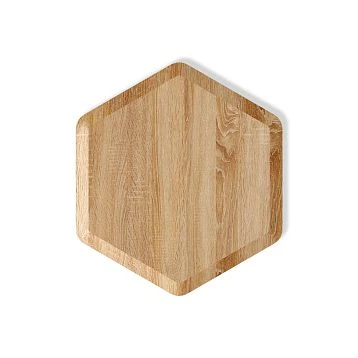
- Wooden cornice in 3D
- Sample after 3D
- How to use 3D models in teamwork
- How to Use the STAVROS Professional Infrastructure
- Height
- Projection
- Lighting
- SKU
- Cornice 3D position specification sheet
- Why this is needed
- What is especially important with multiple cornices
- How to verify the first real assembly before mass installation
- What is checked
- Why this is useful
- After approval
- When a detailed 3D cornice model is not needed
- Where to get STAVROS cornice 3D models?
- What matters more for a cornice: height or projection?
- Can a regular Box be used?
- Can the length of the model be changed?
- Can the height or projection be increased?
- How do I check the scale?
- Is DWG needed if there is 3D?
- How to check the curtain track next to the curtain?
- How to check the curtain track next to the wardrobe?
- Do I need to model the LED strip?
- How do I calculate cornice?
- Should the pattern repeat be taken into account?
- Can the same model be used throughout the entire apartment?
- When is a sample needed?
- What should I hand over to the procurement specialist?
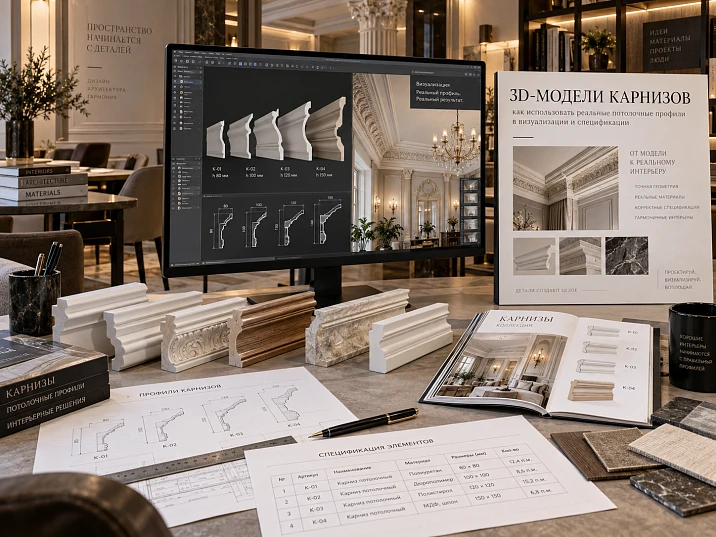
A cornice in a visualization cannot be reduced to a decorative strip under the ceiling. It simultaneously engages two planes — the wall and the ceiling. Therefore, an error in the profile affects not only the appearance, but also the height of the free wall, the curtain niche, the built-in wardrobe, the lighting, the door portal, and the upper molding frames.
The professional workflow looks like this:
catalog → real SKU → 3D → 1:1 scale → visualization → height and projection check → curtains/furniture/lighting → DWG → linear footage calculation → specification → order.
That is why 3D models of cornices they should be used as project assets linked to real products, not as random models from a generic library.
Main principle:
the visualization must feature the cornice that can actually be ordered afterward.
If the render, DWG, and specification describe different profiles, the project technically diverges before it even reaches the construction site.
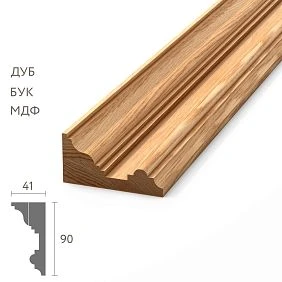
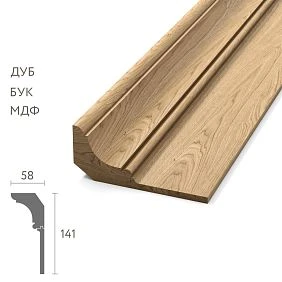
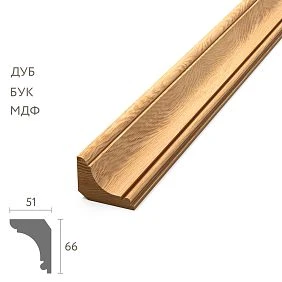
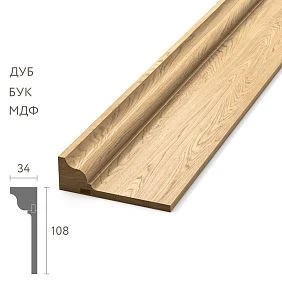
Why a designer needs a 3D model of a real ceiling cornice
A 3D model of a cornice is needed not only for a beautiful ceiling relief. It allows you to verify what is difficult to assess from a product card or a frontal photo.
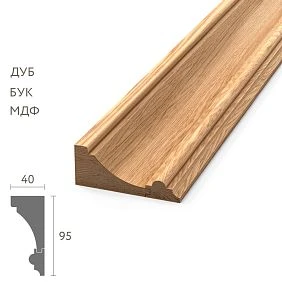
Actual height. The height along the wall affects the free space between the cornice, door, furniture, and upper frames.
Real projection. The cornice protrudes along the ceiling. It is this parameter that determines whether the profile conflicts with the curtain niche, the top of the wardrobe, or the ceiling system.
Relief depth. Two profiles of the same height can cast completely different shadows.
Visual mass. A 100 × 100 mm cornice and a 100 × 40 mm profile are perceived completely differently, even though their height is the same.
Light and shadow. Side lighting, spotlights, and LED backlighting reveal relief much more strongly than neutral studio lighting.
Specific SKU. The scene must make the SKU clear, not just the object name. cornice_final.
For initial selection, you can use 3D Decor Models, but the final object must be linked to a specific product.




Why a cornice is more difficult than a molding in 3D
For wall molding, the main conflict is more often in the wall plane. For ceiling cornice, the following work simultaneously:
wall + ceiling.
This means the designer must control at least four geometric parameters:
- height along the wall;
- ceiling projection;
- corner or installation type;
- actual cross-section.
Height along the wall
Determines how much free wall remains under the cornice.
If a tall profile appears after the interior has been approved, it may come close to the door portal or the upper molding frame.
Ceiling projection
Critical for:
- curtain niche;
- recessed lights;
- ceiling levels;
- ventilation grilles;
- floor-to-ceiling cabinets.
Section
A frontal photograph does not show how the cornice occupies the corner of the room.
The actual cross-section gives the correct picture.
Our factory also produces:
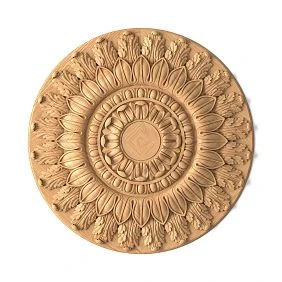
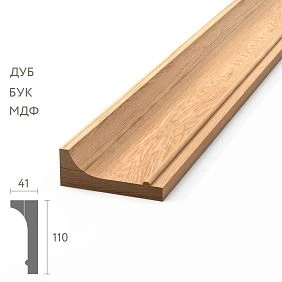
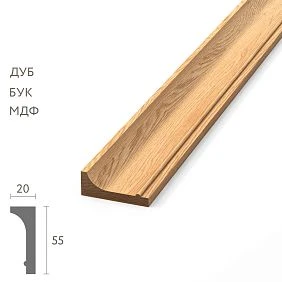


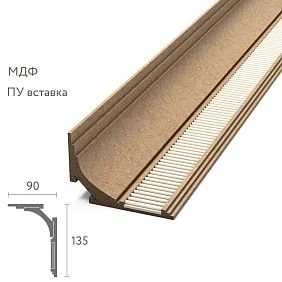
First the SKU — then the 3D model
Incorrect:
download generic cornice → build the interior → approve the render → find a similar product.
Correct:
the STAVROS catalog → SKU → real dimensions → 3D → visualization.
This way, the designer doesn't promise the client geometry that isn't in the assortment.
What to keep together with the 3D object
Minimum:
- brand;
- SKU;
- product type;
- height;
- overhang;
- the material;
- URL;
- DWG name;
- approval status.
Project code
On a large project, it's convenient to assign:
CR-01
CR-02
and link this code to real SKUs.
Why this matters for the team
The visualizer may finish the scene before the designer assembles the working units. The kit assembler joins even later. The SKU is the only stable point that links the stages.
Get Consultation
What cornice dimensions should be checked after import
After importing a model, you should verify it not "by eye" but by measuring.
Height along the wall
This is the vertical part of the profile.
It affects:
- upper wall margins;
- height of door portals;
- cabinets;
- molding frames.
Ceiling projection
Horizontal part.
Critical for:
- curtains;
- niche;
- lighting;
- ceiling levels.
Overall depth
For some profiles, the maximum protrusion does not match the nominal base width.
You need to measure the actual dimensions.
Profile cross-section
The main visual and technical parameter.
If the cross-section is simplified, the shading and joints will be incorrect.
Ornament
For a decorative cornice, you need to check the actual height and depth of the pattern.
You must not stretch the ornament vertically or horizontally without changing the product.
Article number
The model must be linked to a real SKU.
How to check the 1:1 scale
After import:
- check System Units;
- measure the model;
- verify dimensions against the product card;
- check the overhang;
- check the orientation.
If a curtain rod has a height of 90 mm, it should not be 900 mm in the scene.
Why an error can look plausible
In an empty scene, even a tenfold deviation can sometimes be hard to notice if there is no door or furniture nearby.
That is why a reference dimension is needed.
Re-check
After format conversion, merging objects, or moving to another scene, the measurement should be repeated.
Why you cannot scale a cornice profile
An 80 × 60 mm cornice cannot be turned into 120 × 90 mm with the Scale command and keep the same SKU.
The result is a non-existent product.
What will happen next
- the render will show one size;
- DWG — another;
- the specification — a third;
- the delivery — the manufacturer's actual profile.
This is not a cosmetic difference: the offset, shadow, and position of neighboring elements will change.
Correct action
If a larger profile is needed, choose a different item code.
If there is no suitable one, change the composition.
What can be changed in the model
Formula:
length — project-specific, profile — catalog item.
You can change:
- the length of the section;
- location;
- turn;
- path;
- number of repeats.
You cannot arbitrarily change:
- cross-section;
- height;
- overhang;
- ornament scale.
Material
Color and finish can be tested in the render, but the final version must correspond to the actual product scenario: paintable polyurethane, solid wood, MDF, or another confirmed material.
How to model a long cornice
For a long perimeter, it is better to use:
real cross-section + spline/path
instead of a heavy mesh pre-made for the entire room.
What this approach provides
- quickly change the length;
- go around niches;
- rebuild corners;
- edit the room;
- use a single master profile.
3ds Max
For moulding, it is convenient to build the profile along a spline or use a sweep approach.
The main thing is not to change the original cross-section.
Corners
On a simple smooth profile, a corner joint can be modeled geometrically.
For an ornamental cornice, the repeat pattern and the actual joint method need to be checked separately.
Cornice and ceiling height
The 3D model should answer the question: does the profile match the scale of the room?
A tall cornice can work well in a spacious interior with tall doors and elaborate joinery, but in a compact room the same profile can visually take up too much of the upper wall area.
Need to check:
- ceiling height;
- door height;
- distance to the top of the furniture;
- size of the ceiling field;
- baseboard scale;
- the width of wall frames.
Why you shouldn't judge a cornice by the catalog alone
In the product card, the profile is almost always shown up close. In an interior, it is perceived from several meters away and interacts with the entire wall.
The best way is to place the actual model in the scene and view it from the main angles.
Cornice and a built-in wardrobe up to the ceiling
This is one of the most common conflicts.
Several scenarios are possible.
The wardrobe ends below the cornice
An empty space remains.
You need to check whether it has turned out too narrow.
The cornice runs in front of the cabinet
The profile may overlap the top of the fronts or interfere with opening.
This solution requires an actual cut.
The cornice breaks off at the cabinet
The end face needs to be finished.
A random straight cut near a visible side panel looks unfinished.
The furniture gets its own top finish
The architectural wall cornice ends, while the cabinet has a separate furniture cornice.
In this case, they need to be matched in scale.
The main rule: the joint must be feasible before furniture production.
Cornice and door portal
With tall doors, the upper casing or portal may approach the ceiling profile.
Checked:
- distance from the door to the cornice;
- free field;
- wall proportion;
- intersection of reliefs;
- portal axis.
Gap too small
If a random narrow strip of wall remains between the top of the portal and the cornice, the system looks compressed.
Gap too large
It can break the connection between the door and the upper architecture.
3D helps compare options
It is useful to create two or three options with different real SKUs rather than scaling a single profile.
Cornice and curtain niche
For a ceiling cornice, the curtain recess is one of the main junctions.
In 3D, the entire chain needs to be built:
window → track → fabric → recess → decorative cornice.
Check:
- profile overhang;
- fabric position;
- track visibility;
- distance from fabric to wall;
- access for installation;
- recess depth.
Why a single plan is not enough
The plan shows the distance to the wall, but does not show the height and visual overlap.
The section and 3D together give the full picture.
Fabric in motion
The curtain should not catch on the decorative profile.
A technological gap must be left.
Cornice and hidden curtain system
If the track is built into the ceiling, the decorative cornice and the curtain system must have a clear boundary.
The 3D needs to show:
- where the decorative profile ends;
- where the niche begins;
- how the curtain emerges from the ceiling;
- is the track visible;
- is there a shadow line.
Mistake
Run the curtain track through the niche as if there were no curtain system at all.
In a render this may look clean, but technically it is impossible.
3D model of a curtain track with hidden lighting
In this scenario, the curtain track simultaneously serves as:
décor + light screen.
Checked:
- LED position;
- distance to the ceiling;
- light direction;
- profile height;
- overhang;
- visibility of the source;
- access for maintenance.
Position of the strip
If the strip is too close to the edge, the LEDs may be visible.
If it is too far, the light output becomes weaker or changes character.
Reflected light
The height and shape of the profile affect how the light is distributed across the ceiling.
Therefore, a generic cornice is not suitable for the final lighting check.
Heating and maintenance
Visualization does not replace a technical lighting design, but it should show realistic geometry and access.
Light and shadow of the cornice
Two profiles of the same height can cast different shadows.
Reason:
- depth;
- radii;
- steps;
- ornament;
- light angle.
Daylight
Side light shows relief best.
In soft northern light, the profile looks calmer.
In direct side light, it looks more active.
Artificial light
Spotlights and wall lamps can enhance shadows.
Linear lighting creates a completely different pattern.
Practical conclusion
It is useful to test the actual model in at least two lighting scenarios: daytime and evening.
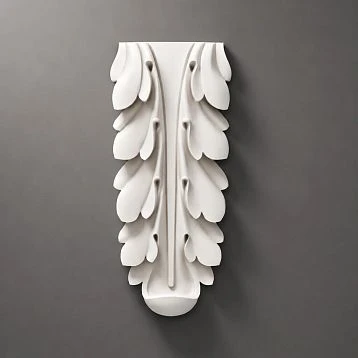
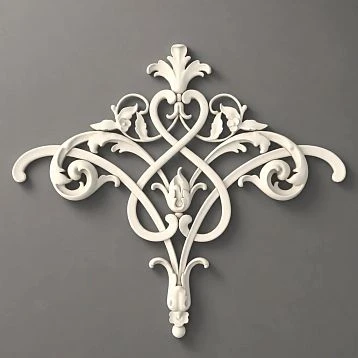
Ornamental cornice in 3D
For an ornamental profile, it is not enough to model the cross-section correctly.
Need to consider:
- repeat;
- start of the pattern;
- internal corners;
- external corners;
- symmetry;
- the joint location.
The texture must not be stretched
If the ornament is part of the geometry, simply stretching the UV will give a false result.
Repeatability
It is better to work with the actual module and repeat it at the correct spacing.
Angle
An internal corner may require adjusting the pattern.
The 3D should demonstrate the principle, not a mathematically perfect seam, if the actual installation is more complex.
How to model internal and external corners
Inner corner
For a smooth profile, a correct geometric joint is sufficient.
For ornamental profiles, the following are checked:
- pattern matching;
- cut line;
- profile direction;
- visual transition.
External corner
Especially important on:
- cabinet boxes;
- protrusions;
- bay windows;
- columns.
The outer corner is often seen closer and is better lit.
Mesh intersection error
If two profiles simply overlap each other, dark artifacts or extra geometry appear in the render.
Cornice and stretch ceiling
The visualizer must understand the structural boundary:
- wall;
- decorative profile;
- the leaf;
- installation or shadow gap.
The cornice must not be depicted as if it were physically glued to the stretch fabric.
What to check
- where the wall ends;
- where the profile begins;
- position of the fabric;
- distance to the cornice;
- visible gap.
Why this is important
An incorrect joint may look aesthetically pleasing but be impossible to install.
Cornice and drywall ceiling
For a multi-level ceiling, the following are checked:
- main level;
- drop;
- a niche;
- cornice;
- backlighting;
- curtains;
- ventilation.
A section is mandatory
3D shows the external result, but the exact geometry must be confirmed by a working section.
Cornice and wall panels
If the panels reach almost to the ceiling, it is necessary to decide:
- where the panel ends;
- which one protrudes forward;
- whether there is a transition strip;
- how the cornice completes the composition.
Panel under the cornice
The most logical scenario is when the top of the panel is concealed by the profile.
The panel ends lower
An empty wall area remains. Its height needs to be assessed in 3D.
Different depth
If the panel protrudes significantly, the cornice may appear visually recessed.
Cornice and upper frame made of molding
In classic wall compositions, the free space between the upper frame and the cornice is especially important.
After replacing the cornice profile, it may be necessary to lower the entire frame system.
Checked:
- cornice height;
- upper edge of the frame;
- molding width;
- free gap;
- door and furniture.
Why this cannot be left until the end
If the frames are already marked out, a taller cornice can ruin the proportions of the entire wall.
How to optimize a 3D cornice model
For a long perimeter, there is no need to duplicate millions of polygons.
You can use:
- instances;
- proxy;
- optimized cross-section;
- repeatable ornamental module;
- spline/path.
At the same time, the form of the real SKU must be preserved.
Where detail is needed
- close-up;
- ornament;
- corners;
- backlighting;
- close-up camera.
Where you can simplify
At a distant angle, fine relief can be optimized if the silhouette and light-and-shadow remain accurate.
How to name an object in the scene
Not:
cornice_final5
Better:
STAVROS_SKU_CORNICE
Or:
STAVROS_KPU_SKU.
Why the name matters
It links the scene to the product.
Additional properties
You can store in User Properties or an external table:
- SKU;
- size;
- the material;
- URL;
- status;
- DWG name.
How to use a temporary proxy
If the exact model has not yet been obtained:
PROXY_CORNICE_NOT_APPROVED
Such an object can be used for early composition.
The proxy must have
- approximate dimensions;
- a clear status;
- a real position.
Proxy is not allowed
- send as the final model;
- add to the specification;
- consider it an approved product.
It must be replaced before final approval.
What happens when the curtain track is replaced
Replacing an SKU can change far more than one line in the specification.
Changes:
- height;
- overhang;
- shadow;
- curtain niche;
- upper frames;
- built-in furniture;
- ceiling level;
- LED scenario.
You cannot change only the specification
If the 3D remains old, the client sees one profile, but a different one is purchased.
Correct sequence
new SKU → new dimensions → 3D → node check → DWG → recalculation → new specification.
A “nearly identical” model is especially dangerous
A 20–30 mm difference in projection may not be noticeable, but it can change the curtain niche or the top of the wardrobe.
3D and DWG must describe the same cornice
3D is responsible for visual coordination.
DWG — for the technical node.
SKU — for the actual product.
For the working package, the following are used DWG cornices of the same item that is in the scene.
Link check
The project table must contain one row:
CR-01 / SKU / 3D_FILE / DWG_FILE / URL.
If the 3D and DWG refer to different products, the item is not ready yet.
Why DWG is especially important for a cornice
In 3D, it is easy to assess the silhouette. In DWG or a section, you can see more precisely:
- height along the wall;
- overhang;
- the mounting plane;
- position relative to the ceiling;
- the junction with the niche.
How to move from 3D to calculating the linear meters
After approving the profile:
- measure the actual perimeters;
- account for gaps;
- exclude areas without a cornice;
- split by SKU;
- convert meters into product planks.
Breakdown by room
For example:
LIVING — 14.8 m
DINING — 11.2 m
HALL — 9.6 m
This makes it easier to distribute material and keep track of leftovers.
Where 3D helps with calculation
The scene helps you notice:
- gap at the cabinet;
- niche;
- protrusion;
- box;
- portal;
- an area that is easy to miss on the plan.
But the final footage is best fixed based on the working geometry.
Ornament and quantity calculation
For a smooth profile, leftovers are easier to use.
For ornamental, you need to consider:
- repeat;
- joint location;
- internal corners;
- external corners;
- symmetry;
- visibility of connections.
Why an arithmetic sum is not enough
Two sections of 1.2 m and one section of 2.4 m give 4.8 m.
But if the product width and repeat do not allow using offcuts without breaking the pattern, the actual purchase quantity will be larger.
Where 3D is useful
You can see the most noticeable corners in advance and choose the joint locations.
How to specify a cornice in the specification
Example:
| Field | Value |
|---|---|
| Code | CR-01 |
| Manufacturer | STAVROS |
| SKU | specific |
| Type | Ceiling cornice |
| Material | PU / wood |
| Cross-section | actual |
| Footage | Calculation |
| Quantity | pcs. |
| 3D | file name |
| DWG | file name |
| URL | card/category |
| Finish | approved |
| Status | APPROVED |
Why store the 3D file name
So that a new employee can quickly find the model that was approved.
Why store DWG
To link the visual solution with the working detail.
Length and quantity
These are different values.
For example:
CALCULATED: 35,6 m
PURCHASE: 18 pcs
The exact quantity depends on the product length and cutting.
Polyurethane cornice in the project
Polyurethane Crown Molding are convenient where the profile is part of a paintable architectural system.
Need to check:
- actual cross-section;
- height;
- overhang;
- ornament;
- joints;
- painting location;
- lighting, if present.
Connection with moldings
If the walls are decorated with frames, Polyurethane moldings and cornices it is better to select them as one scaled system.
A cornice that is too massive with thin frames can look heavy.
Ceiling decor
If the cornice is part of a more complex system, Polyurethane ceiling decoration it needs to be checked together with rosettes, frames, and lighting.
General moulding
Polyurethane moldings is used as a broader catalog, but specific SKUs are still needed for the specification.
Wooden cornice in 3D
Wooden cornices require additional checking of the material and finish.
Species
With a transparent finish, wood becomes part of the visual concept.
Texture
3D texture is only an approximation.
The real wood grain is variable.
Finish
It is necessary to record:
- oil;
- varnish;
- stain;
- enamel;
- Degree of gloss.
Relationship with other trim
Wooden trim it is useful to consider systematically if the interior has wooden casings, moldings, and baseboards.
Sample after 3D
Even a very accurate model does not fully convey the material.
For a responsible project, it is useful Product samples.
What 3D shows well
- size;
- shape;
- overhang;
- chiaroscuro;
- proportion.
What the sample shows better
- the texture;
- color;
- surface quality;
- real relief;
- finish.
A sample is especially needed
- ornamental profile;
- natural wood;
- complex finish;
- large volume;
- a project where the client approves the material based on a render.
How to use 3D models in teamwork
3D models for designers are especially useful if the studio stores them not chaotically, but together with SKUs and working files.
Example structure:
01_CATALOG
02_3D
03_DWG
04_SAMPLES
05_APPROVED_SKU
06_PROJECTS
Master asset
For each approved profile, it is better to have one master asset.
LAST VERIFIED
It is useful to store the date of the last product check.
Status
CANDIDATE
APPROVED
OBSOLETE
help avoid accidentally using an old model.
How to use the STAVROS professional infrastructure
STAVROS for designers and architects connects catalogs, 3D, DWG, and design work.
For cornices this is especially useful, because the final decision depends on several factors at once:
- product profile;
- digital model;
- technical section;
- ceiling assembly;
- commercial availability.
What remains the designer's responsibility
The manufacturer provides the product and technical materials.
The designer decides:
- scale;
- space;
- combination with the interior;
- curtains;
- light;
- Furniture;
- the final composition.
Ceiling assembly verification matrix before the final render
For a cornice, it is useful to check not just the individual profile, but the entire upper assembly of the room. A simple matrix quickly shows where the solution is not yet complete.
| Check | What to compare | What will happen if you make a mistake |
|---|---|---|
| Height | cornice ↔ door ↔ frames | the top of the wall will become too cramped |
| Projection | cornice ↔ curtain ↔ cabinet | Physical conflict |
| Backlighting | profile ↔ LED ↔ ceiling | visible source or weak light |
| Ceiling | cornice ↔ drywall/canvas | unrealizable installation |
| Panel | cornice ↔ wall finish | random step |
| Ornament | repeat ↔ corners ↔ joints | pattern won't align |
| SKU | 3D ↔ DWG ↔ specification | ordering a different product |
Height
If the cornice becomes higher, not only the ceiling but also all upper wall elements are rechecked. For example, a frame that previously had 180 mm of free space to the cornice may, after replacing the profile, have only 80–100 mm and visually "stick" to the ceiling line.
Projection
The projection is especially sensitive to curtains and cabinets. In a frontal shot, the conflict may be unnoticeable. Therefore, a side view or section is needed.
Lighting
The lighting effect cannot be assessed without the real distance between the LED and the ceiling. If the cornice model is approximate, the render result becomes unreliable.
SKU
The last row of the matrix is the most important. Even a perfectly verified node is useless if the 3D is not linked to the product that goes into the order.
Cornice 3D position passport
For a complex project, it is useful to keep a short passport for each approved profile.
Example:
CODE: CR-01
BRAND: STAVROS
SKU: ___
TYPE: CEILING CORNICE
MATERIAL: PU / WOOD
HEIGHT: ___
PROJECTION: ___
3D FILE: ___
DWG FILE: ___
ROOMS: LIVING / DINING
LIGHTING: NO / LED
SAMPLE: APPROVED
STATUS: APPROVED
REVISION: 04
Why this is needed
For the visualizer — to avoid mixing up models.
For the designer — to open the correct DWG.
For the kit assembler — to get the SKU and quantity.
For author supervision — to verify the actually installed profile.
What is especially important with multiple cornices
If CR-01 and CR-02 are used in the project, they must differ not only by the object color in the scene, but also by code, SKU, and application area.
How to check the first real node before mass installation
If one curtain track is repeated in several rooms, it is useful to first assemble a control sample.
It may include:
- 1–2 m of curtain track;
- angle;
- a section of the curtain niche;
- LED, if provided;
- a section of wall;
- the actual finish.
What is checked
- actual offset;
- quality of the joint;
- shadow;
- visibility of the LED;
- actual color;
- interaction with curtains;
- compliance with the 3D visualization.
Why this is useful
An error in one node is cheaper than an error across the entire perimeter. Especially if the cornice is ornamental, wooden, or part of a complex lighting system.
After approval
The control node is photographed and documented:
- SKU;
- the material;
- joint method;
- finish;
- installation principle.
The remaining rooms replicate the already-tested system.
Checklist before the final render
Check:
- SKU exists;
- scale 1:1;
- height is correct;
- overhang is correct;
- section is not deformed;
- cabinets checked;
- door portals checked;
- curtain niche checked;
- lighting checked;
- stretch/gypsum board ceiling checked;
- corners resolved;
- proxies replaced;
- 3D matches DWG.
If at least one item is not closed, the final render is not yet ready to be used as a basis for the specification.
How to buy a curtain track after 3D approval
The commercial stage begins after the technical selection of the profile.
Final workflow:
3D → approved SKU → DWG → linear meters → cutting → specification → order.
Buy a ceiling curtain track
The phrase buy a ceiling curtain track becomes a project request only when the following are known:
- height;
- overhang;
- the material;
- SKU;
- product length;
- linear meters.
Buy a polyurethane curtain track
Before buying a polyurethane curtain track, you need to check the curtain recess, ceiling level, and junctions with furniture.
Buy polyurethane curtain tracks
A request to buy polyurethane cornices should not lead to a random substitution with a "similar" profile after the render has been approved.
Polyurethane ceiling cornices
For this group, the actual cross-section and projection are especially important.
Polyurethane mouldings and cornices
If the interior is built on a unified system of stucco decor, mouldings and cornices must be coordinated in scale.
Buy polyurethane stucco decor
The commercial query "buy polyurethane stucco decor" is broader than the specific topic of cornices. In the specification, it needs to be broken down into separate SKUs.
Buy decorative ceiling cornice
Before purchasing, you need to understand whether it is purely decorative or participates in the lighting and curtain assembly.
Buy wooden cornice
For wood, the species and finish are additionally recorded.
Buy a solid wood cornice
With a transparent finish, the material's texture becomes part of the design, so a 3D texture does not replace a sample.
Order a cornice for a design project
The best commercial request is not a screenshot of a render, but a table:
| SKU | Type | Material | Footage | Quantity | Room | Finish |
|---|---|---|---|---|---|---|
| ___ | Cornice | PU | ___ | ___ | Living room | Painting |
| ___ | Cornice | Wood | ___ | ___ | Office | Oil |
This way, procurement continues the project rather than starting a new search.
Common mistakes when working with 3D models of cornices
Mistake 1. Downloading a beautiful generic cornice and not looking for an SKU
Why it happens: it's faster to get a render this way.
Consequence: the approved profile does not exist in the product range.
How to prevent: real product first, then 3D.
Mistake 2. Not checking the overhang
Why it happens: the visualizer only looks at the wall facade.
Consequence: the profile conflicts with the curtain niche or cabinet.
How to prevent: measure the horizontal part.
Mistake 3. Enlarging the profile with the Scale command
Why it happens: the cornice seems too small.
Consequence: the model loses its link to the SKU.
How to prevent: choose a different profile.
Mistake 4. Ignoring the curtain fabric
Why it happens: the scene contains only the guide rail.
Consequence: the actual curtain catches on the profile.
How to prevent: model at least the fabric's overall dimensions and its path.
Mistake 5. Showing lighting without a real place for the LED
Why it happens: the lighting effect is easy to set up without geometry.
Consequence: on site, the light source is visible or does not fit.
How to prevent: model the actual assembly and check the section.
Mistake 6. Not updating the top frames after changing the curtain rod
Why it happens: only the product item changes.
Consequence: the free space becomes too narrow.
How to prevent: replacing the SKU = rechecking the entire upper wall area.
Error 7. Ornament stretched by texture
Why it happens: it's faster than modeling the actual repeat.
Consequence: the render shows a pattern that cannot be achieved through installation.
How to prevent: use the actual ornament repeat.
Error 8. Not checking external corners
Why it happens: the main camera is pointed at the internal ones.
Consequence: noticeable artifacts appear on the box or bay window.
How to prevent: a separate technical review of corners.
Error 9. Calculating square footage based only on the visualization
Why it happens: the scene appears complete.
Consequence: gaps, niches, or hidden areas are missed.
How to prevent: final calculation based on the working plan.
Mistake 10. Treating a 3D wood material as the reference for shade
Why it happens: a good render looks photorealistic.
Consequence: the real solid wood is perceived differently.
How to prevent: a sample and a finish test.
When a detailed 3D model of a cornice is not needed
Not every stage requires a complex asset.
Early sketch
For concepts, you can use a proxy with approximate dimensions.
Distant angle
If the profile is barely visible, a simplified model is acceptable as long as the real silhouette is preserved.
Reused verified SKU
If the same cornice has already been used in a similar assembly, the existing master asset can be reused.
When an exact model is especially needed
- backlighting;
- curtain niche;
- tall ornamental profile;
- floor-to-ceiling cabinet;
- close-up;
- complex angles;
- wooden cornice;
- an object where the product is approved based on a render.
Five practical scenarios
Small bedroom
The cornice is checked relative to:
- ceiling height;
- Doors;
- curtains;
- a cabinet;
- the upper boundary of the wall frames.
The main risk is a profile that is too heavy.
Living room with a high ceiling
Here, a cornice that is too small can get lost.
You need to look from a distant point, not just a close-up.
Room with a floor-to-ceiling wardrobe
The main question is where the cornice ends and how the furniture connects to the upper architecture.
Interior with hidden lighting
The main object of inspection is not only the profile, but also the light gap.
Bay window with multiple external corners
Especially important:
- repeat;
- cuts;
- joint locations;
- realistic continuation of the profile.
FAQ
Where can I get 3D models of STAVROS cornices?
3D models and technical materials are published in the STAVROS downloads section. The final model must be linked to a specific SKU.
What matters more for a cornice: height or projection?
Both parameters. Height affects the wall and visual scale, projection affects ceiling junctions, curtains, and furniture.
Can I use a regular Box?
For an early sketch, yes. For final approval, a real profile is better.
Can I change the length of the model?
Yes. The length is determined by the room. The cross-section must remain product-accurate.
Can the height or projection be increased?
No, if the model describes a specific SKU.
How do I check the scale?
Measure the height and projection after import and compare with the product page.
Is DWG needed if there is 3D?
For working details, yes. 3D shows perception, DWG records the section and dimensions more precisely.
How do I check a curtain track next to a curtain?
Build the niche, track, and fabric dimensions, then check the projection and clearance.
How do I check a curtain track next to a wardrobe?
Compare the depth and position of the profile with the top of the cabinet and the opening of the fronts.
Do I need to model the LED strip?
For the lighting node, it is advisable to at least show its actual position and light direction.
How do you calculate cornice?
By the actual perimeter sections, then by commercial lengths and cutting.
Should the pattern repeat be taken into account?
Yes, if the pattern must match at joints and corners.
Can one model be used throughout the entire apartment?
Yes, if it is the same SKU everywhere. It is better to build sections from a single master profile.
When is a sample needed?
For natural wood, complex ornament, non-standard painting, and large volumes.
What should be passed to the order assembler?
SKU, material, cross-section, commercial length, linear meters, quantity, URL, 3D and DWG name, finish.
Bottom line: the cornice in 3D must remain a real ceiling profile
Professional cornice visualization is built not around a beautiful silhouette, but around a product that can be ordered.
Workflow:
catalog → SKU → 3D → 1:1 scale → height + projection → curtains / furniture / lighting → DWG → linear footage → cutting → specification → order.
A cornice differs from a regular wall-mounted profile in that it works with both the wall and the ceiling at the same time. That is why it needs to be checked in volume, in section, and in lighting scenarios.
If the SKU is locked in from the very beginning, the designer can see in advance:
- whether the profile is too large;
- whether it conflicts with the wardrobe;
- whether there is enough space for the curtain;
- whether the lighting works correctly;
- how the ornament looks at the corners;
- what needs to be ordered based on the actual linear footage.
This is how a 3D model becomes a design and specification tool, rather than a decorative addition to a render.