Article Contents:
- What you need to know before calculating wall panels
- Why you can't buy panels based on wall area alone
- What a simple specification should include
- First, create a wall layout
- Layout from the edge or from the center
- Option 1. Start from the edge
- Option 2. Create a symmetrical layout
- Third example: a corridor with five doors
- Fourth example: panel only up to 1200 mm high
- Checking line completeness
- Checking for duplicates
- Check "one Project Code — one item"
- Zero-Ambiguity Test
- Cross-check with DWG
- Cross-check with 3D
- When a complex specification is excessive
- When an extended structure is already risky
- Minimum release package
- Readiness criterion for reorder
- You need to send the supplier not the entire project, but the required data slice
- What to check in a commercial proposal
- The specification does not disappear after ordering
The wall panels are chosen, the color is agreed upon, and everything looks correct in the visualization. It seems that now it is enough to measure the wall area, add a small margin, and place the order.
In practice, it is precisely at this stage that errors most often appear.
Let's say the wall area is 18 m². This figure alone does not tell you how many panels you need to buy. There may be a door, a niche, or a window on the wall. Panels can be installed vertically or horizontally. Trims will be needed at the edges. Sometimes two additional pieces can be obtained from one full panel, and sometimes the remainder cannot be used at all.
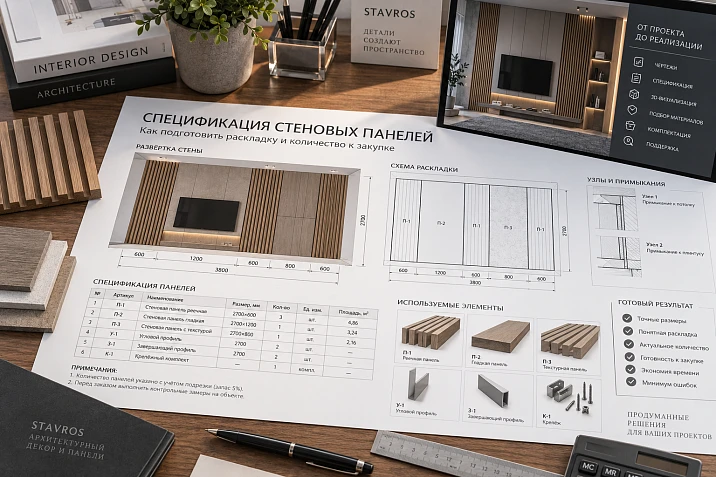
Therefore, before ordering, it is better to prepare a simple specification of wall panels — a clear list indicating which panels are used, where they are installed, and how many pieces actually need to be purchased.
Complex project documentation is not always required for this. For an apartment, house, office, restaurant, or another ordinary interior, a good wall layout and a small table with quantities are often sufficient.
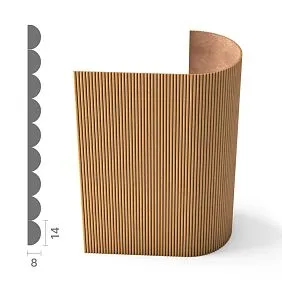
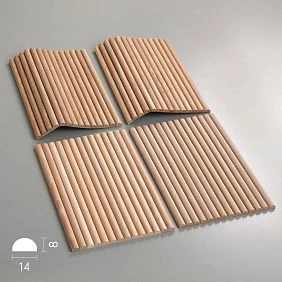
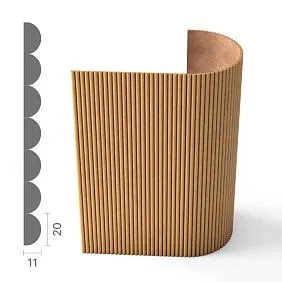
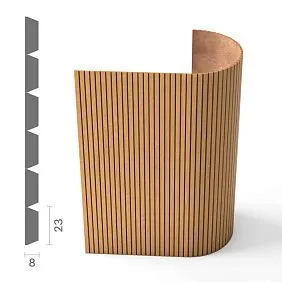
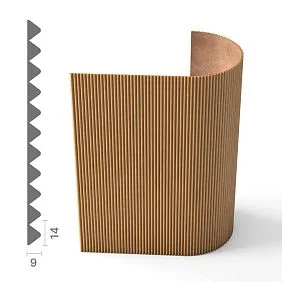
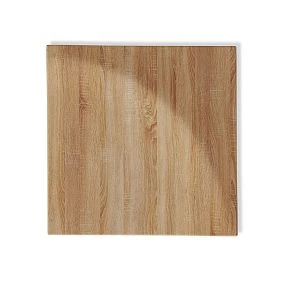
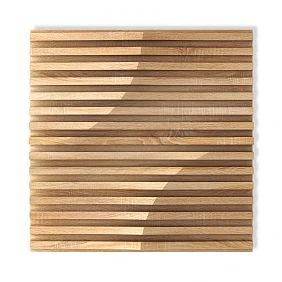
What you need to know before calculating wall panels
It is better to start the calculation not with square meters, but with a specific panel model.
First, determine:
-
which panel you will use;
-
its exact width and height;
-
what material it is made of;
-
how it will be positioned — vertically or horizontally;
-
where the layout starts;
-
where the doors, windows, niches, sockets, and other elements are located;
-
whether trimming along the edges is required;
-
which finish or color is selected.
If a panel model has not yet been chosen, an accurate calculation is difficult to make. Panels with the same appearance can have completely different dimensions, which means the same wall will require a different number of items.
A suitable system can be selected in advance in the section of STAVROS wall panels. If the project implies a pronounced vertical or horizontal rhythm, it is worth looking separately at Slatted wall panels.
The main rule is simple: for the final calculation, the specific panel and its actual dimensions must be known.




Why you can't buy panels based on wall area alone
Calculating in square meters is convenient for a preliminary estimate, but it's not enough for ordering.
Let's take two walls with an area of 12 m² each.
The first is an ordinary rectangular wall with no openings.
The second has a door, a niche next to it, and the layout itself must be symmetrical relative to the TV.
The area is the same, but the number of panels may end up different.
The reason is that panels aren't bought as abstract square meters. You're buying real products of a specific width and height.
For example, after layout, the first wall may require 10 full-size panels and one panel for cutting. The second — 9 whole panels, but two more will be needed for the sections near the door and niche.
Therefore, it's better to use the area to verify the calculation, and determine the final quantity based on the actual layout of the panels on the wall.
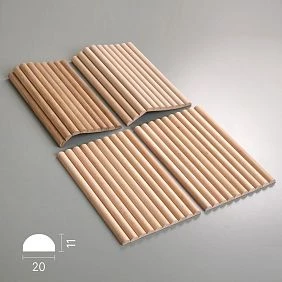
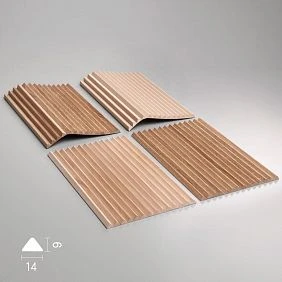
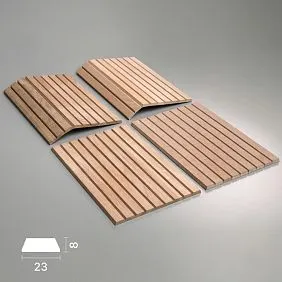
Our factory also produces:
What a simple specification should include
Most interiors don't need a huge table with dozens of technical fields.
A structure like this is enough:
| What to specify | Why this is needed |
|---|---|
| Room | To know where the panels are installed |
| Wall or zone | For example, TV wall, niche, wall behind the bed |
| Model and product code | To order the exact item you selected |
| Material | MDF, oak, beech, or another finish |
| Panel size | For calculating the quantity |
| Direction | Vertical or horizontal |
| Number of whole panels | Main layout part |
| Panels for cutting | Edges, corners, openings |
| Quantity to order | Final number of items |
| Color or finish | If a coating is selected |
| Note | Installation or cutting specifics |
If the panel is used on several walls, it is advisable to calculate each wall separately, and then add up the quantity.
This makes it much easier to check the calculation and understand where each part of the order will go.
Get Consultation
First, create a wall layout
The main mistake is trying to get the number of panels without a layout.
The layout shows exactly how the panels will be positioned on the wall.
Take the wall dimensions and draw the panels on it to scale. You don't have to use complex professional software. For a simple wall, a diagram with dimensions is enough.
It should show:
-
the width and height of the wall;
-
the width and height of the panel;
-
installation direction;
-
start of layout;
-
number of whole panels;
-
the width of the edge cuts;
-
doors;
-
windows;
-
niches;
-
external and internal corners;
-
sockets and switches, if they affect the pattern.
It is especially important to understand in advance where the layout begins.
Sometimes it makes sense to start from a corner. But in a decorative interior, the center of the wall, the axis of the TV, bed, fireplace, or furniture composition can be significantly more important.
The appearance of the edge panels directly depends on this.
Layout from the edge or from the center
Let's imagine a wall 4230 mm wide and panels 1000 mm wide.
Four whole panels will take up:
4 × 1000 = 4000 mm.
will remain:
4230 − 4000 = 230 mm.
Now there are at least two ways to create the layout.
Option 1. Start from the edge
On one side, four full panels are installed, and the last one is cut down to 230 mm.
This method is simple and can work well if the narrow edge strip is in an inconspicuous place — for example, behind a cabinet or near a wall that is barely visible.
Option 2. Make a symmetrical layout
The remaining 230 mm can be divided between the two sides:
230 ÷ 2 = 115 mm.
This gives 115 mm on each edge.
However, mathematical symmetry does not yet mean that the solution will look good. Strips that are too narrow sometimes look worse than a single wide cut.
Therefore, the appearance of the wall is assessed first, and only then is the material calculated.
That is why a simple calculation of “wall width / panel width” gives only a first approximation.
Whole panels and cut panels must be counted separately
For example, the layout resulted in:
-
10 whole panels;
-
one cut on the left;
-
one cut on the right.
This does not necessarily mean that you need to buy 12 panels.
If both edge pieces are small and can be cut from one full-size panel, the order will be:
10 whole + 1 panel for two cuts = 11 panels.
If, however, the dimensions, pattern direction, or panel design do not allow both pieces to be obtained from one product, then 12 will be required.
Therefore, it is useful to distinguish between two concepts:
Quantity on the wall — how many elements are visible in the finished layout.
Quantity to purchase — how many full-size items need to be ordered to produce this layout.
In a simple specification, two separate columns are enough.
Do not add 10% automatically
A common calculation method looks like this:
"We need 20 panels — let's add another 10%."
Sometimes such a reserve is indeed appropriate, but it should not be used automatically.
The actual consumption depends on the cuts.
For example, after cutting one panel, a piece 650 mm long may remain. If an adjacent wall needs a 600 mm filler from the same material and with the same pattern direction, the remainder can be used.
In another project, a piece of similar size remains, but it cannot be rotated due to the texture direction. Then it no longer helps reduce the order.
It is best to do this first:
layout → identify whole panels → calculate cuts → see which offcuts can be used → then determine the reserve.
An additional reserve is especially useful when:
-
there are many complex cuts;
-
there are external corners;
-
natural wood is used;
-
the material is difficult to reorder quickly;
-
the cladding area is large;
-
the panels will be cut intensively on site;
-
there is a risk of damaging parts during installation.
The stock must have a practical reason and should not be added automatically to every calculation.
Slatted panels are calculated differently
Different products may be hidden under the name "slatted wall panels."
One option is a ready-made panel on which the slats have already been assembled by the manufacturer. In this case, there is no need to count individual slats. The purchasing unit is the entire panel.
For it, it is enough to know:
-
width;
-
length;
-
quantity;
-
installation direction;
-
required cuts.
Another option is that the wall is actually assembled from individual slats.
Then the calculation is built differently. It is necessary to take into account the width of each slat and the distance between the slats.
For example:
slat width — 30 mm;
The gap is 20 mm.
One repeating section occupies:
30 + 20 = 50 mm.
Next, the quantity is calculated based on the wall width and the chosen rhythm.
Therefore, before calculating, it is important to understand what exactly you are buying: a ready-made slatted panel or individual slats.
Vertical and horizontal installation give different consumption
Even the same panel cannot automatically be considered the same for vertical and horizontal installation.
Let's assume the panel length almost matches the wall height. With vertical installation, it covers the wall with one element in height.
If you rotate the same panel horizontally, several rows may be required. Additional joints and cuts will appear.
The wall area has not changed, but the number of products has changed.
Therefore, the installation direction must be determined before the final purchase.
What to do with doors and windows
Another common mistake is to simply subtract the area of a door or window from the wall area.
For panels, this is not enough.
Imagine a door in the middle of a wall. You need to look separately at:
-
how many panels are on the left;
-
how many are on the right;
-
whether cladding is needed above the door;
-
where the vertical joints run;
-
which panels have to be cut;
-
whether the resulting offcuts can be used.
Sometimes a doorway really does reduce consumption. And sometimes the number of full-size panels barely changes, because material is still needed for the sections above and on the sides.
The same applies to windows.
Instead of one large rectangular wall, separate sections appear:
-
to the left of the window;
-
on the right;
-
above the window;
-
sometimes under the windowsill.
Each section needs to be checked in the layout.
How to measure niches
It is easier to think of a niche as a separate small wall.
Measure:
-
the back plane;
-
the side parts, if they are being clad;
-
top and bottom, if panels are also installed there.
If the direction of the panels inside the niche differs from the main wall, it is better to calculate it separately.
This makes it much easier to understand which parts can be obtained from the offcuts of the main layout.
External and internal corners
At corners, the amount of material often increases not because of the area, but because of the requirements for a beautiful joint.
At an internal corner, you need to decide in advance which panel comes first and where the joint will be located.
At an external corner, the situation is more complicated: the end face is visible.
Sometimes a narrow offcut technically fits in size, but looks bad. In that case, it is wiser to use a new full-size panel and make a neat part.
This additional consumption must definitely be taken into account before ordering.
Sockets and switches usually do not reduce the number of panels
If a hole for a socket needs to be made in the panel, the panel itself is still required.
Therefore, the area of sockets and switches is not subtracted from the calculation.
But the placement of electrical wiring must definitely be taken into account when planning the layout.
It is bad when a socket accidentally ends up exactly at the joint of two panels or near a very narrow cut.
Sometimes it is enough to slightly shift the layout to make installation significantly easier and neater.
Therefore, it is better to check the placement of sockets before placing the order.
How to calculate panels by height
Special attention is required if the panel length is less than the height of the area being clad.
For example:
wall height — 2750 mm;
length of the selected panel — 2400 mm.
A single panel is no longer enough in height.
A 350 mm section remains.
Next, you need to determine whether the system itself allows a horizontal joint. If it does, the second row and the possibility of using offcuts are calculated.
If the design does not allow a horizontal joint, it is better to choose a panel of a different length before purchasing.
This is a good example of why product dimensions should be checked before quantity.
How to account for leftover material
On several walls of the same room, leftovers can sometimes significantly reduce consumption.
For example, after trimming, a piece 620 mm wide remains.
On the adjacent wall, an edge element 580 mm wide is needed.
If they match:
-
panel model;
-
material;
-
color;
-
direction;
-
the character of the pattern,
the remainder can be used.
But you shouldn't try to use absolutely every piece.
If installation requires adjusting the wall to fit random leftovers, the savings quickly turn into additional complications.
The point of optimization is simple: use obviously suitable large leftovers, but don't build the entire project on the assumption that not a single part will be spoiled.
MDF and natural wood should be calculated the same way, but ordered with different caveats
From a layout standpoint, the principle is similar: the product size is known, and the number of full panels and cuts is calculated.
But for natural wood, another important point comes into play — the appearance of the material.
Oak, beech, and other species have natural variations in shade and pattern.
If a large continuous wall is being finished with panels, it's advisable to order the main volume all at once. A supplementary order from a different batch may look visually different.
This is especially important for:
-
TV wall;
-
large living rooms;
-
hallways;
-
long corridors;
-
headboard walls;
-
commercial interiors with large decorative surfaces.
If color or tint is critical, it is useful to approve a physical sample in advance. For this, STAVROS offers Product samples.
A photo on a screen helps you choose a direction, but for a large surface a real sample is always more informative.
When a verification measurement is needed
If the panels are ordered at an early stage of renovation, the dimensions are taken from the project.
But the finished geometry of the room may change slightly after:
-
plaster;
-
installation of partitions;
-
installation of built-in furniture;
-
design of doorways;
-
wall leveling;
-
installation of skirting boards or other adjoining elements.
A few centimeters are sometimes enough to change the width of the end panel.
Therefore, before placing the final order, it is especially advisable to re-measure:
-
long walls;
-
niches;
-
areas between furniture;
-
walls with several doors;
-
external corners;
-
symmetrical decorative compositions.
The more precise the cutting plan is expected to be, the more important the actual wall size becomes.
What to do if you decide to replace the selected panel
Replacing one model with a similar one only seems simple at first glance.
If the new panel has a different width, the entire layout changes.
For example, previously eight modules fit on the wall, but after the replacement — seven whole ones and two edge cuts.
Therefore, when replacing a panel, you need to recheck:
-
width;
-
length;
-
thickness;
-
installation direction;
-
quantity;
-
edge cuts;
-
joints near doors and corners.
You cannot simply replace the product name in the shopping list and keep the old quantity.
A new model means a new layout check.
How to link a project and a future order
If the interior is designed by a designer, it is useful to use the same panel article number across all project materials.
It must match:
-
in the visualization;
-
on the working drawing;
-
in the specification;
-
in the order.
This reduces the likelihood of a situation where the designer showed one option, a second one ended up in the drawing, and a third one was purchased.
For planners and designers, the website offers 3D models and DWG files of STAVROS, which can be used when preparing working documentation.
But even if there is no professional documentation, the principle remains the same: the name and article number of the panel in the calculation must exactly match the product that will be ordered.
Example of a simple wall panel specification
For a typical project, the table might look something like this:
| Zone | Panel | Size | Direction | Whole panels | For cutting | To order |
|---|---|---|---|---|---|---|
| Living room, TV wall | selected article number | Product size | Vertically | 8 | 1 | 9 |
| Living room, niche | same article number | Product size | Vertically | 2 | From the remainder | 2 |
| Bedroom, headboard | selected article number | Product size | Horizontally | 6 | 1 | 7 |
The specific numbers here are conditional. In a real project, they are determined after the layout.
But even such a small table already solves the main task: it is clear what exactly is being purchased and where the material will go.
What to check before ordering wall panels
Before placing an order, it is worth going through the project once more.
Check that:
-
a specific panel model is selected;
-
its exact size is known;
-
the walls are measured;
-
the installation direction is determined;
-
the layout is done;
-
the edge panels are calculated;
-
doors and windows are accounted for;
-
niches and corners are checked separately;
-
sockets do not end up in awkward joint locations;
-
it is clear which offcuts can be reused;
-
the number of full-size pieces is determined;
-
a reasonable reserve is allowed for;
-
the color and material are finally agreed upon.
If even one point remains unresolved, it is better to settle it before purchasing.
After delivery, changing the layout is significantly more difficult.
The main thing: you need to count not square meters, but the actual wall
A wall panel specification should not be a cumbersome technical document.
Its task is much simpler: to link a specific wall to a specific product and answer three questions:
Which panels are needed?
How are they arranged?
How many need to be ordered?
The wall area helps estimate the total volume of material, but the final quantity only emerges after layout.
The correct sequence looks like this:
choose a panel → measure the wall → create a layout → identify full panels and cuts → check remaining stock → add the necessary reserve → get the quantity to order.
This approach is especially important for walls with doors, niches, windows, corners, and symmetrical decorative compositions.
As a result, purchasing becomes clear: without dozens of unclear designations, without complex tables, and without the situation where, during installation, it turns out that one panel is missing or half of the ordered material was unnecessary.
Mathematically, the area is the same.
But the second layout has more individual cuts.
Part of the leftovers is unusable.
Therefore Order Qty B > Order Qty A.
This is exactly what cannot be understood from a single figure in square meters.
Third example: a corridor with five doors
A conventional corridor has a long panel wall and five doorways.
The cladding area after subtracting the doors seems small.
But the purchasing consumption grows because of:
- a large number of edges;
- short sections;
- above-door areas;
- repeated trims on the casings.
If you count only m², the project looks economical.
The cut plan shows otherwise.
This is especially useful here:
- split the wall into segments;
- give each segment an ID;
- mark full / cut;
- group compatible offcuts;
- get the Order Qty.
Fourth example: panel only up to 1200 mm high
The conditional wall is not clad to its full height.
If a full-size panel is longer, one product item can potentially yield several short parts.
But only if:
- the direction allows it;
- the pattern does not require continuity;
- the cut edge is usable;
- the material and finish are the same.
Such a case cannot be treated with the formula "area / panel area". A cut plan is exactly what is needed.
Line completeness check
Before FOR ORDER, you can automatically search for lines where at least one required field is missing.
For example, the following are considered critical:
- Manufacturer;
- SKU;
- Material;
- Size / Module;
- Room;
- Wall;
- Direction;
- Order Qty;
- Status;
- Revision.
If Order Qty filled, and SKU empty — the row must not be included in the commercial request.
If an SKU exists but Sample Status is required and not approved — the row remains HOLD.
Duplicate check
Dangerous scenario:
PN-01 / SKU A
and below:
Panel living / SKU A.
Two rows describe the same product, but the system considers them different.
Before grouping, you need to search for:
Manufacturer + SKU + Material + Size.
Matching product variants are merged into a master position, but the wall-level distribution is preserved.
Check "one Project Code — one product"
If PN-01 on different sheets is linked to two SKUs, this is a critical defect.
The internal code must uniquely reference the selected item within a specific revision.
The exception is a controlled replacement, which is documented as a new version.
How to release a specification before FOR ORDER
Before handing over to the assembler, go through the checklist.
Identity.
- each Project Code has an SKU;
- Manufacturer is specified;
- Product URL saved.
Geometry.
- Size is actual;
- Module is actual;
- Direction specified;
- Wall Code specified.
Layout.
- starting base is fixed;
- edges are shown;
- Cut IDs are present;
- doors / niches / columns are accounted for.
Material.
- material approved;
- finish is specified;
- sample approved;
- for wood, the batch is controlled if necessary.
Quantity.
- Calculated Qty is calculated;
- Order Qty is calculated;
- offcuts are accounted for;
- reserve is justified.
Digital.
- 3D matches the SKU;
- DWG matches SKU;
- Drawing Revision is up to date.
Control.
- Specification Revision is current;
- status =
FOR ORDER; - replacement checks are closed.
If at least one of these blocks is not completed, the document is not yet ready for order.
Zero-Ambiguity Test
Before release, hand the specification over to a colleague who was not involved in the project.
They should determine, without additional questions:
- which SKU to purchase;
- how much;
- for which wall;
- where to view the layout;
- which panels are cut;
- which sample is approved;
- which revision is current.
If he has to ask the designer, "What was meant here?", the document is not finished yet.
Cross-check with DWG
It is useful to selectively check at least 3–5 walls:
DWG count
versus
Specification Calculated Qty.
If the values differ, the reason must be understood before FOR ORDER.
Cross-check with 3D
3D is not a calculation document, but it helps to detect:
- a missing wall;
- incorrect direction;
- old SKU;
- a different material finish.
Such a visual cross-check is especially useful before the final release.
When a complex specification is excessive
For one small accent wall, it is not necessary to create a multi-level base with a separate procurement schedule.
If there is:
- one SKU;
- one wall;
- simple cut plan;
- one material;
- a small quantity,
one well-filled table and a layout are enough.
The documentation system should be proportional to the complexity of the project.
But even in a simple case, basic data must not be lost:
SKU + size + material + layout + Order Qty + revision.
When it's already risky without an extended structure
- multiple floors;
- dozens of walls;
- repeated numbers;
- multiple batches;
- natural wood;
- different delivery phases;
- one SKU with many cuts;
- multiple deliveries.
Then a wall schedule, grouped procurement view, and revision control are no longer bureaucracy, but a way not to lose data.
Minimum release package
So that the specification does not exist on its own, it is useful to assemble the final issue as a small set of documents:
Panel Schedule— product items and quantity;Wall Elevations— wall layout;Cut Plan— individual cuts, if any;Finish Reference— approved finish;Sample Reference— physical reference sample;Issue Register— current revision.
In a small project, some of this data may be on a single sheet. In a large one, in different files. What matters is not the form, but the absence of contradictions.
For example, if PN-01 is specified as vertical in the schedule, but the same code is shown horizontally on the elevation, the set of documents cannot be considered issued.
Reorder readiness criterion
A good specification should help not only during the initial purchase.
A few months after installation, it should make it possible to:
- find the original SKU;
- identify the material and finish option;
- determine which revision was ordered;
- find the approved sample;
- restore the wall allocation;
- place a follow-up order without re-selecting.
This is especially important for projects where panels may be needed later for repairs, area expansion, or replacement of a damaged element.
If a document only works until the first invoice payment, it is too procurement-oriented. A project specification should preserve panel identity longer.
How to move from specification to panel procurement
Final sequence:
APPROVED SKU → final layout → Calculated Qty → cut plan → Order Qty → grouping by SKU → commercial request → order.
For purchasing, you can use:
For working documentation — DWG and STAVROS 3D models and section STAVROS for designers and architects.
At this stage, queries like "buy MDF wall panels", "MDF wall panels buy", "buy slatted panels", "wall panels slats buy", "buy wooden wall panels" already correspond to the real stage of the project: the specific product is selected, the layout is approved, and the quantity is converted into physical units.
You need to pass to the supplier not the entire project, but the required data slice
The supplier usually does not need the internal coding system for all walls if it does not affect delivery.
But a commercial request must contain enough for the offer to be comparable:
- Manufacturer / SKU;
- the material;
- size / design;
- Order Qty;
- finish, if included in the delivery;
- sample reference, if it matters;
- delivery phase if necessary.
Internal Cut IDs remain with the designer and installation team if the supplier does not perform cutting.
What to check in the commercial proposal
Verification is not by name, but by lines:
- the SKU matches;
- material matches;
- size matches;
- the quantity matches;
- unit of delivery is clear;
- finish matches the request;
- substitutions are clearly indicated.
The phrase "similar panel" is not considered confirmation of the original specification.
After ordering, the specification does not disappear
The status changes:
FOR ORDER
→ ORDERED.
You can add:
PO / Order Ref.
If the delivery is partial:
PARTIALLY DELIVERED.
After full receipt:
DELIVERED.
This is useful for design supervision and acceptance: it is clear which revision was actually ordered.
A wall panel specification becomes complete not when the square footage appears in the table, but when any order assembler can answer without re-selecting:
which panel → on which wall → in which direction → how it is laid out → what is cut → how many physical items to order → which sample is approved → according to which revision to purchase.
Final logic:
APPROVED WALL DESIGN → WALL CODE → SKU → MODULE → DIRECTION → LAYOUT → EDGE CUTS → MATERIAL → CALCULATED QTY → ORDER QTY → SAMPLE → REVISION → ORDER.