Article Contents:
- First, determine what task the molding solves
- Choose candidates with known product codes
- Record the dimensions and verify the model before comparing
- Compare several real profiles
- Before changing the profile, determine which frame dimensions remain the same
- How the camera changes the perception of scale
- Prepare wide, medium, and close-up shots
- Change one parameter per comparison step
- Use side lighting to check the depth of the relief
- Evaluate color and gloss level together with the geometry
- Check the lower part of the wall and the door trim
- Match the molding with the ceiling cornice
- Include corners, overlays, and ornament in the comparison right away
- For the radius, confirm the physical execution
- How to determine what to correct: the profile or the image
- The drawing is checked before final approval
- A physical sample completes the check of the relief and finish
- Record exactly what has been approved
- Pass the product code from the scene to the specification without substitution
- From the approved frame, move on to the number of strips
- How to buy moldings based on visualization results
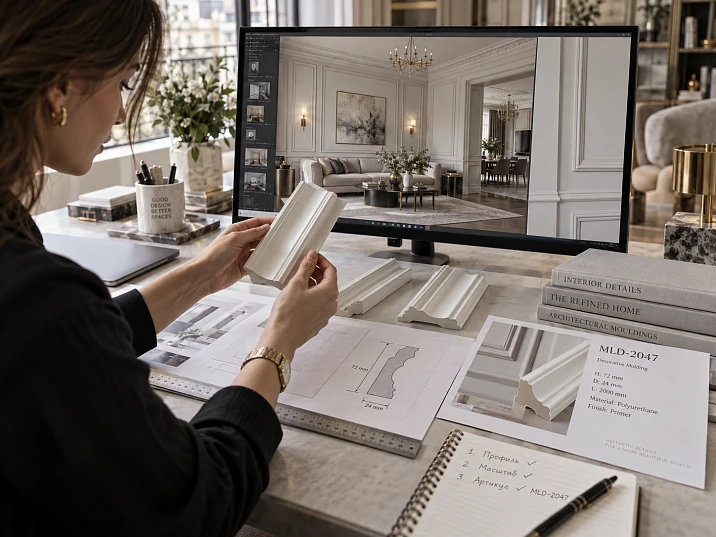
The same molding can almost disappear in a general image of the room and look massive in a close-up with harsh side lighting. If such frames are compared without checking the camera and lighting, it is easy to reject a suitable profile or approve one that is too prominent. The impression of the image changes, even though the product itself remains the same.
For product selection, a comparable set of views is needed: the overall composition, a section of the wall with neighboring elements, and a close-up fragment of the relief. Candidates are shown under the same conditions, their real dimensions are preserved, and a note is made of why one option suits the project better than another.
Moldings for interior visualization are therefore selected together with the product code, cross-section, finish, and purpose in the room. After approval, this data must pass into the working drawing and procurement. A beautiful frame is useful when it can be used to make a decision about a specific product and then verify that the selected profile is exactly what was delivered to the site.
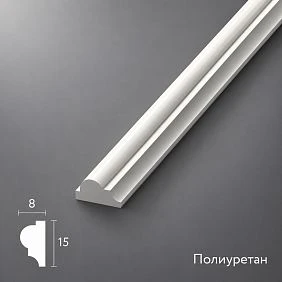
First determine what task the molding solves
Before comparing models, formulate the role of the frame. It can create a calm background behind the sofa, highlight the central wall, continue the door trim, or unite several wall sections. Each case requires its own degree of prominence.
If the frame is intended as a background, its moderate readability from a distant angle can be an advantage. If it organizes the wall in a large hall, a disappearing line no longer solves the task. Therefore, the rule “the more visible the molding, the better the choice” does not work.
Record the initial conditions: wall dimensions, room height, furniture, main viewing angle, intended color, and lighting. Then professional moldings for interiors are compared according to the requirements of a specific composition. The question “which one is more beautiful” turns into a more precise one: “which one preserves the desired character of the wall under the specified conditions.”




Select candidates with known product codes
A random 3D model is suitable for exploring a general idea, but it does not confirm that the product exists. For further approval, you need the manufacturer, product code, and specific version. Even profiles with a similar silhouette may differ in projection and groove shape.
In the moldings from polyurethane select several models for the wall task. Assign each one a project designation and save a link to its product page. Do not mix real products and freely drawn options in the same group without a corresponding explanation.
If a custom section is shown to the client, its manufacturability is checked separately. Until it is confirmed, you must not assign it the product code of a similar stock molding. Otherwise, approval quietly creates an obligation to supply a product that no one has selected yet.
Our factory also produces:
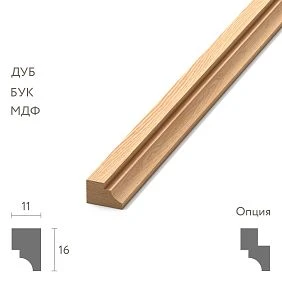
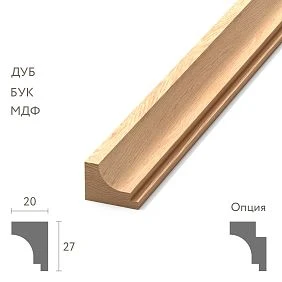
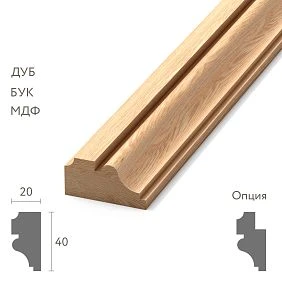
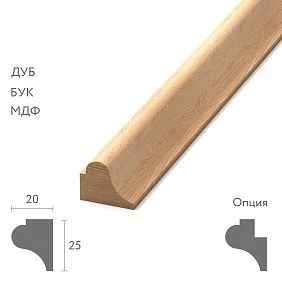
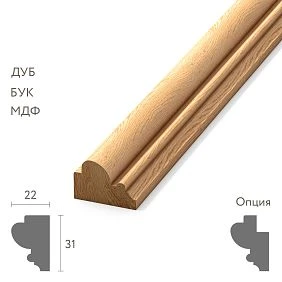
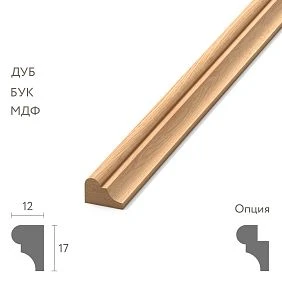
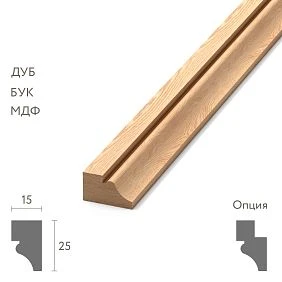
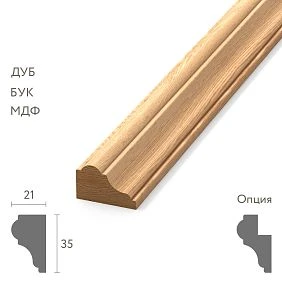
Record the dimensions and verify the model before comparison
For each candidate, save the width, depth, product length, material, relief character, mounting side, and available technical documentation. The dimension letters from the product page, such as A, C, and L, are interpreted according to the diagram for the specific product.
Archives of STAVROS 3D models and drawings help prepare the scene. After loading, check the known dimensions: the file name alone does not confirm the scale. Compare the model with the selected version and make sure it has not changed during import or subsequent editing.
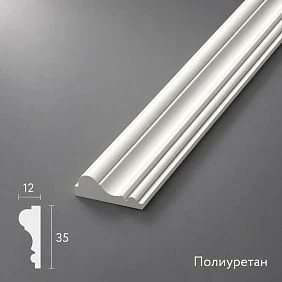
A molding with a section of 35 × 12 mm must retain these dimensions. Stretching the width to 42 mm for greater expressiveness changes the product solution. With non-uniform scaling, the radii, proportions, and ornament may also change. If a larger profile is needed, select a different model, and adjust the dimensions of the frame itself separately from the section.
Get Consultation
Compare several real profiles
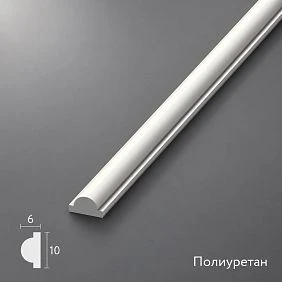
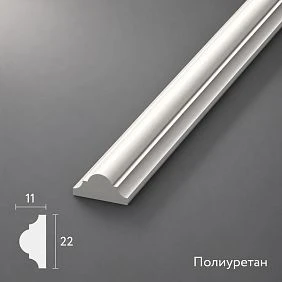
As starting candidates, you can take three products with different dimensions. Below are the sizes from the STAVROS cards; the verification tasks are suggested for comparison, not as ready-made recommendations for any room.
| Model | Width × depth × length, mm | What to look for in the scene |
|---|---|---|
| MLDPU-001 | 10 × 6 × 2600 | Is the thin line legible enough |
| MLDPU-002 | 22 × 11 × 2600 | How the strip width and the prominence of the relief relate |
| MLDPU-003 | 35 × 12 × 2600 | Does the wider frame overload the selected field |
All three items are made of polyurethane. At the same time, the transition from a width of 22 to 35 mm is accompanied by a change in the stated depth of only 11 to 12 mm. This means you cannot expect the visual depth of the shadow to increase strictly in proportion to the strip width. The result will be influenced by the cross-section shape and the light.
The final choice is made in the design scene. The table sets out verifiable differences between products, but it does not replace an assessment of a specific wall.
Before changing the profile, determine which frame dimensions remain
When comparing a thin and a wide molding, you need to decide in advance what remains unchanged: the inner field, the outer dimension, or the chosen reference line. You cannot keep all three unchanged while changing the width.
Suppose the inner field of a conventional rectangular frame is 1000 × 1600 mm, and the profile is located entirely outside it. At a width of 10 mm, the outer size will be 1020 × 1620 mm. At a width of 35 mm, it will be 1070 × 1670 mm. The example refers to a flat frame with right angles and the specified geometry.
Thus, the wider option will come 25 mm closer to neighboring elements on each side if the inner field remains in the same place. This is already a verifiable change in the composition. It cannot be hidden by a slight camera repositioning or an imperceptible reduction of the frame in only one variant.
How the camera changes the impression of scale
Focal length is related to the angle of view and the size of objects in the frame; this relationship is explained by Nikon's breakdown. But perspective relationships depend primarily on the camera's position relative to the objects. Changing the focal length while keeping the shooting point fixed and moving the camera are different actions.
When the camera is placed closer to the wall for a wide angle, the nearest parts of the composition may appear larger relative to the more distant ones. If another profile is then shown from the depth of the room with different framing, the comparison becomes ambiguous. The difference in the images is no longer explained by a single section.
To verify, fix the camera position and direction, focal length, virtual frame size, and image aspect ratio. Focal length and sensor parameters are provided, for example, in Autodesk physical camera settings.
Also save a frontal reference view without perspective foreshortening and with dimensions. It does not replace the interior angle, but it helps distinguish the actual profile width from the impression created by the camera. Furniture and a door can serve as visual reference points only when their own scale has also been verified.
Prepare wide, medium, and close-up shots
A single striking angle rarely answers all questions about the molding. You need views with different purposes, and the same set is repeated for each candidate.
| Shot | What is being checked | What conclusion it is too early to draw from it |
|---|---|---|
| Wide view of the room | Rhythm of the frames, visibility of the trim, relationship to the entire wall | Judge the quality of fine relief |
| Section of wall with furniture or a door | Profile width, offsets, proximity of materials and dimensions | Mistaking an image for a dimensional drawing |
| Large fragment and corner | Relief shape, highlights, ornament direction, junctions | Judging how heavy the whole room looks |
It is preferable to choose the overall view from a real vantage point: from the entrance, from the passage, or from where a person usually is. For a close-up, the same camera does not need to be kept, but the position of this separate camera should be repeated across all compared options.
Show frames of the same size. An enlarged image of one profile next to a reduced image of another pushes toward an erroneous conclusion about scale.
The size of the image copy itself also matters. Suppose that in a conventional front view, a wall 4000 mm wide occupies 1600 image pixels. A profile 10 mm wide accounts for only four pixels. After reducing the image to 400 pixels in width, the same profile occupies one pixel. This is a simplified example without perspective: it explains the loss of detail, but does not set the minimum molding width. From a small copy, one cannot confidently assess fine relief or reject a product without looking at the original image.
Change one parameter per comparison step
First compare sections with the same finish and lighting. Then, for the selected candidates, check the color. After that, evaluate the daytime and evening scenarios. This order makes it possible to understand the cause of the differences.
If one molding simultaneously has darker paint, harsher light, and a closer camera, it is impossible to say with confidence what exactly made it too active. Correcting the shape in such a situation may turn out to be unnecessary.
Fix the image brightness, white balance, surface reflection characteristics, and shadow processing. This does not mean that the interior should be shown under only one lighting condition. Each lighting scenario must be identical for the products being compared. Individual artistic images can be prepared later, once the profile has been selected and the conditions for its evaluation are clear.
Use side lighting to check the depth of the relief
Soft frontal lighting smooths out the differences between protrusions and recesses. Light directed along the surface reveals its structure more strongly. This principle is described in ERCO's material on vertical lighting.
For molding, it is useful to compare two states: normal design lighting and additional verification side lighting. In the second, the shape of the grooves, transitions, protruding edges, and possible defects in the digital geometry are visible. But the diagnostic shot should not be presented as a promise of how the wall will look every evening.
Compare the direction, position, size, and brightness of the light sources. A narrow source can produce a sharper shadow edge than a large diffused one, even with the same profile. Therefore, a single dark band under the molding does not yet prove that it is excessively deep.
If the relief looks convincing only under special lighting, decide whether it will be provided at the site. If such lighting is absent, it is worth checking another profile or clarifying the expected visibility of the decor.
Evaluate color and gloss level together with geometry
Molding in the wall color is perceived primarily through relief, shadows, and reflections. Contrasting paint adds an independent graphic line. A dark profile on a light background may be perceived more actively than a light one, but the impression depends on the area of the framing and the surroundings.
To choose a shape, start with a unified finish for all candidates. Then check the design option: the same color as the wall, a light outline on a colored background, or another agreed-upon solution. Also compare the degree of gloss. A pronounced highlight can emphasize a curve that looks calmer on a matte surface.
The shade on screen is not a final paint sample. Manufacturer Benjamin Moore recommends observing a paint swatch under natural and artificial lighting and notes a possible difference between the on-screen color and the actual one.
Therefore, the project records not only the beautiful color of the image, but also the future finishing system, the shade code, the sheen level, and a physical sample. Changing the paint color after selecting the molding may require reviewing the composition again.
Check the lower part of the wall and the door trim
In the lower fragment, the floor, baseboard, free space, and the beginning of the molding frame should be visible. Assess whether the two profiles merge into one heavy band and whether the gap between them becomes random.
Place furniture of real dimensions into the scene. A frame that looks convincing on an empty wall may be almost completely hidden behind the back of a sofa or intersect with the top line of a sideboard. This is a matter of placement and scale of the composition, not a reason to automatically change the profile.
Near the door, check the projection of the casing and molding, the distance between them, the height of the frame, and where the line ends. If the profile comes right up to the trim, a single perspective view is not enough: a dimensional fragment is needed. Do not set a universal allowable gap based on a pretty picture — it is determined for a specific junction and installation conditions.
Compare the molding with the ceiling cornice
The cornice, wall frames, and baseboard distribute attention across the height of the room. They do not have to have the same pattern or width. What matters more is that their differences support the intended composition.
Check the overall appearance of the wall from floor to ceiling. If the cornice dominates, this may be a deliberate decision. But when it accidentally overwhelms the frames, it is worth comparing options for the cross-section or the free space beneath it. There is no need to increase the wall molding just for numerical equality.
Pay especially close attention to the upper corners and the wall sections near doors. There, several lines end up next to each other, and even profiles that are moderate individually can create an overly dense pattern. The result is checked at the actual ceiling height, not in a conditionally enlarged room.
Include corners, overlays, and ornament in the comparison right away
If the frame contains corner details or a central overlay, its visual weight is determined by the entire composition. To first choose a thin molding and then add large decor without reviewing it again means changing an already agreed-upon decision.
In the section decoration for moldings select elements with a verified connection to the required profile. Each receives its own dimensions and product code. Left and right versions are kept separately: mirroring in the program does not replace identification of the actual product.
For ornamental polyurethane molding check the actual pattern repeat, the beginning and end of the motif, the central axis, and the corners. Do not stretch the pattern to fill the remaining length. After cutting, the pattern should be assembled from available parts, not merely continue beautifully in the image.
For a radius, confirm the physical execution
A round frame or arch in a three-dimensional scene does not prove that the selected straight strip can be bent in that way. It is necessary to establish whether a suitable flexible version exists, for which bending direction it is intended, and what radius is allowed.
Wrapping around a convex wall and bending a frame in the plane of the wall impose different requirements. Until the properties of a specific product are confirmed, the curved section remains a preliminary solution.
If the task requires purchasing a flexible polyurethane molding, provide the supplier with the geometry of the area and the application conditions. A ready-made shaped element or a different composition may be a possible alternative, but it must also be checked in the scene. Previous approval of a straight profile does not automatically apply to the new design.
How to determine what to fix: the profile or the image
The result of the review should lead to a specific action. The wording "something doesn't look right" leaves the visualizer with too many opportunities to change the conditions instead of solving the task.
| Observation | What to check first | Possible action after review |
|---|---|---|
| The line disappears only on the reduced copy | Image size, contrast, reduction quality | Evaluate the original frame and then the actual visibility of the profile |
| The shadow seems excessively harsh | Direction and size of the source, shadow processing | Compare with the design light |
| The frame fits tightly against the casing | Overall dimensions and actual clearances | Change the layout or choose a different profile |
| The relief does not match the product card | Scale and origin of the model | Fix the geometry before further approval |
| The ornament does not align at the corner | Repeat, trimming, and part composition | Review the assembly and recheck |
If the problem persists with correct geometry and under the specified conditions, there is grounds to change the product. If it is caused only by the frame settings, the image is corrected first. This sequence reduces unnecessary product swaps without a clear reason.
For example, the client feels the chosen molding is too heavy. First, open the general and medium shots with the design lighting and check whether this impression holds in both. Then compare the adjacent candidate under the same conditions. If only the shadow sharpness changes, investigate the light and processing. If the frame width crowds the inner field and the adjacent casing, go back to the profile or layout. The result of such a check can be explained through specific dimensions and views, rather than a general request to “make it lighter.”
The drawing is checked before final approval
A visualization shows perception, while a technical drawing allows you to verify dimensions and junctions. It is better to work with them in parallel: a profile mismatch is more useful to detect before approval than after preparing all the views.
Check the width and depth, the mounting plane, the profile direction, and the outer and inner contours of the frame. For corners and junctions, check where one part ends and another begins. The overall dimension of a decorative corner cannot be automatically subtracted from the length of each side without understanding the joint.
The DWG format itself does not guarantee that a file is current or accurate. It is important that the drawing relates to the correct article and finish, is read correctly in terms of units, and corresponds to the current revision of the project. If data is insufficient, the detail is marked as requiring clarification.
A physical sample completes the check of texture and finish
Before a large order, clarify the available Samples and catalogs for the selected items. The catalog helps confirm the product, while the physical part allows you to evaluate the texture, edges, and finish under real lighting.
Perform a test finish using the specified system. Place the sample against the wall in the project orientation and look at it from a normal distance and up close. If the decision depends on the angle, check the junction: a short straight fragment does not confirm it.
A single sample also does not show a large frame composition in full. Scale is assessed from the visualization and layout, while surface properties are assessed from the physical part. Keep the sample with the article, finish, and approval date indicated, so that the designer, finisher, and procurement specialist have a common point of comparison.
Record exactly what has been approved
The decision "option B was chosen" is not enough if the files are later renamed or the images are rearranged. Record the manufacturer, article number, section dimensions, finish, room, wall designation, and project revision. The approved image must be linked to this data.
Separate the results: the composition is approved by the client, the geometry is verified, the finish sample is confirmed, and the quantity is calculated. These stages may be completed on different days. The word "approved" without specifying the subject of approval creates a risk of premature purchasing.
A conditional note might look like this: "Living room wall, ML-01: the profile and arrangement of the frames are approved based on revision 03 images; the color is pending verification on a sample; the quantity to order has not yet been approved." This is a clear boundary of the current decision. When the color is replaced, the assessment of the finish and the visibility of the relief is repeated, and when the article number is changed, they additionally return to the dimensions, junctions, and cutting layout. In the working folder, keep the current revision separate from previous versions so that the approved frame does not end up linked to an outdated schedule.
For rejected candidates, it is enough to keep a short reason: the framing is too wide for the specified offsets, the character of the relief is unsuitable, or a different corner solution is needed. Such a note is more useful than a general "didn't like it" when returning to the project. Rejected options are excluded from the active procurement list.
Transfer the article number from the scene to the specification without substitution
The scene object, the position on the elevation, and the specification line must share a common project code. For example, "ML-01" links the graphics, and next to it in the schedule are disclosed STAVROS, the selected article number, dimensions, and a link to the product card.
The specification includes the material, commercial length, delivery condition, project finish, and related decorative details. The approval results and the current revision are also indicated. An object name like "final molding" does not replace this information.
When replacing an article number after approval, check the affected frames, drawings, corners, and quantities. If the new profile resembles the old one only in the frontal image, this is not enough for automatic substitution. The order assembler must receive the active selection, not several equivalent options without indicating which one to order.
From the approved frame, move on to the number of planks
The final image does not contain a complete procurement calculation. The working layout specifies the dimensions of the sections, the number of repeats, and the assembly method. After that, a parts list and a cutting map for the commercial length of the selected profile are compiled.
The total linear footage and the number of whole strips are different quantities. Dividing the length of all frames by the product length does not account for whether individual segments fit where cuts are needed or whether offcuts can be used. For ornament, a check of the pattern position is added.
Corners, overlays, and paired elements are counted as separate items. The reserve is determined by the project and installation task, not replaced by a universal percentage. After changing the profile width or frame composition, the previous dimensions and cutting layout are checked again.
How to buy moldings based on visualization results
When the profile, finish, and working dimensions are agreed, you can buy polyurethane moldings by specific item numbers. For the order, provide the number of whole strips, the selected finish, and the list of related elements. For each item, confirm the current delivery terms.
To buy polyurethane wall moldings without having to select them again from a picture, save the product card in the specification and attach the required layouts. Project workflow capabilities are presented in the section STAVROS for designers and architects.
Start the check with one characteristic wall. Prepare identical views for the selected products, compare the design light and color, check adjacent profiles, and confirm the decision by item number. Such a data set can be passed along the project: the visualizer will save the approved view, the order specialist will order the required product, and the installer will receive a clear composition list.